
How to install Moodle on my hosting
One of the most used learning platforms in educational sites, offices, and schools is Moodle. To install Moodle on your Hosting, you must first access your service dashboard:
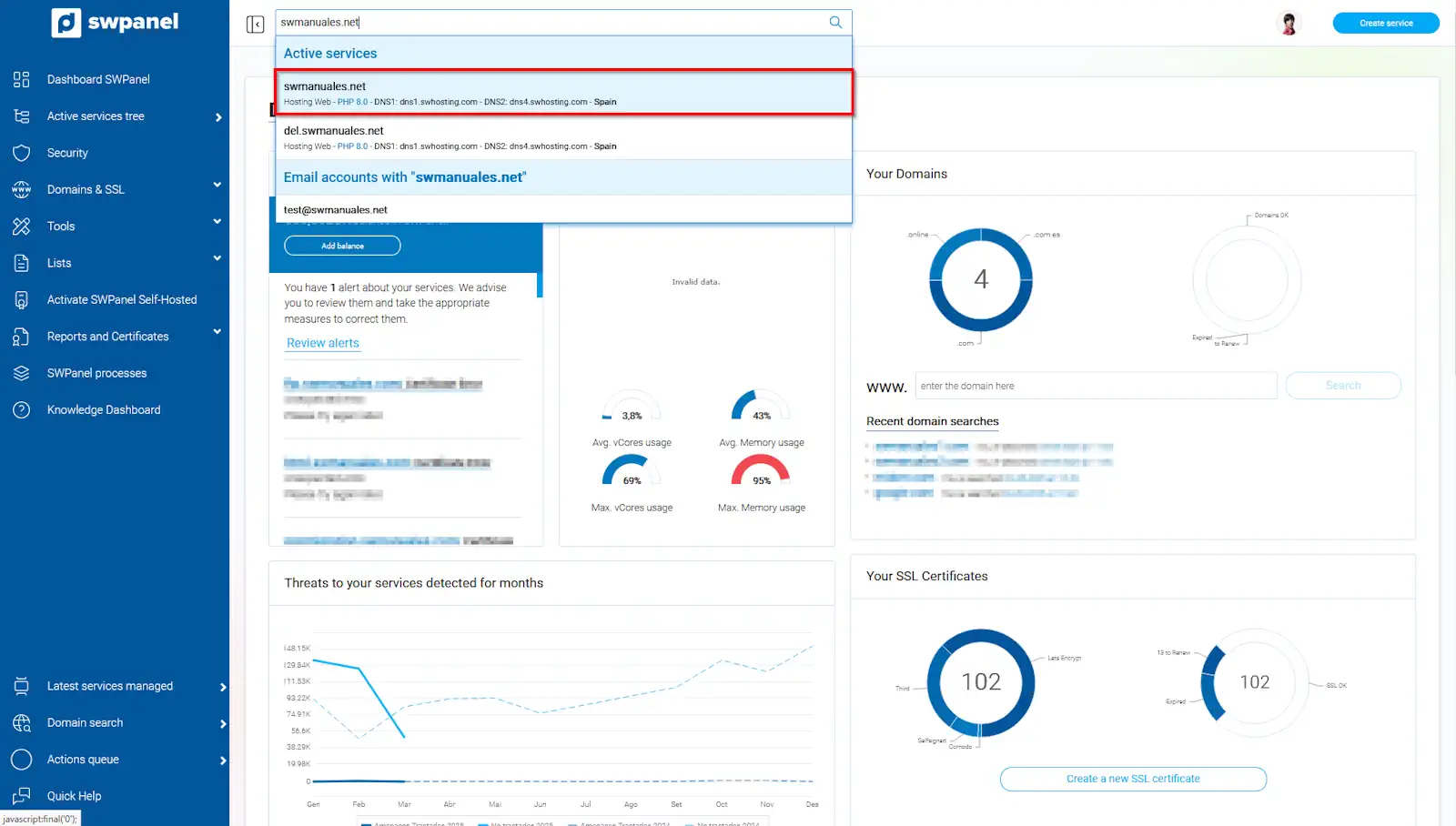
info_capture The screenshot is for guidance purposes. It was taken on version 2025.02.0002 dated 11/03/2025. It may differ from what the current version of SWPanel shows.
Once in the service dashboard, from the CMS management, you must activate the button to install Moodle:
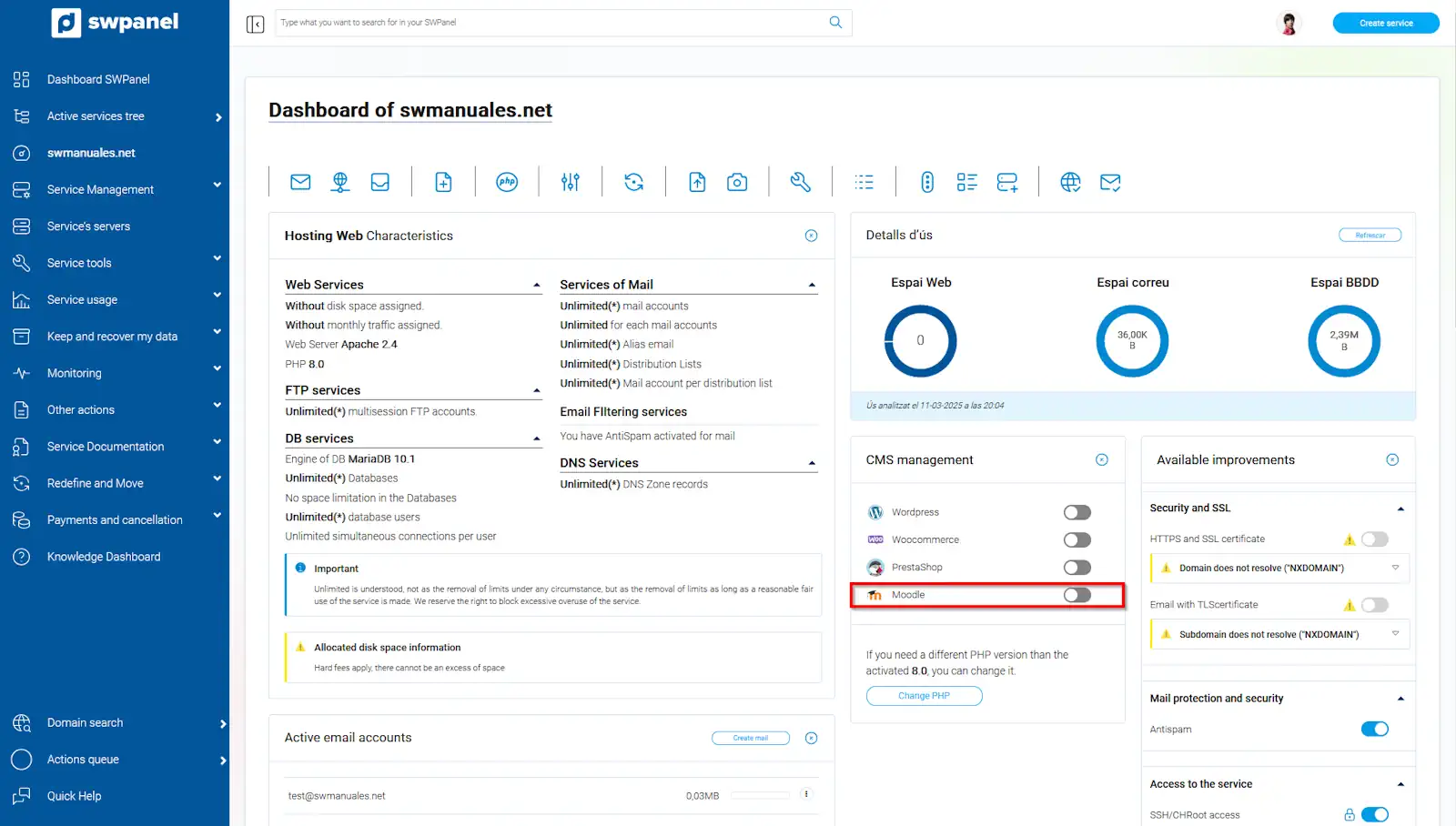
info_capture The screenshot is for guidance purposes. It was taken on version 2025.02.0002 dated 11/03/2025. It may differ from what the current version of SWPanel shows.
To finish, you must accept the creation of your Moodle CMS:
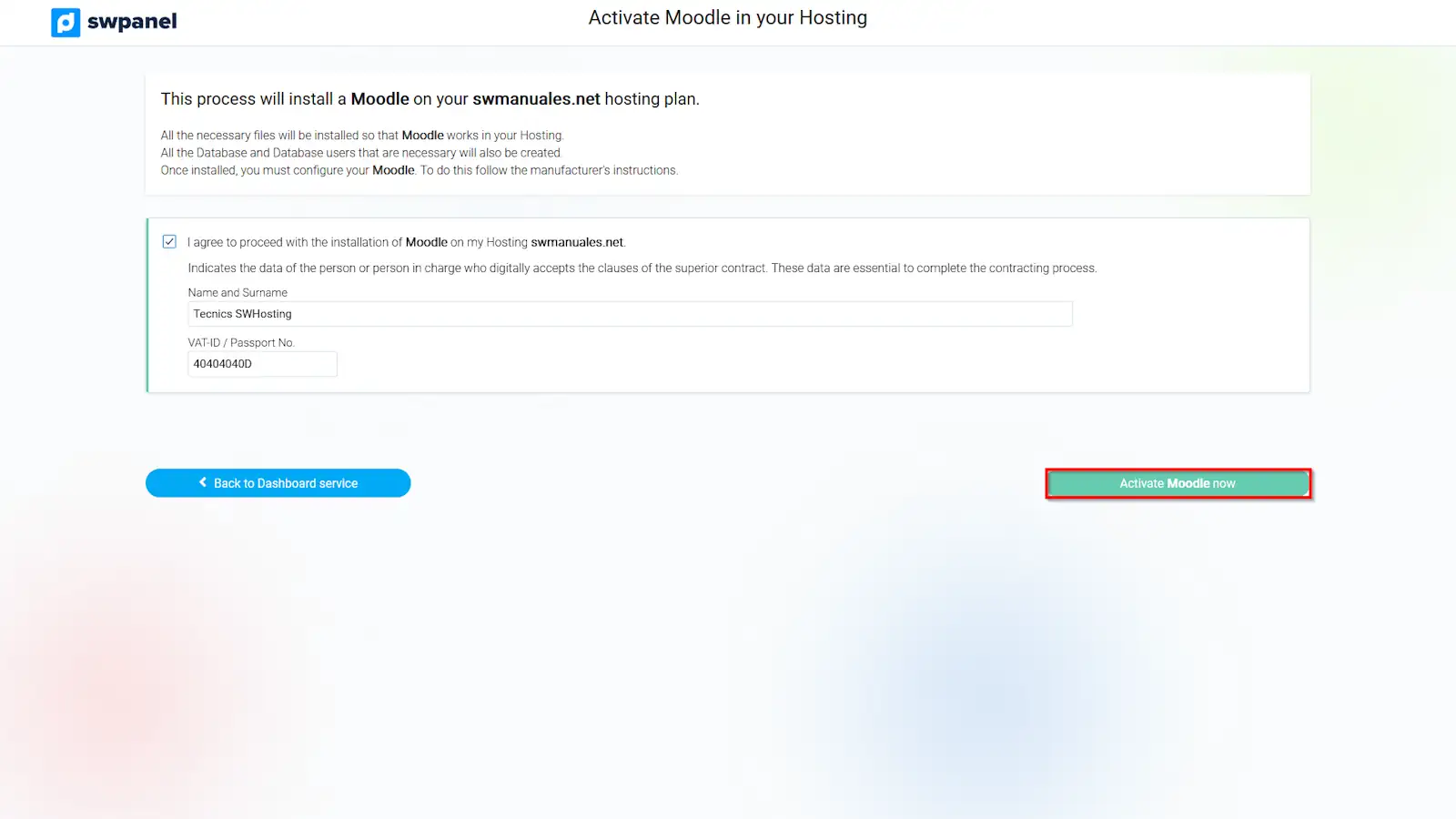
info_capture The screenshot is for guidance purposes. It was taken on version 2025.02.0002 dated 11/03/2025. It may differ from what the current version of SWPanel shows.