How to customize SWPanel Dashboards
To customize the different dashboards offered by SWPanel, we will go to the SWPanel Preferences using the top icon:
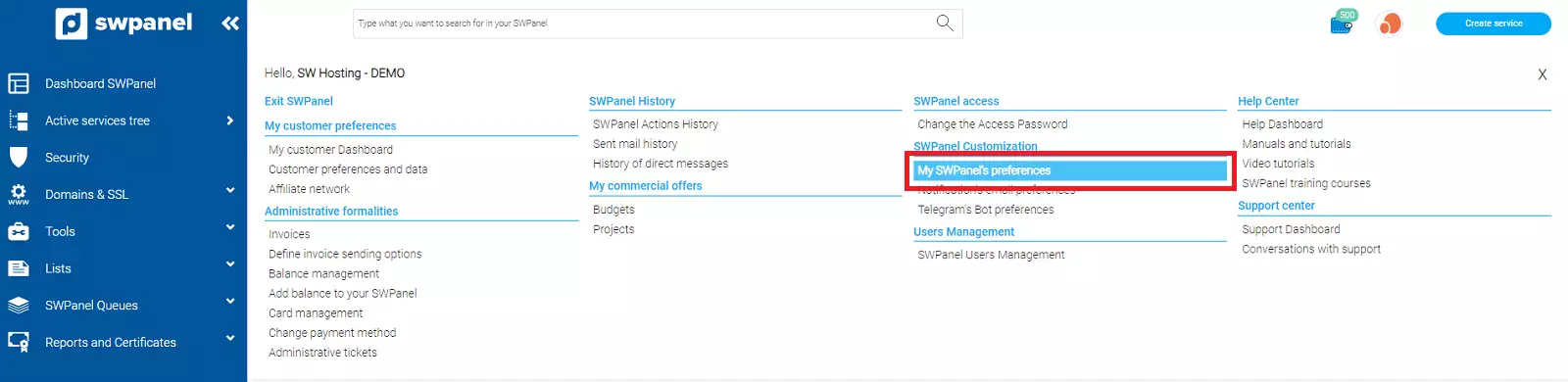
Subsequently, we will click on the Dashboards tab:

In it, we will find three sections:
- SWPanel general Dashboard
- Service Dashboard
- Cloud resource analysis and usage Dashboard
SWPanel general Dashboard
This first section refers to the SWPanel main Dashboard or the Dashboard that is shown when accessing your account.
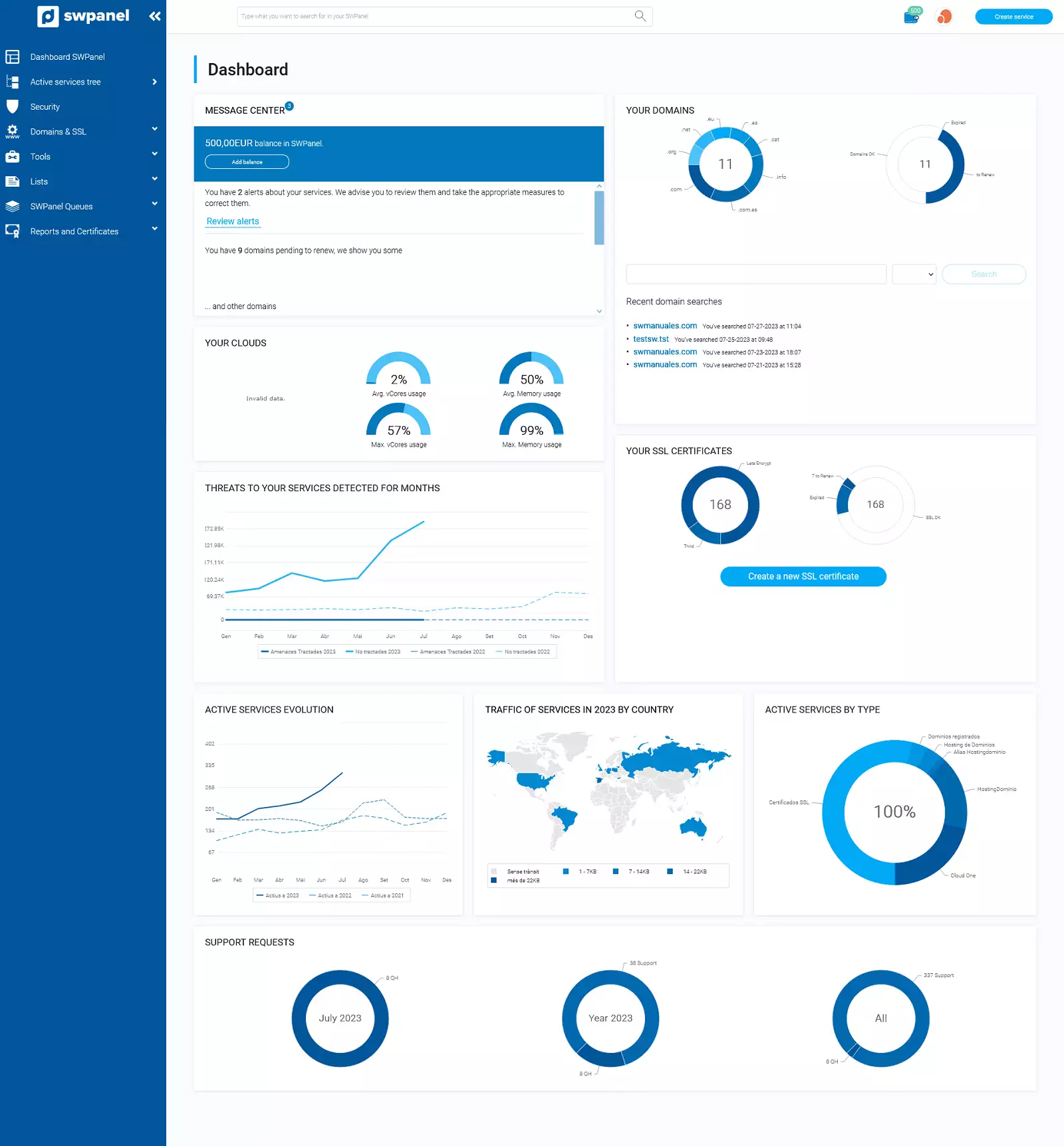
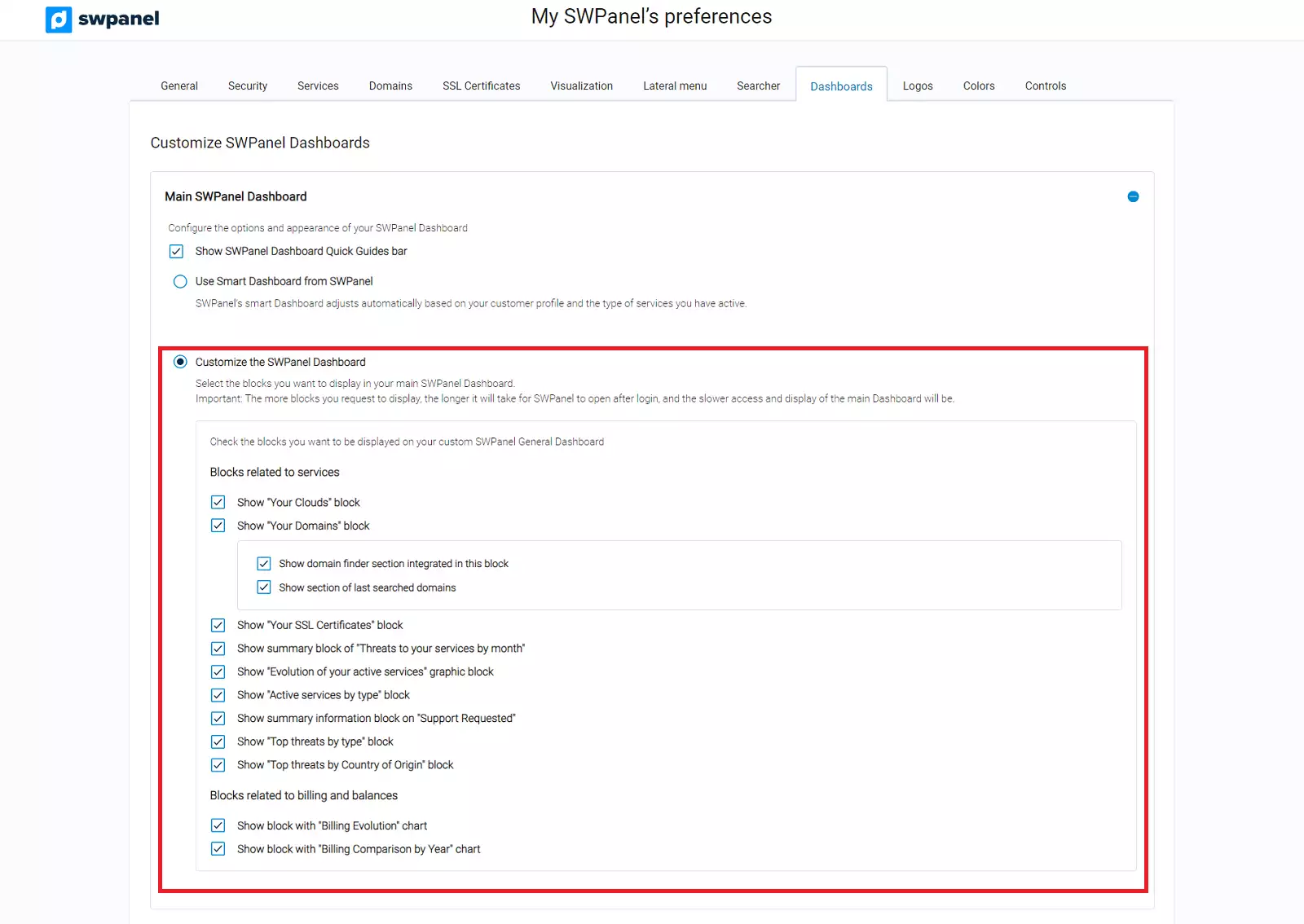
This first block will allow you to show and hide the Quick Guides bar and customize the blocks that appear on the dashboard.
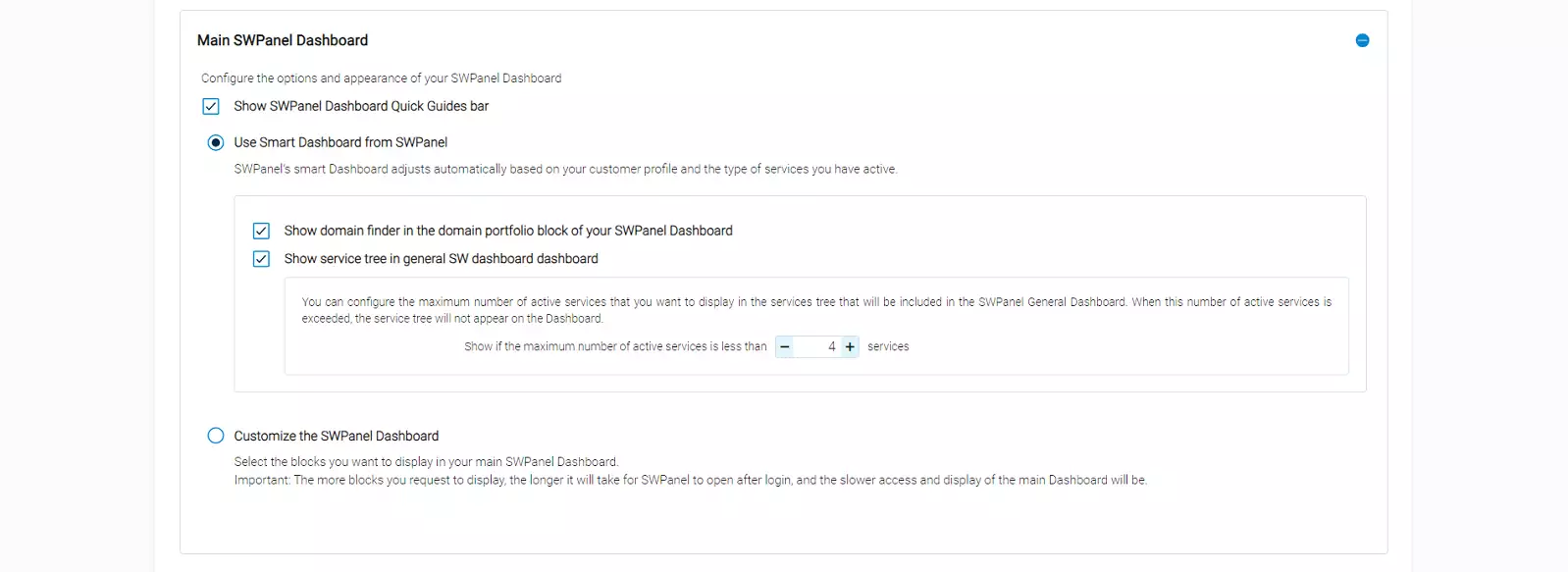
The Smart Dashboard will be adjusted based on the contracted services and your SWPanel account type:
If you check Customize the SWPanel Dashboard, you can enable and disable the display of the sections you want to be shown on your dashboard.
Service Dashboard
This second section refers to both the Dashboard of a Cloud Server and the Dashboard of a Hosting Service.
Command and Control shortcut bar for services
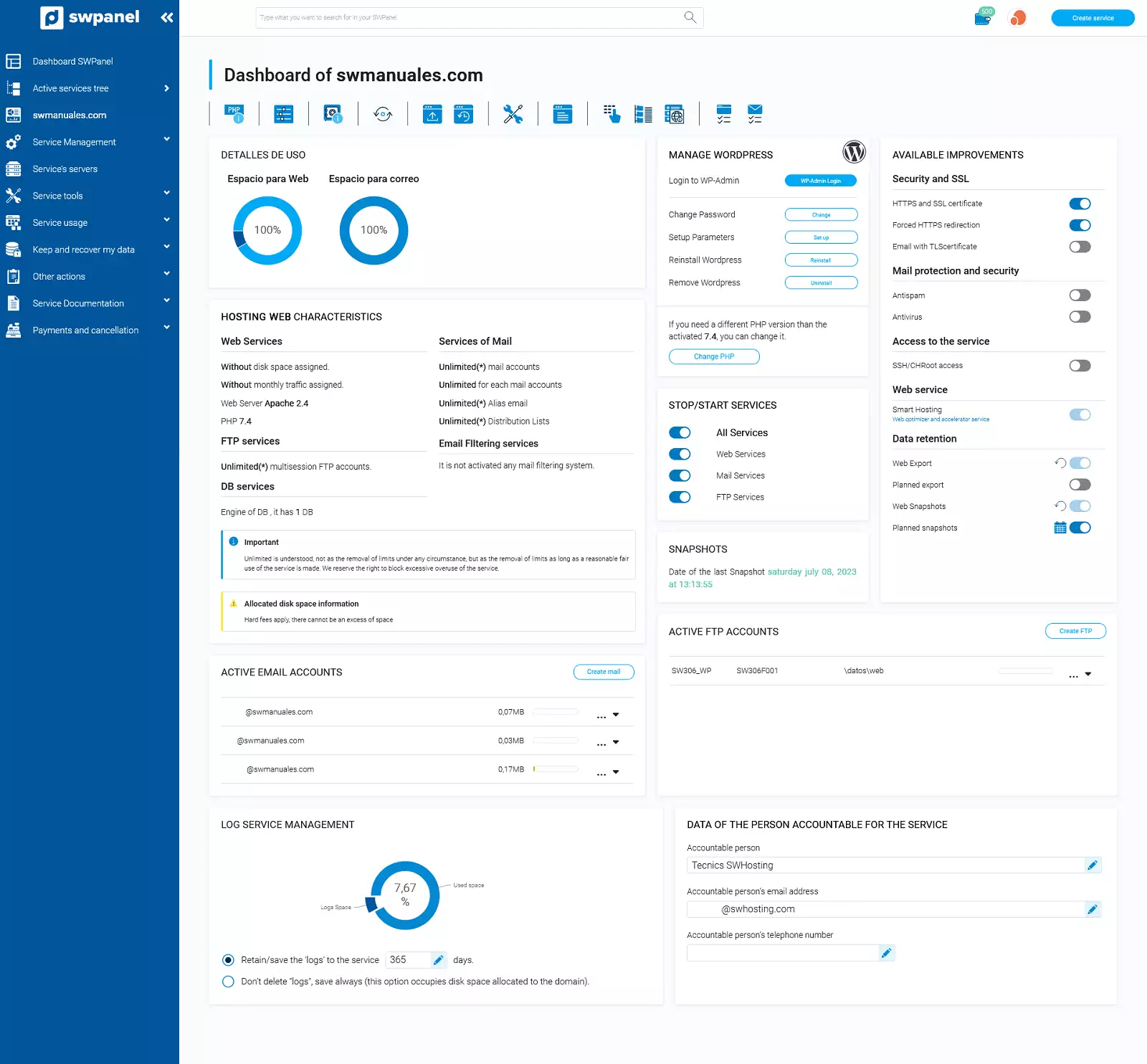
This Command and Control Bar refers to the top icon bar that appears in both a Cloud Dashboard and a Hosting service Dashboard:

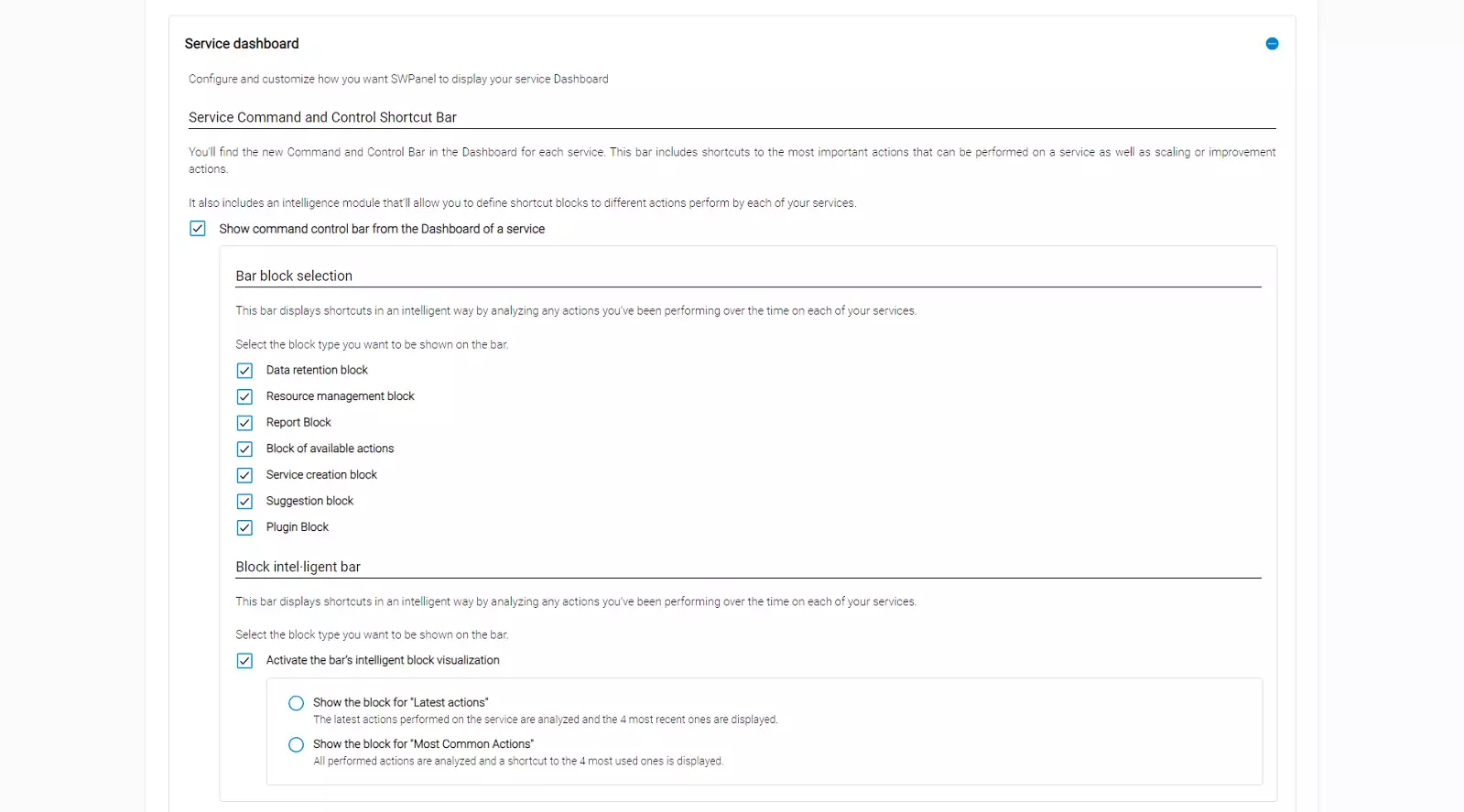
info The icons that appear in the Command and Control Bar in a Cloud Dashboard are specific for managing this type of service and are different from the icons that appear in the Command and Control Bar of a Hosting Dashboard.
Hosting services Dashboard
This block refers to the information boxes of the main Dashboards of Hosting services.
You can check and uncheck the different options to create a custom Dashboard that fits the information you want to have access to.
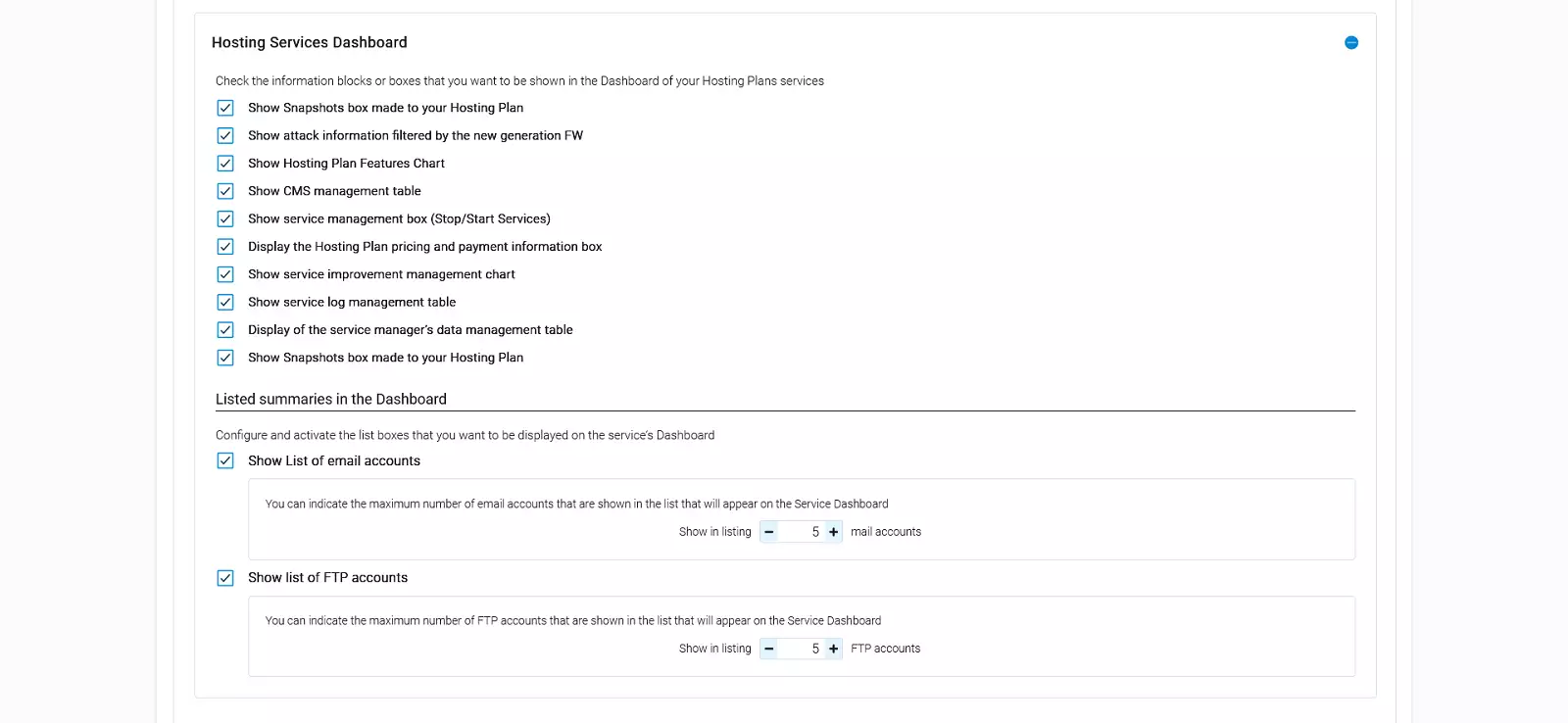
info The content of a Shared Hosting Dashboard provides specific tools and information to manage it and is different from the information and tools that appear in a Cloud Hosting Dashboard.
Cloud services Dashboard
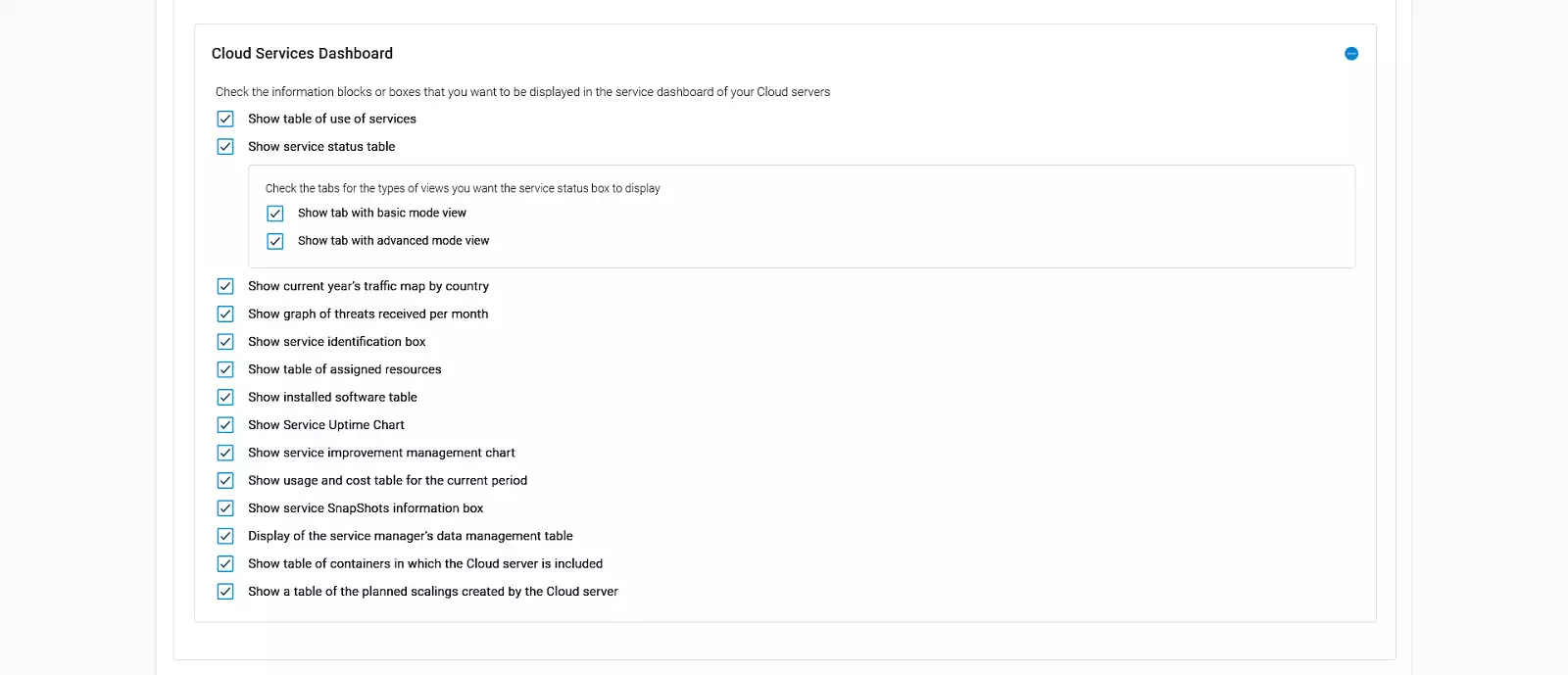
This last block refers to the information boxes of the main Dashboard of a Cloud.
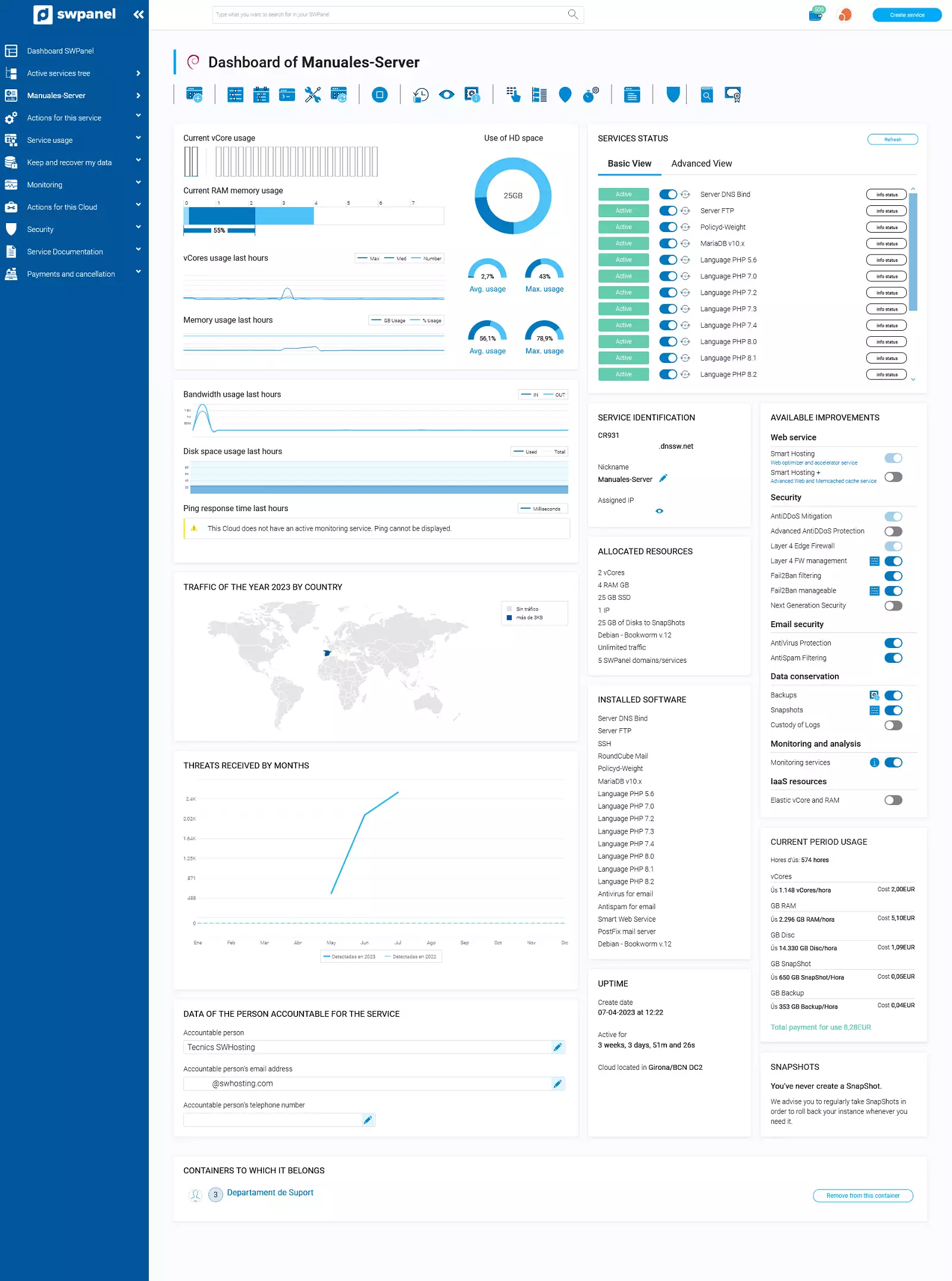
Check and uncheck the different boxes to customize the appearance of the Cloud Dashboards in your client account and adjust them to your needs:
info The content of a Cloud Dashboard varies according to the characteristics and software with which it has been deployed.
Cloud resource analysis and usage Dashboard
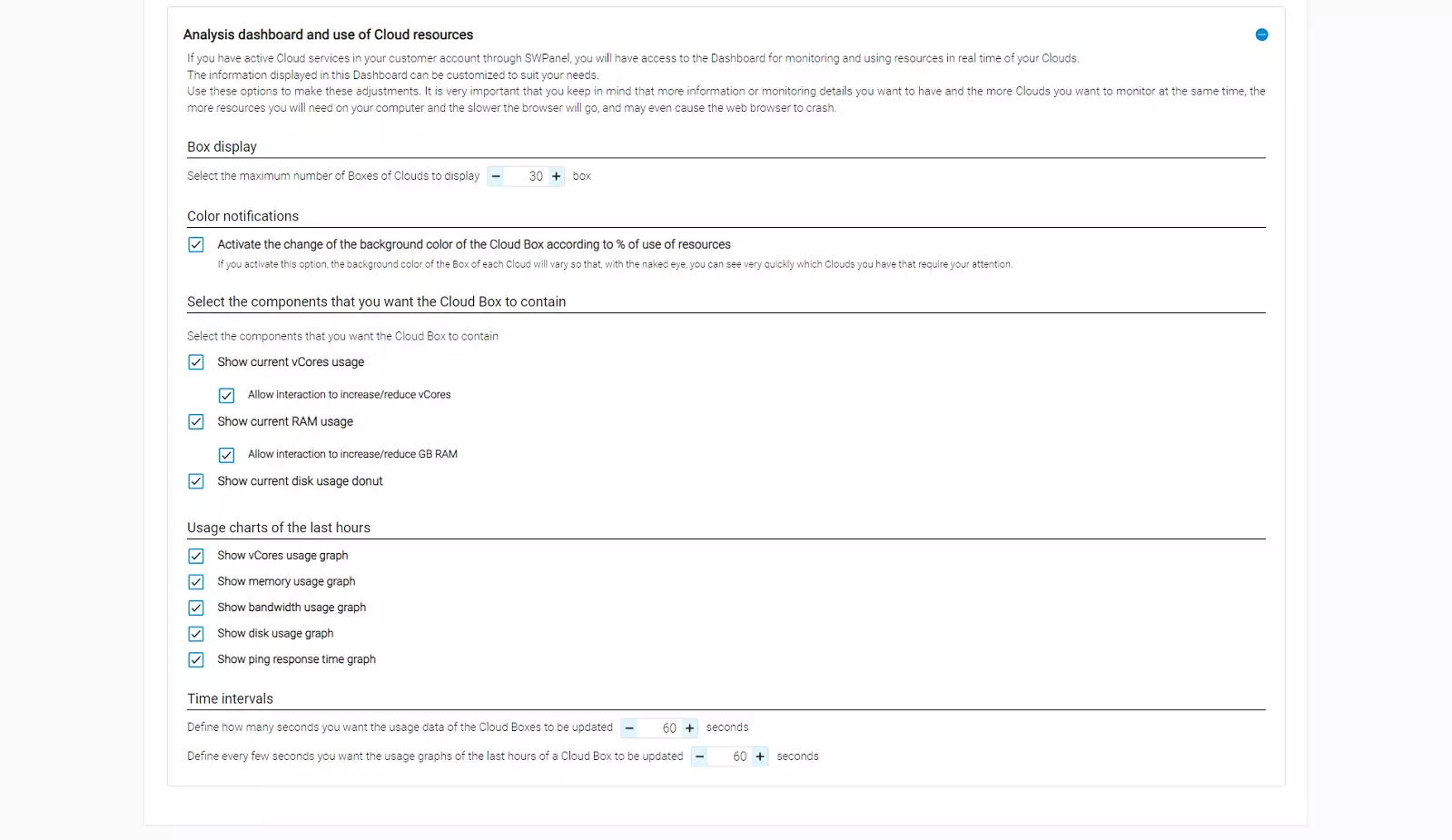
If you have Cloud servers in your Client account, you can access the Cloud resource analysis and usage Dashboard:
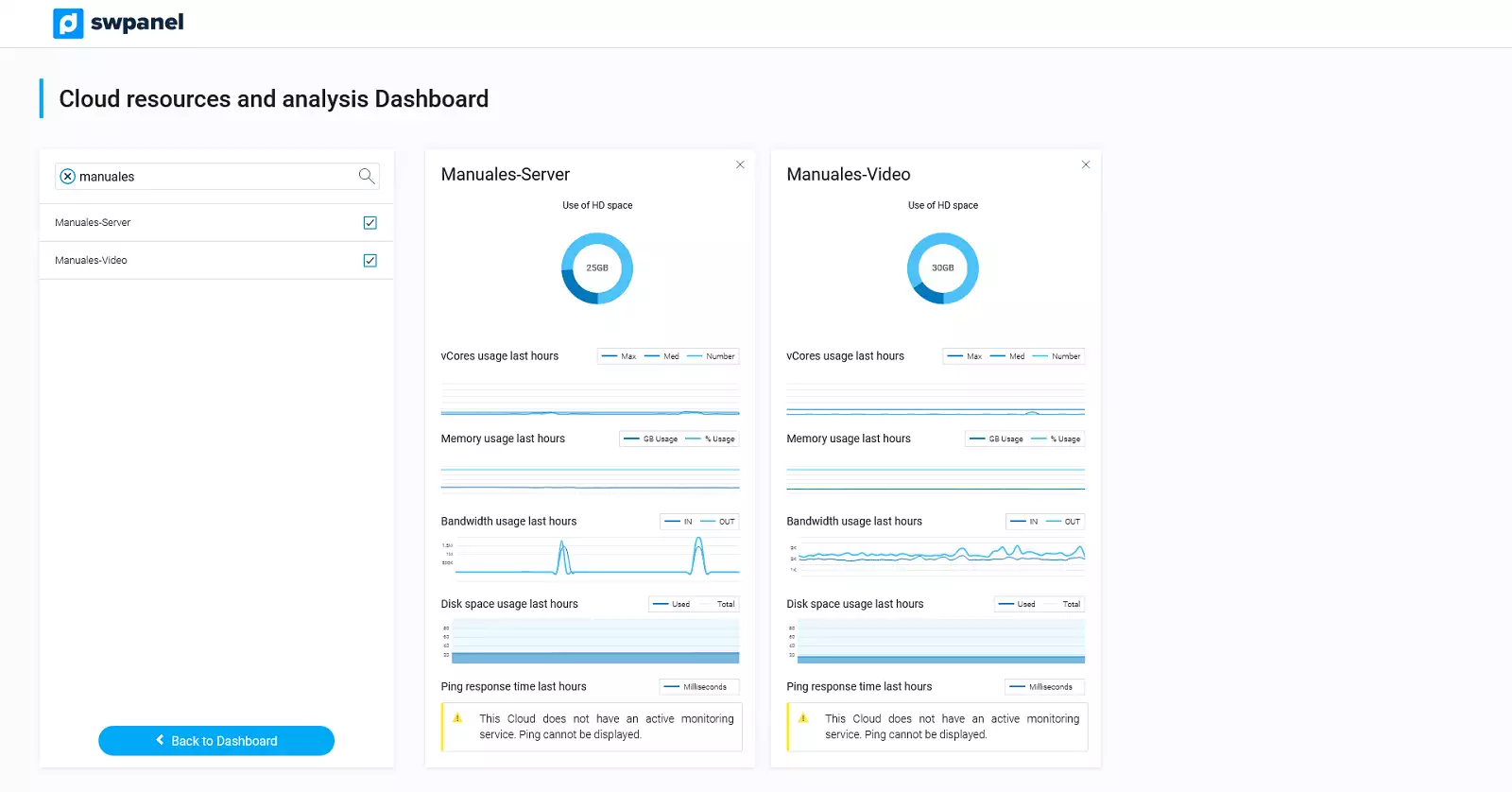
In this last section, you can customize this Dashboard to adjust it to your needs: