
How to view the timeline and updates of SWPanel
Having a timeline and a roadmap allows you to clearly visualize the evolution of SWPanel and the improvements being implemented. This provides transparency, planning, and confidence, as new features can be anticipated and progress can be verified. To view them, first, you must click on your profile, located in the upper right part of SWPanel.
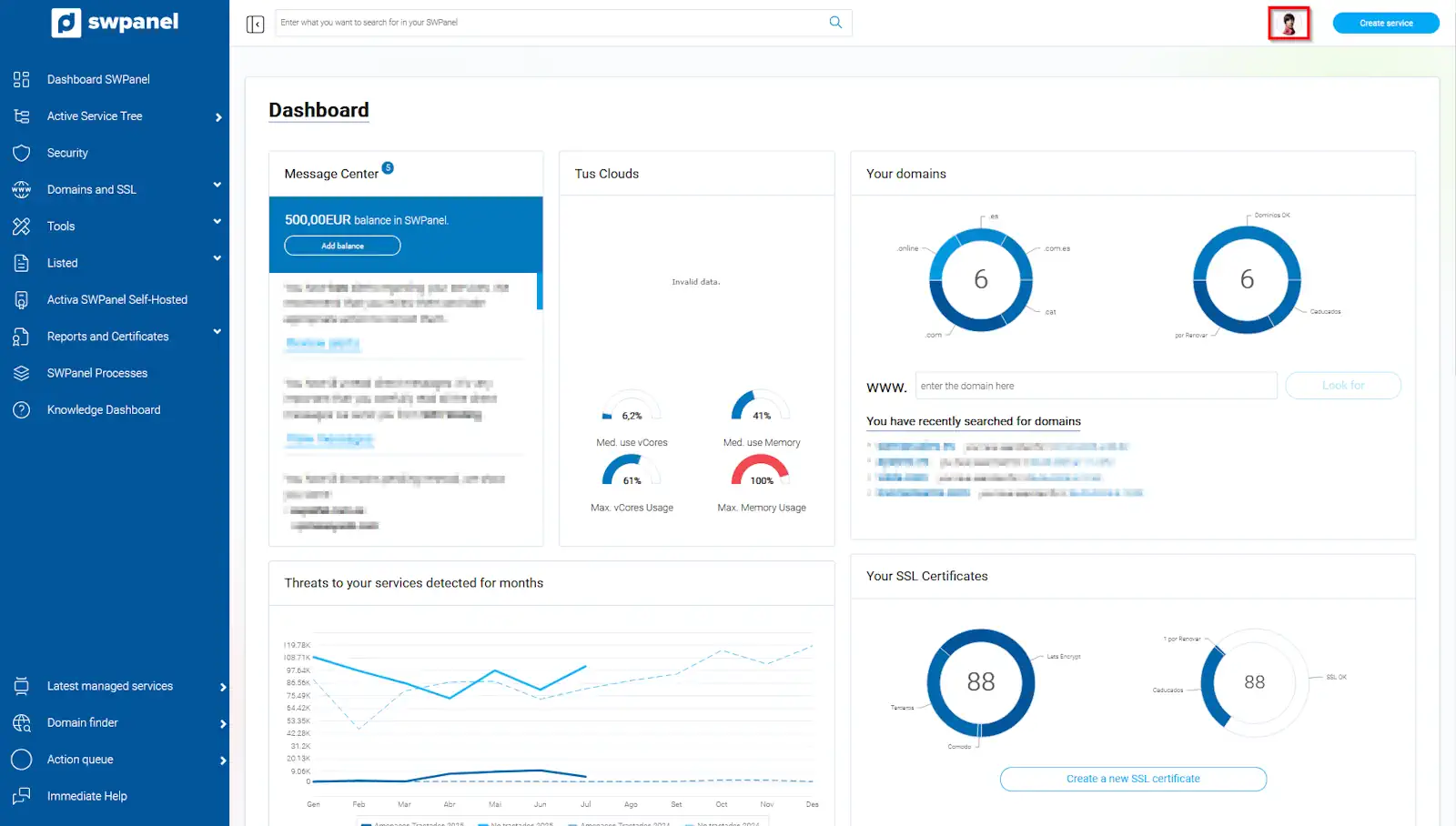
info_capture The screenshot is for guidance purposes. It was taken using version 2025.005.0001 dated 27/07/2025. It may differ from what the current version of SWPanel shows.
Next, you must click on the 'About' menu to then click on 'Timeline of news and improvements'.
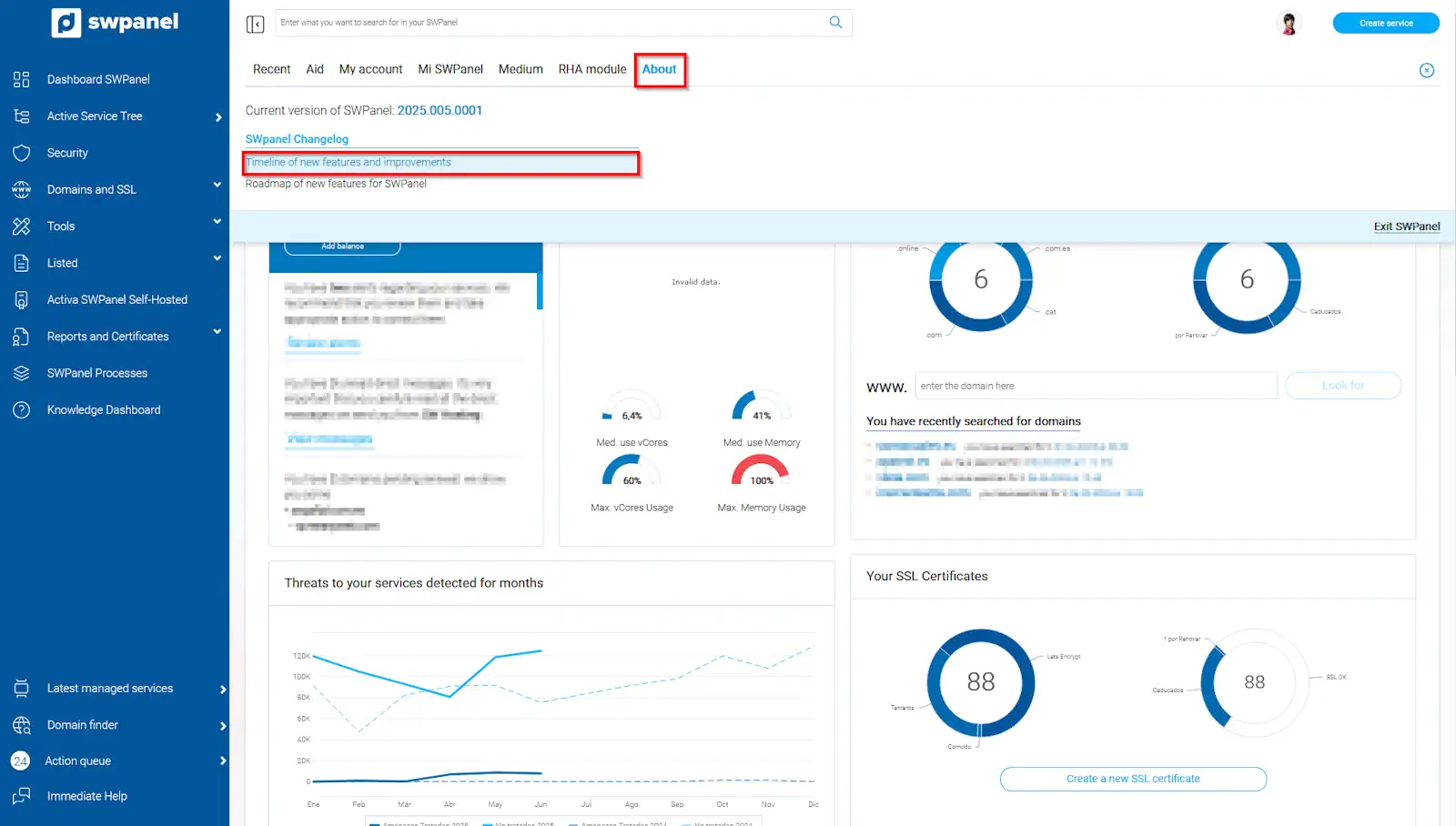
info_capture The screenshot is for guidance purposes. It was taken using version 2025.005.0001 dated 27/07/2025. It may differ from what the current version of SWPanel shows.
In this section, the SWPanel Changelog is presented, where news, improvements, and error corrections included in each version are collected. You will be able to review all applied changes, from new integrations and bug fixes to usability optimization.
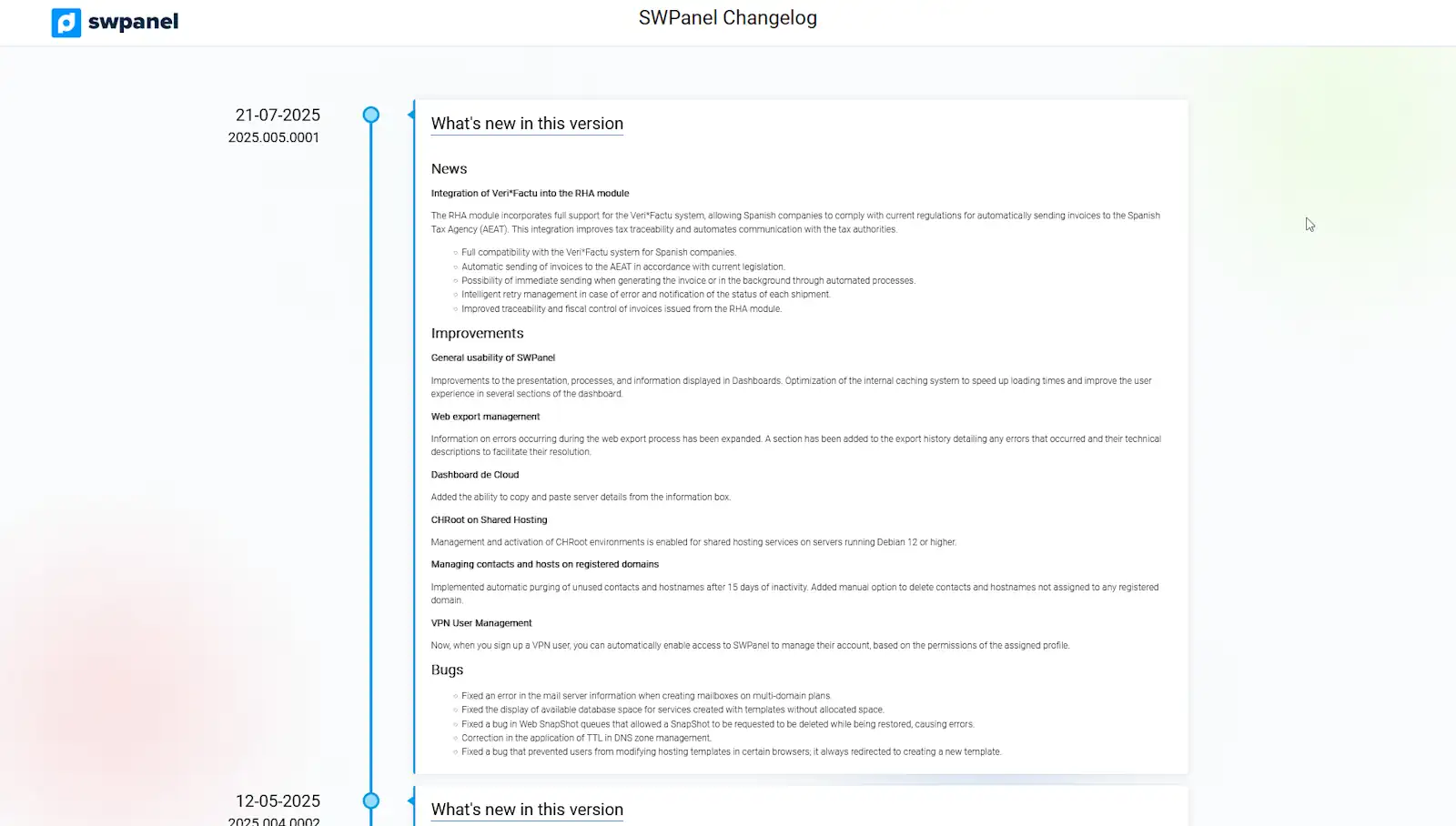
info_capture The screenshot is for guidance purposes. It was taken using version 2025.005.0001 dated 27/07/2025. It may differ from what the current version of SWPanel shows.
To view the action roadmap, from 'About', you must click on 'Roadmap of news for SWPanel.
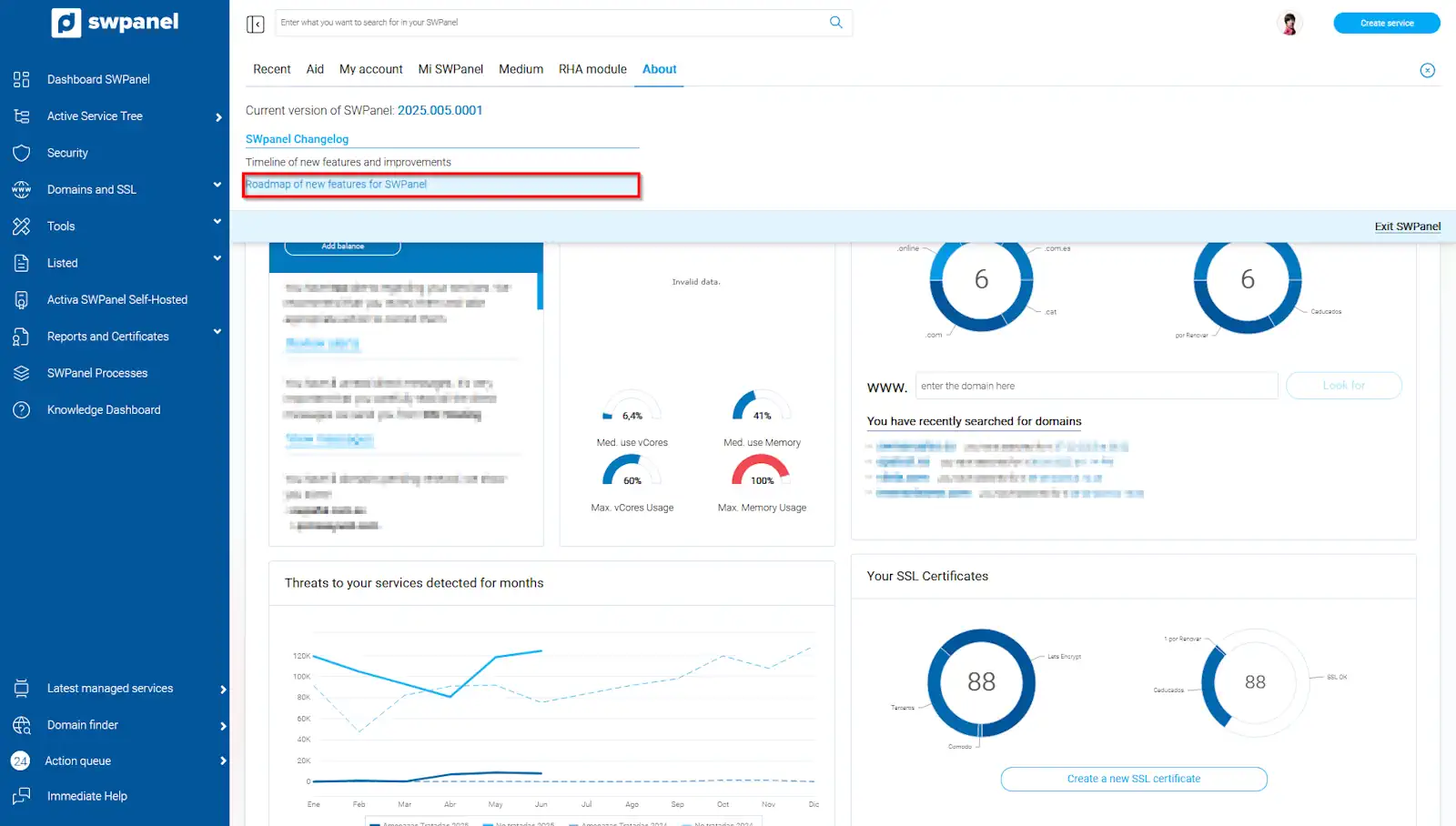
info_capture The screenshot is for guidance purposes. It was taken using version 2025.005.0001 dated 27/07/2025. It may differ from what the current version of SWPanel shows.
In this section, the SWPanel news Roadmap is shown, where the new functions and improvements published on different dates and versions are detailed, and where you can check which changes have been incorporated, their descriptions, and the publication forecasts.
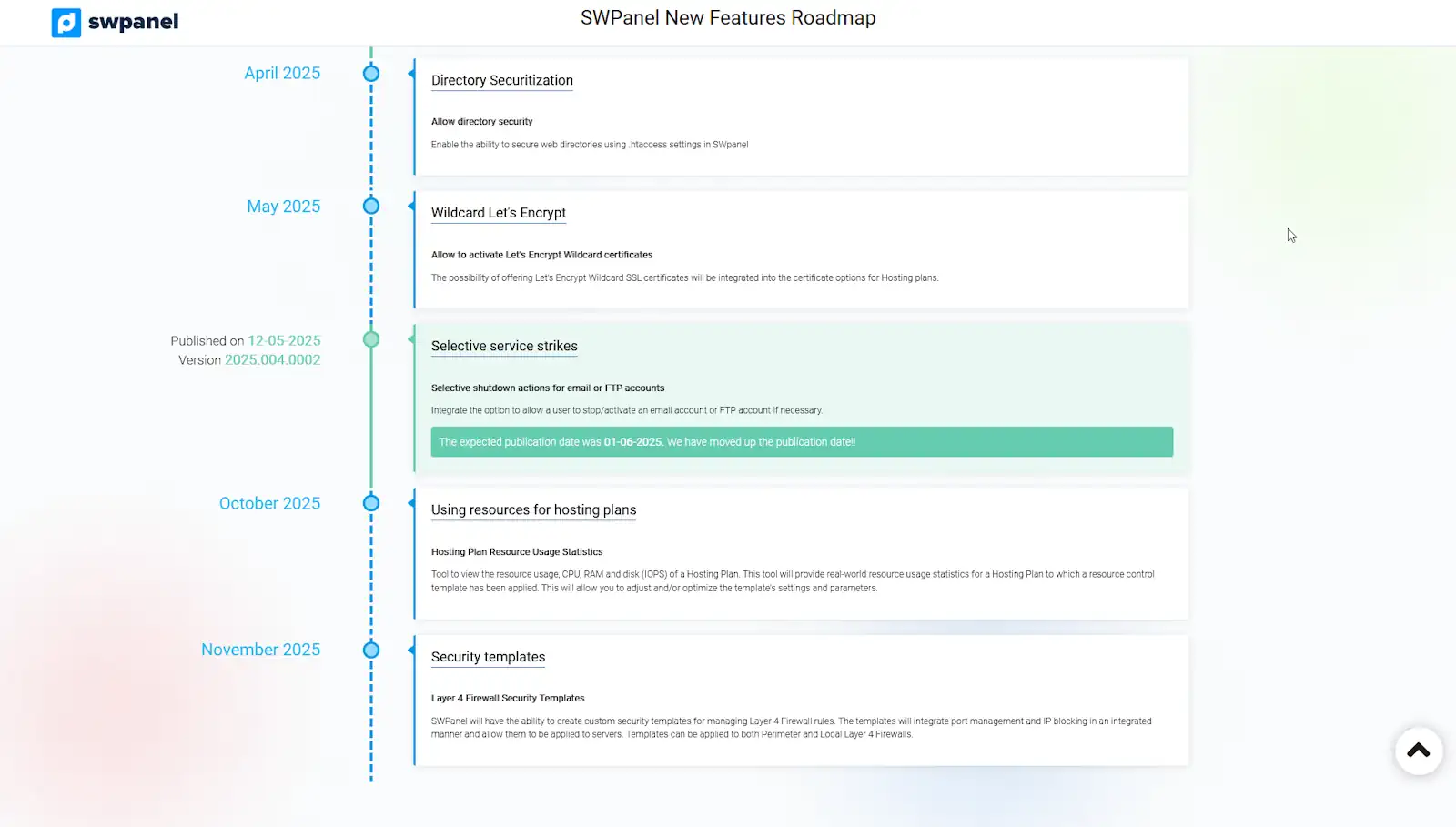
info_capture The screenshot is for guidance purposes. It was taken using version 2025.005.0001 dated 27/07/2025. It may differ from what the current version of SWPanel shows.