
How to change the password of your database user linked to WordPress
To change the password for your database user linked to WordPress, you must follow these steps:
- Access the dashboard of the hosting service where the database user is located.
You can use the top search bar of your SWPanel
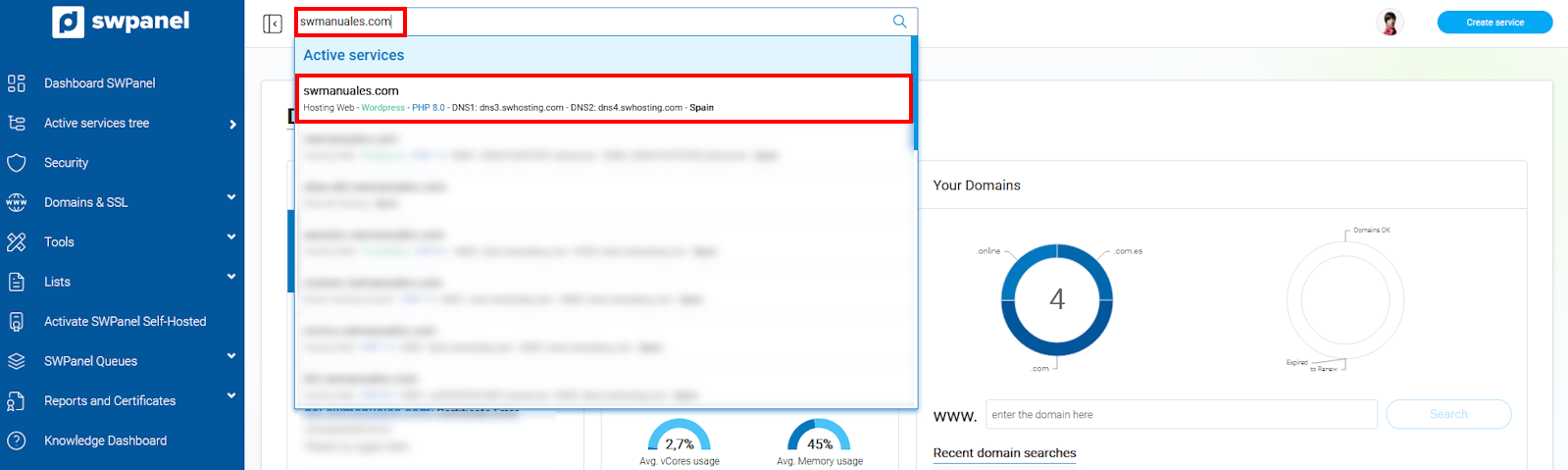
info_capture The screenshot is for guidance purposes. It was taken using version 2025.00.0017 dated 16/01/2025. It may differ from what the current version of SWPanel shows.
- In the MANAGE WORDPRESS section, click on 'Adjust'.
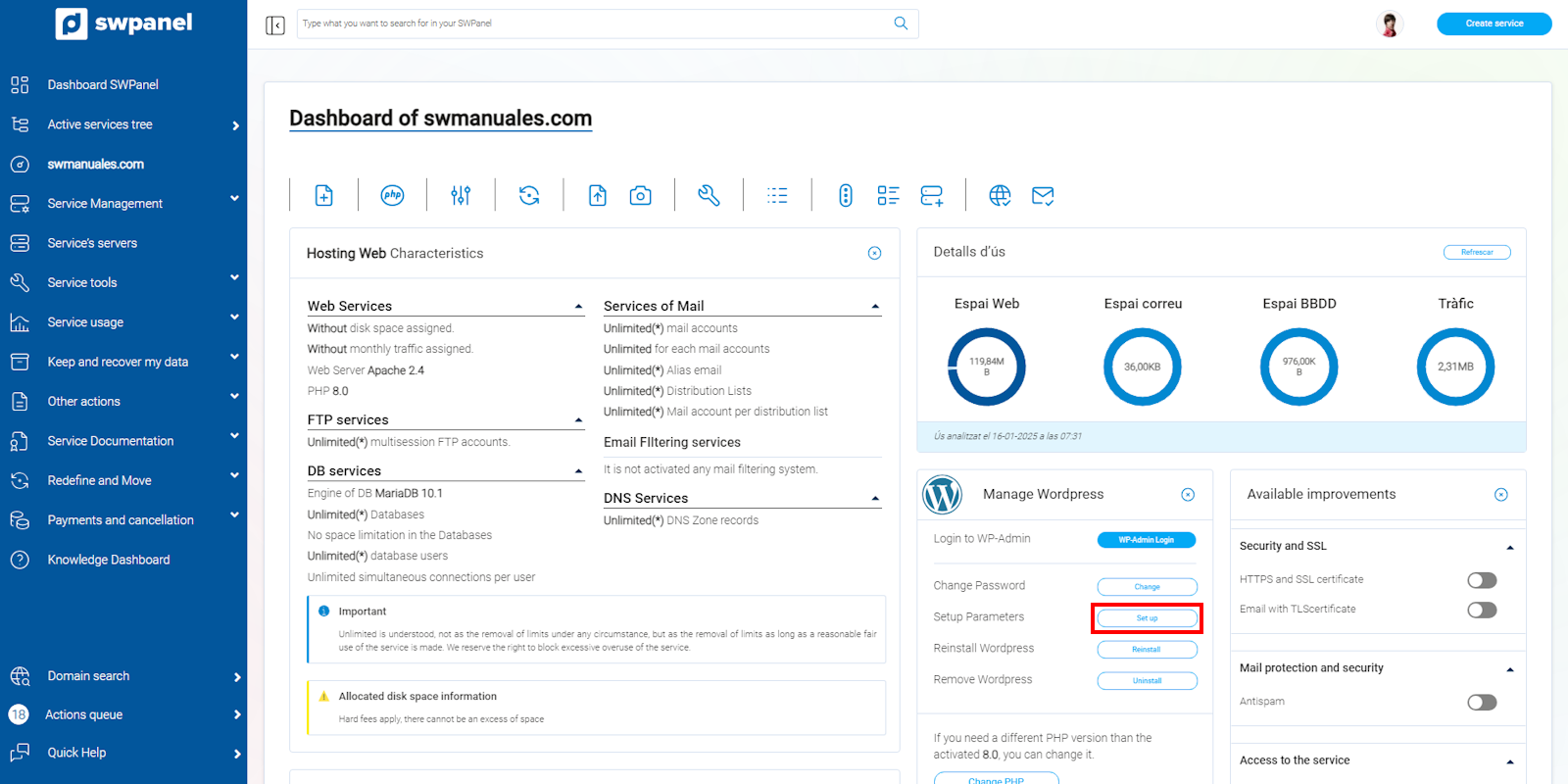
info_capture The screenshot is for guidance purposes. It was taken using version 2025.00.0017 dated 16/01/2025. It may differ from what the current version of SWPanel shows.
- Go to the Database section.
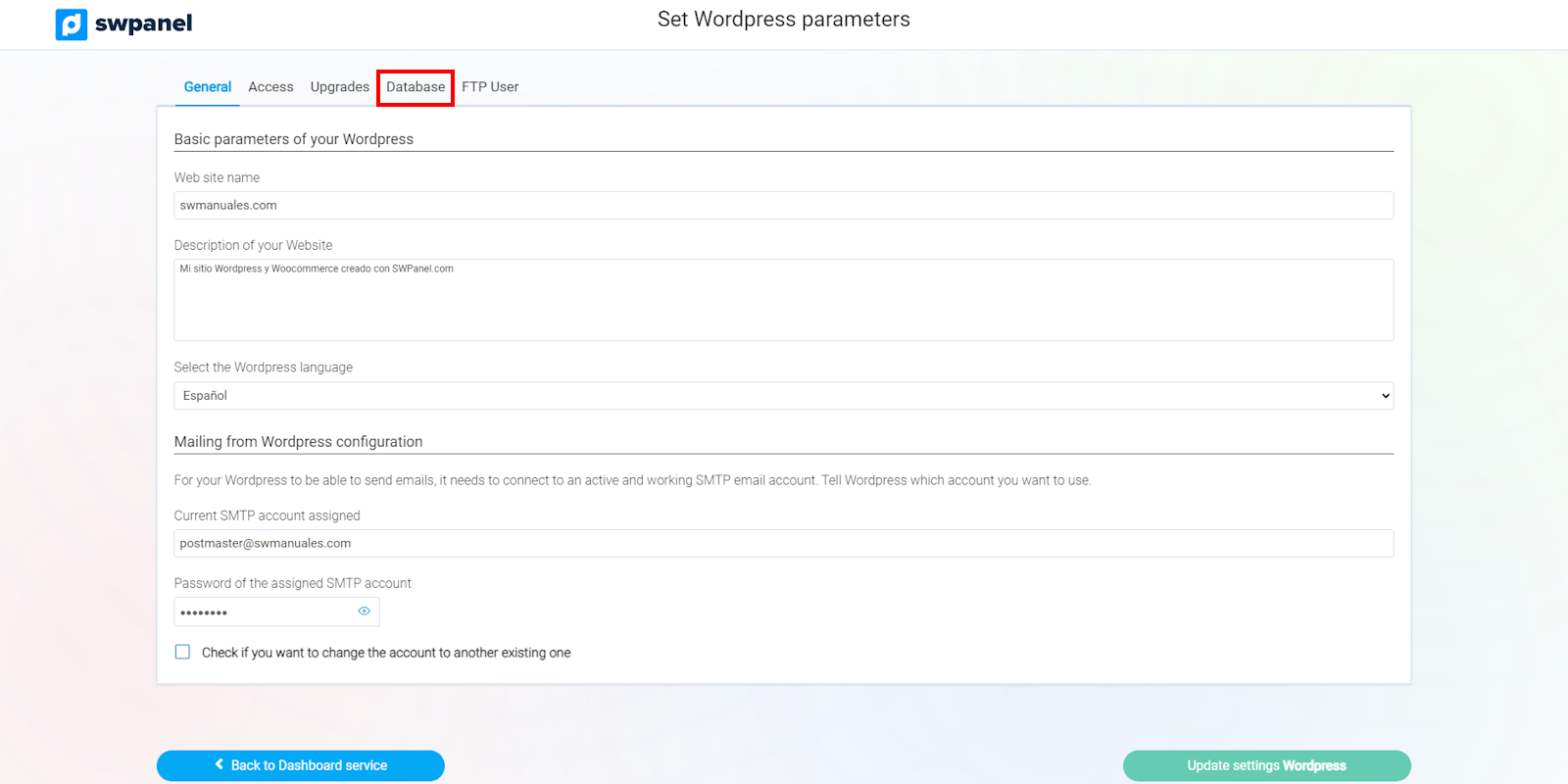
info_capture The screenshot is for guidance purposes. It was taken using version 2025.00.0017 dated 16/01/2025. It may differ from what the current version of SWPanel shows.
- Enter the new password for your user and click on the green Update Wordpress settings button.
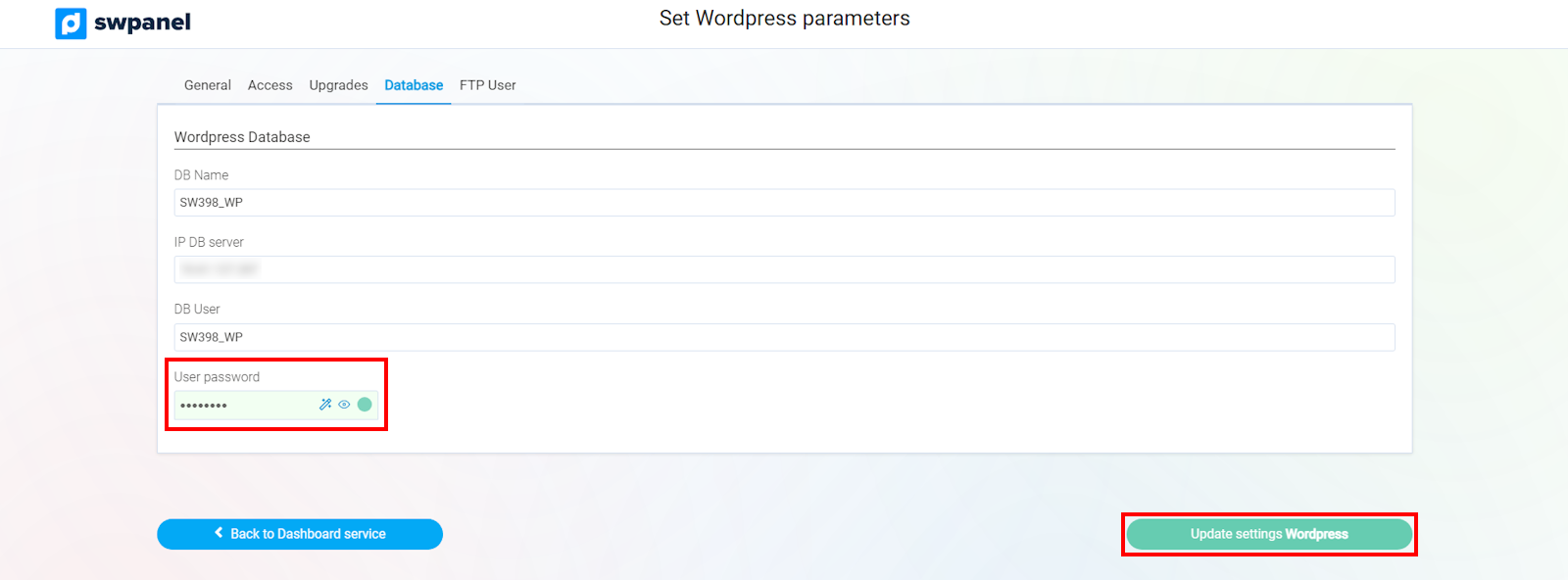
info_capture The screenshot is for guidance purposes. It was taken using version 2025.00.0017 dated 16/01/2025. It may differ from what the current version of SWPanel shows.