
How to change the password of an SWPanel user
To change the password of an SWPanel user, you must follow these steps:
a) Access your SWPanel customer account, place your mouse cursor over the 'SWPanel Customization' icon and click on the 'SWPanel User Management' option
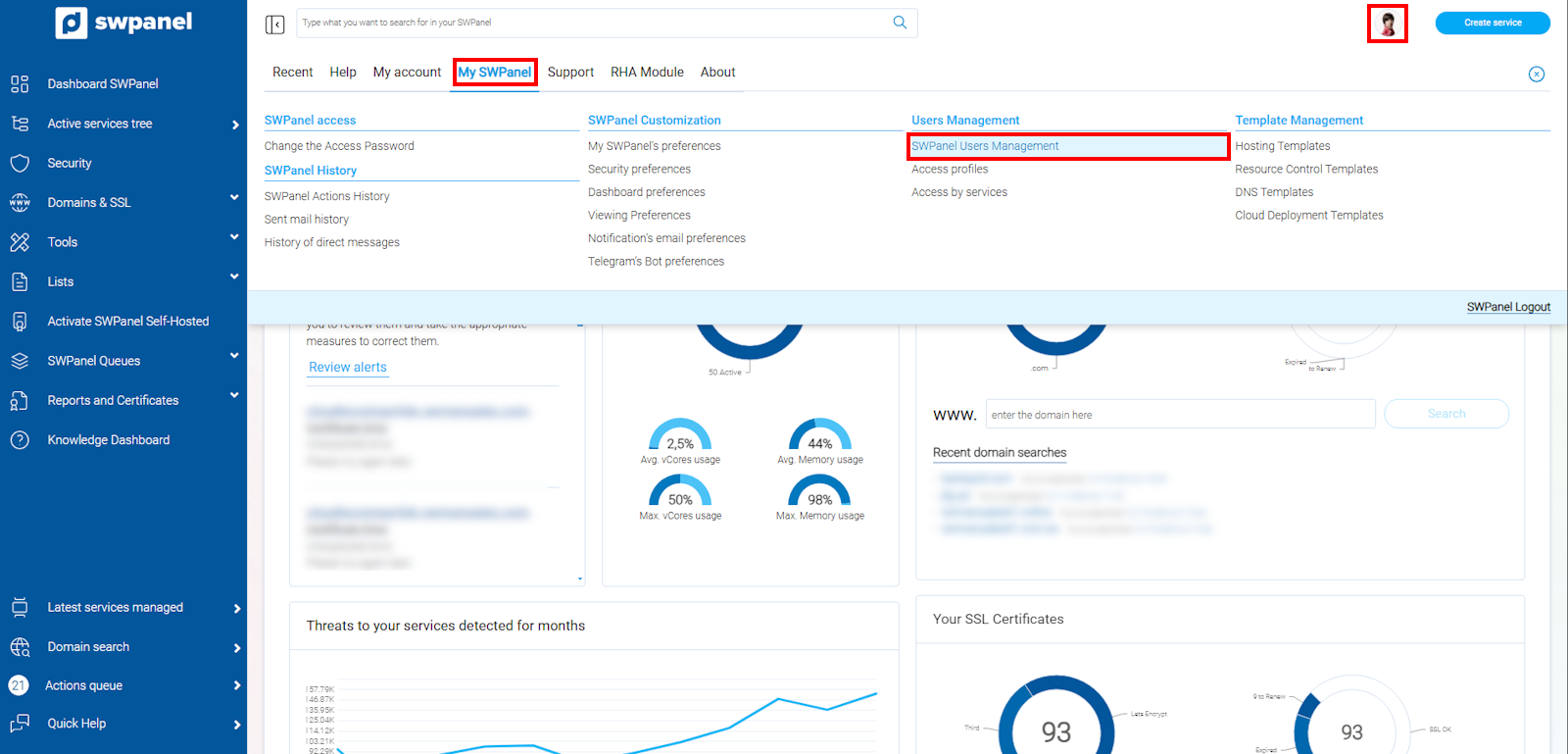
info_capture The screenshot is for guidance purposes. It was taken using version 2025.00.0017 dated 28/12/2024. It may differ from what the current version of SWPanel displays.
b) Locate the user whose access password you wish to modify, place your mouse cursor over their options menu and click on Modify User
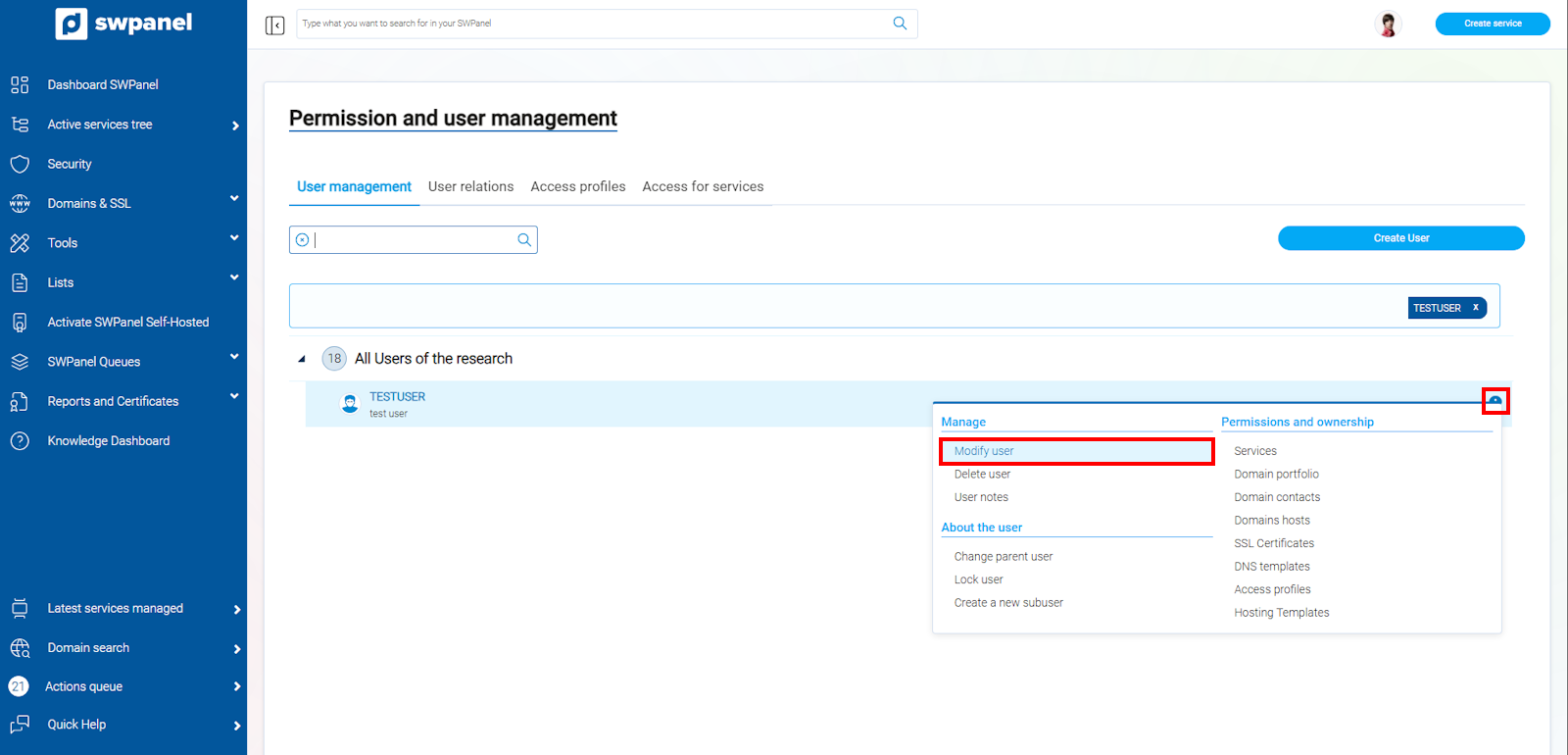
info_capture The screenshot is for guidance purposes. It was taken using version 2025.00.0017 dated 28/12/2024. It may differ from what the current version of SWPanel displays.
c) Go to the Password tab, enter the new user password or use the magic wand to generate a random password, and save the changes by clicking on the 'Modify user' button
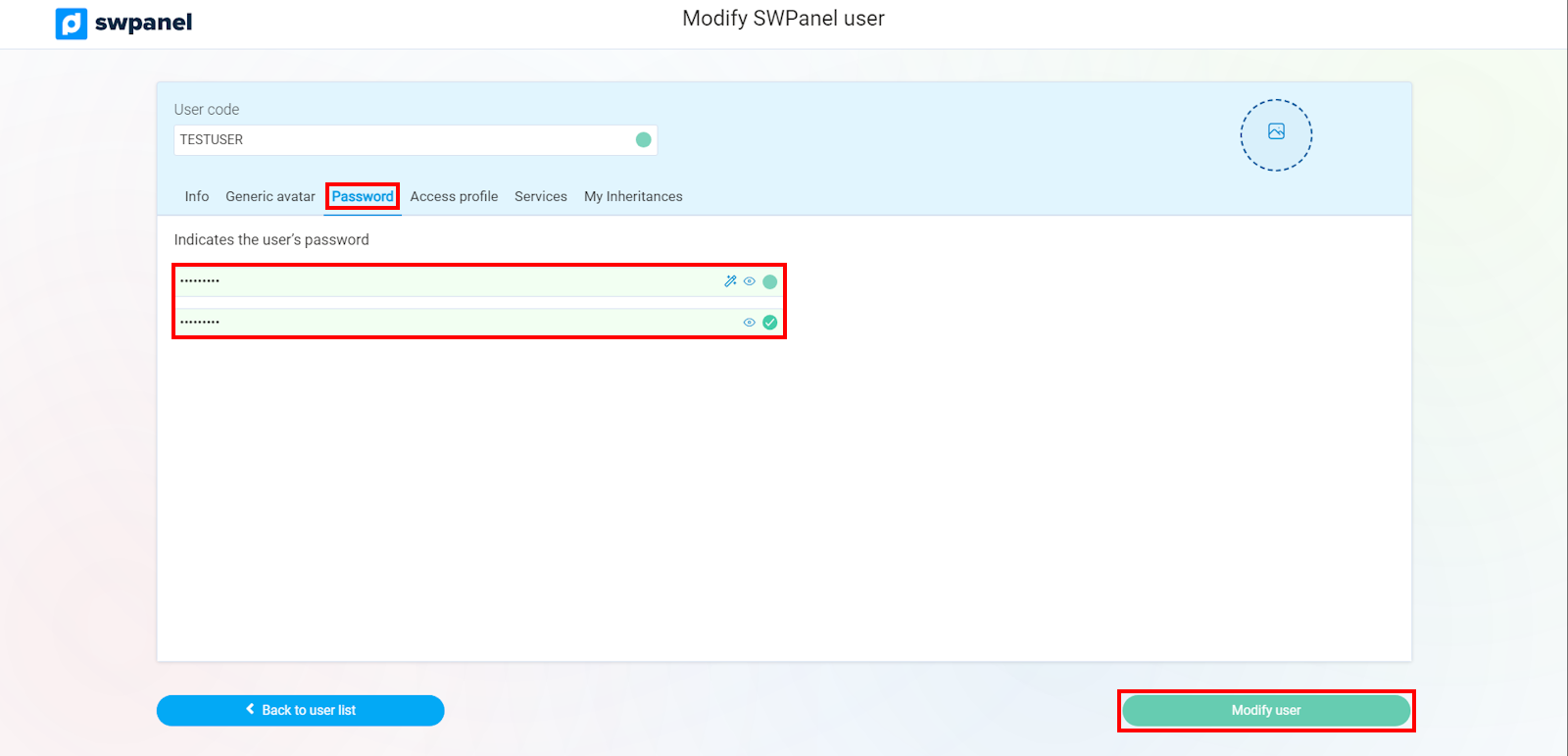
info_capture The screenshot is for guidance purposes. It was taken using version 2025.00.0017 dated 28/12/2024. It may differ from what the current version of SWPanel displays.