How to change or delete the template of my Hosting service
Atualizado em
2026-10-22 22:01:13
38
visitas
To be able to change the template of a Hosting service, it is necessary for it to already have an active template.
In case this is not the case, we recommend viewing manual Manual: ##título##.
Steps to follow to change the template of a Hosting service
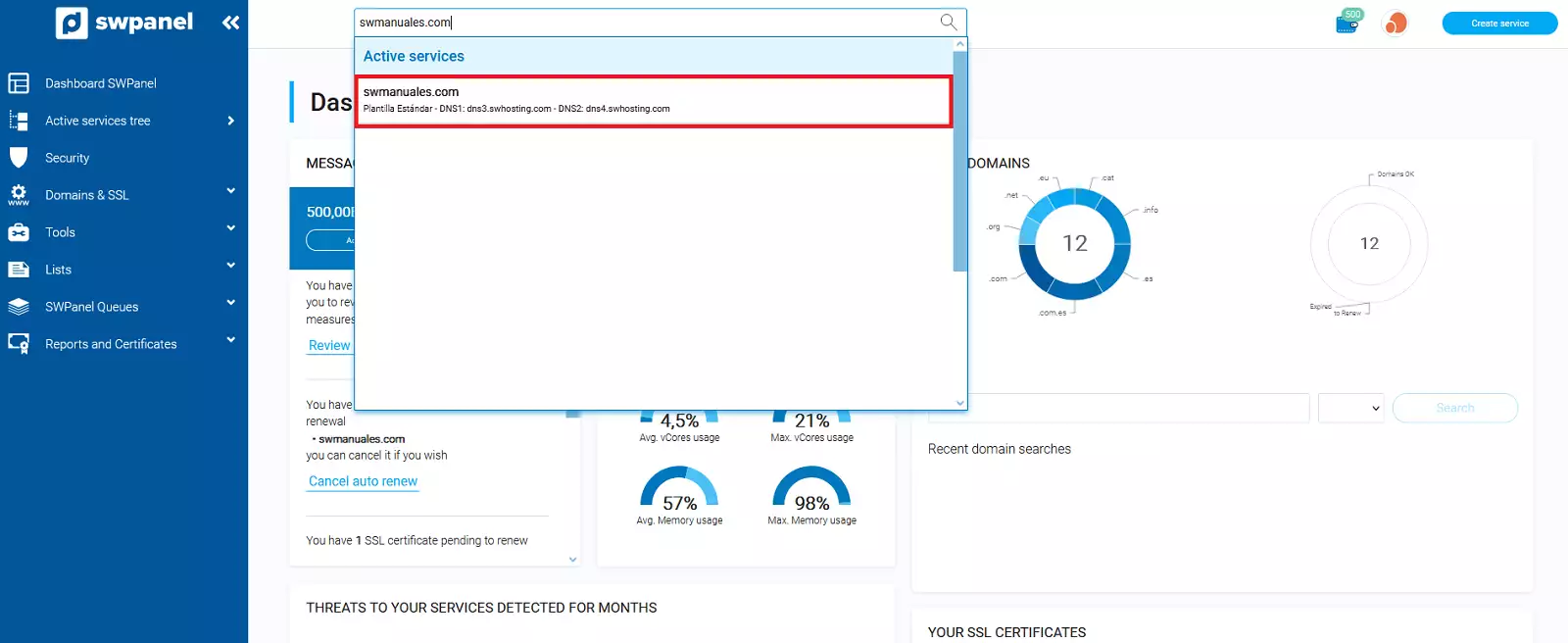
- Access SWPanel and go to the Hosting service Dashboard, using the search bar located at the top.
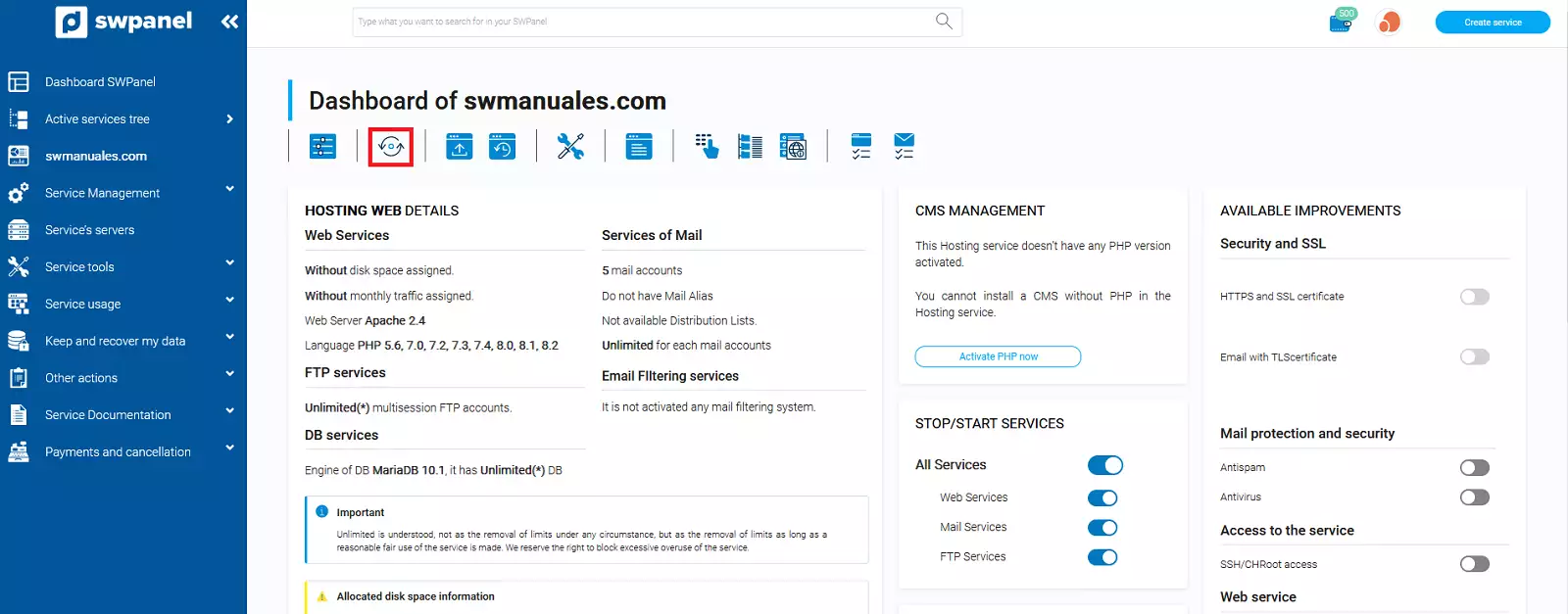
- Once inside the service Dashboard, you must go to the second icon of the menu at the top of the Dashboard. If you hover over it, you will see the following text: Click to change the Cloud servers assigned to this service or the type of Hosting plan.
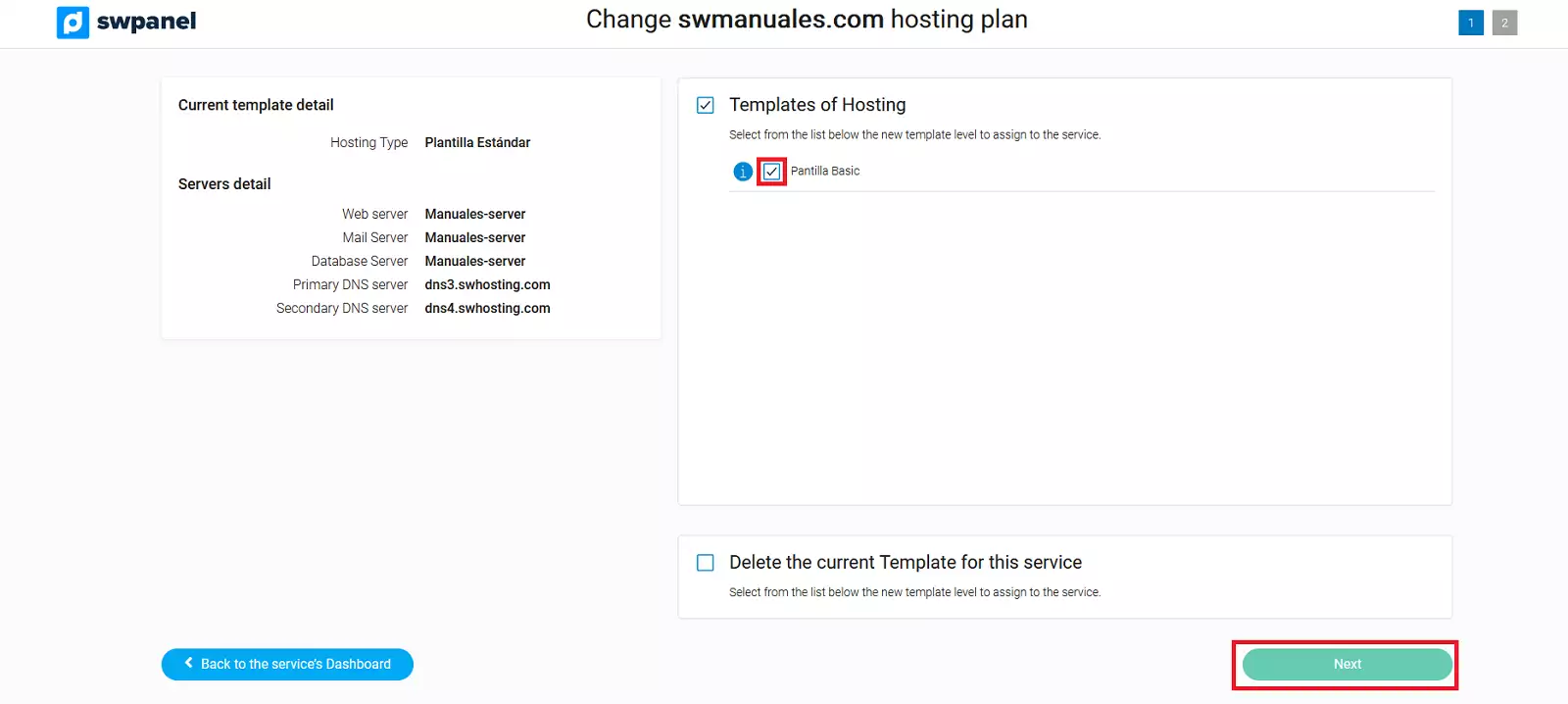
Next, you have the following 2 options:
Change Template
- If you wish to Modify the template of the Hosting service, you must select the new template in the Hosting Templates section and press Next.
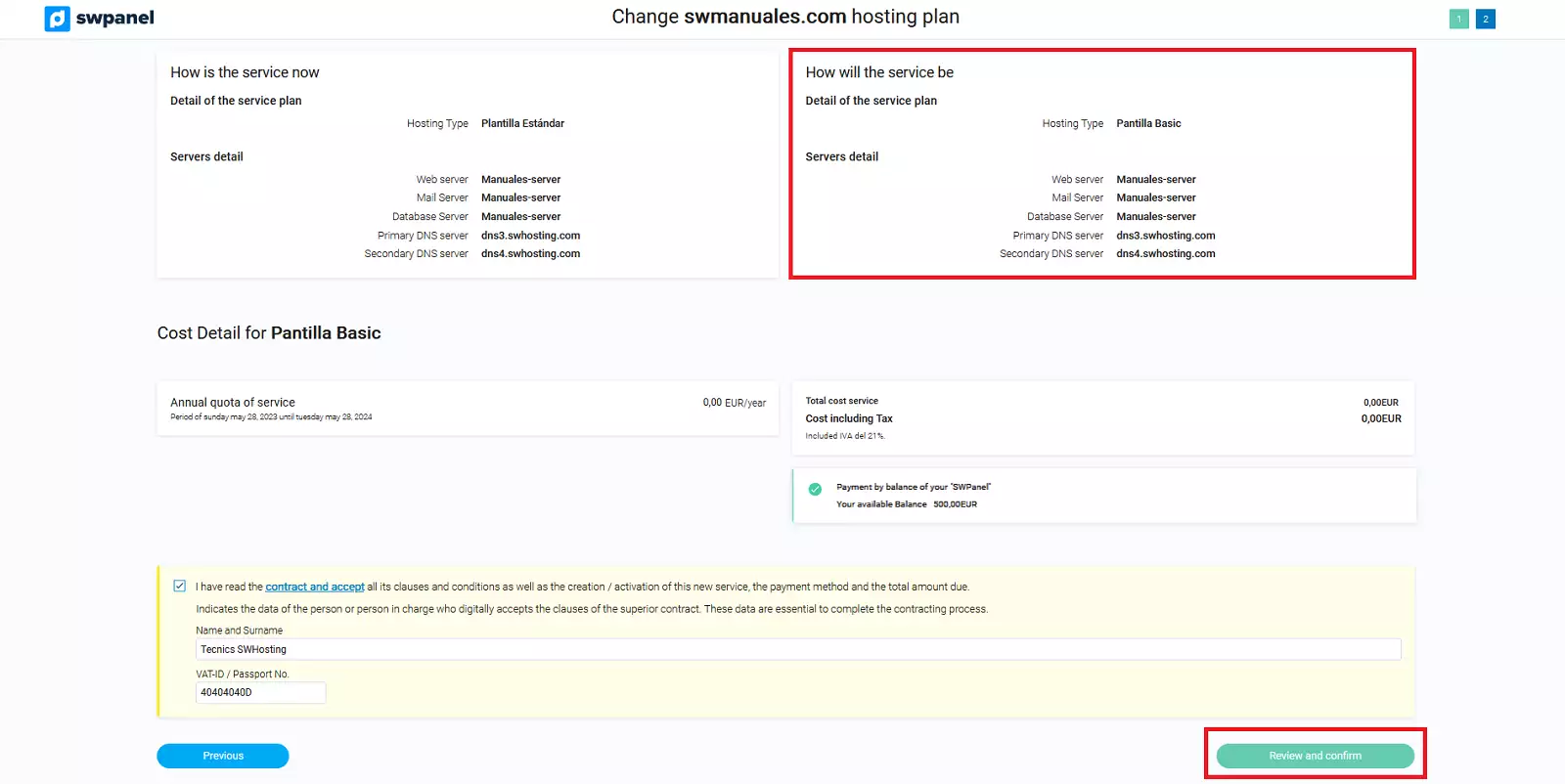
- Make sure that the template and servers in the How the service will look section are the ones you had planned and click on Accept and finalize.
Delete the Template
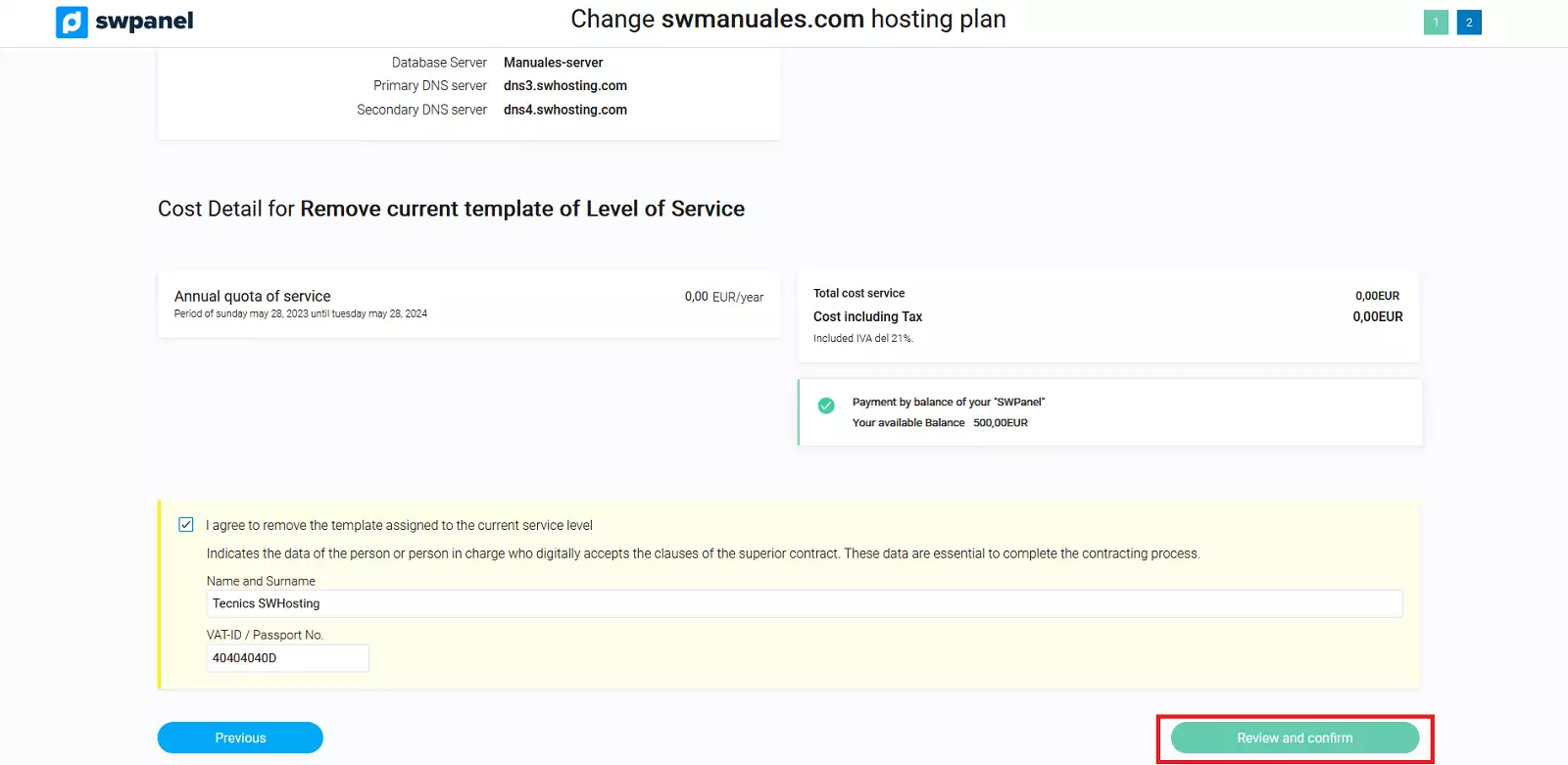
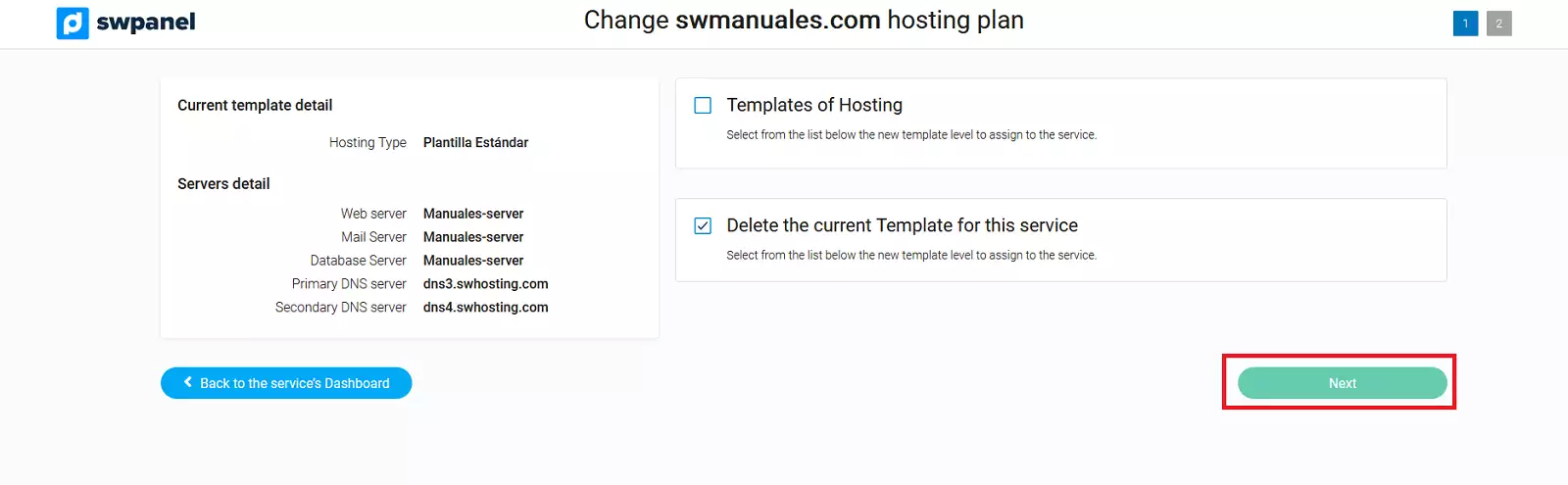
- If you wish to Delete the template of the Hosting service, you must select Delete the current Template for this service and press Next.
- Finally, click on Accept and finalize.