
How to configure country blocking for your Hosting using SWPanel
The Traffic Blocking by Countries option in a Hosting service allows you to restrict access by countries and continents for users connecting to your Website.
In this way, you will avoid receiving traffic that is potentially malicious or not of interest to you, improving server load and the website's response speed.
You can follow manual Manual: ##título## to activate this improvement.
How to configure traffic blocking by countries
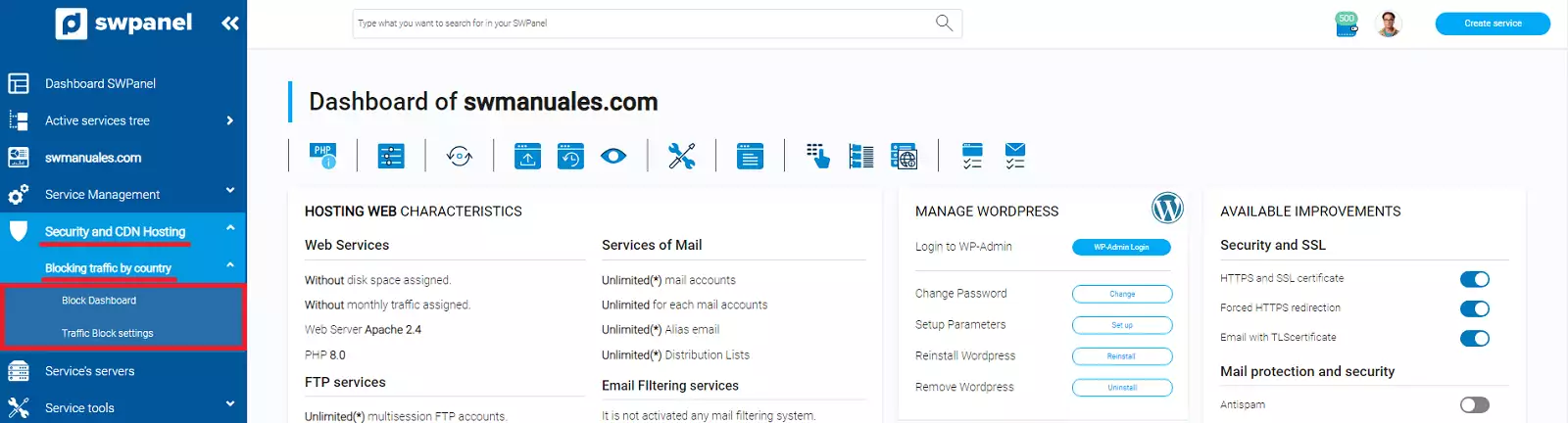
To configure the Traffic Blocking by Countries of your Hosting service, access your SWPanel and, using the top search bar, go to the Dashboard of your Hosting service:

From the side menu, in the section 'Hosting Security and CDN' -> 'Traffic blocking by countries' you will find two options:
- Blocking Dashboard: In this dashboard, you can view all active blocks, for both countries and continents, both graphically and in list format. You can also block and unblock each country by clicking on the map.
- Traffic Blocking Settings: You will have access to two different lists, a list of all countries and another list with all continents. In each of the lists, you can see the blocking status for that country or continent.
Blocking Dashboard
This Dashboard will allow you to graphically view, through an interactive world map and through a list of countries and continents, the regions that have restricted access to your Hosting service.
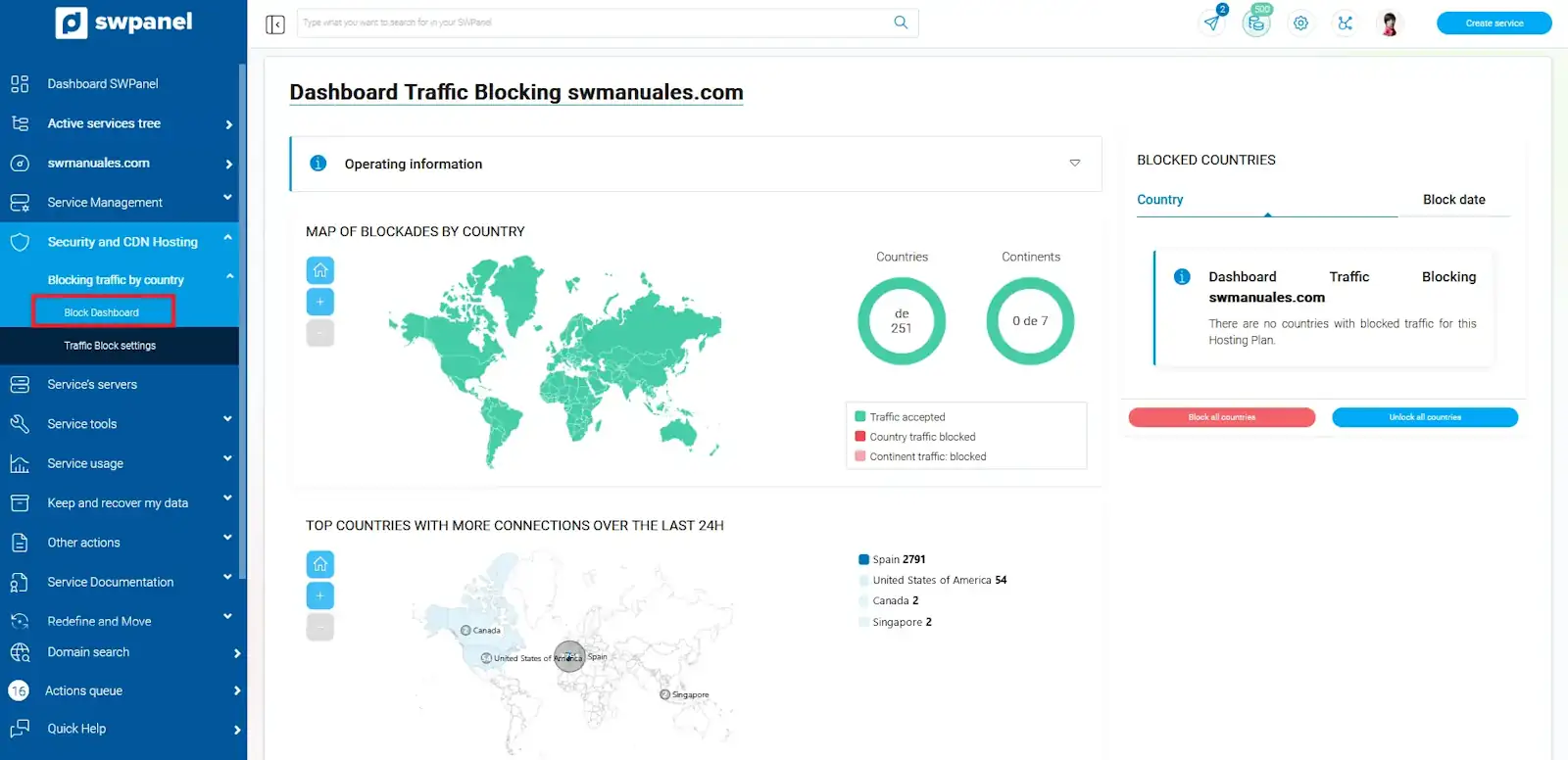
At the bottom, we will see the volume of connections filtered by countries over the last 24h. We must consider the audience our website is aimed at. For example, in this particular case, it is a website intended for Spain, so although the volume of connections may be higher, we will not block that country.
If we click on a country on the map, for example, Canada, we can change its status. It will appear in the list of blocked countries and we will not receive requests made from that country.
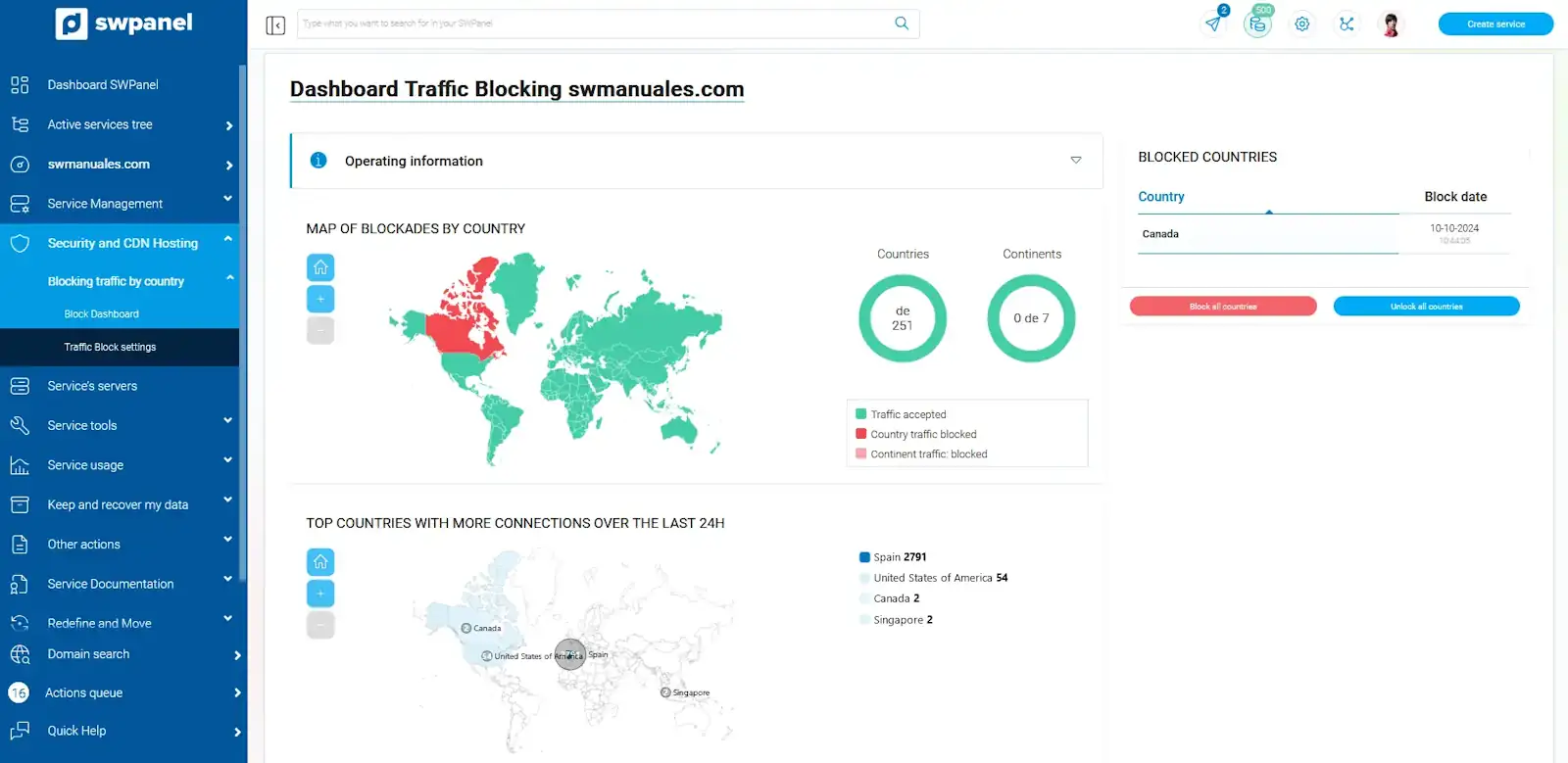
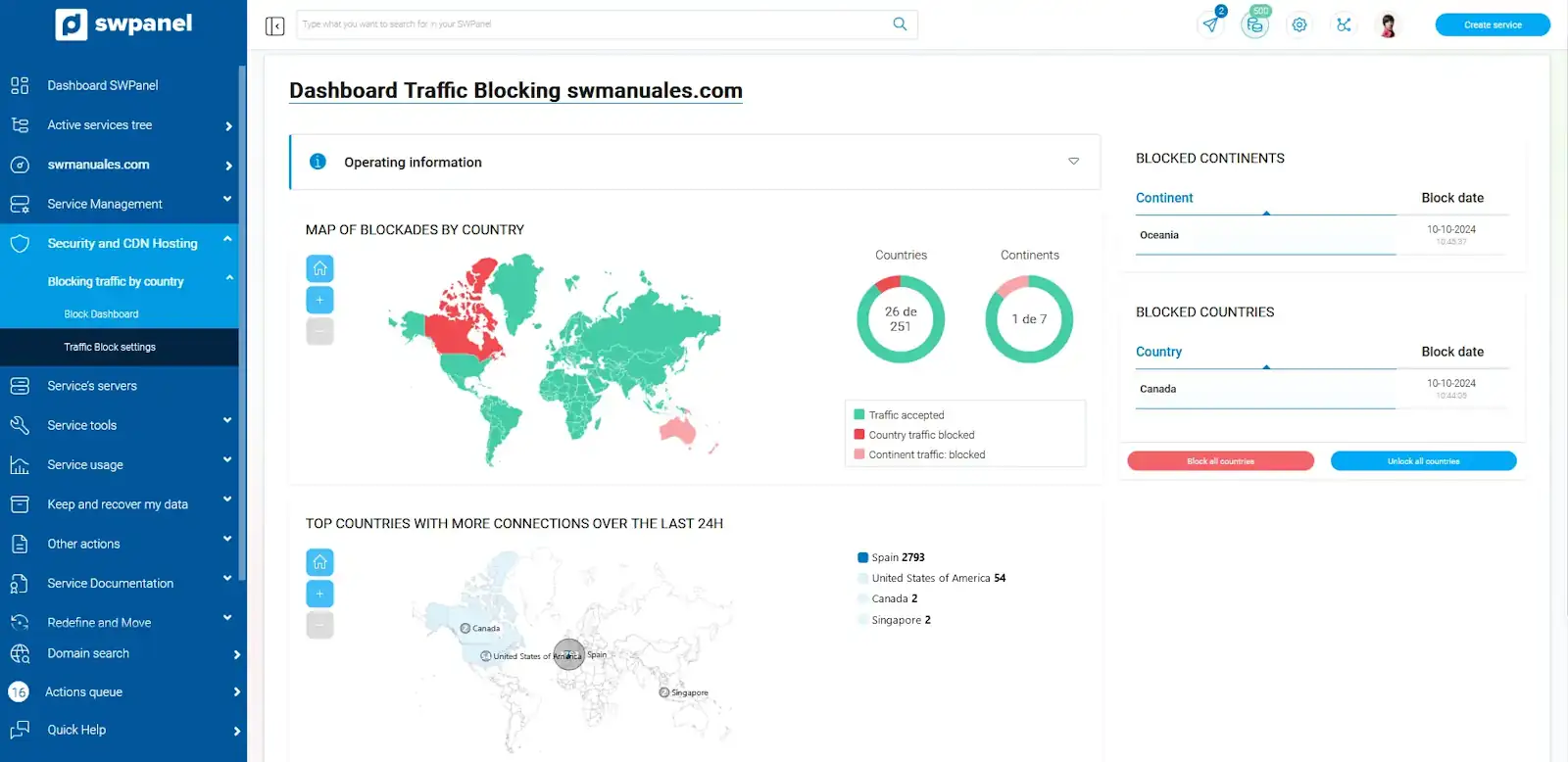
info From this dashboard, we cannot change the status of a block by continent; to do so, we will do it from 'Traffic Blocking Settings'.
Country blocking will be colored red and continent blocking will be colored pink.
Traffic Blocking Settings
From this window, you will have access to two different tabs, one with the list of all the countries in the world and the other with a list of the continents.
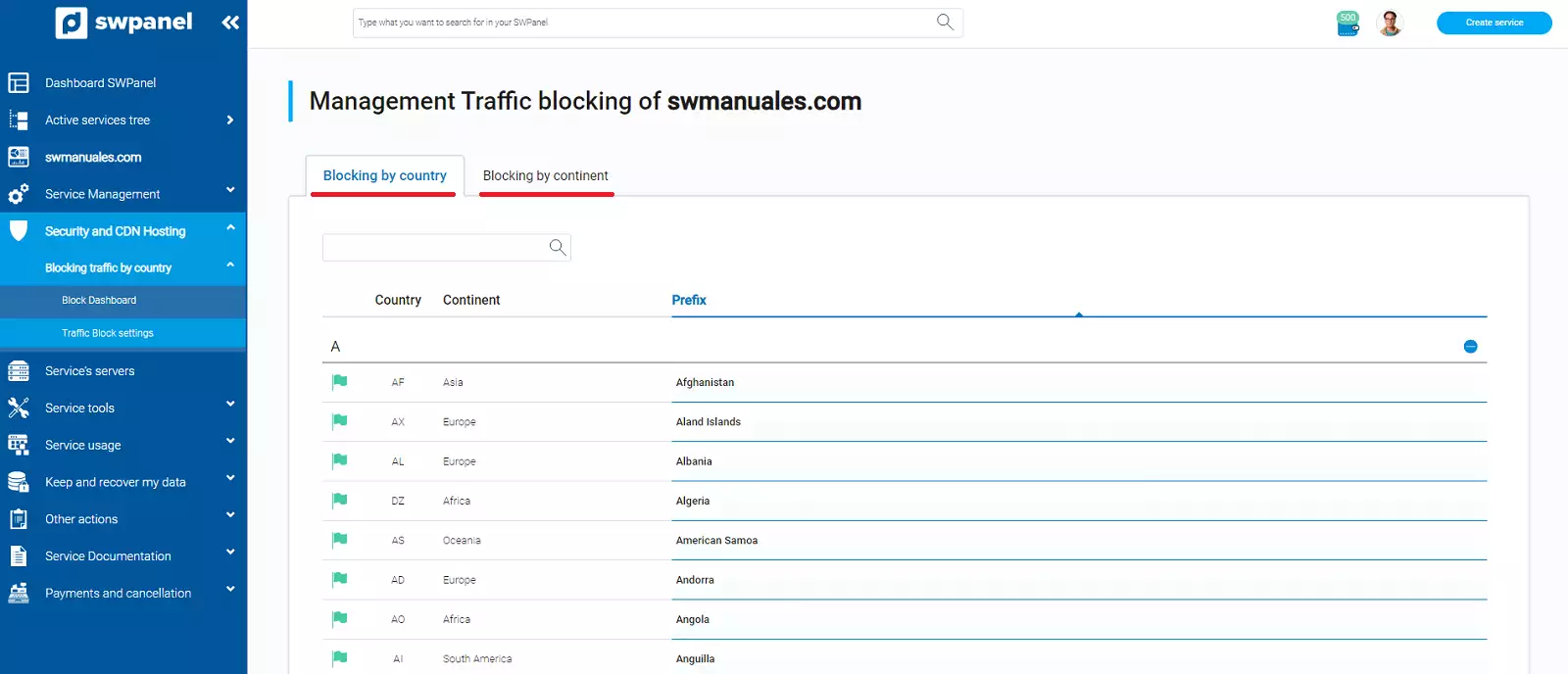
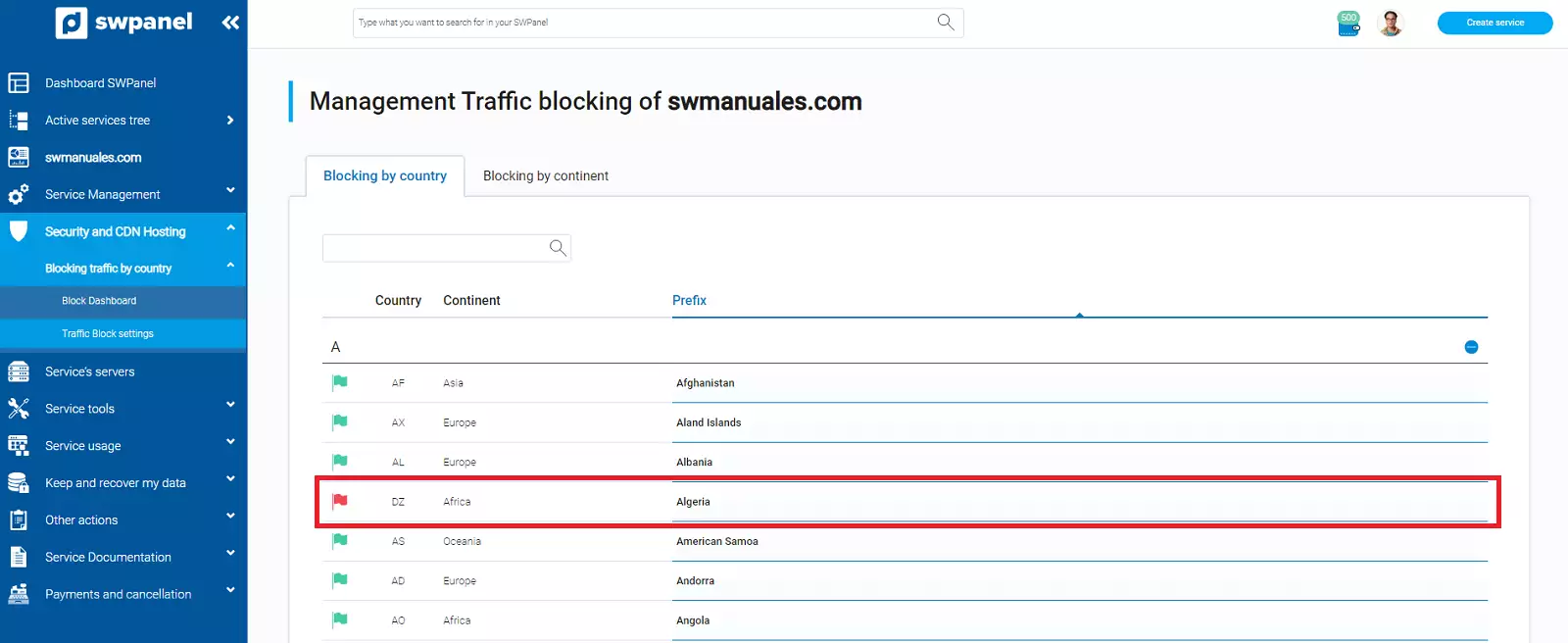
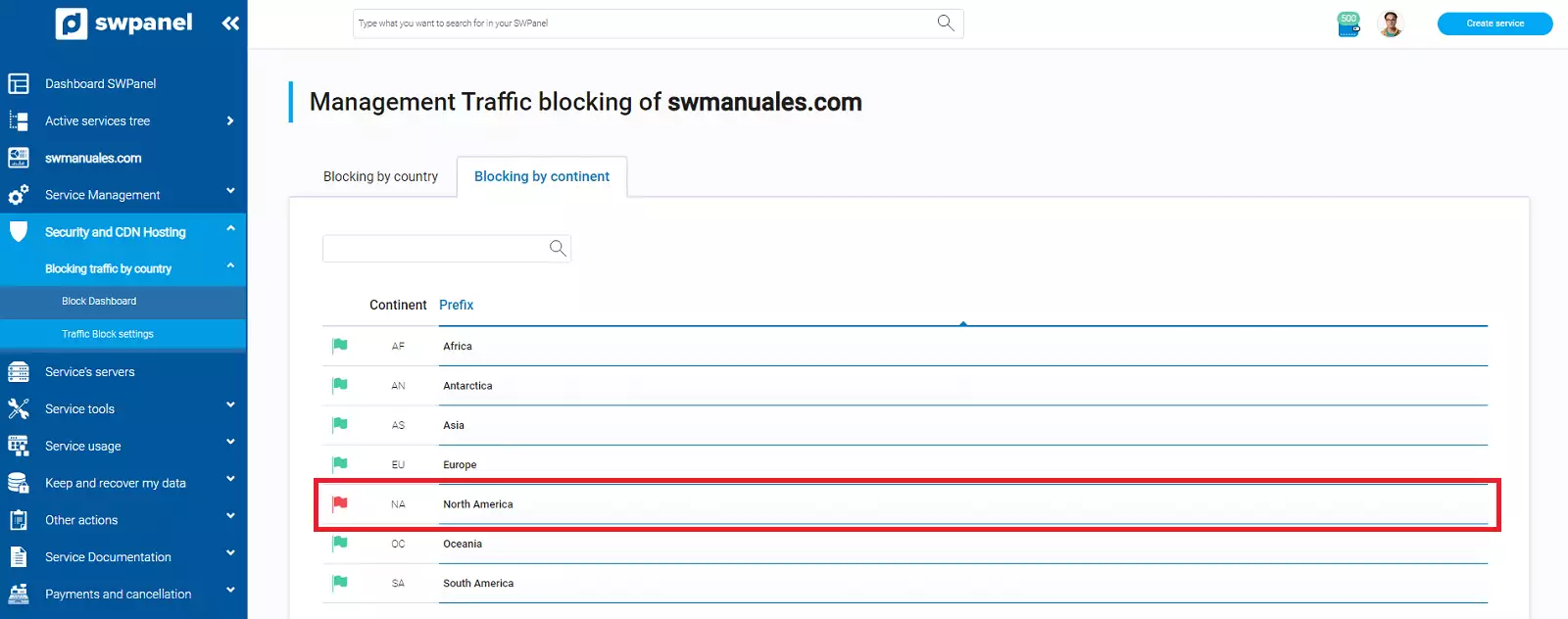
By clicking on the flag icon of each country or continent, we will change the blocking status. Green to allow traffic and red to block traffic.
Blocking by countries:
Blocking by continents:
The blocks from these lists can be viewed graphically on the map of the Blocking Dashboard.
info To change the status of a block by continents, we must do it from the 'Blocking by continents' list.