
How to configure a Catch-All mailbox
What is a Catch-All mailbox?
A Catch-All mailbox is an email account that will receive all emails sent to @tudominio.com that do not have a specific mailbox or alias created. Keep in mind that you will receive ALL emails sent to your domain. 'All' means that you may receive a lot of junk mail or Spam.
Where will I receive all these emails?
When creating the Catch-All mailbox, you can specify the email account that you want to receive all these emails.
The destination email does not need to be an account on your domain; it can be any existing email account.
Creating a 'Catch-All' mailbox
You must locate, from the 'Active services tree', the service where you want to create the 'Catch-All' mailbox, or you can use the SWPanel general search to find it:
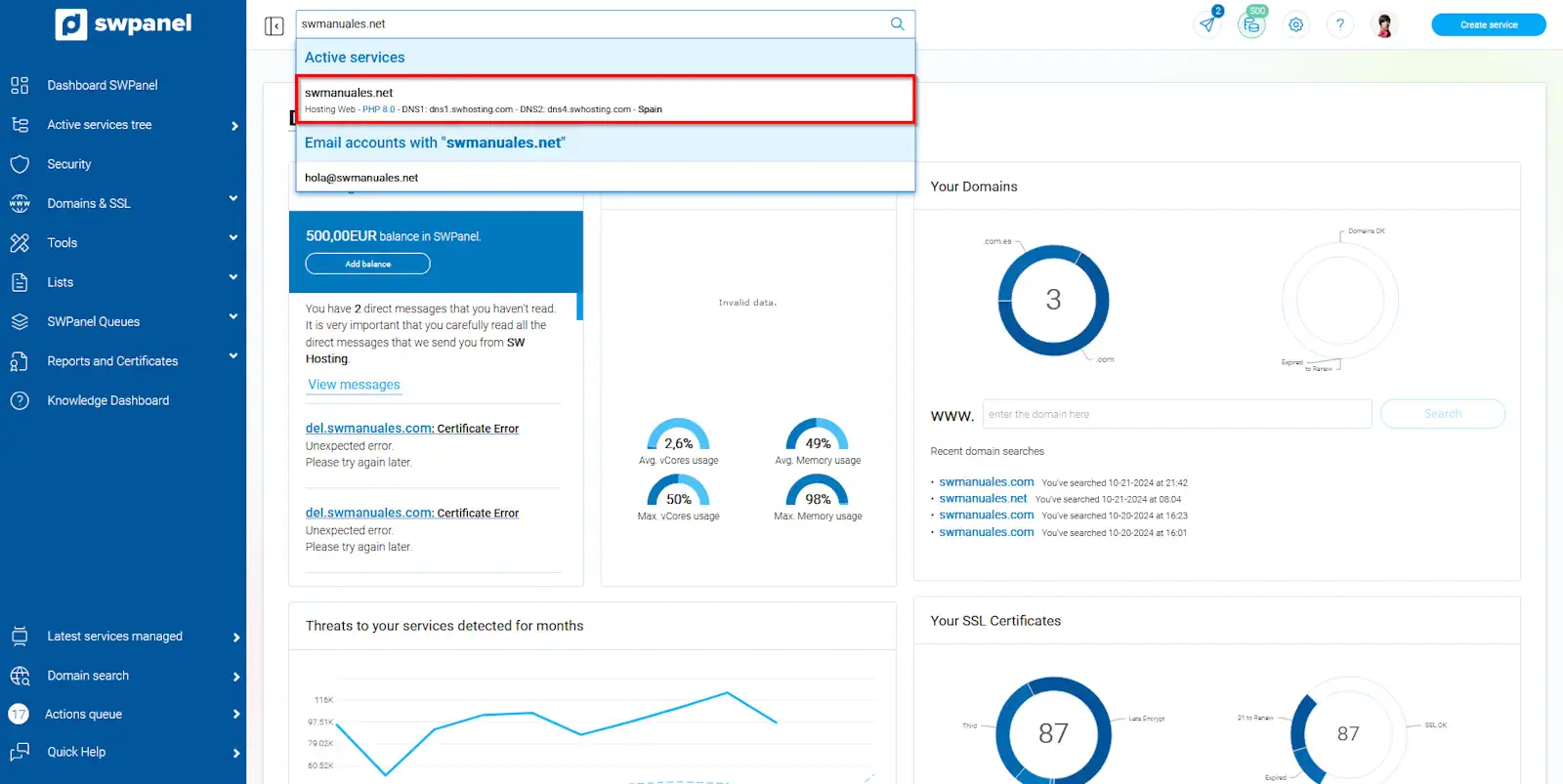
info_capture The screenshot is for guidance only. It was taken using version 2024.07.0134 dated 03/11/2024. It may differ from what is shown in the current version of SWPanel.
Within the service Dashboard, you should go to 'Service management' → 'Email management' from the blue side menu:
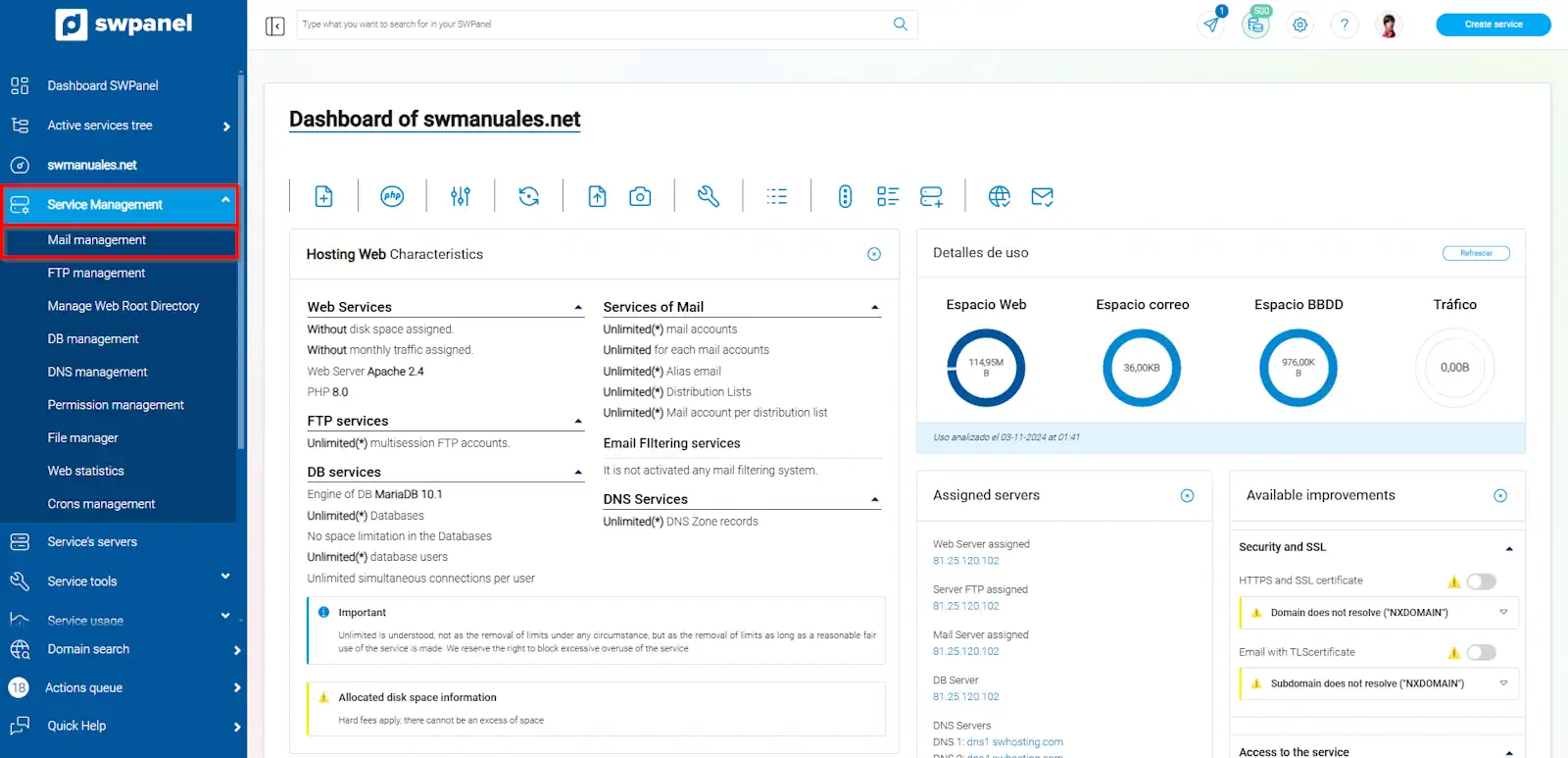
info_capture The screenshot is for guidance only. It was taken using version 2024.07.0134 dated 03/11/2024. It may differ from what is shown in the current version of SWPanel.
Once in the 'Email management for your service' menu, you must click on the 'Catch-All mailbox' tab and on 'Activate the Catch All Mailbox for email'.
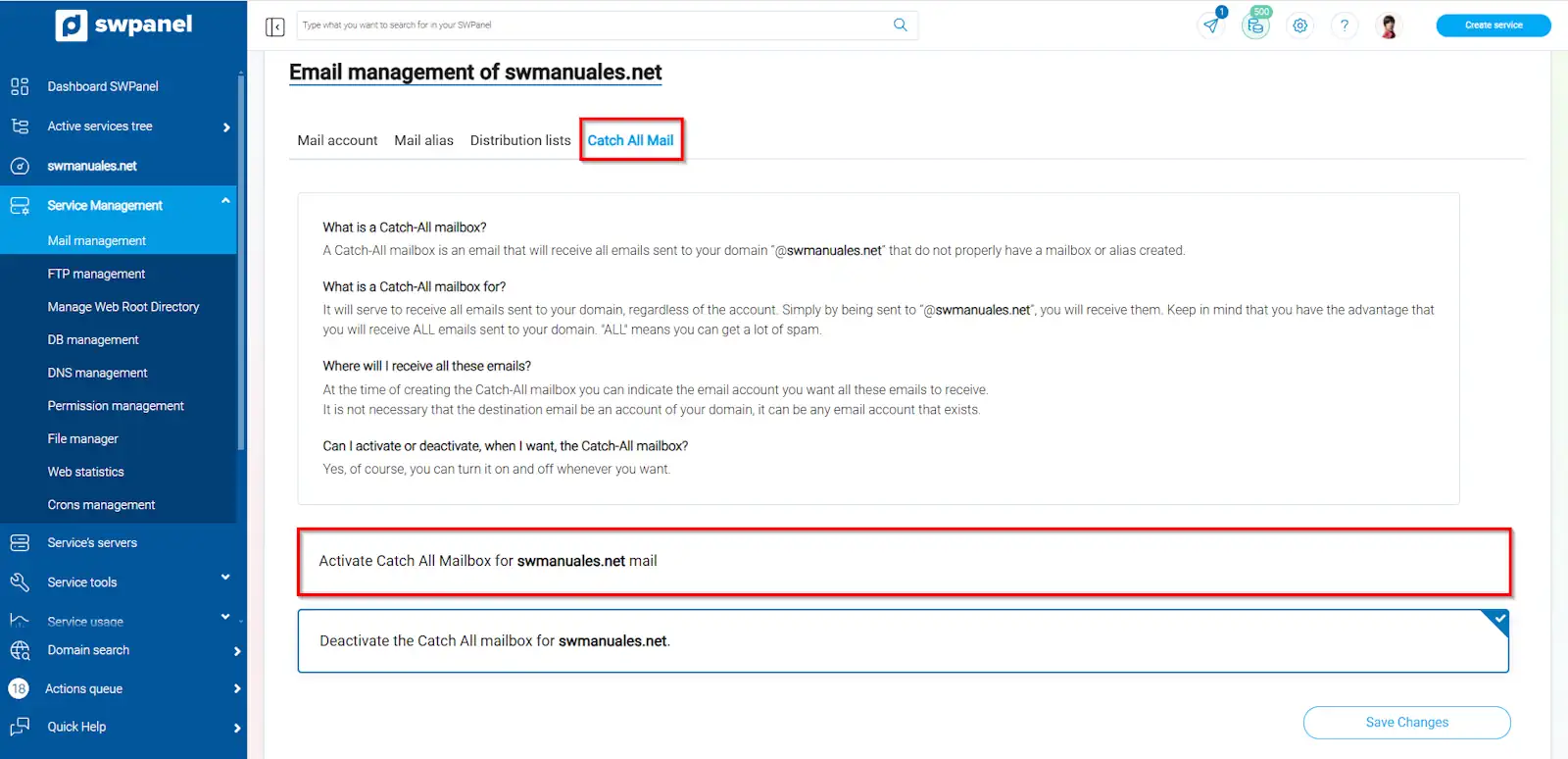
info_capture The screenshot is for guidance only. It was taken using version 2024.07.0134 dated 03/11/2024. It may differ from what is shown in the current version of SWPanel.
Subsequently, specify the account where you want to receive all the emails, and save the changes.
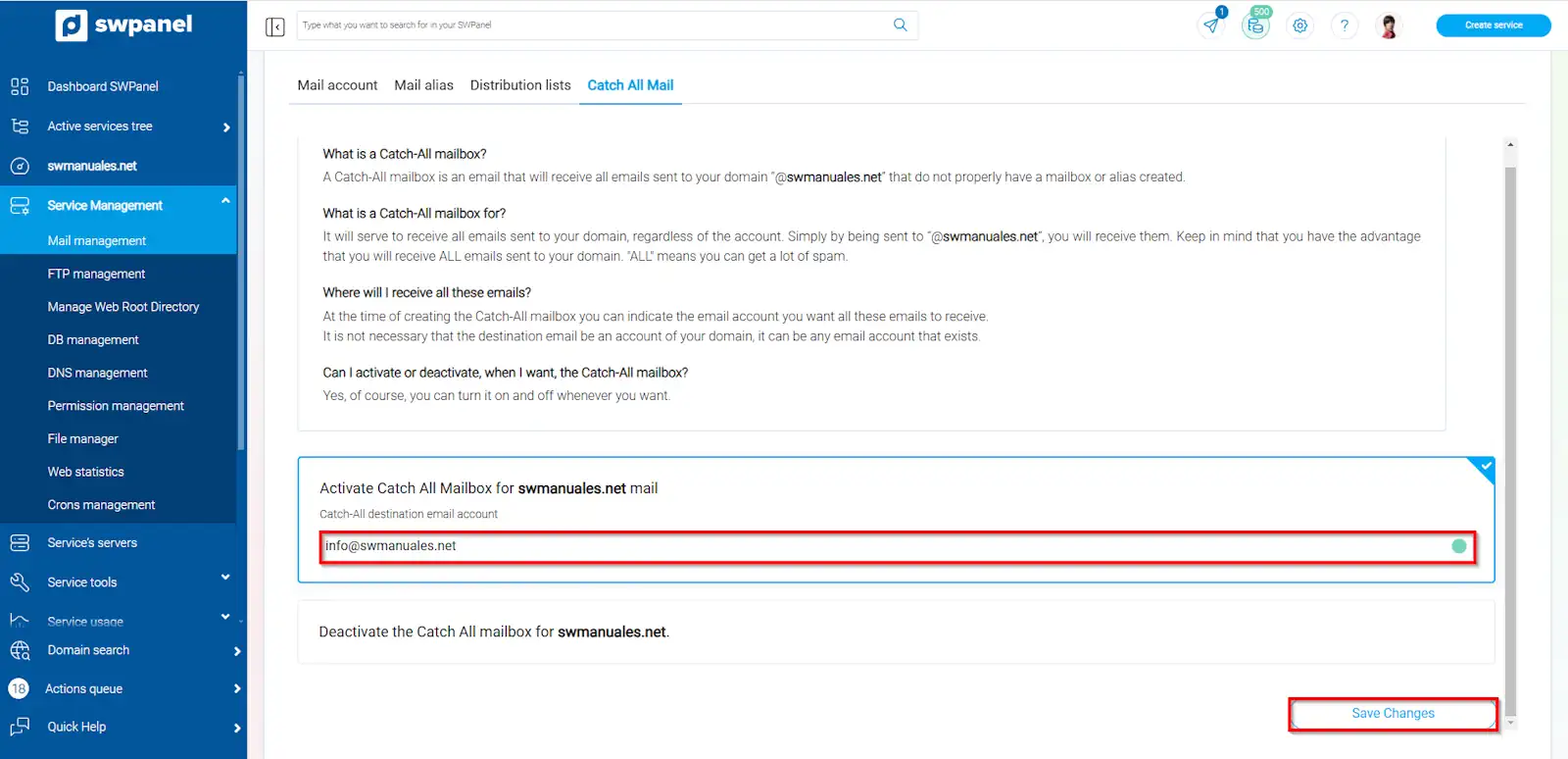
info_capture The screenshot is for guidance only. It was taken using version 2024.07.0134 dated 03/11/2024. It may differ from what is shown in the current version of SWPanel.
That's it! From now on, you will receive all email addressed to @tudominio.com that does not have a specific mailbox or alias created. If at any point you wish to deactivate it, it's as easy as clicking on 'Deactivate the Catch All mailbox' and saving the changes.