
How to create a Cloud server quote from my SWPanel?
How to generate a quote
To create a quote for one of the services offered in SWPanel, we must follow the same steps as for the contracting process.
From the main dashboard, we click on "Create Service":
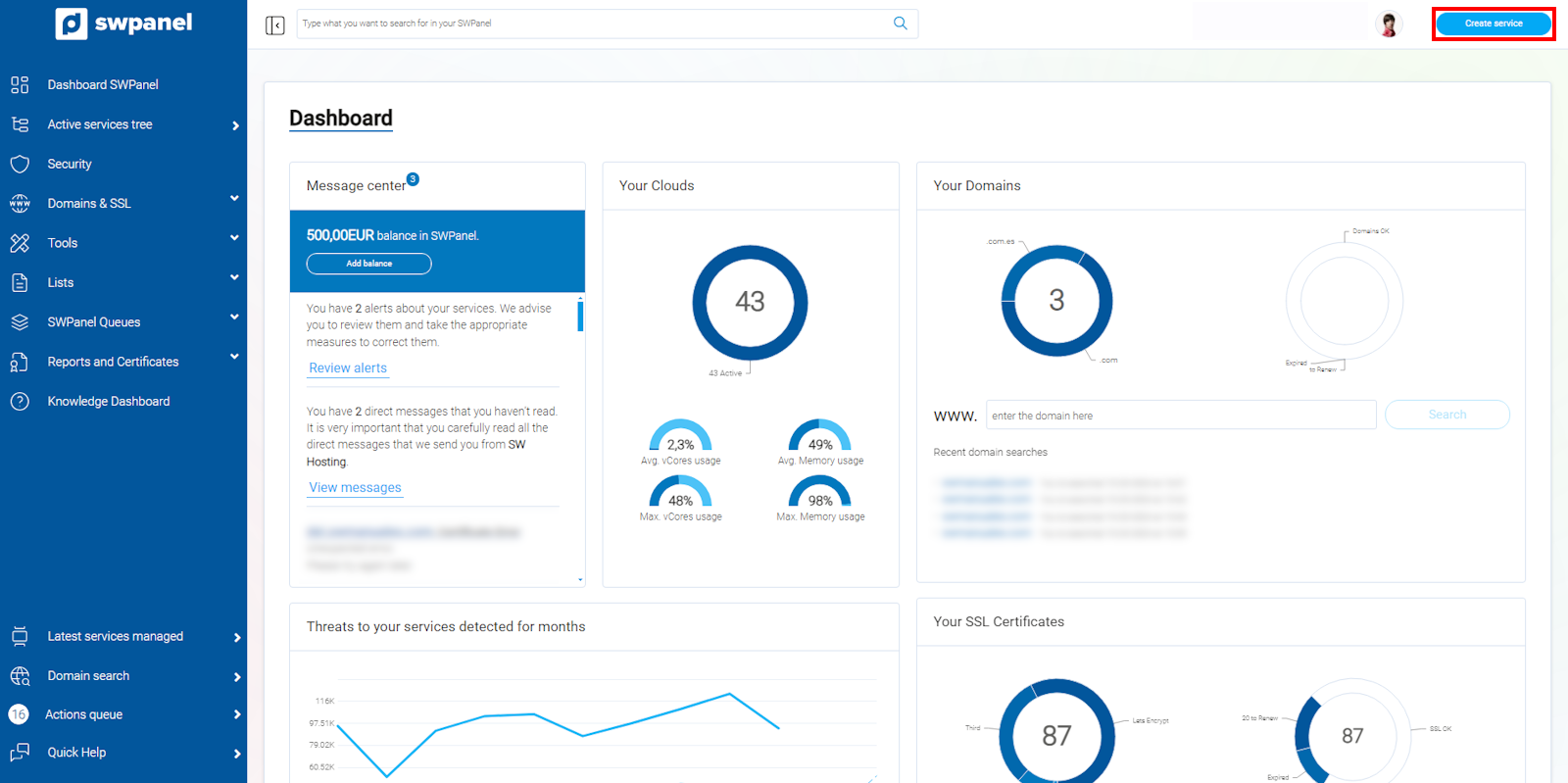
info_capture The screenshot is for guidance purposes. It was taken from version 2025.00.0017 dated 05/01/2025. It may differ from what the current version of SWPanel shows.
We select the characteristics of the service for which we want to generate the quote. In this case, as an example, we will select a basic Cloud D5 service:
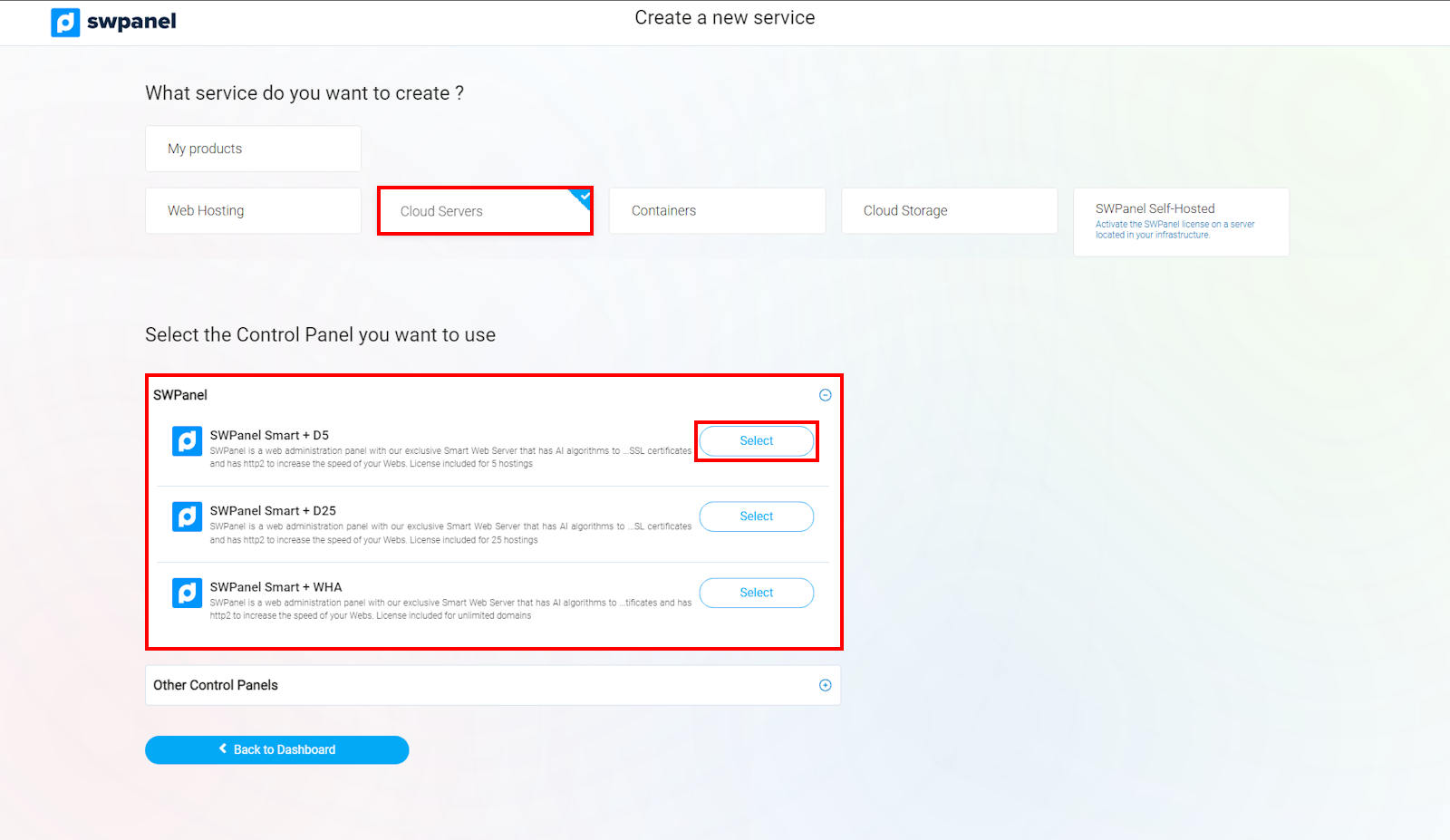
info_capture The screenshot is for guidance purposes. It was taken from version 2025.00.0017 dated 05/01/2025. It may differ from what the current version of SWPanel shows.
Once all resources are selected, we save the quote using "Download quote":
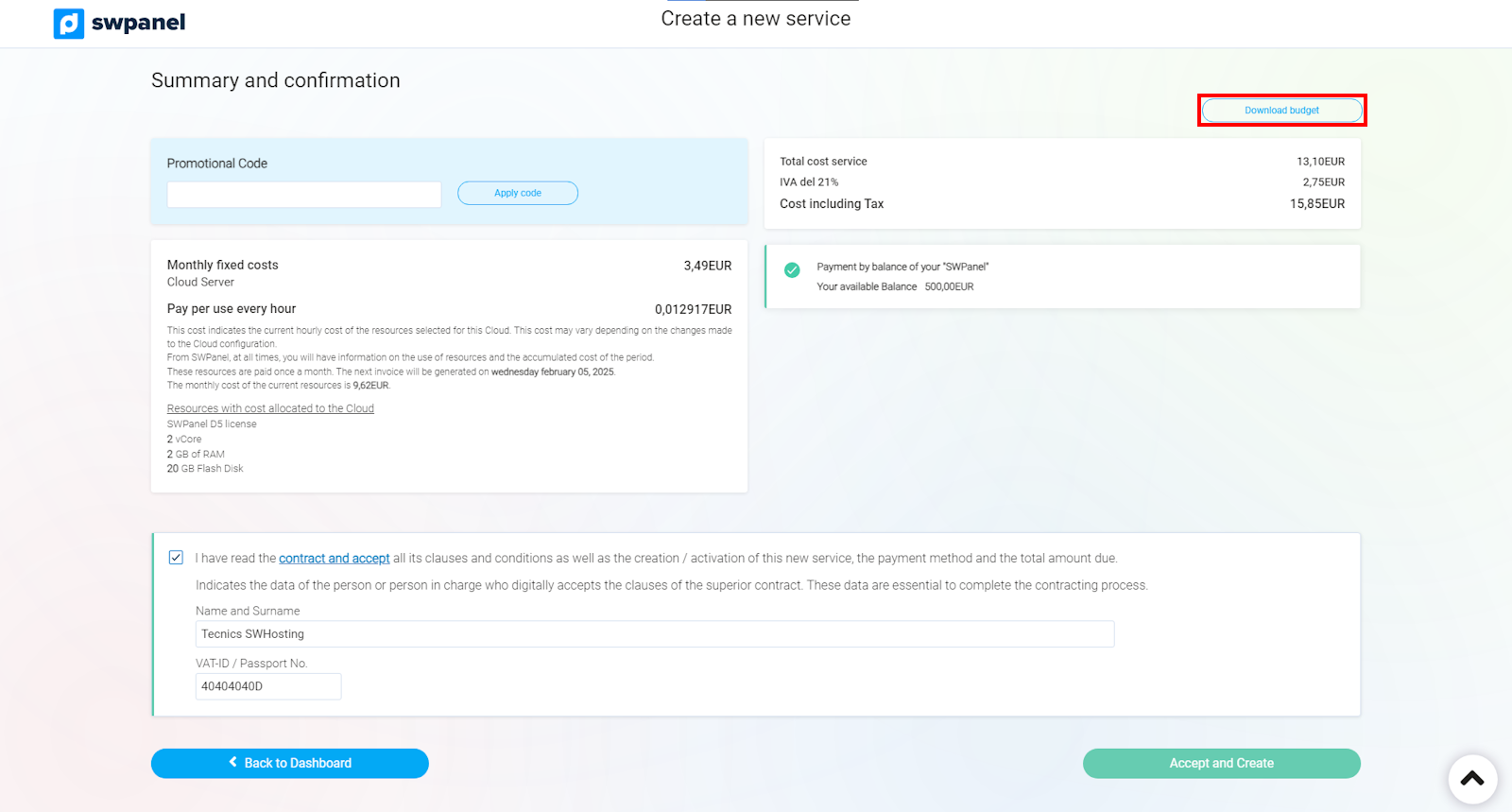
info_capture The screenshot is for guidance purposes. It was taken from version 2025.00.0017 dated 05/01/2025. It may differ from what the current version of SWPanel shows.
How to view quotes from my SWPanel account
We hover the cursor over the logo of our SWPanel account and click on "Quotes"
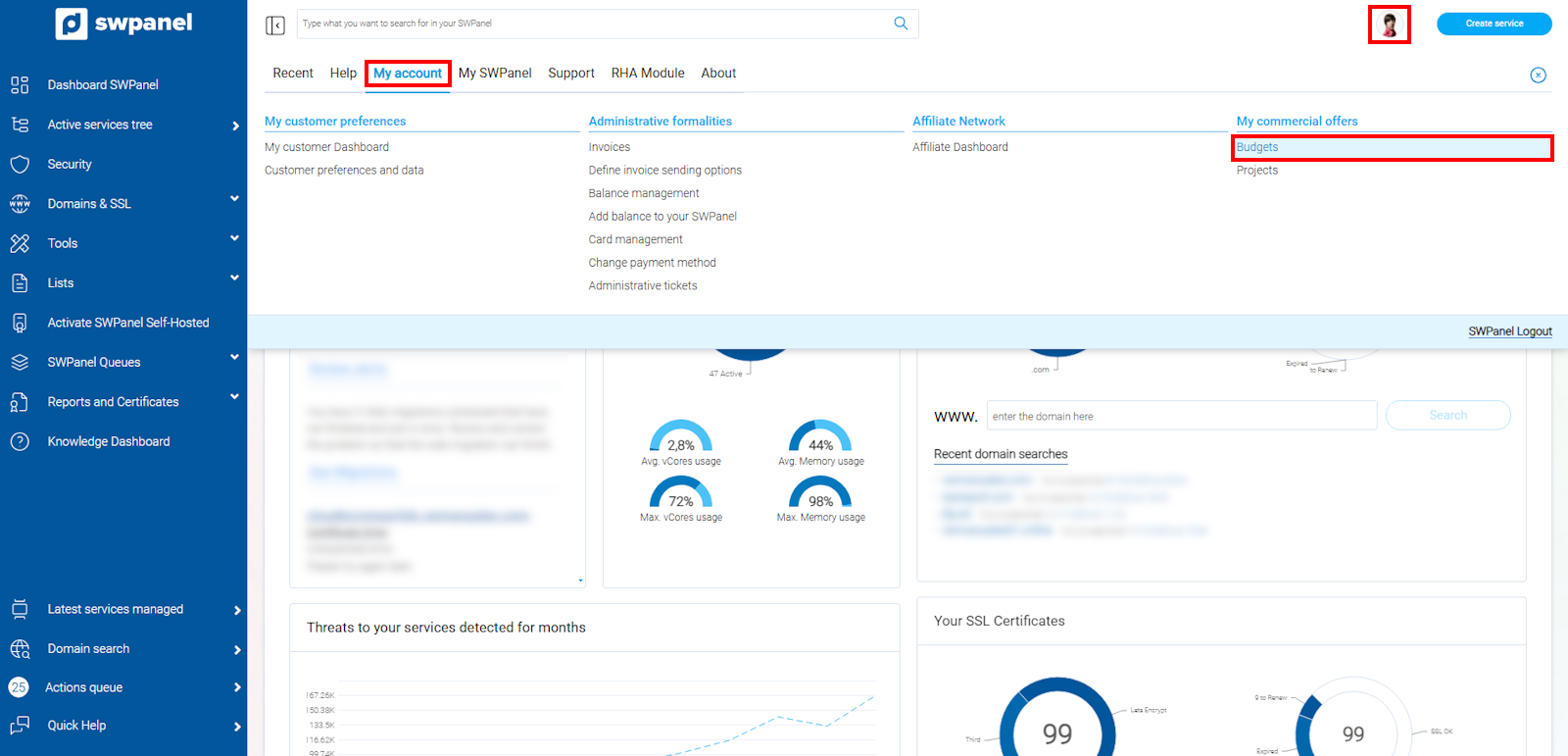
info_capture The screenshot is for guidance purposes. It was taken from version 2025.00.0017 dated 05/01/2025. It may differ from what the current version of SWPanel shows.
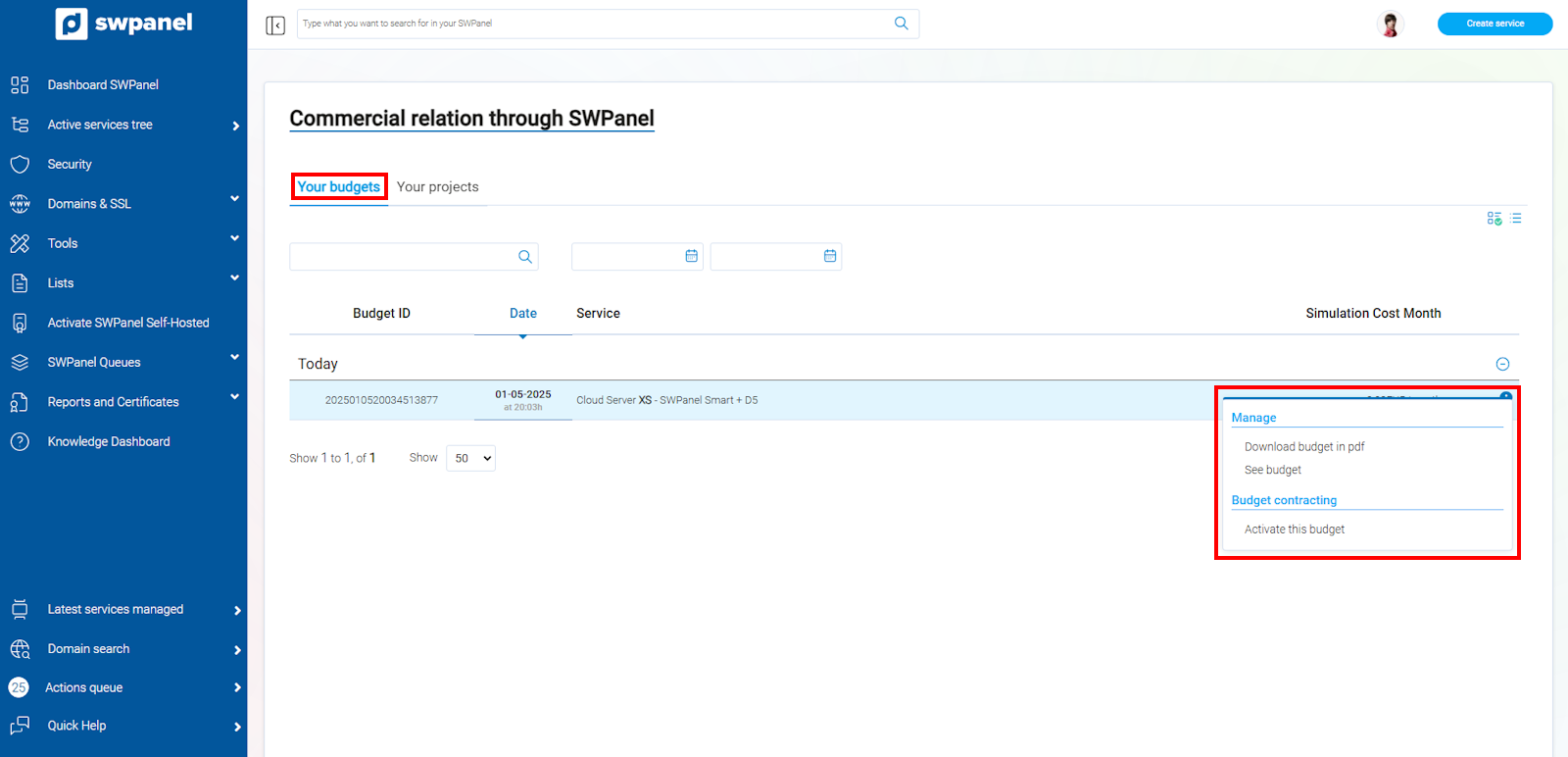
Through the [...] menu, you will be able to download the quote as a PDF, view the quote from SWPanel, or create the service using "Activate this quote":
info_capture The screenshot is for guidance purposes. It was taken from version 2025.00.0017 dated 05/01/2025. It may differ from what the current version of SWPanel shows.