
How to uninstall a WordPress CMS
In this manual, we will explain how to uninstall a WordPress CMS. You should keep in mind that all your website files and the database will be permanently deleted. Therefore, it is recommended that you make a backup of the data in case you need them in the future.
- Using the search bar of your SWPanel, access your hosting with WordPress:
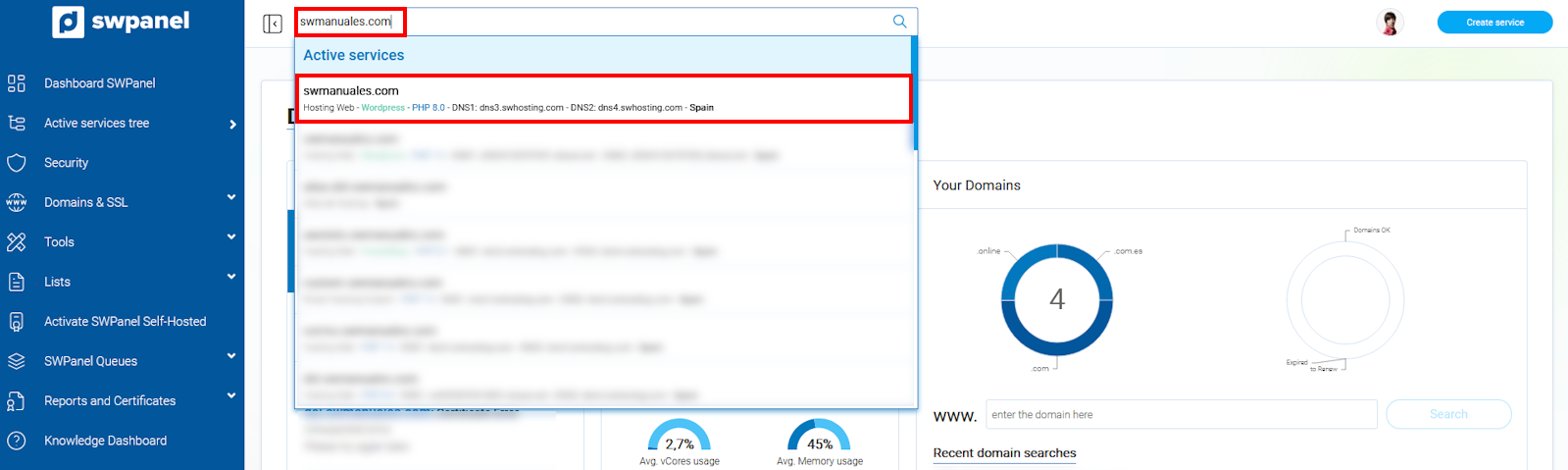
info_capture The screenshot is for guidance purposes. It was taken from version 2025.00.0017 dated 28/12/2024. It may differ from what is shown in the current version of SWPanel.
- Click on the button to uninstall WordPress from the section 'CMS Management':
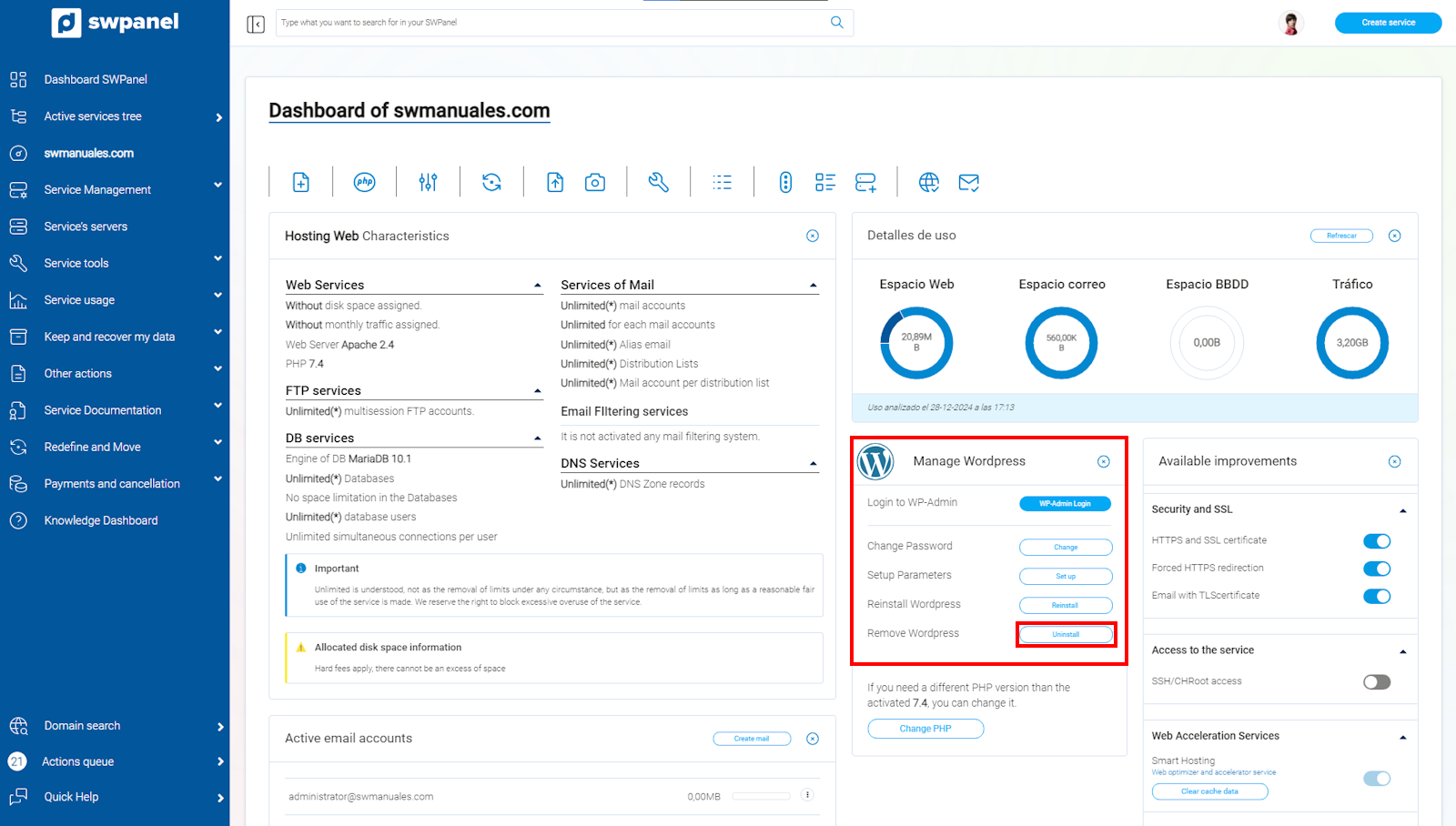
info_capture The screenshot is for guidance purposes. It was taken from version 2025.00.0017 dated 28/12/2024. It may differ from what is shown in the current version of SWPanel.
- You must confirm that you wish to uninstall WordPress and agree that the content of your website will be permanently deleted:
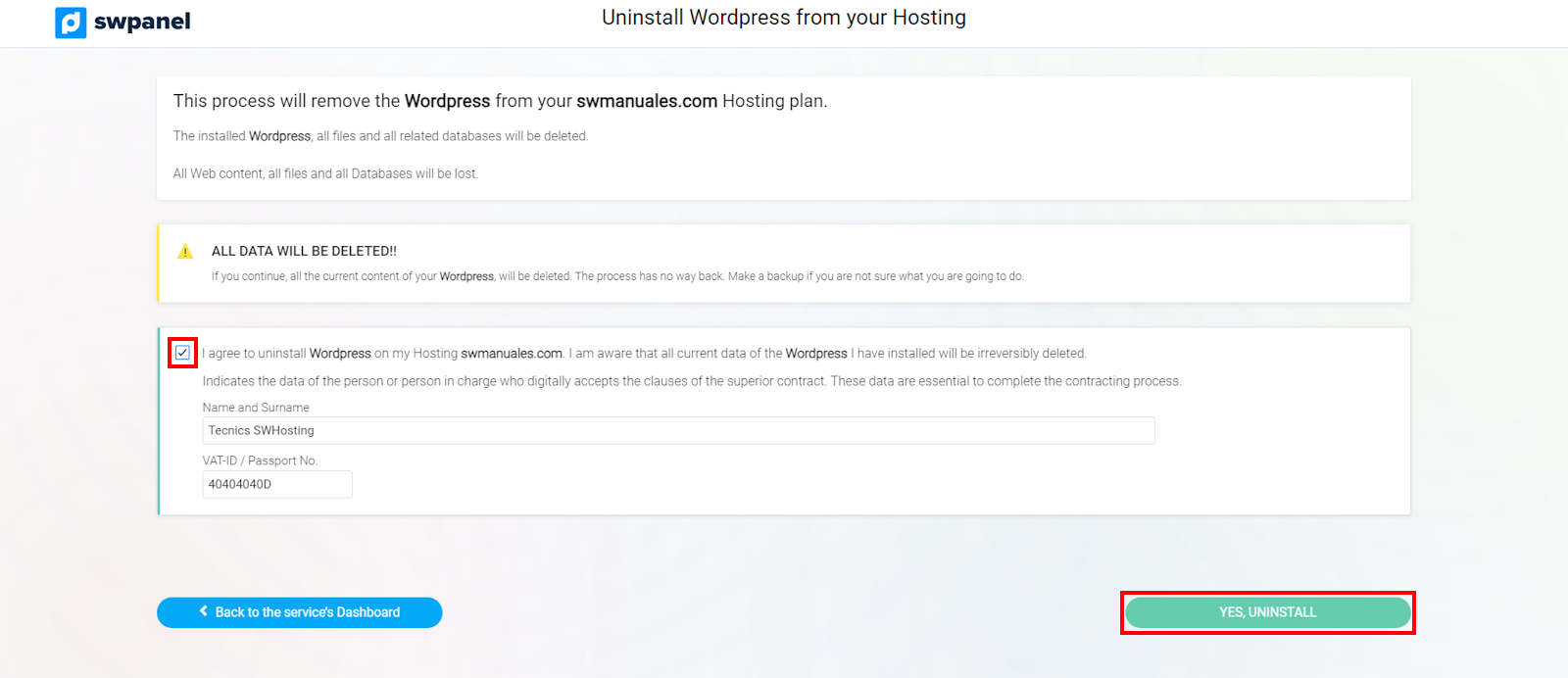
info_capture The screenshot is for guidance purposes. It was taken from version 2025.00.0017 dated 28/12/2024. It may differ from what is shown in the current version of SWPanel.