
Contracts
In your SWPanel, you have all the contracts related to your services. You have the option to view, print, or send them wherever you want, as well as disable the automatic renewal of your services.
Where do I find the contract in the SWPanel?
First of all, you must go to the SWPanel Dashboard, and using the top search bar in the SWPanel, search for the service to be managed.
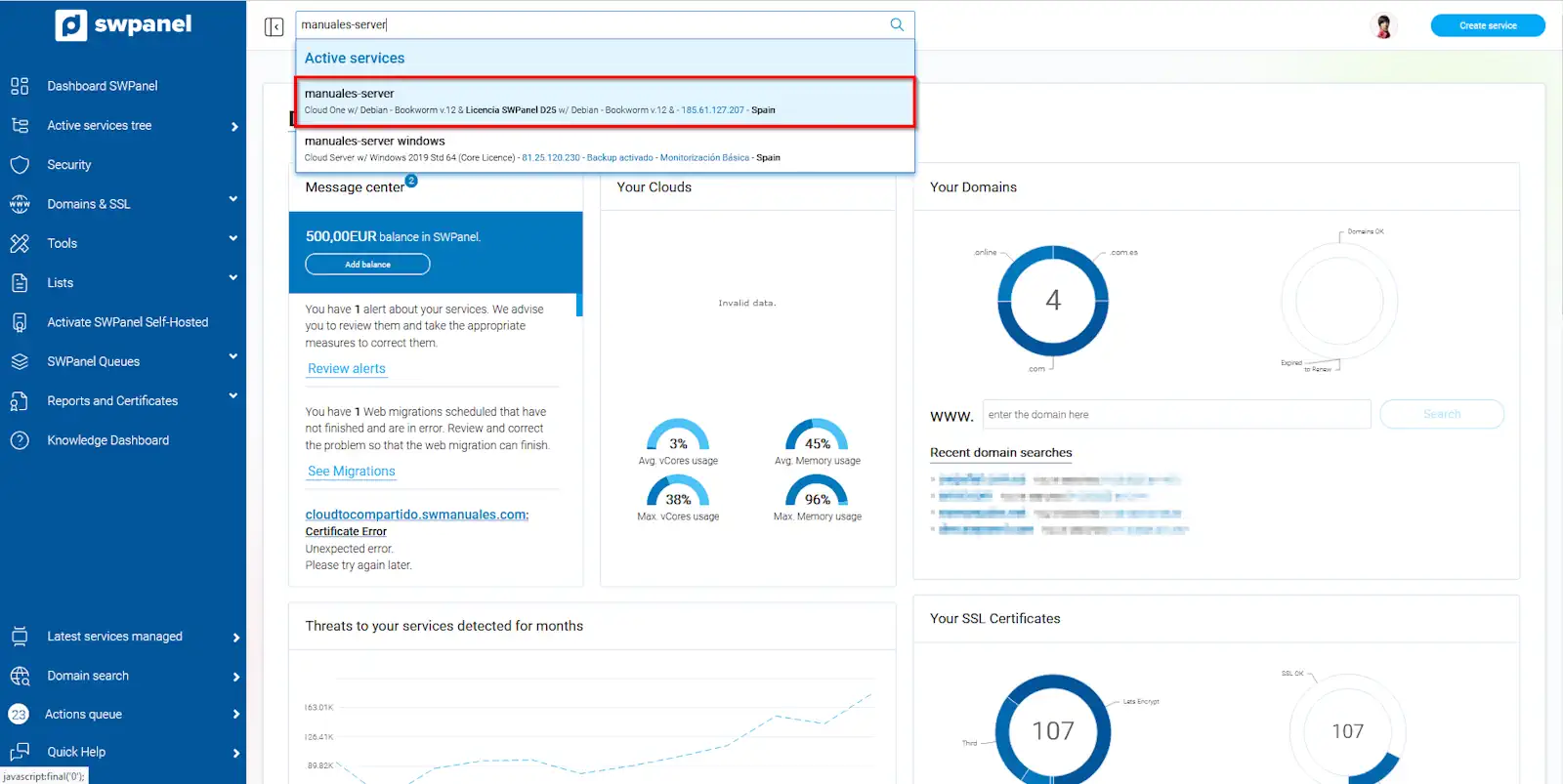
info_capture The screenshot is for guidance. It was taken from version 2025.00.0017 dated 26/01/2025. It may differ from what the current version of SWPanel shows.
Once inside the selected service, you must click on the option 'Service Documentation' -> Contract and billing method
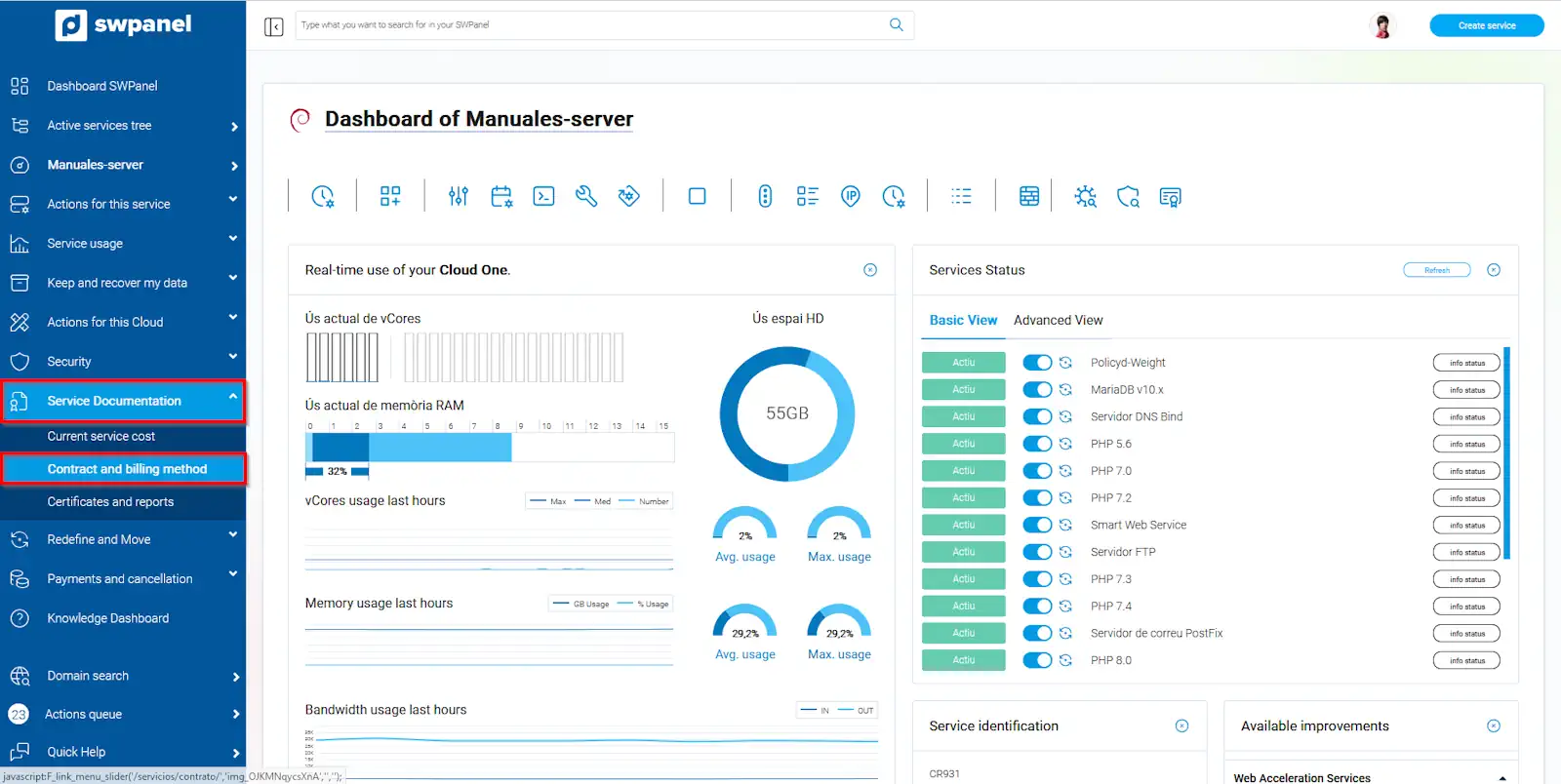
info_capture The screenshot is for guidance. It was taken from version 2025.00.0017 dated 26/01/2025. It may differ from what the current version of SWPanel shows.
The option to disable automatic service renewal will appear.
By default, when you contract a hosting service that is billed annually, its auto-renewal is enabled, so when it reaches the end of the contracted period, it is automatically renewed without you having to take any action. Regarding Clouds, which are billed hourly, it is not necessary to disable auto-renewal, as you can cancel the service whenever you want without a minimum commitment. The only thing you should keep in mind is that when the service is deleted, an invoice is generated for the resources consumed from the last issued invoice until the date of cancellation.
To disable it, you only need to click on the button that appears within the green box that indicates 'Automatic service renewal at the end of the contract'. You will also find the button to download your contract.
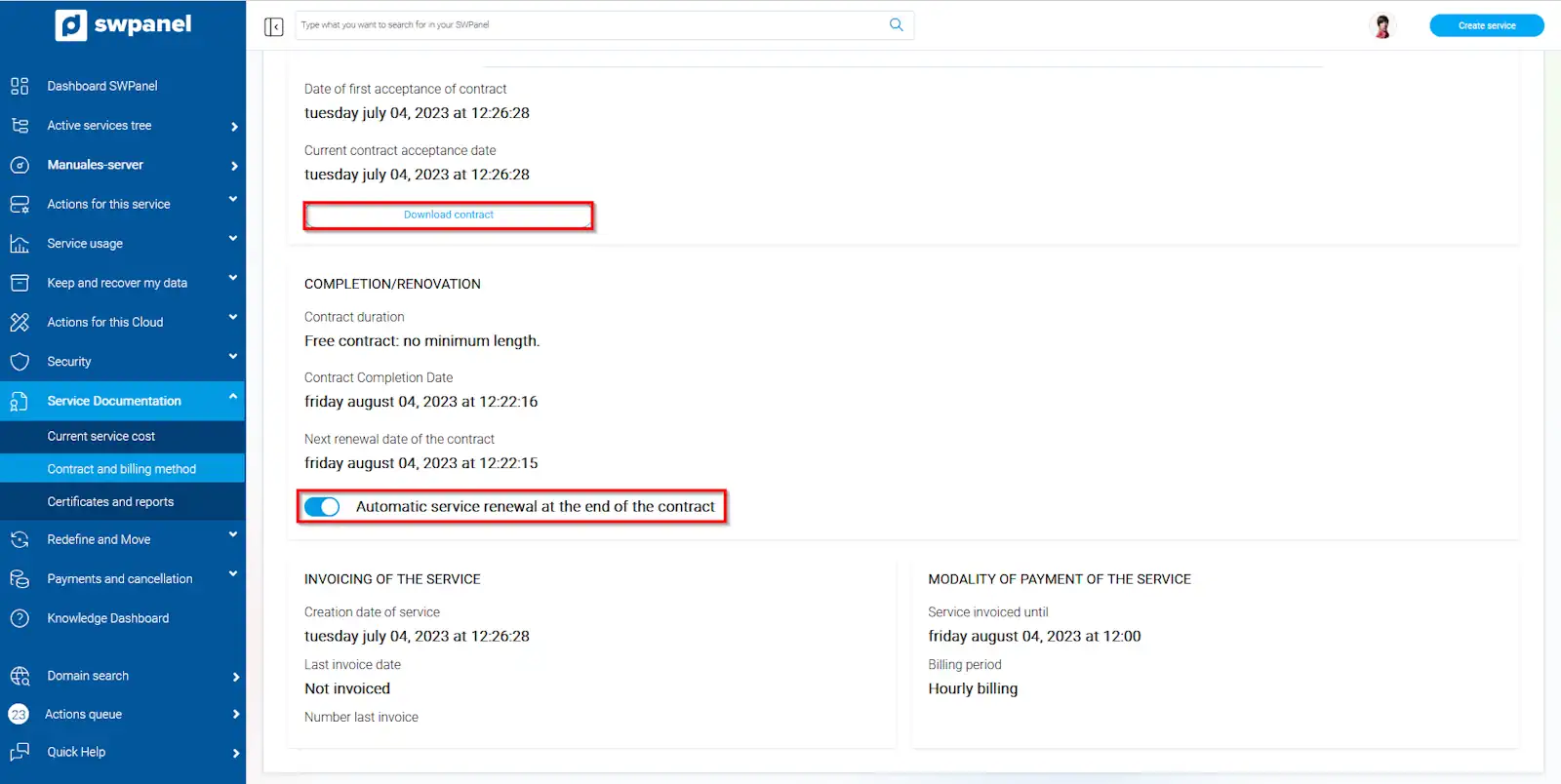
info_capture The screenshot is for guidance. It was taken from version 2025.00.0017 dated 26/01/2025. It may differ from what the current version of SWPanel shows.