
Create Hosting Redirect service for redirections
The Hosting Redirect service is ideal for users who want to perform a redirection easily and quickly.
From SWPanel, you can set up your Hosting Redirect service in a matter of minutes.
Access your SWPanel and click on Create a Service (top right corner):
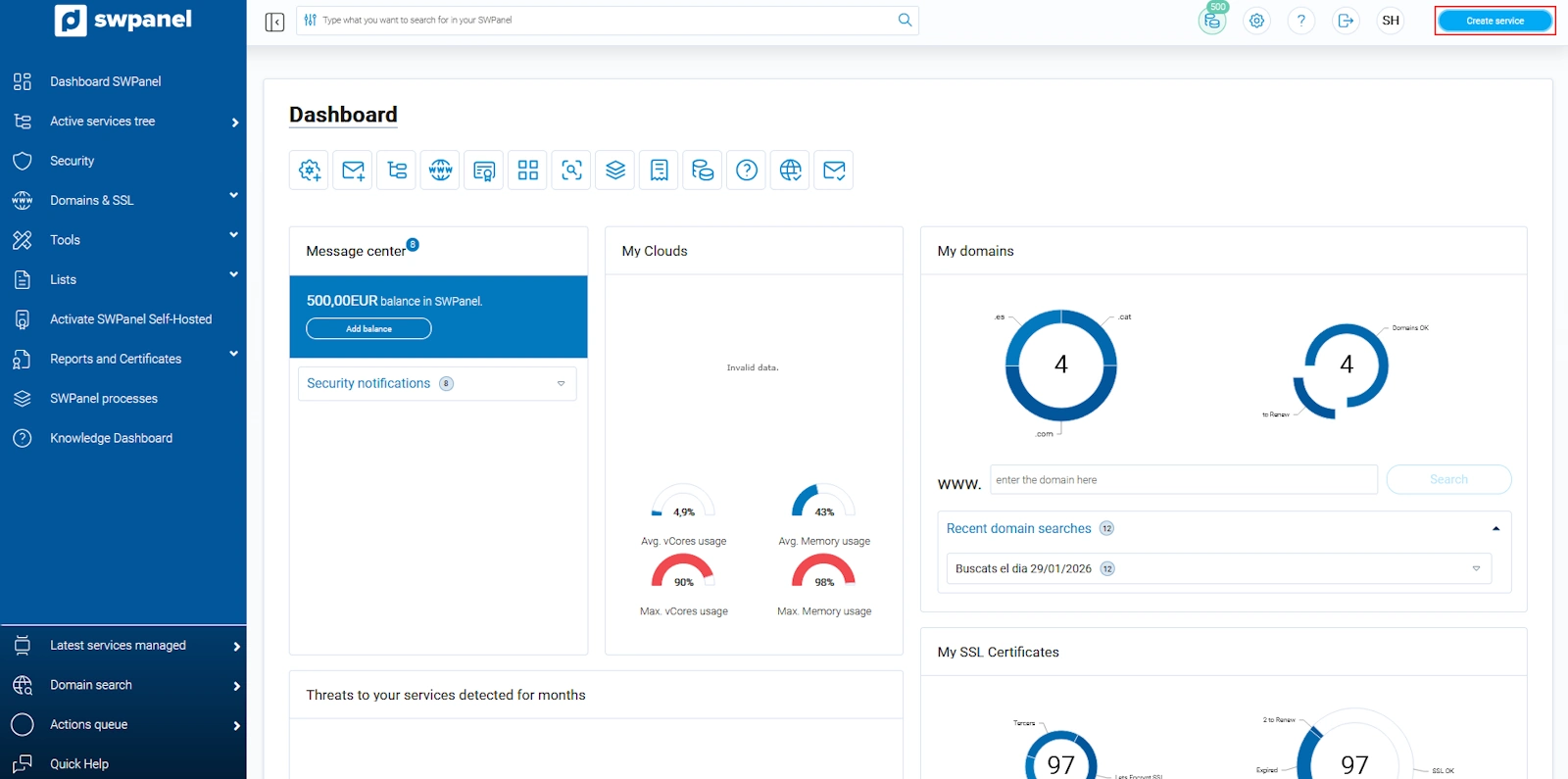
info_capture The screenshot is for illustrative purposes. It was taken using version 2025.00.0016 dated 07/12/2024. It may differ from what the current version of SWPanel shows.
Next, select Web Hosting:
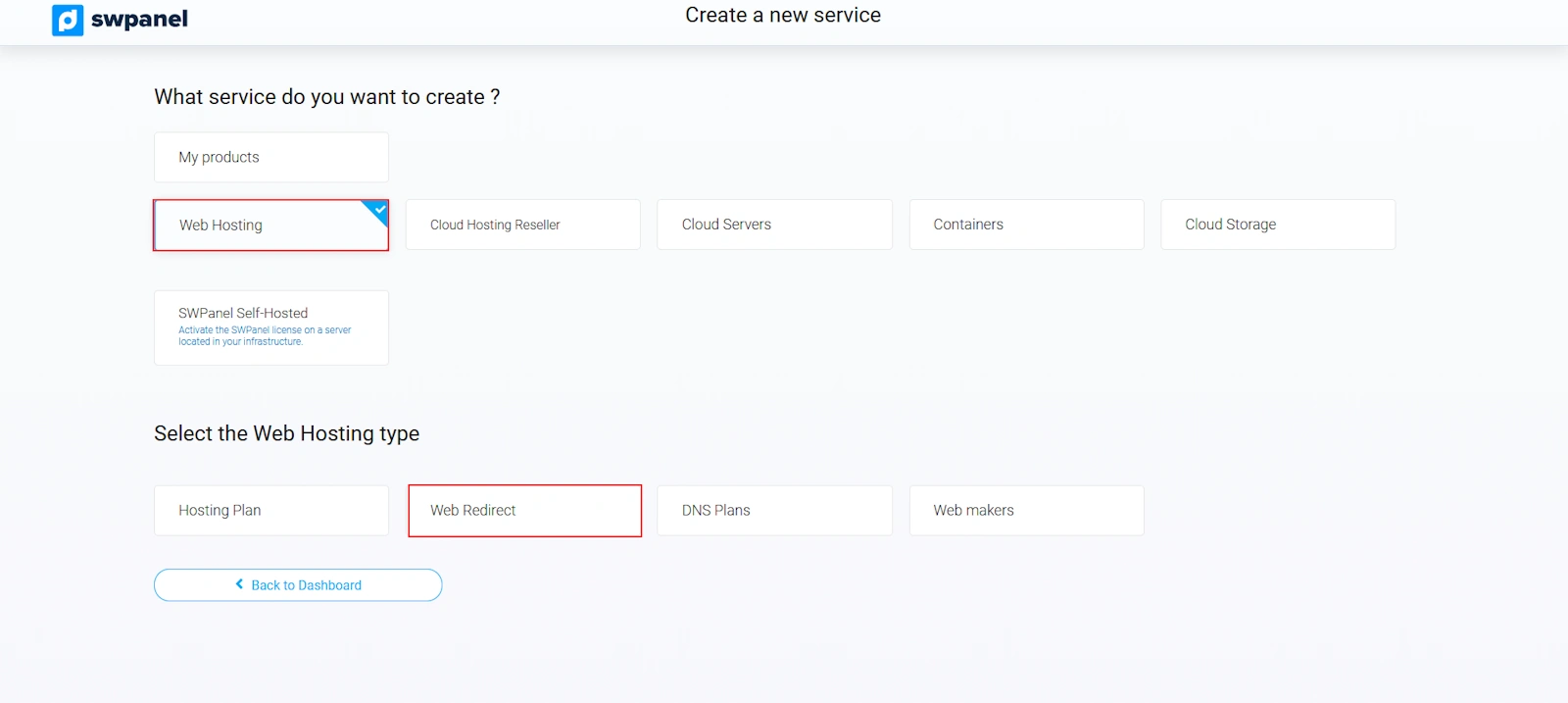
info_capture The screenshot is for illustrative purposes. It was taken using version 2025.00.0016 dated 07/12/2024. It may differ from what the current version of SWPanel shows.
Choose 'Redirect'. If you have the domain with us, the service is Free; choose 'Redirect Free':
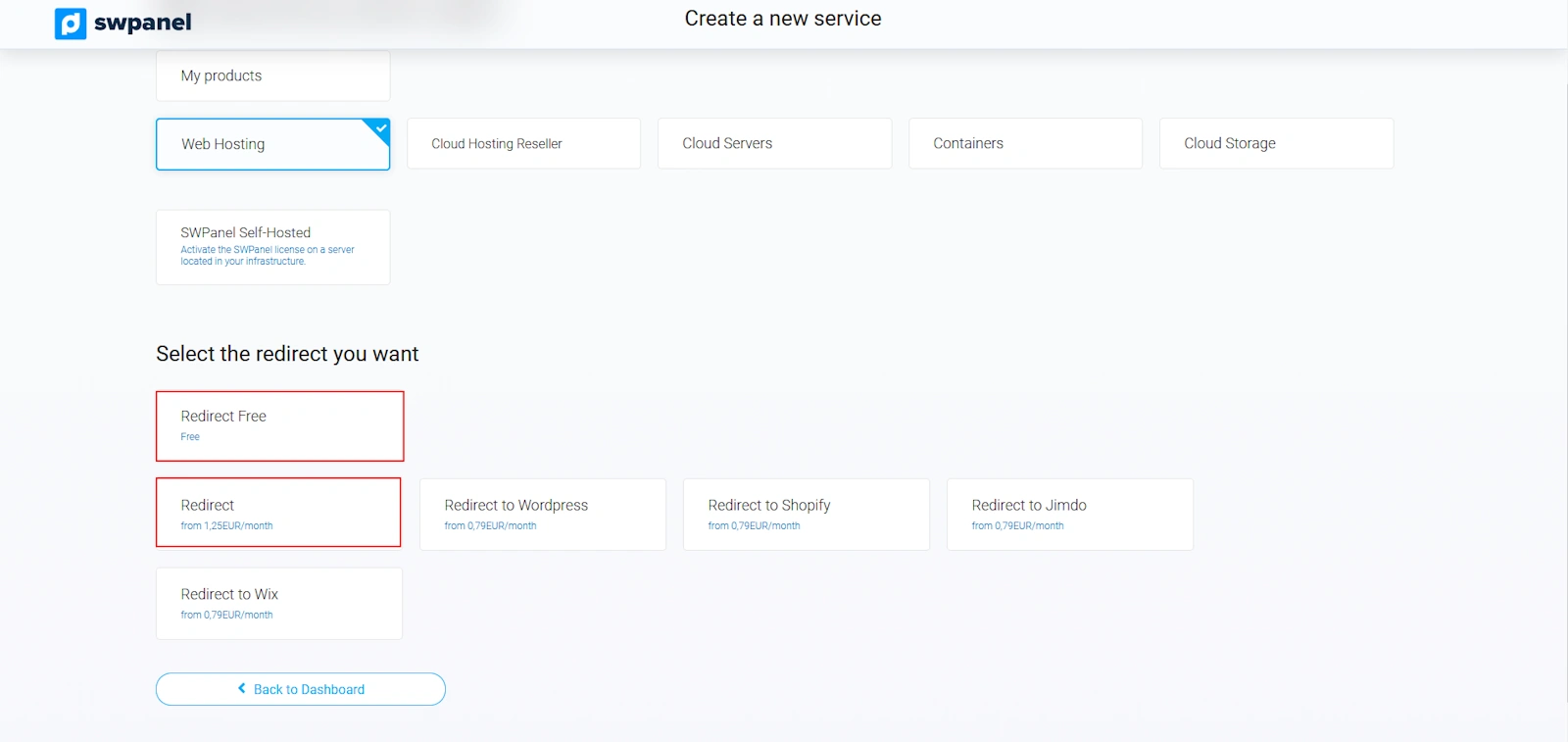
info_capture The screenshot is for illustrative purposes. It was taken using version 2025.00.0016 dated 07/12/2024. It may differ from what the current version of SWPanel shows.
This is the time to specify the domain or subdomain that will be created as a service.
Domain examples: swhosting.com, swproit.com.
Subdomain examples: hosting.swhosting.com, correo.swhosting.com.
For more information about domains and their registration process, consult our domain manual. ? Manual: ##título##
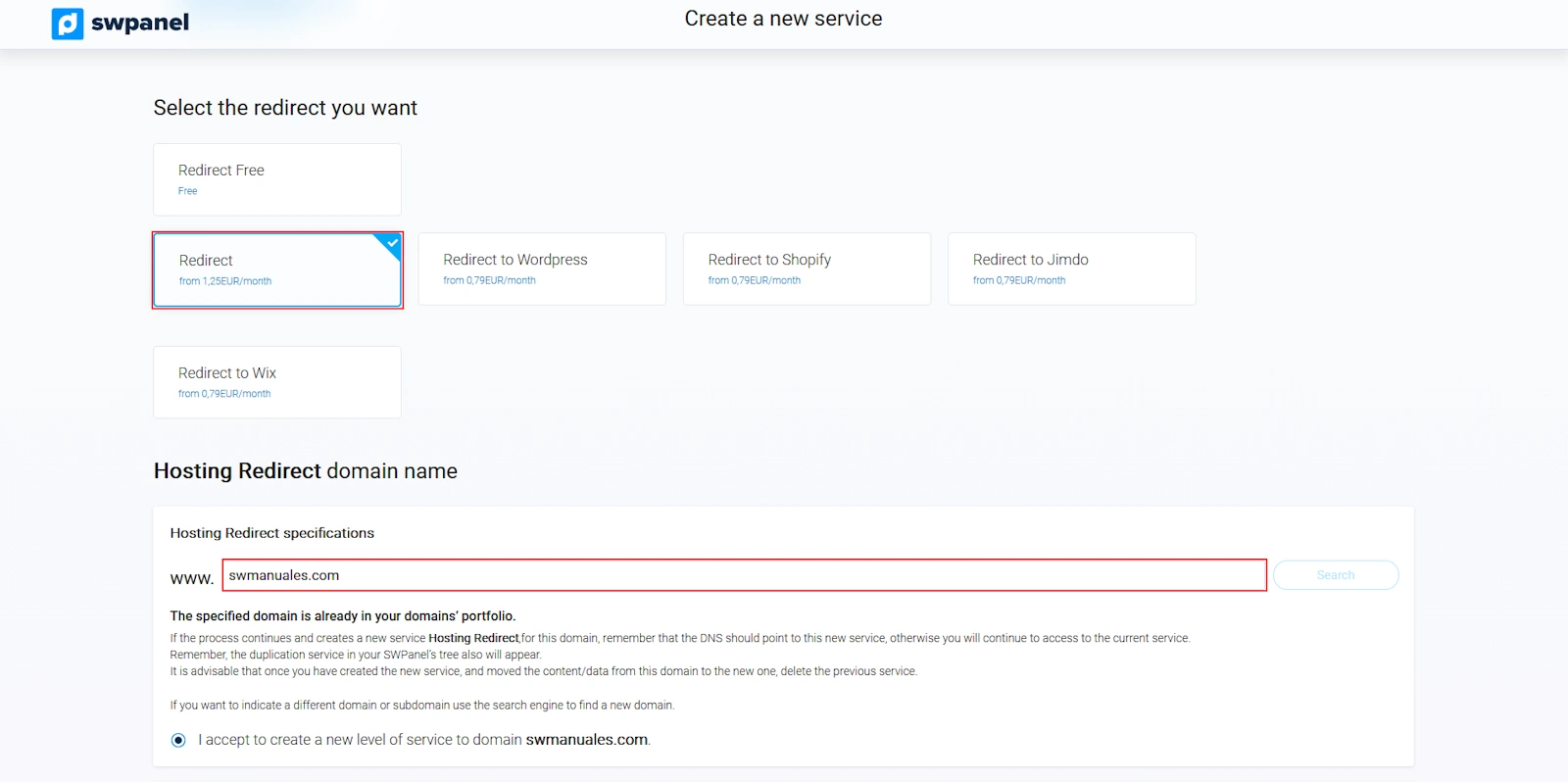
info_capture The screenshot is for illustrative purposes. It was taken using version 2025.00.0016 dated 07/12/2024. It may differ from what the current version of SWPanel shows.
By clicking the Verify button, the status of the entered domain will be displayed.
If you have chosen Redirect Free and you do not have the domain with us, you will be transferred to SW Hosting when finalizing the creation of the service. If, on the other hand, you have chosen Redirect, you can choose whether or not to transfer your domain to SW Hosting.
You must enter the URL to which you want users to be redirected:
Example to domain: https://www.swhosting.com
Example to subdomain: https://subdominio.swhosting.com
Example to URL: https://www.swhosting.com/es/comunidad/
Now you only need to decide whether users should notice the redirection or not; that is, whether they should see the URL change in their browser or keep your domain but show the content of the entered URL. If you want users to notice nothing, you must select the 'Redirection via Frame inclusion' checkbox.
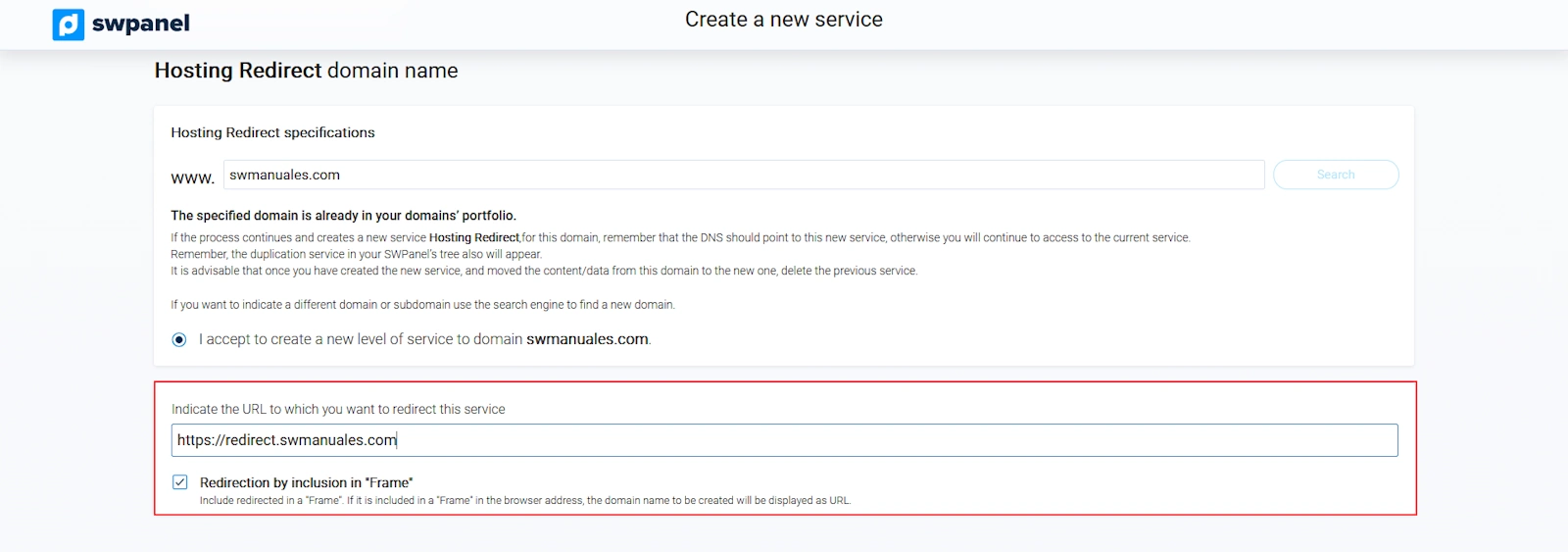
info_capture The screenshot is for illustrative purposes. It was taken using version 2025.00.0016 dated 07/12/2024. It may differ from what the current version of SWPanel shows.
After reviewing the data shown on the screen, click Accept and create to proceed with the contracting:
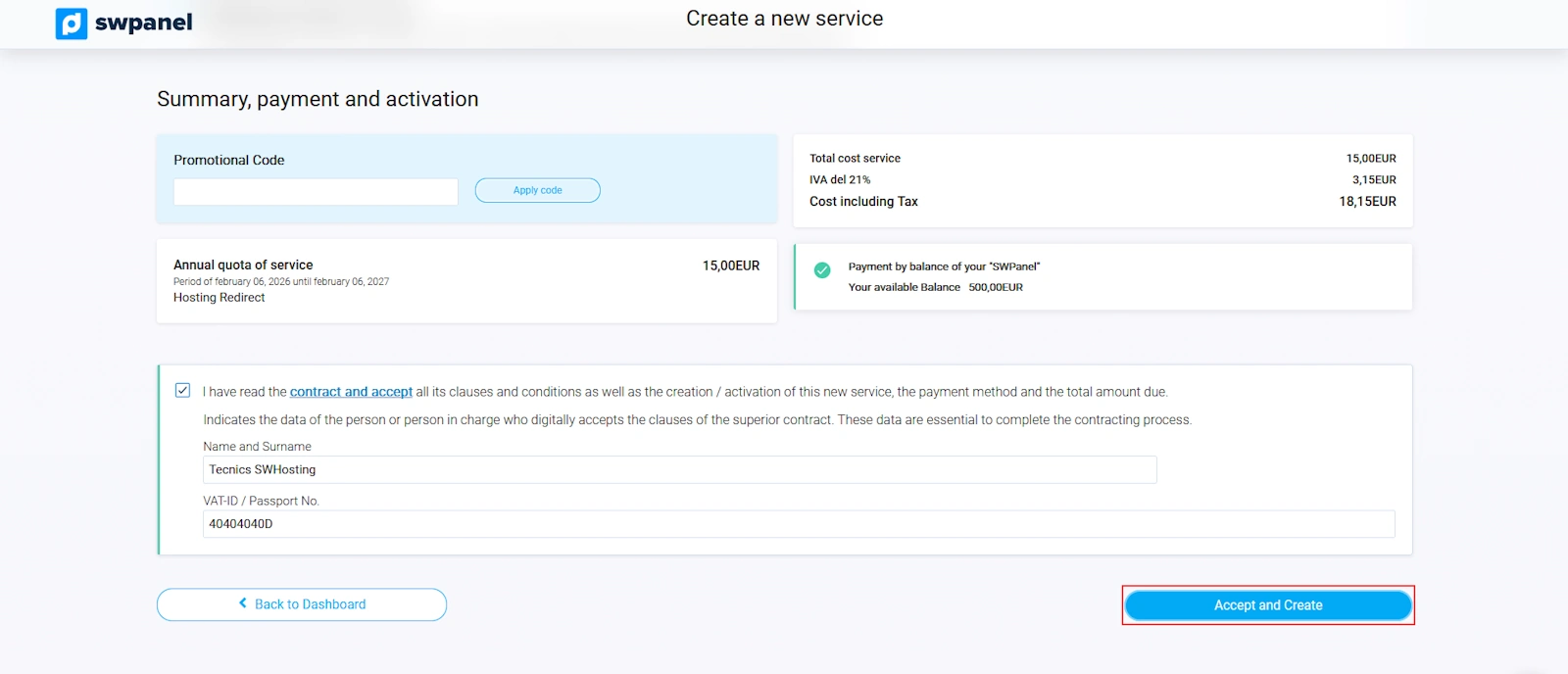
info_capture The screenshot is for illustrative purposes. It was taken using version 2025.00.0016 dated 07/12/2024. It may differ from what the current version of SWPanel shows.
Done! Your new Hosting Redirect service is now operational.
Modify the Redirection
Once you have your Hosting Redirect, you can modify the URL to which you want to redirect users or remove the redirection via 'Frame' inclusion. To do this, go to the SWPanel dashboard and access the management of the Hosting Redirect service. In the service dashboard, you must click the 'Define redirection' button:
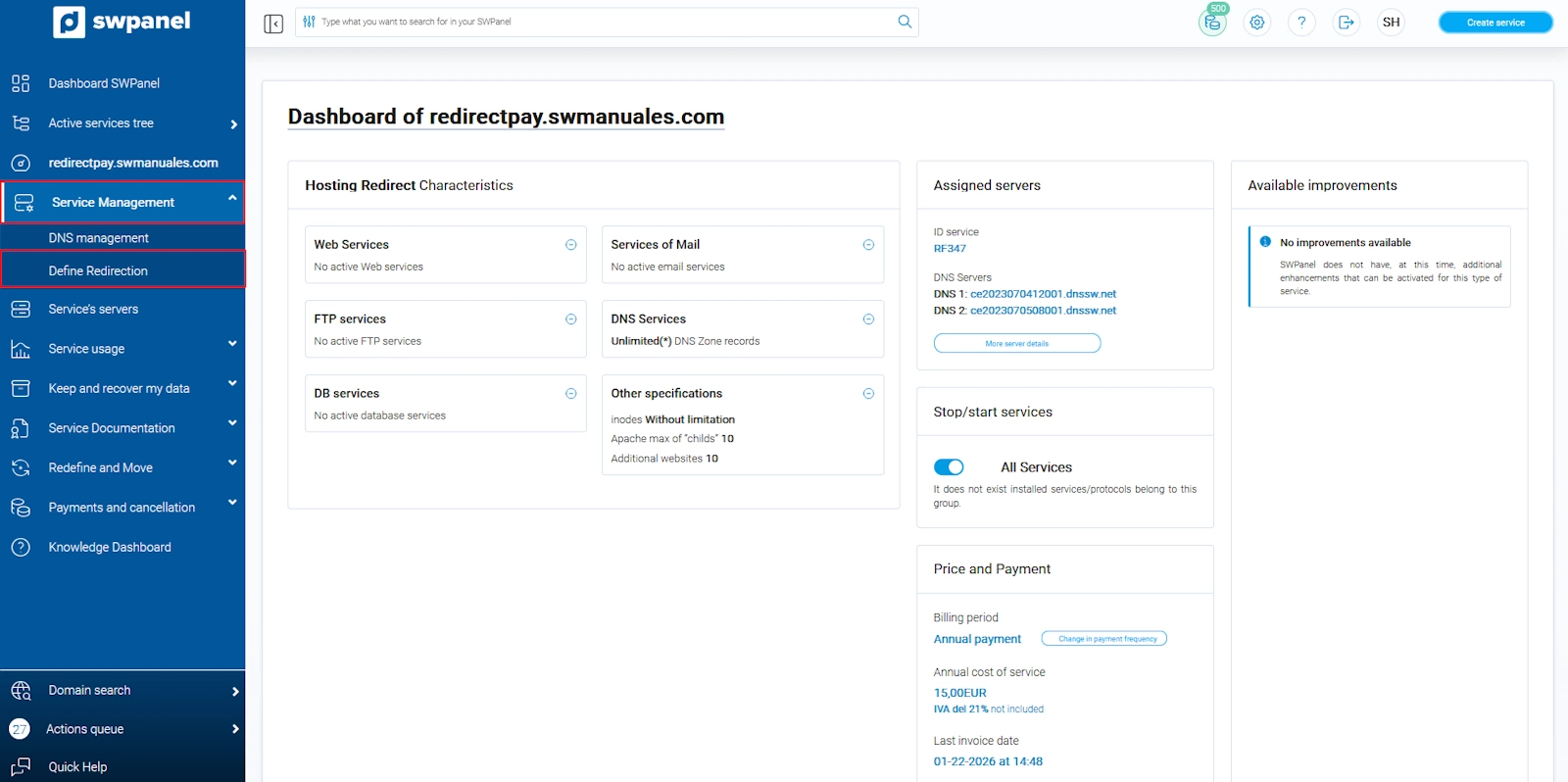
info_capture The screenshot is for illustrative purposes. It was taken using version 2025.00.0016 dated 07/12/2024. It may differ from what the current version of SWPanel shows.
Now you must enter the new URL to which you want users to be redirected:
Example to domain: https://www.swhosting.com
Example to subdomain: https://subdominio.swhosting.com
Example to URL: https://www.swhosting.com/es/comunidad/
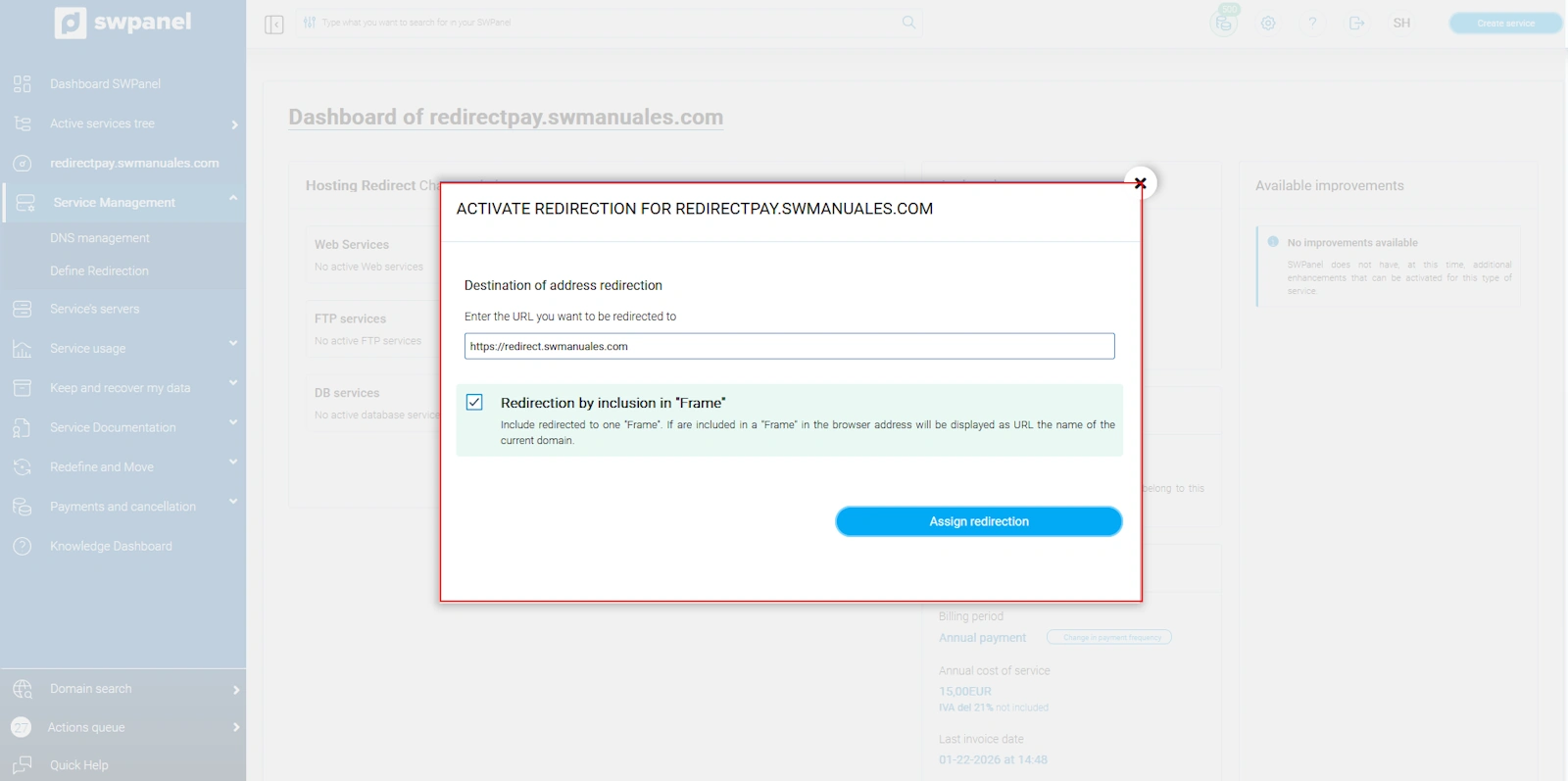
info_capture The screenshot is for illustrative purposes. It was taken using version 2025.00.0016 dated 07/12/2024. It may differ from what the current version of SWPanel shows.
Now you only need to decide whether users should notice the redirection or not; that is, whether they should see the URL change in their browser or keep your domain but show the content of the entered URL. If you want users to notice nothing, you must select the 'Redirection via Frame inclusion' checkbox.
Done! You have now modified your Hosting Redirect.