
Activate domain monitoring
The domain monitoring service is a complementary service to domain registration consisting of the daily analysis of the status of the domain specified by the customer. It is activated from the SWPanel. Our automated systems check the status of a specific domain and notify you the moment it becomes available (or any other type of domain status).
SW Hosting only offers domain monitoring for extensions available for registration, detailed at all times in the SWPanel. Any other extension cannot be monitored, and this situation will be notified during the first step of monitoring activation
Control points
Control points involve querying external Whois servers not controlled by SW Hosting. SW Hosting defines a single daily hourly control point at which the status checks of the monitored domains are performed, so changes in the domain status will only be detected at the control point.
How to activate domain monitoring
Click on Domains and SSL and access Domain Monitoring:
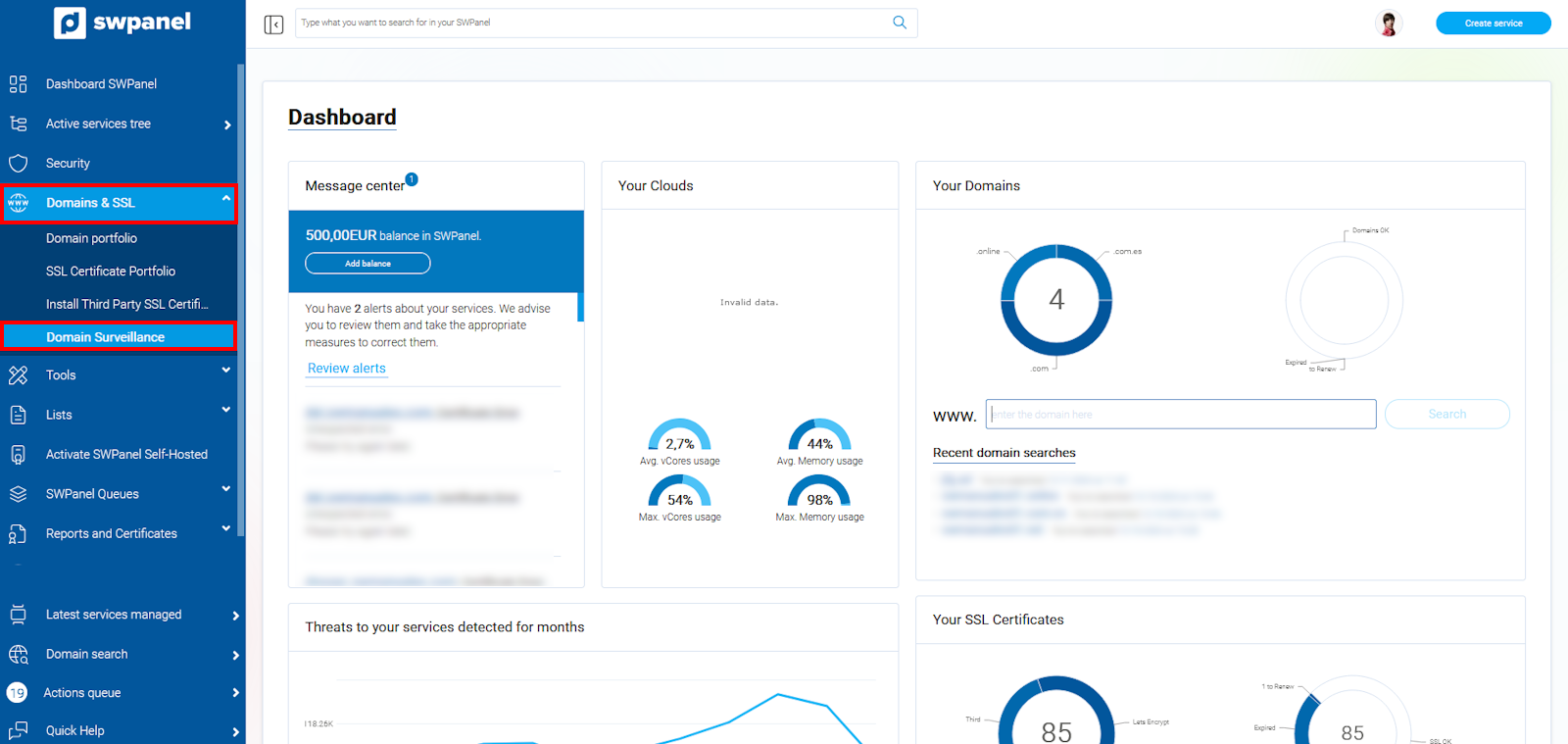
info_capture The screenshot is for guidance. It was taken using version 2025.00.0017 dated 12/15/2024. It may differ from what is shown in the current version of SWPanel.
In this step, click on Activate monitoring.
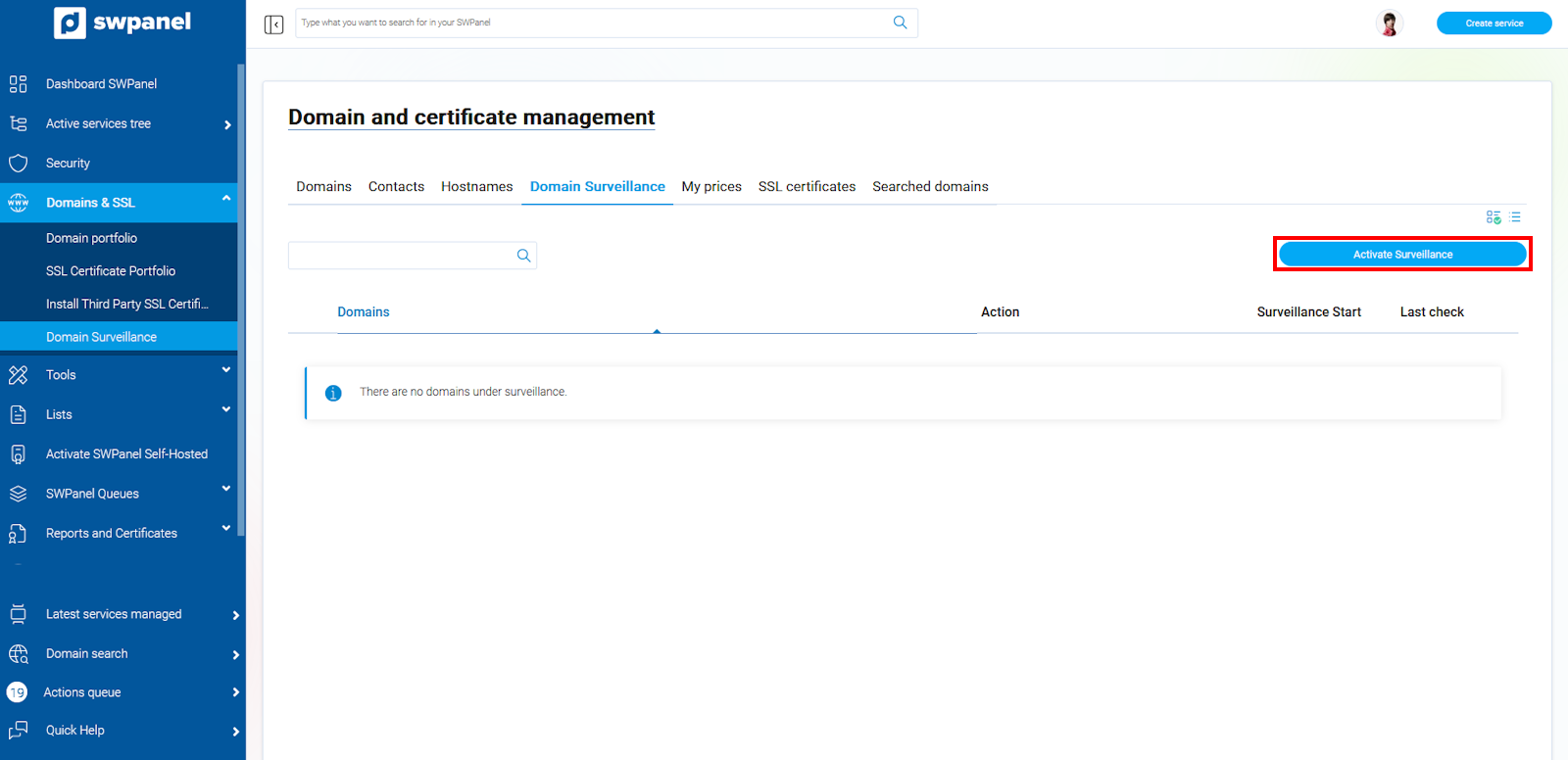
info_capture The screenshot is for guidance. It was taken using version 2025.00.0017 dated 12/15/2024. It may differ from what is shown in the current version of SWPanel.
Next, enter the name of the domain you wish to monitor and click verify. We check the checkbox: I wish to activate monitoring for the domain manual.com in my domain monitoring portfolio and click Next.
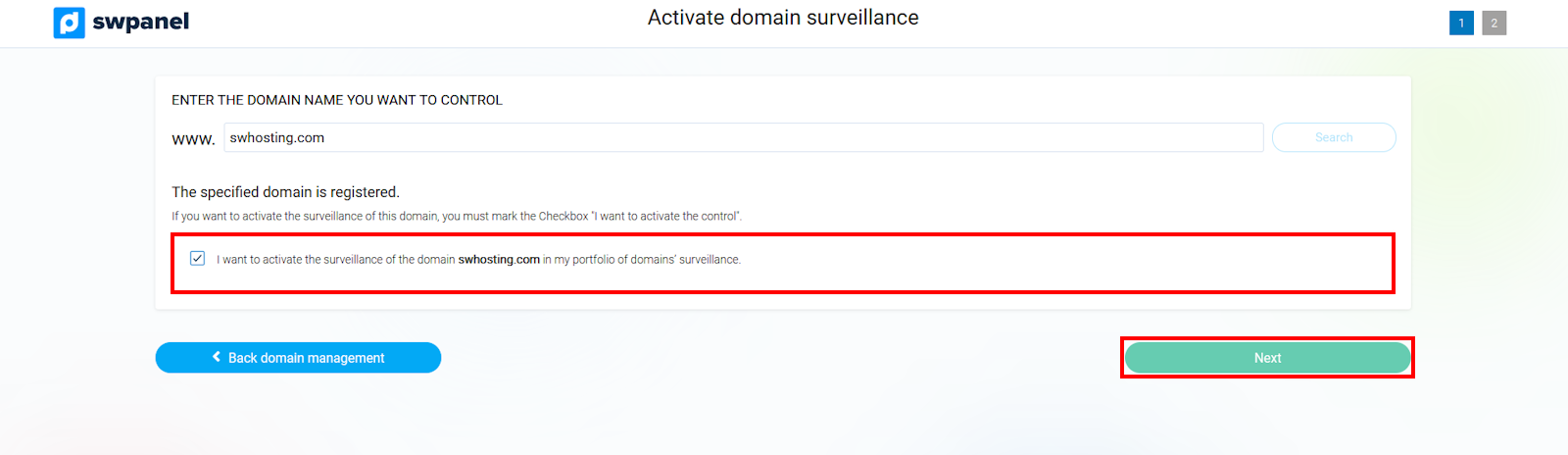
info_capture The screenshot is for guidance. It was taken using version 2025.00.0017 dated 12/15/2024. It may differ from what is shown in the current version of SWPanel.
Now, you will have the option to register the domain when it becomes available, by filling in the Owner, Administrative Contact, and Technical Contact fields. Once done, we check the checkbox accepting the monitoring cost and click on Activate monitoring
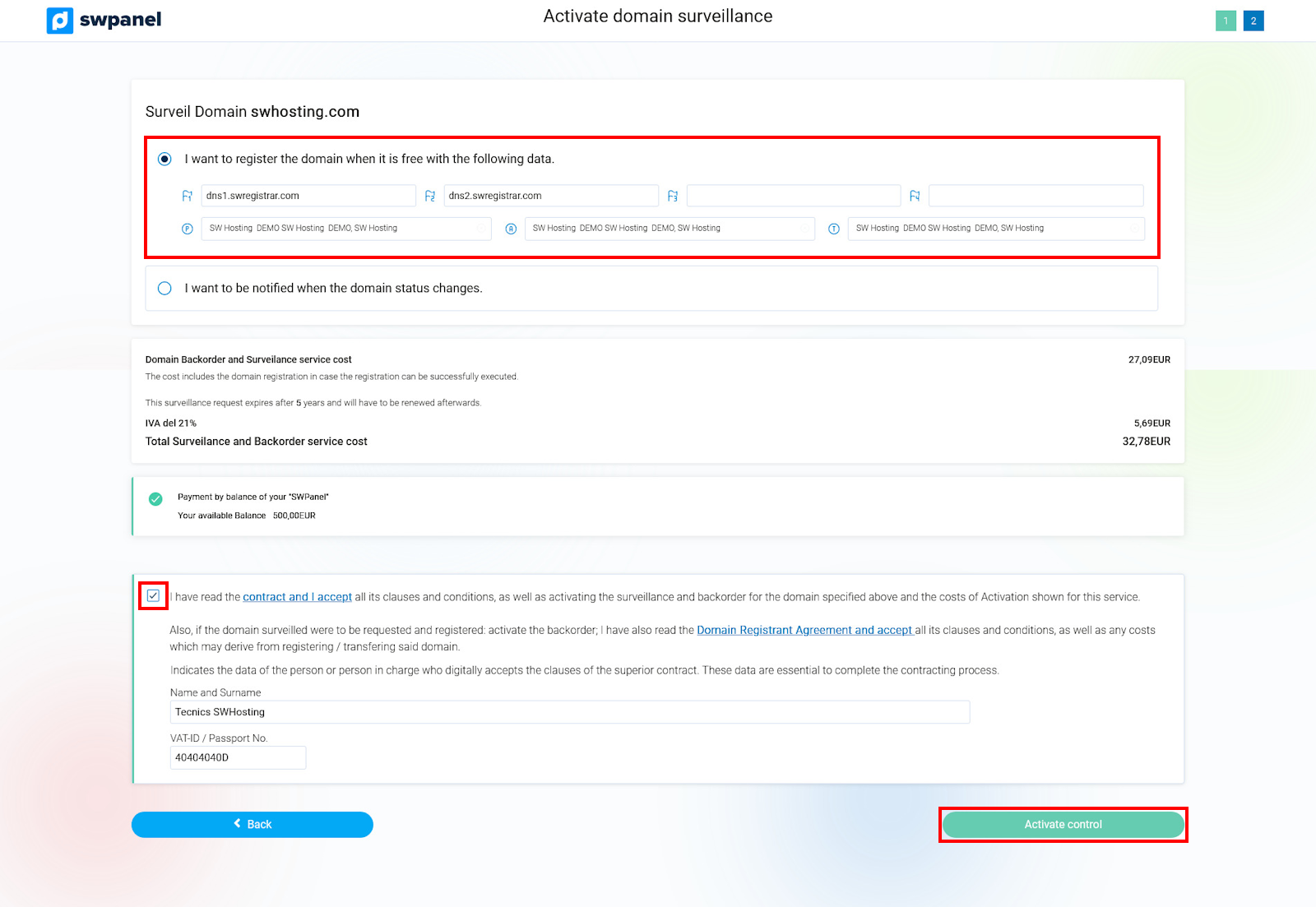
info_capture The screenshot is for guidance. It was taken using version 2025.00.0017 dated 12/15/2024. It may differ from what is shown in the current version of SWPanel.
If you do not wish to register it automatically, you have the option: 'I wish to receive a domain status notification'. With this option, you can choose the Status for which you want to be notified and add the Email to which you want the monitoring notification to be sent.
If you agree with the costs, all that remains is to click on Accept the contract and Activate monitoring
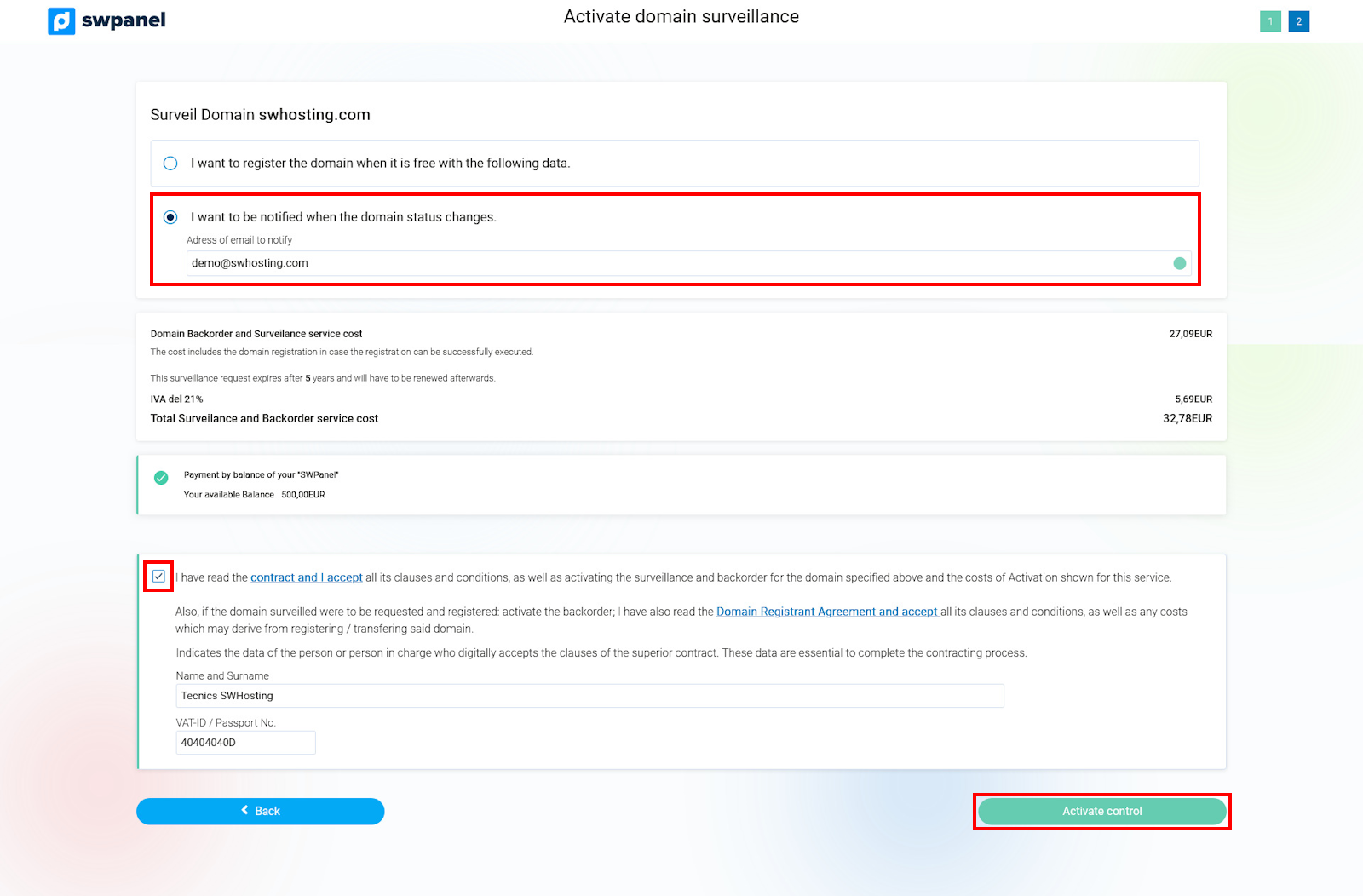
info_capture The screenshot is for guidance. It was taken using version 2025.00.0017 dated 12/15/2024. It may differ from what is shown in the current version of SWPanel.
Once finished, the domain is now being monitored so that when it is in the requested status, it will either be auto-registered or we will be notified, depending on what we have chosen.