
How to create TLSA records with SWPanel
Recommended prerequisites
Before configuring a TLSA record, make sure you meet the following conditions:
-
DNSSec enabled:
- It is essential that the domain has DNSSec configured and activated, as TLSA records depend on this technology to guarantee the authenticity of the data in the DNS zone.
- Without DNSSec, TLSA records will not be protected against tampering and might not be used by clients.
To enable DNSSec in your hosting service, you can follow the instructions in the following manual:
-
Valid SSL/TLS Certificate:
- You need a valid SSL/TLS certificate associated with the domain or service you wish to protect. Ensure that the certificate is active and correctly installed.
If you do not yet have an SSL certificate, you can acquire one that fits your needs through SWPanel by following the steps in the following manual:
What is an SSL/TLS certificate?
An SSL/TLS certificate secures the communication between a client (such as a web browser or email client) and a server using encryption. This protects data from unauthorized third parties and allows the server's identity to be verified. SSL/TLS certificates are fundamental to ensuring privacy and trust on the internet.
What is a TLSA record and what is it for?
A TLSA record is a type of DNS record used together with DNSSec to strengthen the authentication of SSL/TLS certificates using the DANE (DNS-based Authentication of Named Entities) protocol.
Purpose:
- Associate a specific SSL/TLS certificate with a domain name or service. This allows for direct verification in the DNS zone that the certificate presented by a server is legitimate and trustworthy.
Advantages:
- Improves security through additional certificate validation.
- It is useful in configurations with self-signed certificates or in private networks, eliminating the need to rely exclusively on certification authorities (CA).
Detailed steps to create a TLSA record
1. Obtaining the TLSA Hash of the SSL/TLS certificate
The management system calculates the TLSA Hash using the following predefined parameters:
-
Certificate usage (3):
Indicates that the TLS server certificate is trusted directly, without requiring intermediaries such as certification authorities (CA). -
Selector (1):
Only uses the public key of the certificate, not the complete certificate. -
Hash algorithm (1):
The SHA-256 algorithm is used to calculate the certificate hash.
Important note: The system only generates the TLSA hash compatible with these parameters (
3 1 1), so these same values must be used when creating the TLSA record.
- Go to the Domains and SSL - SSL Certificates section of SWPanel.
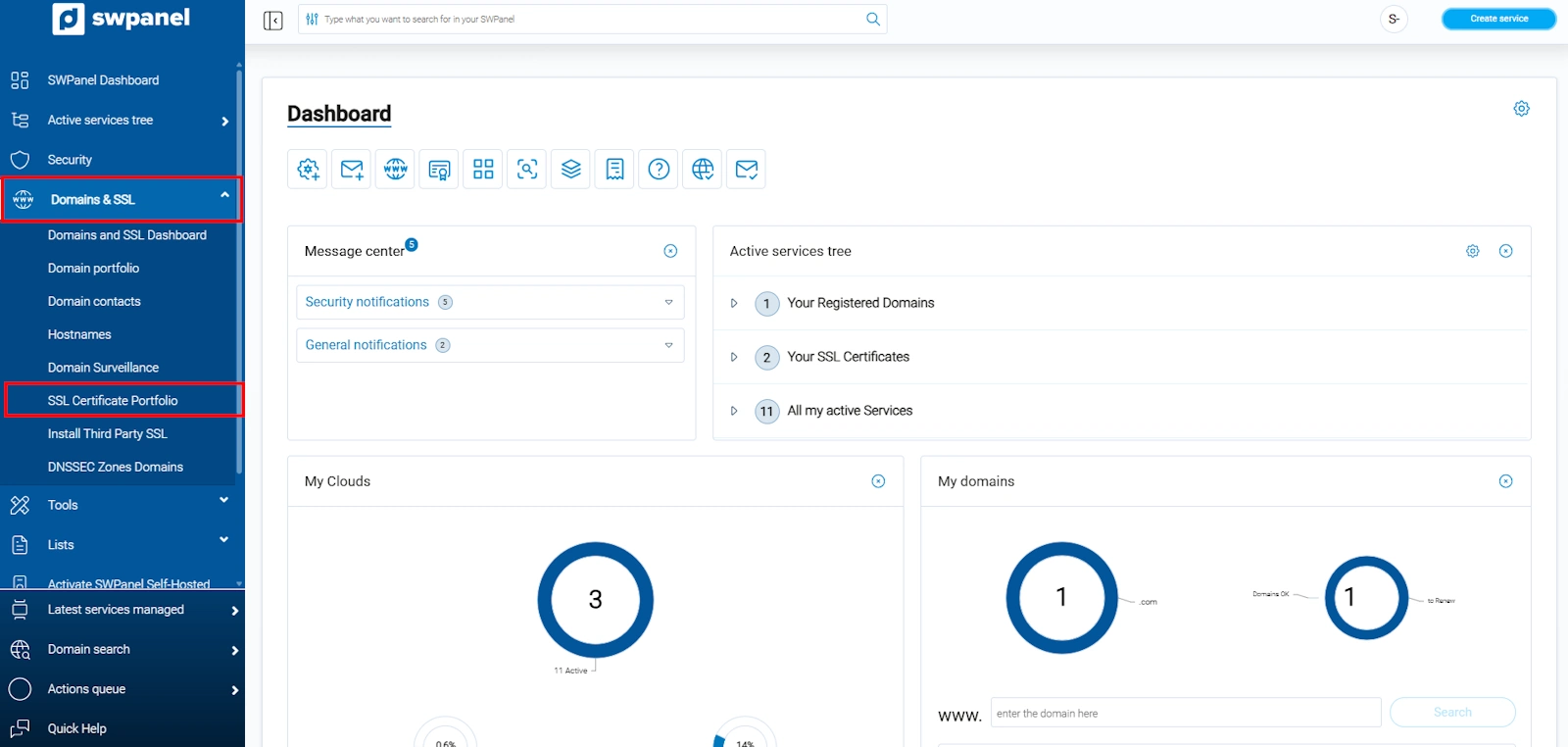
info_capture The screenshot is for guidance. It was taken from version 2025.00.0015 dated 11/30/2024. It may differ from what is shown in the current version of SWPanel.
- Locate the certificate corresponding to the service or domain, click on the options menu [···] and select View TLSA Hash.
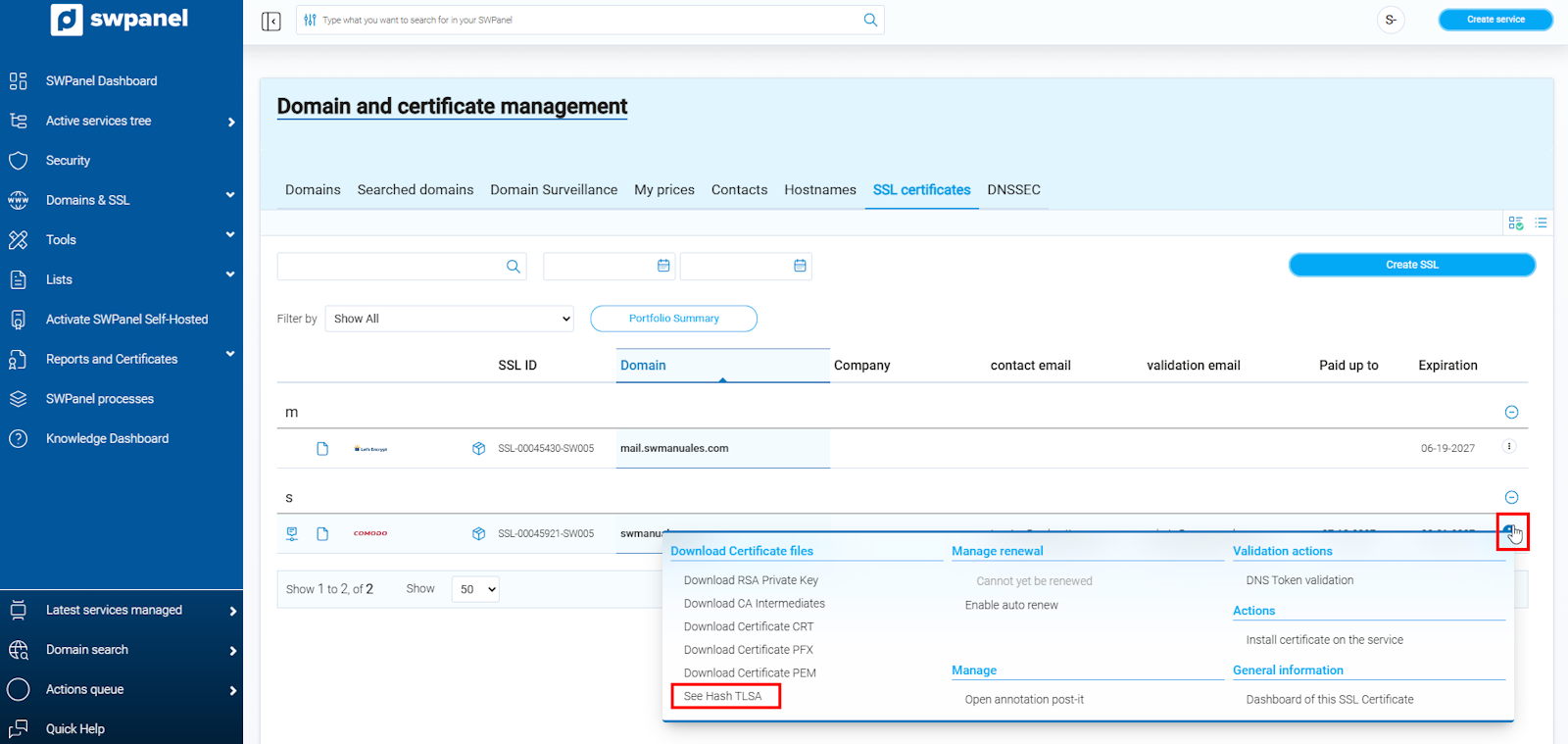
info_capture The screenshot is for guidance. It was taken from version 2025.00.0015 dated 11/30/2024. It may differ from what is shown in the current version of SWPanel.
- Copy the generated TLSA Hash value, as it will be needed to configure it in the DNS zone.
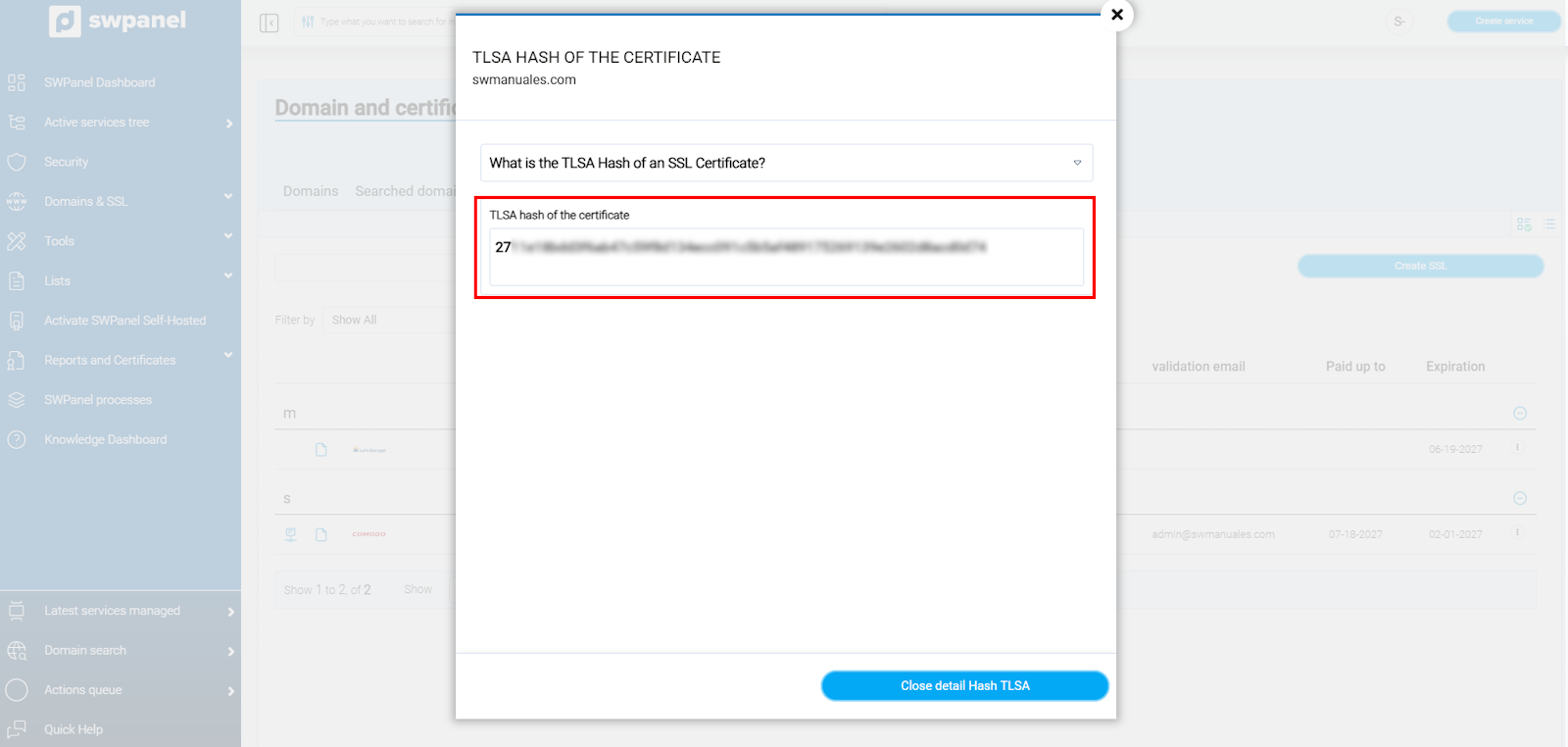
info_capture The screenshot is for guidance. It was taken from version 2025.00.0015 dated 11/30/2024. It may differ from what is shown in the current version of SWPanel.
2. Creation of the TLSA record
- Go to the hosting service dashboard where your domain is configured and access the Service Management - DNS Management section.
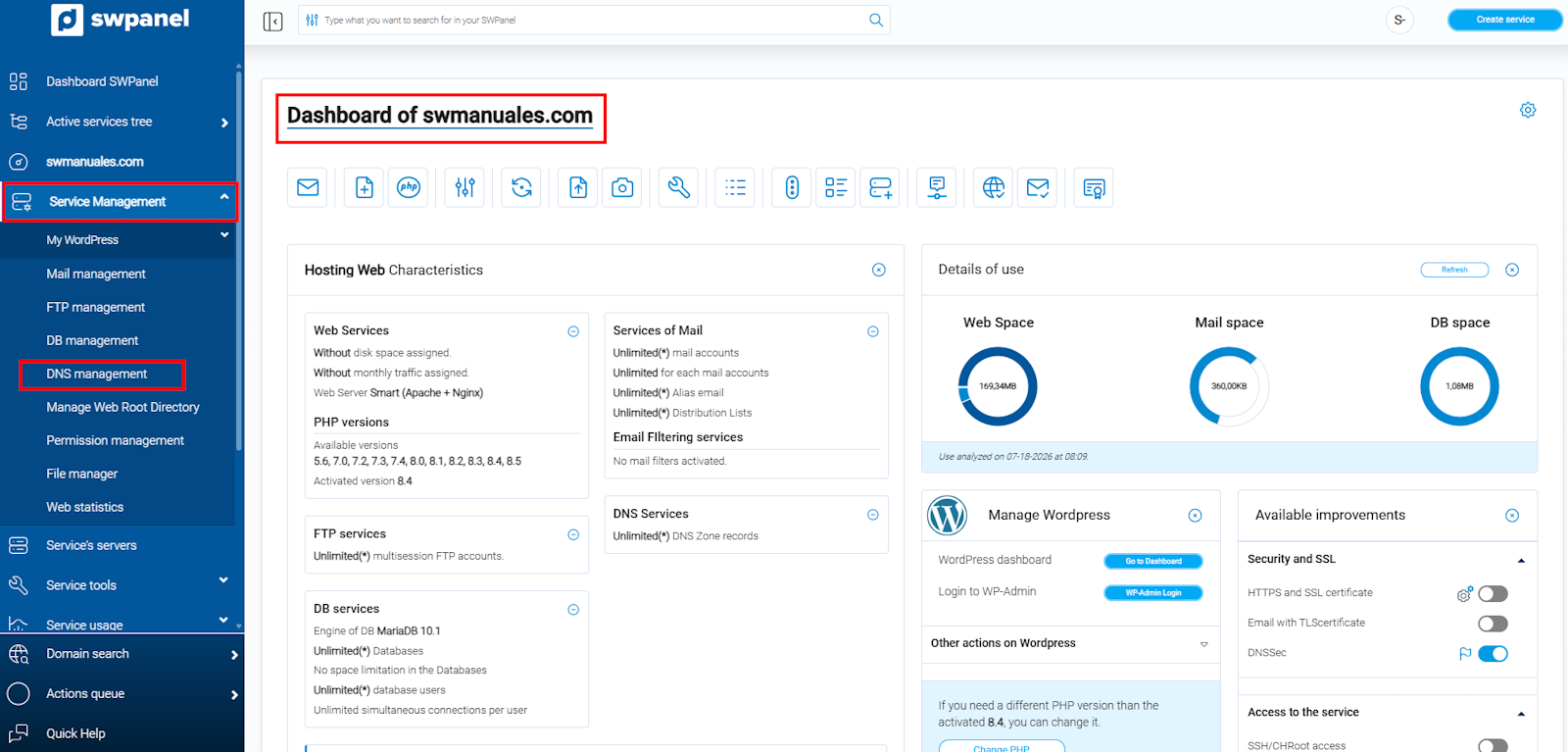
info_capture The screenshot is for guidance. It was taken from version 2025.00.0015 dated 11/30/2024. It may differ from what is shown in the current version of SWPanel.
Example:
- For a web service, the relevant alias will be
_443._tcp.tudominio.comor_443._tcp.www.tudominio.com- For an SMTP email service on port 25, it would be
_25._tcp.mail.tudominio.com.
- Click on Create record.
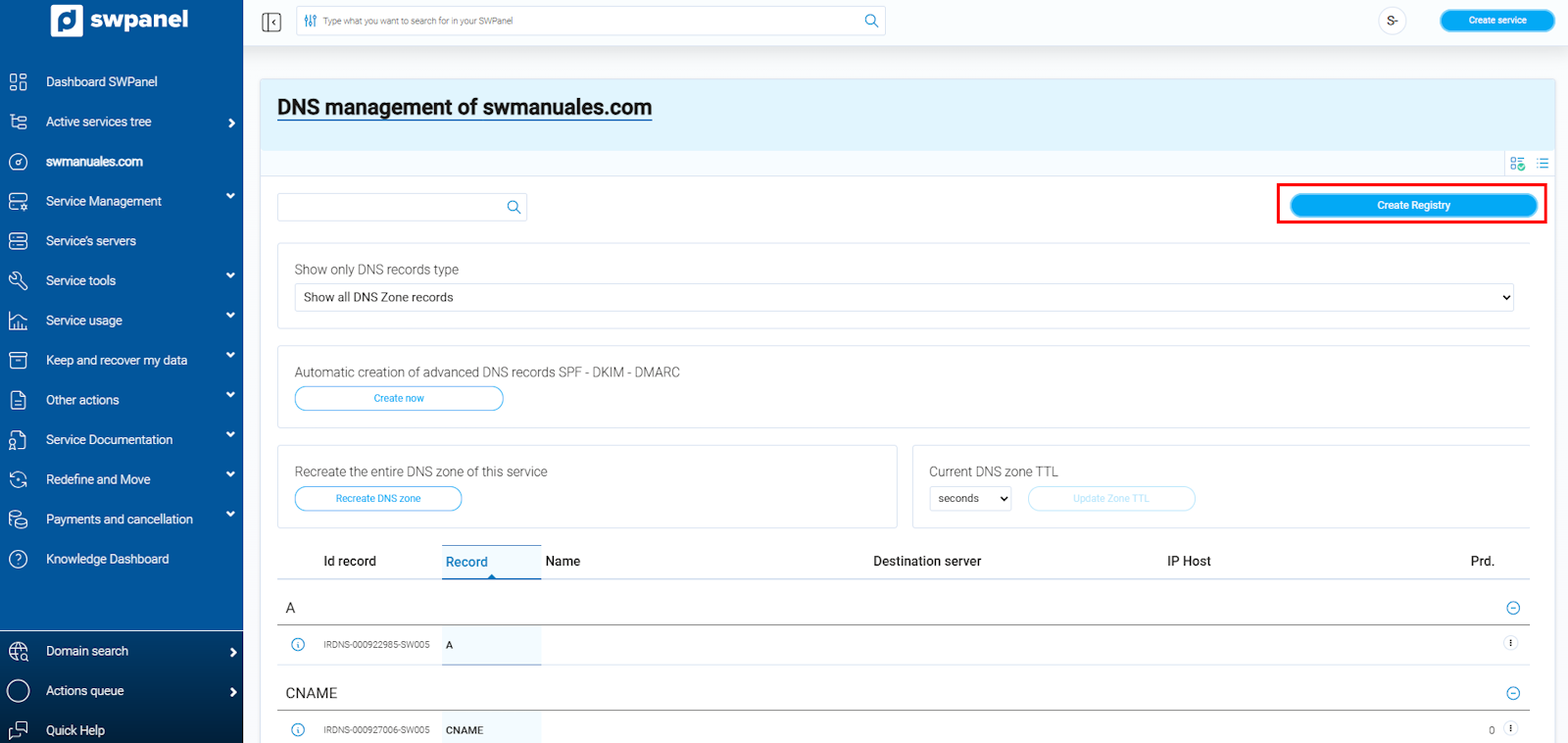
info_capture The screenshot is for guidance. It was taken from version 2025.00.0015 dated 11/30/2024. It may differ from what is shown in the current version of SWPanel.
-
Record type: choose TLSA.
-
TLSA Hash: paste the previously copied value.
-
Enter the following values:
- Certificate usage:
3(Trust the TLS service certificate directly). - Selector:
1(Use only the public key of the certificate). - Hash algorithm:
1(SHA-256).
- Certificate usage:
-
Finally, click Create record to save the changes in the DNS zone.
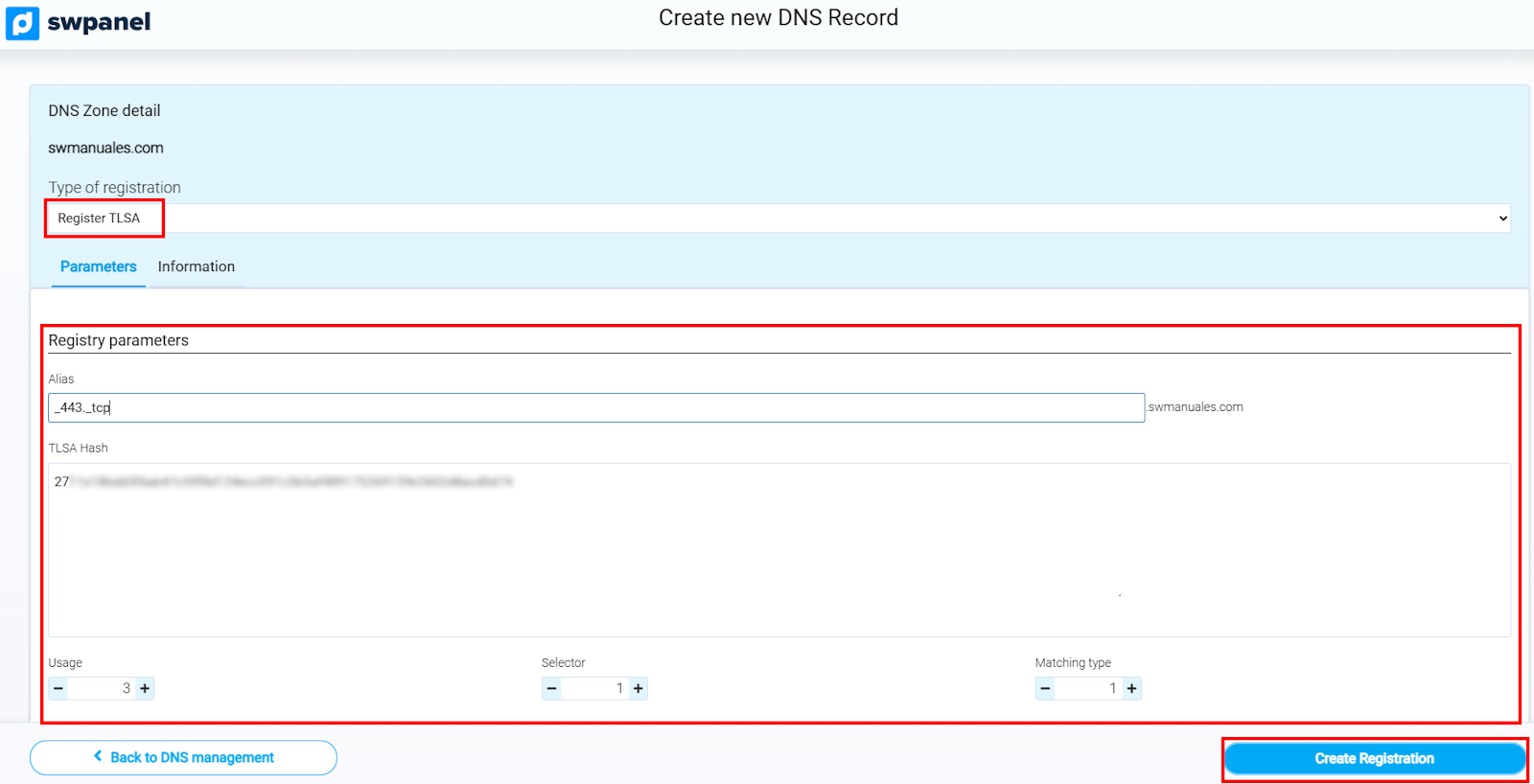
info_capture The screenshot is for guidance. It was taken from version 2025.00.0015 dated 11/30/2024. It may differ from what is shown in the current version of SWPanel.
In the following image, we can see how the TLSA records would be configured for the SSL/TLS certificates of:
- WEB "swmanuales.com" and "www.swmanuales.com" on port 443.
- EMAIL "mail.swmanuales.com" on ports 25, 110, 465, 993 and 995.
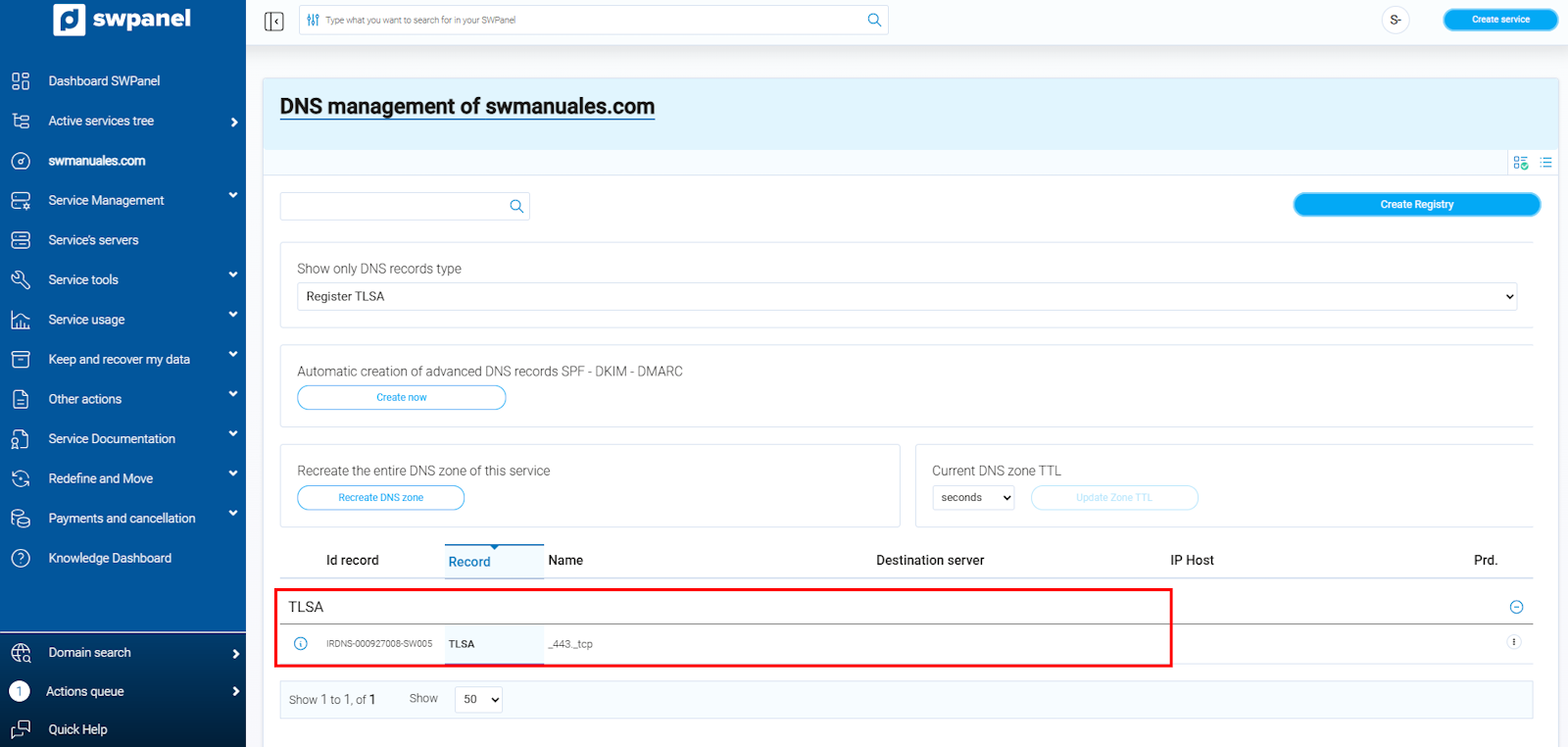
info_capture The screenshot is for guidance. It was taken from version 2025.00.0015 dated 11/30/2024. It may differ from what is shown in the current version of SWPanel.
3. Confirmation and propagation
- Please note that changes in the DNS zone may take up to 24 hours to propagate globally.
Recommendation: During propagation, you can use tools such as
digto verify the TLSA record, for example:dig +short TLSA _443._tcp.tudominio.com
Important considerations
-
DNSSec Compatibility:
TLSA records are only effective if DNSSec is enabled and functioning correctly for the domain. Without DNSSec, the records will not be protected against tampering. -
Certificate renewals:
Every time you renew or change the SSL/TLS certificate, you must update the TLSA record with the new Hash. -
Default parameters (
3 1 1):
The system automatically calculates the TLSA Hash with the parameters3 1 1, so you must always ensure the record is configured with these values:3: Defines that the TLS service certificate is trusted directly.1: Only uses the public key of the certificate.1: Uses the SHA-256 algorithm to calculate the hash.
-
Tests and validations:
You can validate the configuration with specific DNS tools or online validation services compatible with DANE.
With these steps and details, your domain will be correctly configured to validate SSL/TLS certificates via TLSA records, reinforcing the security of your services.