
Configuration of a Debian/Ubuntu/Windows server cloned from a template
Depending on your needs, you can freely modify the operating mode of your SWPanel to adapt it to the requirements of your project.
To make this change, go to the top right corner of the SWPanel, hover over your profile and click on “My SWPanel”. Then, select the “My SWPanel Preferences” option.
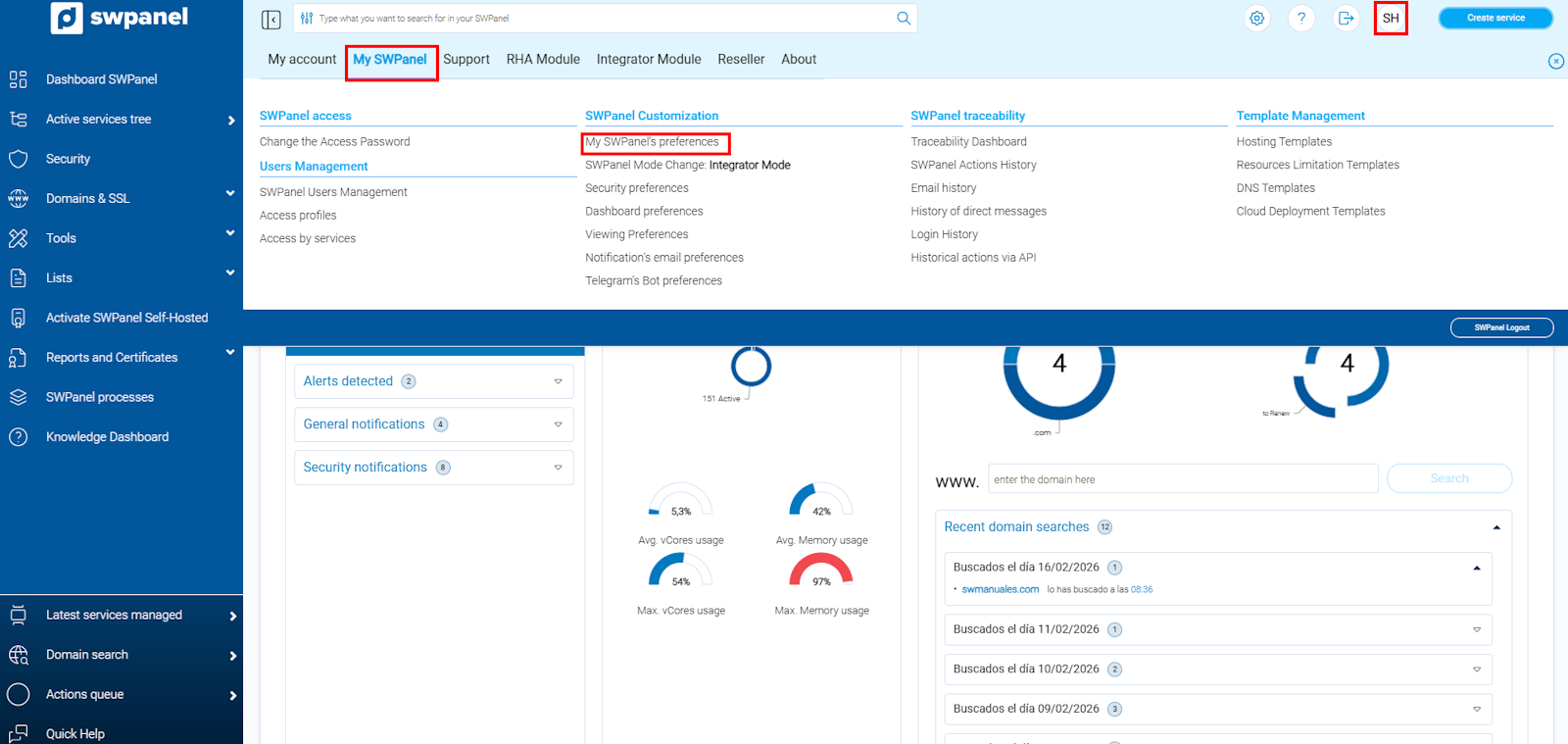
info_capture ℹ️ Note: The screenshot is for illustrative purposes, taken from version 2026.000.0001 dated 02/23/2026. It may differ from the current version of SWPanel.
Next, click on the “Operation” section.
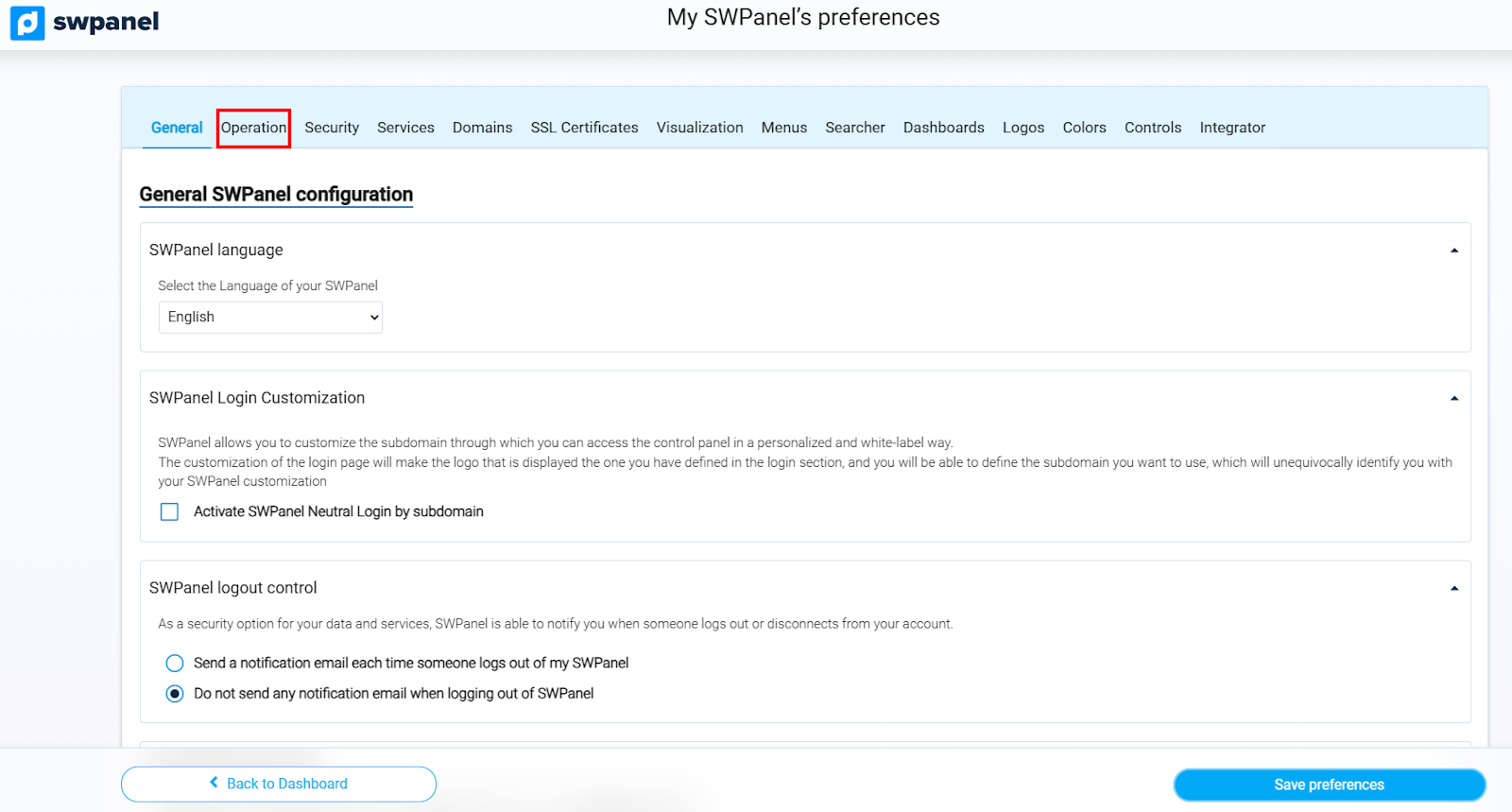
info_capture ℹ️ Note: The screenshot is for illustrative purposes, taken from version 2026.000.0001 dated 02/23/2026. It may differ from the current version of SWPanel.
SWPanel operating mode
SWPanel adapts to your work environment to offer you the most suitable tools and functionalities in each case.
From the Operation section, you can select the mode that best suits your needs.
Available modes
SWPanel provides the following operating modes:
- Basic Mode: Ideal for users seeking simple and efficient management of their Hosting services, including email and website. It offers a simplified experience focused on essential functions.
- Professional Mode: Designed for professionals with experience in server administration and Hosting services. This mode optimizes the SWPanel environment by incorporating advanced tools and specialized modules for more complete technical management.
- Reseller Mode: Provides access to all the necessary tools to manage Reseller Hosting services in an agile, scalable, and centralized way. It allows for the administration of multiple clients and resources from a single environment.
- Integrator Mode: Includes the Integrator Module, which allows the platform to be managed entirely through APIs designed to facilitate integration with third-party applications and solutions.
This mode turns SWPanel into a comprehensive IT infrastructure management platform, capable of easily interoperating with external developments.
Additionally, it incorporates the Self-hosted licensing modality, which offers total control over the platform and the possibility of reselling licenses. It also includes all the functionalities of Reseller Mode, providing a complete, scalable, and highly efficient environment.
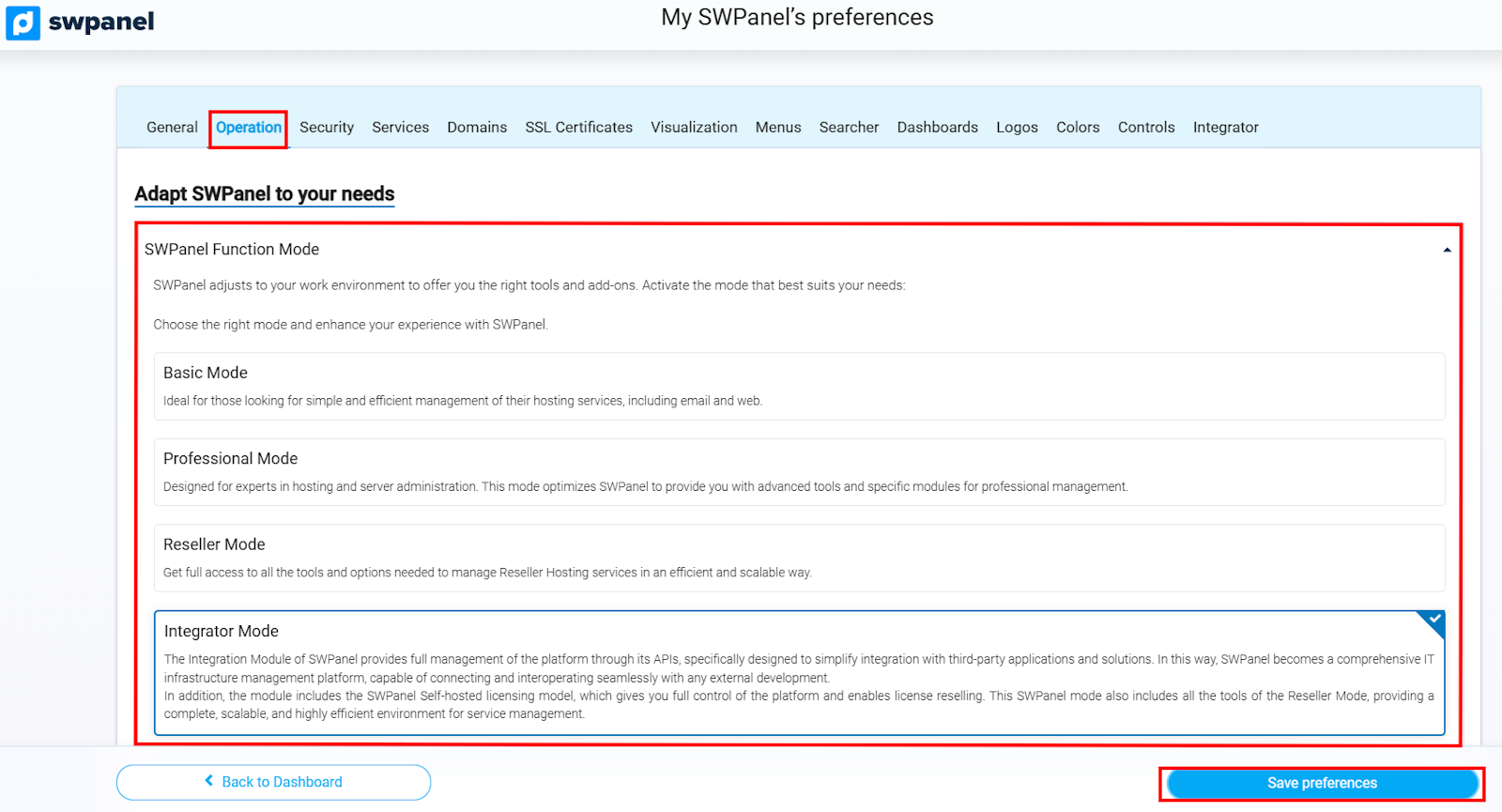
info_capture ℹ️ Note: The screenshot is for illustrative purposes, taken from version 2026.000.0001 dated 02/23/2026. It may differ from the current version of SWPanel.
Once you have selected the SWPanel mode that best suits your needs, do not forget to click on “Save preferences” to apply the changes.
Which services can I create with each SWPanel mode?
SWPanel offers different operating modes, and each allows the creation and management of different types of services according to your needs:
- Basic Mode:
- Hosting for websites.
- Ideal for those seeking simple and effective management of their Hosting services, including email and web.
- Professional Mode:
- Hosting for websites (Hosting plans, DNS, redirectors, etc.).
- Cloud Servers.
- Creation of containers (VPN, balancers, or organizational).
- Cloud storage.
- Designed for professionals in server administration and Hosting services, offering advanced tools and specialized modules.
- Reseller Mode:
- Hosting for websites (Hosting plans, DNS, redirectors, etc.).
- Cloud Servers.
- Creation of containers (VPN, balancers, or organizational).
- Cloud storage.
- SWPanel Self-Hosted.
- Provides complete and scalable control to manage multiple clients and resources, including all the tools of the Professional Mode.
- Integrator Mode:
- Complete platform management via APIs to integrate external applications and solutions.
- Includes Self-hosted licensing, which allows absolute control over the platform and enables the resale of licenses.
- Includes all the functionalities of the Reseller Mode.
- Ideal for companies or developers who need a comprehensive, scalable, and highly efficient environment to manage IT infrastructures and Hosting services.