
How does technical support work
1. What types of support are available at SW Hosting
Currently, SWHosting offers two types of support: Level 1 Support and Administrative Support.
Each type of support specializes in managing and resolving a specific kind of query or incident.
There is also our help center, where you can find a database of both manuals and video tutorials on how SWPanel works.
2. Level 1 Support
Level 1 support is the one that answers queries related to the use, contracting, and management of services via SWPanel, as well as any doubts you may have.
Every SWPanel client can access this support free of charge through a support wall or through Quick Help.
2.1 How to open a support wall
To open a support wall, you must do so from the Support tab in the top menu → Conversations with support:

2.2 How to use Quick Help
To use the Quick Help system, you must do so from within the support wall itself (Conversations with support), by clicking the Start Quick Help button:
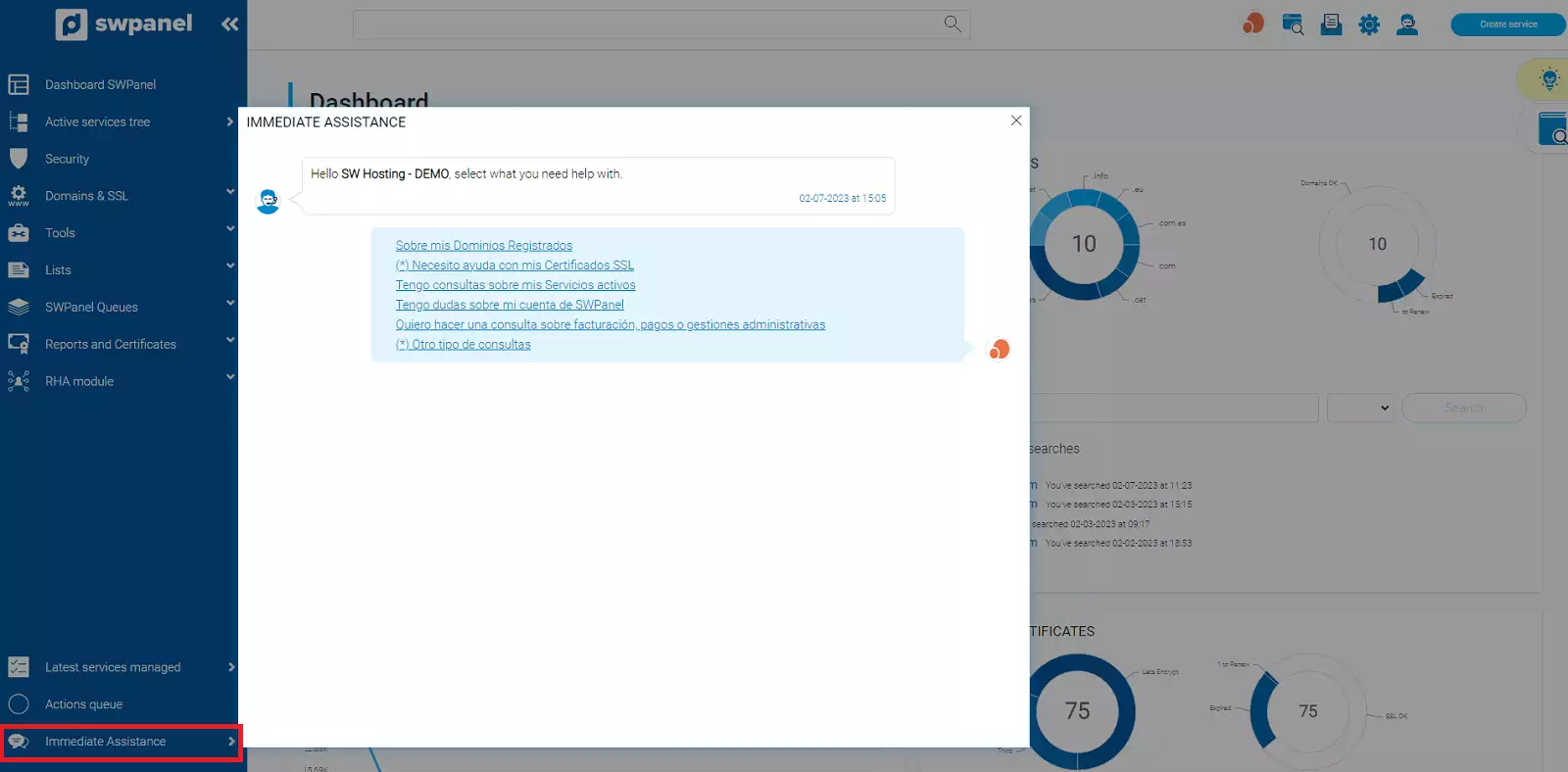
For more information you can consult the manual; ? Handbuch: Talk to support with Quick Help
3. Administrative Support
Administrative Support is the one that resolves and manages queries and incidents related to billing, changes to tax details, changes to client profile information, issues with client account validation, among others.
This type of support is handled through Administrative Tickets. Any client can open this type of ticket regardless of the services they have contracted.
To open an Administrative Ticket, please consult the manual; ? Handbuch: How to create an Administrative Ticket
4. Help Center
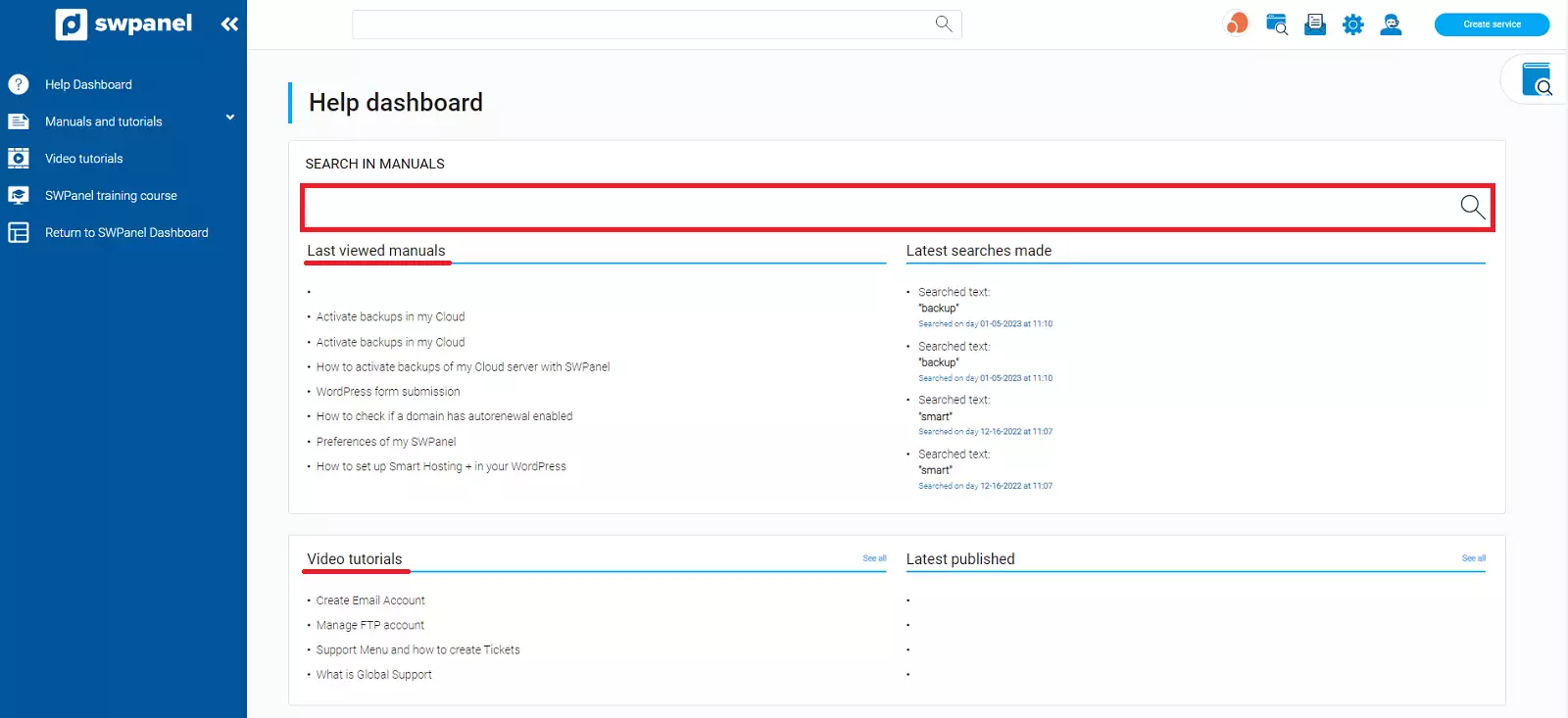
To access the Knowledge Dashboard, you must do so from the Help tab in the top menu → Knowledge Dashboard:

In this new window, you will have access to all our manuals as well as video tutorials, sorted by category, with their own search tool so you can find the manual you need.
4.1 Accessing the manuals database
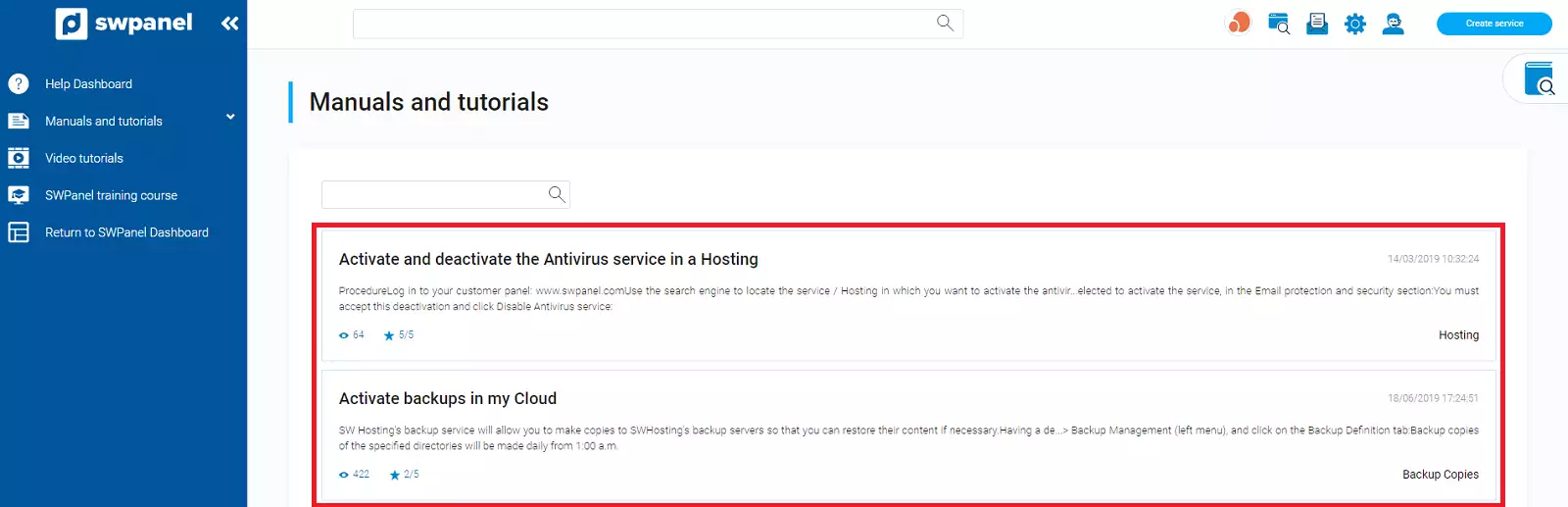
To access our manuals repository, you must do so from the Help tab in the top menu → Manuals and tutorials:

From this new window, within the Manuals and guides section of the side menu, you can search and browse all our available manuals, filtering by category, date, or content.
4.2 Accessing the video tutorials database
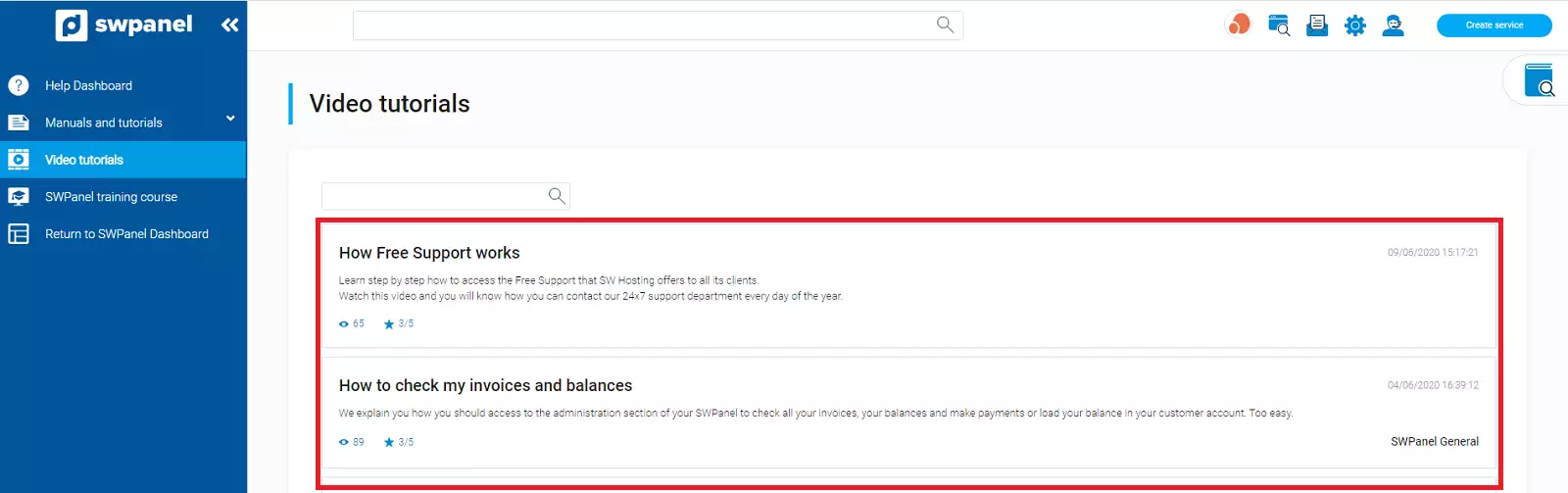
To access our video tutorials repository, you must do so from the Help tab in the top menu → Video tutorials:

From this section, you can search for and watch video tutorials on how SWPanel works.
5. SWPanel training courses
SWPanel training is a course that explains the basic operation and actions you can perform with SWPanel. It's perfect for people who have just contracted a Cloud with SWPanel.
These are remote courses delivered virtually via Zoom, where a trainer specialized in SWPanel and internet services reviews and analyzes in detail all the options and possibilities that SWPanel offers our clients.
For more information you can consult the manual; ? Handbuch: How to sign up for SWPanel for Cloud training with SWPanel Smart Web