
How to activate HSTS Security for my Web
1. Introduction and Manual Summary
This manual provides a detailed explanation on the activation of HSTS in your Hosting service, now managed through SWPanel. HSTS (HTTP Strict Transport Security) is a security protocol that forces web connections to be made exclusively via HTTPS, protecting users from interception attacks (man-in-the-middle) and insecure connections.
This manual is designed for users seeking to reinforce the security of their hosting services by activating HSTS, and it is structured clearly so they can follow each stage of the process without difficulty.
2. Process Overview
The activation of HSTS in your hosting service reinforces the security of web requests, forcing browsers to establish connections only via HTTPS. The essential information is presented below:
- Greater security: Avoids insecure HTTP connections.
- Protection against attacks: Minimizes the risk of interception and man-in-the-middle attacks.
- User trust: Improves the professional image of the site by always ensuring an encrypted connection.
- Regulatory compliance: Helps in complying with security and data protection regulations.
- Redirect optimization: Avoids unnecessary redirects from HTTP to HTTPS, improving speed on repeated visits.
Note: To activate HSTS, your hosting must have an SSL certificate. You can consult the following manuals regarding the installation of SSL certificates in your SWPanel:
80 144 167
3. Steps to Activate HSTS in SWPanel
3.1 Access to SWPanel and Service Search
To start the process, you must access your SWPanel and enter the name of your Hosting service in the search window located at the top. Once you find your service, click on its name to access its Dashboard (control panel).
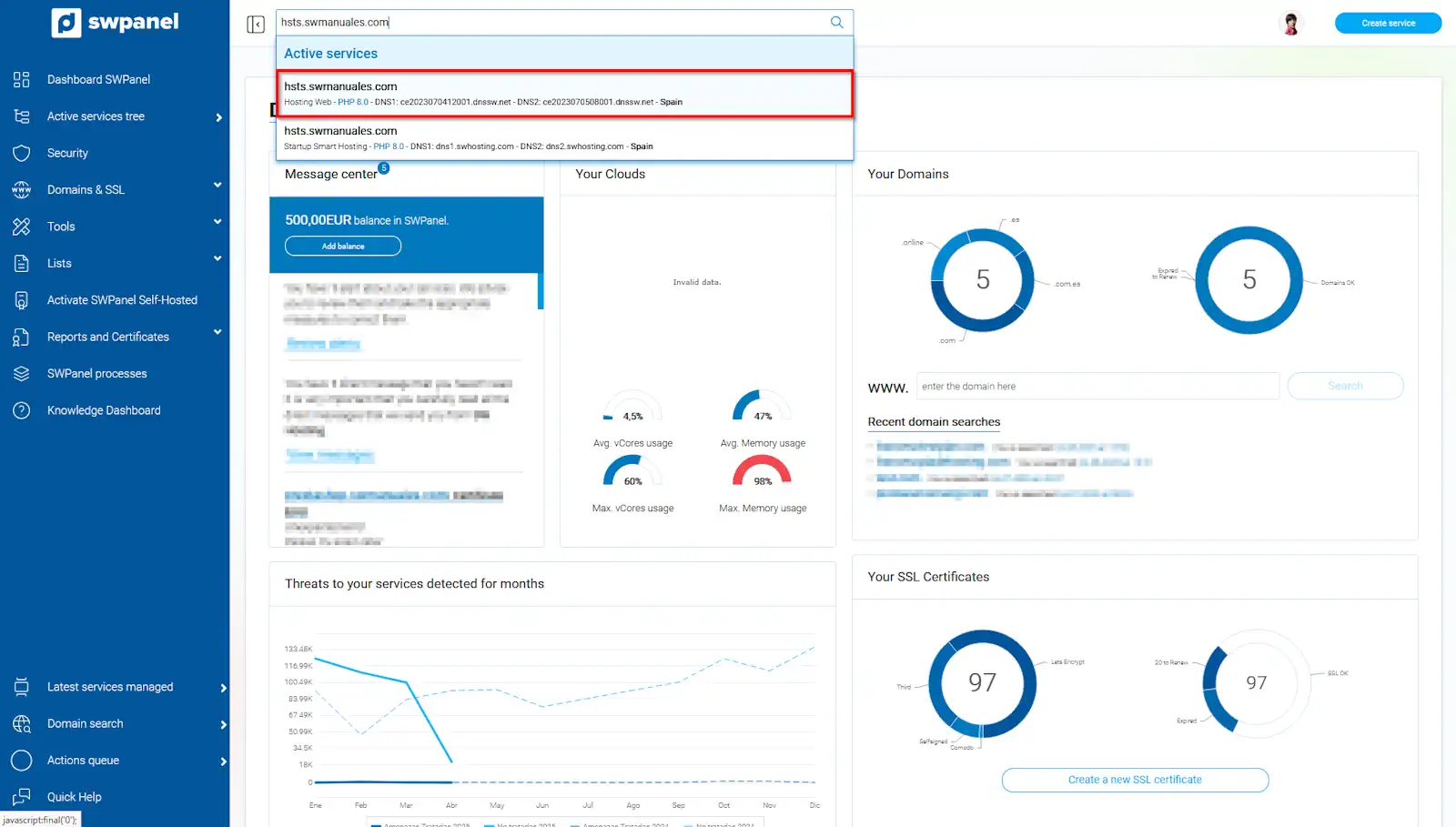
info_capture The screenshot is for guidance purposes. It was taken from version 2025.003.0007 dated 10/04/2025. It may differ from what the current version of SWPanel shows
3.2 Location of Available Improvements in the Dashboard
Once inside your server's Dashboard, locate the available improvements block. Here you will find the option to activate the HSTS Security for Web improvement.

info_capture The screenshot is for guidance purposes. It was taken from version 2025.003.0007 dated 10/04/2025. It may differ from what the current version of SWPanel shows
3.3 Confirmation of HSTS Activation
To finalize the process, click the Yes, activate button. After a few moments, the HSTS protocol will be active in your hosting service.

info_capture The screenshot is for guidance purposes. It was taken from version 2025.003.0007 dated 10/04/2025. It may differ from what the current version of SWPanel shows
Glossary
Below is a glossary of the most important words and concepts in the manual. Each term is linked to the section of the manual where its use or definition is detailed:
| Word/Concept | Definition and Detail | |
|---|---|---|
| HSTS | Security protocol (HTTP Strict Transport Security) that forces the use of HTTPS connections, protecting against interception attacks. | |
| SSL | Certificate that encrypts web communication, an essential requirement to activate HSTS. | |
| Dashboard | Control panel where the configurations and improvements of the hosting server are managed. | |
| Man-in-the-middle | Type of attack in which a third party intercepts the communication between the user and the server, possible if HTTPS is not used. |