
How to check if a domain has auto-renewal enabled
Aktualisiert am
2026-10-27 12:01:21
61
Besuche
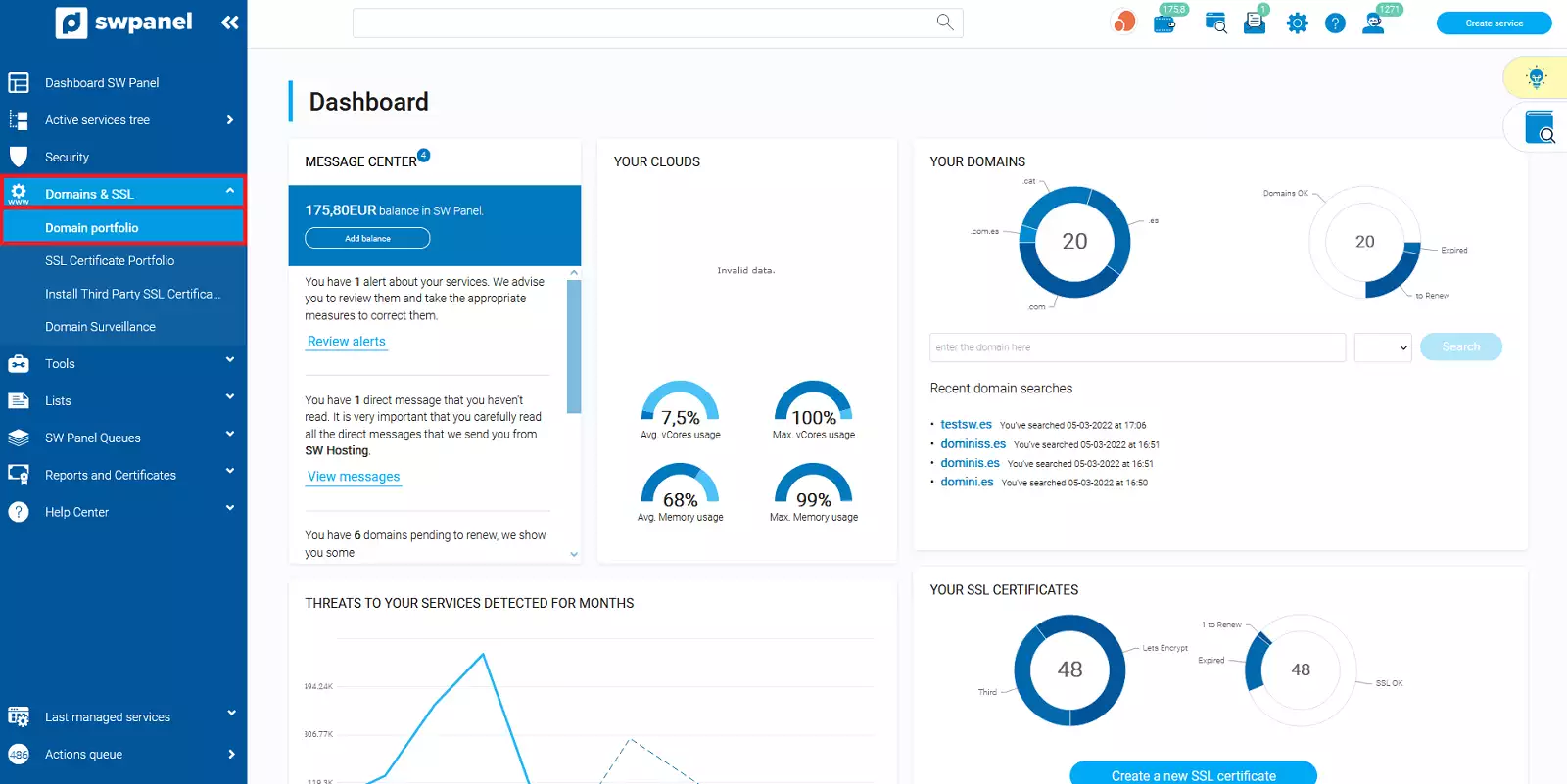
To verify if a domain has auto-renewal enabled, you must access your SWPanel account. Once inside, go to the Domains and SSL -> Domain Portfolio tab, which you will find in the blue left sidebar menu:
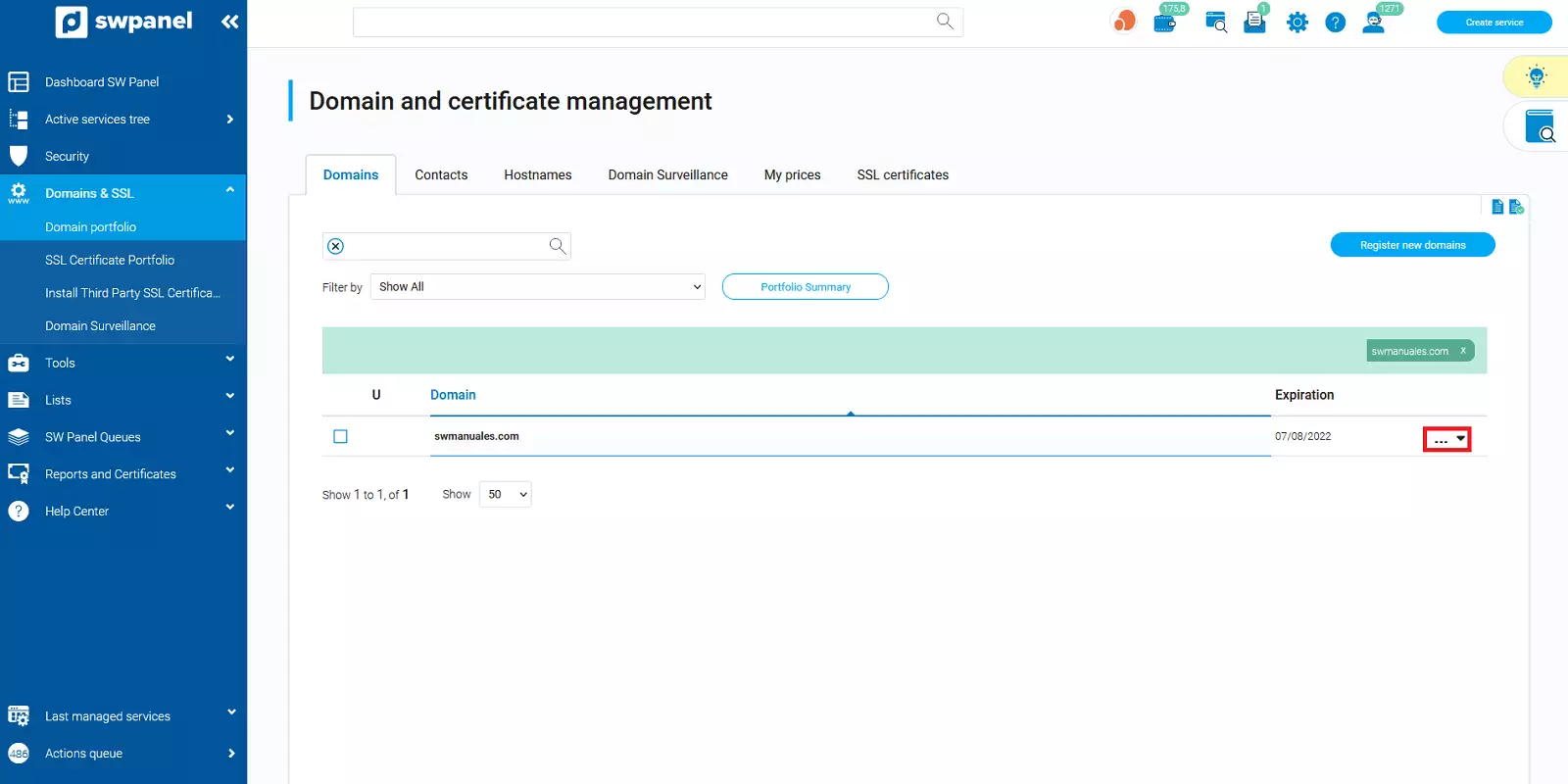
 Next, search for your domain and place the mouse cursor over the [...] menu.
💡 If you have more than one domain, you can use the search bar found in this section.
 If in the 'Direct Actions' section, you see it says 'Disable Auto-renewal', it means that the domain already has Auto-renewal enabled.
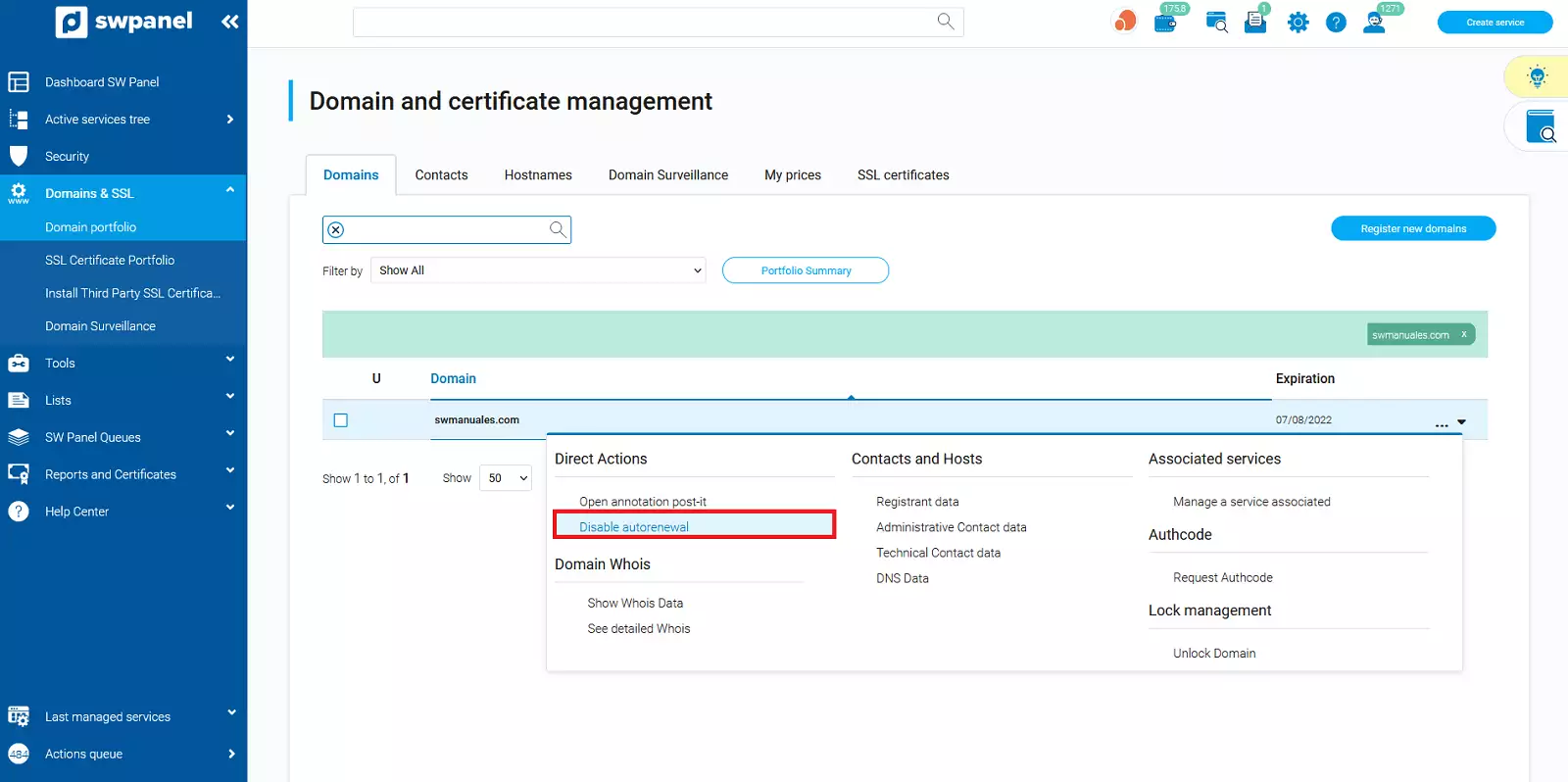
💡 Remember that if a domain has auto-renewal enabled, the renewal process will begin 60 business days before its expiration date. Once this process has started, it cannot be disabled.