
How to create a resource use control template
What is a Resource Control template?
A Resource Control template is an option added to our SWPanel that serves to establish a limit on resource usage in Hostings, setting a maximum for CPU usage, RAM memory, and disk operations (IOPS). These Resource Control templates can be assigned in a more orderly and faster manner within a Hosting template.
info You can assign the Resource Control templates to a Hosting by following the instructions in the following manual: Handbuch: How to limit the use of resources of a Hosting via a template
How to create a Resource Control template
-
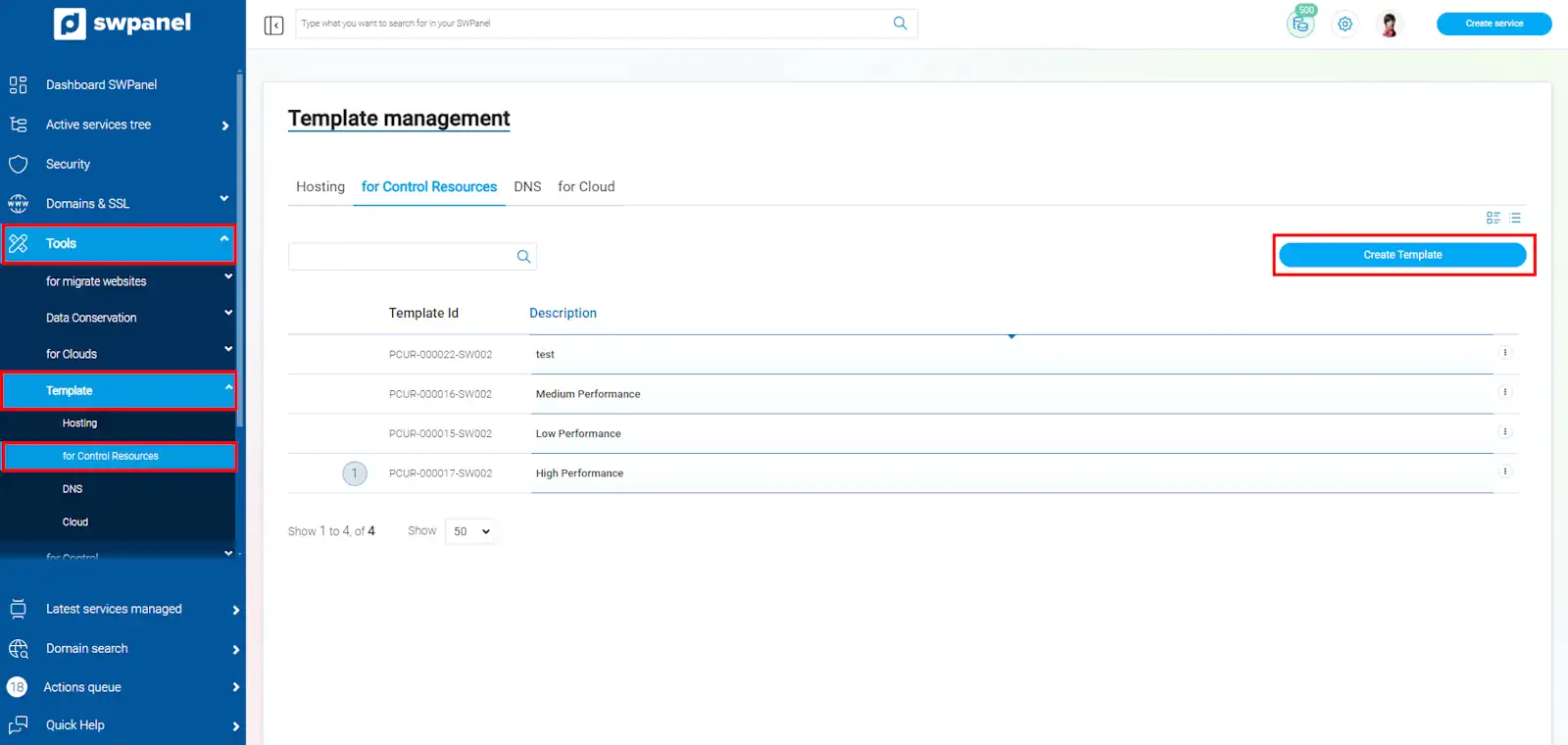
From the main SWPanel Dashboard, click on the left side menu, select the dropdown 'Tools'-> 'Templates' --> 'Resource Control', and a list of available templates will appear.
To create a new one, we click on 'Create template':
-
Next, we will name the template and we will be able to configure the maximum percentage of CPU, RAM memory, and disk speed (IOPS):
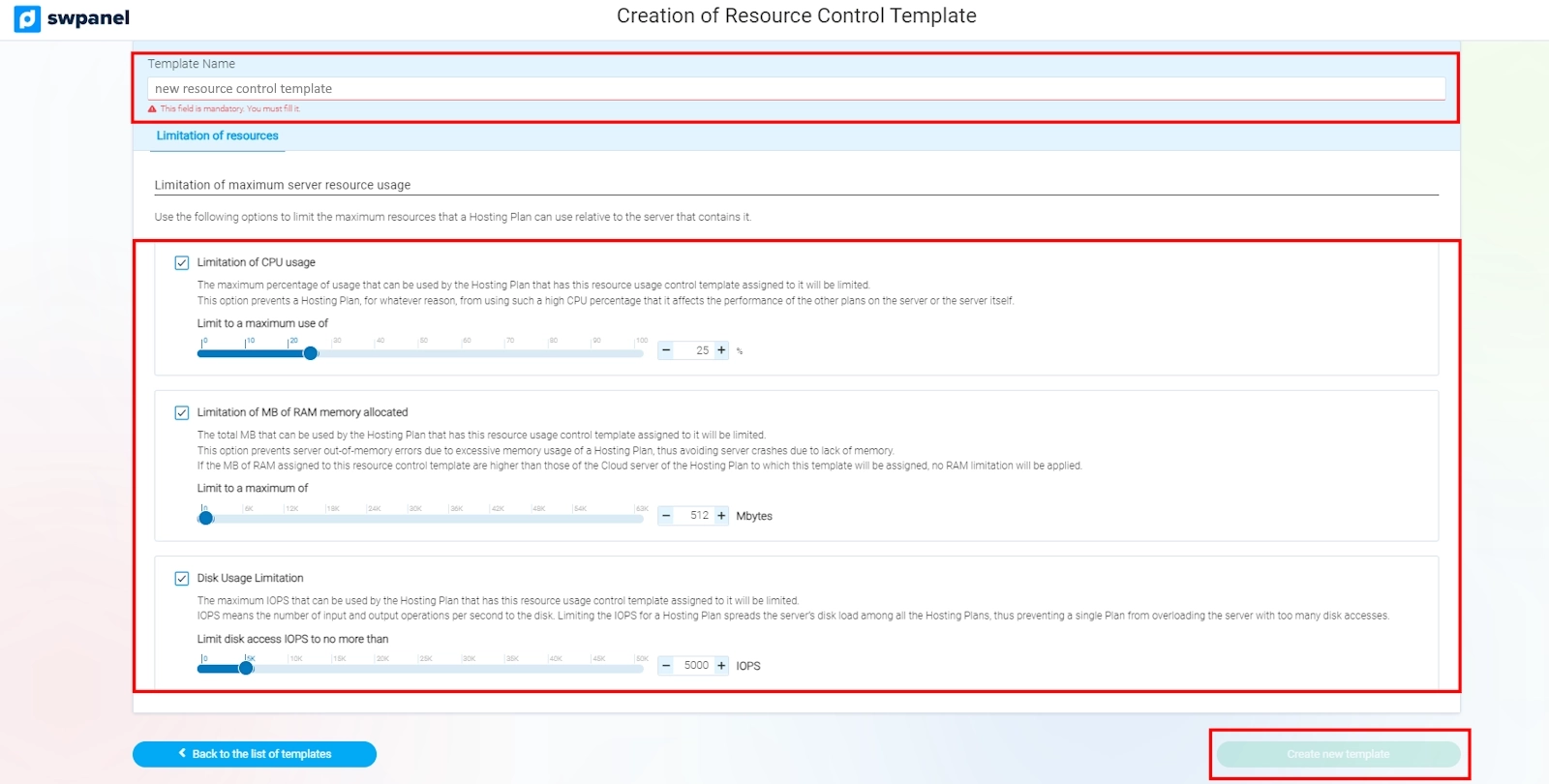
- CPU usage limitation: The maximum CPU percentage that a Hosting Plan with this template can consume will be limited.
- Limitation of assigned RAM memory MB: The RAM memory that a Hosting Plan can use will be limited. If the assigned memory exceeds the server capacity, the limitation will not be applied.
- Disk usage limitation: The maximum number of disk read and write operations that the Hosting can perform will be limited.
-
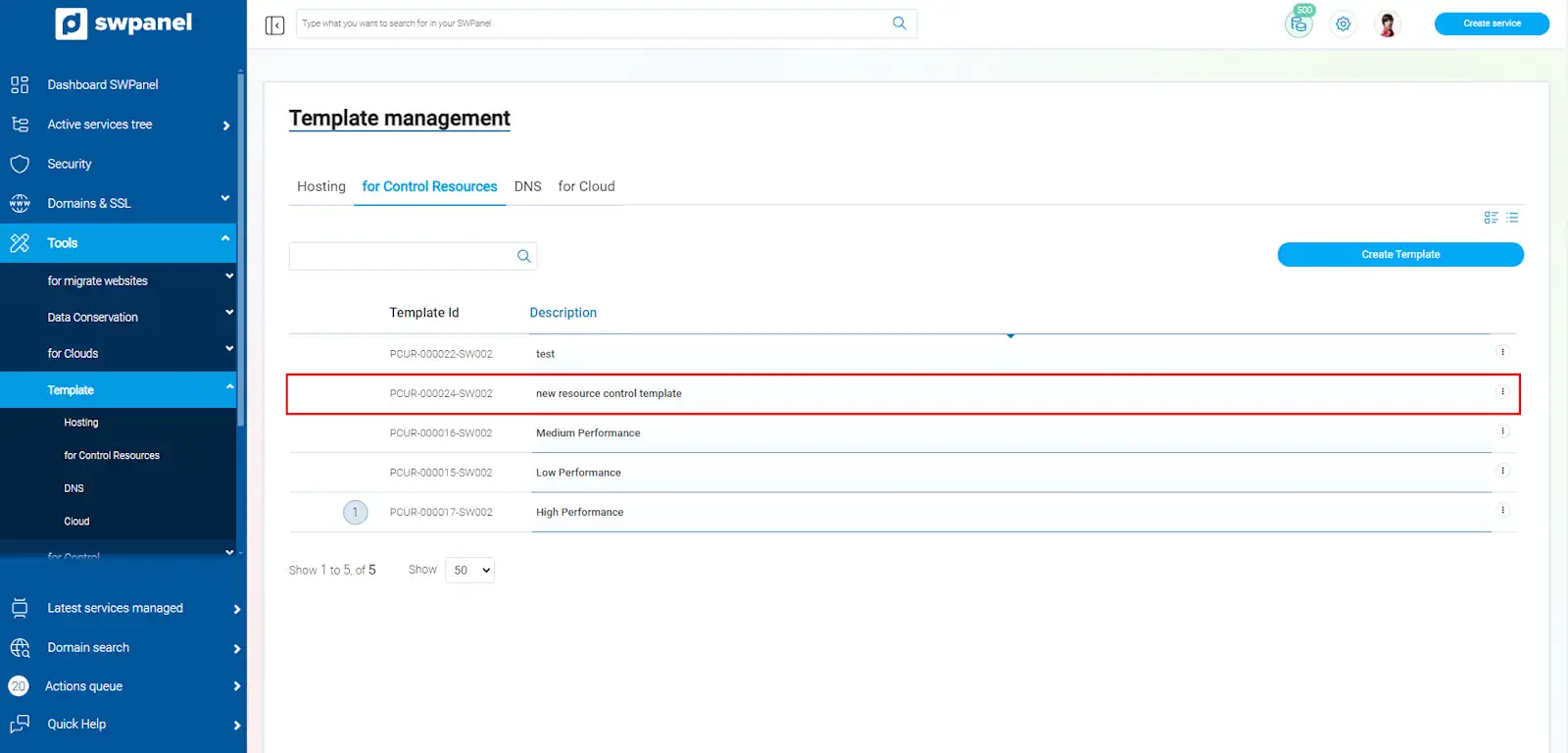
Once the template is configured, we click on 'create new template' to save it:
Modifying a Resource Control template
-
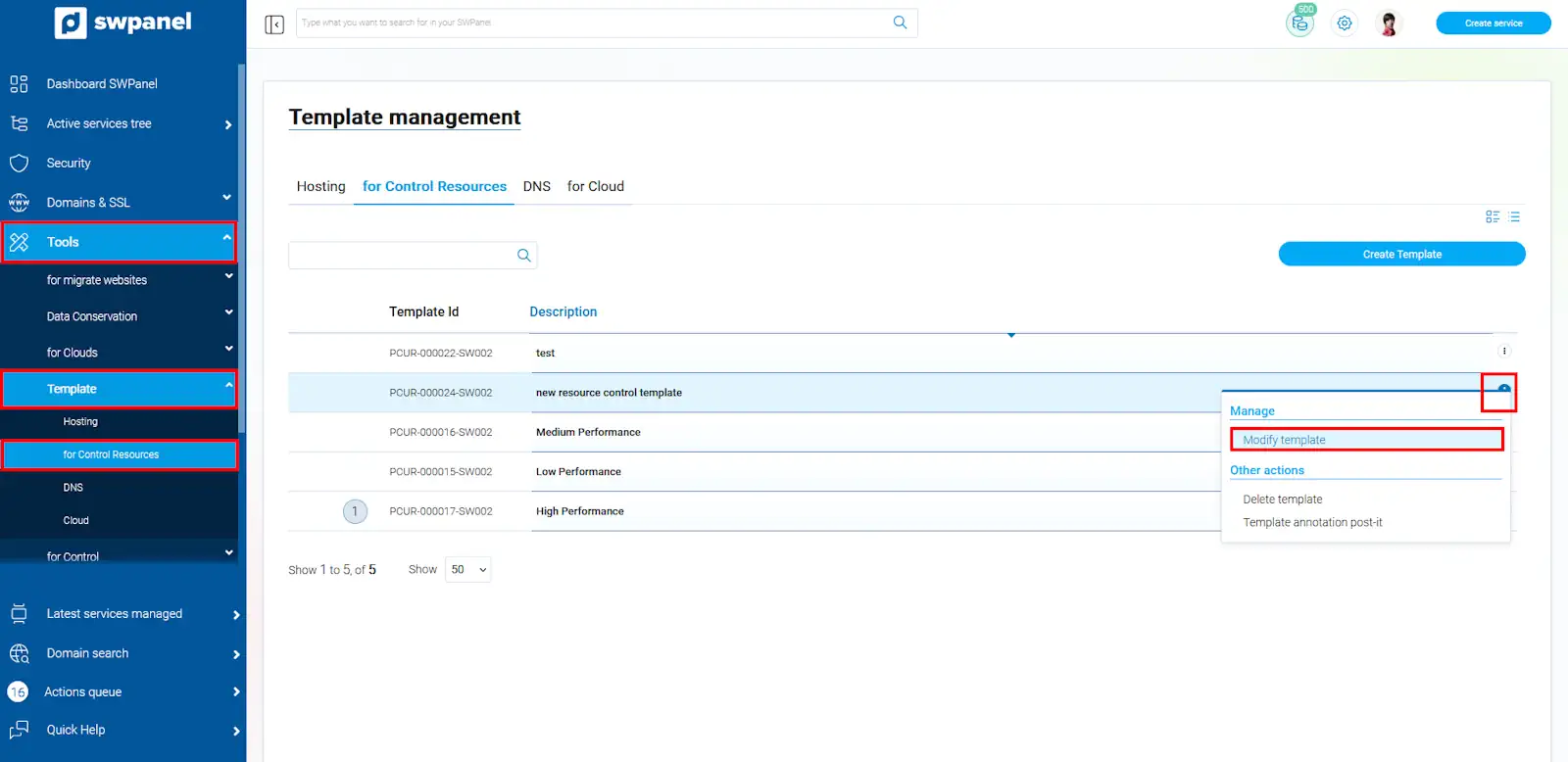
If you have a Resource Control template and wish to establish a new limit on resource usage, you can modify them by accessing the left side menu, 'Tools'-> 'Templates' --> 'Resource Control' --> Select a template --> Menu [...] 'Modify template'.
success Done! Now you know how to create a resource usage template and how to modify them according to the needs of your hostings; this is very useful to ensure that server resources are distributed fairly among the different hostings.