
How to test the email functionality of your Hosting in SWPanel
To perform a test or check of your Hosting's email service through SWPanel and in an automated way, you must first access your Hosting service dashboard. You can do this quickly using the SWPanel top search bar.
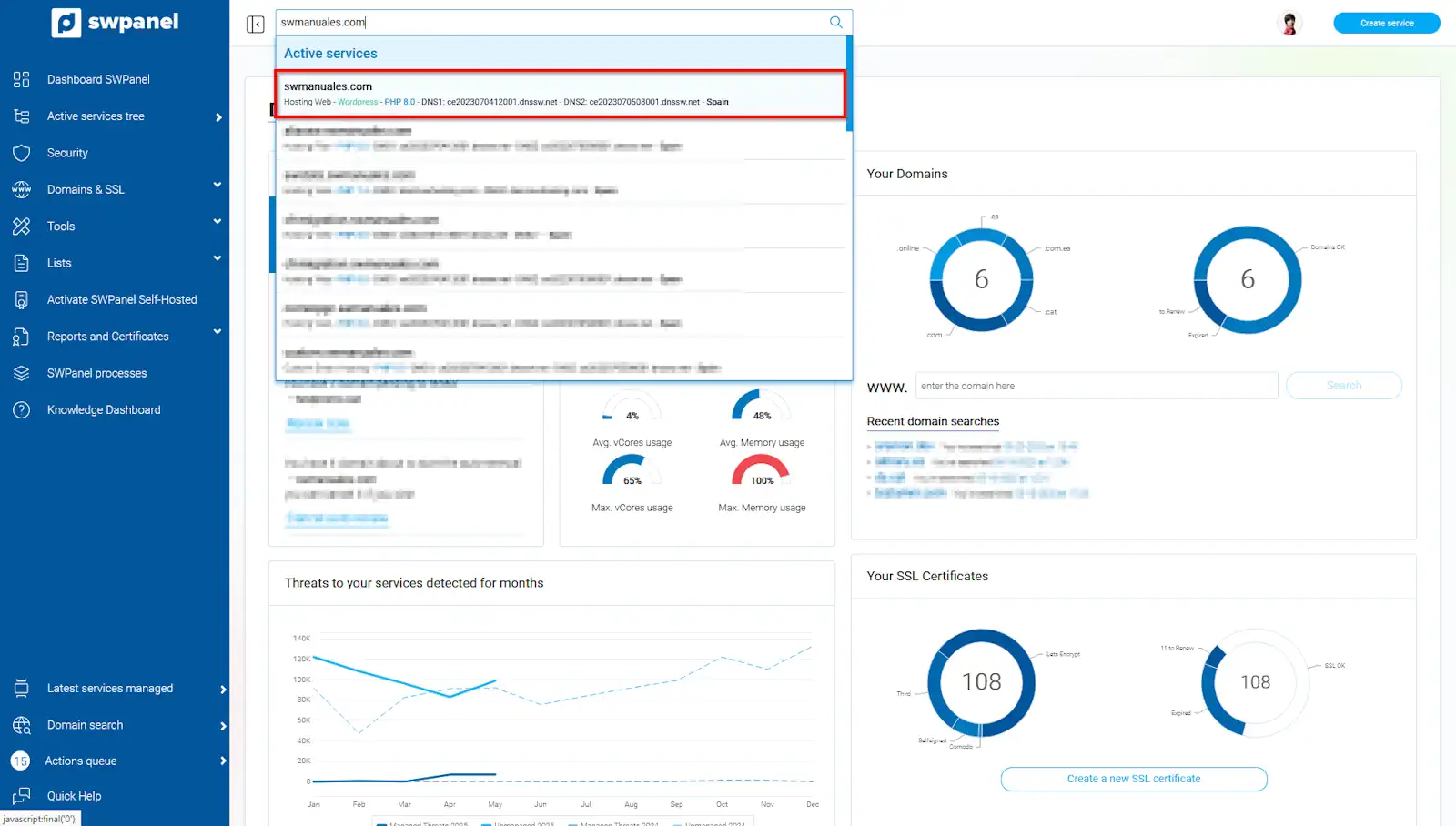
info_capture The screenshot is for guidance purposes. It was taken using version 2025.004.0002 dated 27/05/2025. It may differ from what the current version of SWPanel shows
Once in the dashboard, click on the "Check email functionality" icon:
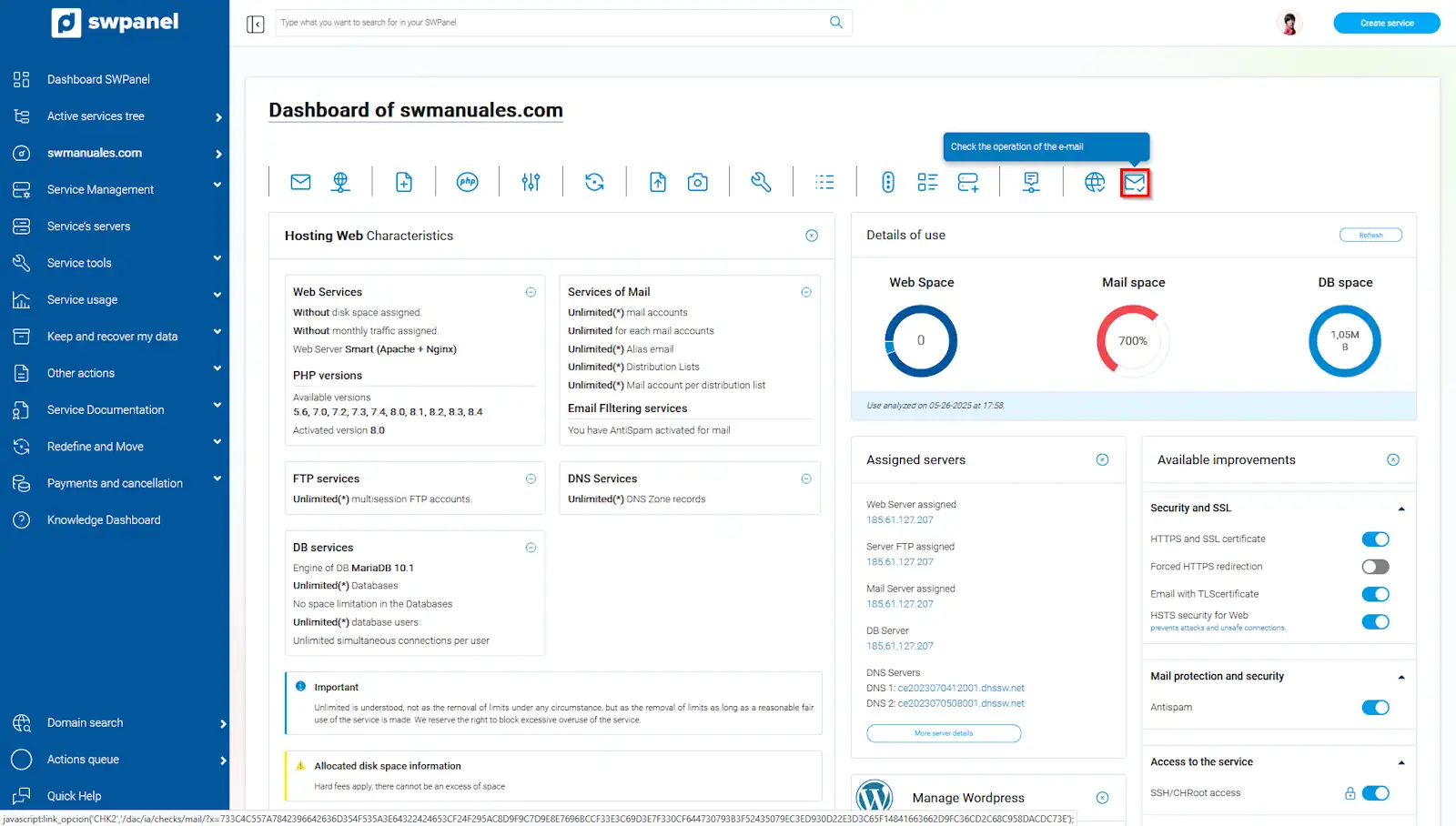
info_capture The screenshot is for guidance purposes. It was taken using version 2025.004.0002 dated 27/05/2025. It may differ from what the current version of SWPanel shows
In this new window, there will be three types of checks that can be performed:
- General Mail services test: Checks the general aspects of the functioning of the Hosting email services. You can also perform an in-depth test, which will carry out the checks by accessing it as a standard user would.
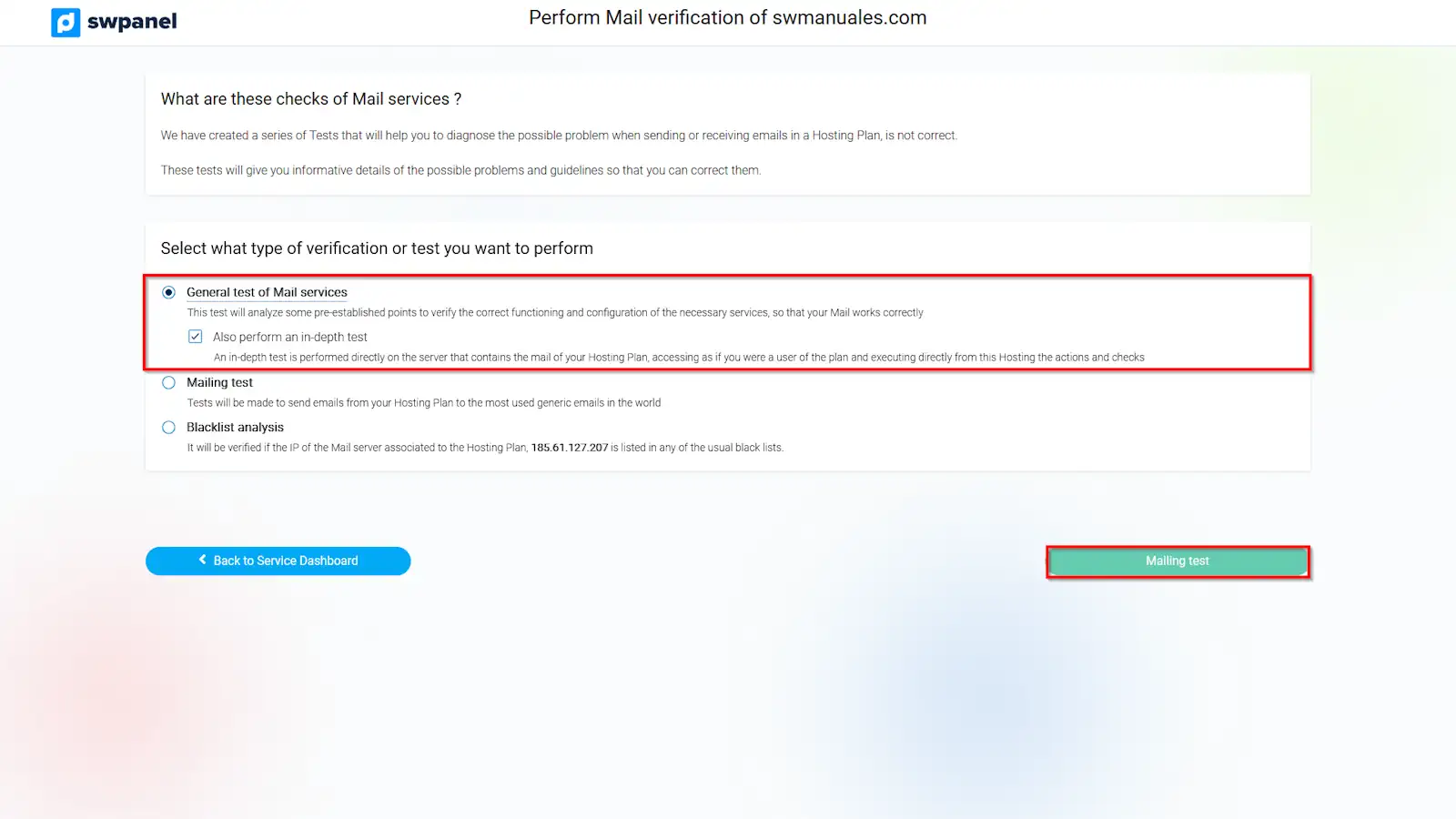
info_capture The screenshot is for guidance purposes. It was taken using version 2025.004.0002 dated 27/05/2025. It may differ from what the current version of SWPanel shows
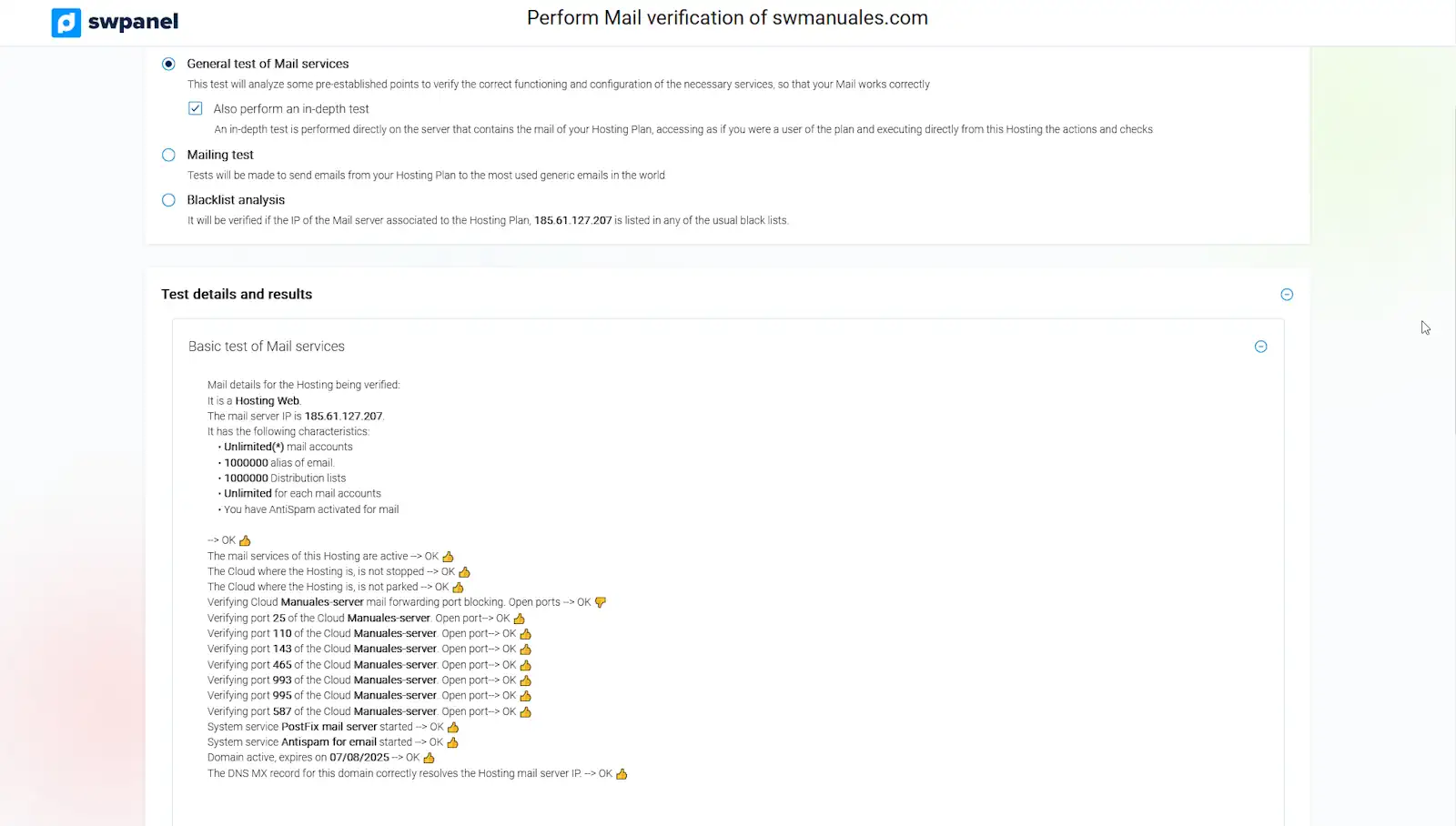
info_capture The screenshot is for guidance purposes. It was taken using version 2025.004.0002 dated 27/05/2025. It may differ from what the current version of SWPanel shows
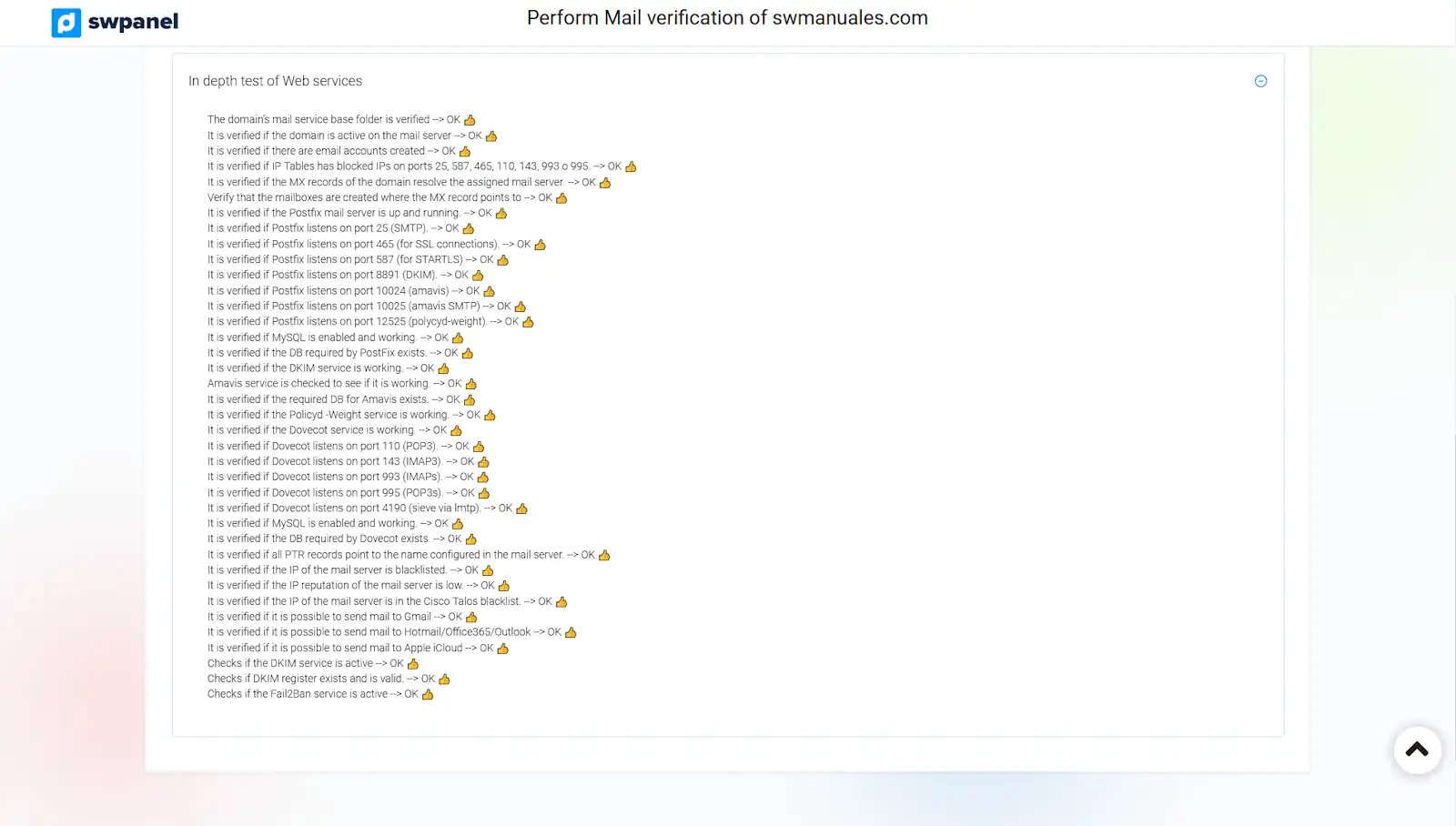
info_capture The screenshot is for guidance purposes. It was taken using version 2025.004.0002 dated 27/05/2025. It may differ from what the current version of SWPanel shows
- Email sending test: It will check, via email messages, the sending and reception of these on the email servers of the most widely used providers in the world.
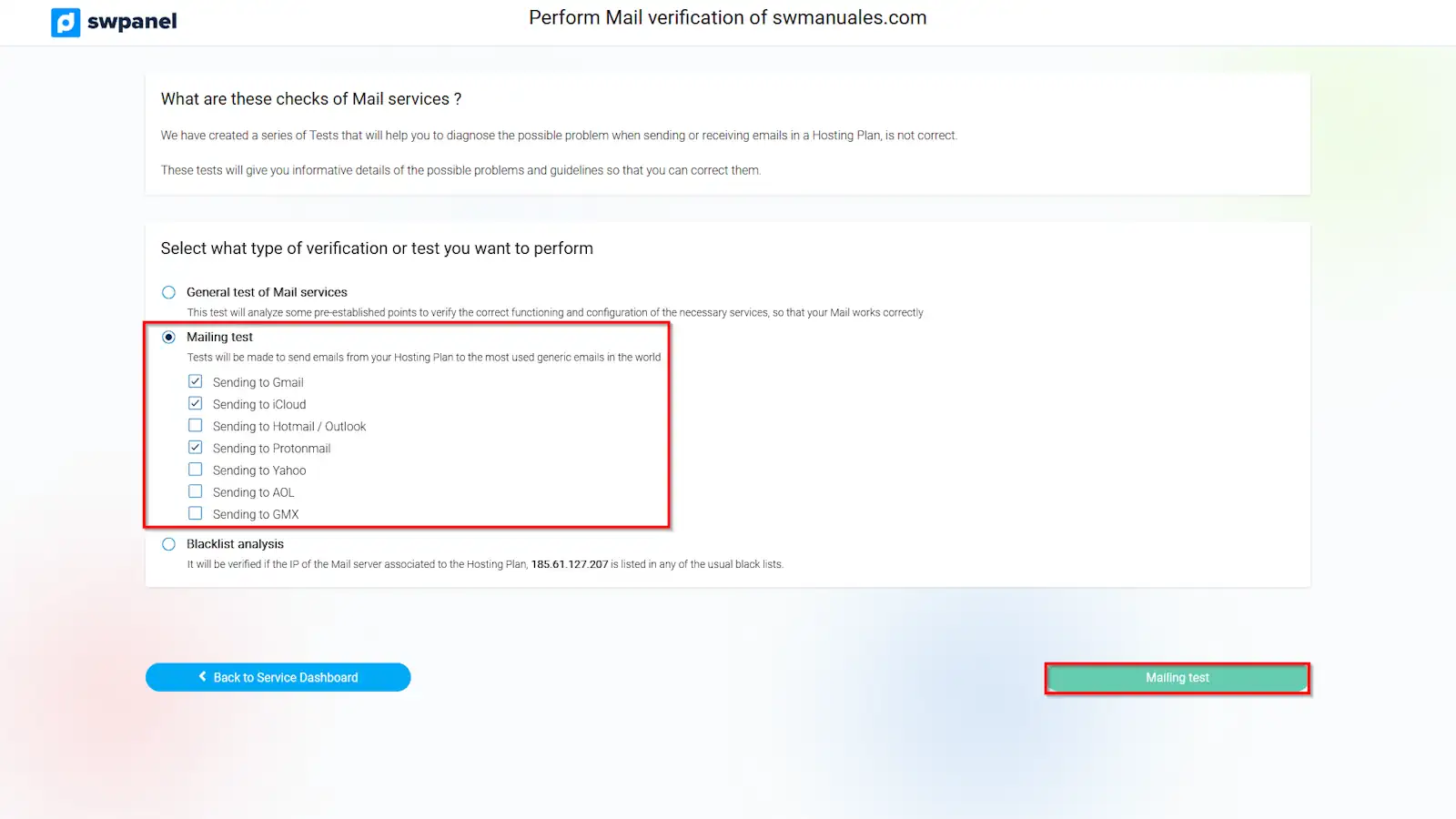
info_capture The screenshot is for guidance purposes. It was taken using version 2025.004.0002 dated 27/05/2025. It may differ from what the current version of SWPanel shows
- Blacklist analysis: It will verify if the email server IP is found in any of the most common blacklists. It can also verify the reputation of the server IP
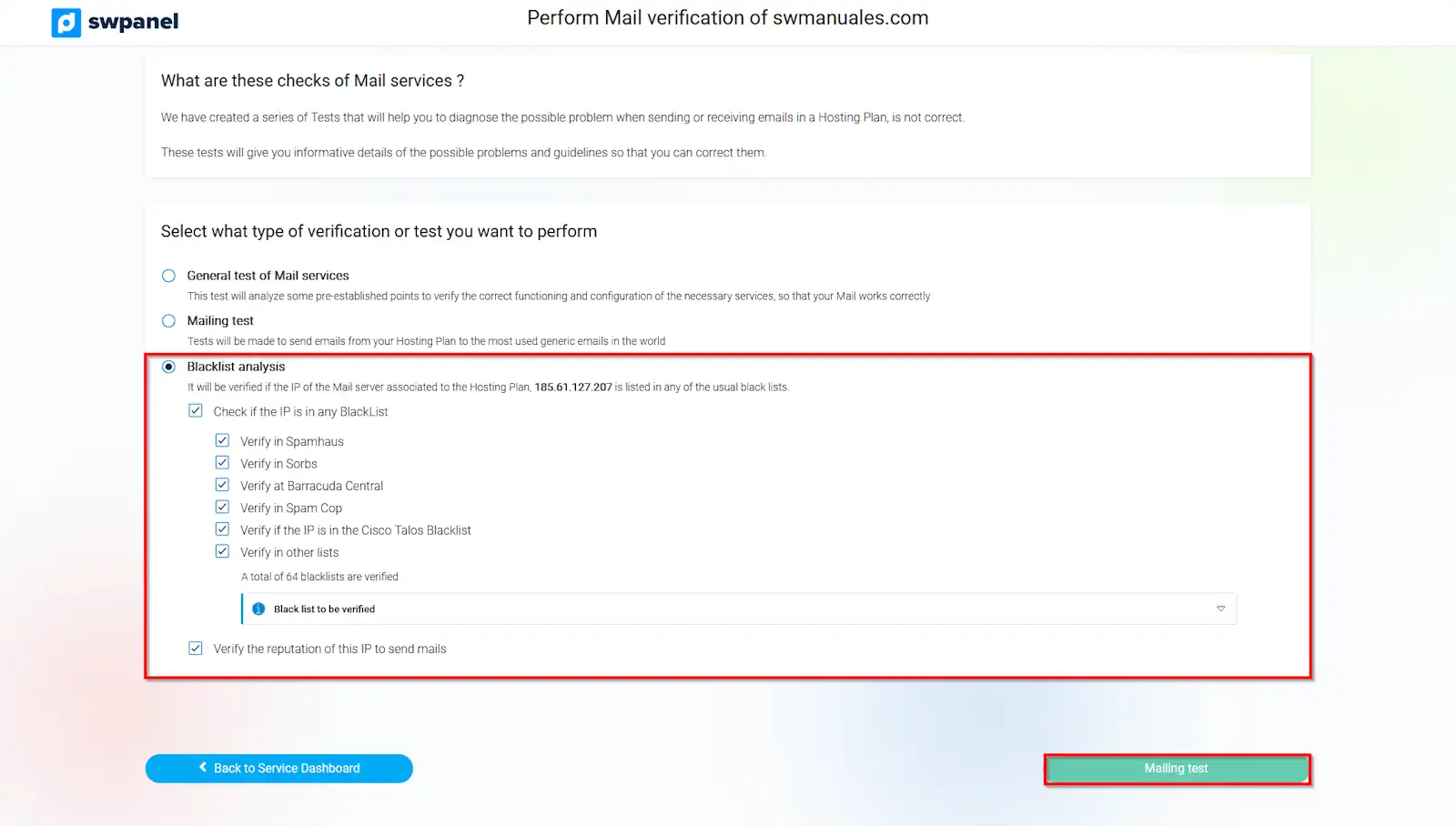
info_capture The screenshot is for guidance purposes. It was taken using version 2025.004.0002 dated 27/05/2025. It may differ from what the current version of SWPanel shows
Once an option is checked and one of the sub-options is selected, if any exist, the relevant verifications will be performed and the result will be returned at the bottom of the window along with a series of instructions to mitigate a possible problem.