
Permissions Management
In a file system, both files and directories have permissions that determine which actions can be performed on them:
- Read (Read - R): Allows viewing the content
- Write (Write - W): Allows modifying or creating content
- Execute (Execute - X): Allows executing files or accessing directories
Why are permissions important?
Correct permission configuration is fundamental to:
- Ensuring the correct functioning of web applications
- Allowing content management systems like WordPress to write content
- Protecting the system against unauthorized access or malicious modifications
?? For example, WordPress needs write permissions to be able to upload files, install plugins or generate dynamic content.
How to manage permissions in SWPanel
Follow these steps to modify the permissions of your web space:
1. Access permission management
Within SWPanel:
- Access the Service Dashboard
- Left menu $ ightarrow$ Service Management $ ightarrow$ Permission Management
?? You can use the top search bar to quickly locate the desired service.
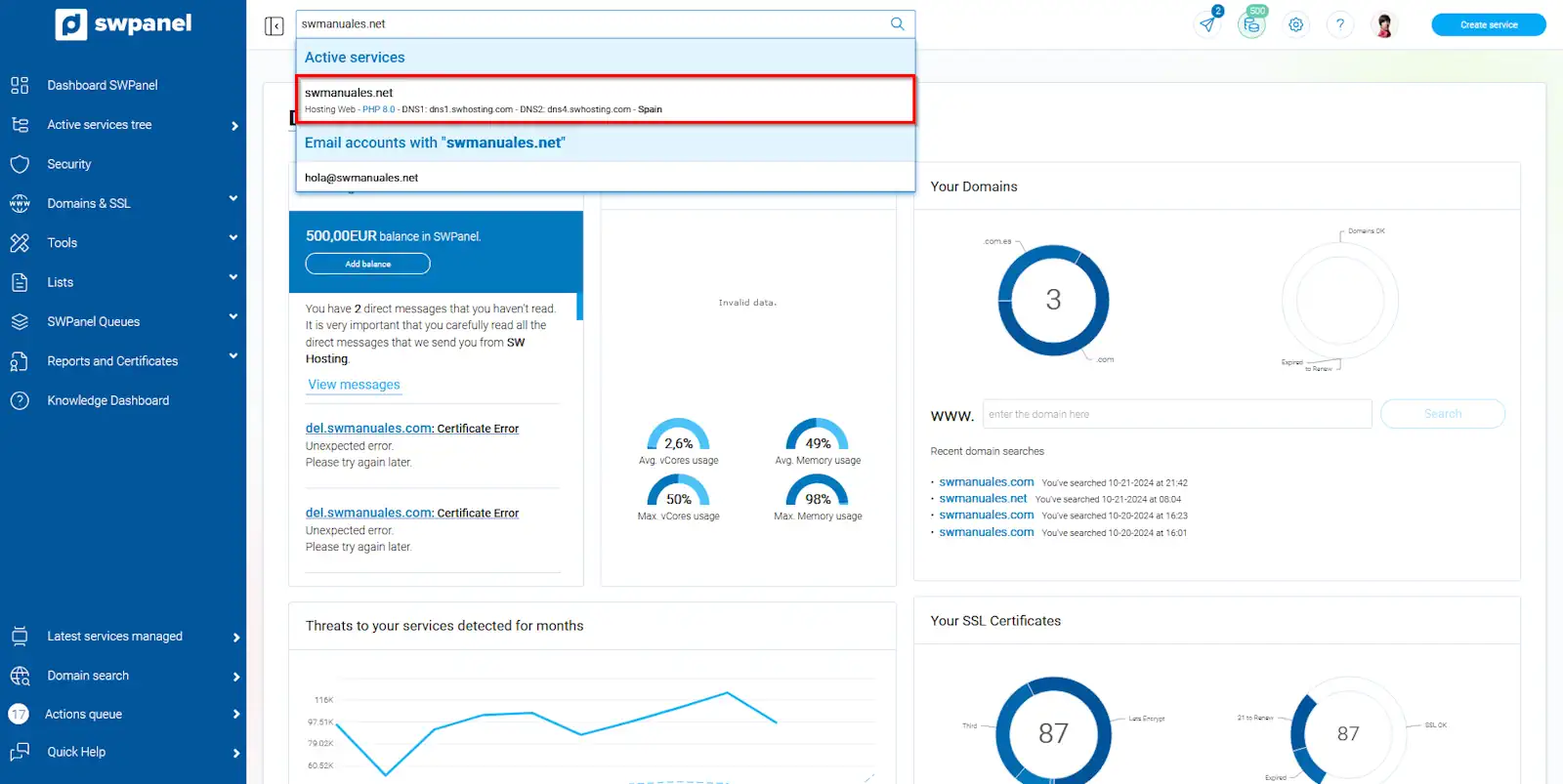
info_capture ?? Note: The screenshot is for guidance only, taken from version 2026.001.0026 dated 04/05/2026. It may differ from the current version of SWPanel.
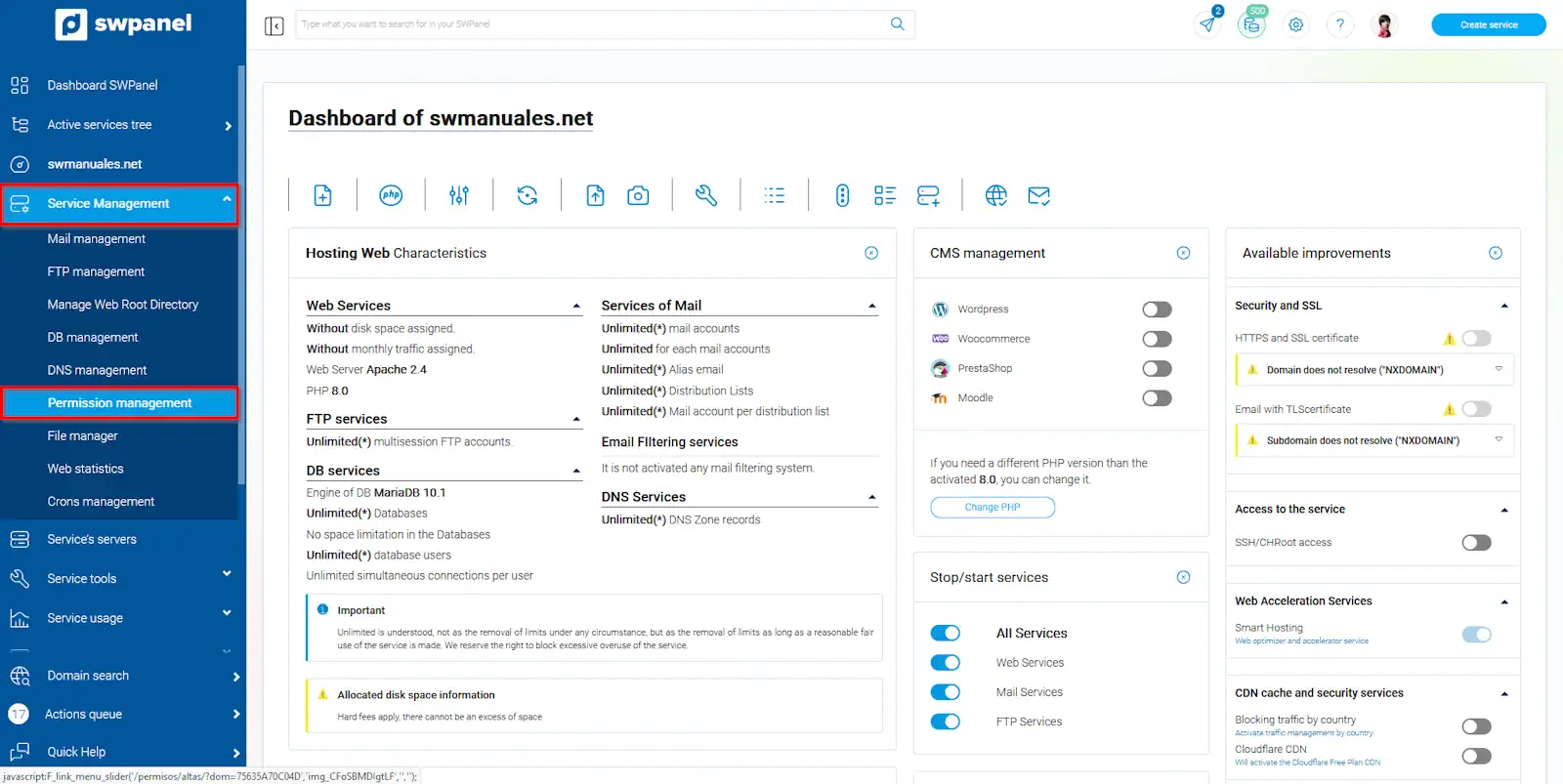
info_capture ?? Note: The screenshot is for guidance only, taken from version 2026.001.0026 dated 04/05/2026. It may differ from the current version of SWPanel.
2. Navigate through the directory
Once inside:
- Expand your web directory by clicking on the corresponding arrow
- View the folder and file structure
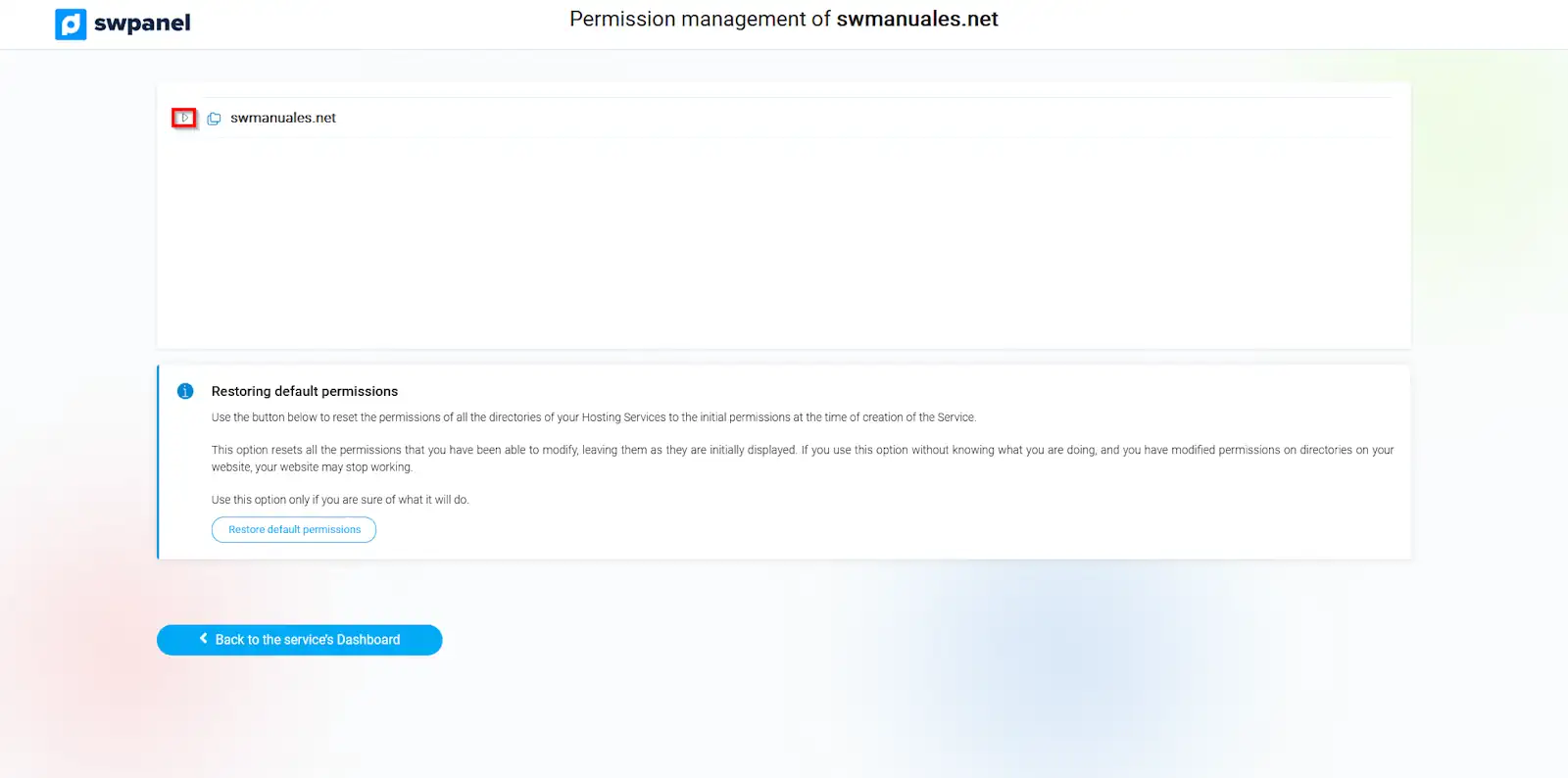
info_capture ?? Note: The screenshot is for guidance only, taken from version 2026.001.0026 dated 04/05/2026. It may differ from the current version of SWPanel.
3. Identify current permissions
Each directory shows an icon indicating its configuration:
- RO (Read Only): Read only
- RW (Read Write): Read and write
4. Modify permissions
To change the permissions:
- Click on the directory icon
- Permissions will toggle between RO and RW
?? The change is applied recursively, meaning:
- It affects the selected directory
- Also all its subdirectories and files
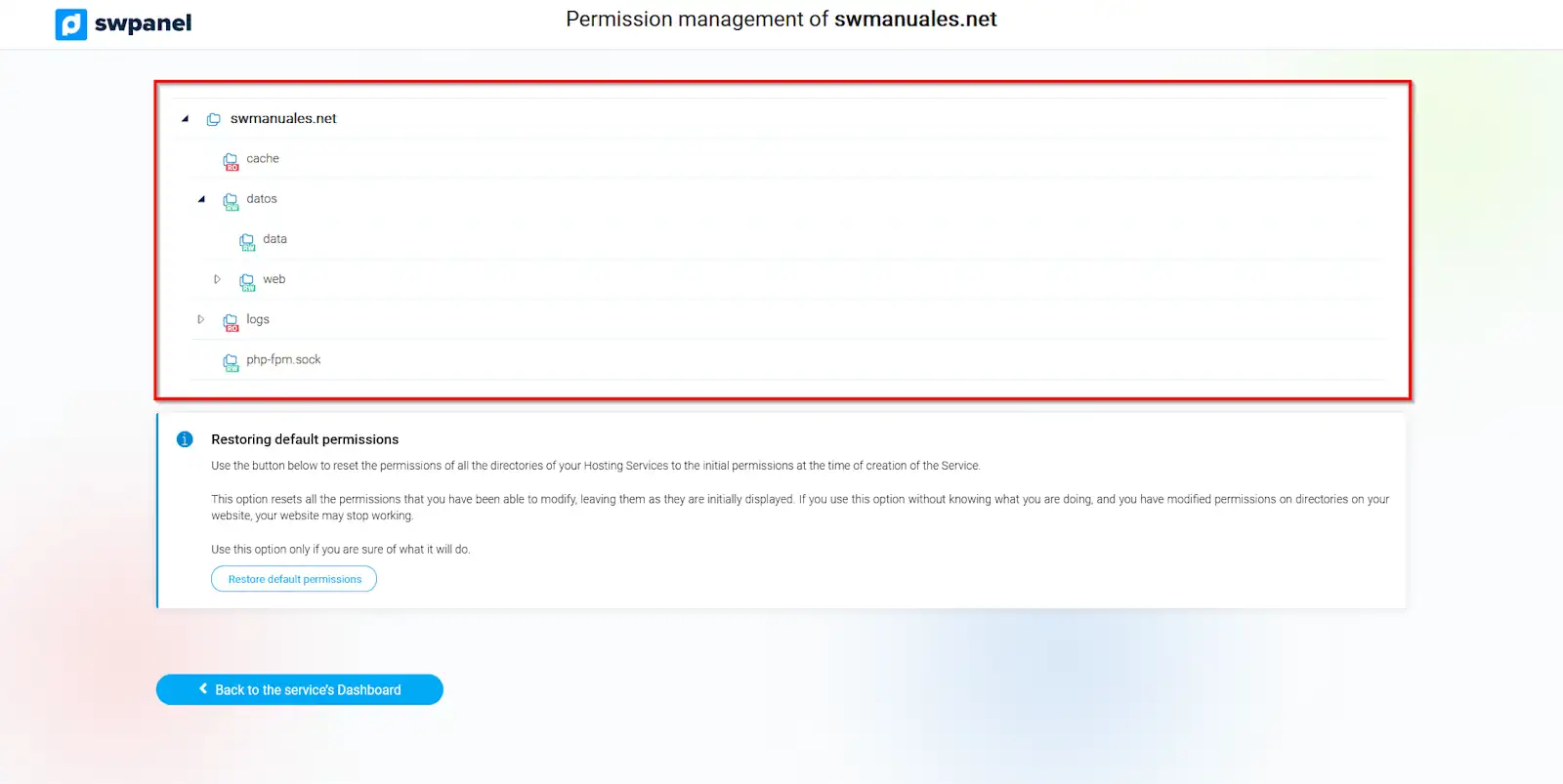
info_capture ?? Note: The screenshot is for guidance only, taken from version 2026.001.0026 dated 04/05/2026. It may differ from the current version of SWPanel.
5. Application of changes
- Changes are applied immediately
- They only affect the files existing at that moment
?? Permissions are not automatically applied to new files created later.