
How to register a domain from the web
To register a domain on the SW Hosting website, follow these steps:
- Access its main page: https://www.swhosting.com/es/
- Go to the top menu and click on the “Domains” section: https://www.swhosting.com/es/dominios

Enter the name of the domain you wish to register in the search bar and click “Search”.
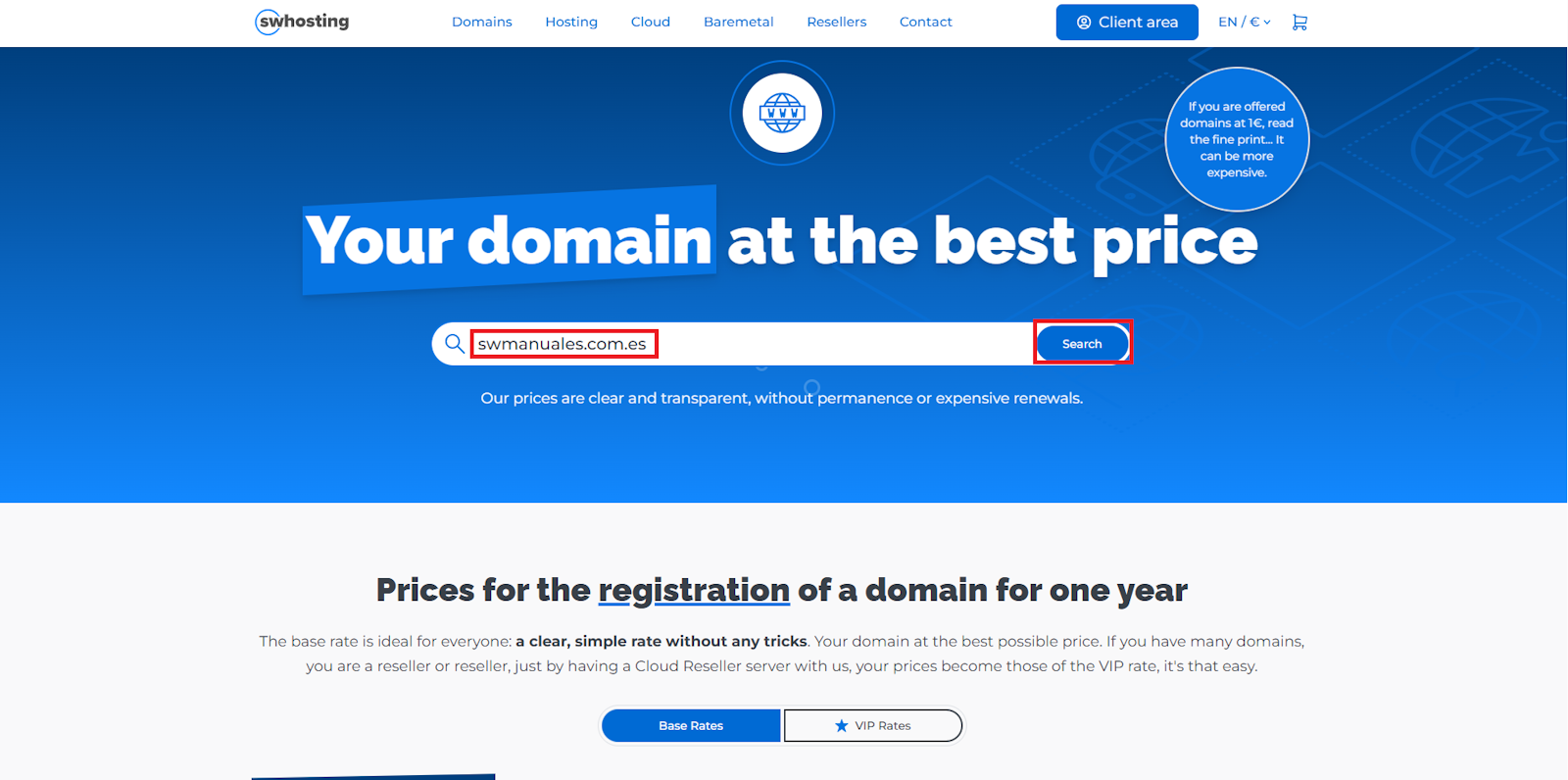
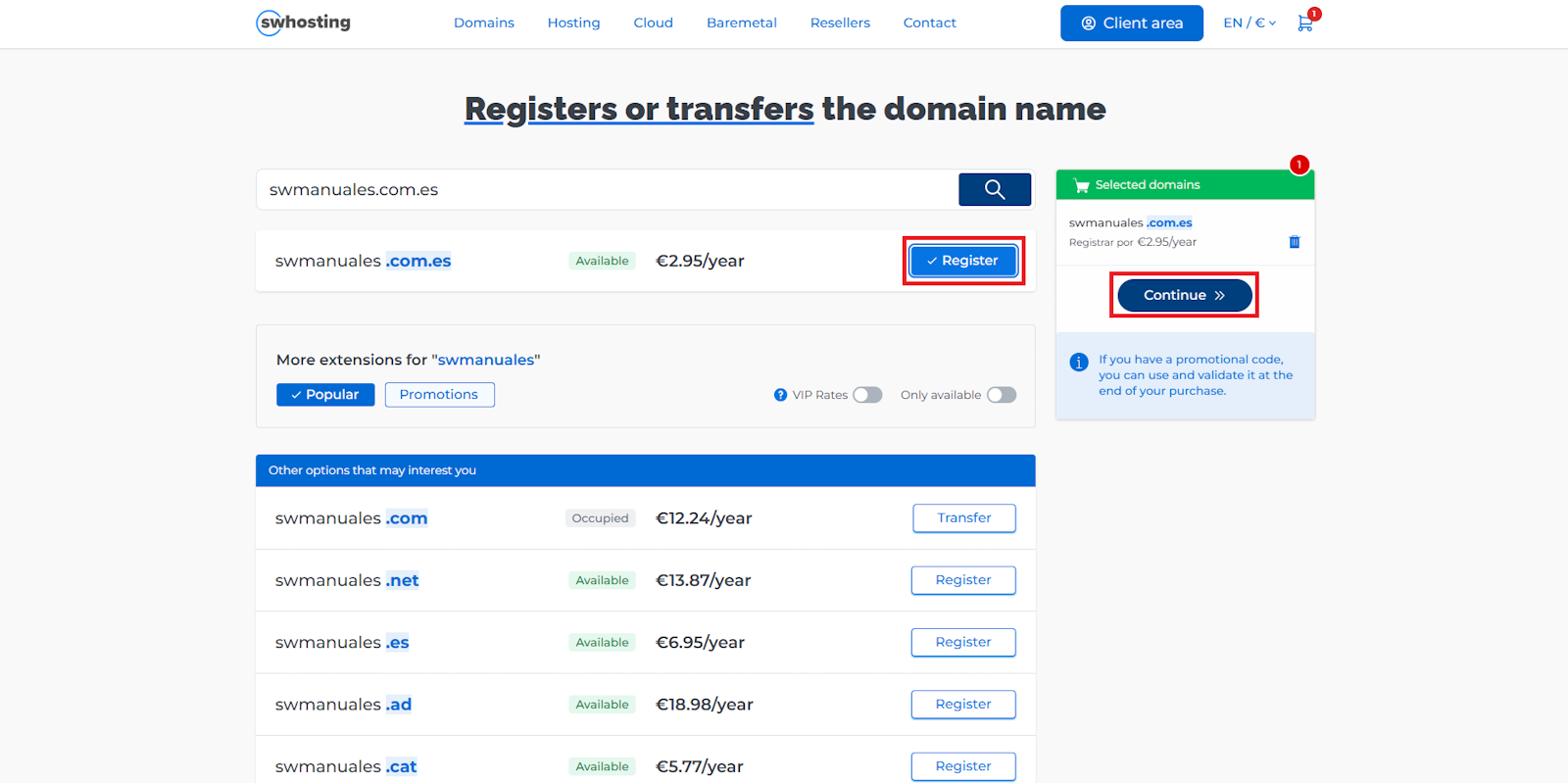
Next, the search result will be displayed on the screen, indicating if the domain is Available (if it is not registered) along with its price excluding VAT.
Click “Register” to add it to the cart and then press “Continue” to proceed with the process.
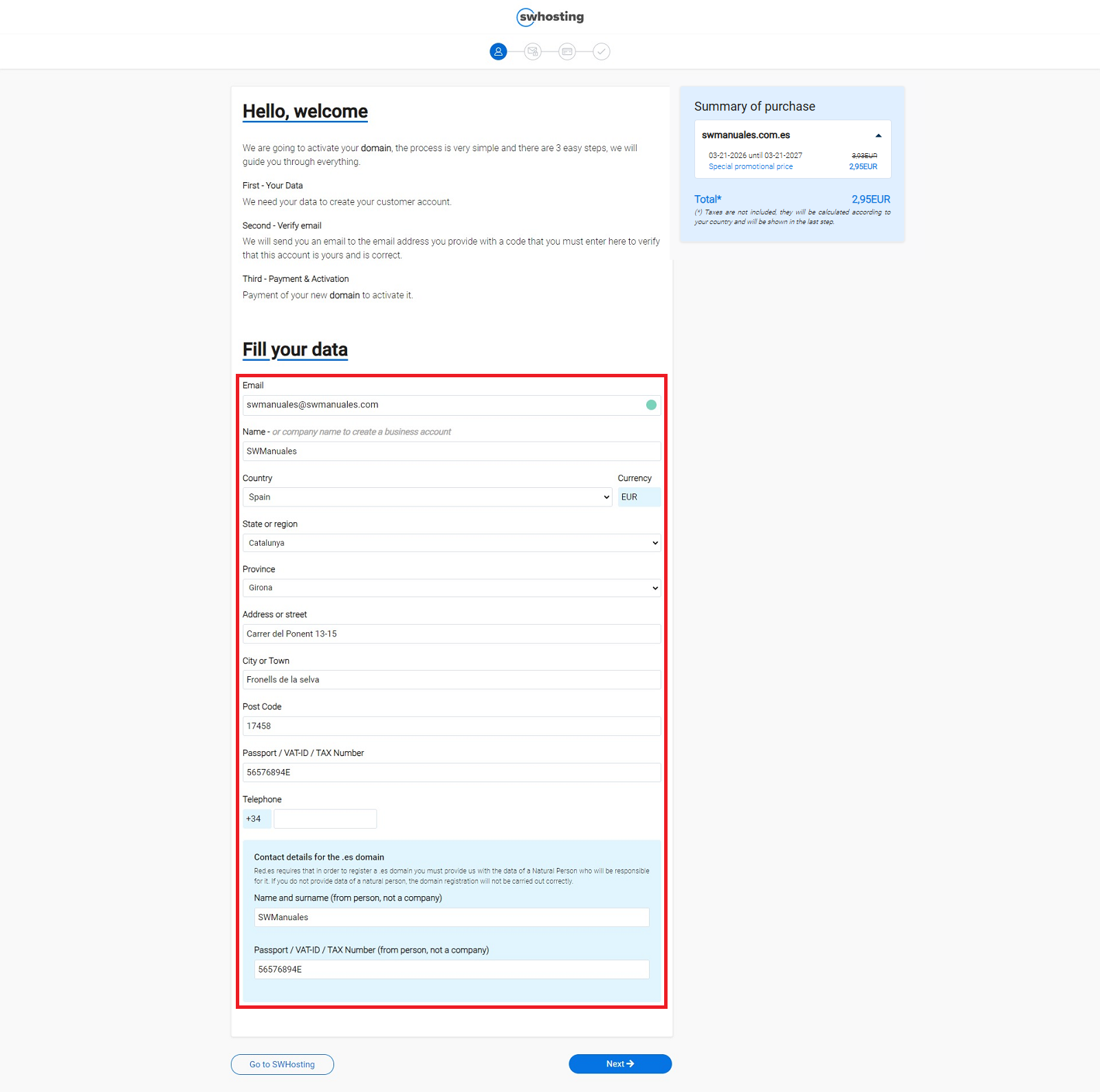
You must now enter an email address along with your personal or company details. This information will be used to create your customer account and receive important notifications regarding your domains and contracted services.
If you have a promotional code, you can enter and validate it during this step. Otherwise, click directly on the “Next” button to continue.
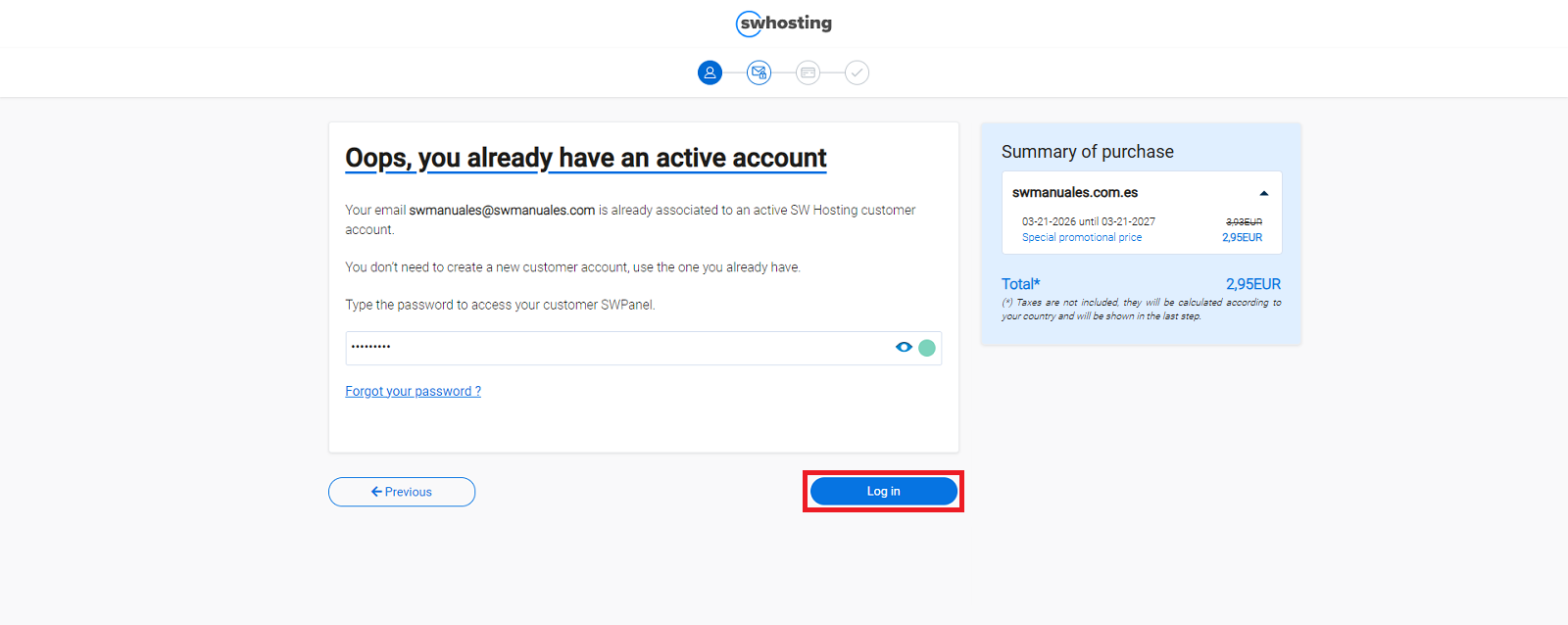
If it is your first time at SW Hosting, you will need to verify your account using a code that will be sent to the email address provided in the previous step.
If you already have a customer account, simply enter your password to log in and continue with the process.
If the domain you wish to register is a .ES, you will need to complete some additional details. In this case, it is mandatory that the administrative and technical contact be a natural person, not a company.
In this step you can also:
- Configure the Hostnames or DNS of your domain
- Create and associate a hosting service with the domain
Once all fields are completed, you must enter your card details to finalize the purchase or, if you prefer, select PayPal as the payment method.
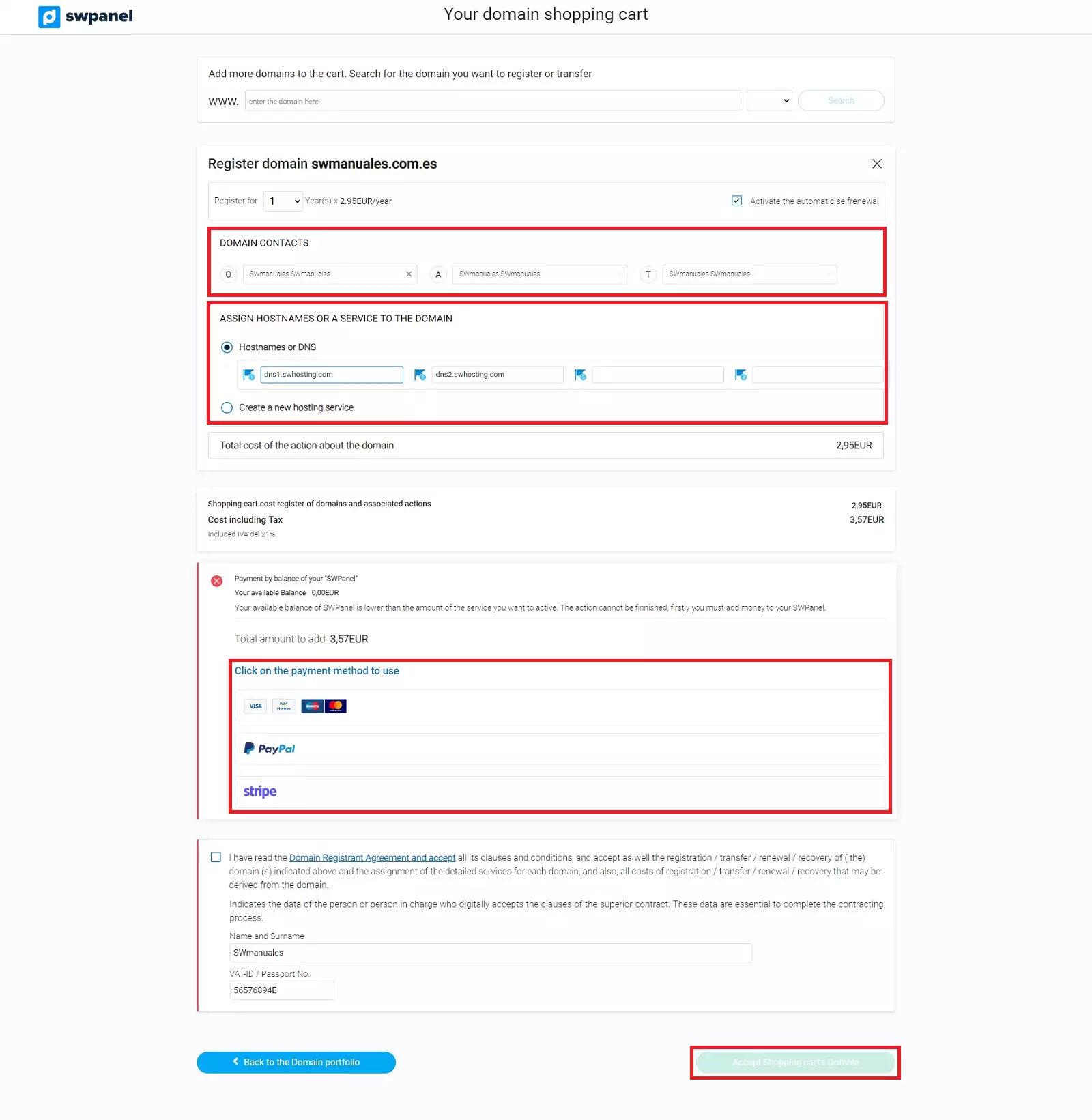
Remember: if you use PayPal as a payment method, a commission will be applied. The credit added to your panel will be the requested amount minus said commission.
Important: you must complete all mandatory fields to be able to place the order. Otherwise, the confirmation button will not be displayed.
Please note: the first purchase must be made using a credit card or PayPal. Once you are a customer, you will be able to access other available payment methods.
You will receive an email with the welcome details to access your SWPanel, your private customer area, from where you can begin managing your domains and/or services.
Once the domain is registered, you will also receive an email notification informing you of its status.
Additionally, in accordance with ICANN regulations, you will receive another email with a link to verify your email address (as explained in the corresponding manual).
Important: it is essential to validate your email address within the established timeframe (15 days). Otherwise, the domain will remain deactivated until you complete the verification.
Check other manuals of interest: