
How to fix the eai_noname error in FileZilla
1. What is the EAI_NONAME error and when does it appear
The EAI_NONAME error in FileZilla is an error that can be seen when trying to connect to a server that does not have an FTP server or when FileZilla cannot resolve the server name to its IP. One of the most common reasons would be that the name ftp.yourdomain.com is being used as the server name. Another reason would be that an intermediary server or Proxy is being used to connect to the server. This happens when Cloudflare or another type of CDN is being used.
2. How to fix the EAI_NONAME error
There are several possible solutions to this error which we will discuss below:
- Change from Host name to IP address
Since the domain name cannot be resolved, you can directly use your server's IP. There are several ways to find your FTP server's IP. To do it from SWPanel, go to your Hosting service dashboard. Once there, click on Service Servers in the blue side menu.
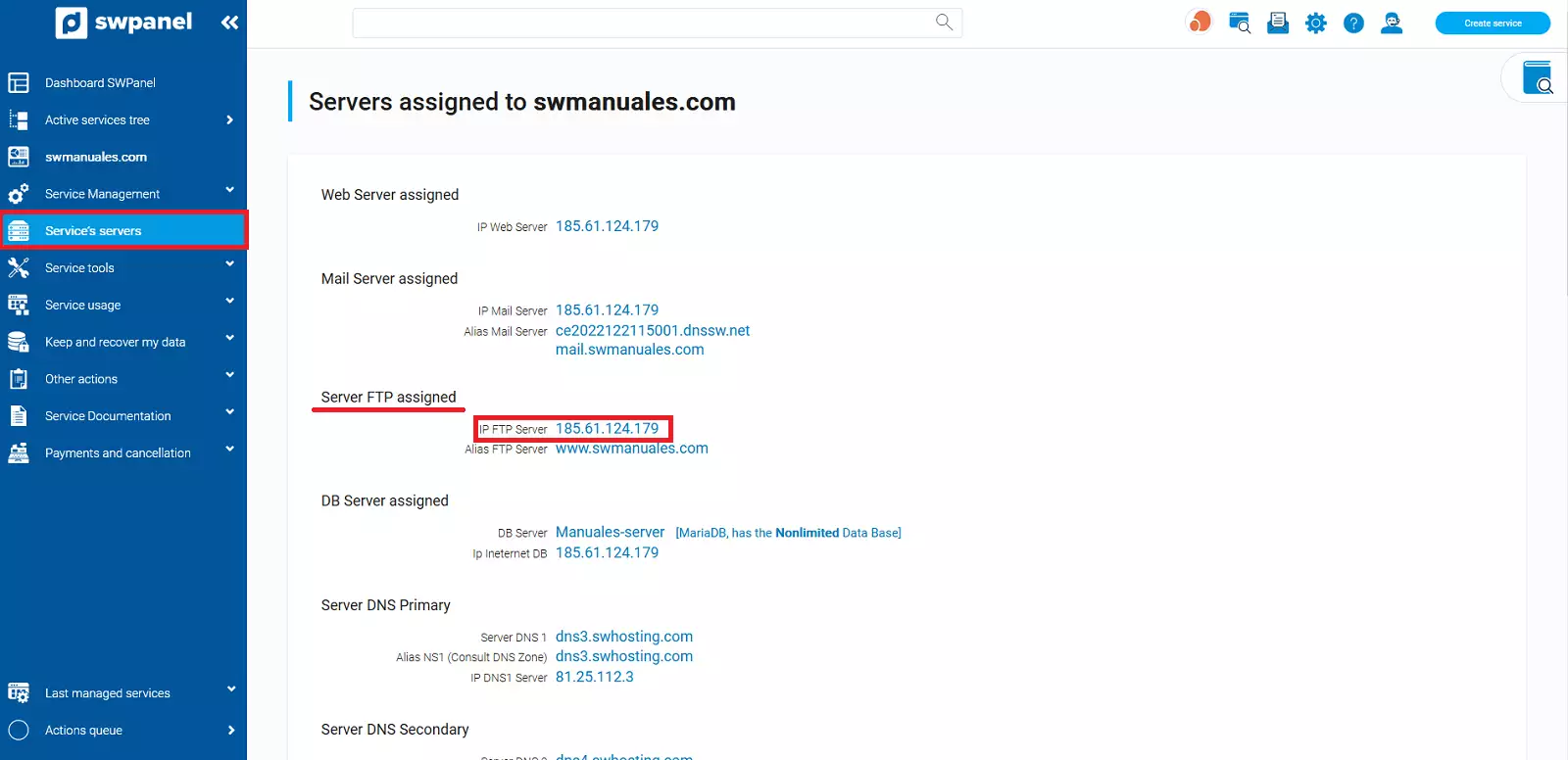
Locate the FTP section where you will be able to see the IP assigned to your FTP server.
- Create a DNS CNAME record for ftp.yourdomain.com
If you are trying to connect via ftp.yourdomain.com and the EAI_NONAME error appears, you should check that it is created in your DNS zone. To do this, go to your Hosting service dashboard. Once there, click on Service Management → DNS Management.
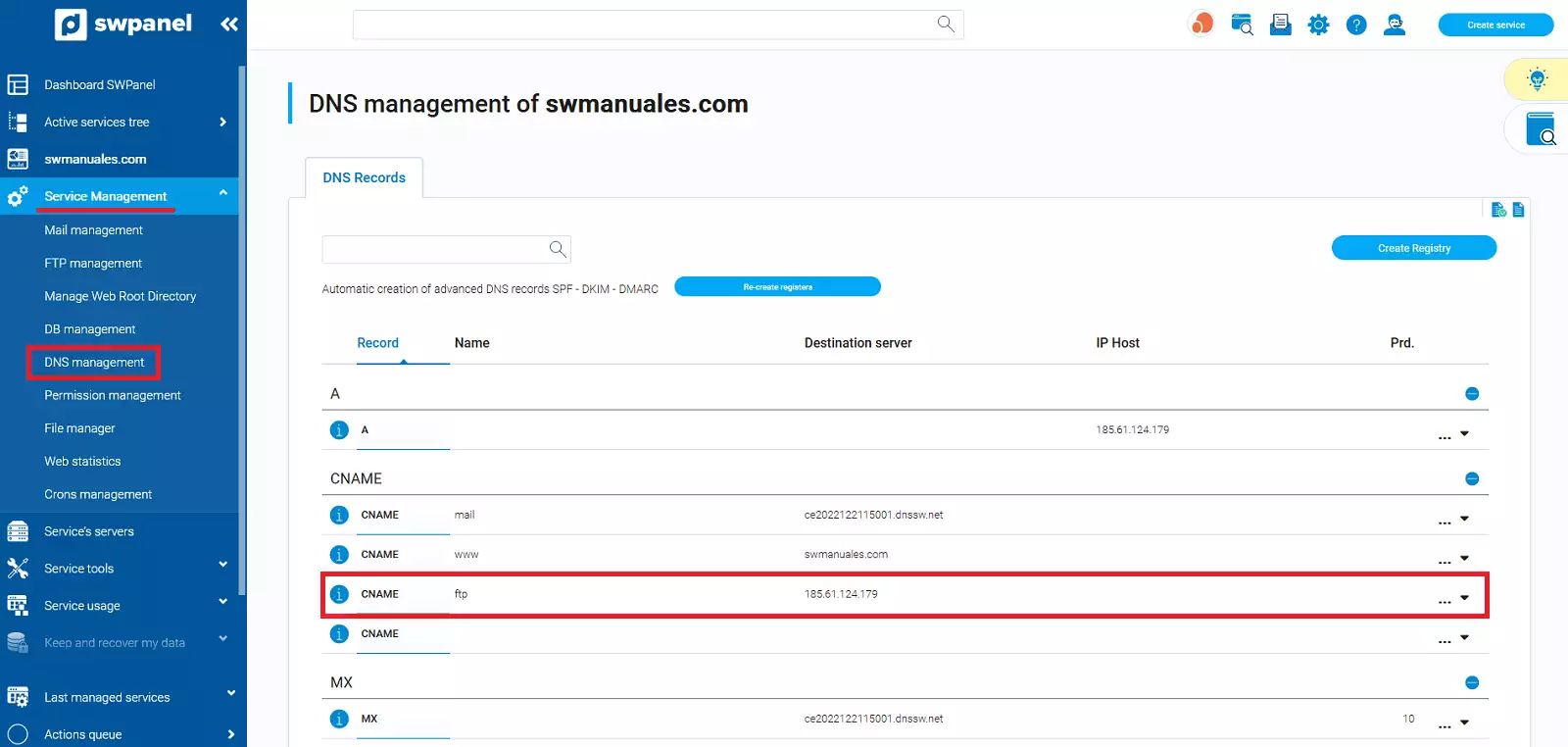
You must create a CNAME record ftp.yourdomain.com pointing to your FTP server's IP.
If you need more information on how to manage your DNS zone records, you can consult manual Manuel : Manage DNS records.
If this does not work and you have a proxy configuration such as Cloudflare CDN, the best option is to temporarily disable the proxy. Subsequently, verify if disabling it allows you to connect to your server via FTP.