
Configure automatic redirection to secure connection 'https' (Really Simple SSL plugin)
By default, once your SSL certificate is installed, visits to the non-secure version ('http://www.tudominio.com') will not be automatically redirected to the secure version ('https://www.tudominio.com').
We show you how to configure the automatic redirection to 'https' in WordPress, or in other words, from port 80 (http) to port 443 (https).
Installation of the 'Really Simple SSL' plugin
The 'Really Simple SSL' plugin allows you to perform this configuration extremely simply. You only need to proceed with its installation:
-
Access the WordPress administration panel. It is usually located in the 'wp-admin' directory, for example:
- https://www.tudominio.com/wp-admin
-
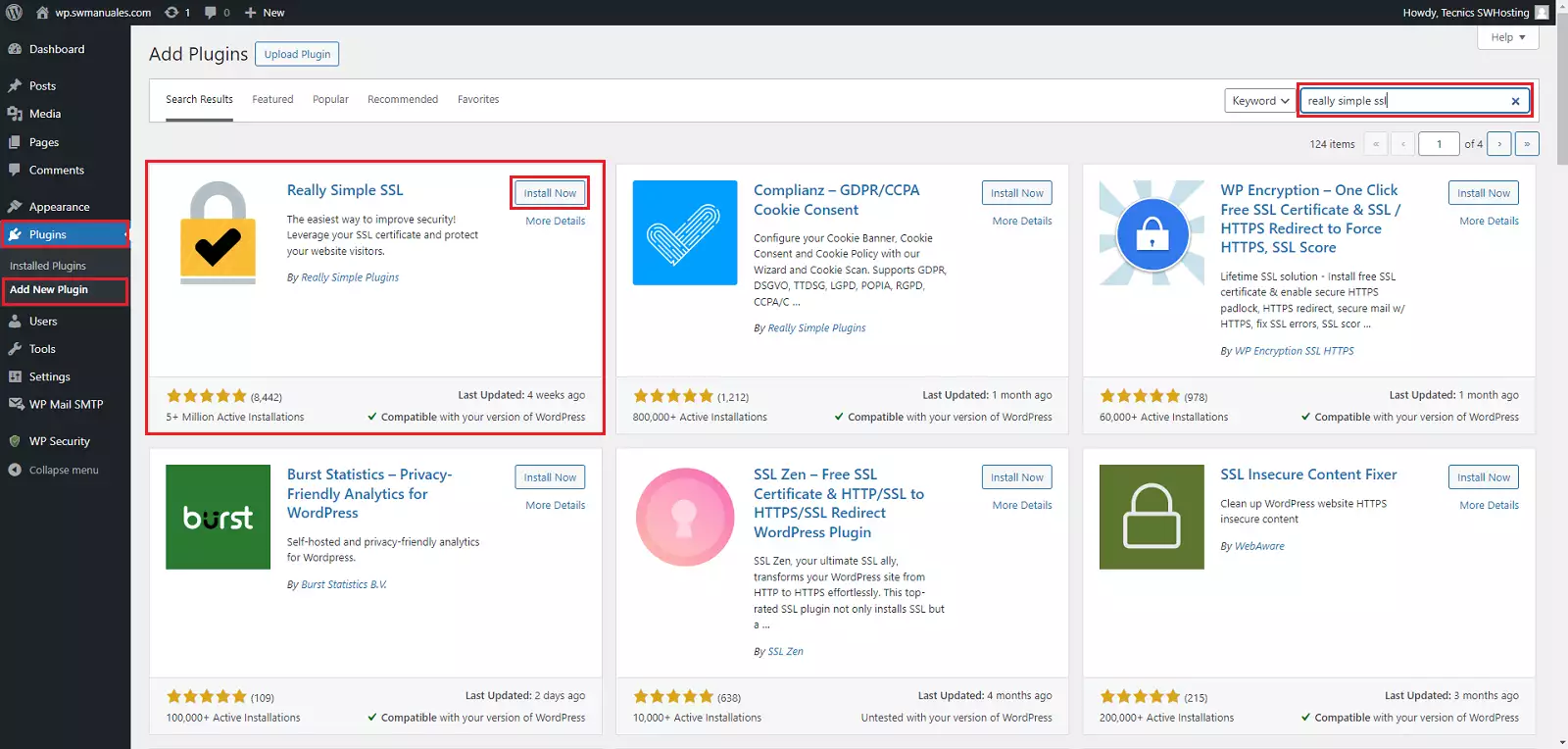
In the left menu, click on Plugins > Add New and, in the search field, enter 'really simple ssl':
-
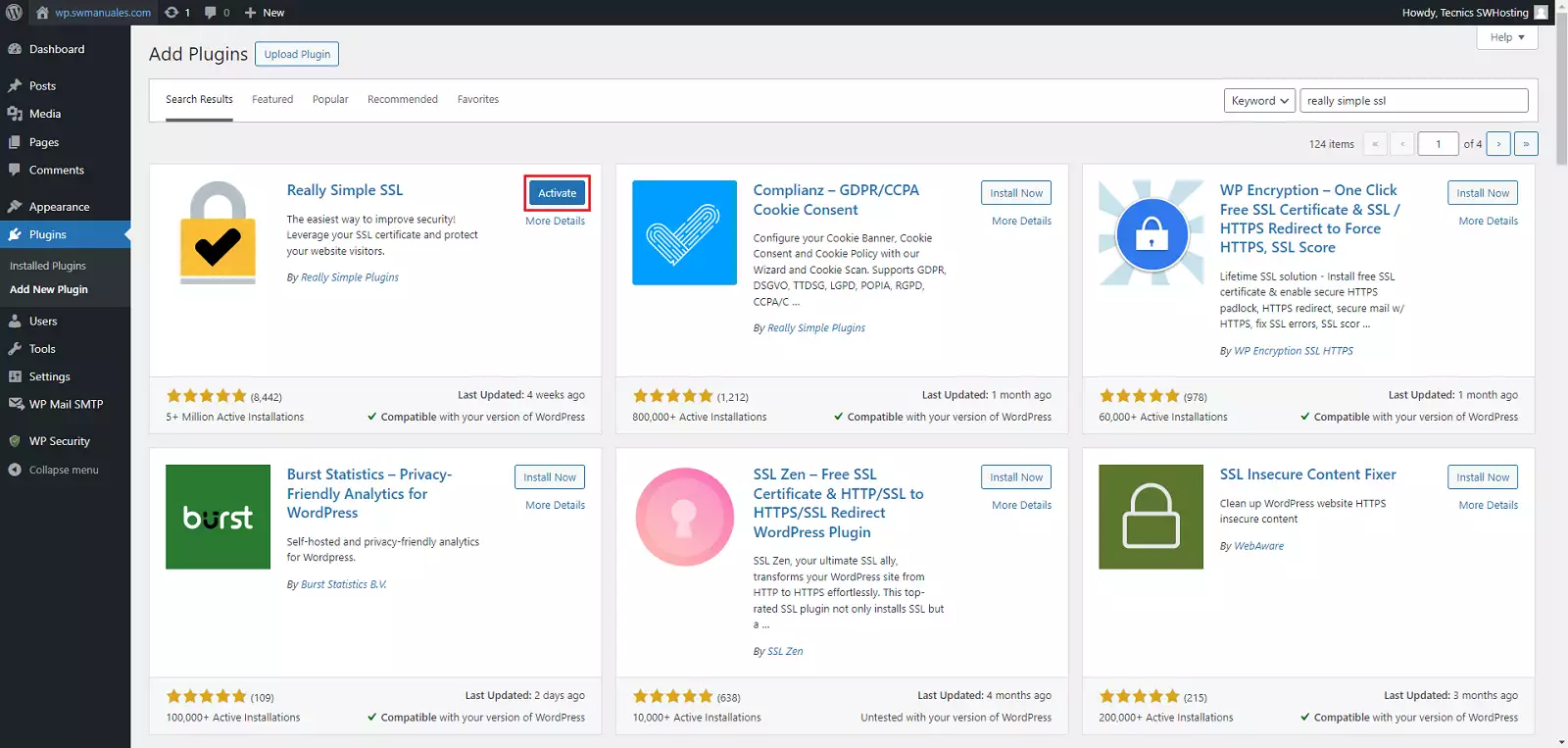
Click the Install Now button of the Really Simple SSL plugin, and once installed, click Activate which appears in the same place.
-
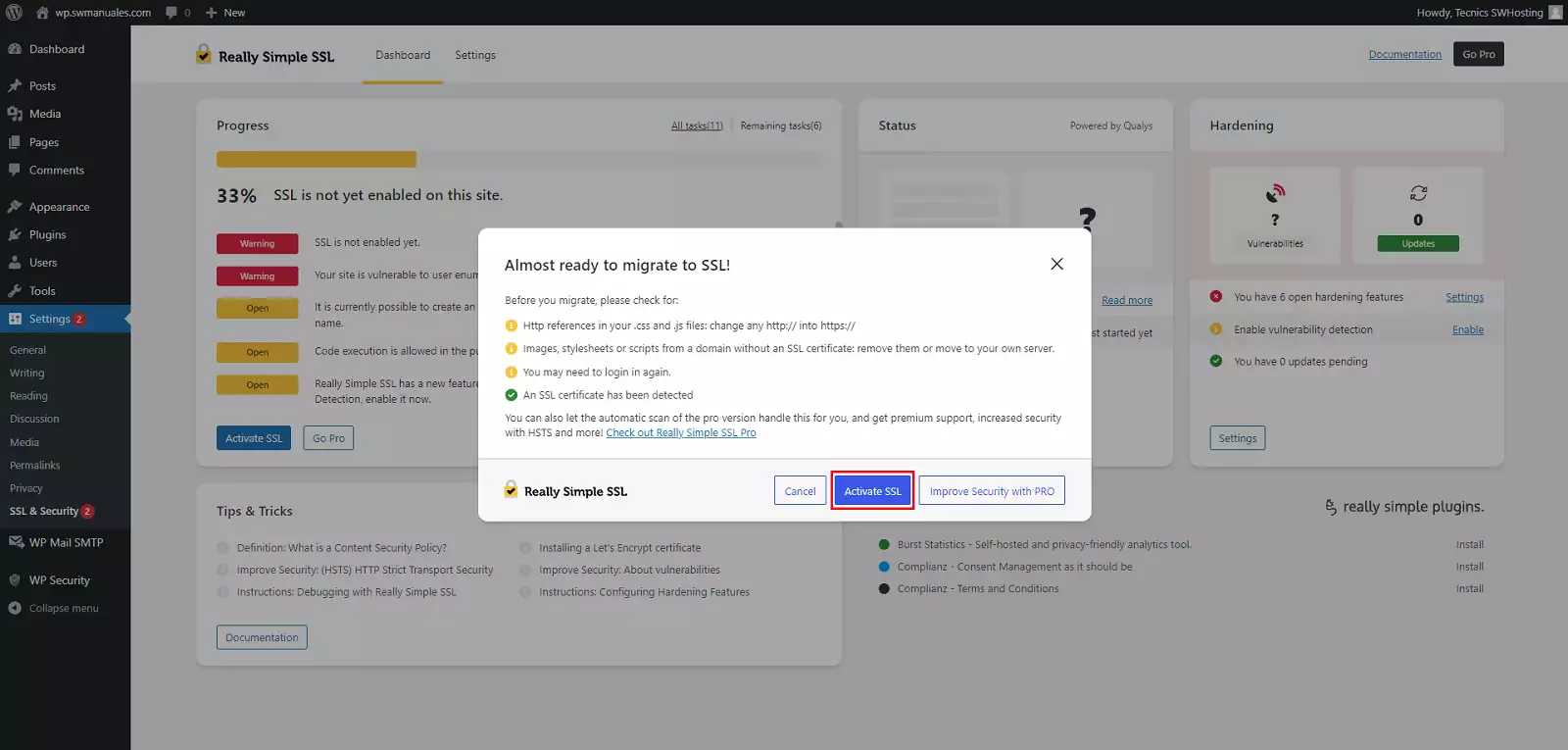
Once we click the button, it will redirect us to the plugin configuration; we activate the SSL:
-
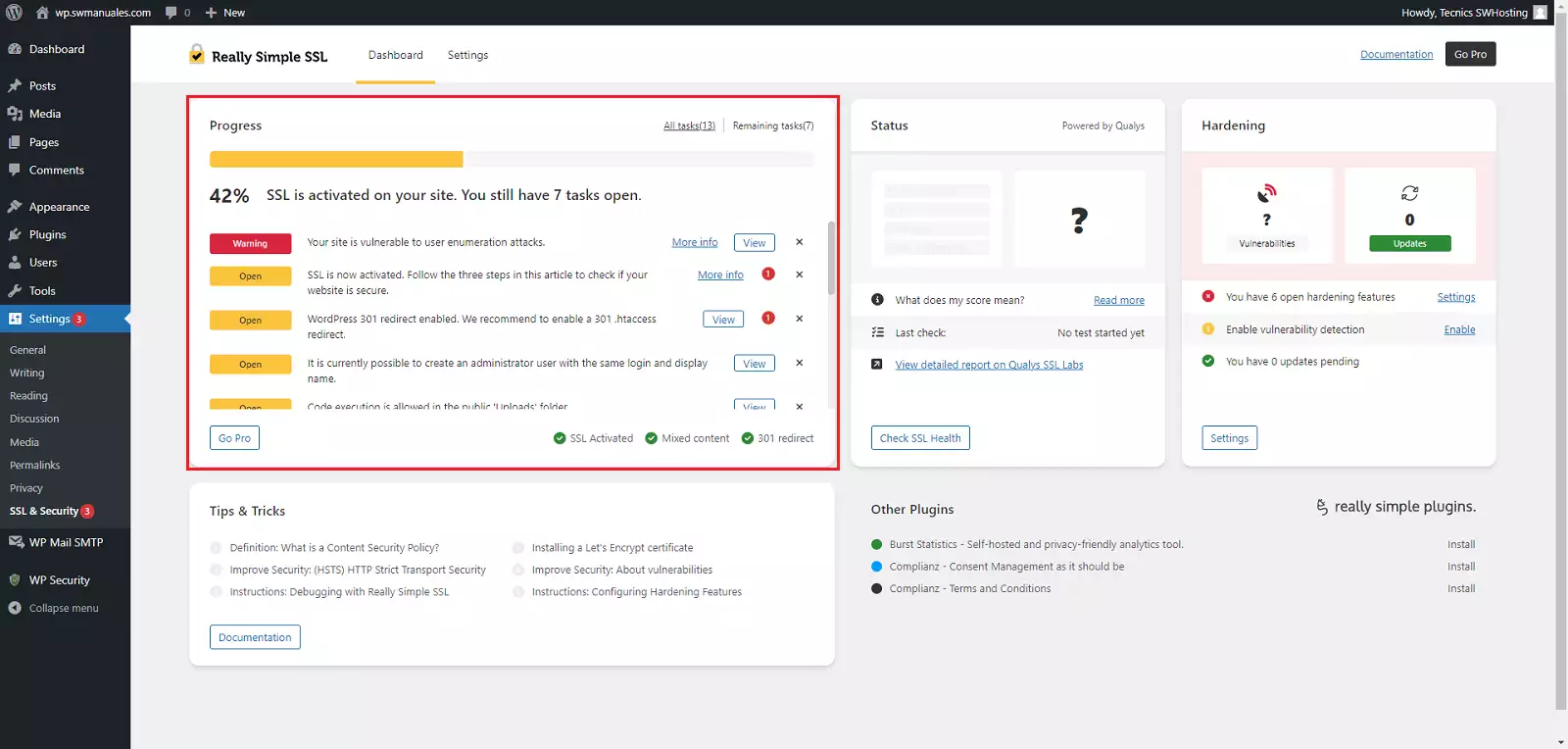
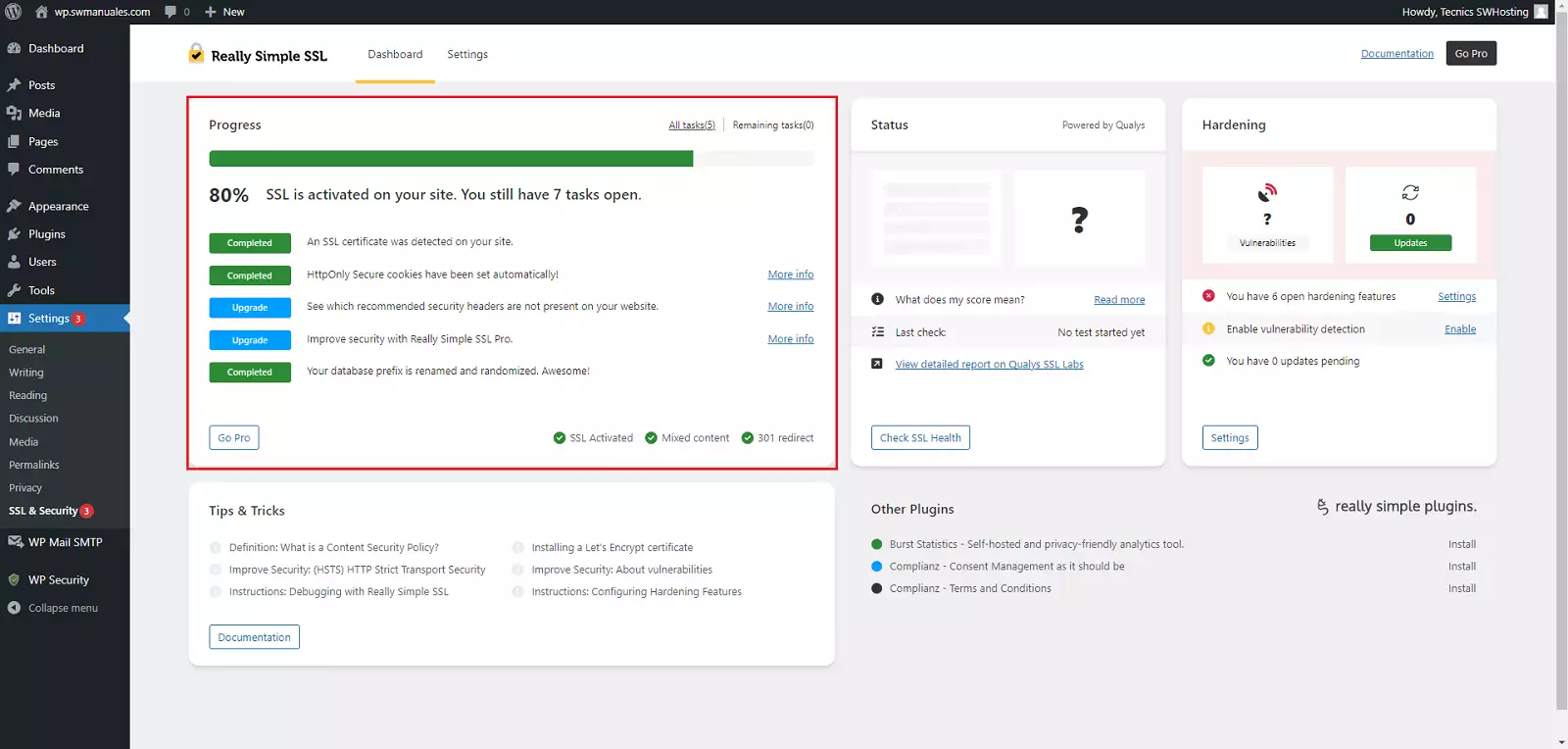
Finally, we can follow the recommendations provided by the plugin itself:
-
Upon completion, it should look as follows:
-
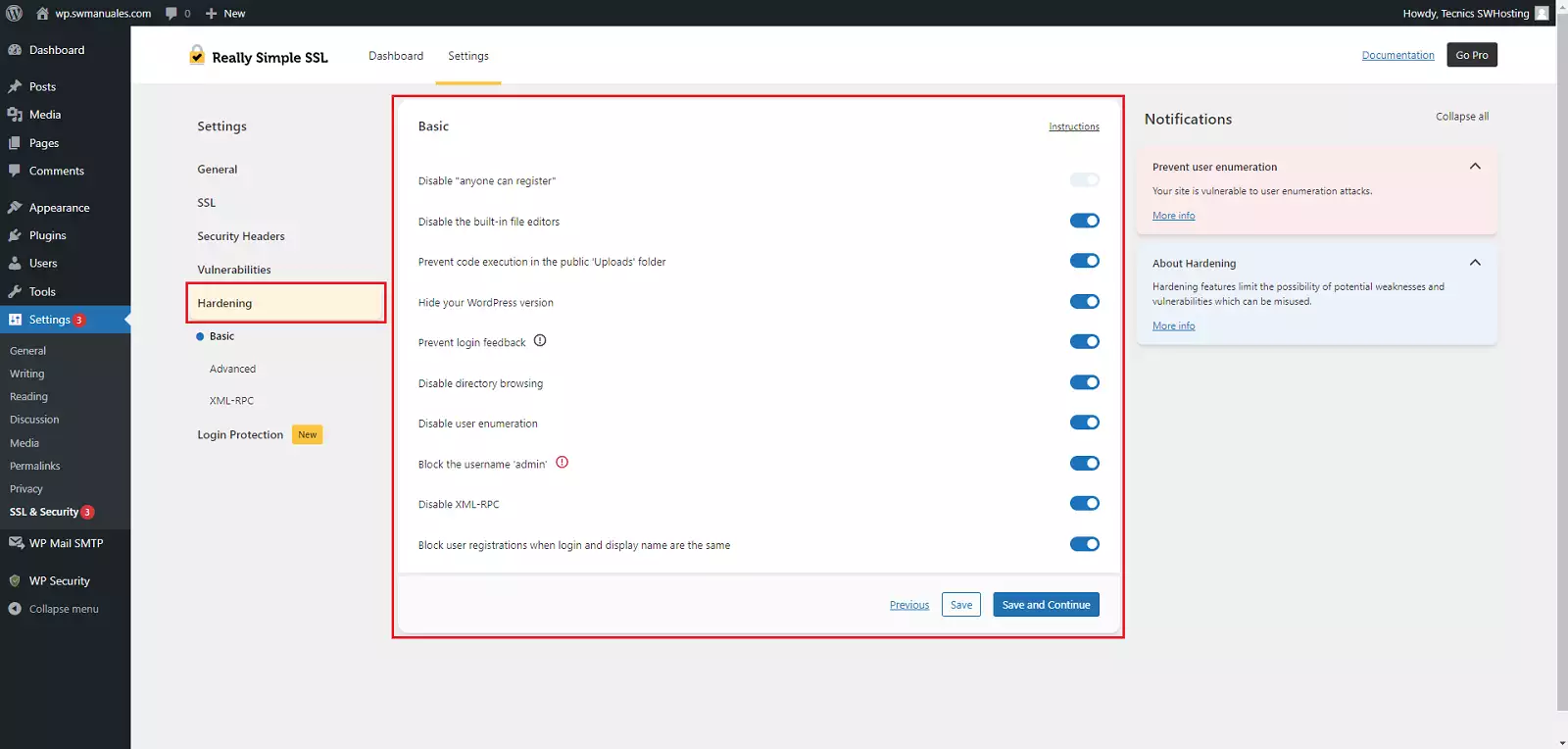
Additionally, we can activate the following security improvements:
You have now configured the automatic redirection to 'https'!