
Delegate the Control of a DNS Zone to a subdomain
Delegating a DNS zone means transferring the responsibility of managing a specific part of your domain to another DNS server. It is like assigning the administration of a particular area of the domain to a different team or server.
How does it work?
Think of your domain as a large tree, where the trunk is the main domain and the branches are the subdomains. By delegating, you decide that one of those branches (subdomain) be managed by another DNS server, and not by the main server that handles the main domain.
To do this, NS (Name Server) records are added to the DNS zone of the main domain. These NS records indicate which DNS servers will be responsible for the delegated subdomain.
Delegation Example:
Imagine that you own the domain swhosting.com and you want someone else to manage the subdomain sub.swhosting.com. To do this:
- In the DNS zone of swhosting.com, you would add an NS record that points to the DNS servers that will manage sub.swhosting.com.
- These delegated DNS servers will handle all requests related to sub.swhosting.com, including subdomains such as www.sub.swhosting.com or mail.sub.swhosting.com.
Delegating the control of a subdomain DNS zone
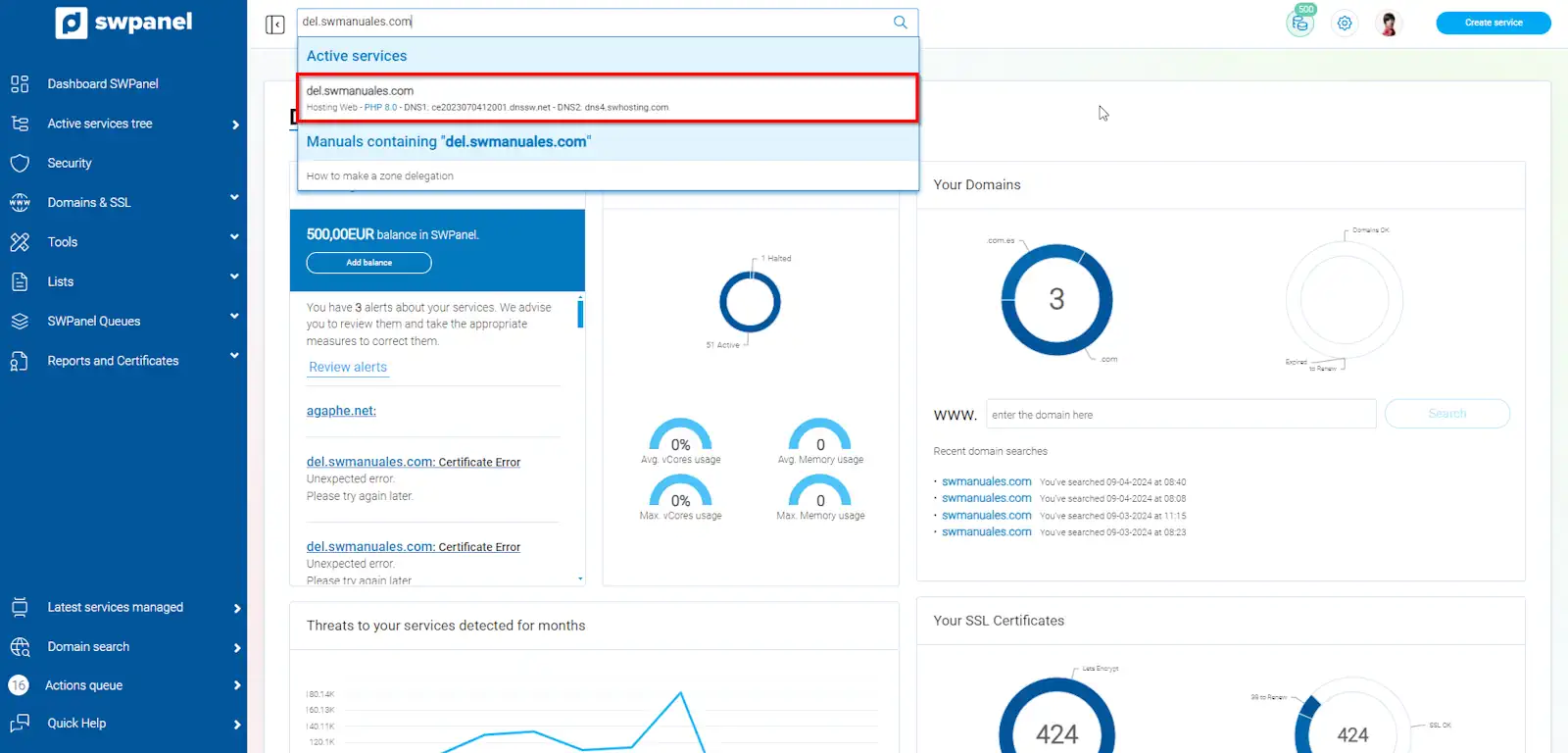
To do it quickly, you can access the subdomain to create the zone delegation through the SWPanel top search bar:
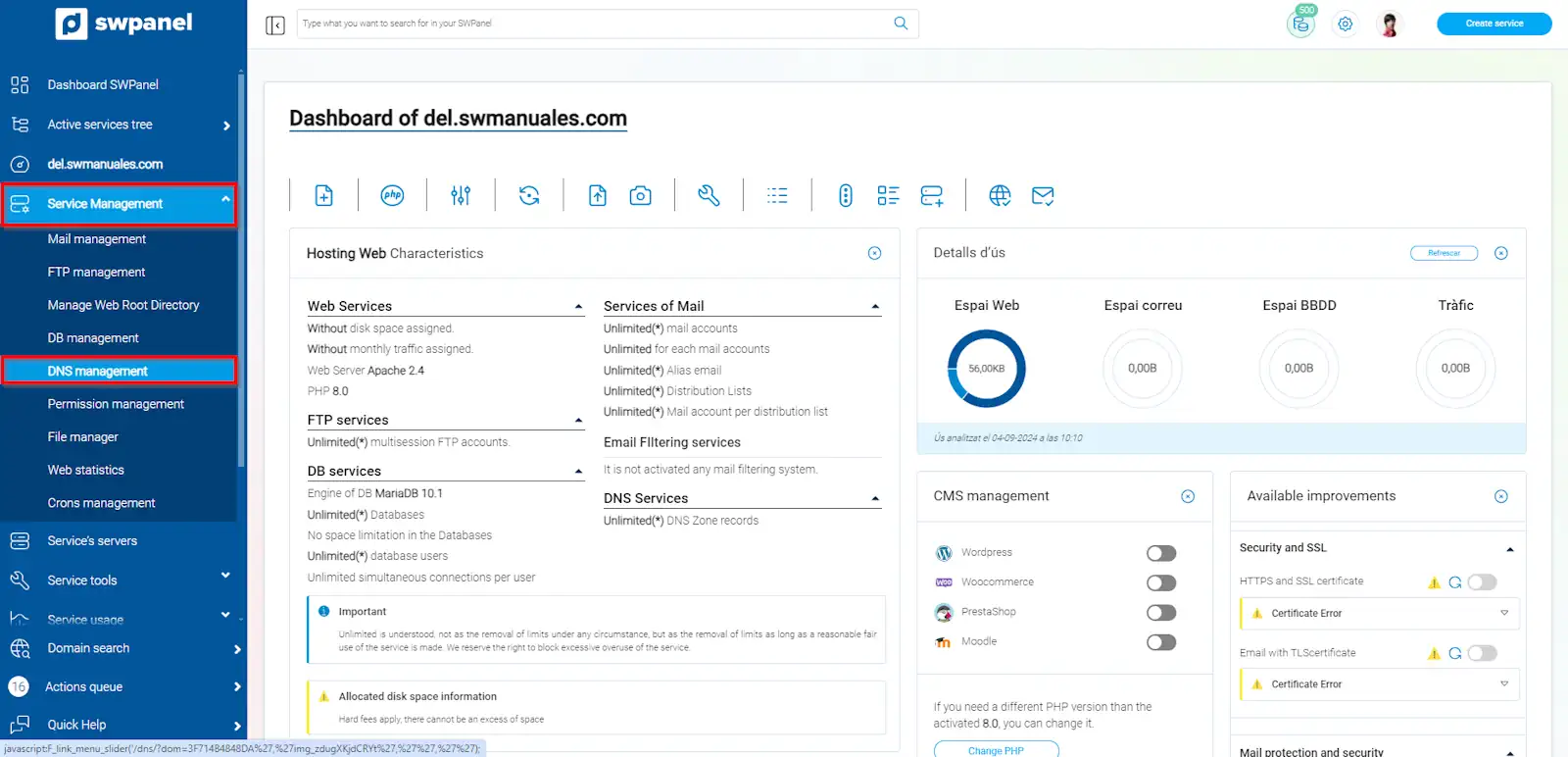
Then we go to Service Management and DNS Management, in the blue menu.
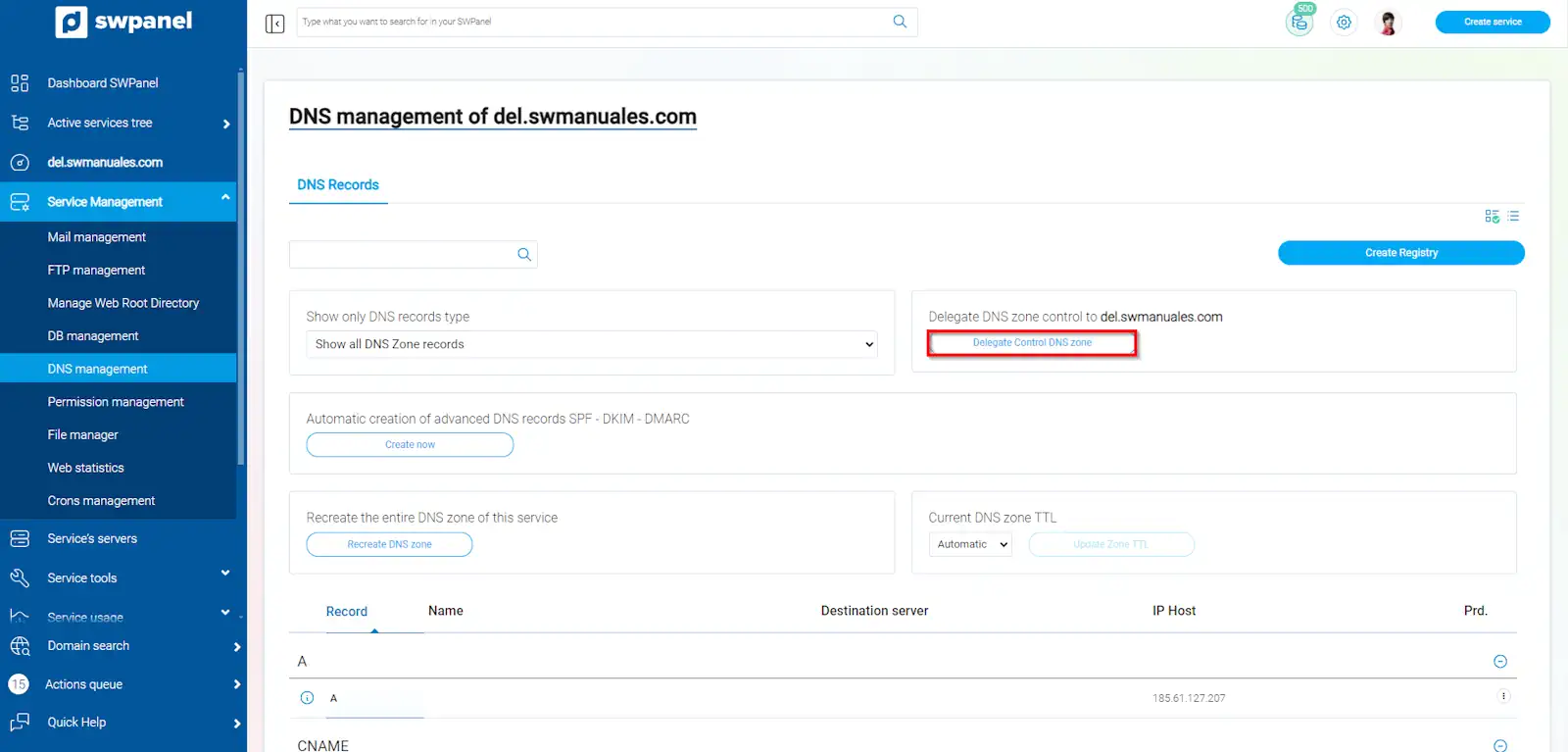
We will click on Delegate DNS zone Control.
To formalize the delegation, we will click on Delegate Zone control now.
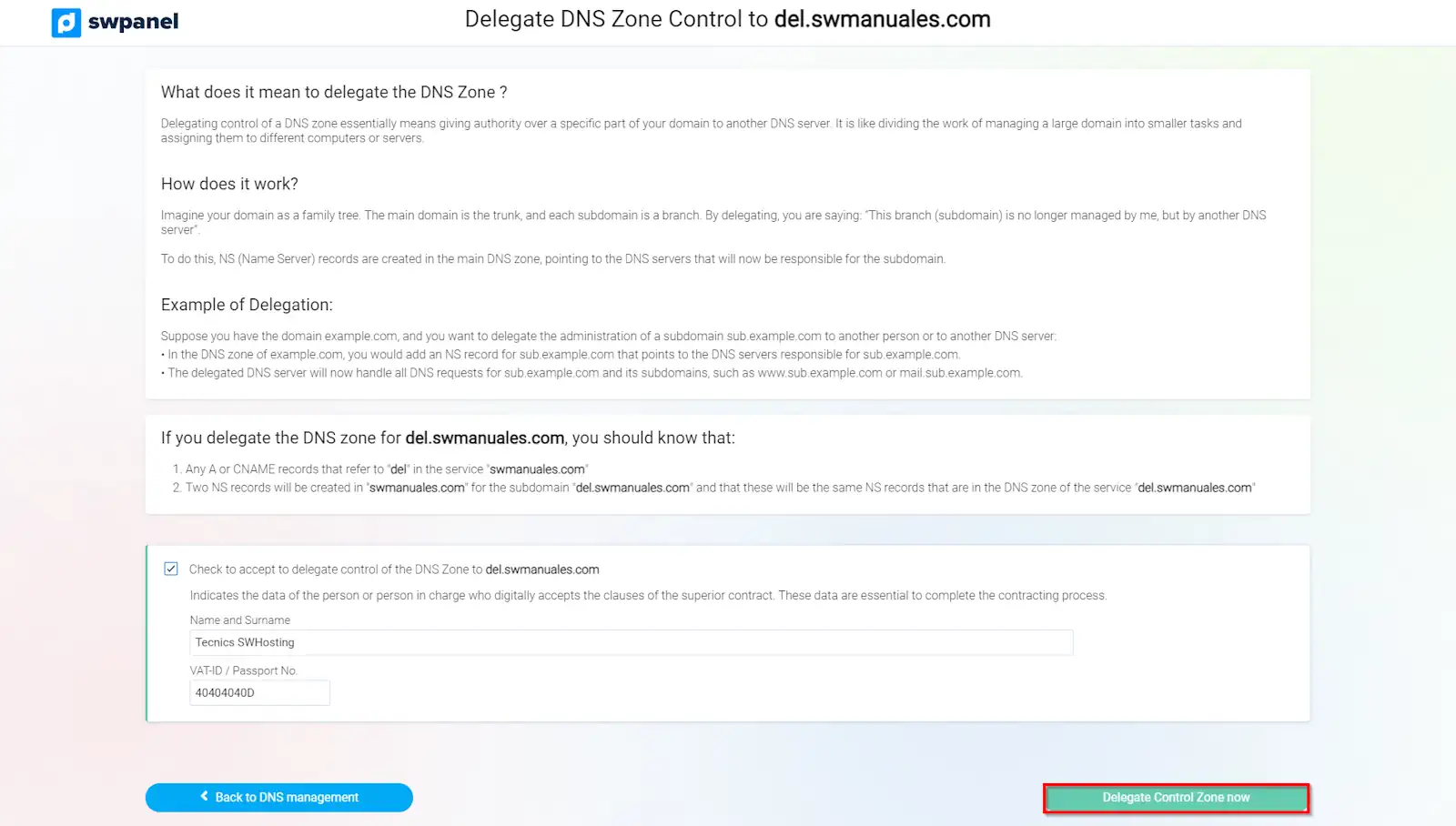
Done! Your zone delegation has been created.
Remember that modifications to DNS records can take up to 48 hours to propagate globally.