
How to Activate TLS for my email via SWPanel.
TLS Activation .
It can be activated in 3 steps from SWPanel.
1. Enter the domain name in the SWPanel search bar for which you want to activate Email with TLS certificate.
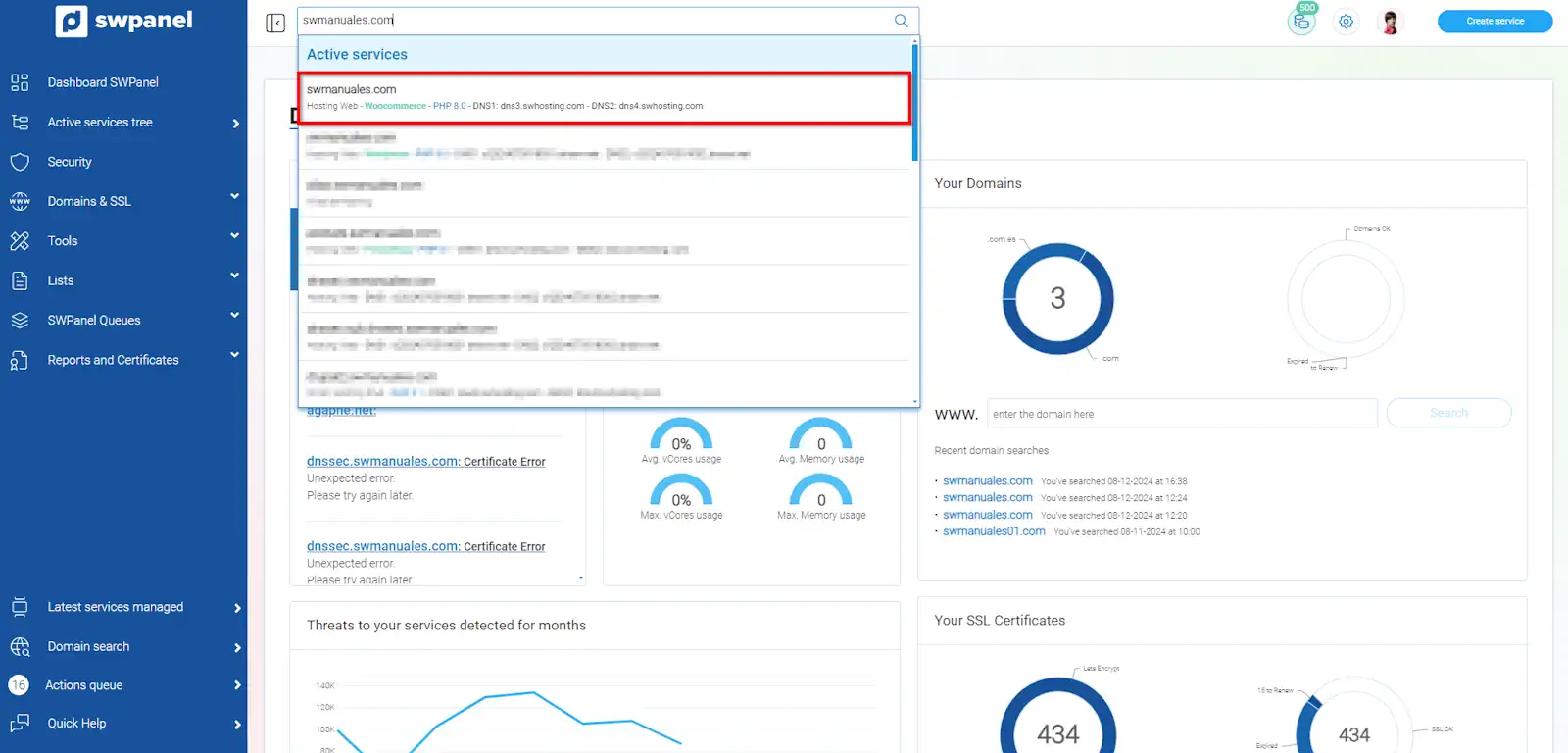
info_capture The screenshot is for guidance. It was taken using version 2026.001.0057 dated 15/05/2026. It may differ from what is shown in the current version of SWPanel.
2. Once in the service Dashboard, activate Email with TLS certificate.
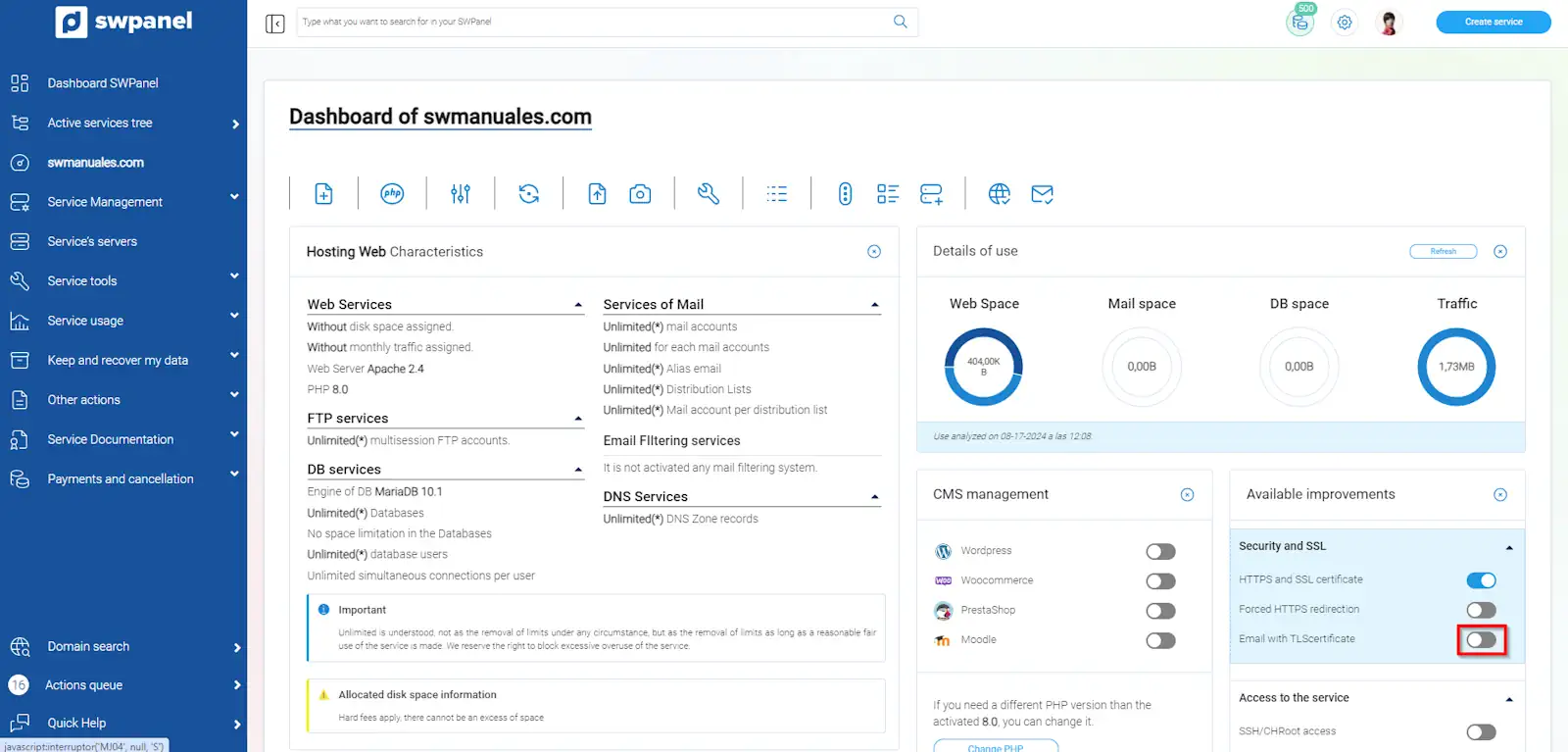
info_capture The screenshot is for guidance. It was taken using version 2026.001.0057 dated 15/05/2026. It may differ from what is shown in the current version of SWPanel.
3. Check the check-box to accept TLS activation and click on Create SSL and activate TLS
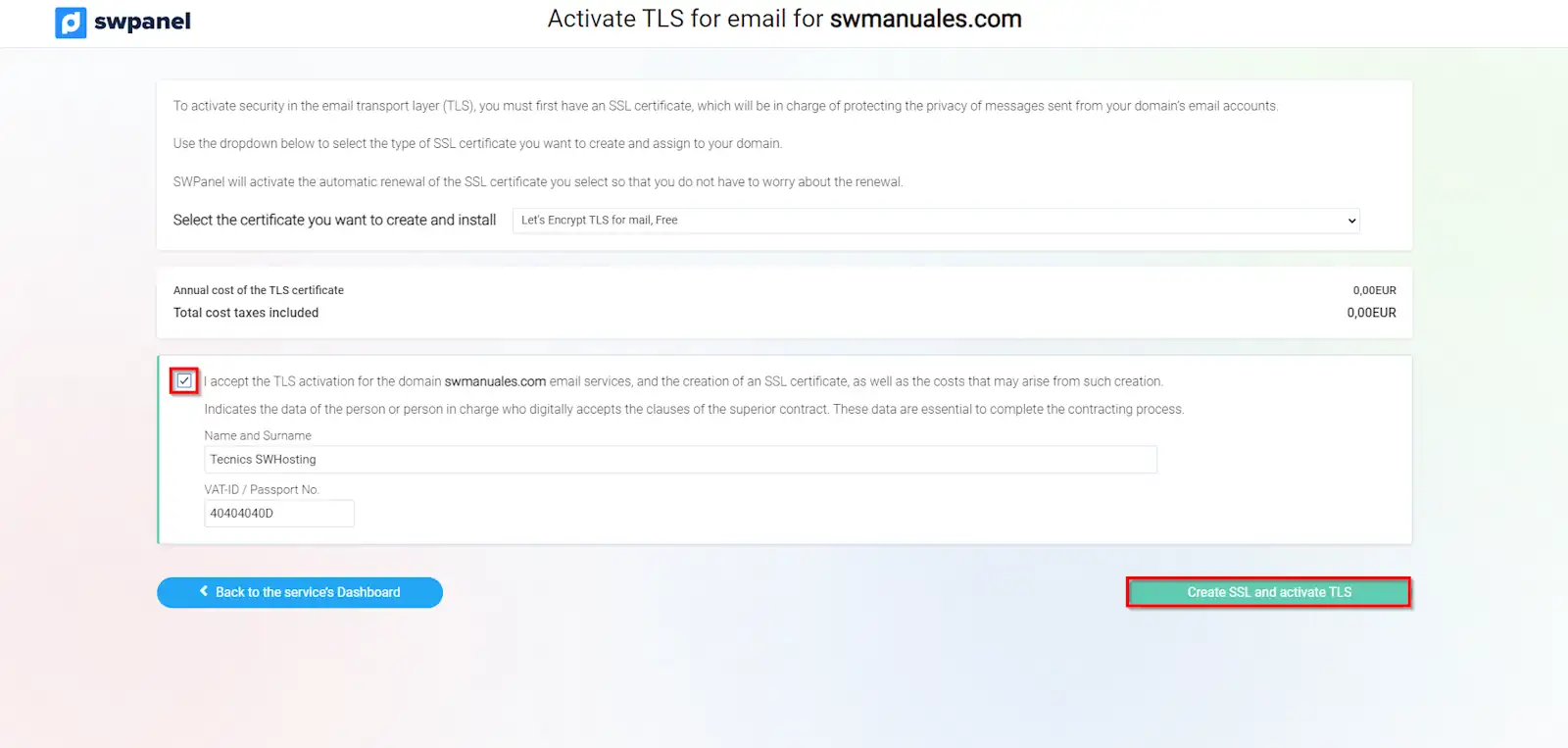 Once the action is complete, the TLS certificate will be installed on your service.
info_capture The screenshot is for guidance. It was taken using version 2026.001.0057 dated 15/05/2026. It may differ from what is shown in the current version of SWPanel.
Manuals that may be of interest to you: