
How to limit the use of resources of a Hosting via a template
What is resource limitation in a Hosting template?
Resource limitations via a Hosting template allow one or more web hostings hosted on a server to have a defined limit on the resources they can use.
This is achieved by configuring limits on CPU usage, RAM memory, and disk operations (IOPS), setting a maximum CPU percentage that a web hosting can use, limiting the maximum amount of RAM memory it can consume, and controlling the maximum number of disk read and write operations it can perform (IOPS).
These limitations can prevent a Hosting from using a high percentage of resources, affecting the performance of other Hostings on the server.
These limitations can be applied through Hosting templates.
info You can get more information about Hosting templates, as well as learn how to create and manage them, by following the instructions in the following manual: Manuel : How to create Hosting Templates
How to apply resource limitation in a Hosting template
-
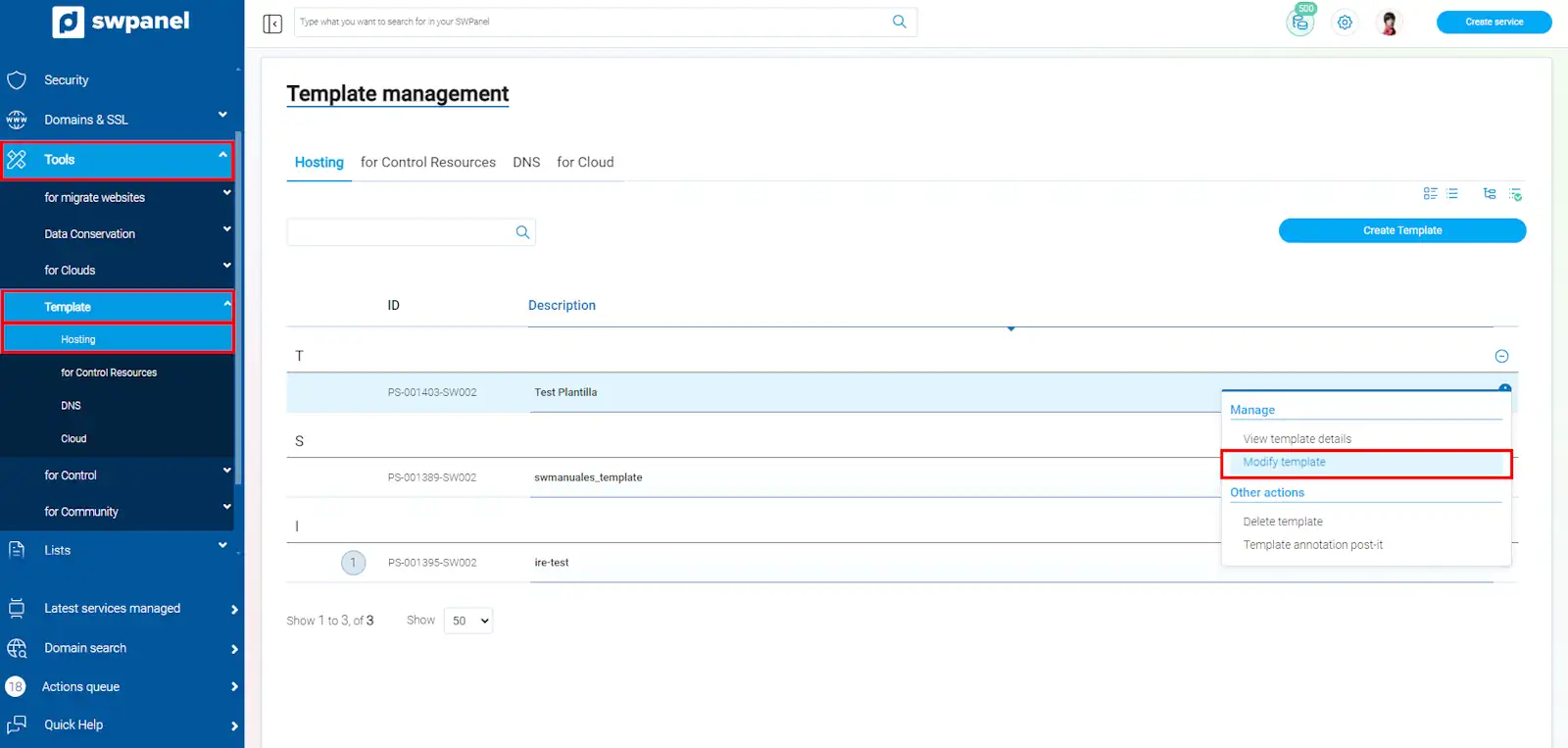
From the main SWPanel Dashboard, click on the left side menu, select the dropdown 'Tools'-> 'Templates' --> 'Hosting', select the template and click on 'modify template':
-
Go to the 'Resource limitation' section; there are 2 methods available to apply resource limitation.
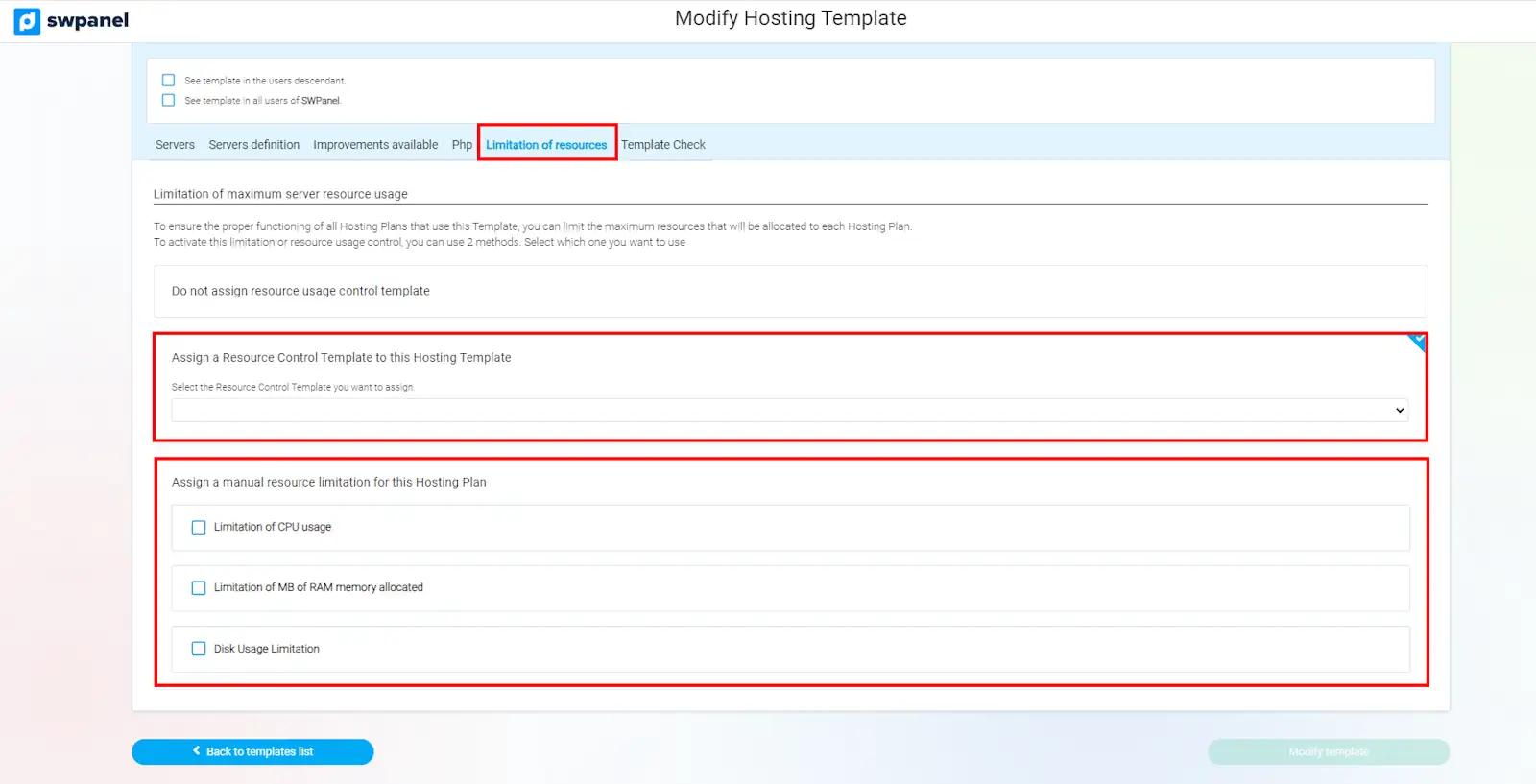
Method 1 - Assign a resource control template, we can select a 'Resource Control Template', which already comes with a preset configuration for resource limitation.
info You can create or modify a Resource control Template by following the instructions in the following manual: Manuel : How to create a resource use control template
Method 2 - Assign a manual limitation, we can manually define the resource limitation on the Hosting template.
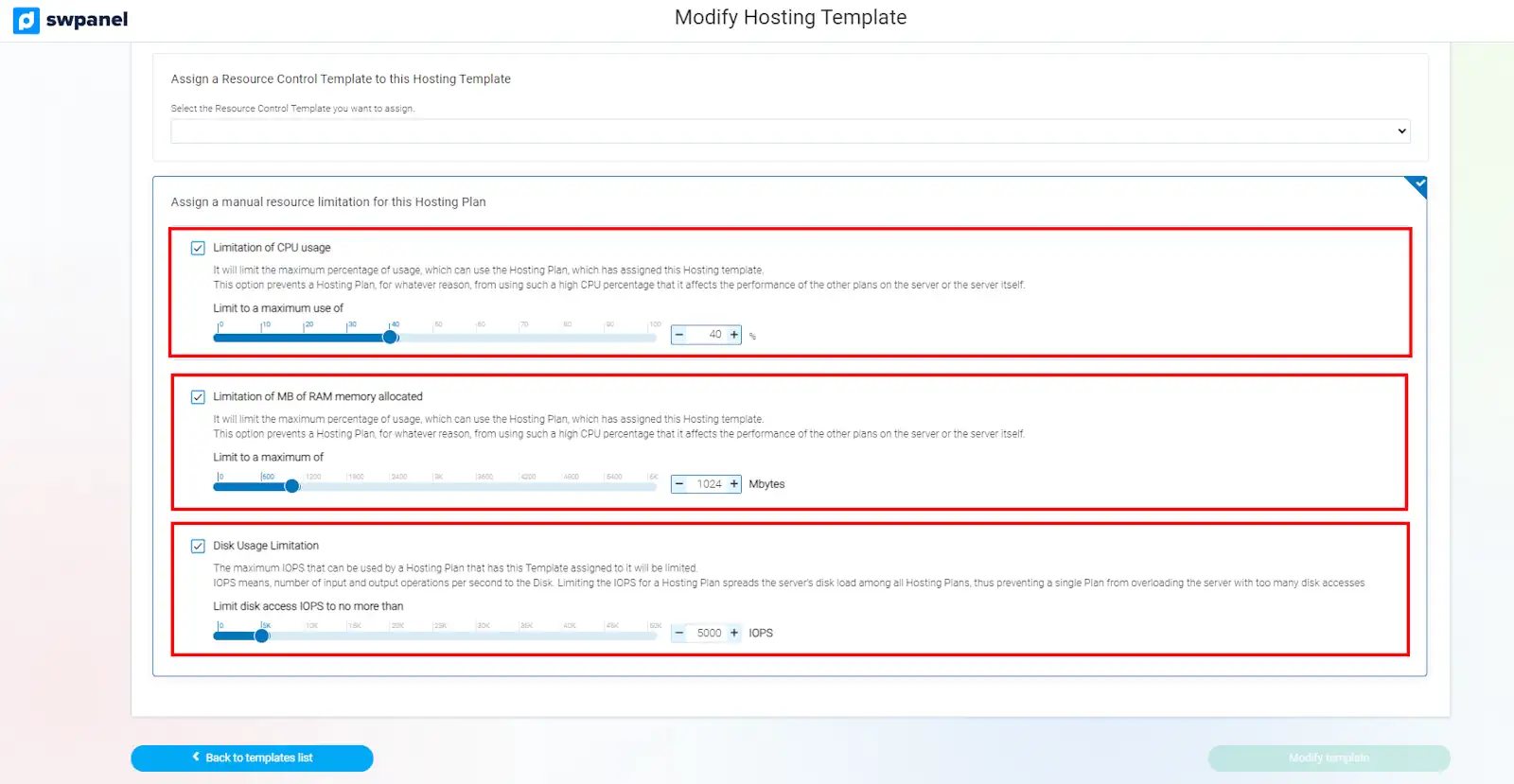
In the manual resource assignment, we can limit the maximum use of CPU, RAM Memory, and disk speed (IOPS) for the hostings of this template.
-
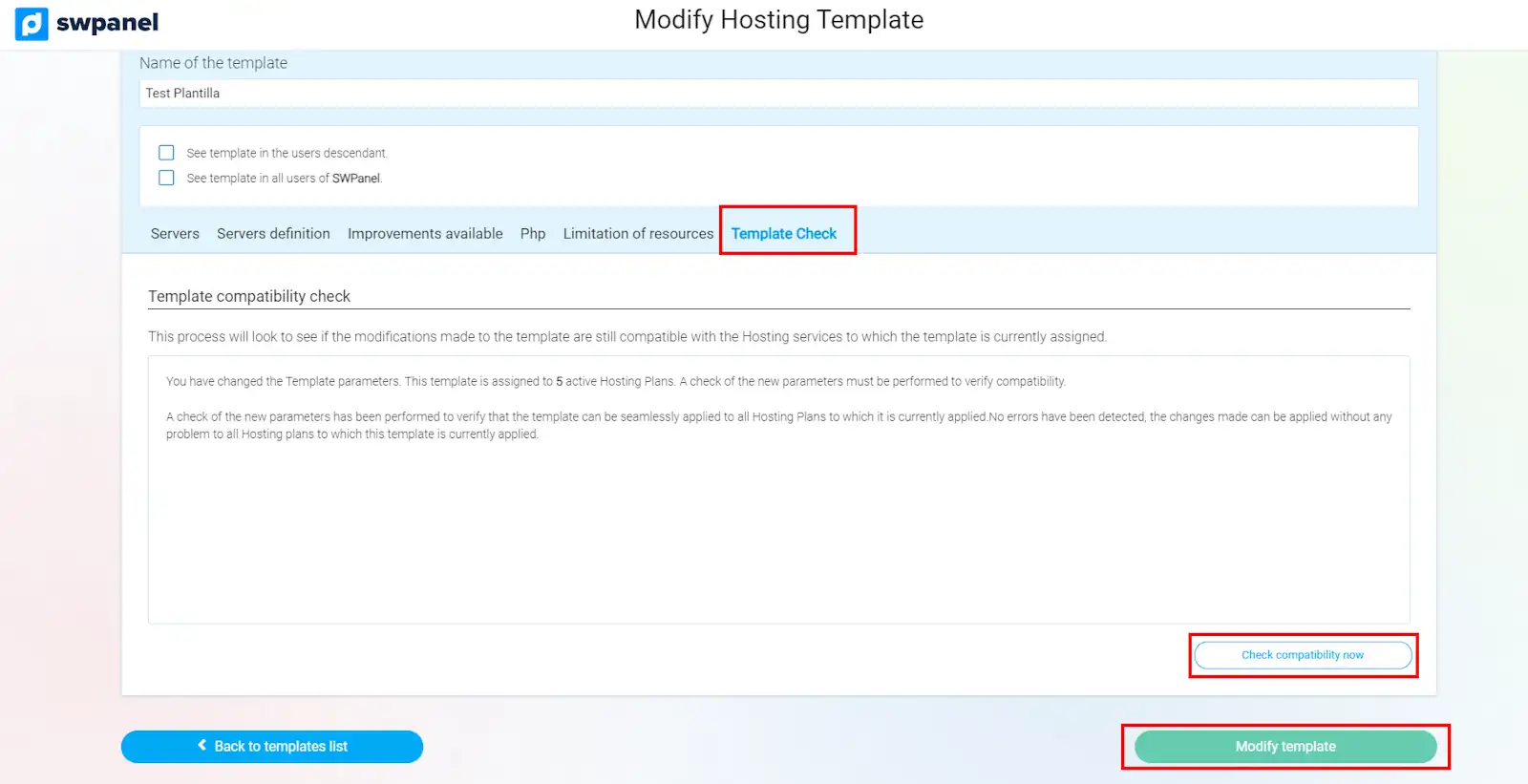
Once the resource limitation is configured, go to the 'Template Check' section and click on 'Check compatibility now', finally, click on 'Modify template' to apply the changes.
success Done! With these limitations, you will ensure that server resources are distributed equitably among the different hostings, preventing one of them from negatively affecting the performance of others, thus improving the overall stability and performance of the server.