
How to modify the PHP version of my Hosting service via SWPanel
The steps to change the PHP version of your Hosting service with SWPanel are as follows:
-
Access your SWPanel by entering your username and password.
-
Once you are on the initial SWPanel Dashboard, type the name of the hosting service for which you want to change the PHP version in the search bar.
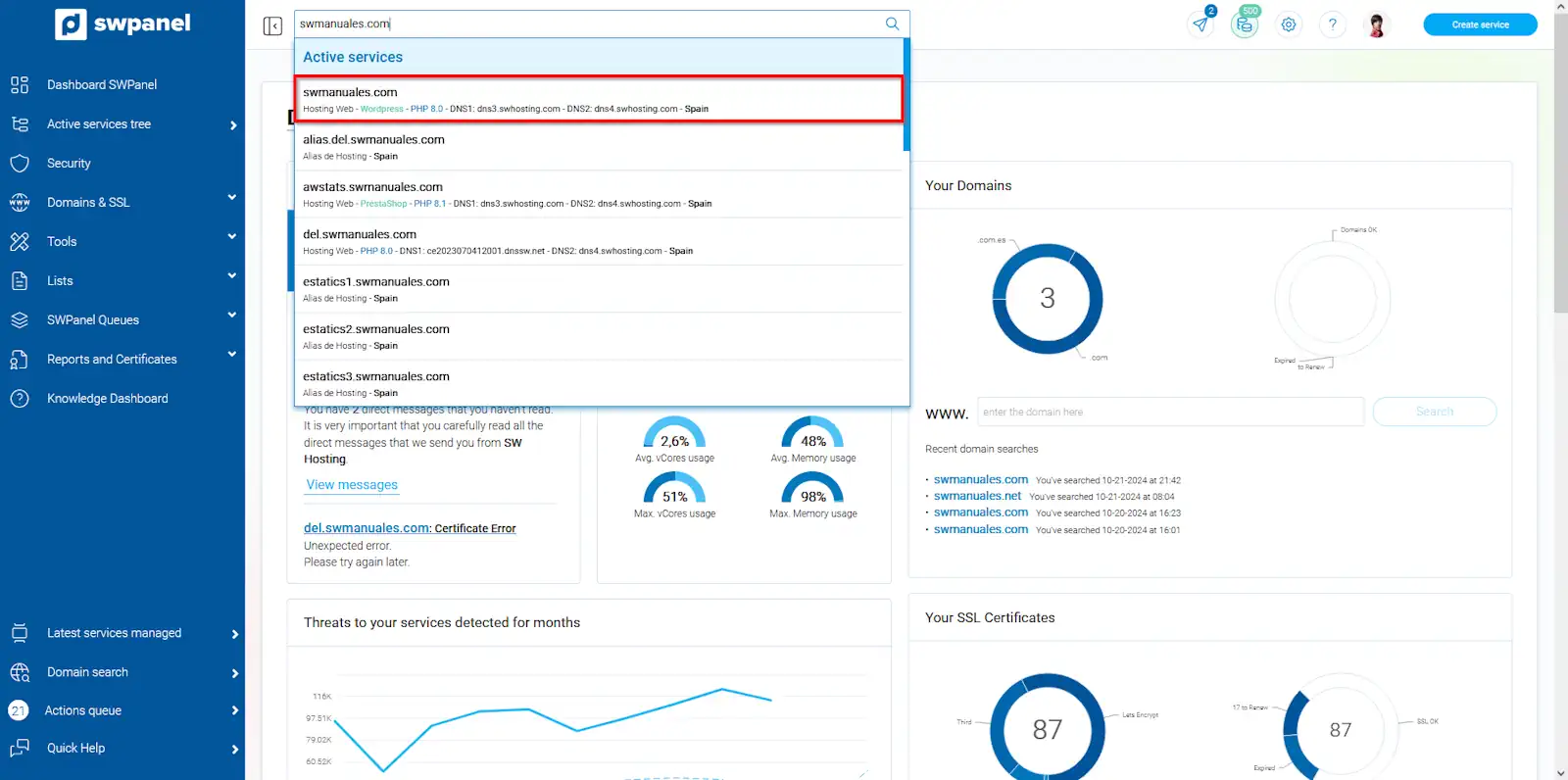
info_capture The screenshot is for guidance purposes. It was taken from version 2024.07.0128 on 25/10/2024. It may differ from what the current version of SWPanel shows.
- In the hosting service Dashboard, click on the adjust the parameters and add-ons of your Hosting plan icon among the specific functions and Hosting configuration icons.
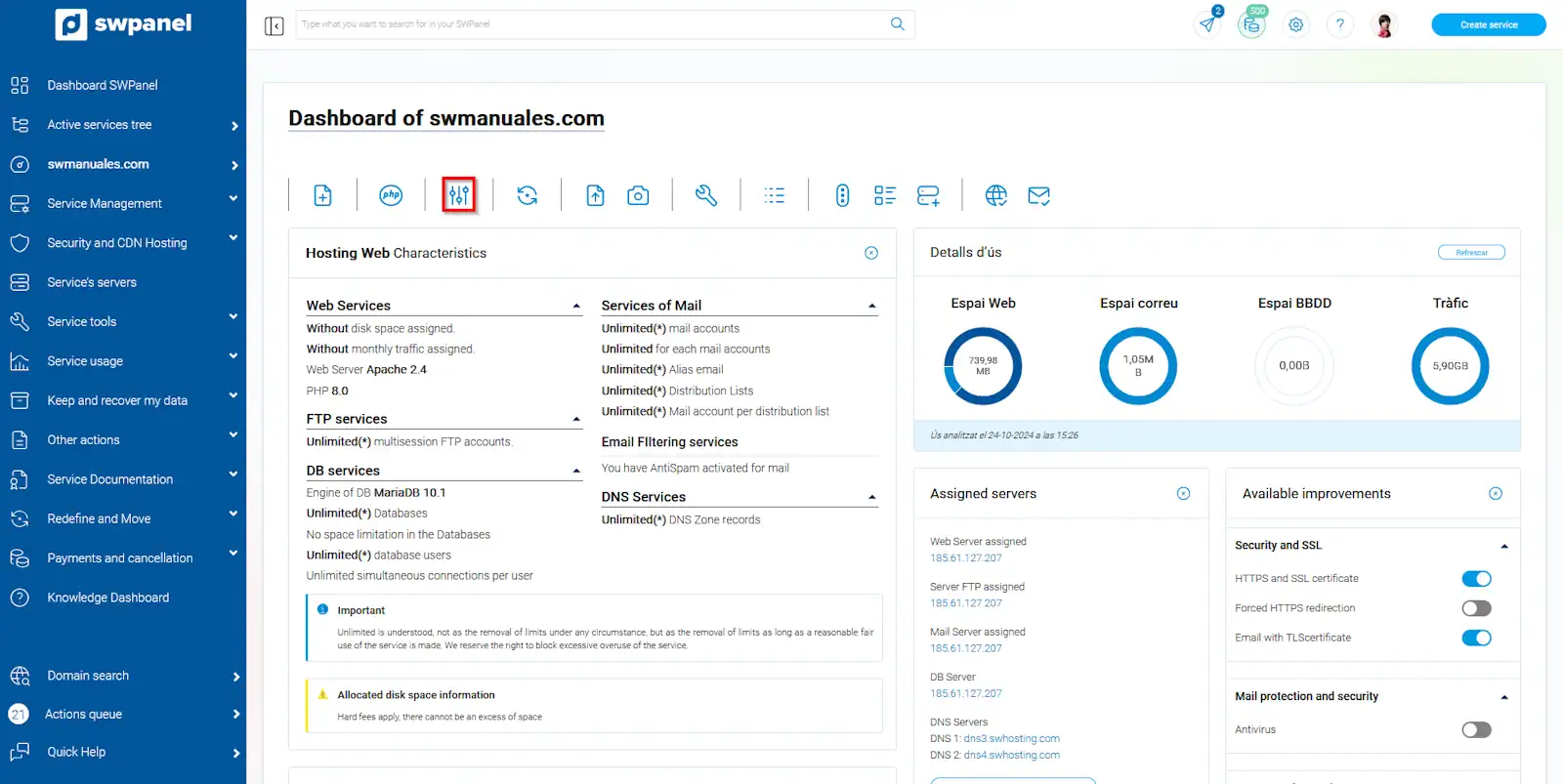
info_capture The screenshot is for guidance purposes. It was taken from version 2024.07.0128 on 25/10/2024. It may differ from what the current version of SWPanel shows.
- Now select the web service language version that suits your needs, and click on Accept and formalize changes.
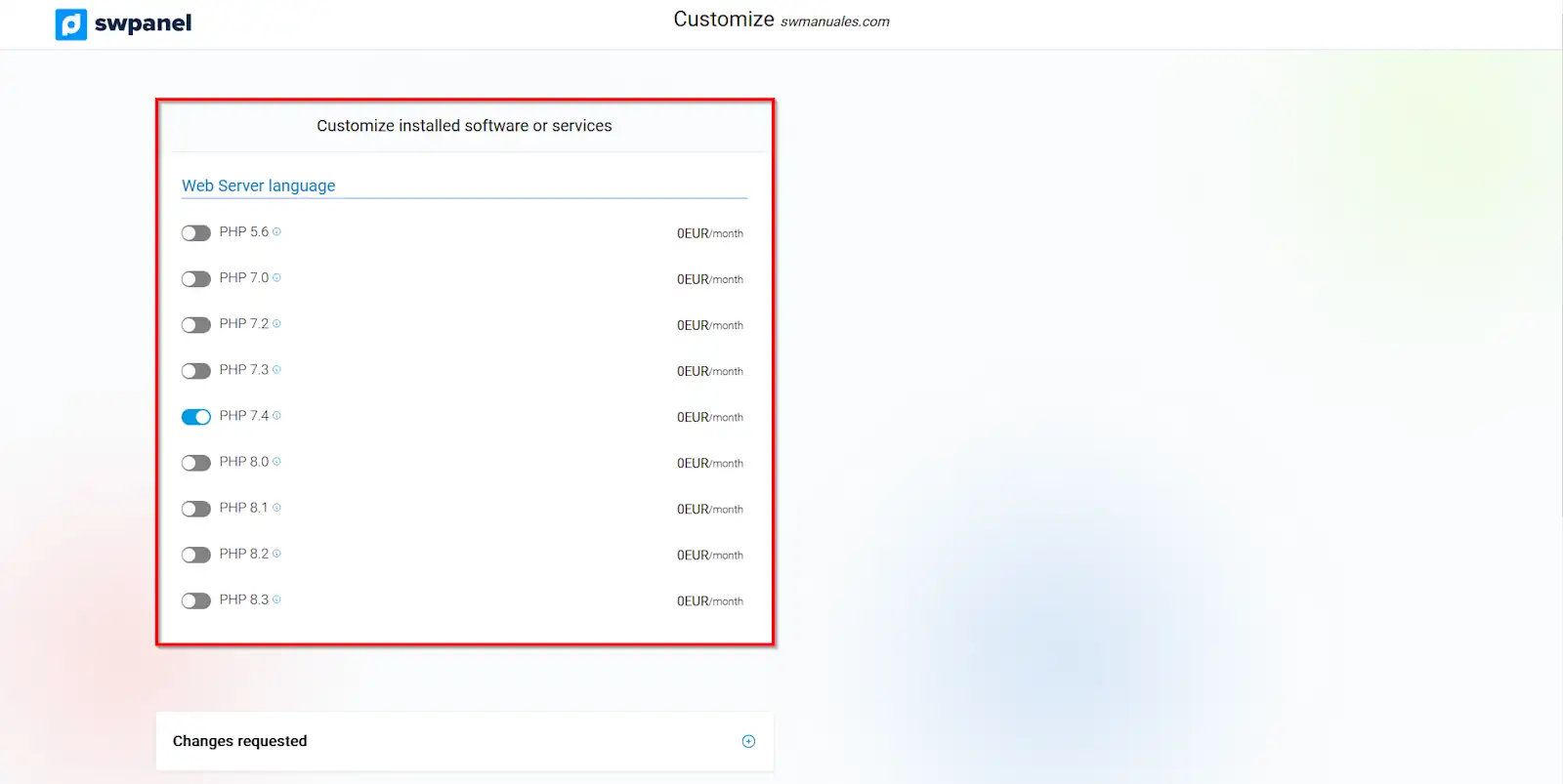
info_capture The screenshot is for guidance purposes. It was taken from version 2024.07.0128 on 25/10/2024. It may differ from what the current version of SWPanel shows.
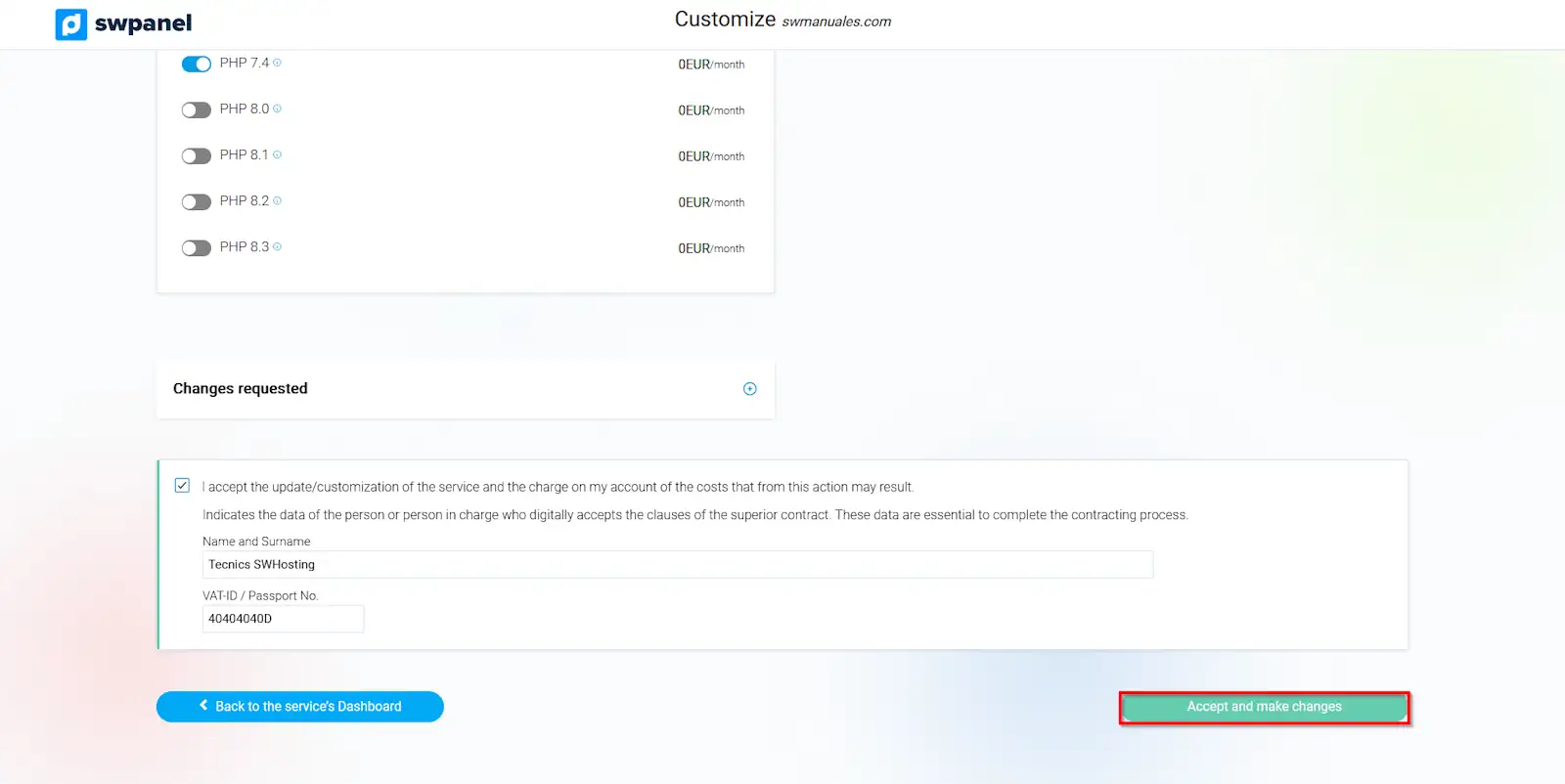
info_capture The screenshot is for guidance purposes. It was taken from version 2024.07.0128 on 25/10/2024. It may differ from what the current version of SWPanel shows.