
How to renew a hosting from your SWPanel
Renew your hosting in advance and get a 20% discount on the service price.
To renew your hosting, you must access your SWPanel account. Once inside, go to the My Services tab, which you will find in the blue left side menu.
Locate the hosting you want to renew, expand the options menu that appears to its right, and click on “Renew now”.
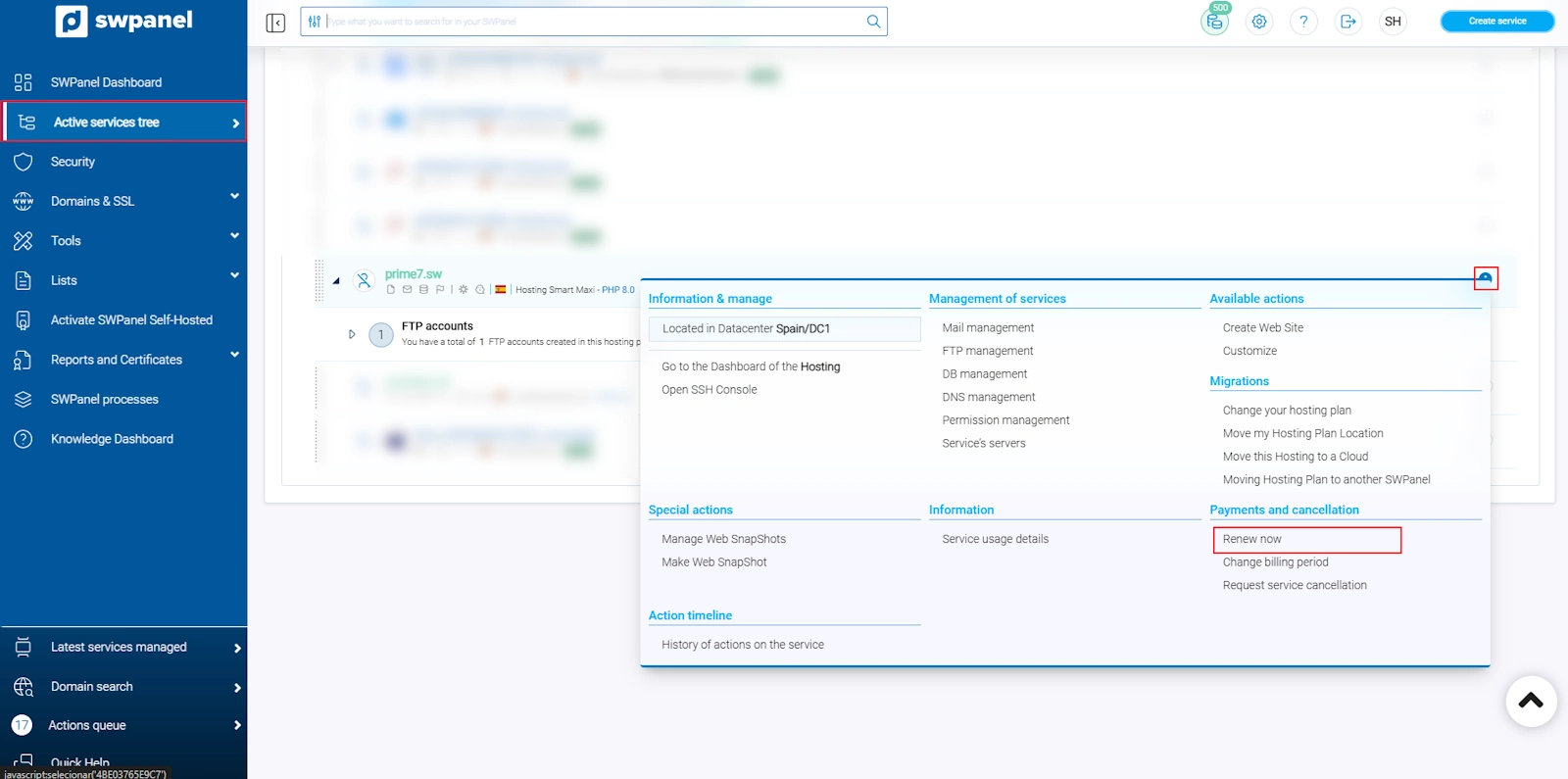
info_capture The screenshot is for guidance purposes. It was taken using version 2026.001.0023 dated 29/04/2026. It may differ from what is shown in the current version of SWPanel.
Next, the available renewal options will be displayed:
- Renew the hosting for 1 year
- Renew the hosting for 2 years
- Renew the hosting for 3 years
Select the desired period. If you perform the renewal before the expiration date, the 20% discount will be applied automatically to the price of the hosting.
Click on “Renew now” to continue with the process.
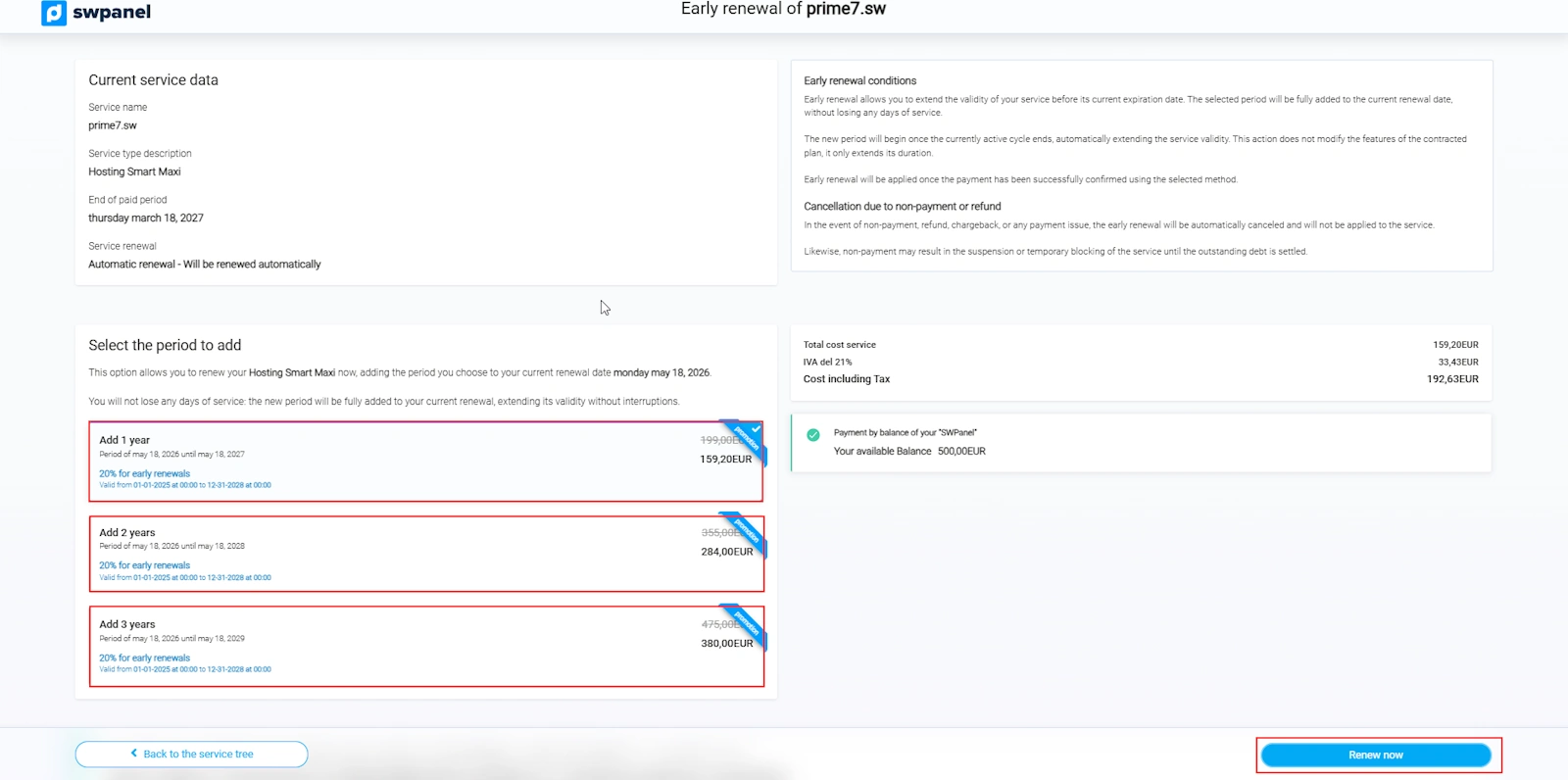
info_capture The screenshot is for guidance purposes. It was taken using version 2026.001.0023 dated 29/04/2026. It may differ from what is shown in the current version of SWPanel.
It does not matter when you renew your hosting: the contracted period will be added to the current expiration date. No days are lost by renewing in advance.
Once the process is completed, your hosting will be renewed until the new expiration date. Remember that by renewing in advance, you can benefit from the available discount and secure the current price for the entire contracted period.