
How to change the root password of your Server with SWPanel
The following manual refers to a Cloud with SWPanel as a management tool.
To change the root password of your Server, you must follow these steps:
-
In the SWPanel search bar, type the name of the Cloud server to be managed and, once located, click on it.
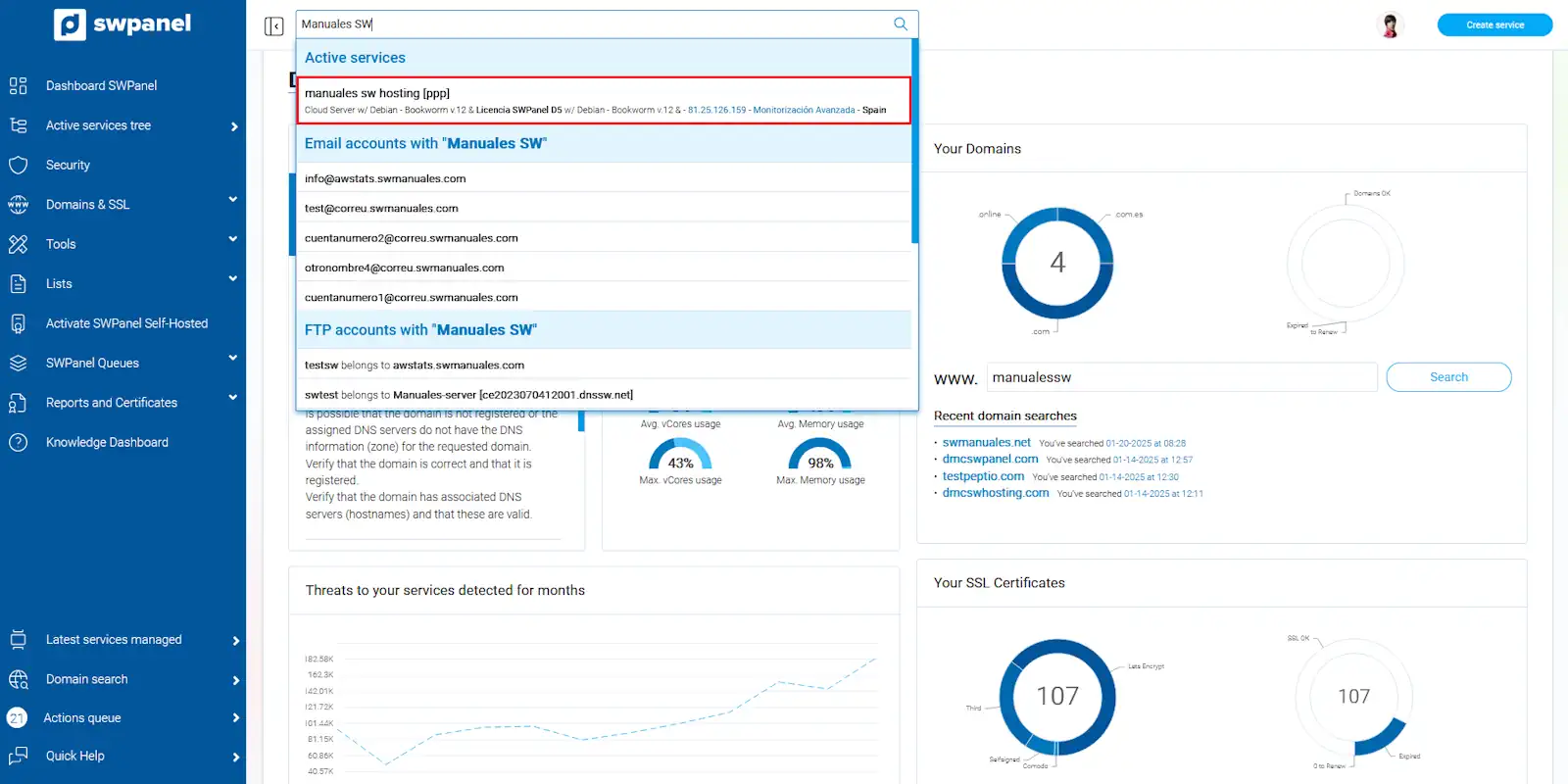
info_capture The screenshot is for guidance purposes. It was taken using version 2025.00.0017 dated 22/01/2025. It may differ from what the current version of SWPanel shows.
-
Once in the Cloud server Dashboard, go to the left side menu of your screen, expand the 'Actions on this service' submenu and, then, click on 'Service access data'. The access data for your Cloud will then appear.
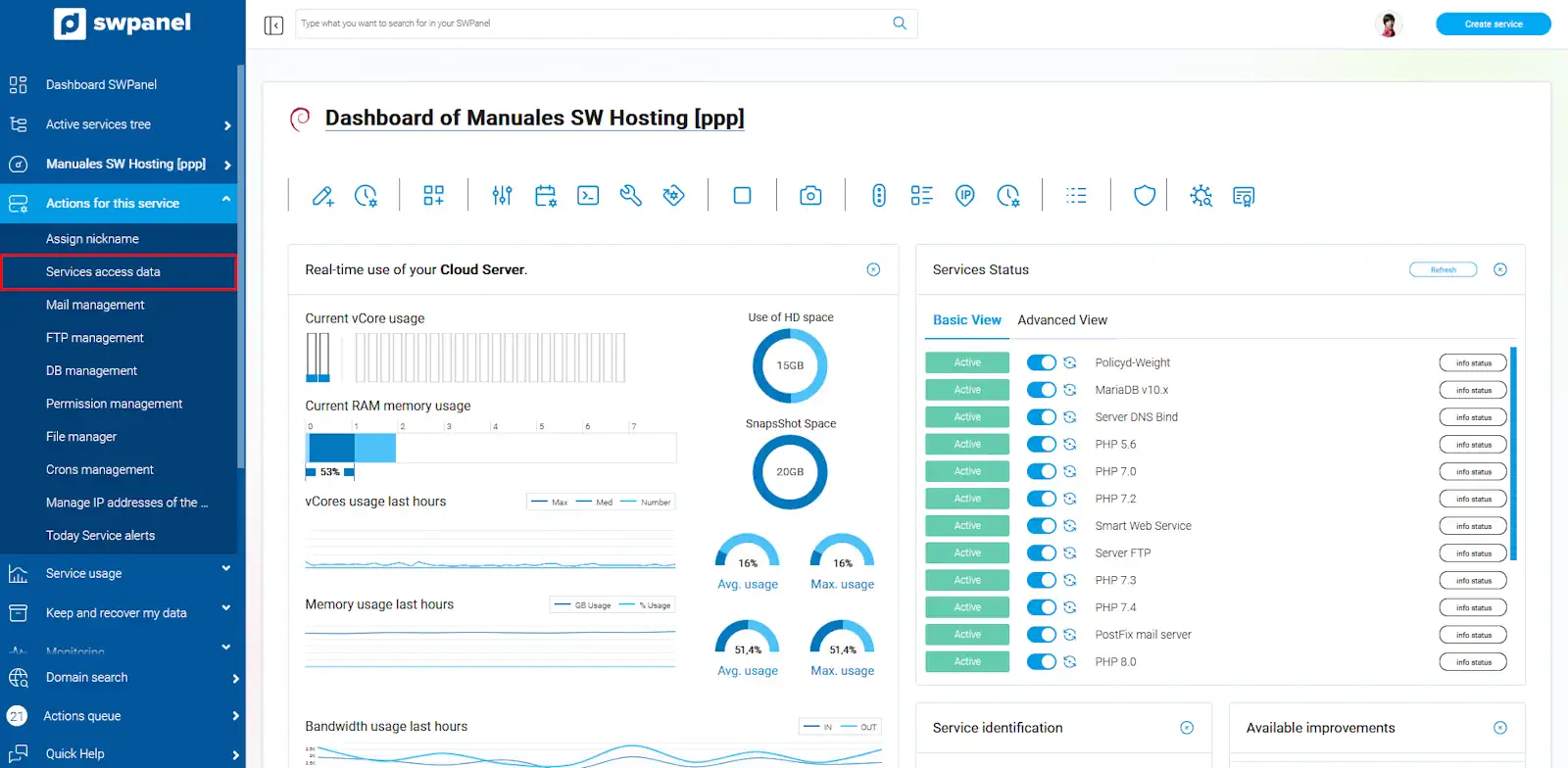
info_capture The screenshot is for guidance purposes. It was taken using version 2025.00.0017 dated 22/01/2025. It may differ from what the current version of SWPanel shows.
-
You can modify the access password for your Cloud by specifying a new one or by using the magic wand to generate one randomly. Finally, accept the changes by clicking the 'Save password' button.
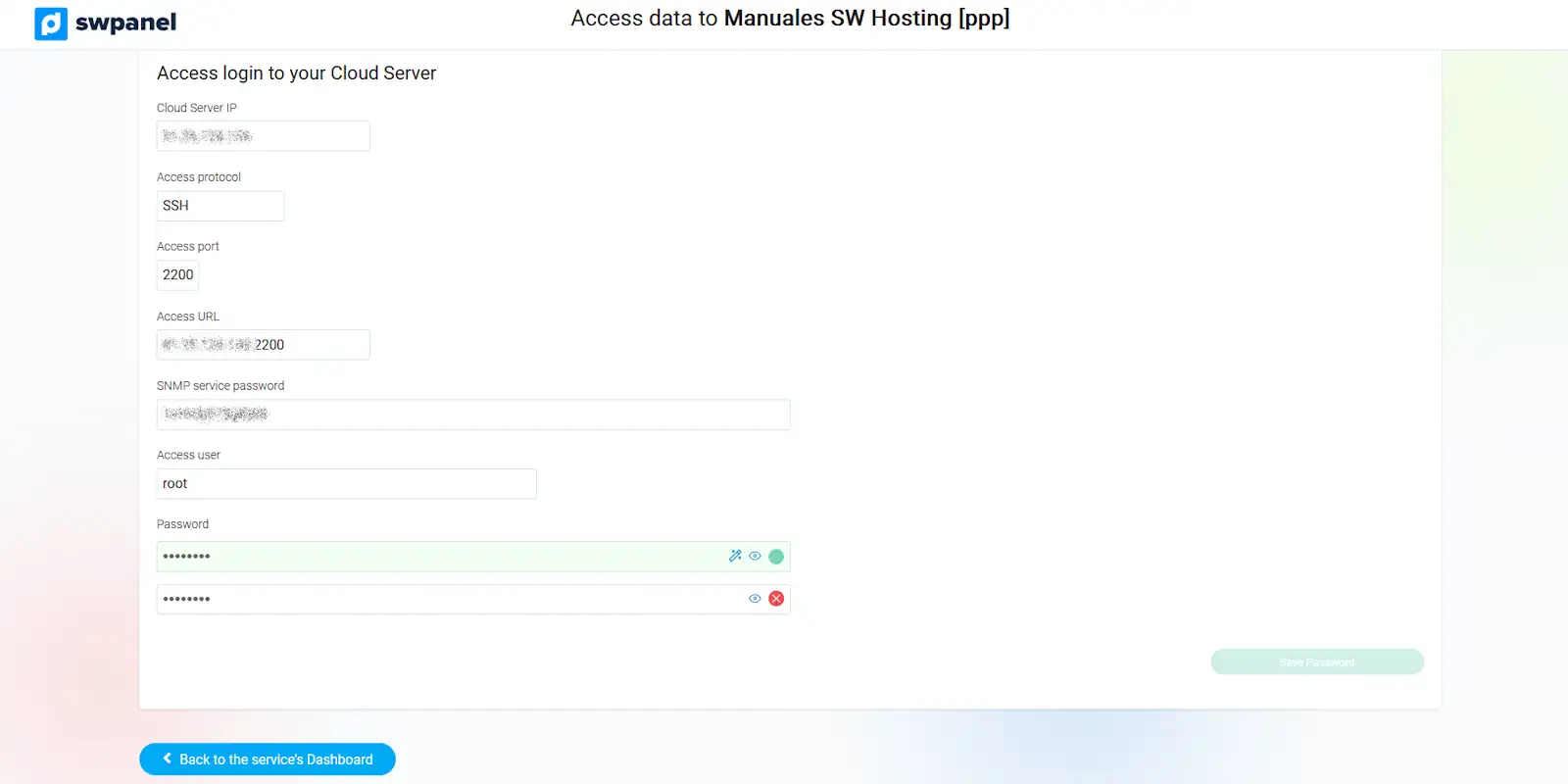
info_capture The screenshot is for guidance purposes. It was taken using version 2025.00.0017 dated 22/01/2025. It may differ from what the current version of SWPanel shows.