
How to back up my email messages by downloading them locally to my PC
The following manual will teach you how to easily save your emails locally as a backup. Using Thunderbird, as a mail client, through the free importExportTools NG add-on available for it.
Configure the email account in Thunderbird
info The configuration shown in this manual requires that your email account be previously managed via Thunderbird:
Manuale: Configure email accounts from my Hosting in Thunderbird
What is the ImportExportTools NG add-on?
ImportExportTools NG is a free Thunderbird add-on that provides users with the ability to easily import and export emails.
Since ImportExportTools is not included by default in Thunderbird, we will provide a step-by-step guide below on how to install and use ImportExportTools in Thunderbird in order to create a backup of the emails of an entire email account or specific folders.
How to add ImportExportTools NG to Thunderbird?
In the Thunderbird manager, go to Tools → Add-ons and Themes
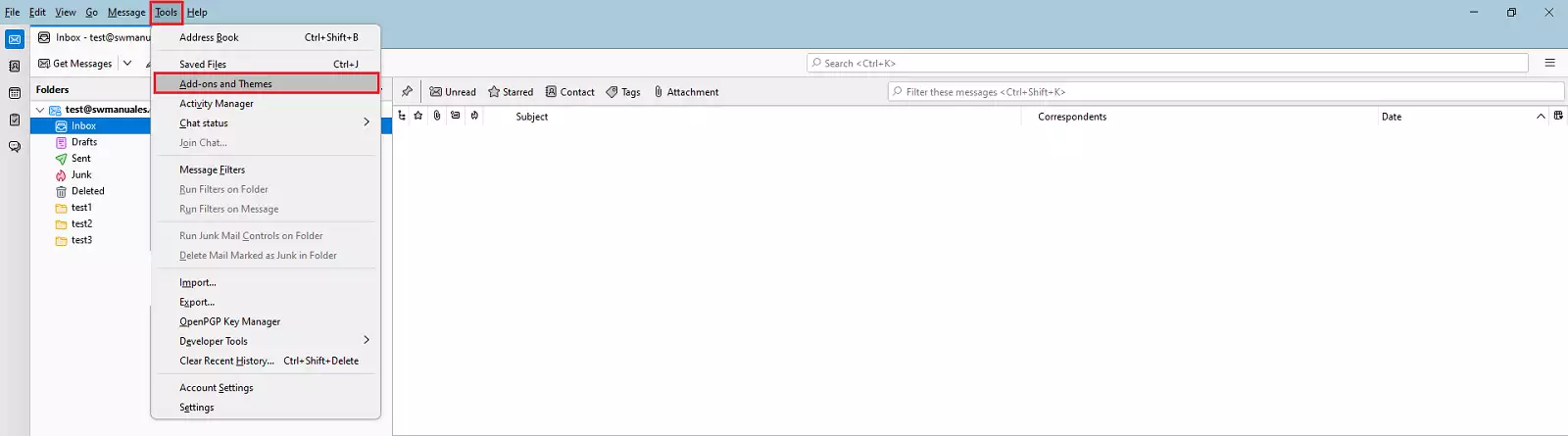
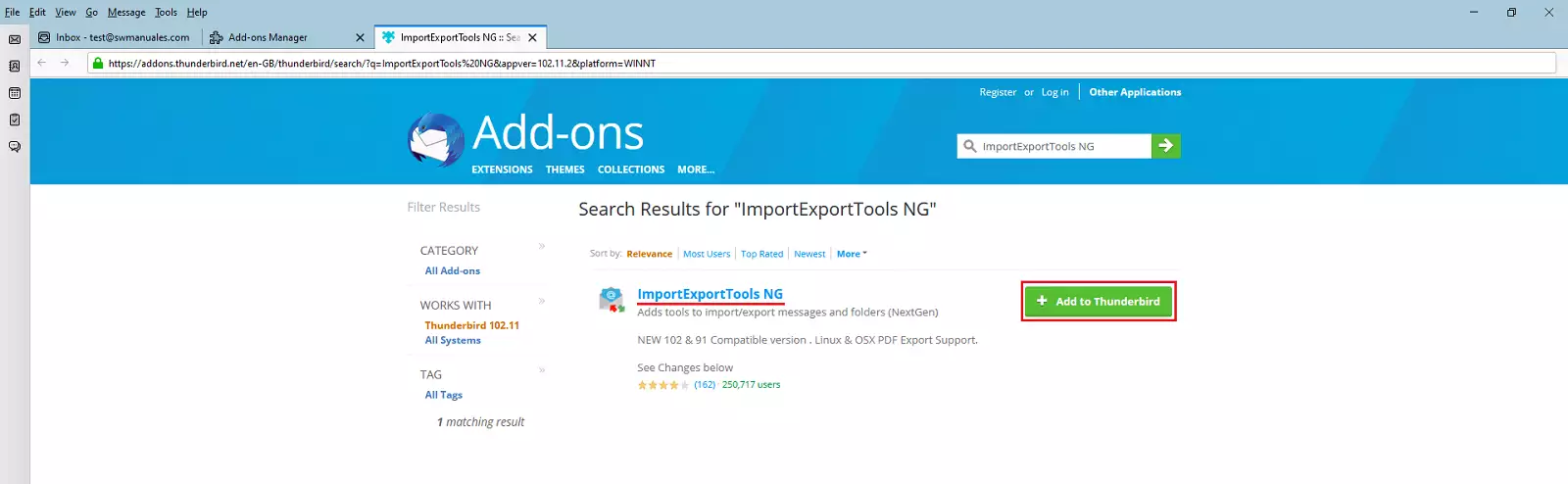
A new window will then open. Enter 'ImportExportTools NG' in the top search bar and press Enter.

Select the 'ImportExportTools NG' add-on and click the 'Add to Thunderbird' button.
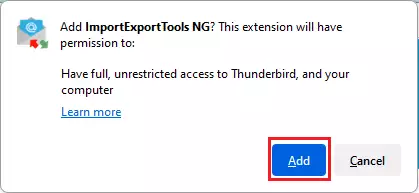
info A pop-up window may appear asking to grant permissions to the new add-on to continue the installation; click 'Add'.
Once the required add-on is installed, you will be able to perform a local export of the emails as a backup, as detailed below.
Export entire email account locally
Right-click on the email account name --> ImportExportTools NG --> Export all folders
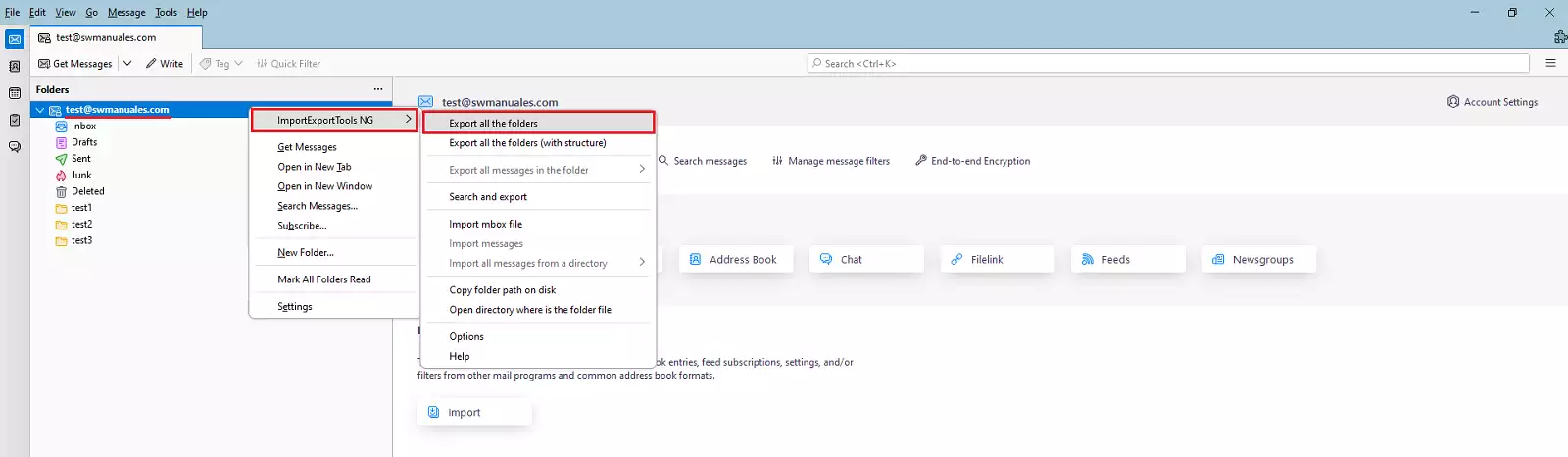
The file explorer will open for us to indicate the destination folder; select a folder and the export will begin.
Depending on the size of the email account, the export may take a few minutes to complete.
Export specific folder locally
The procedure is similar to the previous step, but with a small difference.
Right-click on the folder you wish to save --> ImportExportTools NG --> Export folder
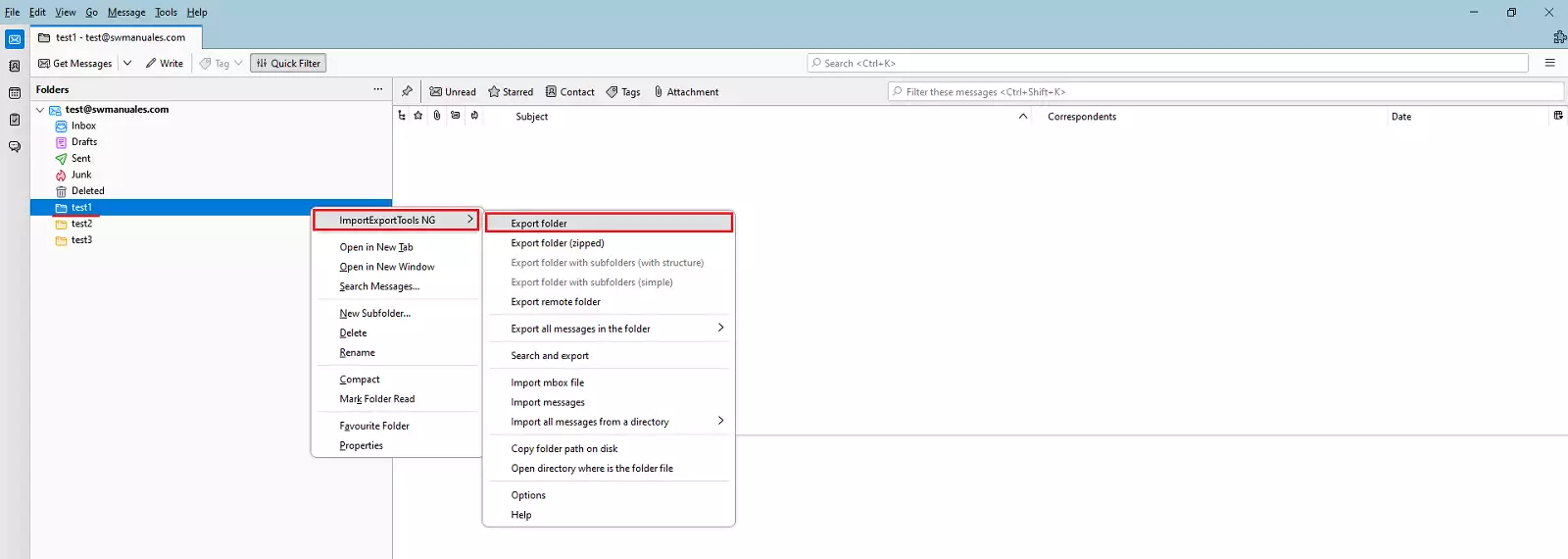
Indicate the destination folder and wait for the export to finish.
success Done! Now you know how to save your emails locally as a backup for your emails.