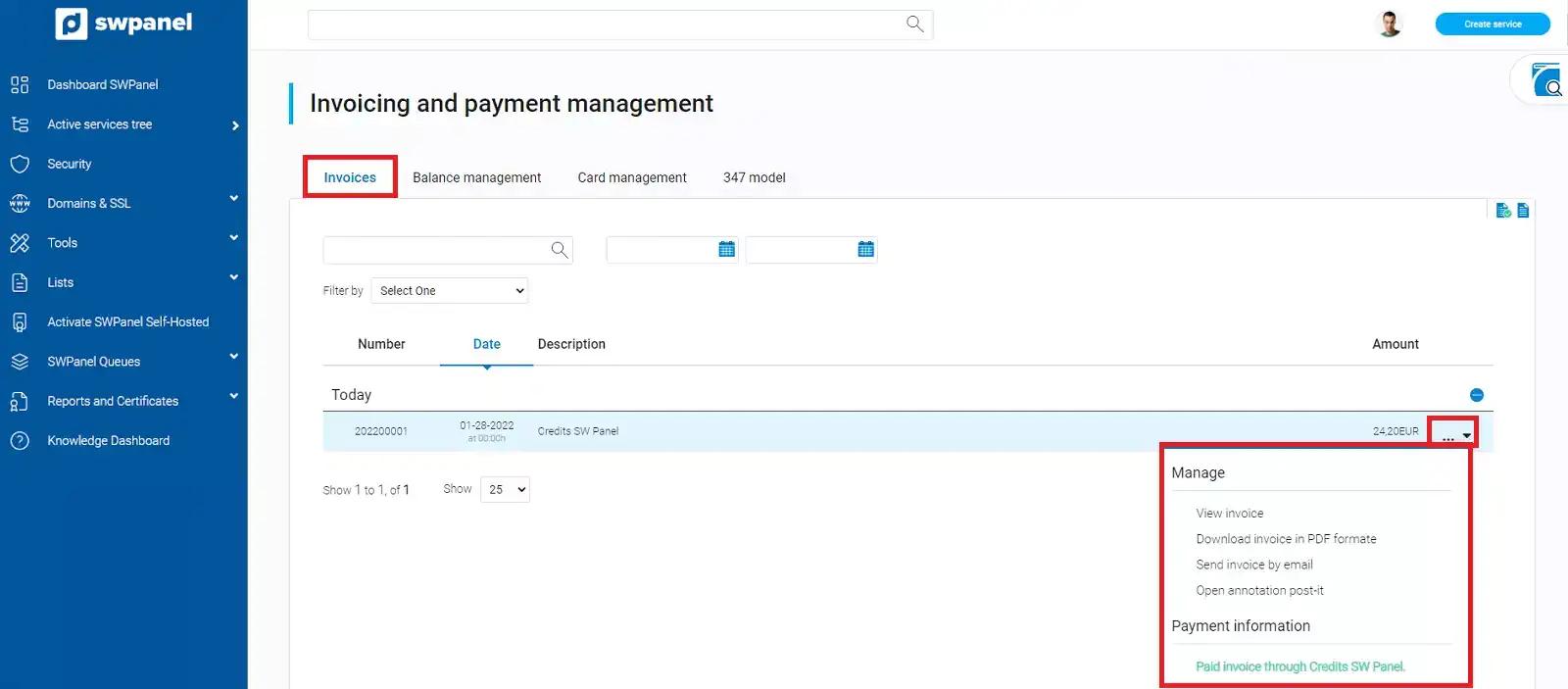
How to view and manage your invoices from SWPanel
Atualizado em
2026-10-27 12:01:20
50
visitas
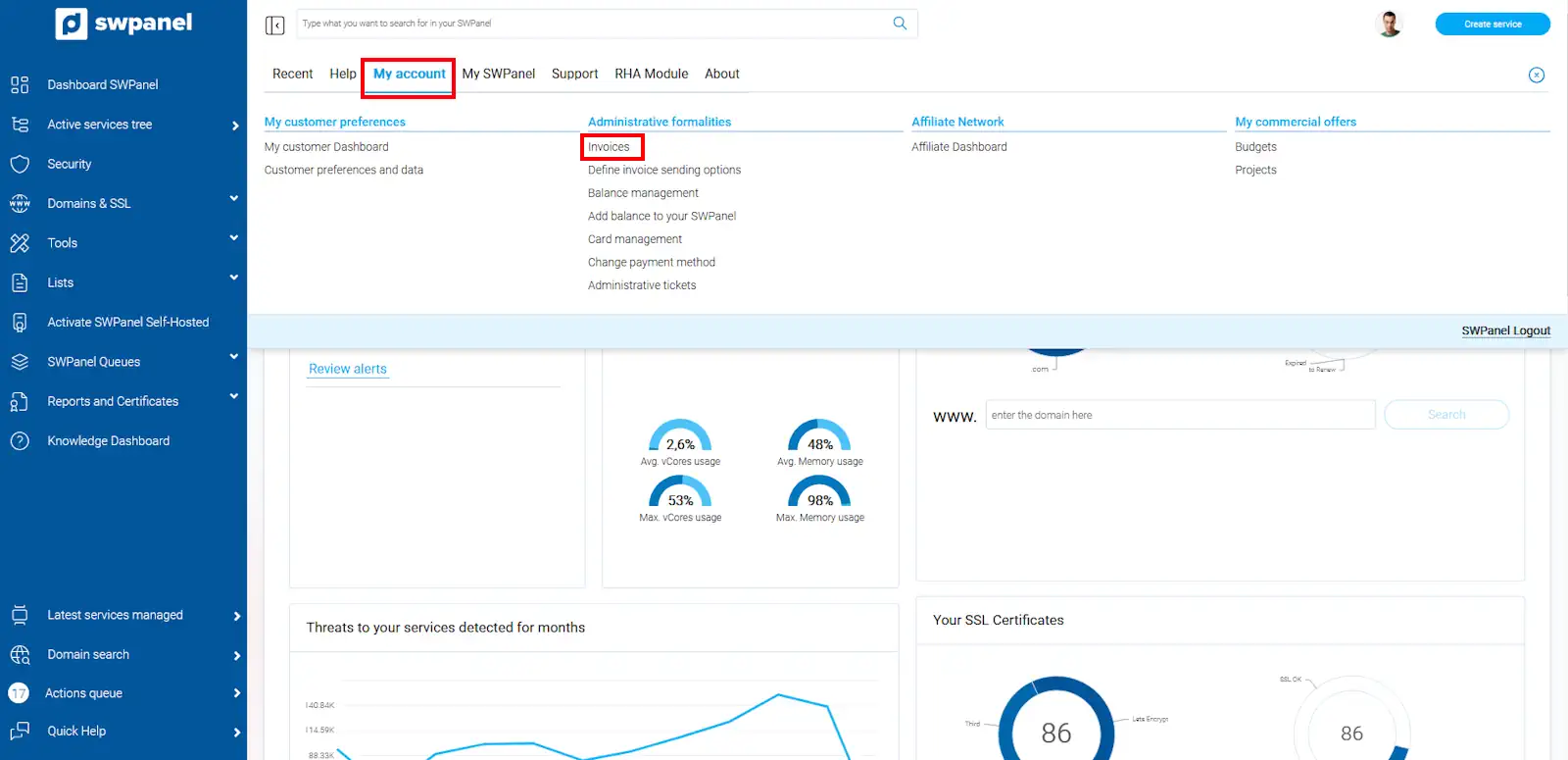
To view all the invoices generated by your client account, you must position your mouse cursor over the logo of your client account -> 'My account'. Subsequently, you must click on Invoices:
All invoices issued by SWHosting will appear here. You will see the invoice number, the date, the description, and the amount. Also, from the [ ··· ] menu located on the right side of the invoice, you will have the option to download it in PDF format or send it by email.