
How can I activate the reseller option in my SWPanel account?
Enabling Reseller format in your SWPanel account offers you multiple advantages, including:
- Management of Hosting, services, DNS templates and resource control.
- Access to service control tools.
- Access to community tools.
- Visualization of generic service lists in the main SWPanel Dashboard.
- Ability to activate the RHA module.
- Management of SWPanel users.
- Creation of MultiHost services.
- During the creation of new services, it allows:
- Activating login by services.
- Assigning a service to a user.
- Assigning a control template.
Enabling Reseller format is very simple from your SWPanel preferences:
- Log in to your SWPanel account.
- Go to the upper right corner and hover over your profile.
- Click on 'My SWPanel'.
- Select the 'My SWPanel Preferences' option.
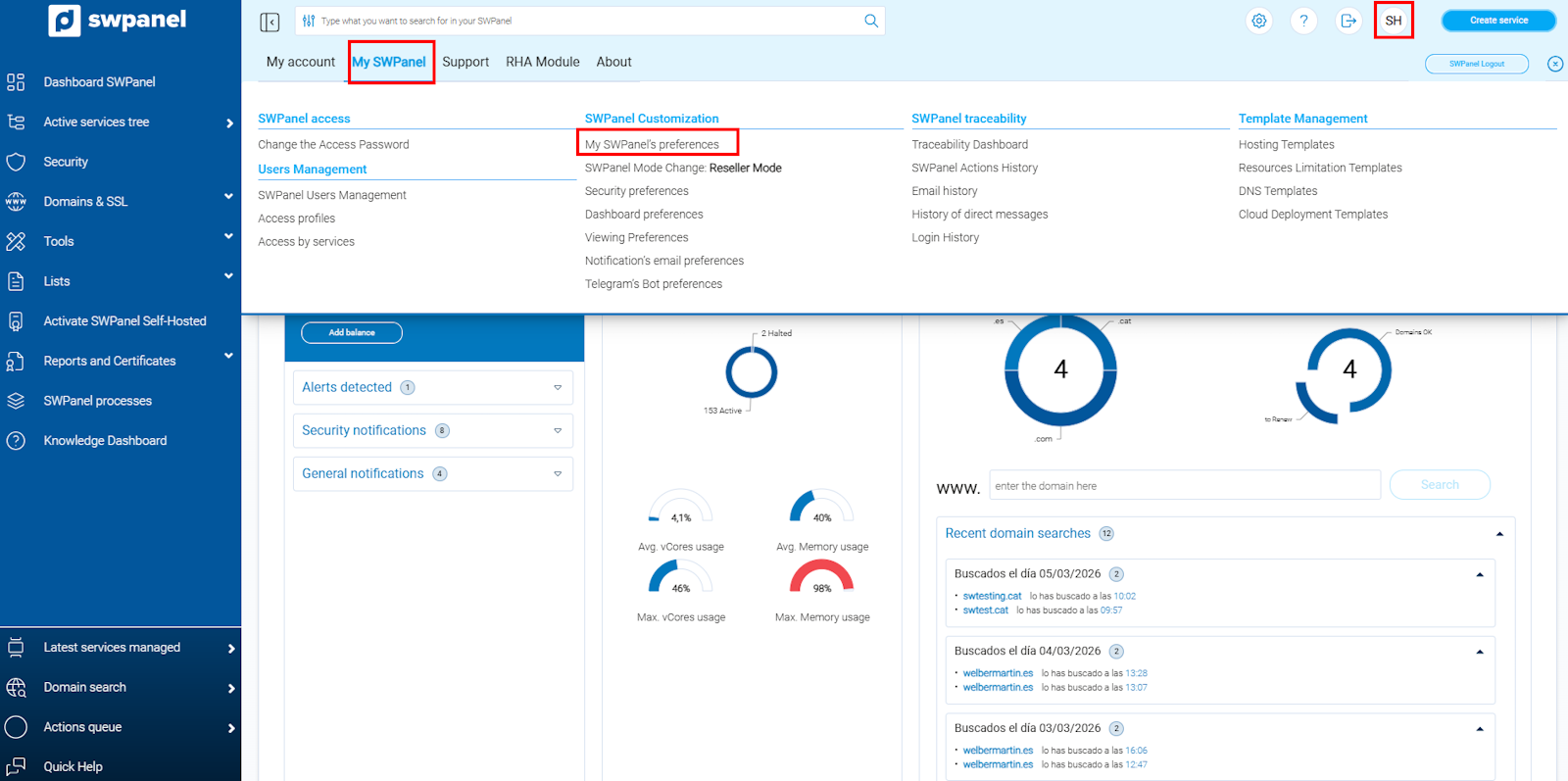
info_capture ℹ️ Note: The screenshot is for guidance purposes, taken from version 2026.000.0001 dated 07/03/2026. It may differ from the current version of SWPanel.
Next, click on the Operation section. From there, you will be able to select the Reseller format.
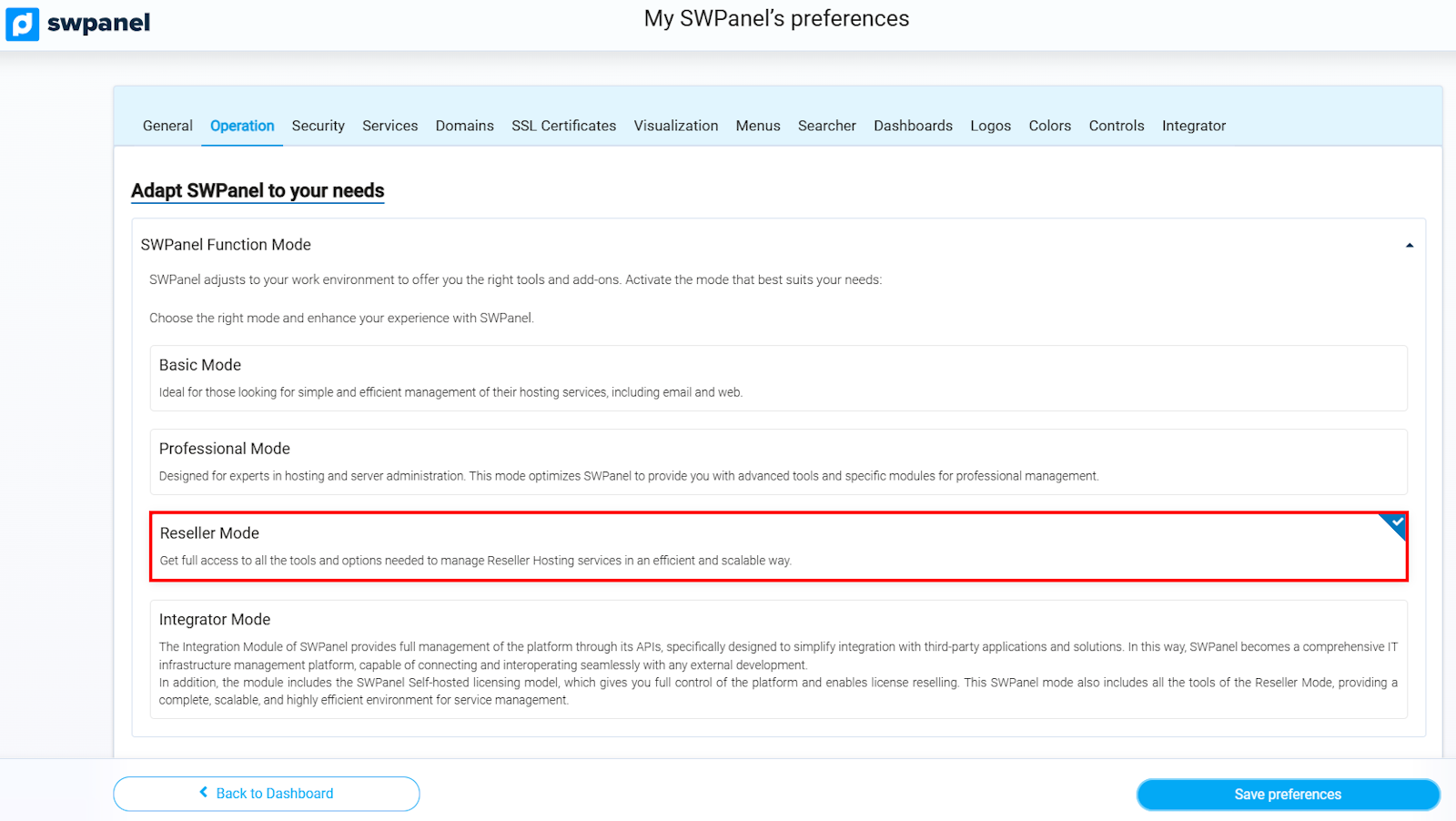
info_capture ℹ️ Note: The screenshot is for guidance purposes, taken from version 2026.000.0001 dated 07/03/2026. It may differ from the current version of SWPanel.
Finally, scroll to the end of the page and click Save to apply the new preferences.
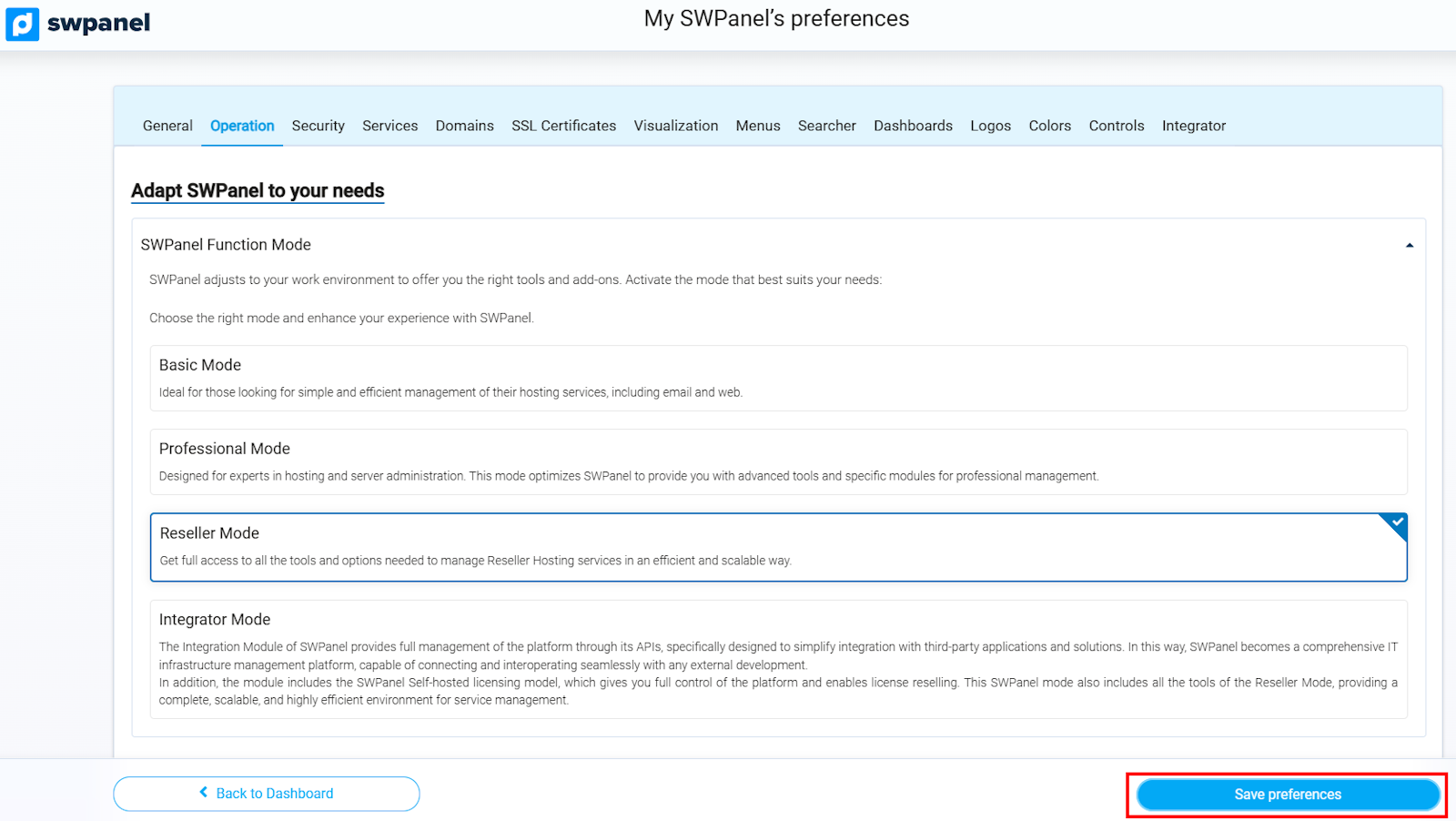
info_capture ℹ️ Note: The screenshot is for guidance purposes, taken from version 2026.000.0001 dated 07/03/2026. It may differ from the current version of SWPanel.
Once the changes have been made and applied, you will immediately begin to enjoy all the advantages of a Reseller format account, including all the management extras mentioned above.
For more information about SWPanel modes, refer to manual ? Manual: ##título##.