How to manage Cloudflare WAF security rules
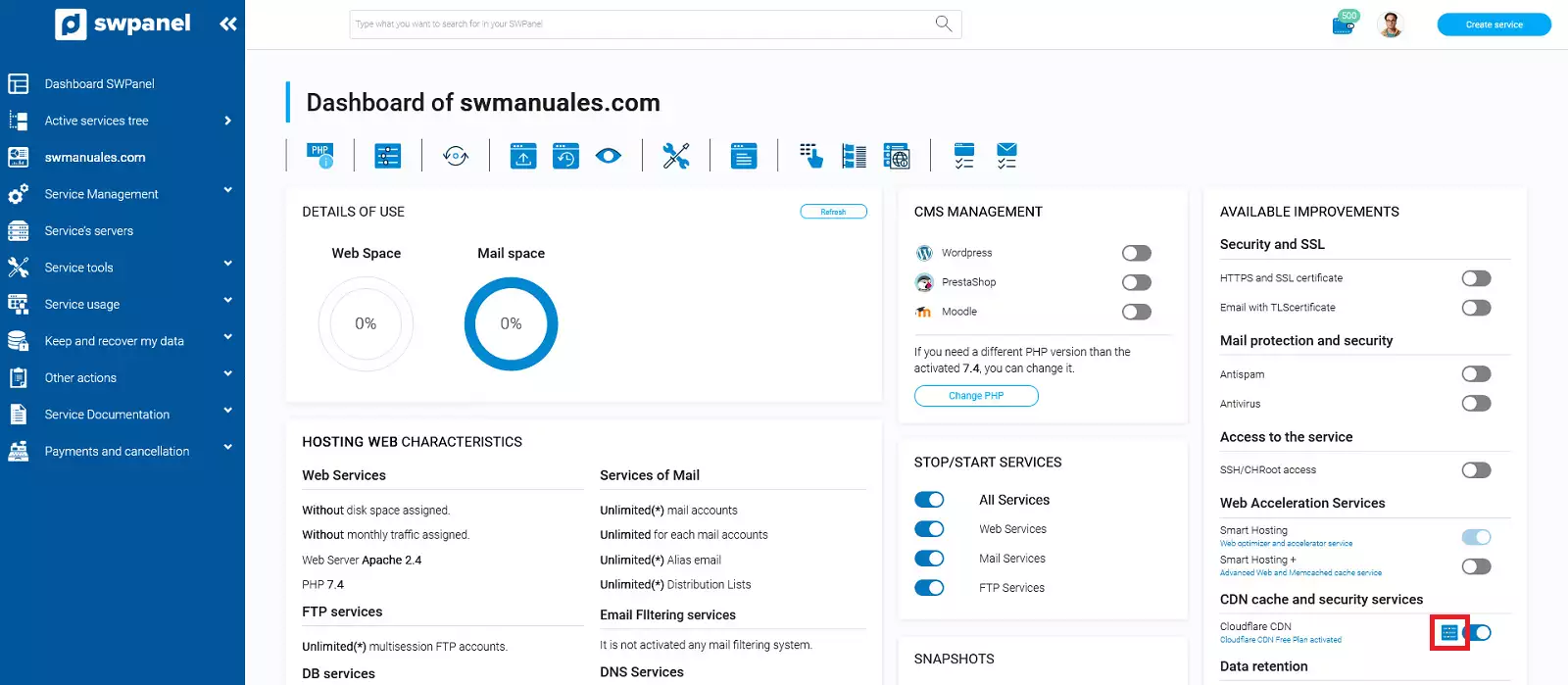
To create WAF rules and restrict access to your service in Cloudflare CDN from SWPanel, first access your service dashboard:

Subsequently, in the 'Available Improvements' panel, click on the icon that appears next to the button to activate 'Cloudflare CDN':
Create a new rule
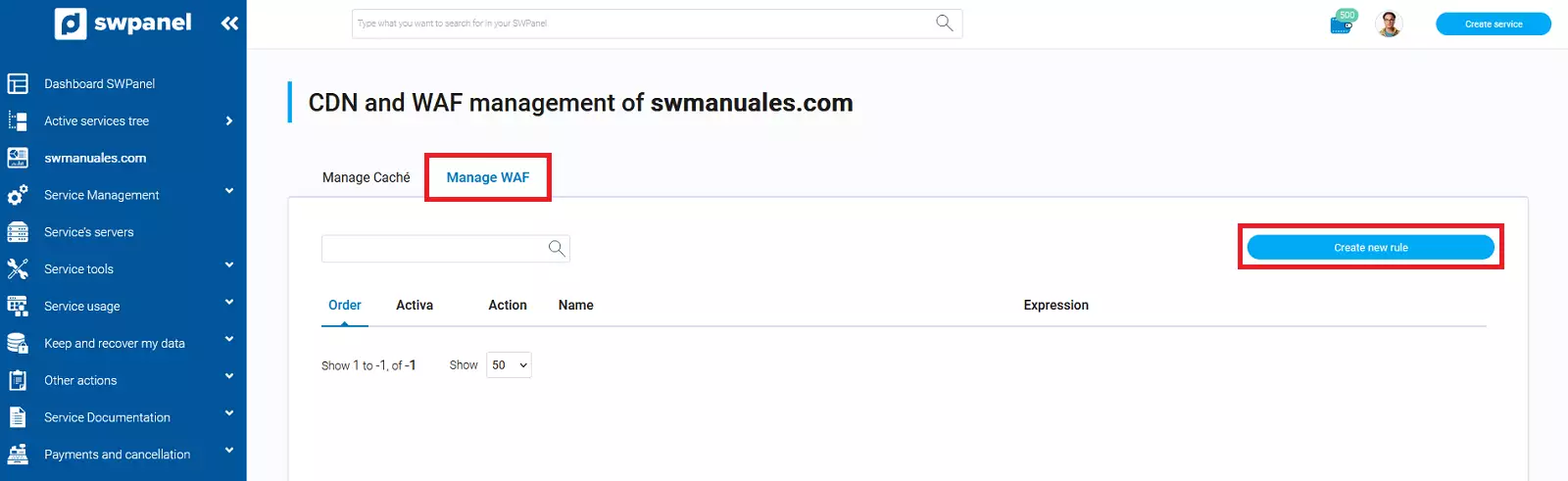
The following window will open, where you should go to the 'Manage WAF' tab. Click on 'Create new rule':
You must specify a name for the rule.
You must specify which field of the user's web request you want to filter. In this case, we will filter by the continent from which the request originates.
Choose the condition and the value that must be met.
Finally, if the chosen condition is met, the firewall will block the request.
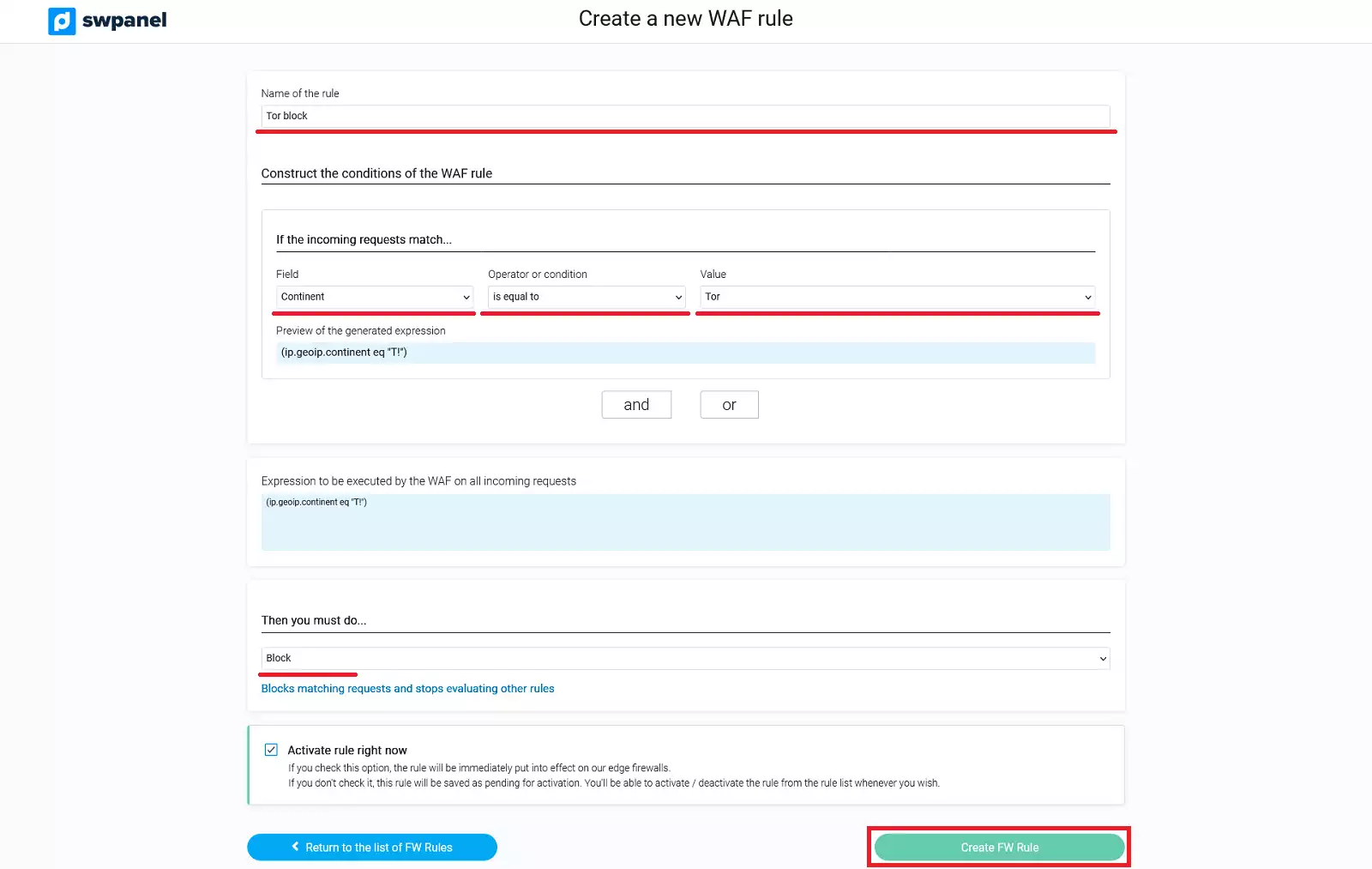
info Using the 'and' and 'or' operators, you can concatenate several conditions within the same rule.
For example, to block two countries within the same rule, we will use the 'and' conditional.
Manage a new rule
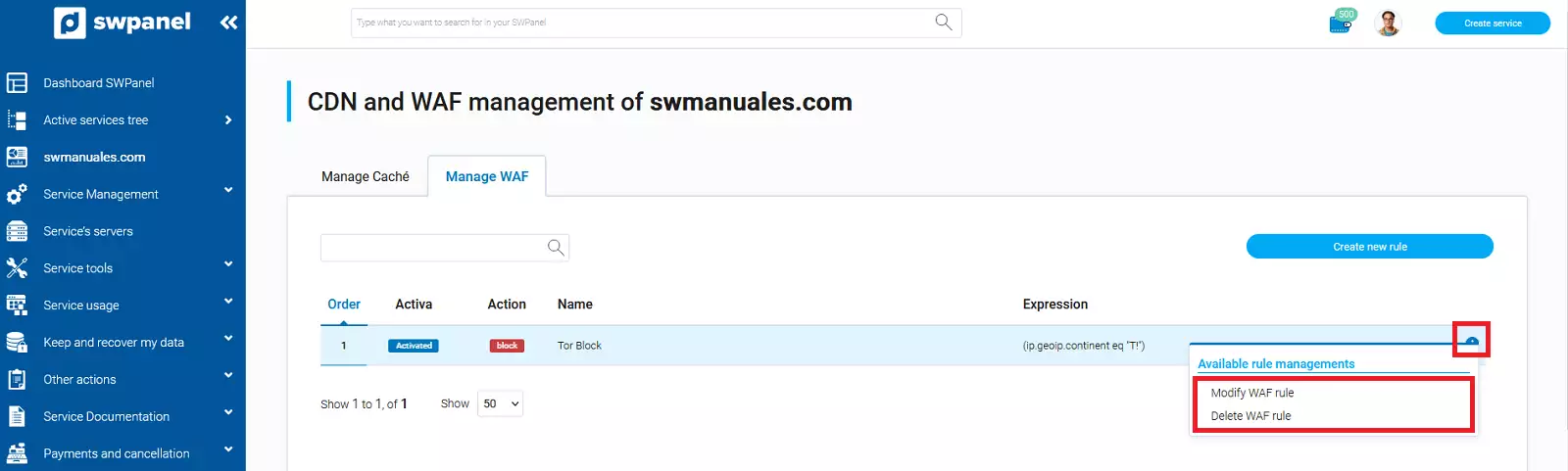
If you have existing rules, you can edit or delete them using the [...] menu: