
Unblock the browsing IP of your website in Fail2Ban
All SWHosting servers feature the Fail2ban automatic security system. This system analyzes access attempts against the various server services (web, mysql, email, etc.) and blocks an IP if it exceeds the number of incorrect login attempts allowed within a specific time frame.
Both the number of attempts and the time frame in which they are allowed are configured in fail2ban. You can learn more about its operation and configuration in the manual attached below.
Where can I see if my IP has been blocked?
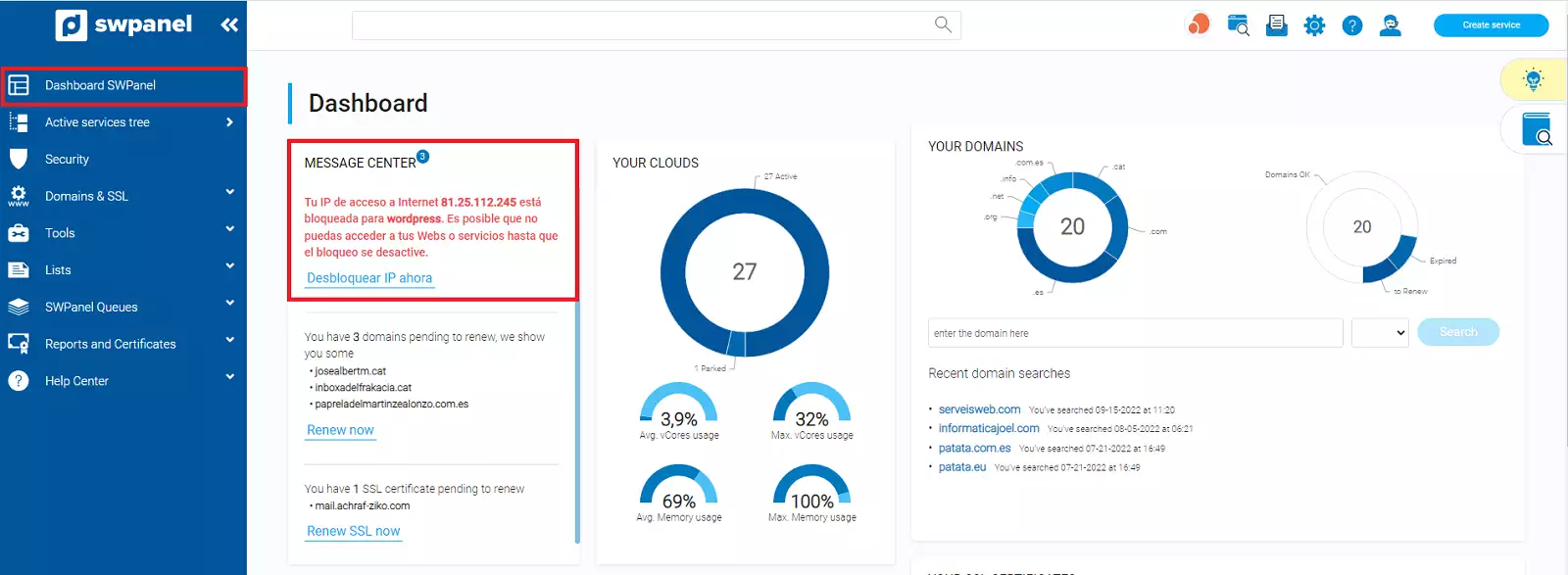
In case your IP has been blocked, you can view it via SWPanel. Once you have logged into your client account, you can view this information in the General Dashboard.
Can I unblock my IP if it has been blocked by mistake?
Indeed, this option is designed for such occasions. Since the system automatically blocks consecutive erroneous access attempts, it may happen that, due to human error, incorrect credentials are entered several times, triggering a block by the fail2ban system.
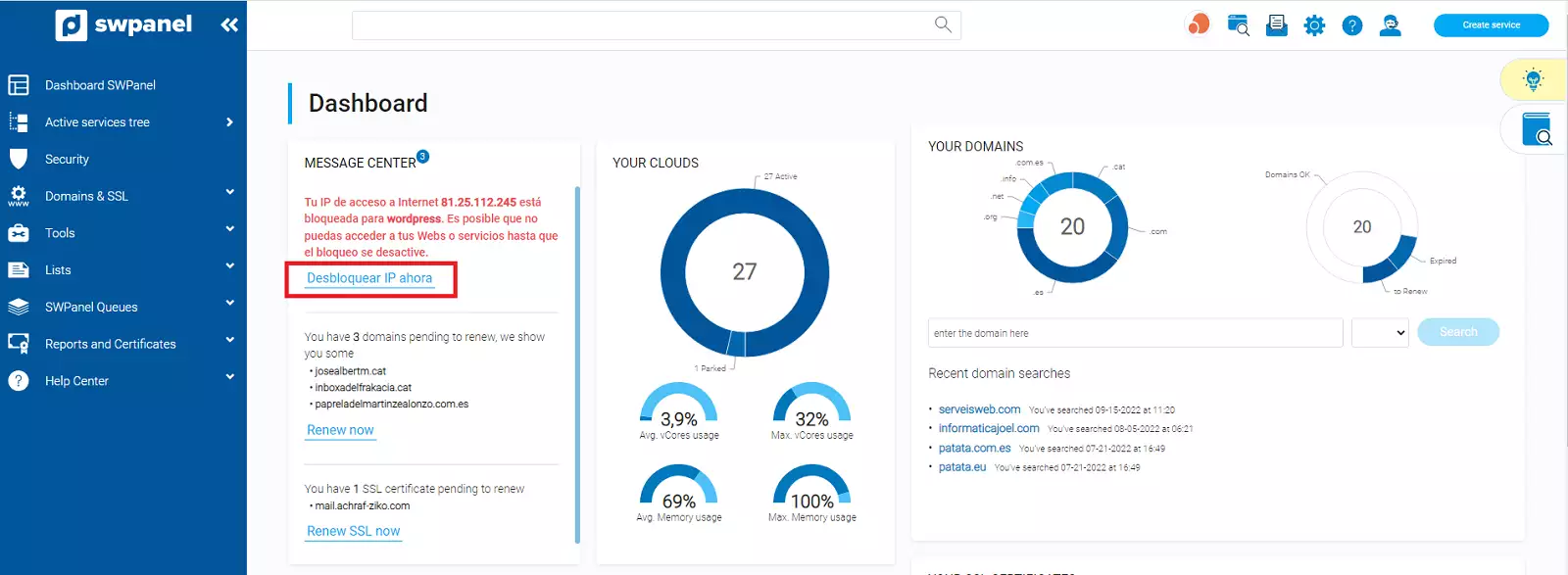
If you find yourself in this situation, go to the section mentioned above, and just below the block notice, you will see the option "Unblock IP now".
Once you select the option to unblock the IP, you will see a window where confirmation of your unblocking action will be requested and the following will be reported: IP information, its place of origin, the server on which it has been blocked, the service on which the block was performed, and the start date of the block.
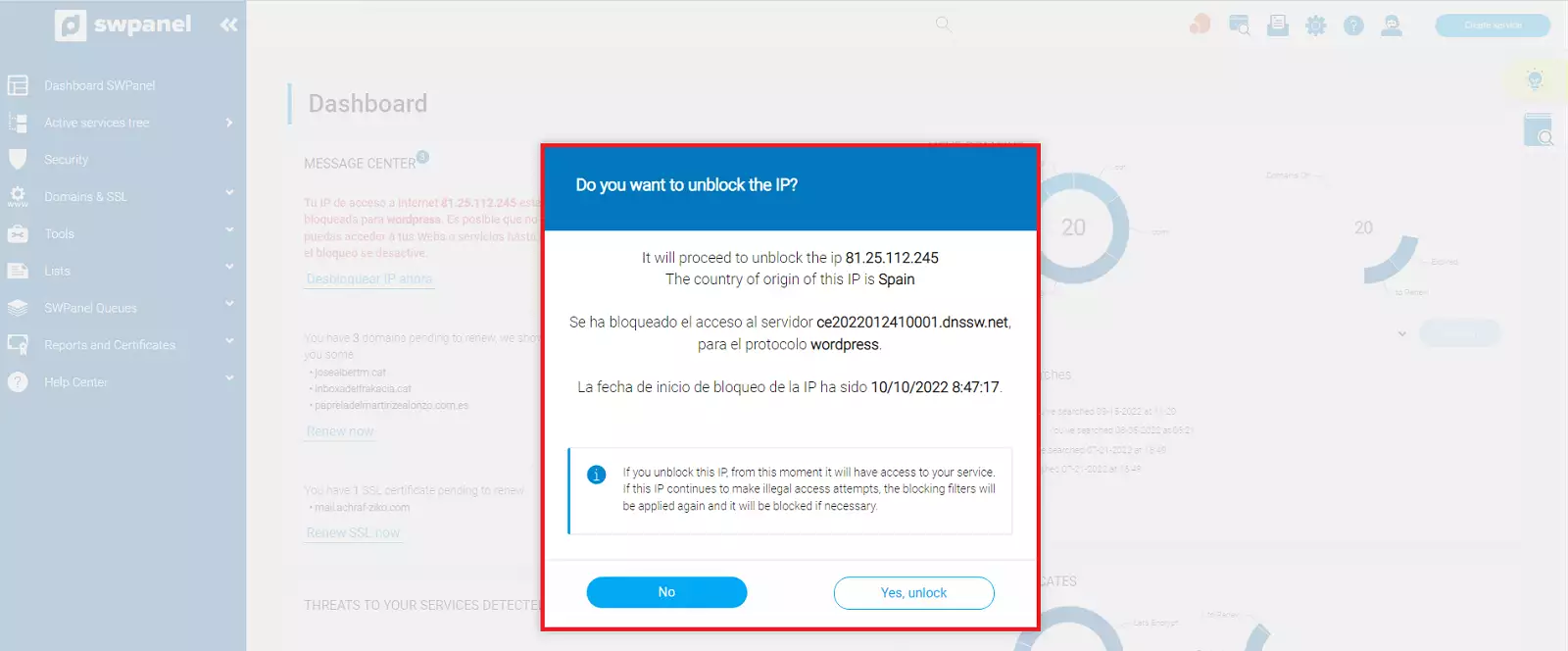
Simply select the option "Yes, unblock" to proceed with unblocking your IP.