
Hosting
Smooth, hassle-free administration
We simplify your hosting administration so you can focus on what really matters.
Screens
This is how a hosting is managed, screen by screen
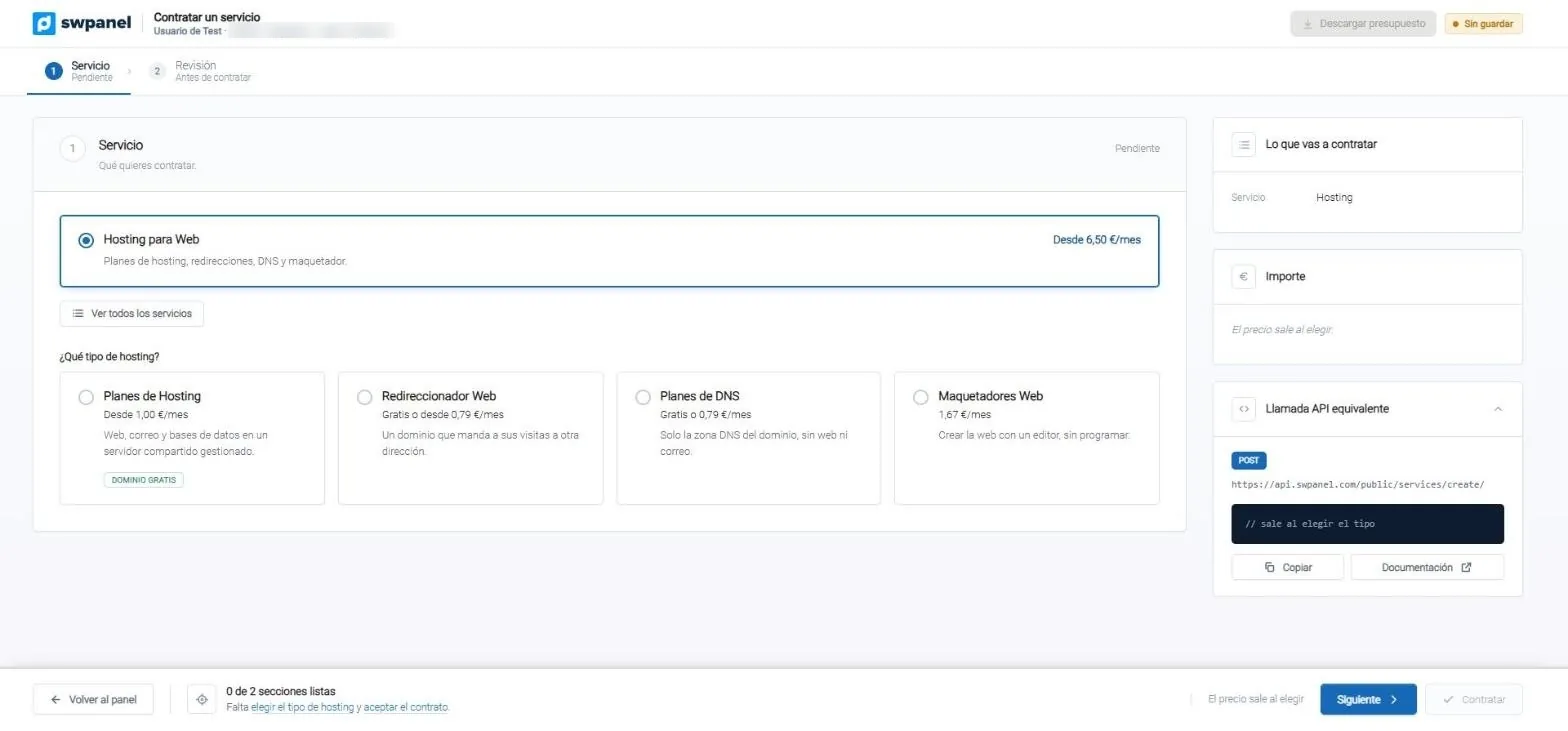
- Two steps: you choose the service and review it before ordering.
- What you want to order. Here, hosting for websites: plans, redirects, DNS and builder.
- Which type of hosting: shared, redirector, DNS only or builder, with its starting price.
- What you'll order and its amount, updated as you choose.
- The equivalent API call: the same thing you do here, automatable from your systems.
- What's left to finish. Nothing is ordered until you review it.
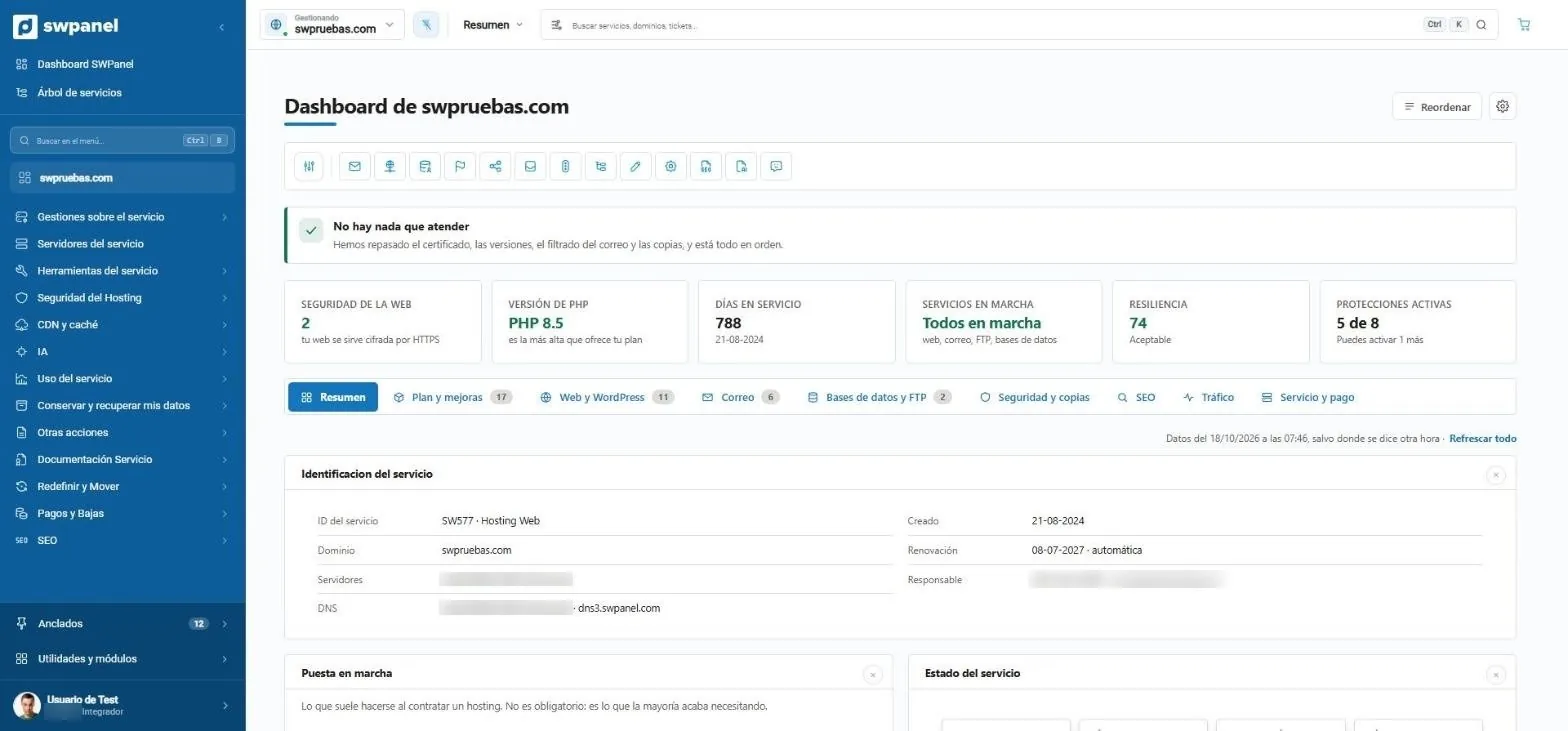
- The whole service in the menu: management, servers, tools, security, CDN, AI, backups, documentation and payments.
- Shortcuts to the hosting's most used management tasks.
- What needs attention, in one sentence. Here, nothing: certificate, versions, email filtering and backups, all in order.
- Six figures at a glance: HTTPS, PHP version, days in service, running services, resilience and active protections.
- One tab per topic: plan and upgrades, website and WordPress, email, databases and FTP, security and backups, SEO, traffic and payments.
- The service record: ID, domain, servers, DNS, sign-up date and automatic renewal.
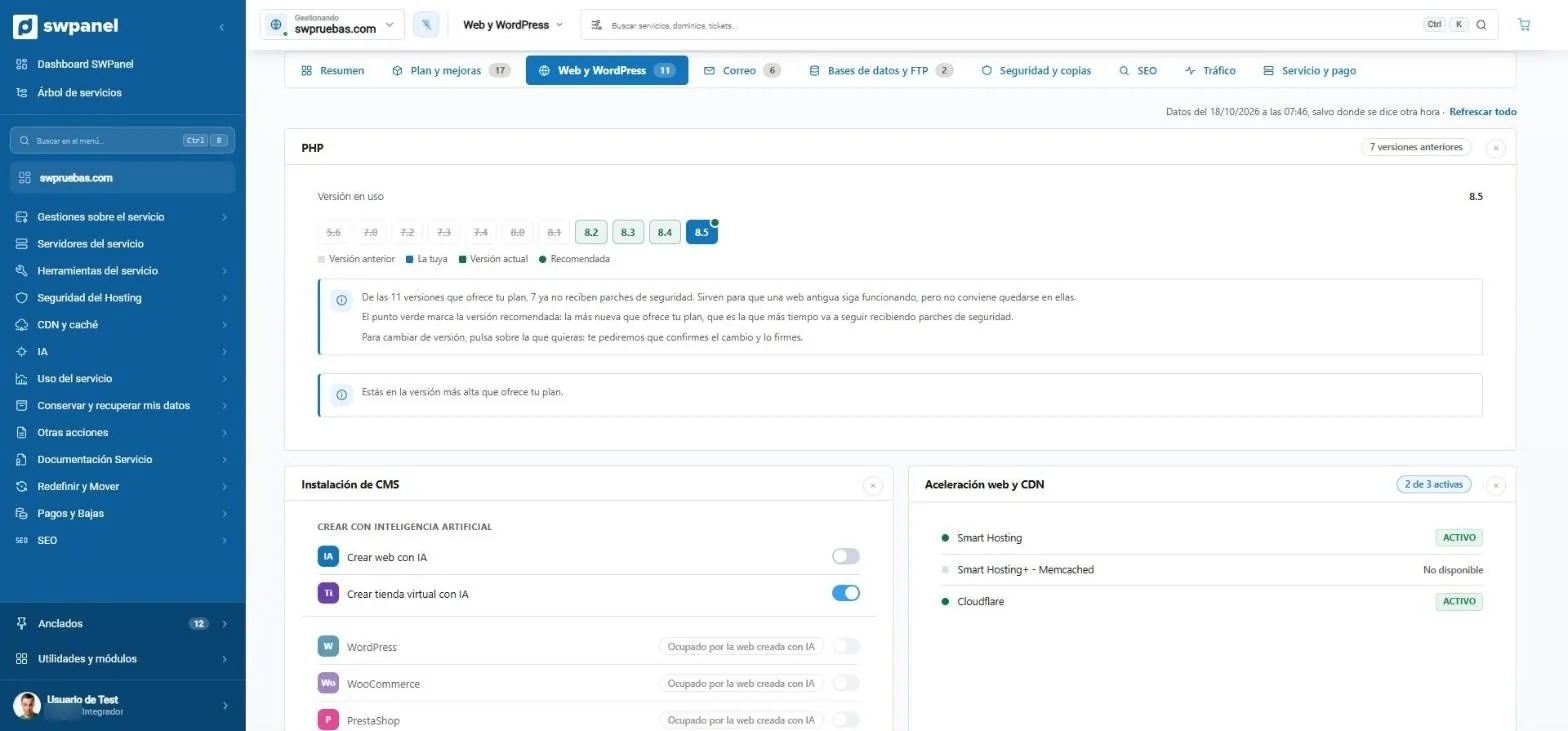
- PHP version, in view: yours, the current one and the recommended one. Crossed-out ones no longer receive patches.
- Why it matters, explained: which versions no longer receive patches and which one suits you. Changing version asks for confirmation.
- Create the website or store with AI, with a switch.
- WordPress, WooCommerce, PrestaShop and more, in one click. SWPanel warns you if that space is already used by another website.
- Acceleration and CDN: Smart Hosting, Memcached and Cloudflare, showing what is active.
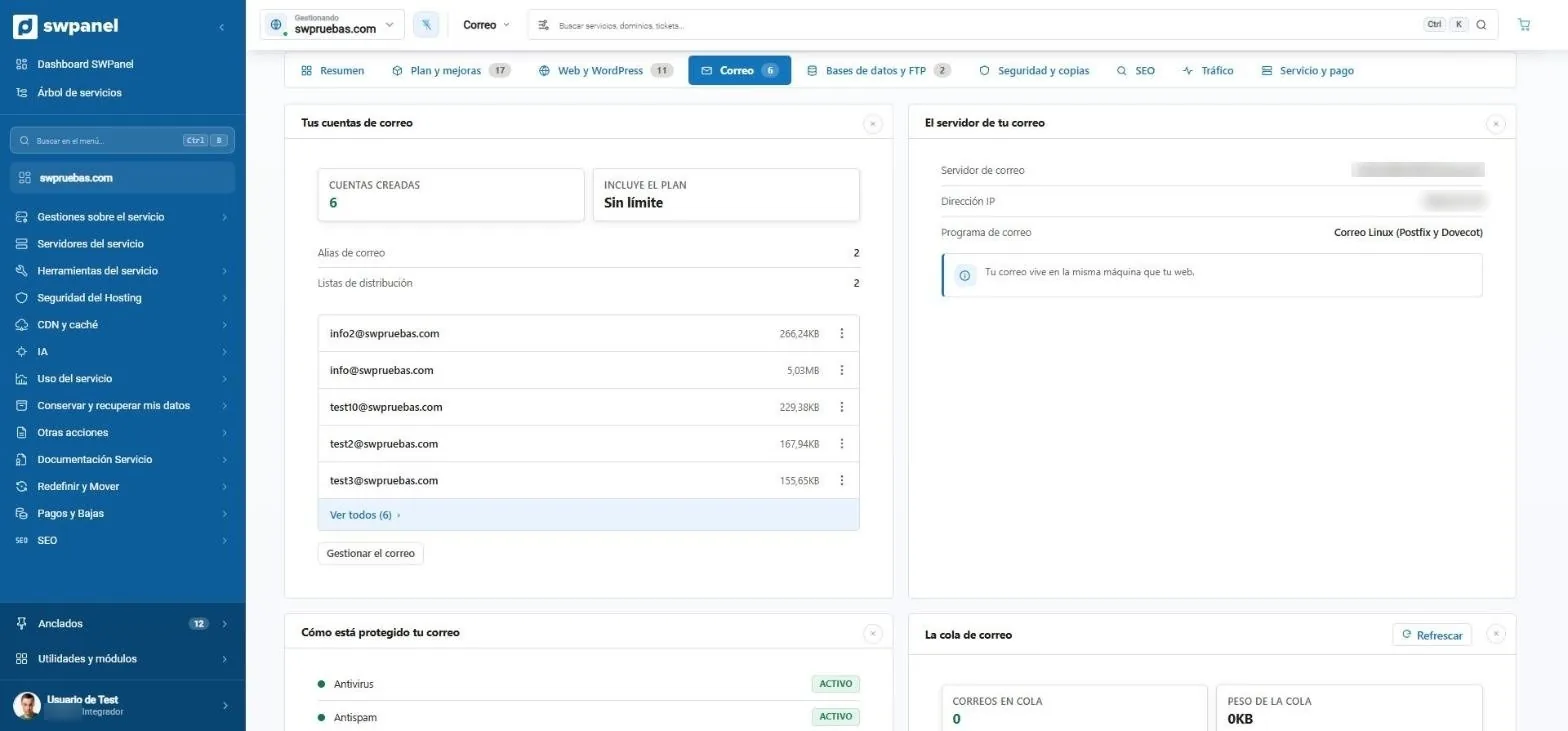
- Accounts created and what the plan includes: here, unlimited.
- Aliases and distribution lists, counted.
- Each account with the space it uses and its actions menu.
- Your email server: machine, IP and software. Here, on the same machine as the website.
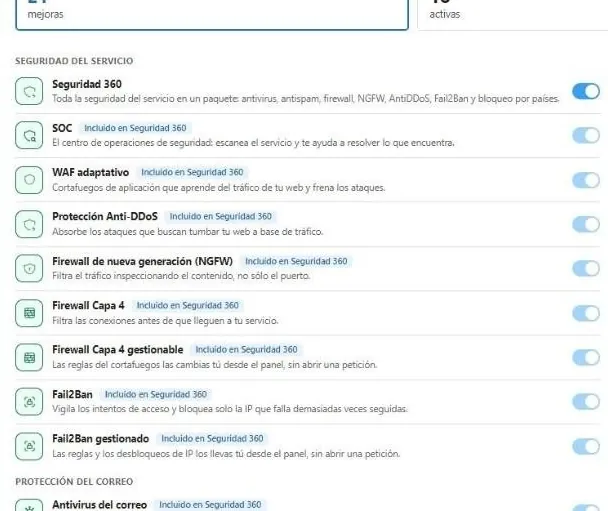
- How it's protected: antivirus, antispam and the other filters, with their status.
- The mail queue: how many messages are waiting and how much they weigh. If something gets stuck, you see it here.
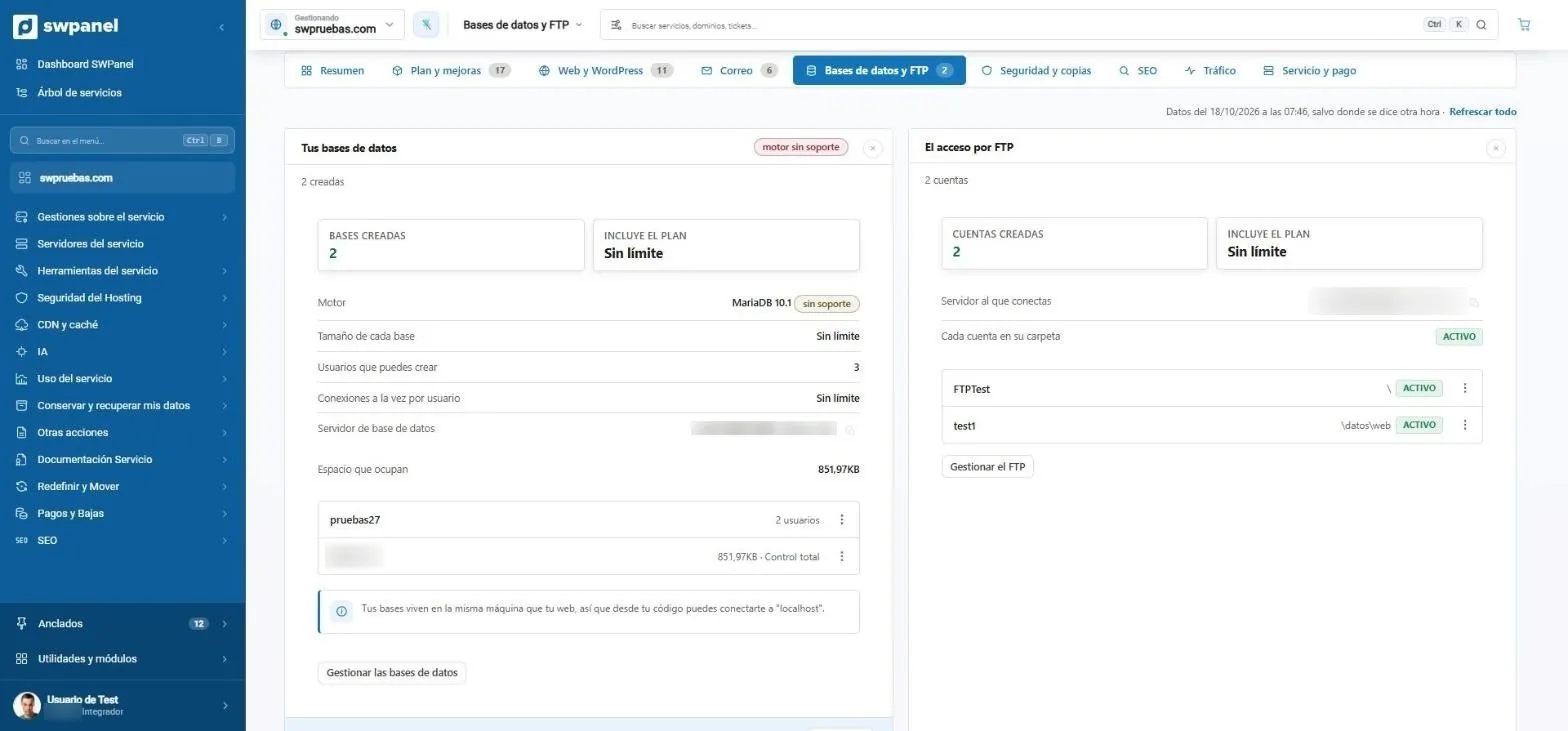
- Notices in the header: here, the database engine is no longer supported.
- Engine, limits and space: size per database, users, connections and how much they take up.
- Each database with its users and its actions menu.
- How to connect from your code, explained. Here, via “localhost”.
- Each FTP account in its own folder: nobody sees more than they should.
- The FTP accounts, with their folder, status and actions.
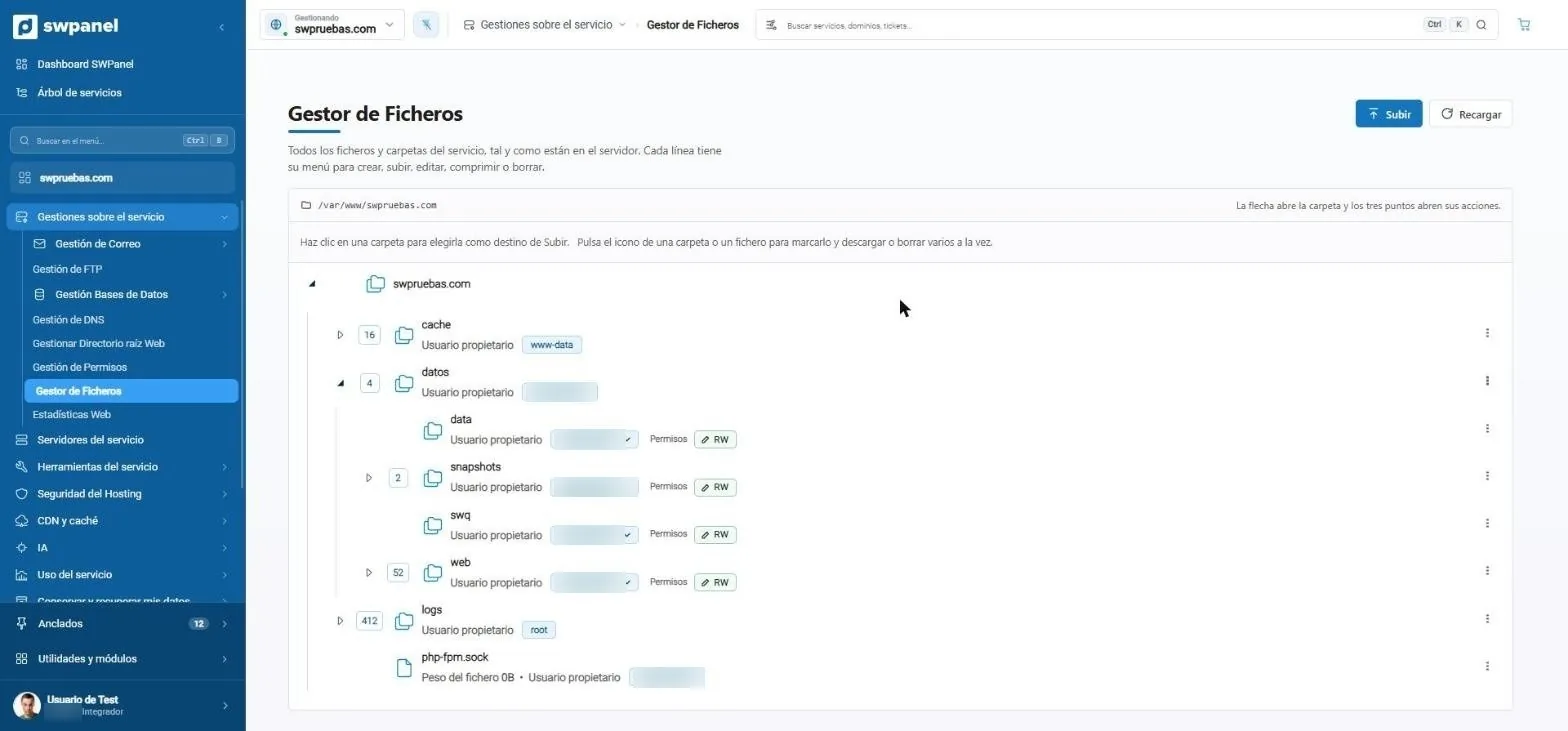
- Where you are: the real path on the server.
- Who owns each folder: the owner user, editable from the dropdown.
- Write permissions (RW) or read-only, folder by folder.
- Upload files to the folder you choose.
- Each line with its menu: create, edit, compress, download or delete.
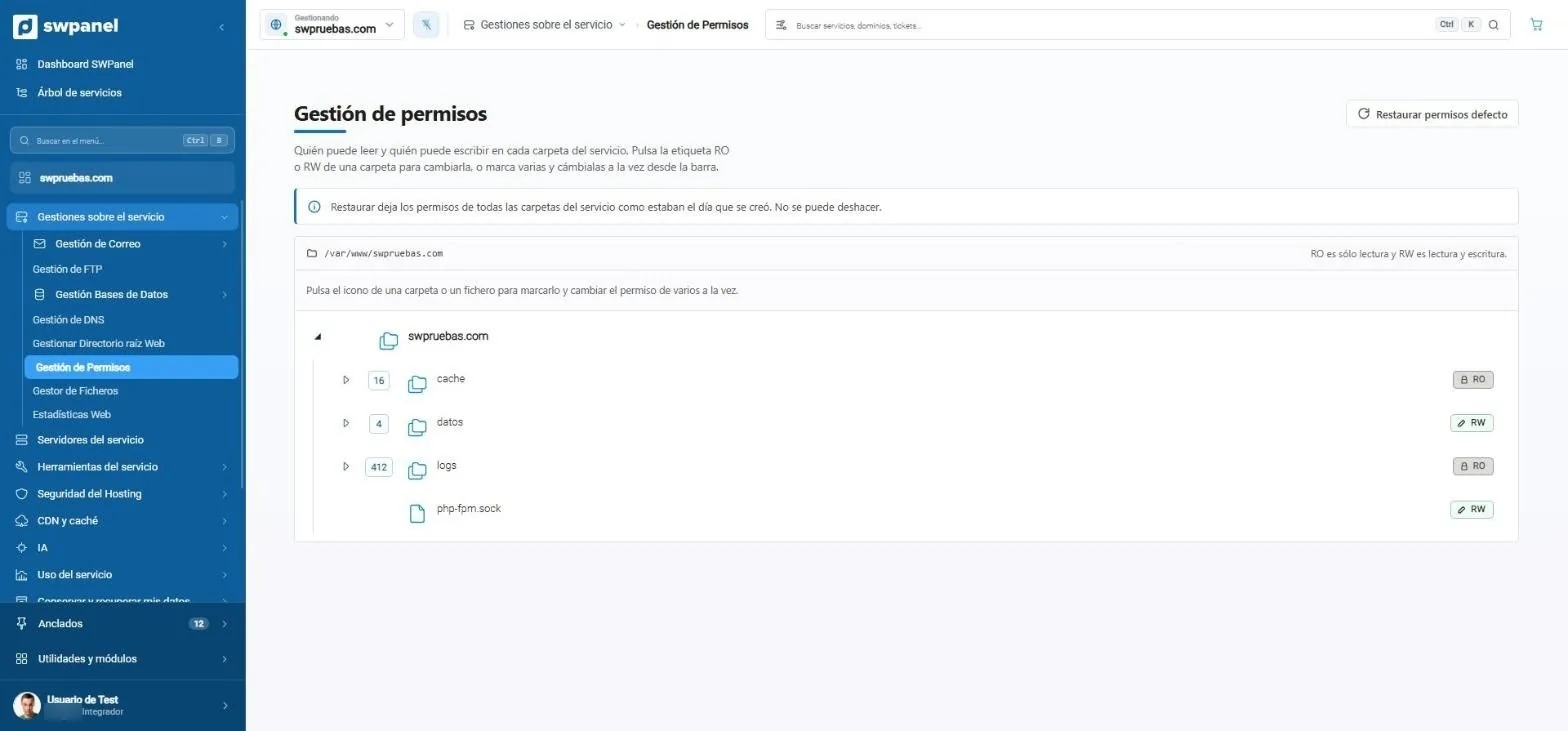
- Go back to the factory permissions in one click.
- It warns you before anything irreversible: restoring can't be undone.
- RO or RW: read-only, or read and write.
- Several at once: select the folders and change them from the bar.
- One click on the label changes that folder's permission. Here, logs are read-only.
Management
Everything you can do
Optimize the management of your web hosting with our ALL-IN-ONE administrative panel, designed to give you full control over every aspect of your hosting.
Email accounts
Set up and manage your email accounts simply and securely.
See moreDatabases
Create, manage and optimize your databases with ease.
See moreDNS records
Control and adjust DNS records to maintain your website's stability and performance.
See moreFile manager
Organize and handle all your files directly from the panel.
See moreScheduled task manager
Automate tasks and processes to maximize efficiency and save time.
See moreKeep exploring
-
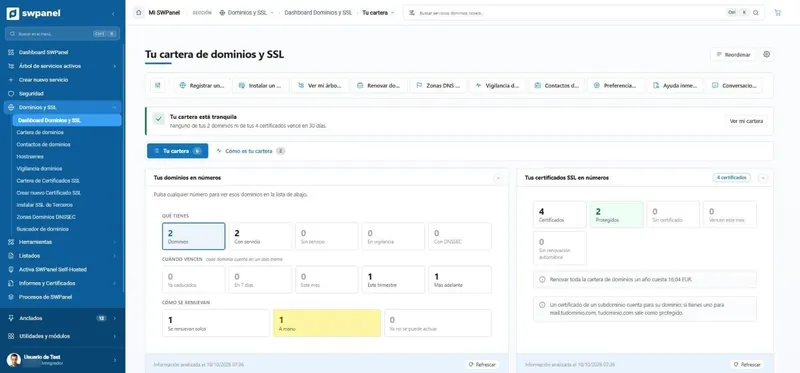 Domains and SSL
Register, renew and transfer domains, manage DNS and issue SSL certificates.
See more
-
 Servers and Cloud
Deploy cloud servers and scale them, with the tuning consultant measuring your Cloud.
See more
-
 The whole product
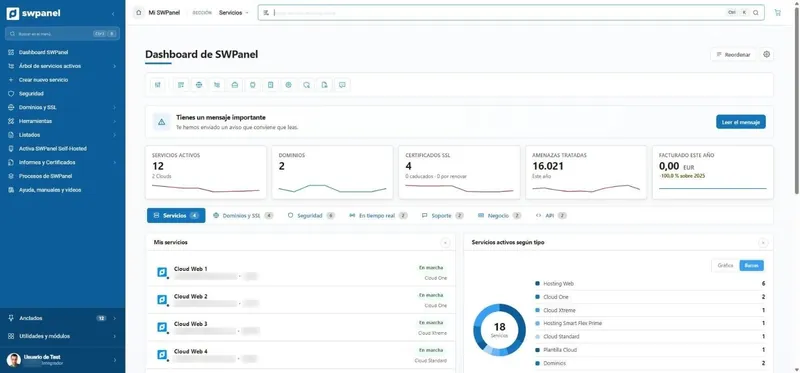
Servers, websites, domains, email, users and billing in one place.
See more
All this, from SWPanel
Create your free account and connect a server or a hosting plan. No card and nothing to install.