
Domains and SSL
Total control: domains and SSL
Register, renew and transfer domains, manage contacts, DNS and DNSSEC, and issue SSL certificates. Each domain and each certificate shows you its life cycle: when it expires, what happens if it isn't renewed and what depends on it.
Screens
This is how your domains and certificates are managed
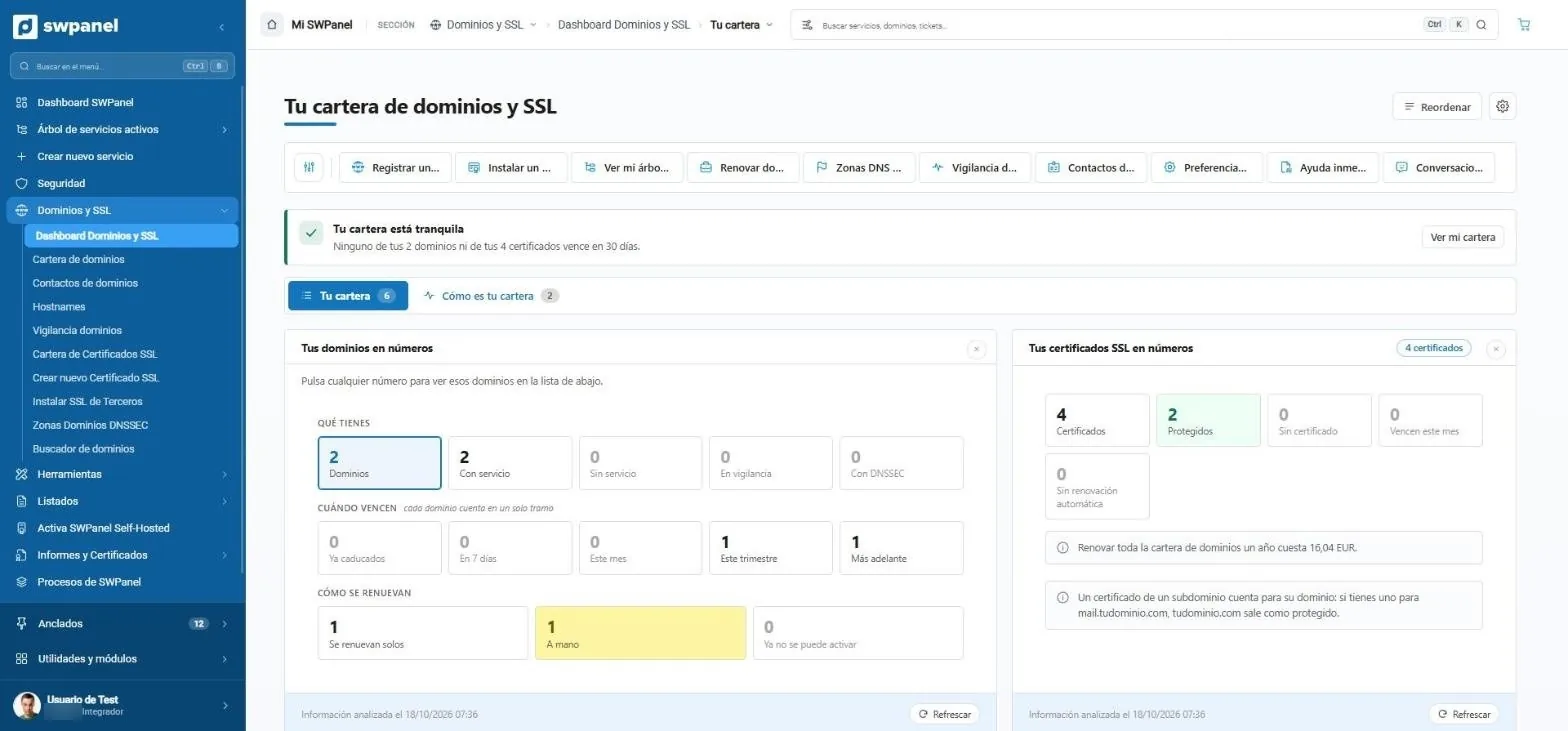
- Shortcuts to everything about domains: register, install an SSL, see your service tree, renew, DNS zones, monitoring and contacts.
- Your portfolio, in one sentence. Here, none of the 2 domains or 4 certificates expires in the next 30 days.
- Two views: today's snapshot and how your portfolio has evolved.
- What you have: domains with and without a service, monitored and with DNSSEC. Each number filters the list.
- When they expire, by range: expired, in 7 days, this month, this quarter and later.
- How they renew: automatically, manually or no longer able to be reactivated. Yellow needs your attention.
- Your SSL certificates: how many you have, how many protect something, which expire this month and which don't renew on their own.
- How much it costs to renew everything for a year, calculated from your portfolio.
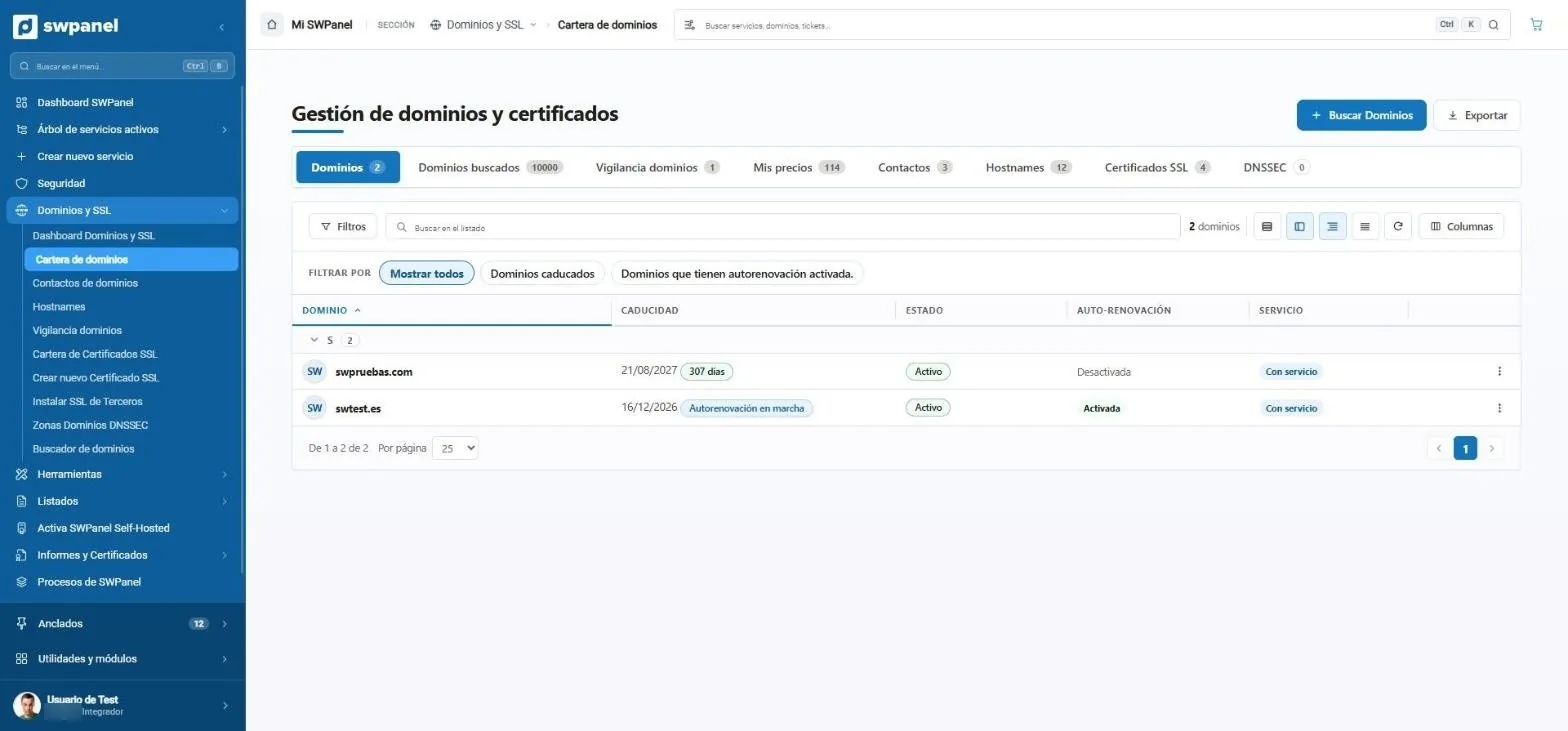
- Everything in tabs: domains, searches, monitoring, your prices, contacts, hostnames, SSL certificates and DNSSEC.
- Search and register a new domain without leaving the portfolio.
- One-click filters: all, expired or with auto-renewal on.
- When each domain expires and how many days it has left.
- What's happening: here, swtest.es's automatic renewal is already under way.
- Auto-renewal of each domain, on or off, in view.
- Whether it has an associated service or is just the domain.
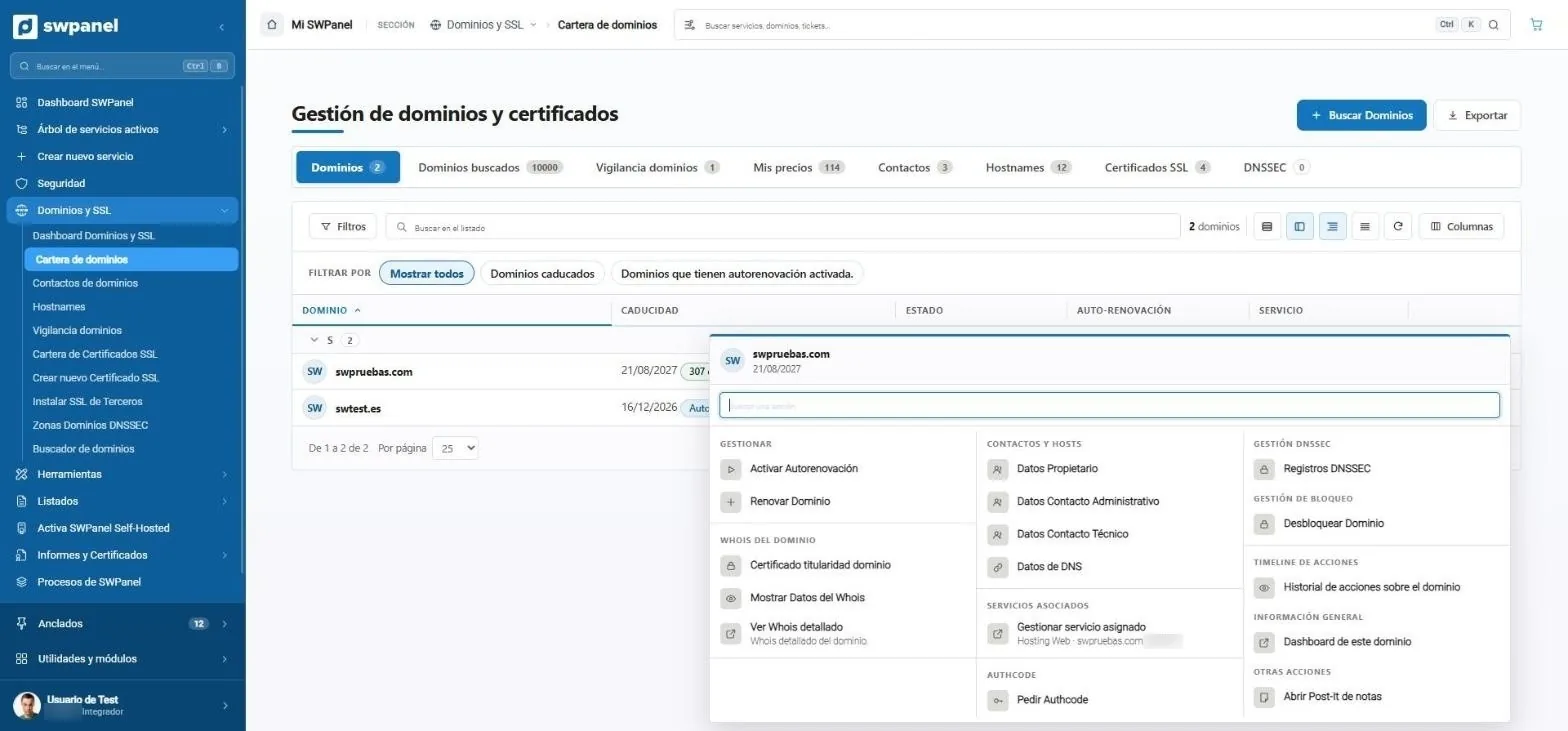
- Find the action by typing, without browsing menus.
- Renew or turn on auto-renewal from the list itself.
- Whois: ownership certificate, public data and detailed whois.
- Contacts and DNS: owner, administrative and technical contact, and name servers.
- The service that uses the domain (here, a web hosting), one click away.
- Request the authcode to take your domain with you.
- DNSSEC: the records that sign your zone.
- Transfer lock, so nobody takes your domain away.
- The history of everything done with the domain, and its dashboard.
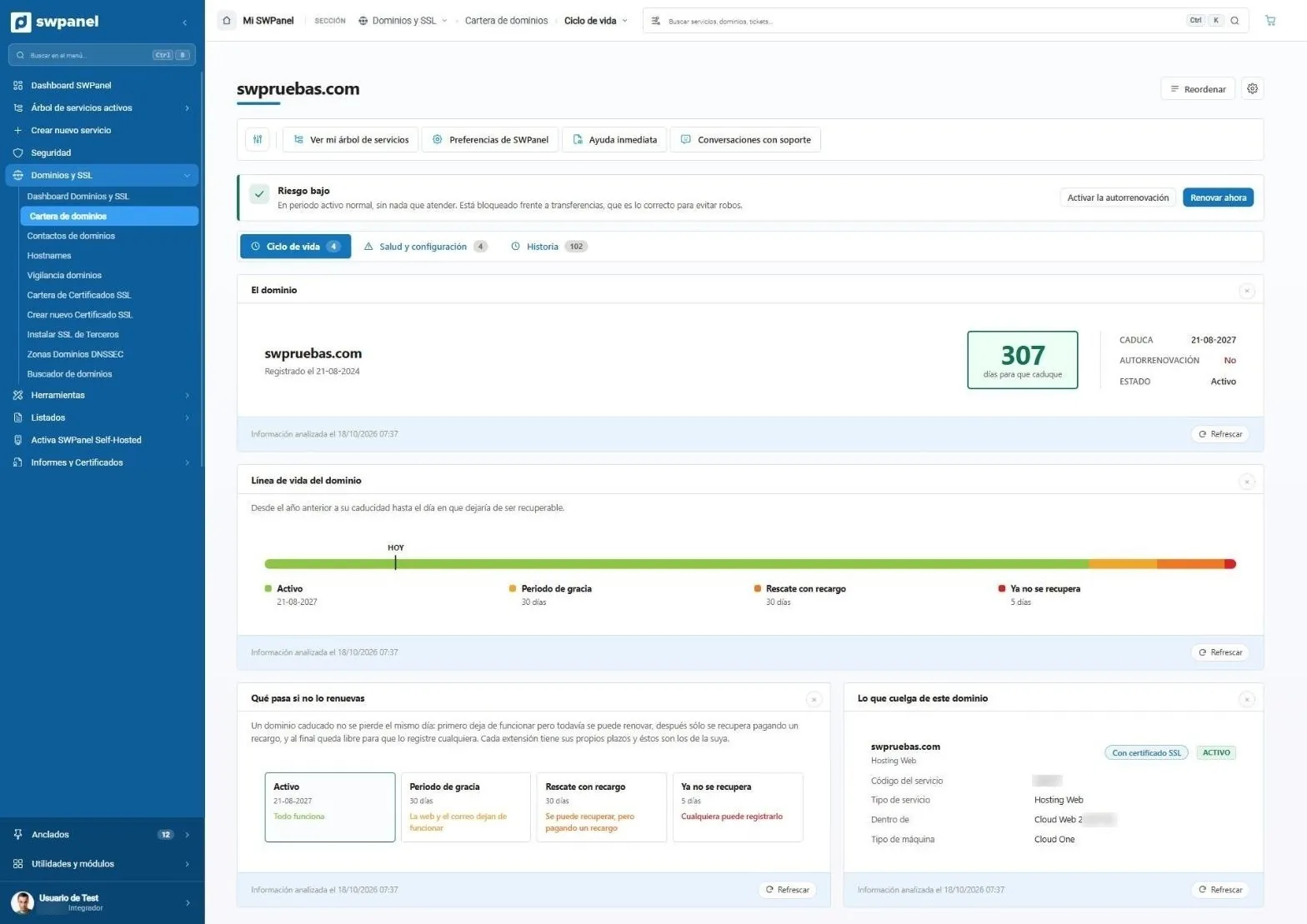
- The risk, in one sentence: low here, because the domain is active and locked against transfers.
- The action to take, one click away: turn on auto-renewal or renew now.
- Three views of the domain: life cycle, health and configuration, and history with every change.
- Days until it expires, with the date, auto-renewal and status next to it.
- Where you are today on its life line: from the year before expiration until it stops being recoverable.
- The phases, with their deadlines: active, grace period, redemption with surcharge and no longer recoverable.
- What happens if you don't renew it, phase by phase: when the website and email stop working and when someone else can register it.
- What depends on the domain: the service, its type and where it runs. If it expires, you know what stops working.
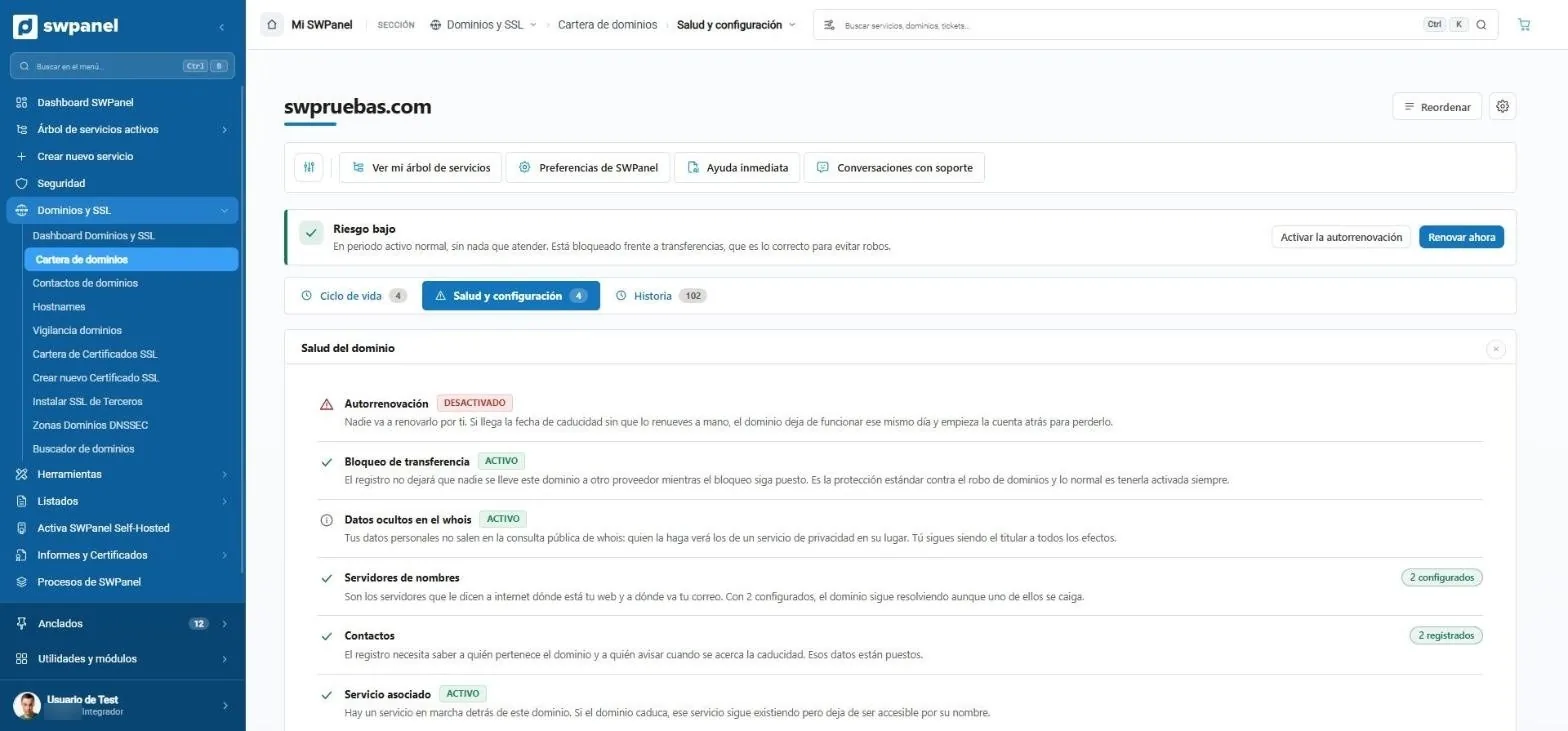
- What needs attention comes first: auto-renewal is off and SWPanel explains what will happen if you don't renew manually.
- Transfer lock active: nobody can take the domain to another provider.
- Whois privacy: your personal data doesn't appear in the public lookup.
- Name servers: with two, the domain keeps resolving even if one goes down.
- Complete contacts, so the registry knows whom to notify before expiration.
- The associated service and what happens to it if the domain expires.
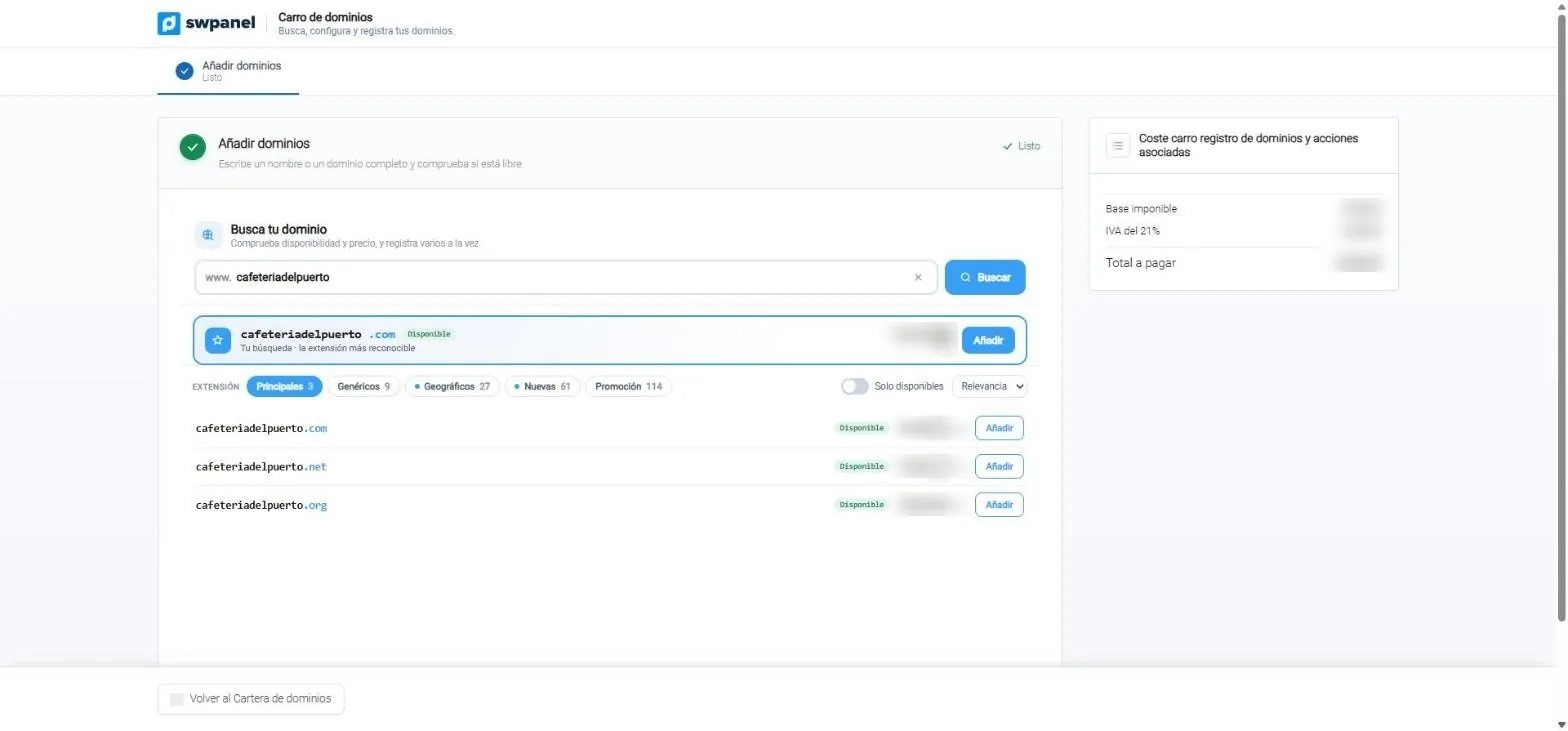
- Type a name or a full domain and check if it's available.
- Your search comes first: the most recognizable extension, with its price and the button to add it.
- By extension families: main, generic, geographic, new and on promotion.
- Only the available ones, in the order you prefer.
- Several extensions at once: you add .com, .net and .org and register them together.
- What you'll pay, with taxes, updated with each domain you add.
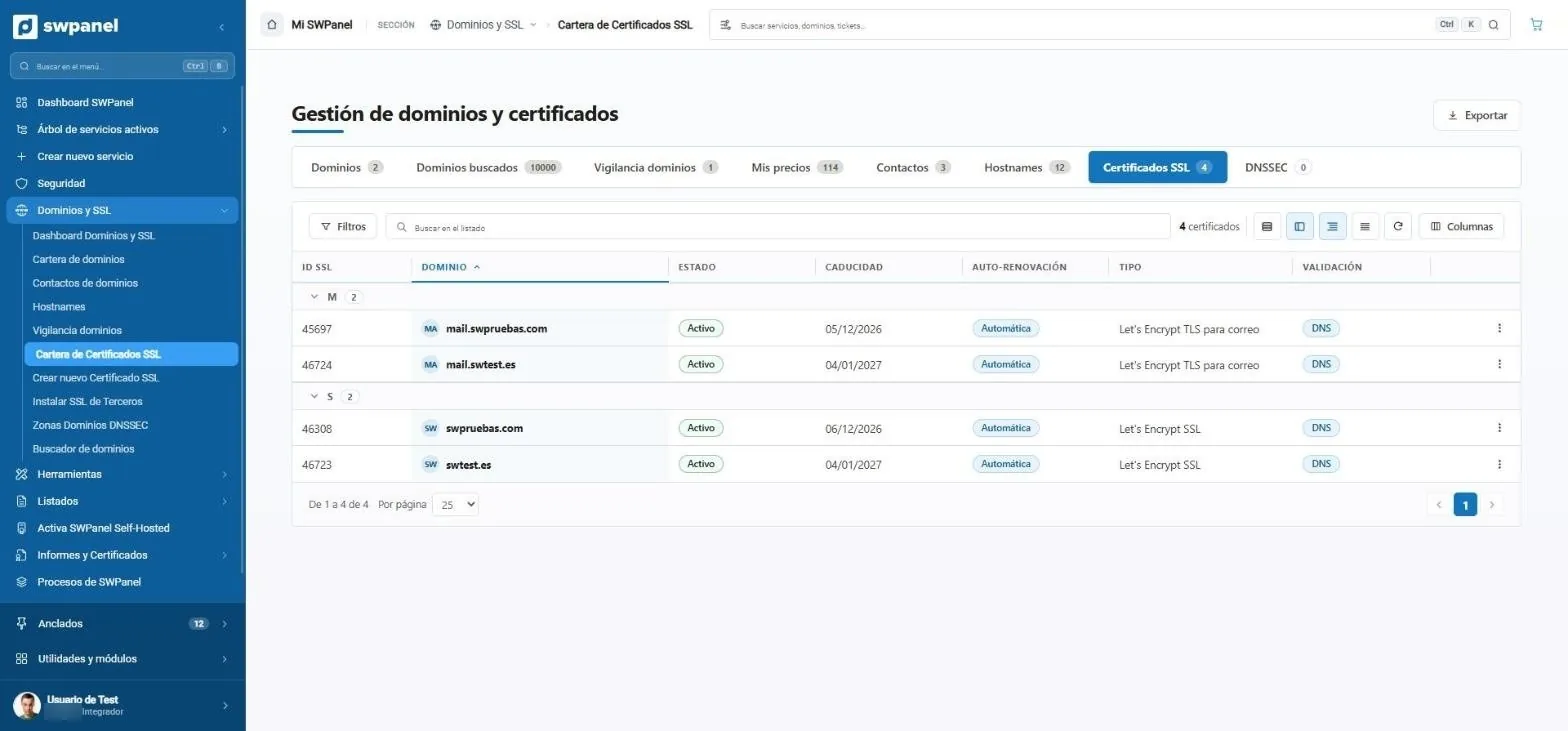
- Certificates next to domains: one more tab of the same management.
- Status of each certificate.
- When each one expires.
- Automatic renewal: Let’s Encrypt ones renew on their own.
- Certificate type: for the website or for email.
- How it's validated: via DNS, without touching the website.
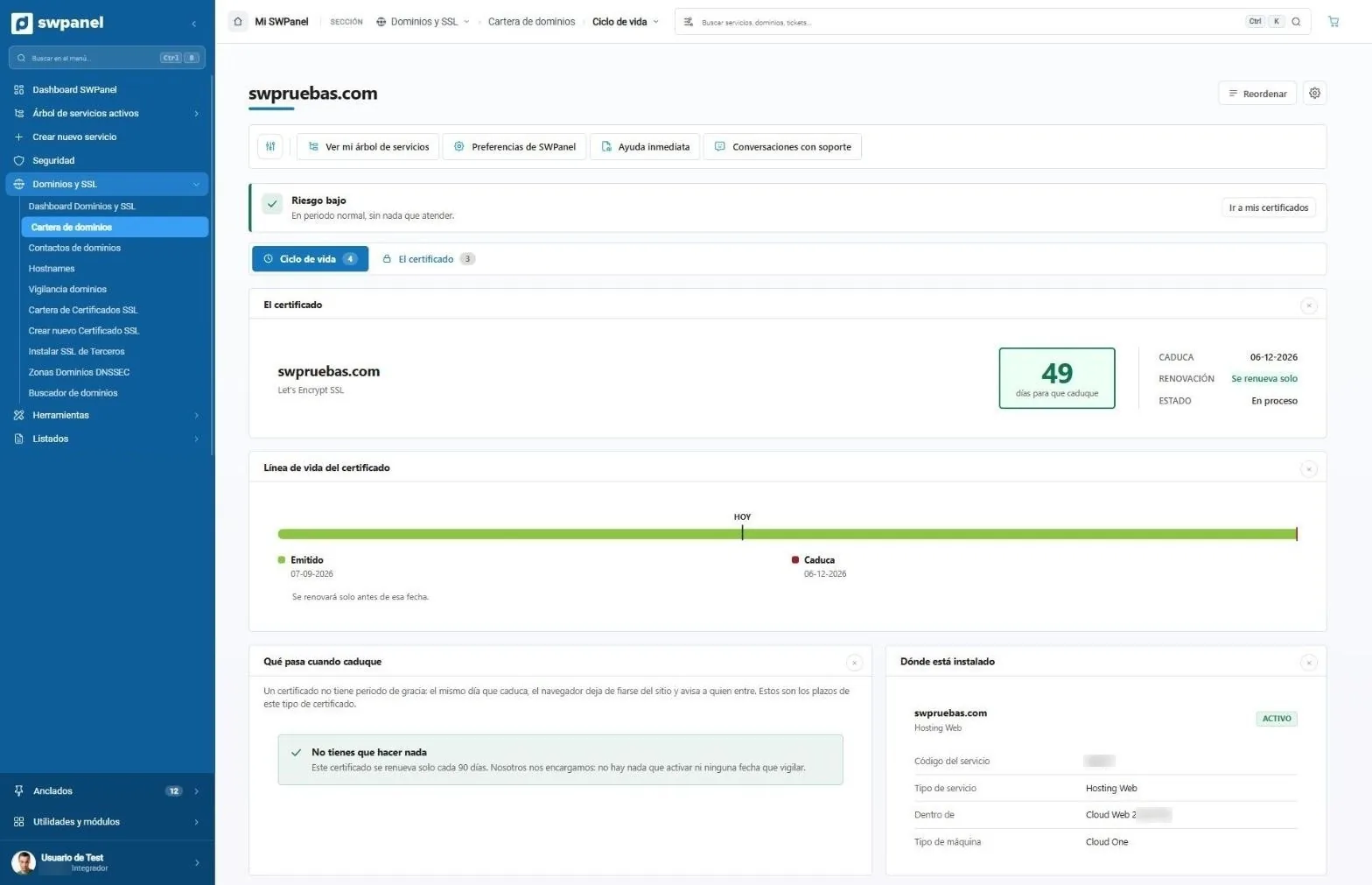
- The risk, in one sentence: low here, normal period and nothing to attend to.
- Two views: the life cycle and the certificate data.
- Days until it expires, with the date, status and renewal: here it renews on its own, before expiring.
- Where you are today, between issuance and expiration.
- What happens when it expires, in plain terms. Here, nothing to do: it renews itself every 90 days.
- Where it's installed: the service it protects, its type and where it runs.
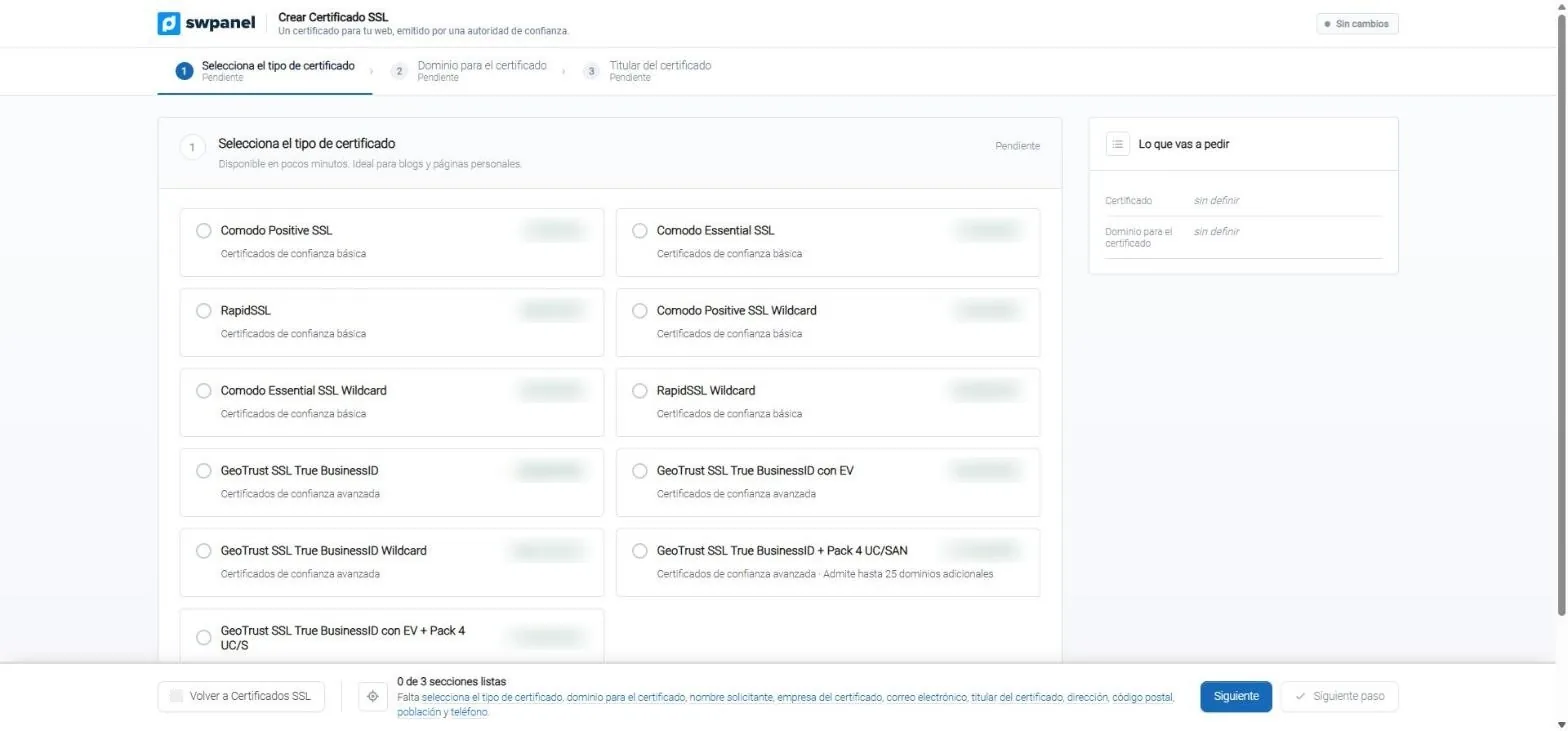
- Three steps: certificate type, domain and holder.
- Basic trust: ready in a few minutes, for blogs and personal websites. Also wildcard.
- Advanced trust: they validate the company. With EV and multi-domain, up to 25 additional domains.
- What you'll request, summarized as you choose.
- Below, what's left to finish, field by field. Nothing is requested until everything is ready.
Management
Everything you can do
Manage all your domains and SSL certificates quickly and securely.
Domain registration, renewal and transfer
Handle all your domain management simply and quickly. From initial registration to transfer and renewal, all in one place.
See moreContact management
Easily manage the contacts associated with your domains to keep your information up to date and organized.
See moreGlue Records creation
Set up and manage Glue Records hassle-free, making sure your hostnames work correctly.
See moreDomain monitoring
It's a service that consists of the daily analysis of the status of the domain specified by the customer.
See moreSSL certificate management
Protect your websites with reliable SSL certificates. Manage the issuance, renewal and configuration of certificates to ensure the security of your data and the trust of your users.
See moreKeep exploring
-
 Hosting
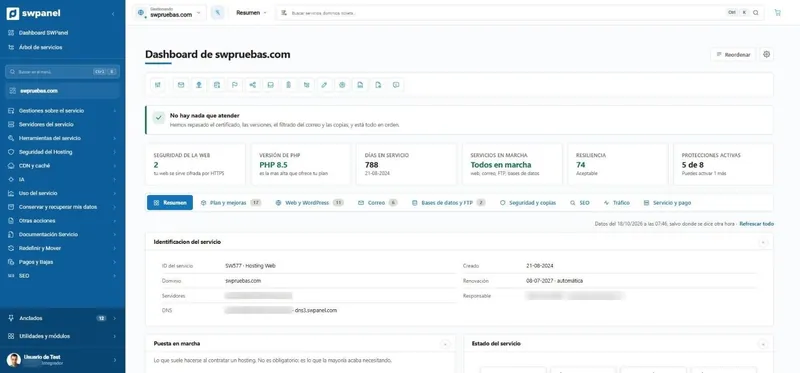
From ordering it to managing it: website and WordPress, email, databases, FTP and files.
See more
-
 Servers and Cloud
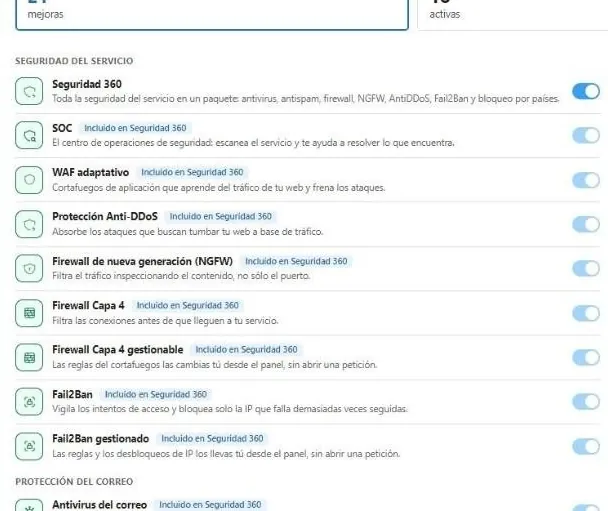
Deploy cloud servers and scale them, with the tuning consultant measuring your Cloud.
See more
-
 The whole product
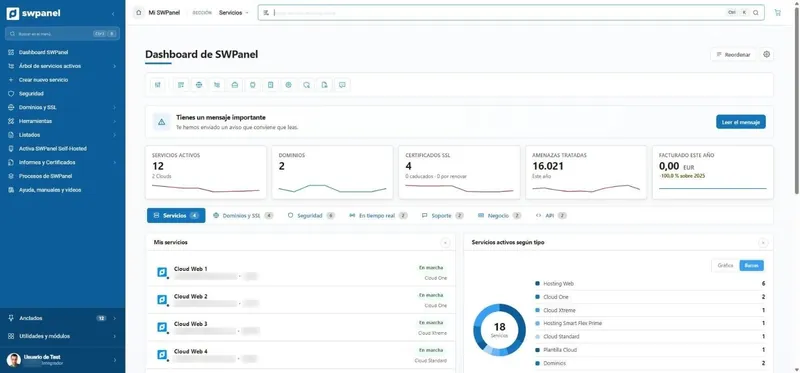
Servers, websites, domains, email, users and billing in one place.
See more
All this, from SWPanel
Create your free account and connect a server or a hosting plan. No card and nothing to install.