
Activate the AWStats option in my Cloud
In this manual, we are going to learn how to activate the web statistics option in our Cloud to be able to use AWStats in the Hosting services located within it.
If you already have the option active in your Cloud and want to start viewing web statistics, you can consult our manual on 'Activate web statistics'.
⚠️ This manual is configured for Cloud servers with Linux Debian 10 operating system versions or higher and SW Smart Panel. If you have a Cloud with a lower Debian version, you may not be able to activate the AWStats function. Likewise, if your Cloud does not have SW Smart Panel, you will NOT be able to use this option.⚠️
To activate the AWStats option in your Cloud, enter the name of the Cloud in the top search bar of your SWPanel:
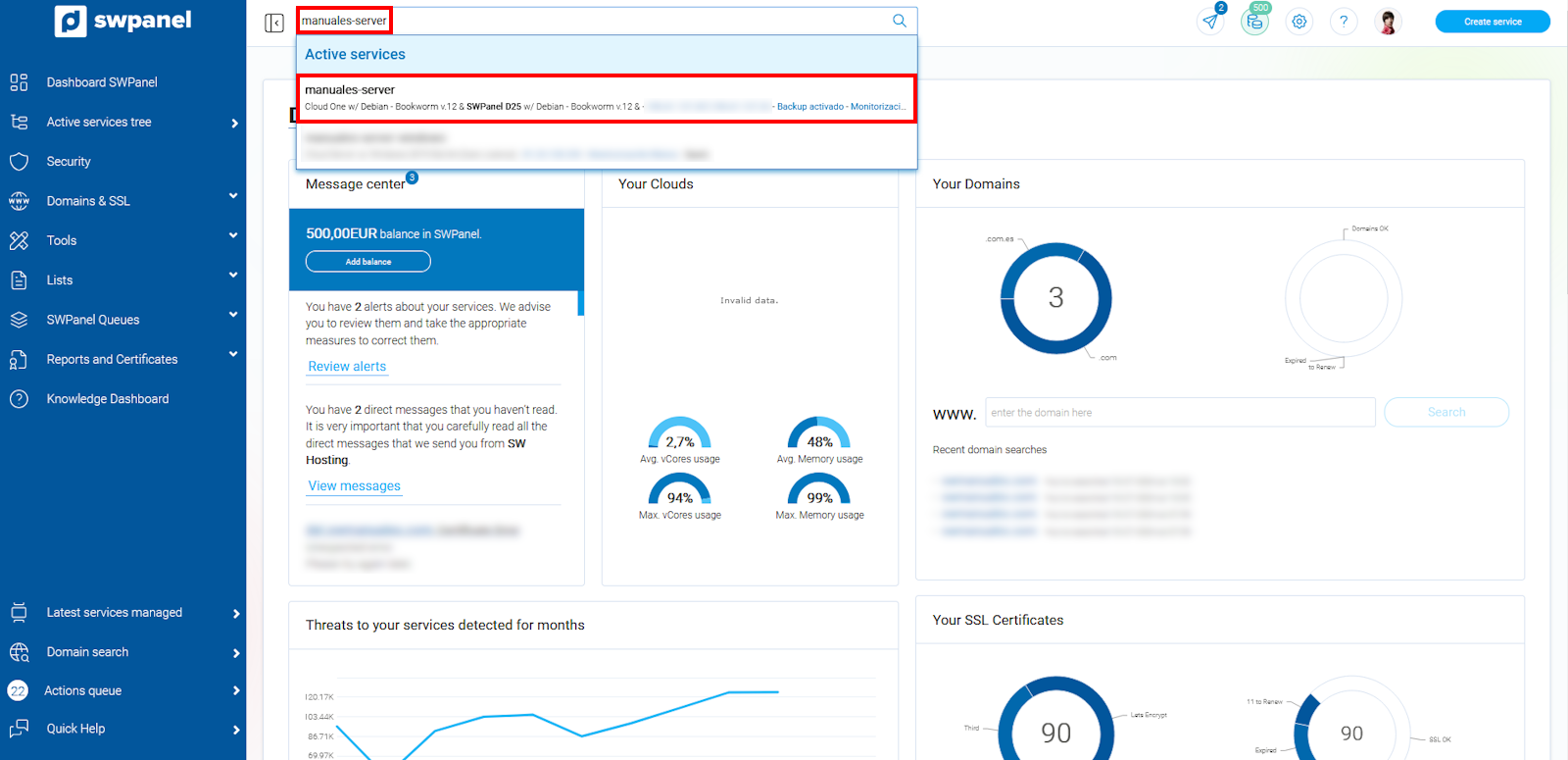
info_capture The screenshot is for guidance purposes. It was taken from version 2025.00.0017 dated 04/01/2025. It may differ from what the current version of SWPanel shows.
Once inside the Cloud Dashboard, access 'Customize and adjust the resources and services of this Cloud' by clicking on the corresponding icon:
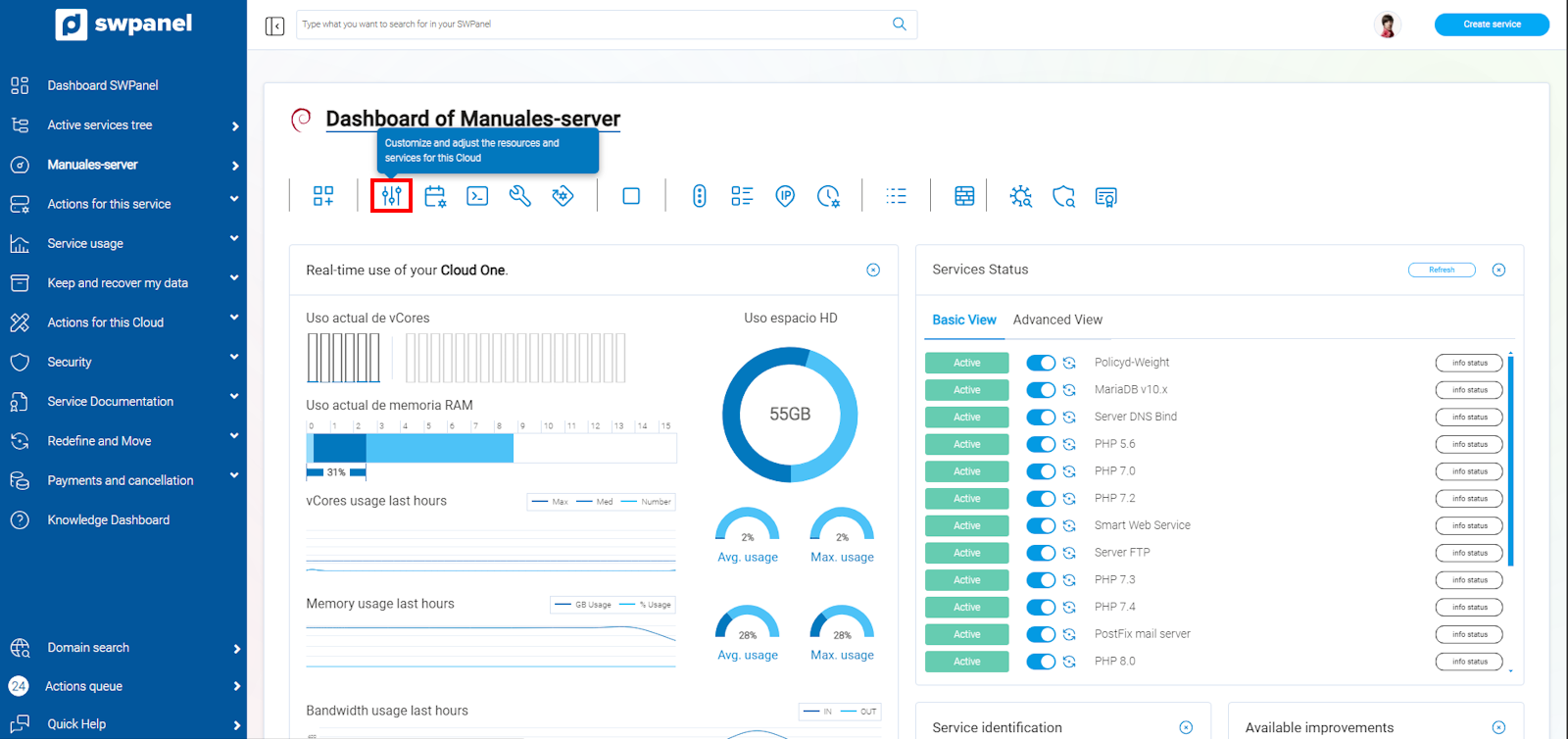
info_capture The screenshot is for guidance purposes. It was taken from version 2025.00.0017 dated 04/01/2025. It may differ from what the current version of SWPanel shows.
At the end of all customization options, you will see the option 'Web statistics services'. Activate it:
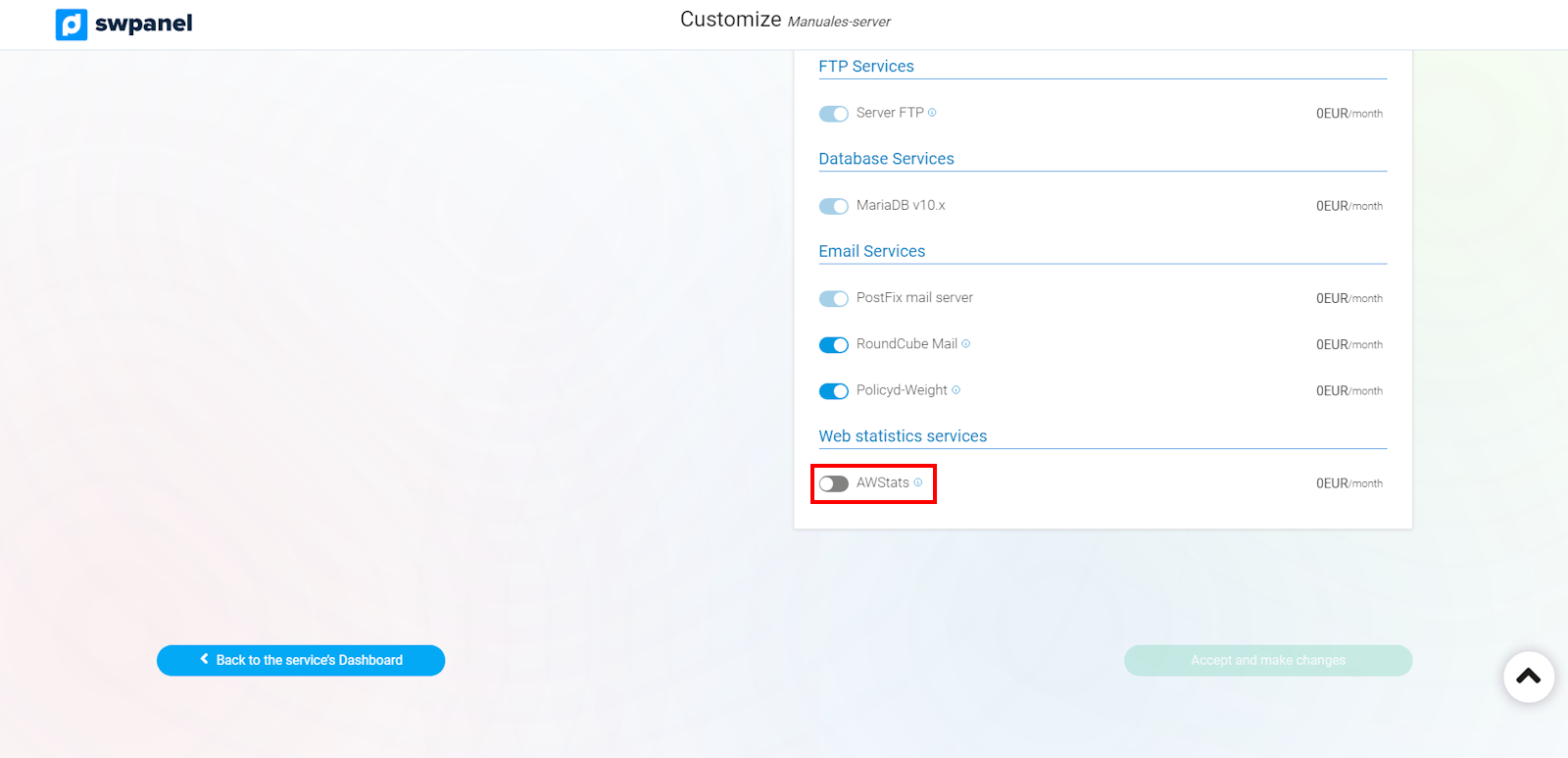
info_capture The screenshot is for guidance purposes. It was taken from version 2025.00.0017 dated 04/01/2025. It may differ from what the current version of SWPanel shows.
Once activated, accept the conditions and click on 'Accept and finalize changes':
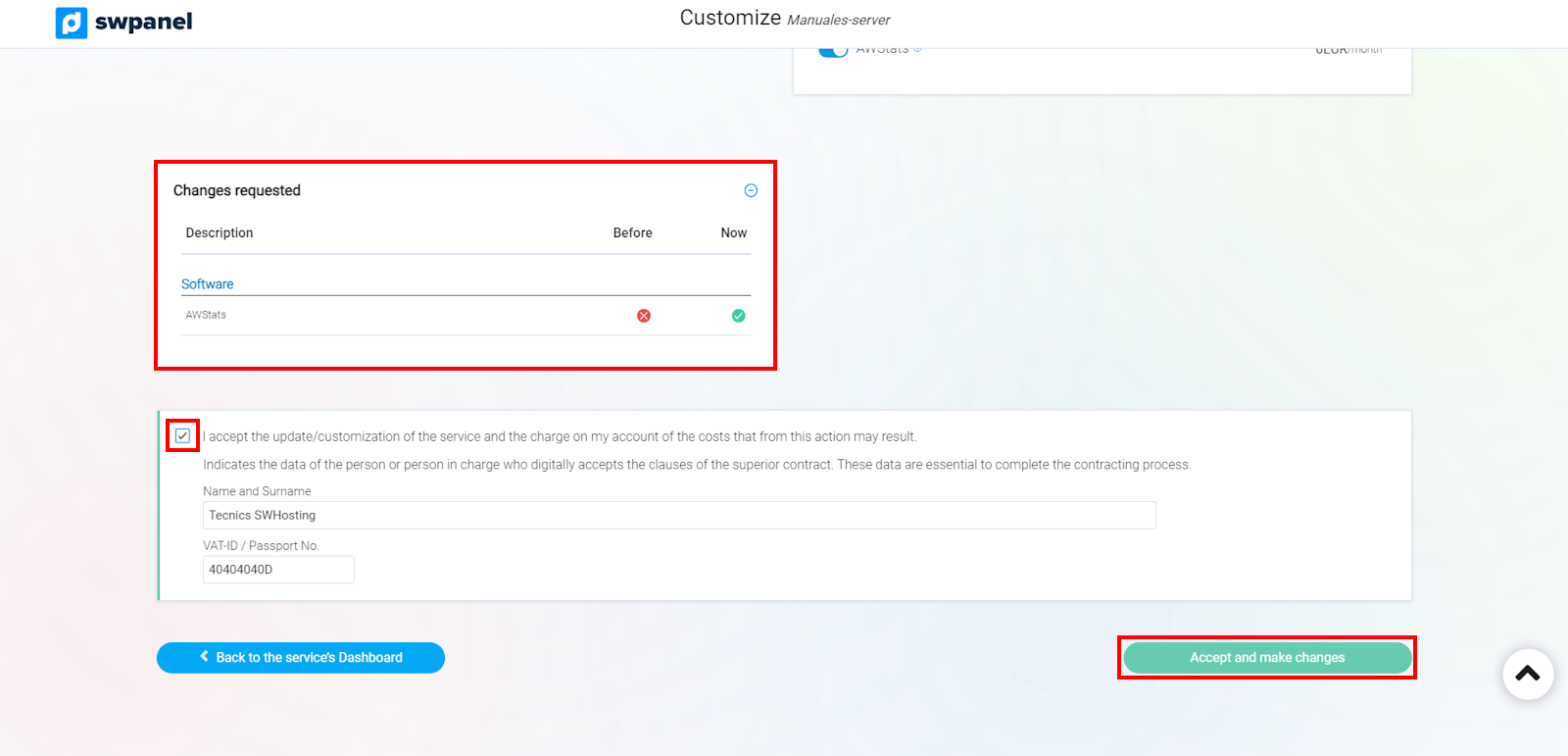
info_capture The screenshot is for guidance purposes. It was taken from version 2025.00.0017 dated 04/01/2025. It may differ from what the current version of SWPanel shows.
⚠️ To be able to apply the changes and activate AWstats, you must restart the cloud⚠️