
REST API · Platform
Connect SWPanel with your business
Automate daily operations —services, domains, email and databases— without going through the web interface, and connect SWPanel with your website, your ERP, your CRM or your own developments.
- API RESTful
- Interactive documentation
- Every call, traced
What it looks like
Your integration, seen from SWPanel
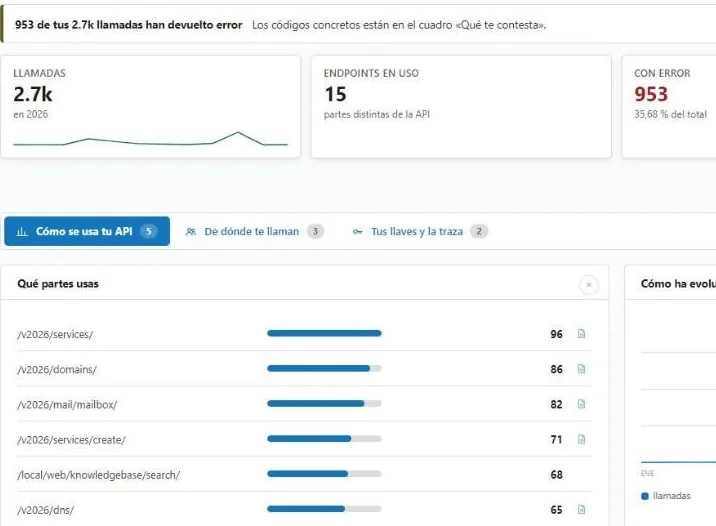
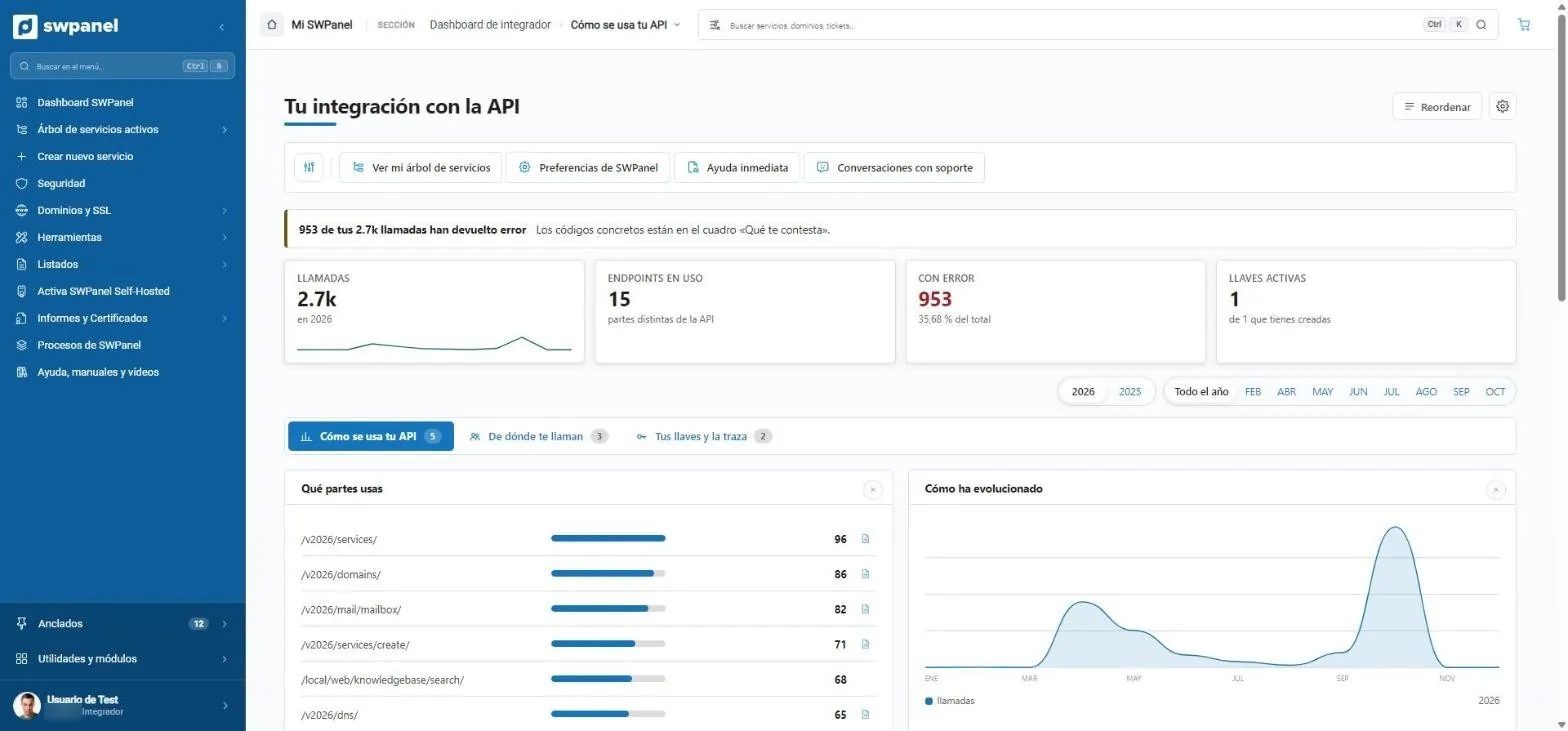
Integrator mode adds a dashboard that tells you how your API is being used: which endpoints, how many calls, how many with errors and from where. And every SWPanel screen shows you its equivalent call.
Integrator dashboard
Calls, endpoints, errors and keys
The parts of the API you use, with a link to their documentation, the year's evolution and a warning when errors go up. Your keys and the trace of each one, in another tab.
- Where calls come from
- Bearer tokens and their history
- What's worth checking: 953 calls with errors, and where to see the codes.
- Calls, endpoints in use, errors and active keys.
- How your API is used, where calls come from and your keys.
- Which parts of the API you use, with a link to their documentation.
- How usage has evolved over the year.
Equivalent call
Do something in SWPanel and copy how it's done via API
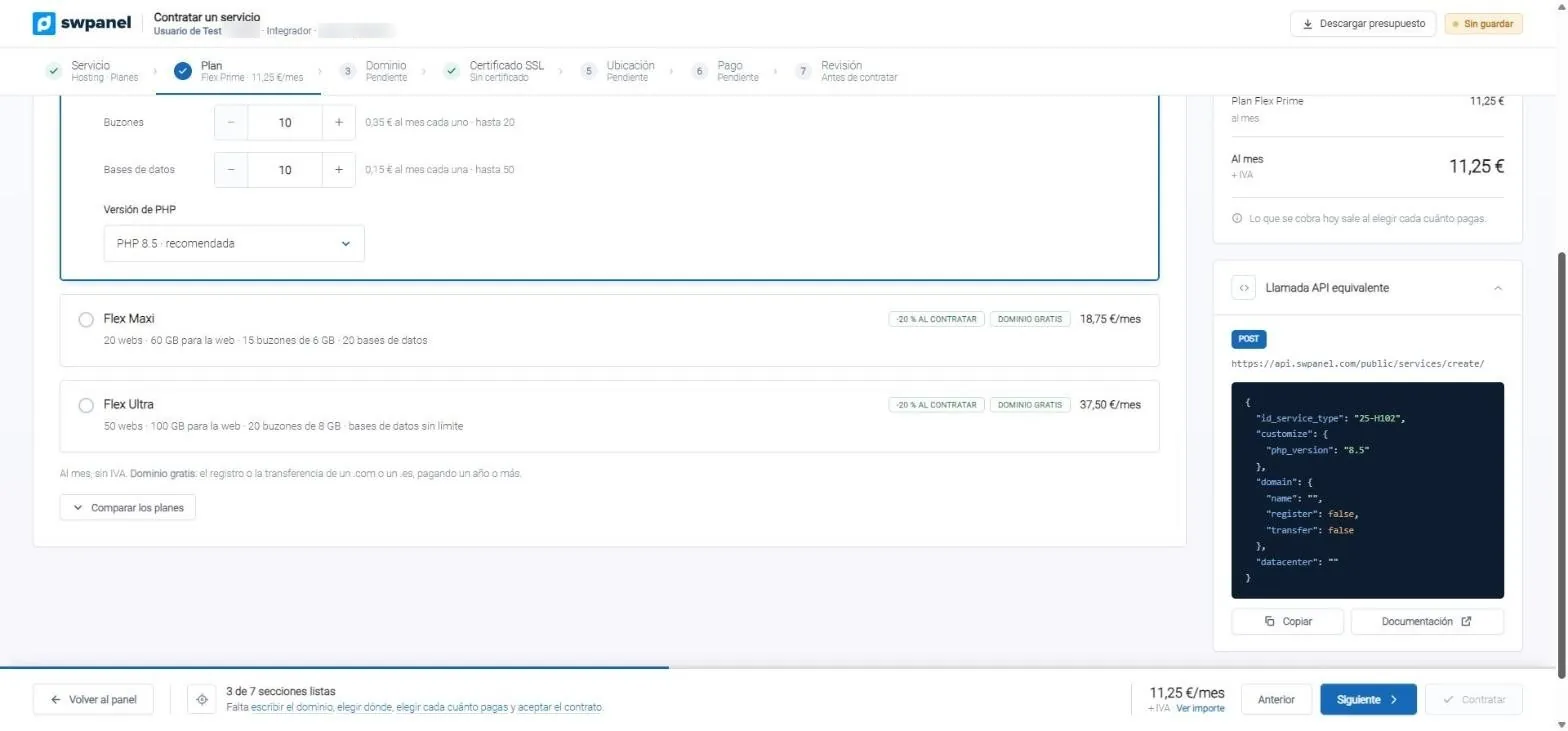
When you purchase a service, SWPanel writes the exact JSON of the call as you choose. You copy it and you have the integration. The same in flows.
- Endpoint, method and body
- Link to the documentation
- Seven steps, with completed ones in green.
- The plans with what each one includes.
- The exact JSON to do the same from your code.
Traceability
Every action via API, recorded
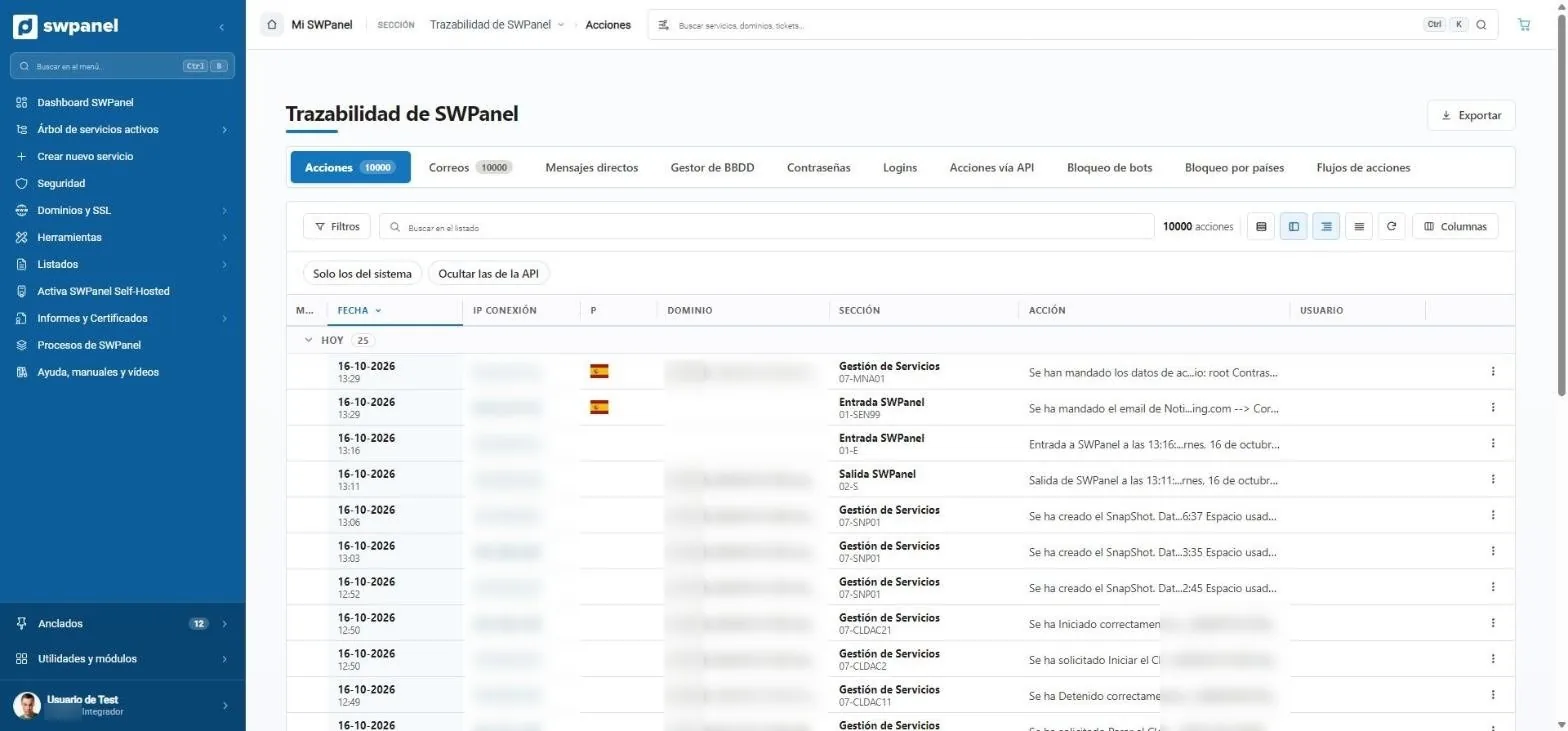
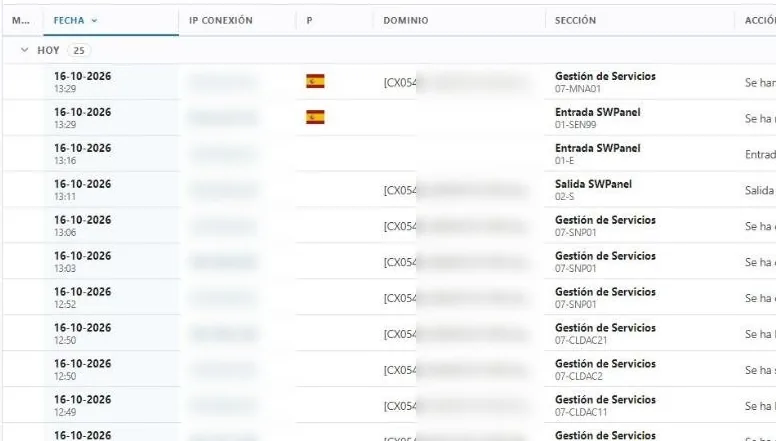
Actions made via API are kept in their own log, with the IP and the key that made them.
- Filter “hide API ones” in the general traceability
- Ten logs: actions, emails, messages, DBs, passwords, logins, API, bots, countries and flows.
- 10,000 actions in this list.
- Quick filters: only system ones or hide API ones.
- Date, IP, country, domain, section, action and user.
- Export for an audit.
On video
From screen to JSON, in 20 seconds
On video
Create a service and see its API call
The sign-up wizard asks only what's needed and writes the equivalent JSON as you choose.
- Choose the service type
- Choose the hosting type
- Seven steps at a glance
- Adjust the plan
- The equivalent API call
On video
A flow in one minute
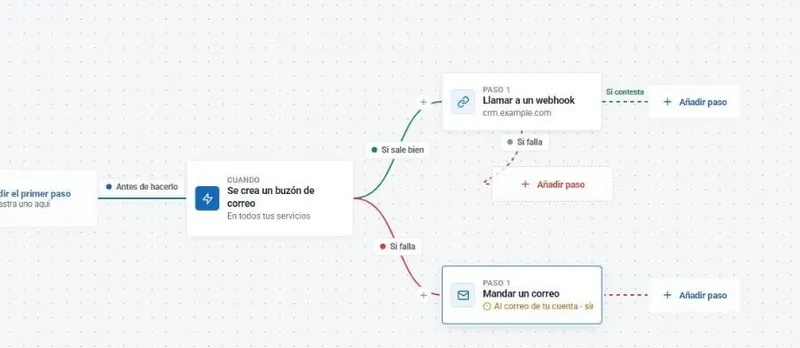
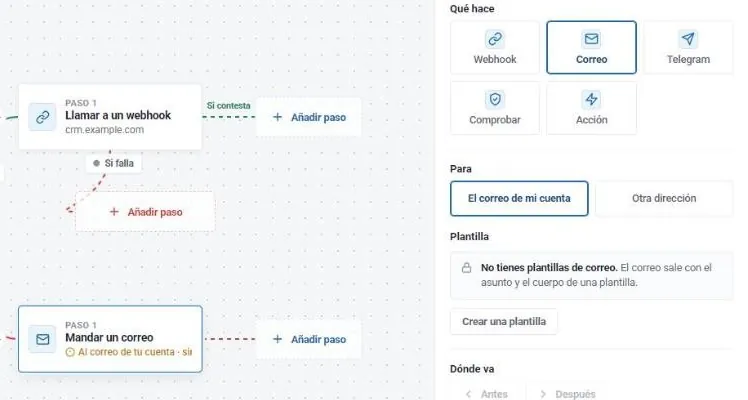
When a mailbox is created, it notifies your CRM; if it fails, it emails you. No code, and with its API call.
- My flows
- Choose the event
- Email › a mailbox is created
- The branch diagram
- If it succeeds: webhook
- If it fails: email
- The equivalent API call
What you can do
Everything you do in SWPanel, from your code
Automate the day to day
Sign-ups for services, domains, email and databases without going into the web interface.
- Create, list and modify
- Batch operations
- From your CI/CD pipeline
Connect your tools
Your website, your ERP, your CRM or your monitoring system.
- Billing
- CRM
- Monitoring
React to events
Combined with Flows, your system finds out instantly about what happens.
- Signed webhooks
- HTTPS only
- Automatic retries
First steps
From zero to the first response
-
Create credentials
Generate a token for each integration from SWPanel.
-
Authenticate
Send the token in the header of each request.
-
First request
List your services with a GET call.
-
Read the response
JSON responses and errors with their code and reason.
Designed for integrators
The Integrator mode
SWPanel 2027 has four account modes. Integrator mode organizes SWPanel around automation: tokens, flows, integrations and API traceability.
Interactive documentation
Each resource documented with its parameters, responses and examples, in interactive Scalar documentation where you can try the calls.
- Resources and parameters
- Response examples
- Try the calls
Security and auditing
One token per integration, which you can revoke at any time. Every call is recorded in the traceability's API view.
- One token per integration
- Immediate revocation
- API view in traceability
- erp-facturacion · POST /correo/buzones 09:15
- web-altas · POST /hostings 09:02
- pruebas-local · token revoked yesterday
Frequently asked questions
Questions about the API
Automate your entire IT infrastructure
Create your account, generate a token and make your first call in minutes.