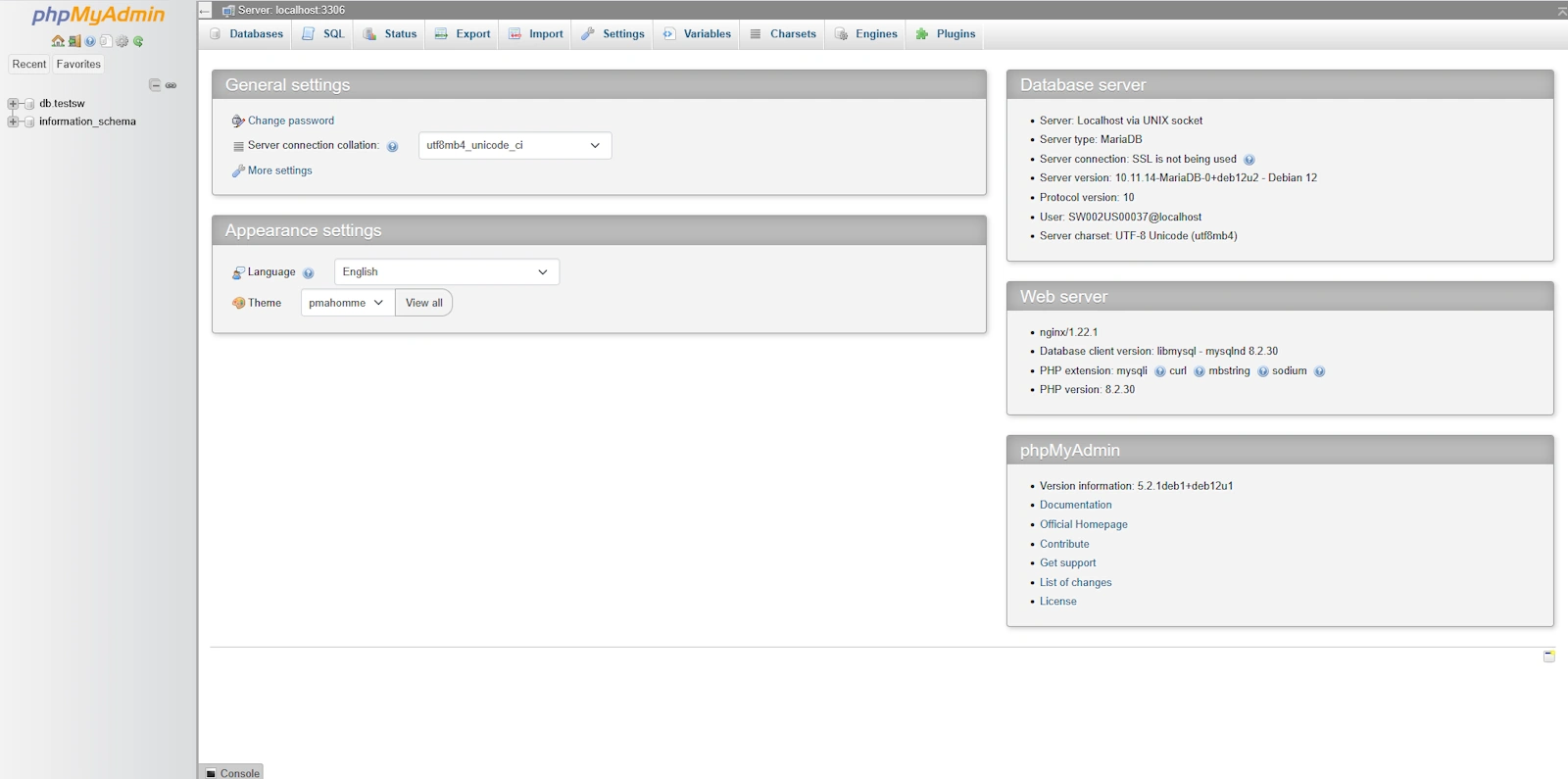
How to access phpMyAdmin from the SWPanel
What is phpMyAdmin?
phpMyAdmin is a DB manager. It is a tool used to manage (create, modify, delete...) any record of your databases through a web interface.
How to access phpMyAdmin?
You can access phpMyAdmin from your SWPanel; you will only need to know your DB username and password. To do this, you must access your SWPanel by entering the username and password.
If you do not yet have a Database in your service, you can follow our guide on how to create a database in SWPanel. ? Manual: How to create a MySQL or MariaDB database
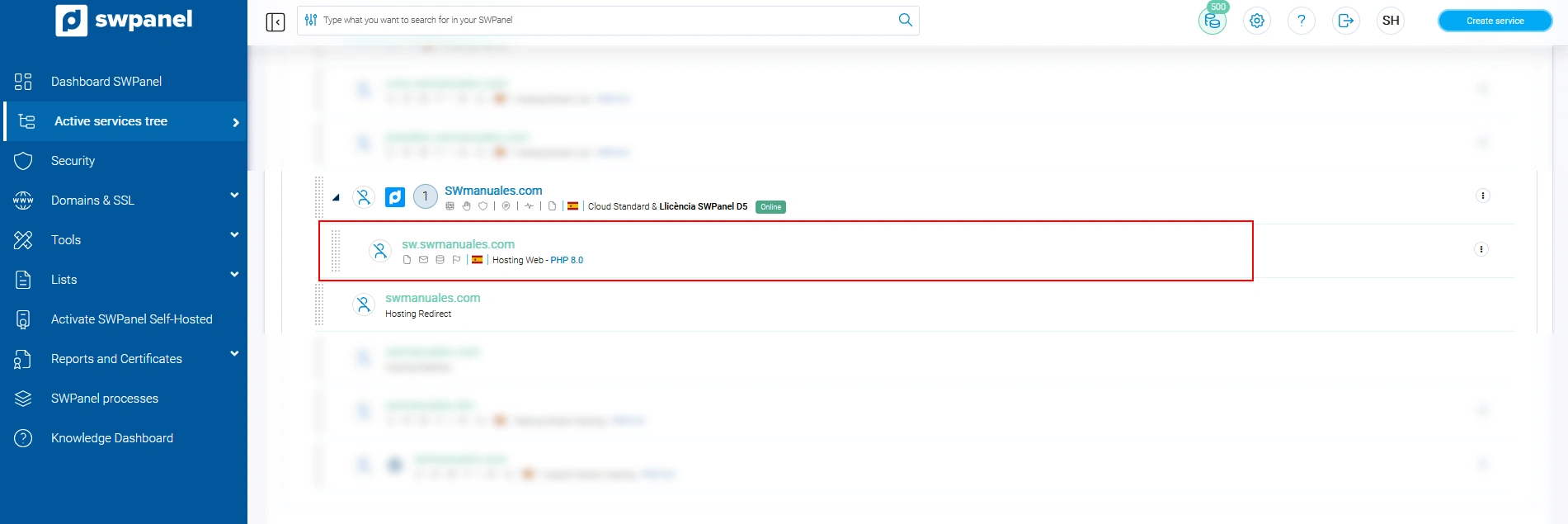
Once inside, select the option 'Active services tree', located in the blue left side menu and click on the service you want:
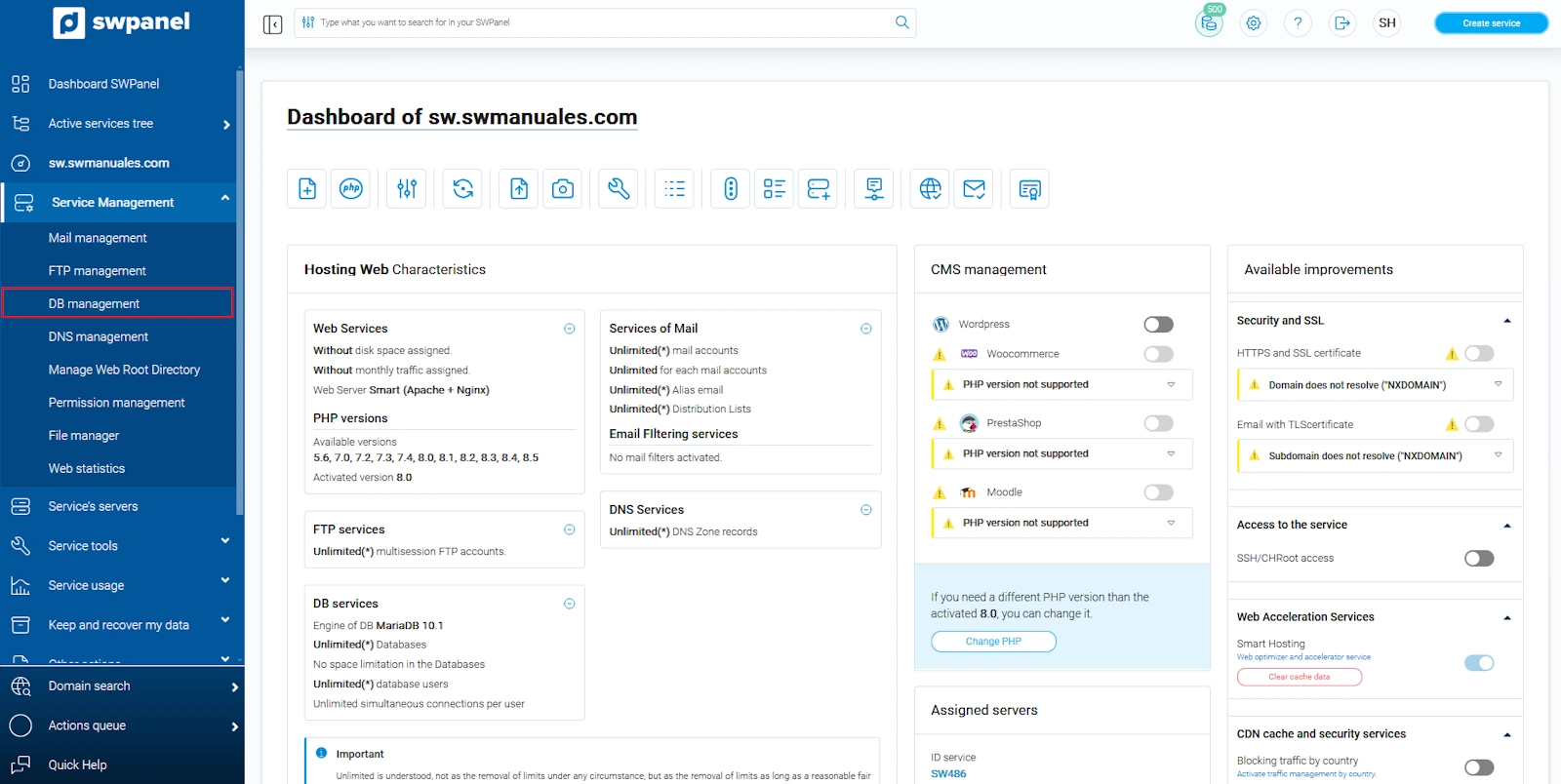
Click on 'Database Management':
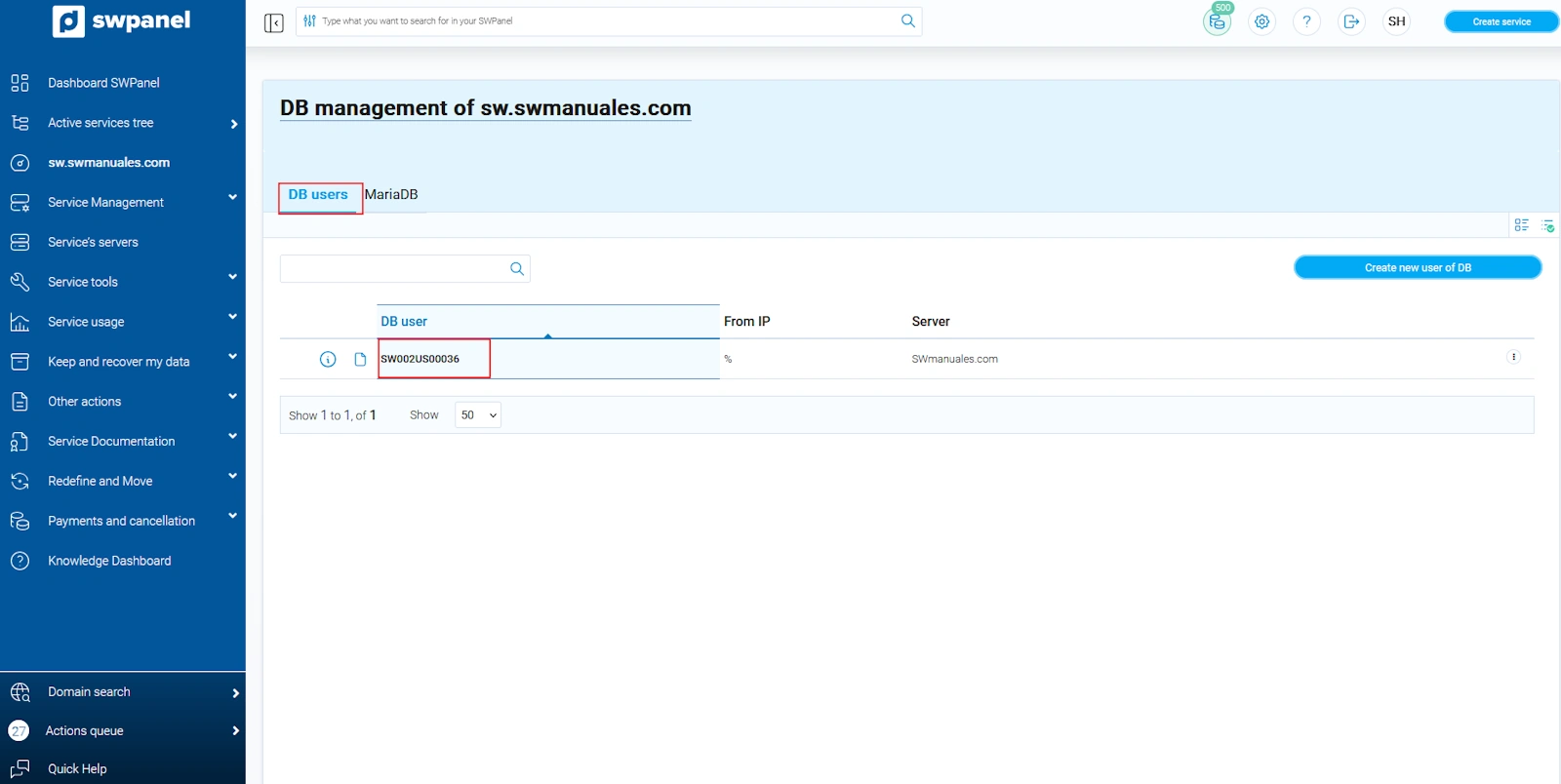
In the 'DB Users' tab, you will be able to see the exact username:
In the 'MariaDB' tab, you will find the name of the DB:
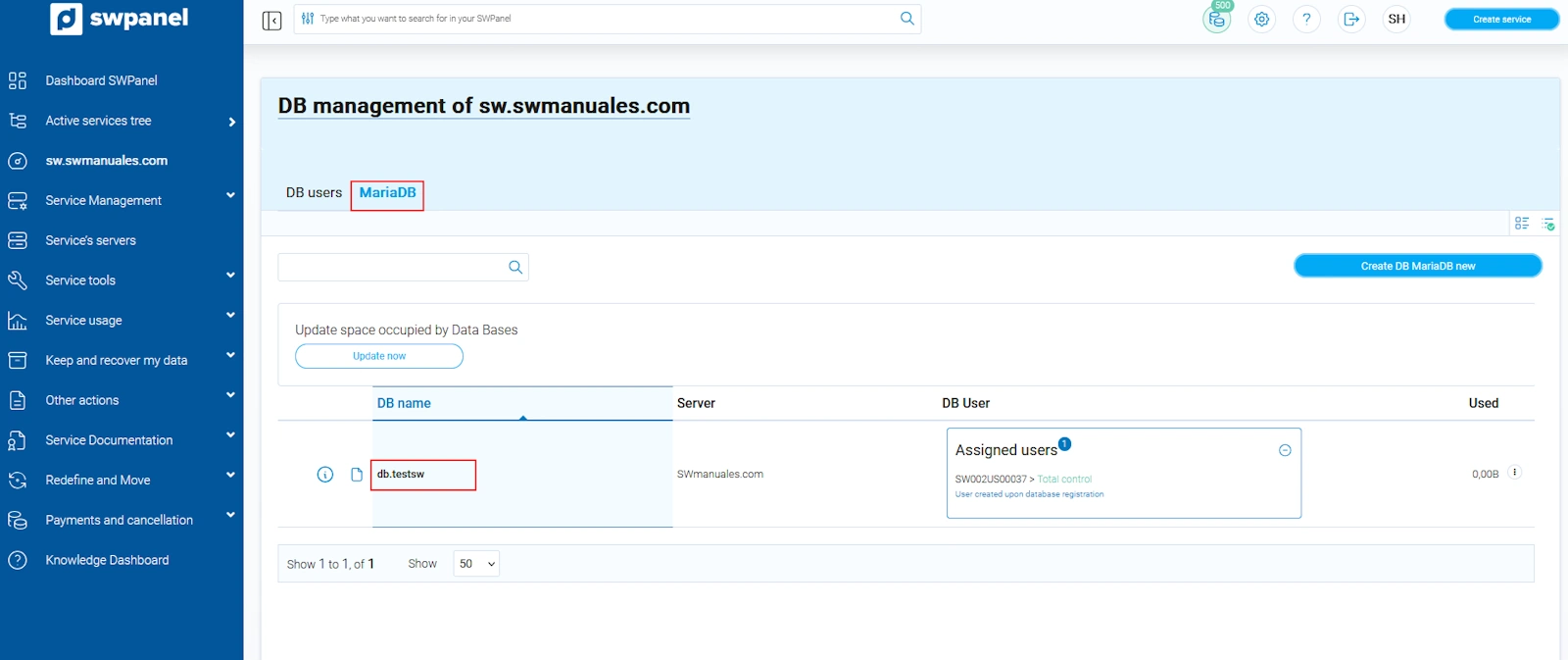
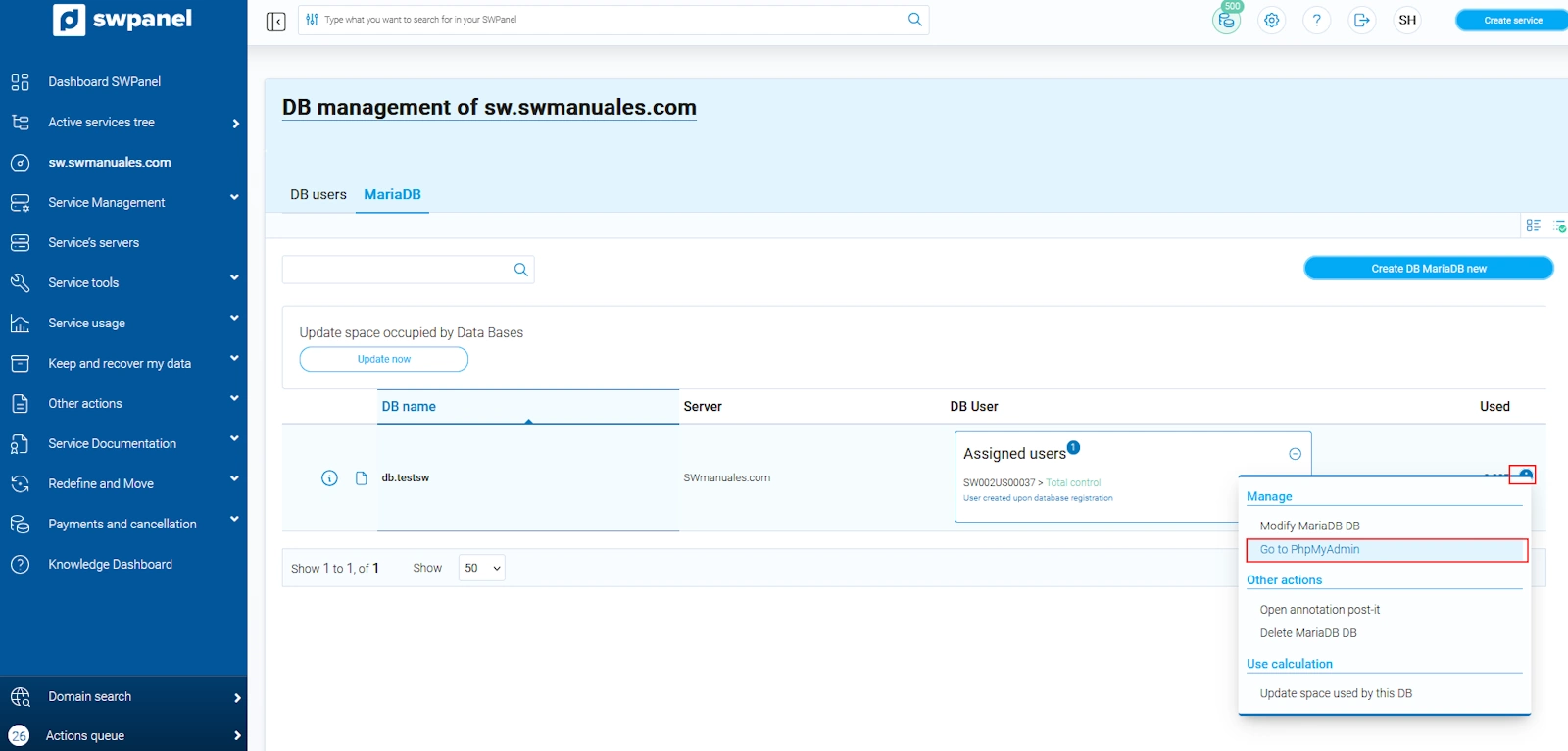
Now, to access the DB manager phpMyAdmin, you must select the 'MariaDB' tab and in the '···' dropdown of the database you want to access, click on 'Open PhpMyAdmin'
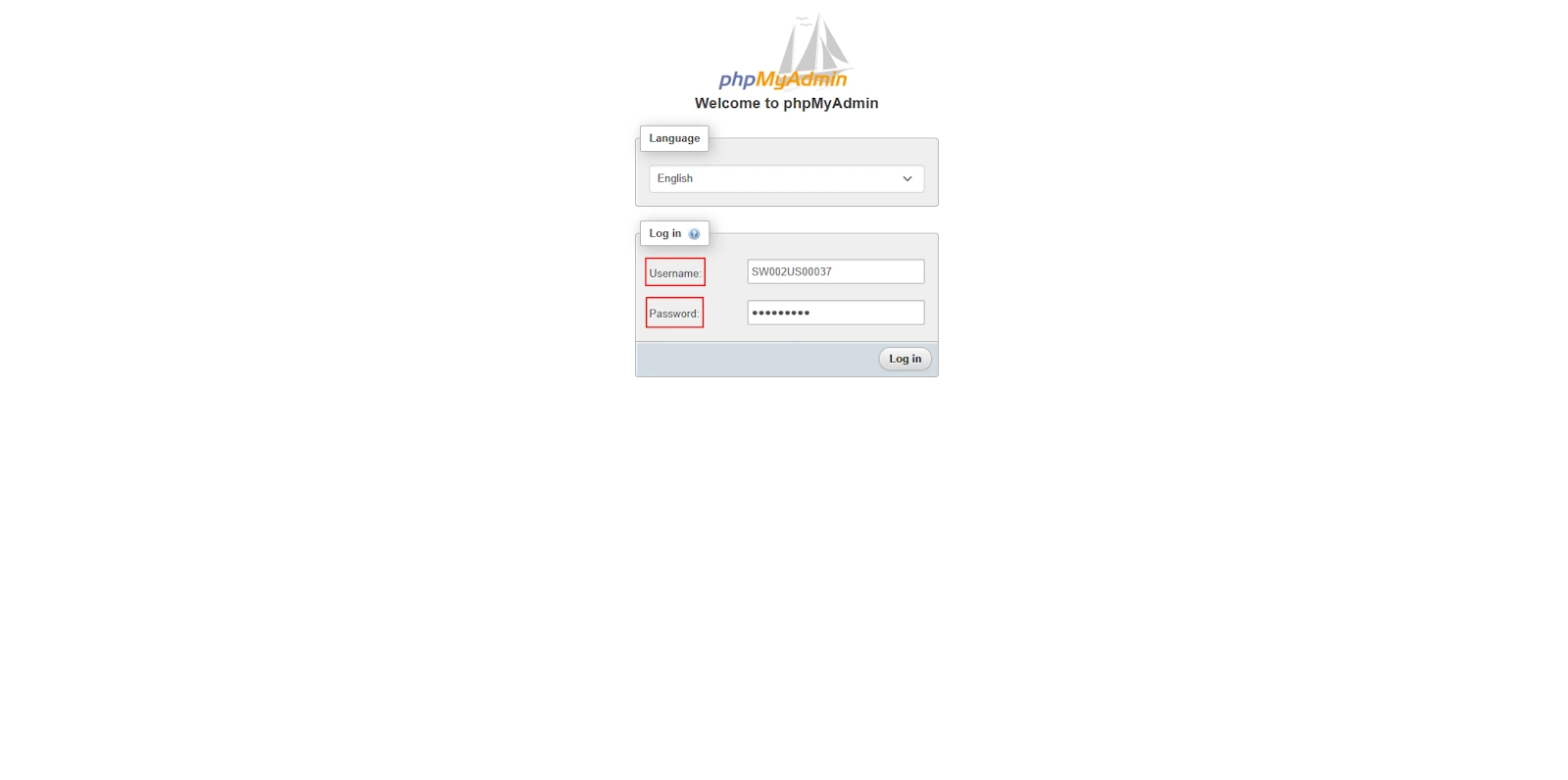
A new tab will open in the browser with the PhpMyAdmin home screen; now you only need to enter the username and password you specified in the DB
You are now inside phpMyAdmin and can start managing your DB: