
How to activate email for Hosting Alias
The mail function for Domain Aliases allows emails arriving at the domain alias to be forwarded to the main domain's account.
For example, we have a domain swmanuales.com and a domain alias alias.swmanuales.com. The domain swmanuales.com has an email account [email protected].
If we send an email to [email protected] (this email account does not exist as such and has not been created manually), it will be received by the account [email protected].
This will happen regardless of whether the main domain's mail server is hosted in your SWPanel or not. If this is not the case, we recommend whitelisting the server's IP in the main domain's mail server to prevent them from being rejected for any reason.
To activate the Mail Alias, you must go to your alias's dashboard.
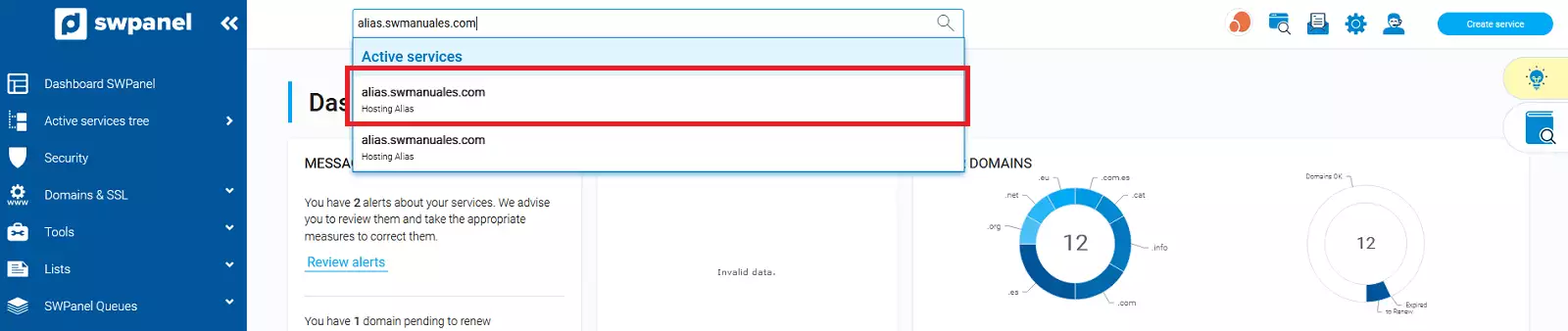
Use the SWPanel search bar for easier access
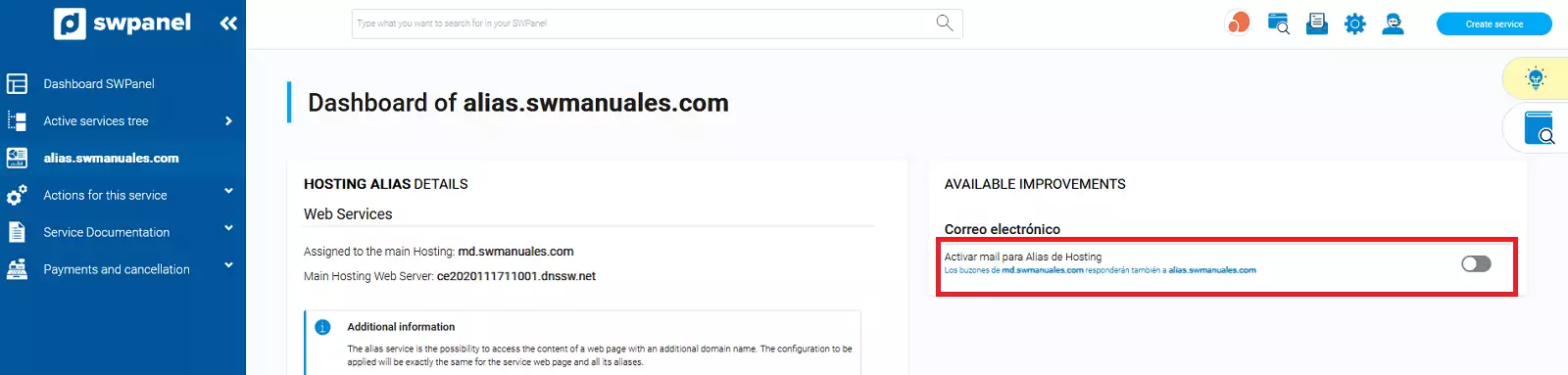
Once in the dashboard, you must activate the extra Activate mail for Hosting Alias. This extra is completely free:
To finish, you must accept the activation of the extra by clicking the Yes, activate button:
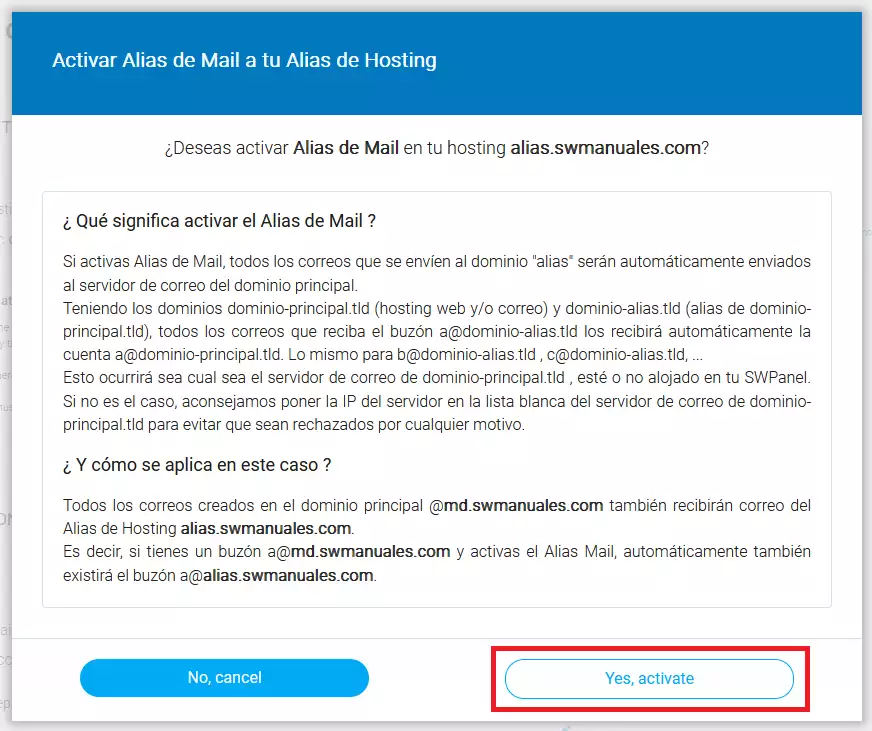 From this moment on, emails arriving at the domain alias's email accounts will be received by the main domain's email accounts.