
How to check my domain prices
My domain prices
To view the price of your domains, follow these steps:
1. You must access your SWPanel, entering your username, password, and select 'Domains and SSL', located in the blue left side menu, then click on Domain Portfolio.
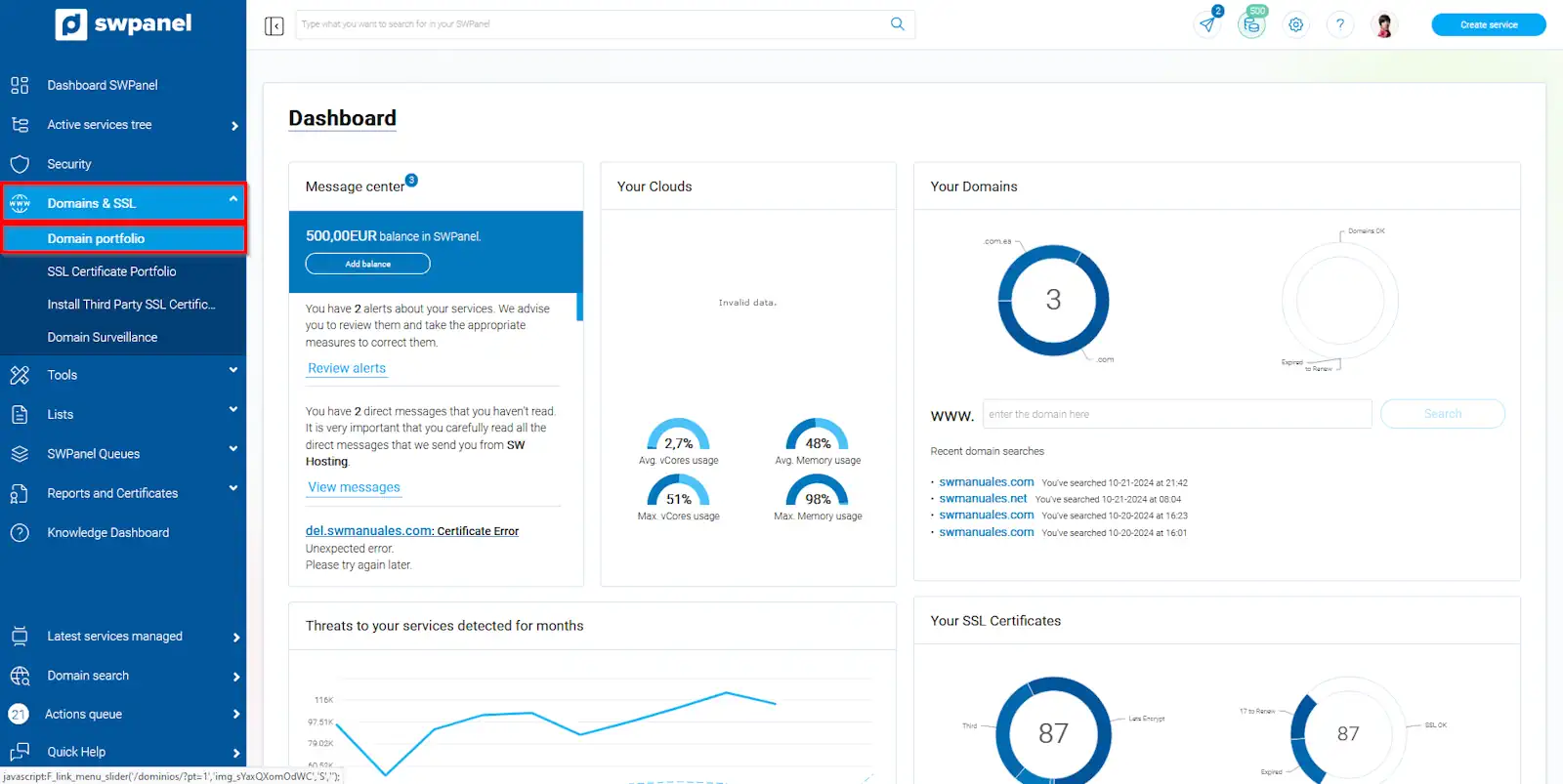
info_capture The screenshot is for guidance. It was taken using version 2024.07.0132 dated 28/10/2024. It may differ from what the current version of SWPanel shows.
2 . Now select the My prices tab.
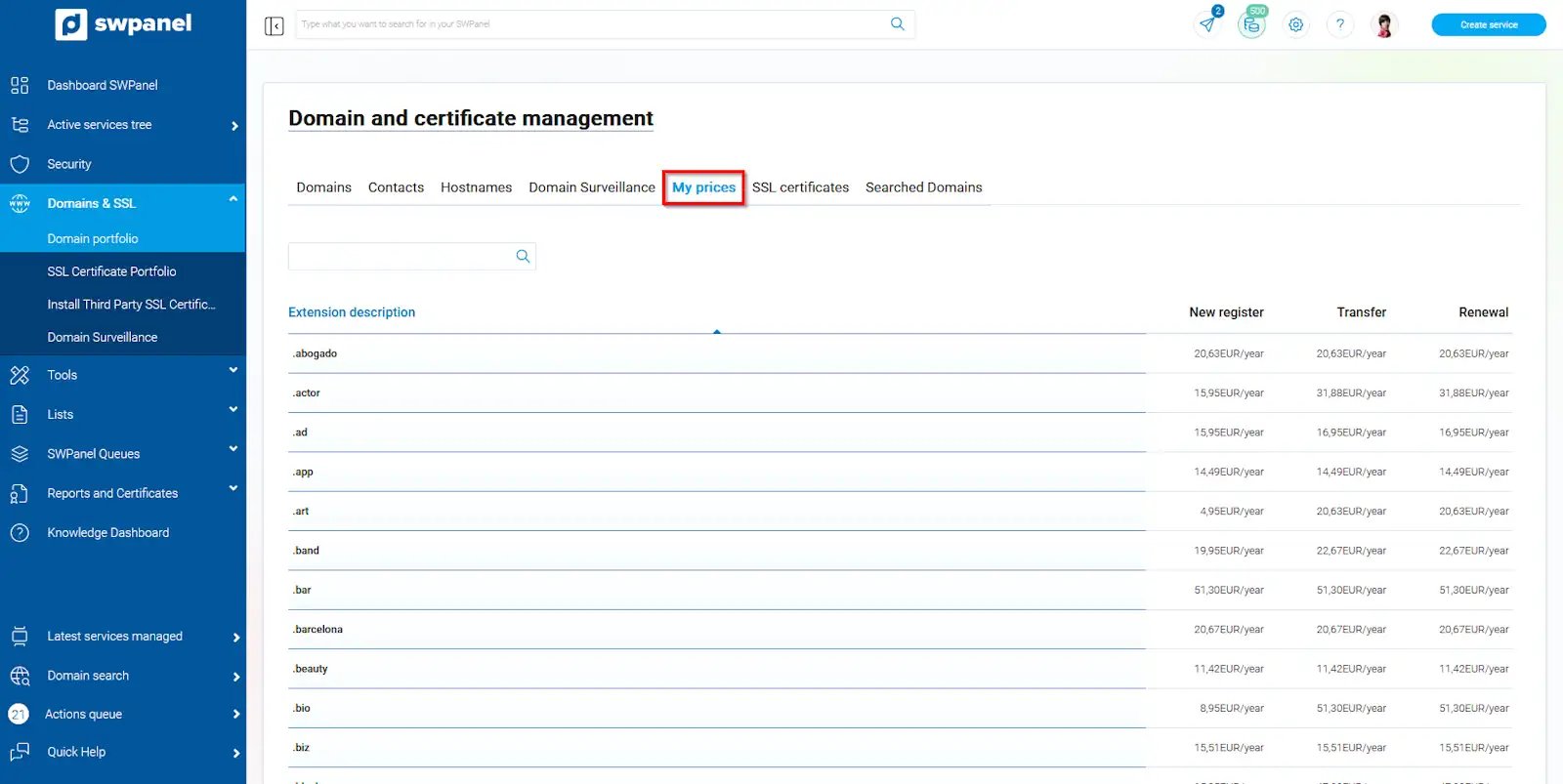
info_capture The screenshot is for guidance. It was taken using version 2024.07.0132 dated 28/10/2024. It may differ from what the current version of SWPanel shows.
Here you will be able to see the prices for each new registration, transfer, and renewal for all the extensions we offer.
Any new promotion we launch on domains will be applied directly to this price table.
VIP Rates
All our VIP customers have the best possible prices on their domains. Now registering, renewing, or transferring to SW is much more economical. Any SW customer who has a Cloud server will have better prices within their SWPanel.
If you are not yet a VIP customer, you can view the special prices we offer on our website
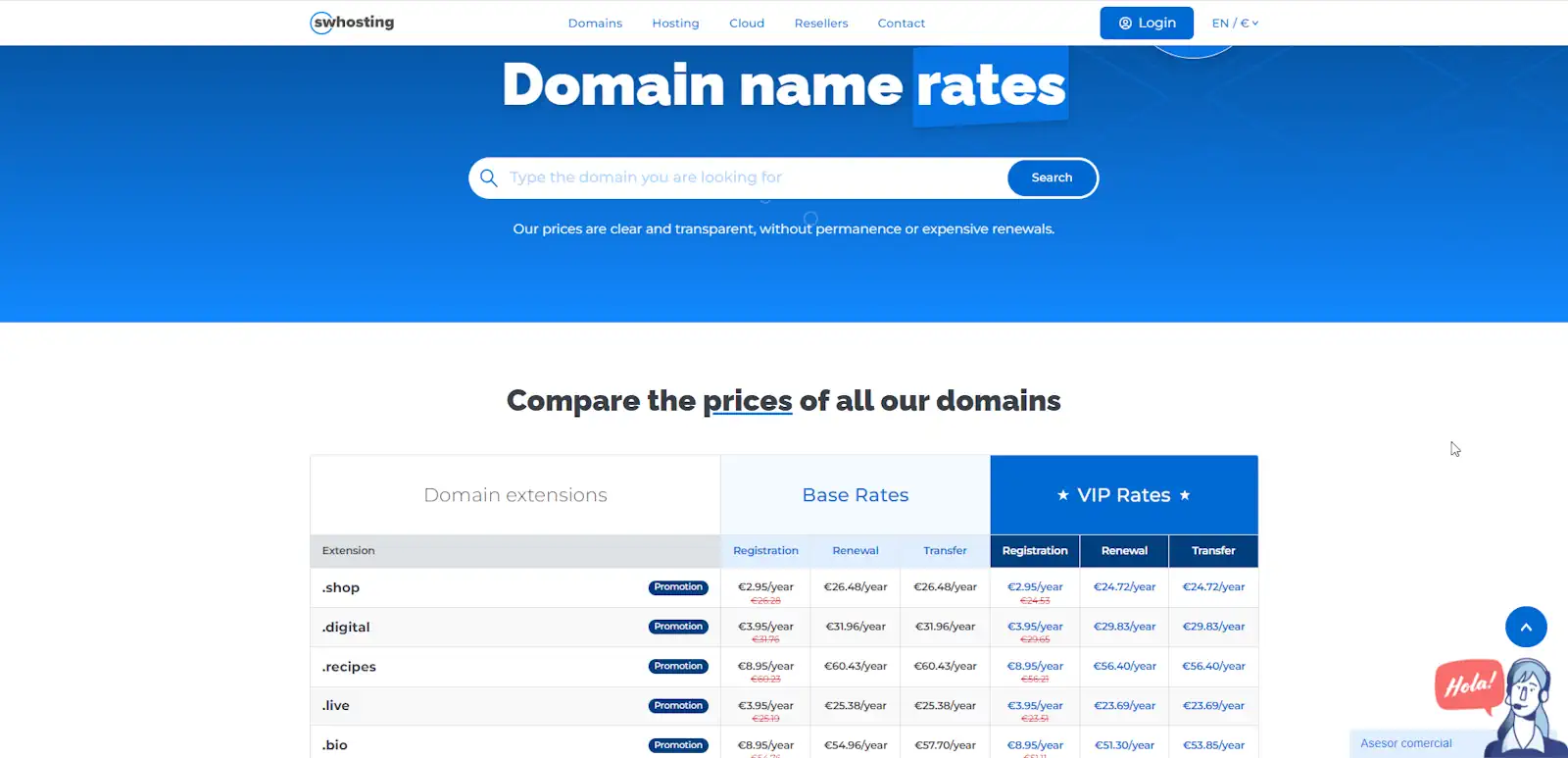
info_capture The screenshot is for guidance. It was taken using version 2024.07.0132 dated 28/10/2024. It may differ from what the current version of SWPanel shows.
Recovery Rates
If your domain has expired, you can still recover it. Our general recovery fee is 20.00€ + VAT and 150.00€ + VAT if the domain is already in the Redemption Period. Remember that, in addition, you will have to pay the cost of a one-year renewal.
In the following image, you can see the lifecycle of a domain.
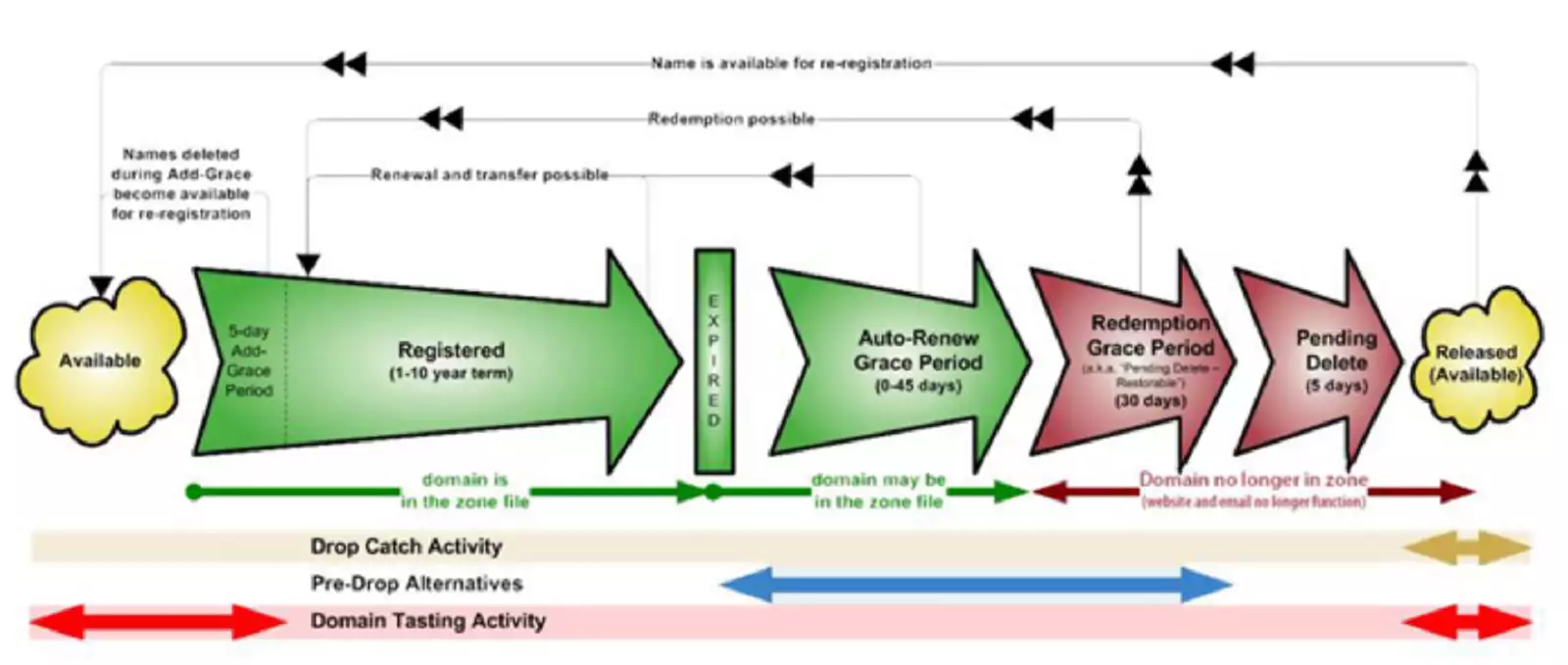
info_capture The screenshot is for guidance. It was taken using version 2024.07.0132 dated 28/10/2024. It may differ from what the current version of SWPanel shows.