
How to create Cloud deployment templates
How to create a Cloud deployment template
A Cloud deployment template allows you to create a Cloud server with the same resources as the original one (without data).
⚠️ Important: To be able to create a Cloud deployment template, your Cloud server must not have SWPanel. However, the server may have a One Click App installed.
Template creation
You must access the service tree of your SWPanel account:
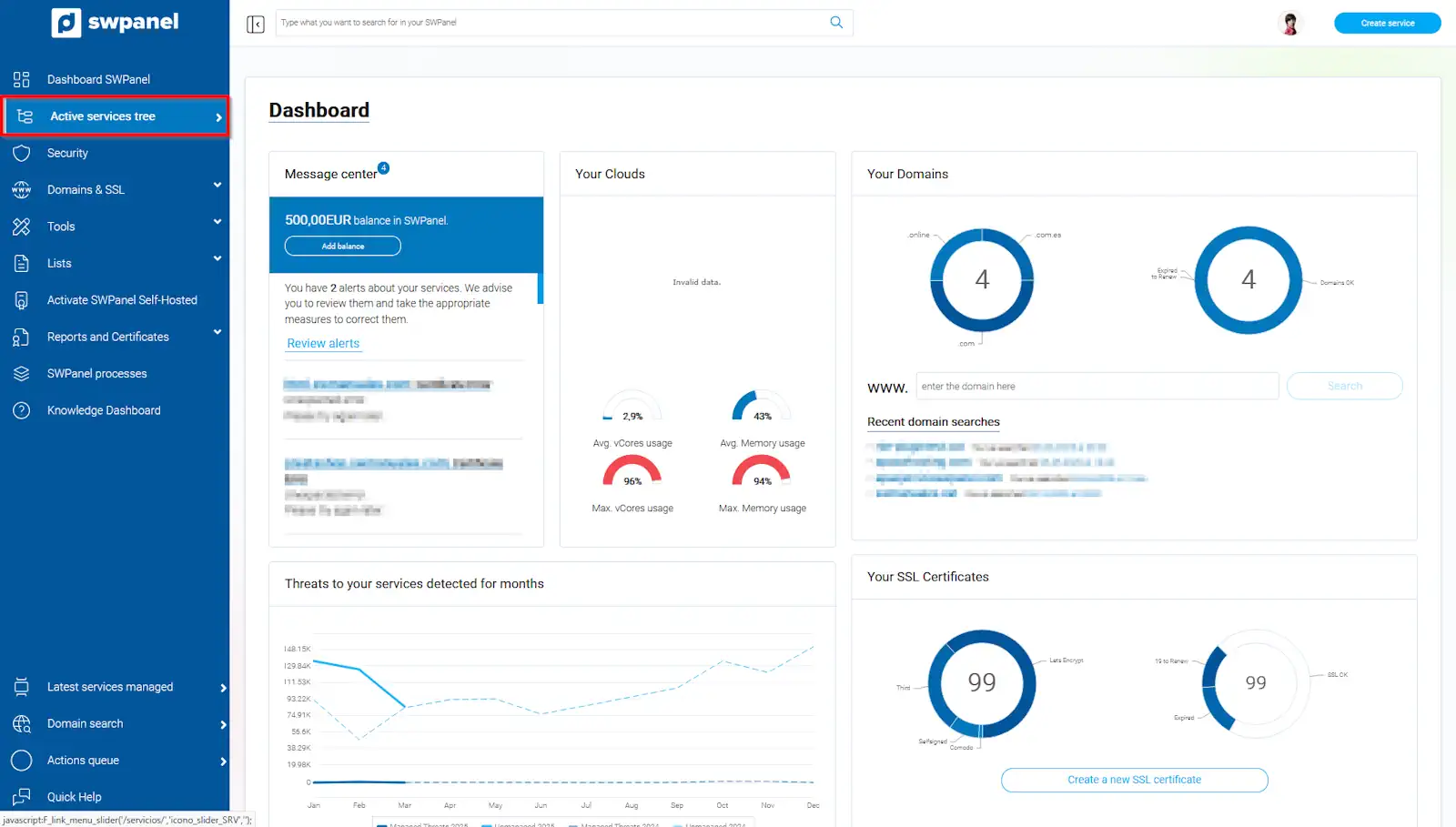
info_capture The screenshot is for guidance purposes. It was taken using version 2025.03.0004 dated 31/03/2025. It may differ from what the current version of SWPanel shows.
Locate the Cloud service you want to use to create the template and, from the [...] menu, select the option 'Create a Deployment Template':
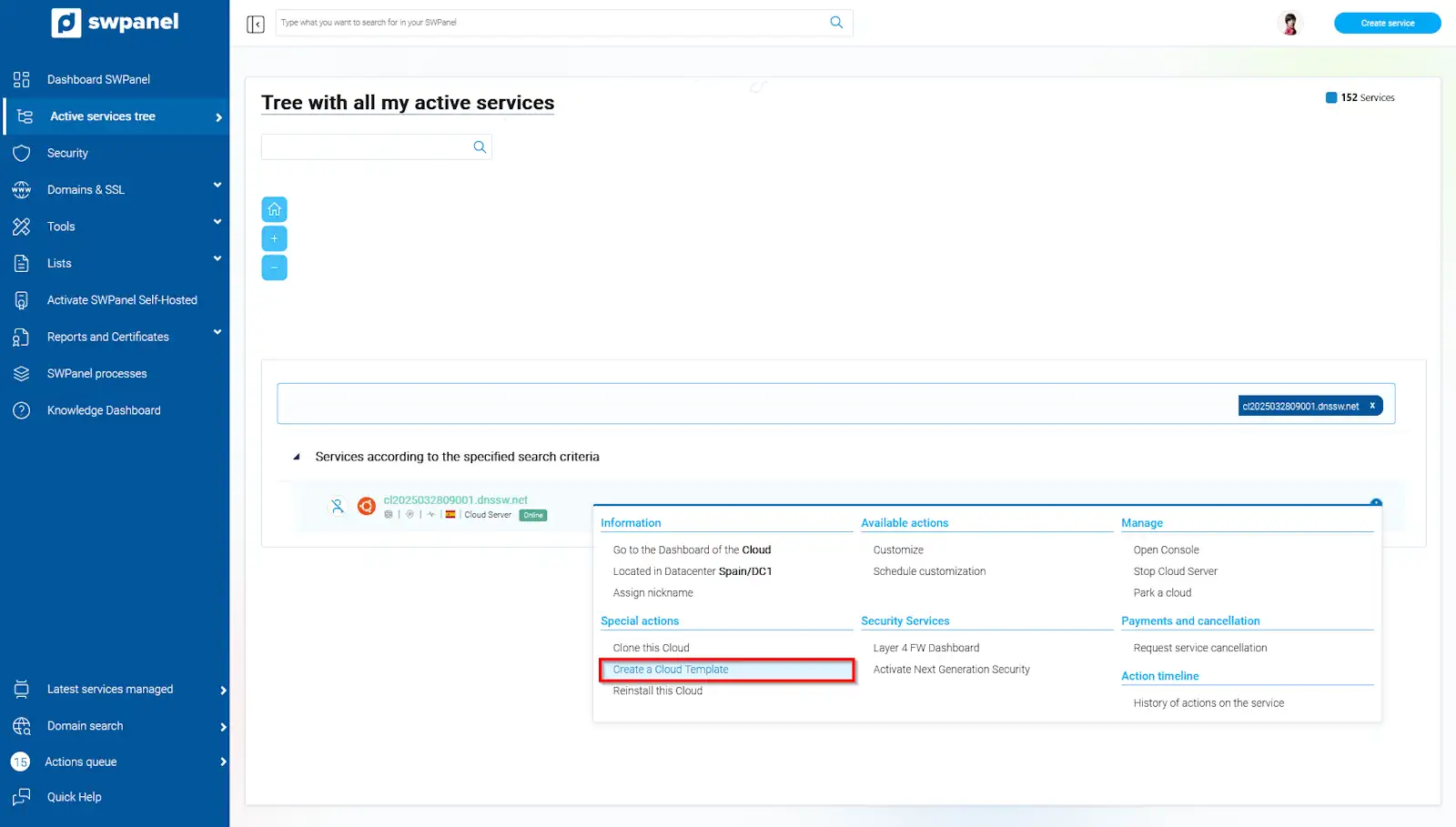
info_capture The screenshot is for guidance purposes. It was taken using version 2025.03.0004 dated 31/03/2025. It may differ from what the current version of SWPanel shows.
In the 'Template Detail' section, you will be able to see the specifications with which your template will be created.
You must read and accept the informative notification and finally click the 'Create Template now' button:
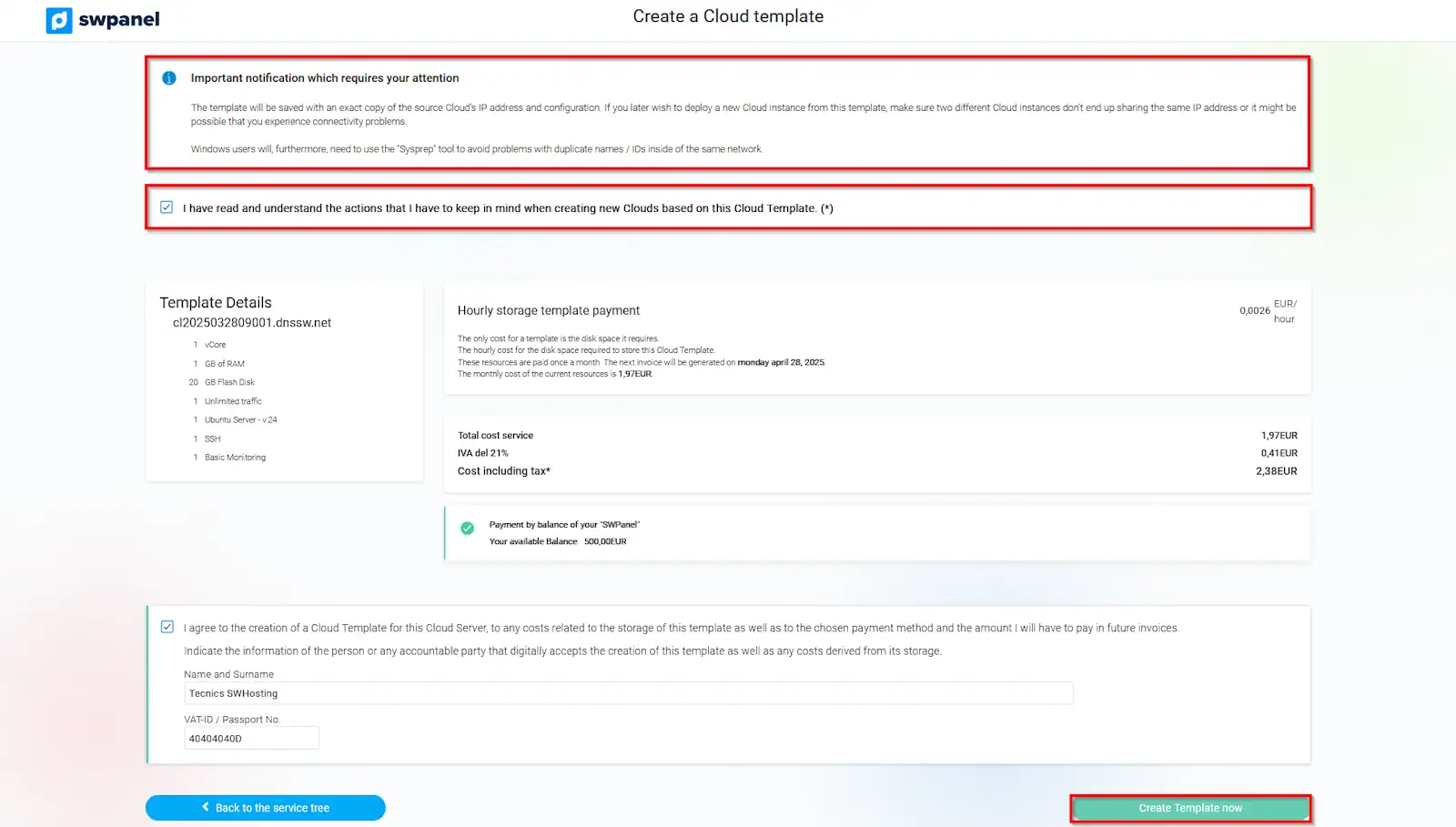
info_capture The screenshot is for guidance purposes. It was taken using version 2025.03.0004 dated 31/03/2025. It may differ from what the current version of SWPanel shows.
Once the template creation process is complete, it will be displayed in the Active service tree section.
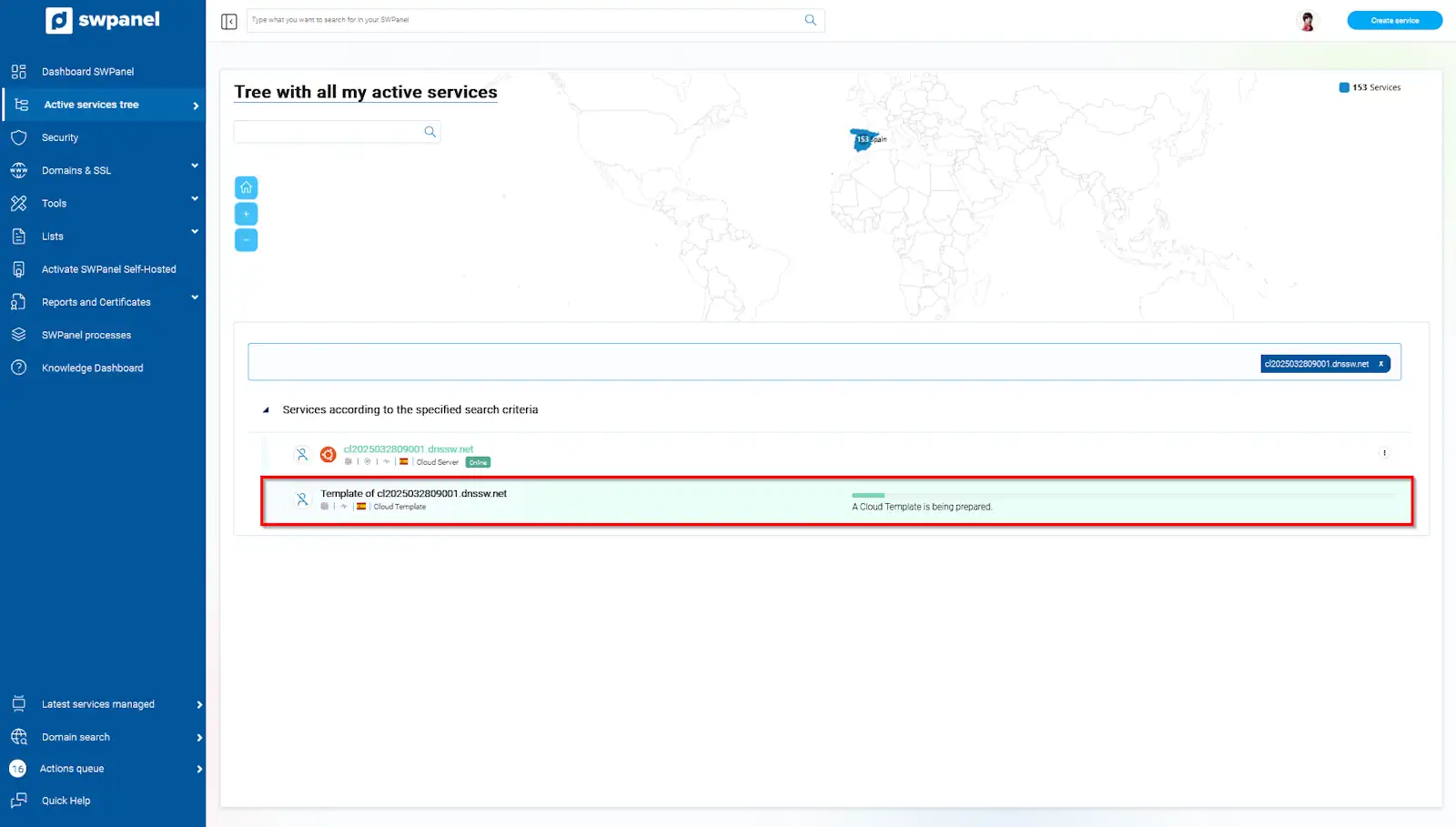
info_capture The screenshot is for guidance purposes. It was taken using version 2025.03.0004 dated 31/03/2025. It may differ from what the current version of SWPanel shows.
Check another manual of interest: