
How to modify PHP variable values in your Shared Hosting
To modify the PHP variables of a Shared Hosting plan, first, you must locate from the 'Active services tree', the service you wish to modify, or you can use the SWPanel general search to find it:
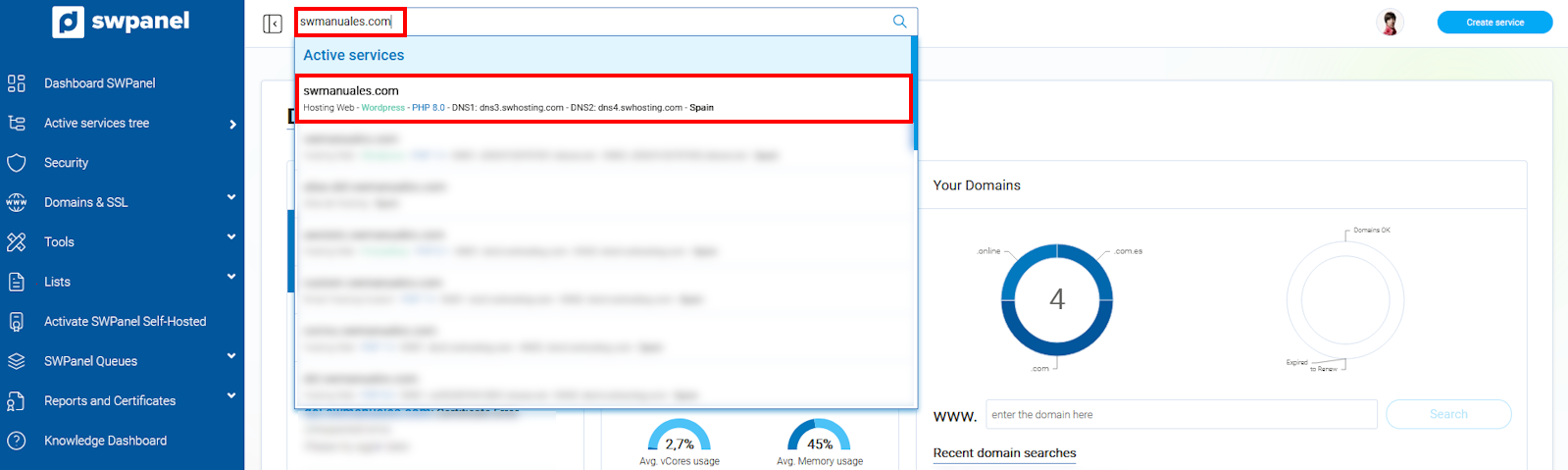
info_capture The screenshot is for guidance purposes. It was taken from version 2025.00.0017 dated 12/29/2024. It may differ from what the current version of SWPanel shows.
Once in the service Dashboard, you must click on the 'Basic service parameter settings' icon:
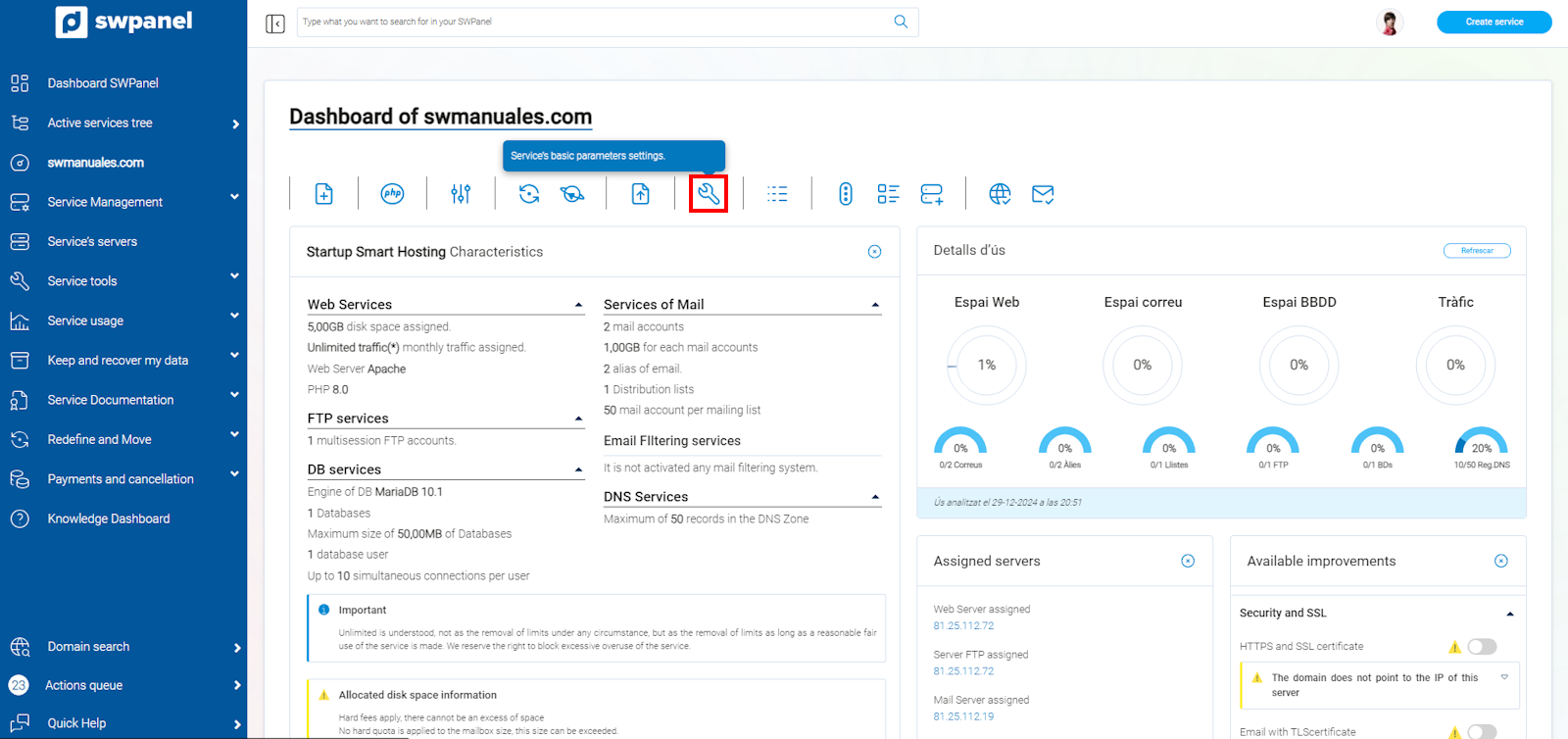
info_capture The screenshot is for guidance purposes. It was taken from version 2025.00.0017 dated 12/29/2024. It may differ from what the current version of SWPanel shows.
From the settings, you will be able to modify the values of the allowed PHP variables within an established range.
Finally, you must save the changes made using the 'Save changes' button:
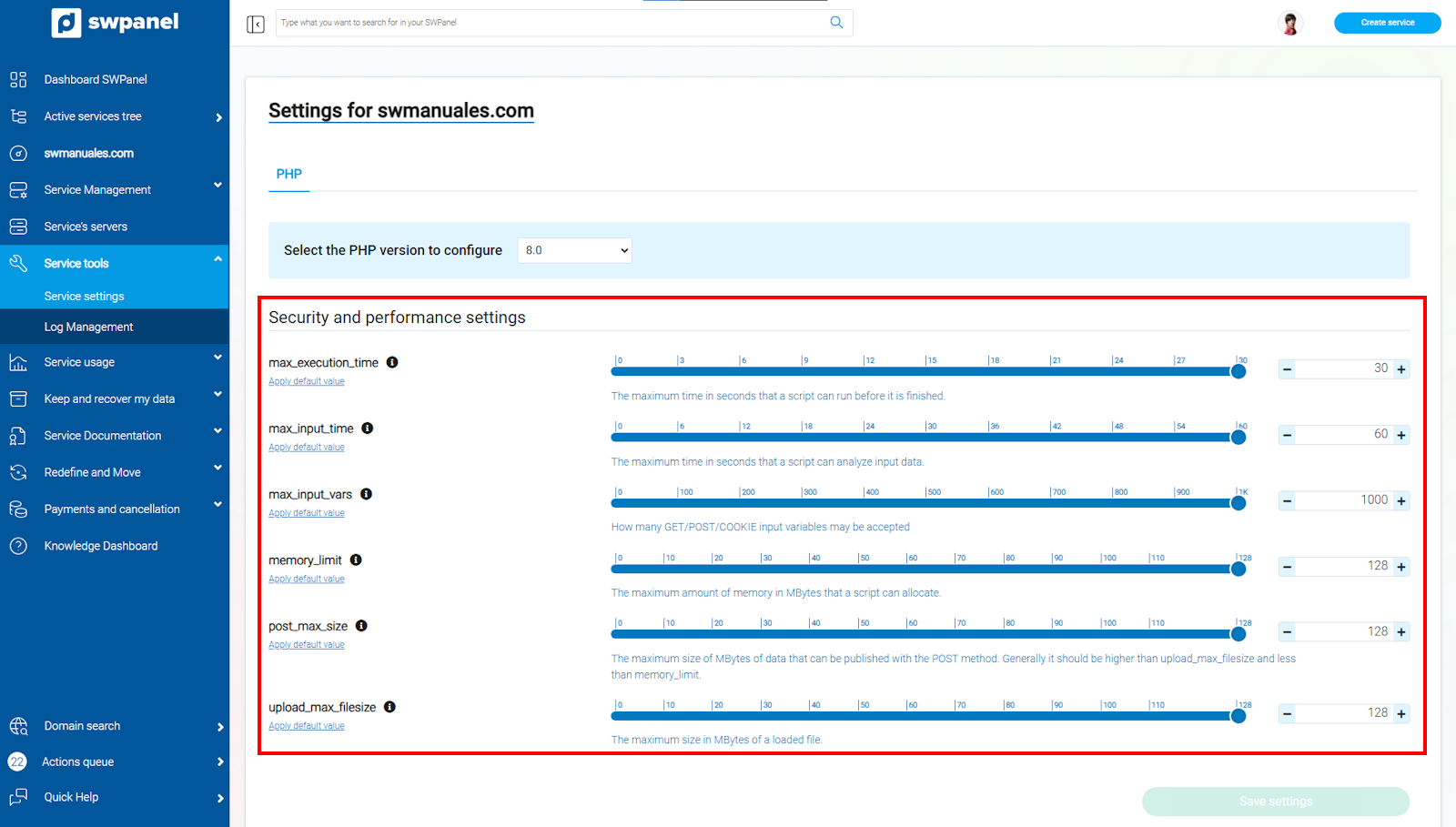
info_capture The screenshot is for guidance purposes. It was taken from version 2025.00.0017 dated 12/29/2024. It may differ from what the current version of SWPanel shows.