
How to enable HTTPS connections in Prestashop
Below, we indicate the requirements and steps to follow so that our PrestaShop always uses secure HTTPS connections through an SSL certificate.
1- Have an SSL certificate installed on your domain
First, we must have an SSL certificate installed on our website so that, subsequently, we can effectively configure the redirection from HTTP to HTTPS.
Below, we also indicate the manuals for the request and installation of the SSL certificate for your website from your SWPanel user account:
Manual: How to install a Let's Encrypt SSL certificate with SWPanel
Manual: Install SSL certificate purchased via SWPanel
Manual: Install third-party SSL certificate via SWPanel
2- Activate the redirection to HTTPS
Once you have the SSL certificate installed on your website, you must access the management of your PrestaShop and activate SSL from PrestaShop --> Shop Parameters --> Configuration.
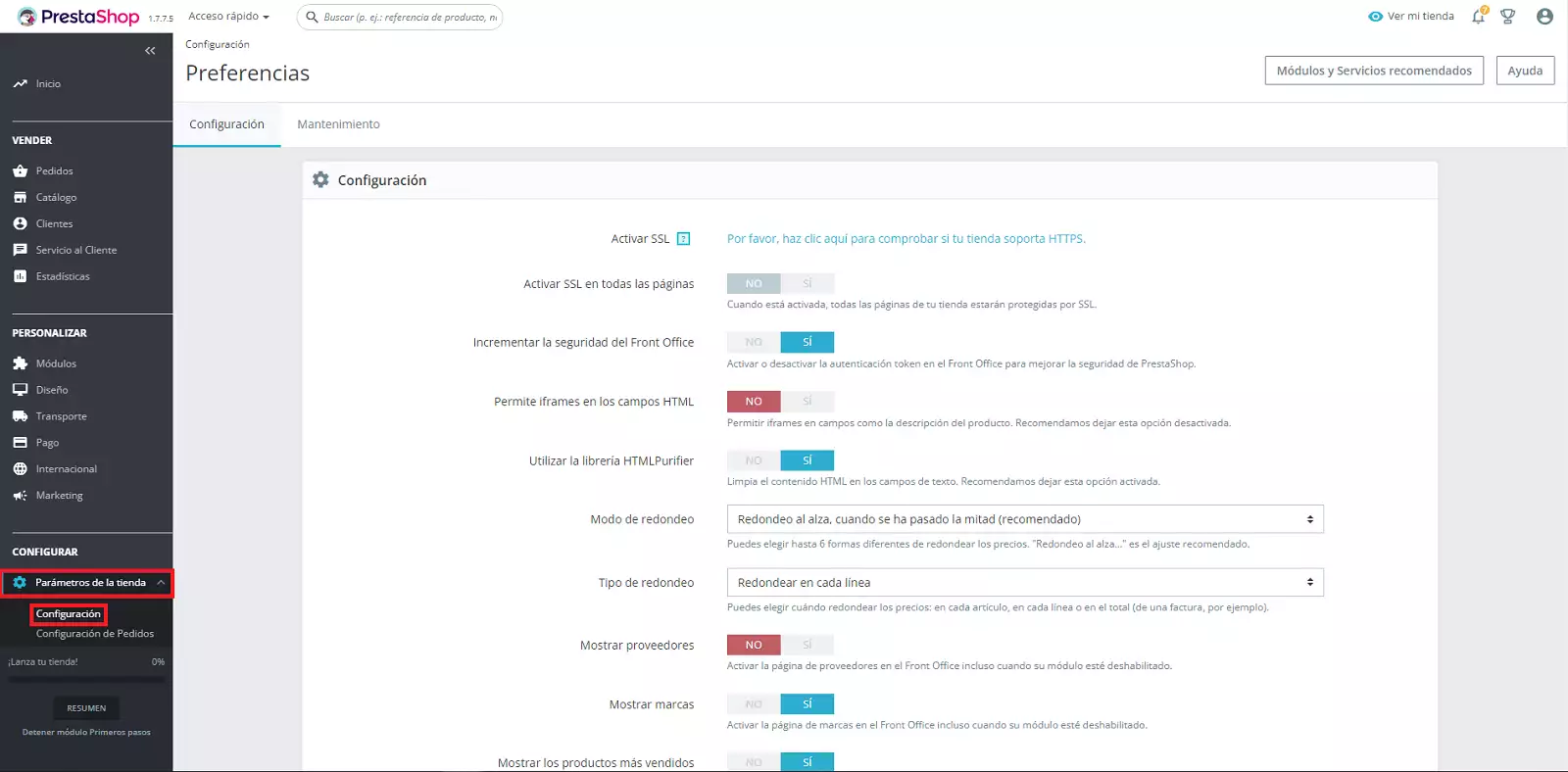
The first step for the activation of SSL from the management of our PrestaShop will be to click on the option "Please click here to check if your store supports HTTPS."
The following message will appear on the screen:
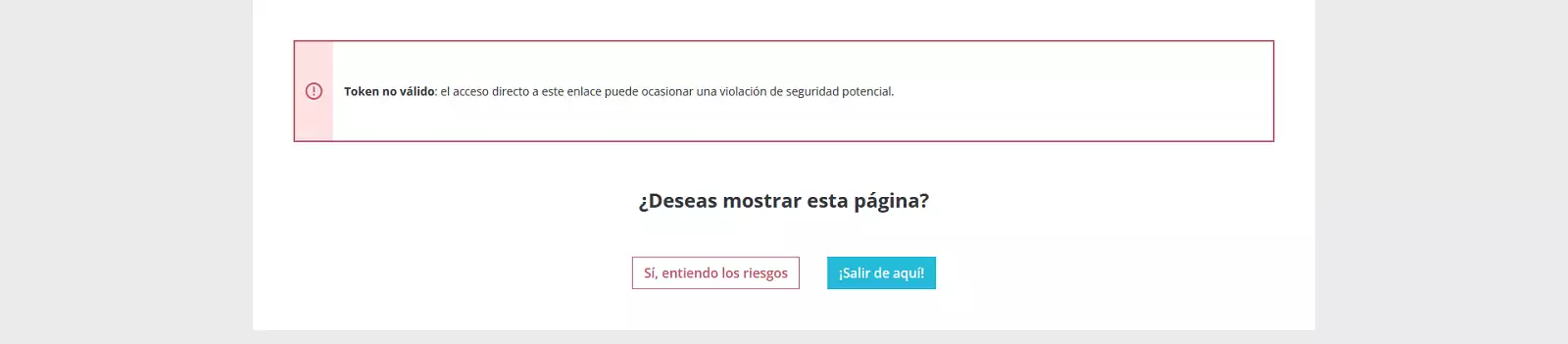
We click on Yes, I understand the risks
Subsequently, we will return to the PrestaShop configuration but with the option to Enable SSL:
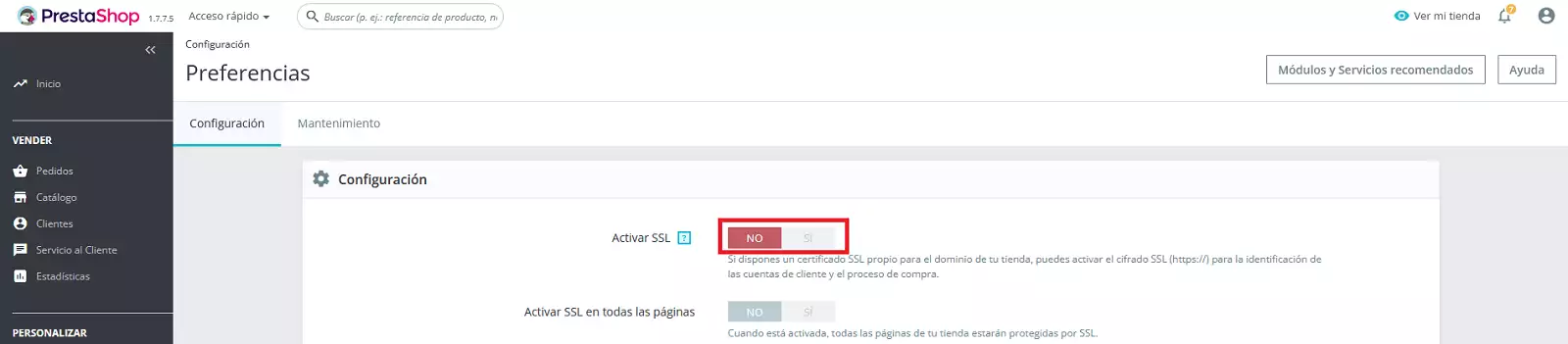
Next, you must accept the changes by clicking on the Save button.

And, once the Enable SSL button is activated, we must also activate the Enable SSL on all pages button.
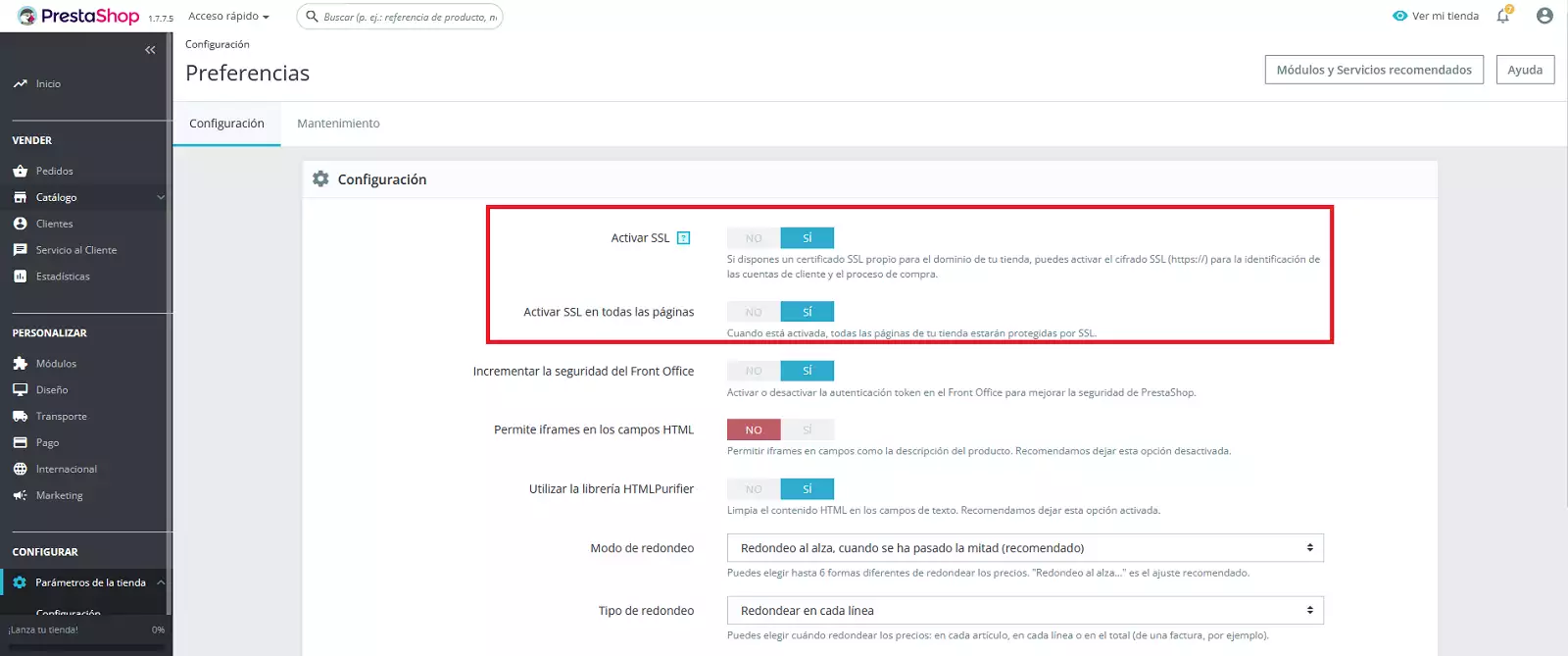
Remember that afterwards, you must accept the changes by clicking on the Save button.
