
How to manage my searched domains
You have probably felt interested in acquiring a specific domain at some point, but for some reason, you did not complete its registration.
To facilitate the management of any domain we have searched for at a given time, we have added a new section to your domain portfolio that will provide you with information about them and allow you to manage them.
First, you must go to your SWPanel and select the section 'Domains and SSL' -> 'Domain portfolio' in the side menu.
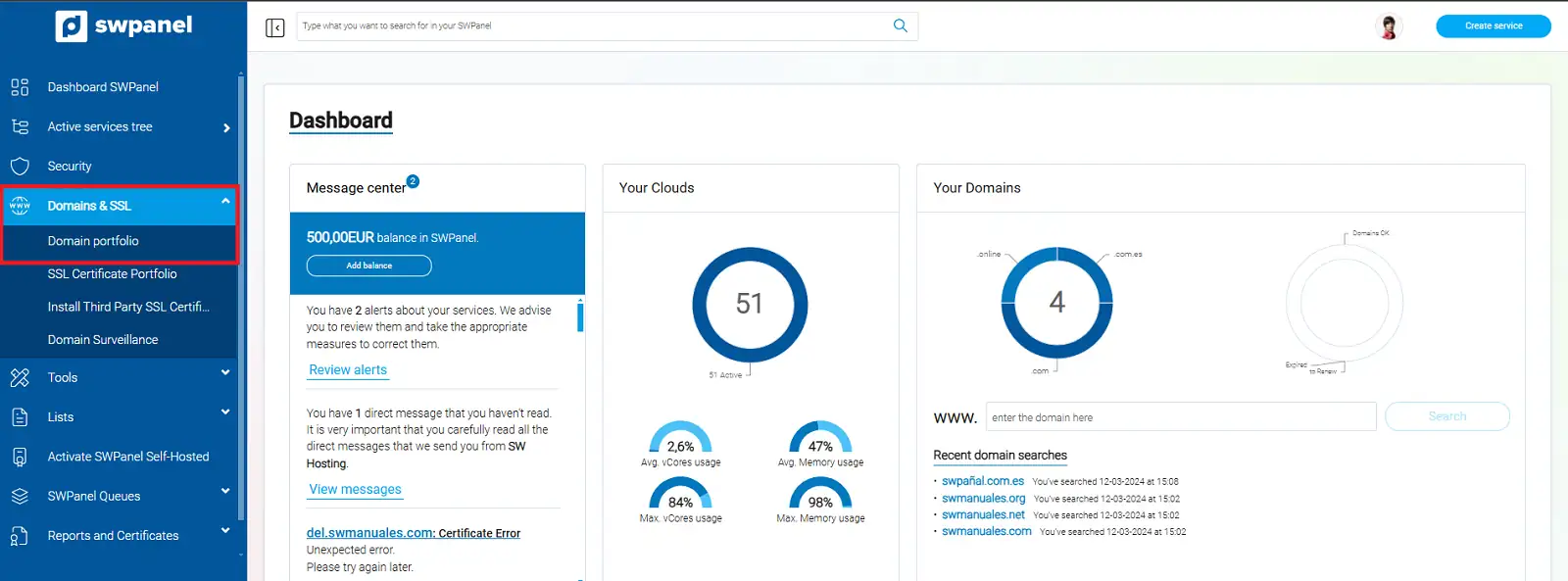
info_capture The screenshot is for guidance purposes. It was taken using version 2025.00.0016 dated 04/12/24. It may differ from what the current version of SWPanel displays.
Once here, we will go to the tab 'Searched domains', where we will find the said section.
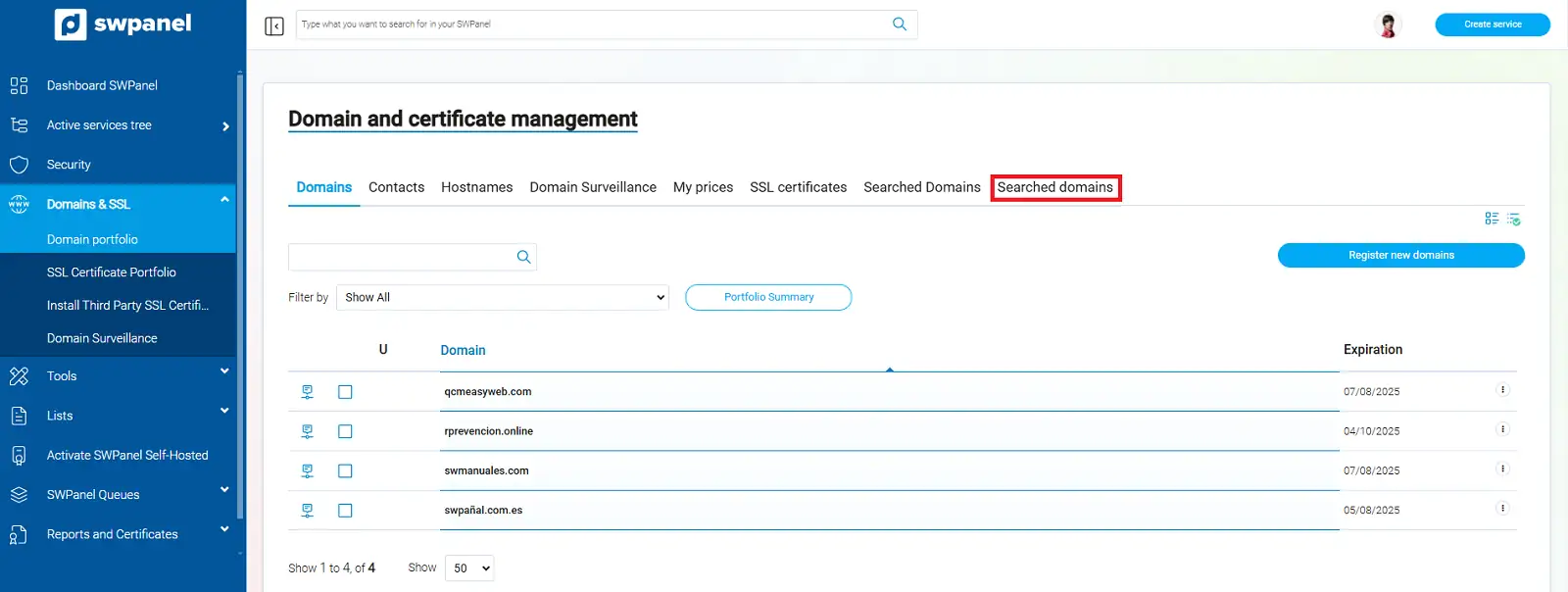
info_capture The screenshot is for guidance purposes. It was taken using version 2025.00.0016 dated 04/12/24. It may differ from what the current version of SWPanel displays.
Here we will find a history of the domain search times, and it will provide us with several data points that we can also use to filter our search.
- Date : We will see the date and time the domain was searched.
- Domain name: We will identify the domain we are searching for by name.
- Status when searched: The status of the domain on the date the search was performed.
- User: If the domain search was performed by another user, it will show us which one it was.
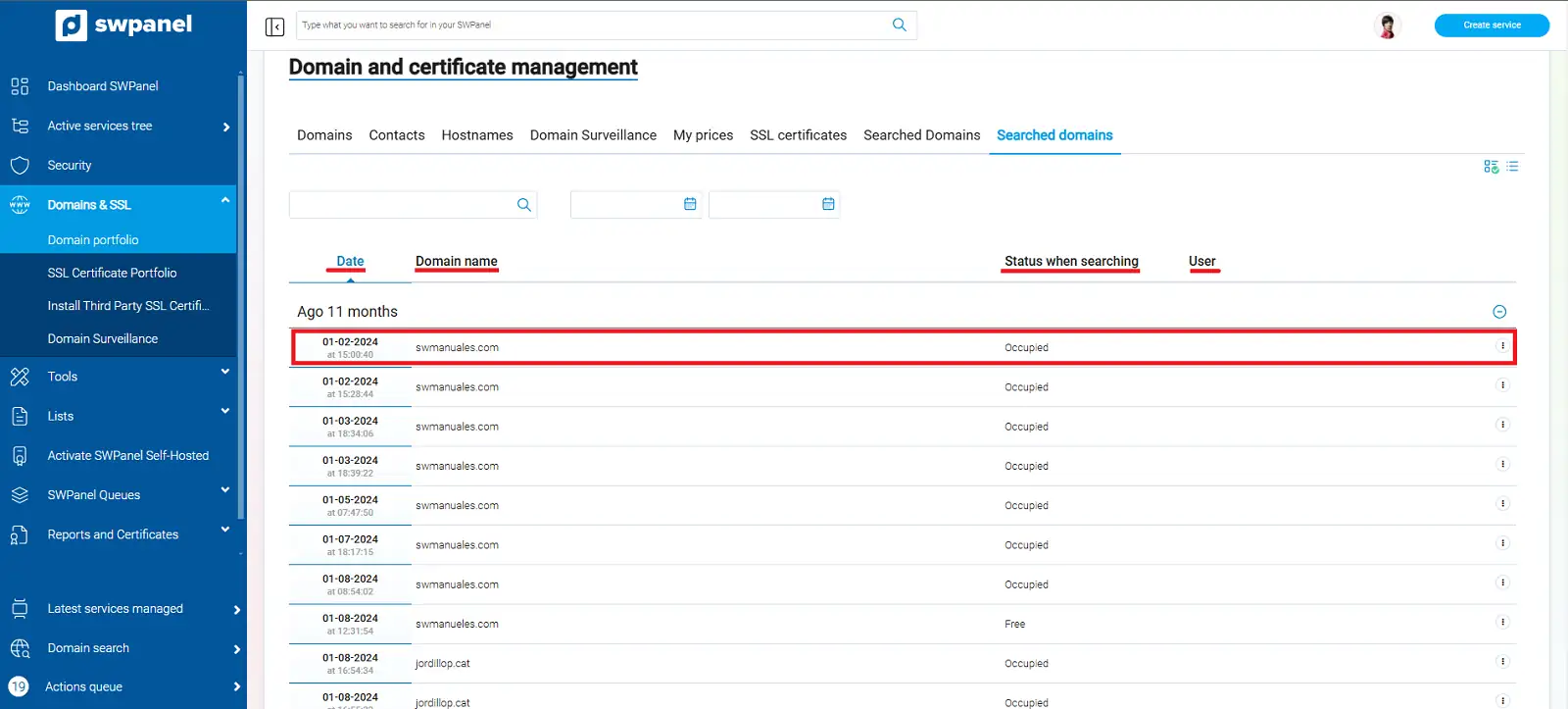
info_capture The screenshot is for guidance purposes. It was taken using version 2025.00.0016 dated 04/12/24. It may differ from what the current version of SWPanel displays.
Finally, we can manage actions for the said domain directly from this section, without needing to return to our domain portfolio.
We must go to the dropdown menu '...' located to the right of the corresponding domain, and we can select the option 'Add to cart'.
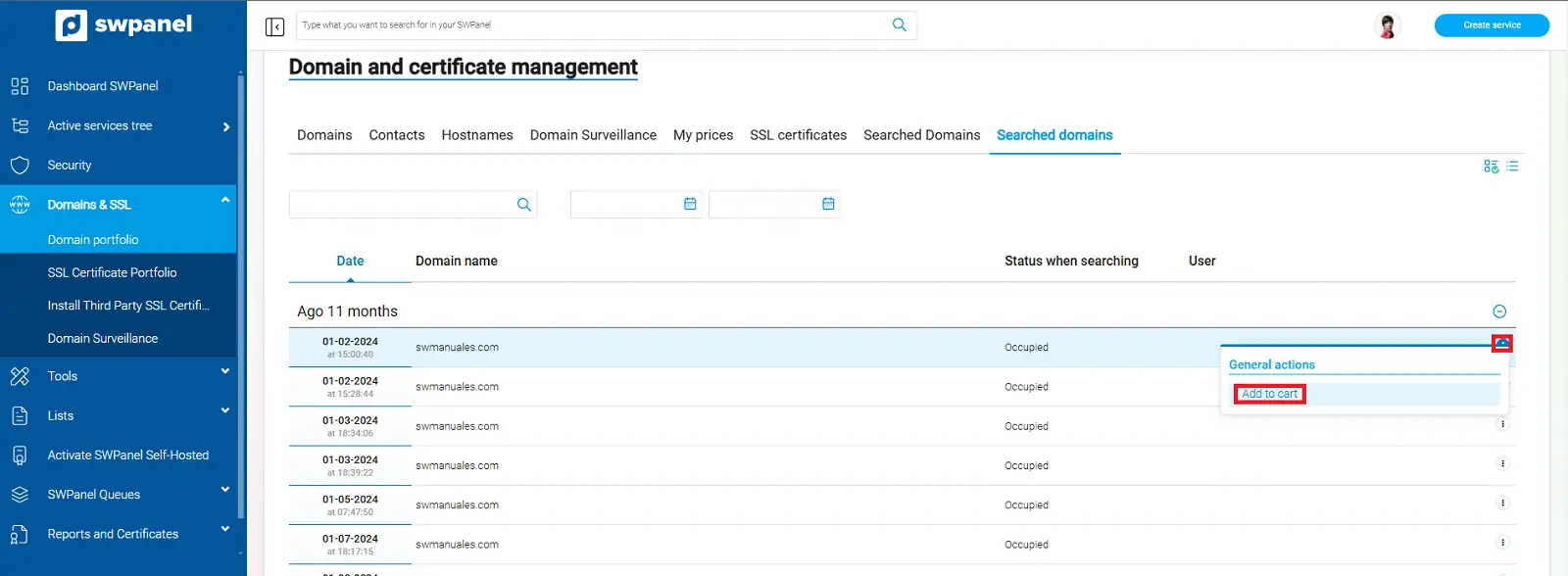
info_capture The screenshot is for guidance purposes. It was taken using version 2025.00.0016 dated 04/12/24. It may differ from what the current version of SWPanel displays.
In this way, we can have control over the history of domains we have searched for over time, and even register them directly if we see one that we are still interested in.