How to manage your balance via SWPanel
To consult and manage your SWPanel balance, position your mouse cursor over the logo of your customer account -> "My account". Then click on Balance Management:
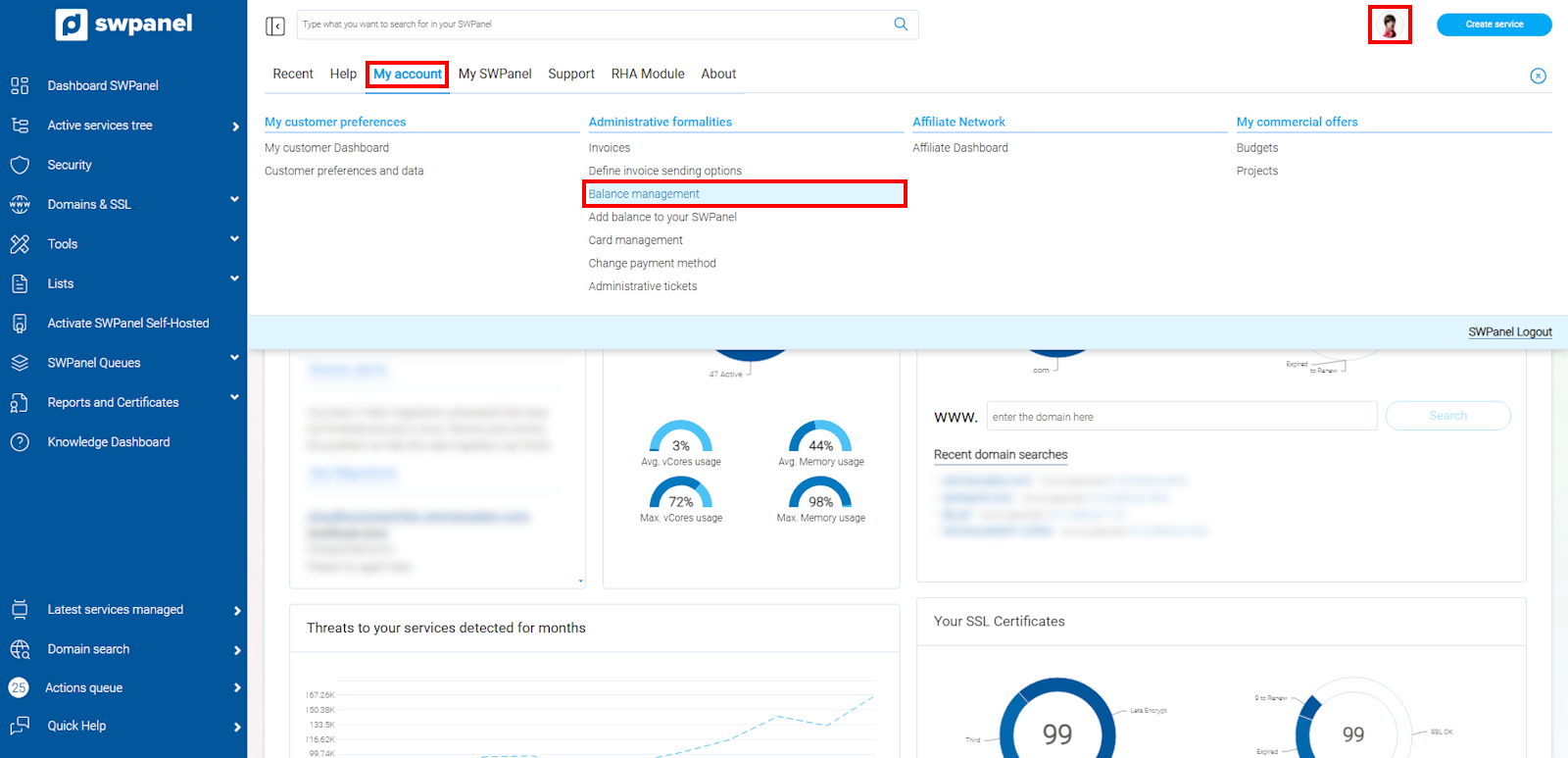
info_capture The screenshot is for guidance only. It was taken on version 2025.00.0017 with date 05/01/2025. It may differ from what the current version of SWPanel displays.
In this section, you will be able to view the balance movements associated with your account.
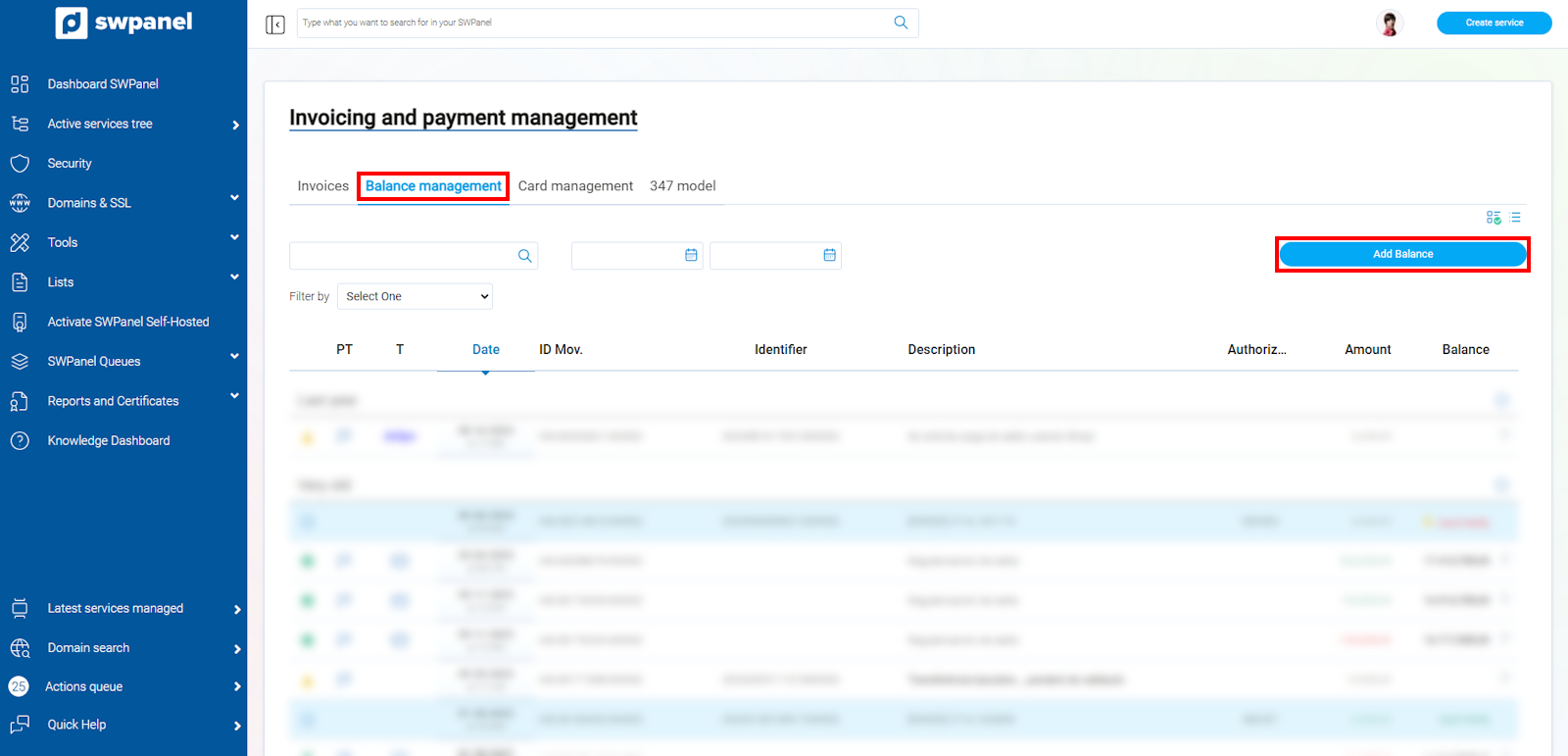
info_capture The screenshot is for guidance only. It was taken on version 2025.00.0017 with date 05/01/2025. It may differ from what the current version of SWPanel displays.
From here you can also add credit to your account by credit card, PayPal, Stripe or bank transfer payment, always with a minimum amount of €5**.
Please note that loading credits using PayPal or Stripe incurs an additional charge from the platform. The credit that will be added to your SWPanel will be the result of the requested load minus this amount.
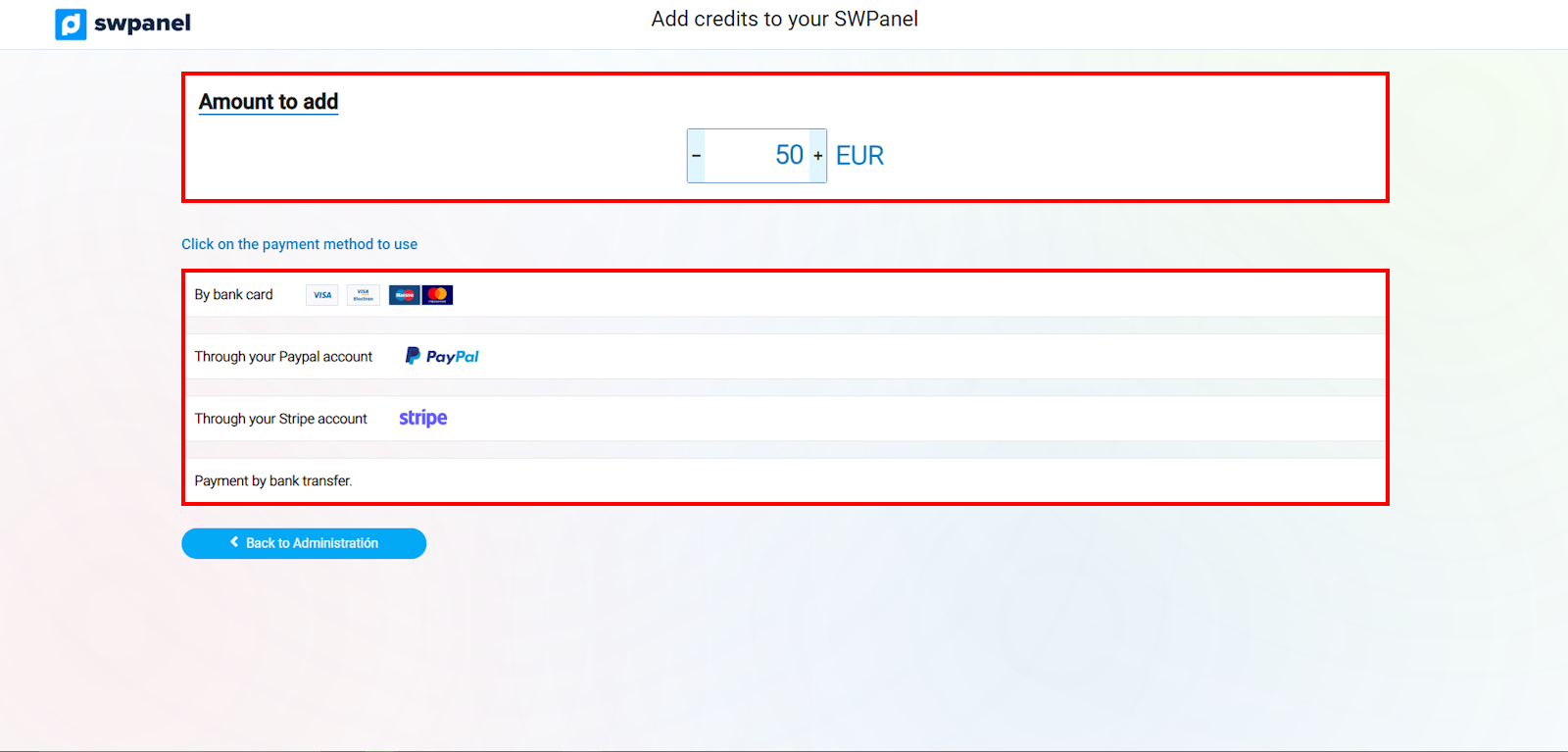
info_capture The screenshot is for guidance only. It was taken on version 2025.00.0017 with date 05/01/2025. It may differ from what the current version of SWPanel displays.