
How to test the operation of your Hosting website in SWPanel
To perform a test or trial of your Hosting web service via SWPanel and in an automated way, you must first access your Hosting service dashboard.
You can do this quickly through the SWPanel top search bar:
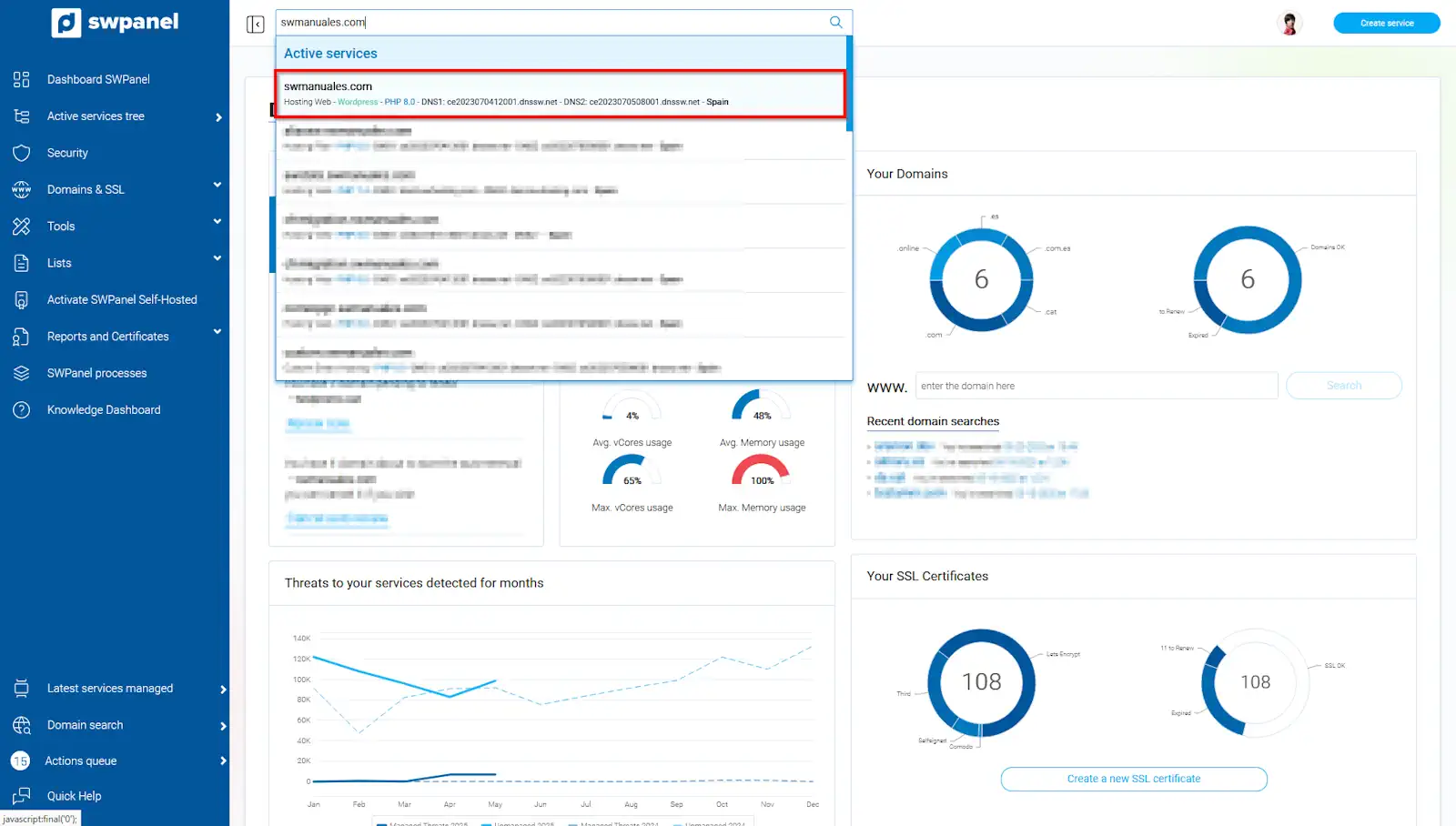
info_capture The screenshot is for guidance only. It was taken using version 2025.004.0002 dated 28/05/2025. It may differ from what the current version of SWPanel shows.
Once in the dashboard, click on the "Perform web functionality check" icon:
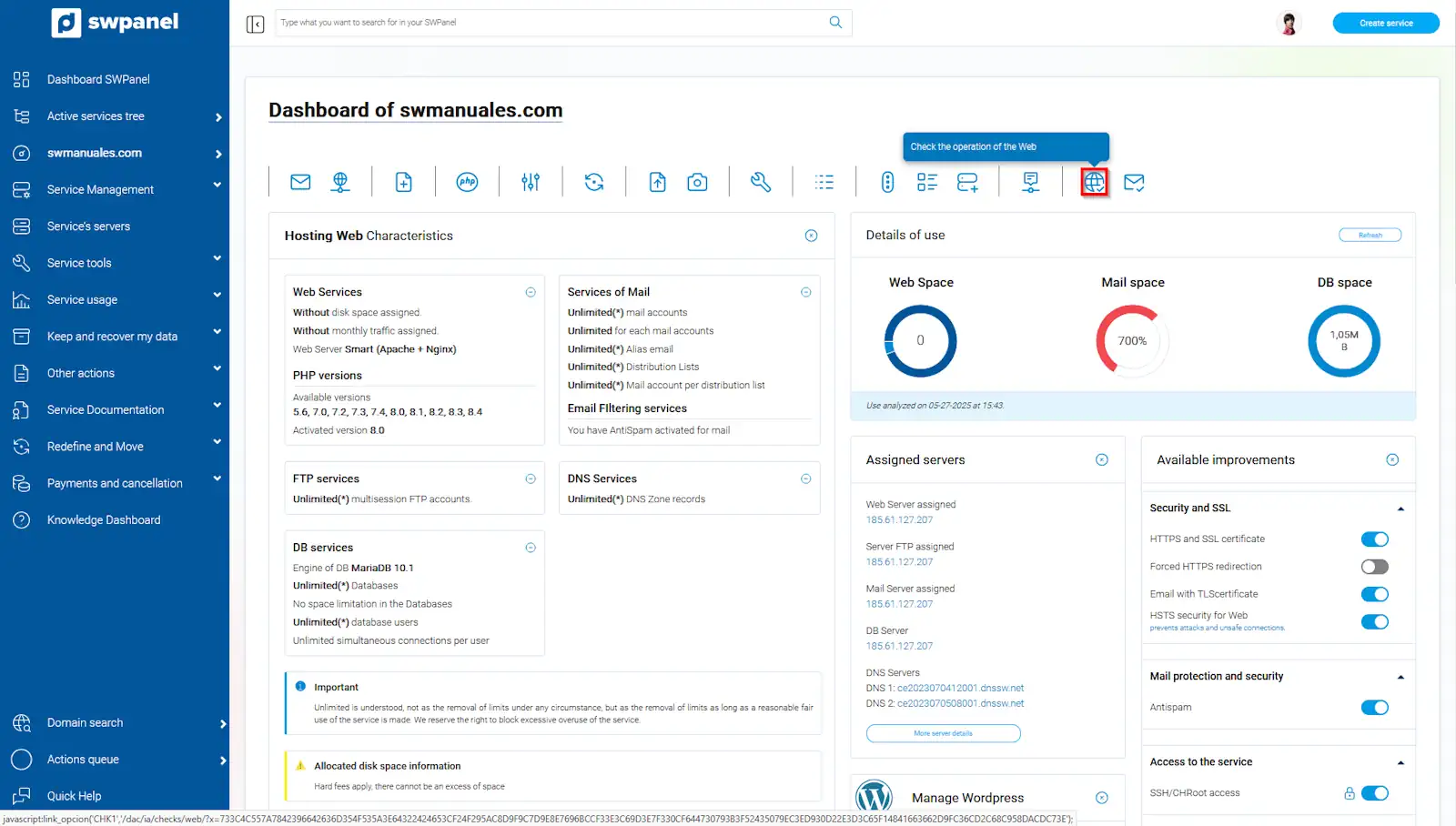
info_capture The screenshot is for guidance only. It was taken using version 2025.004.0002 dated 28/05/2025. It may differ from what the current version of SWPanel shows.
In this new window, you will have three types of verifications that can be performed:
-
Web services functionality test: This test will analyze pre-established points to verify the correct operation and configuration of the services necessary for your website to function correctly.
1.1 Perform in-depth test: An in-depth test is carried out directly on the server containing your Hosting Plan, accessing it as if you were a plan user and executing the actions and checks directly from this Hosting.
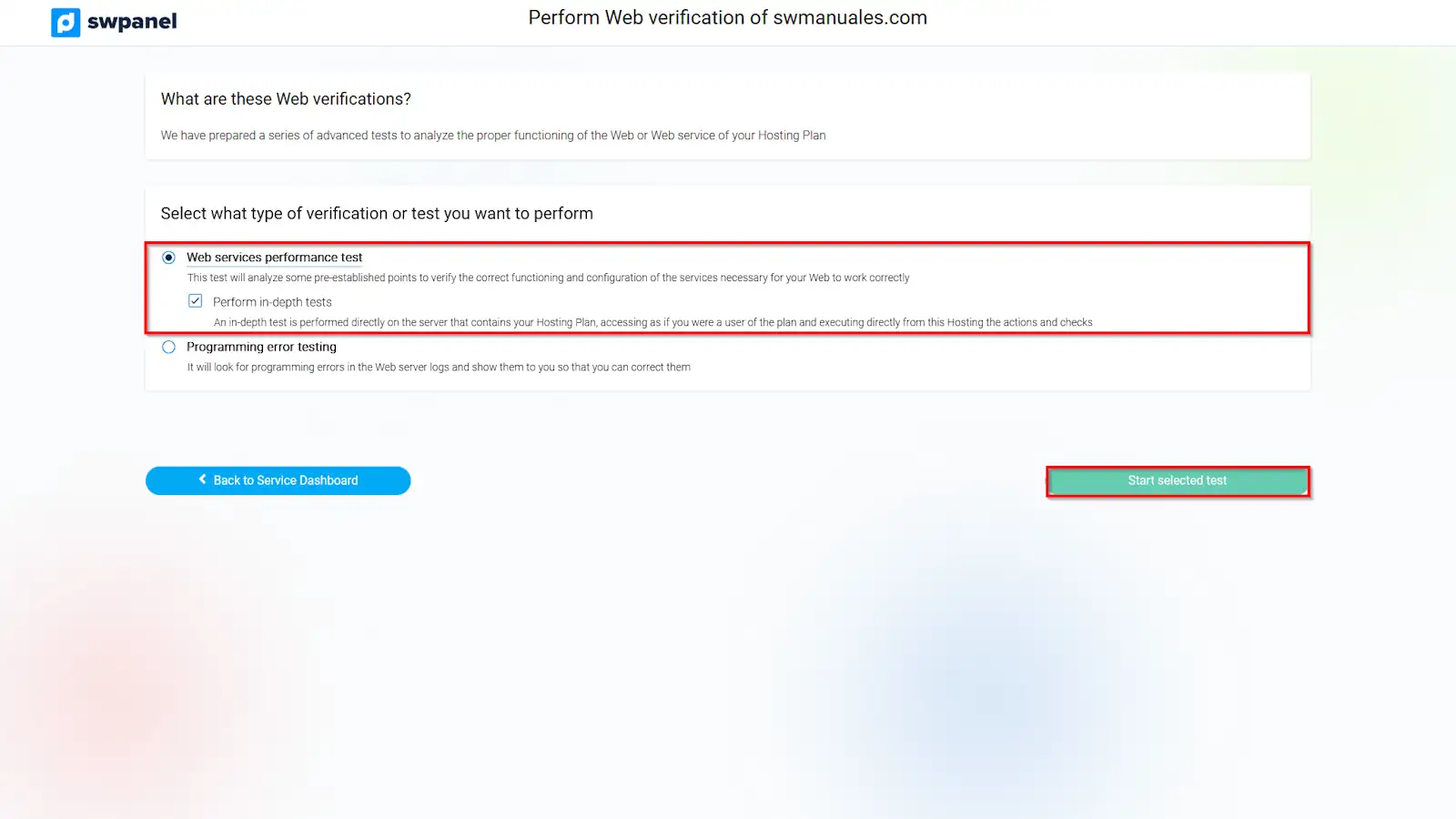
info_capture The screenshot is for guidance only. It was taken using version 2025.004.0002 dated 28/05/2025. It may differ from what the current version of SWPanel shows.
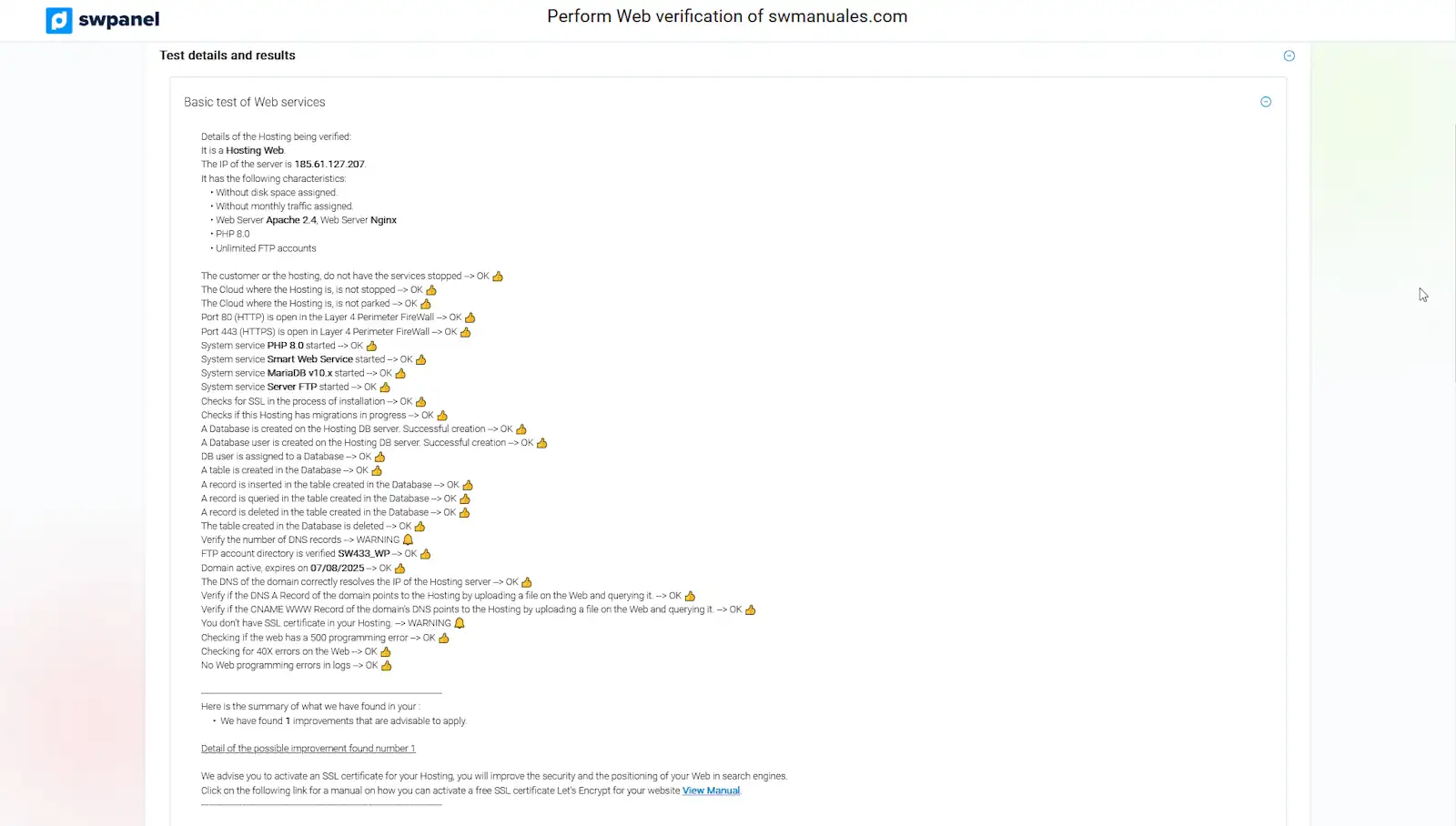
info_capture The screenshot is for guidance only. It was taken using version 2025.004.0002 dated 28/05/2025. It may differ from what the current version of SWPanel shows.
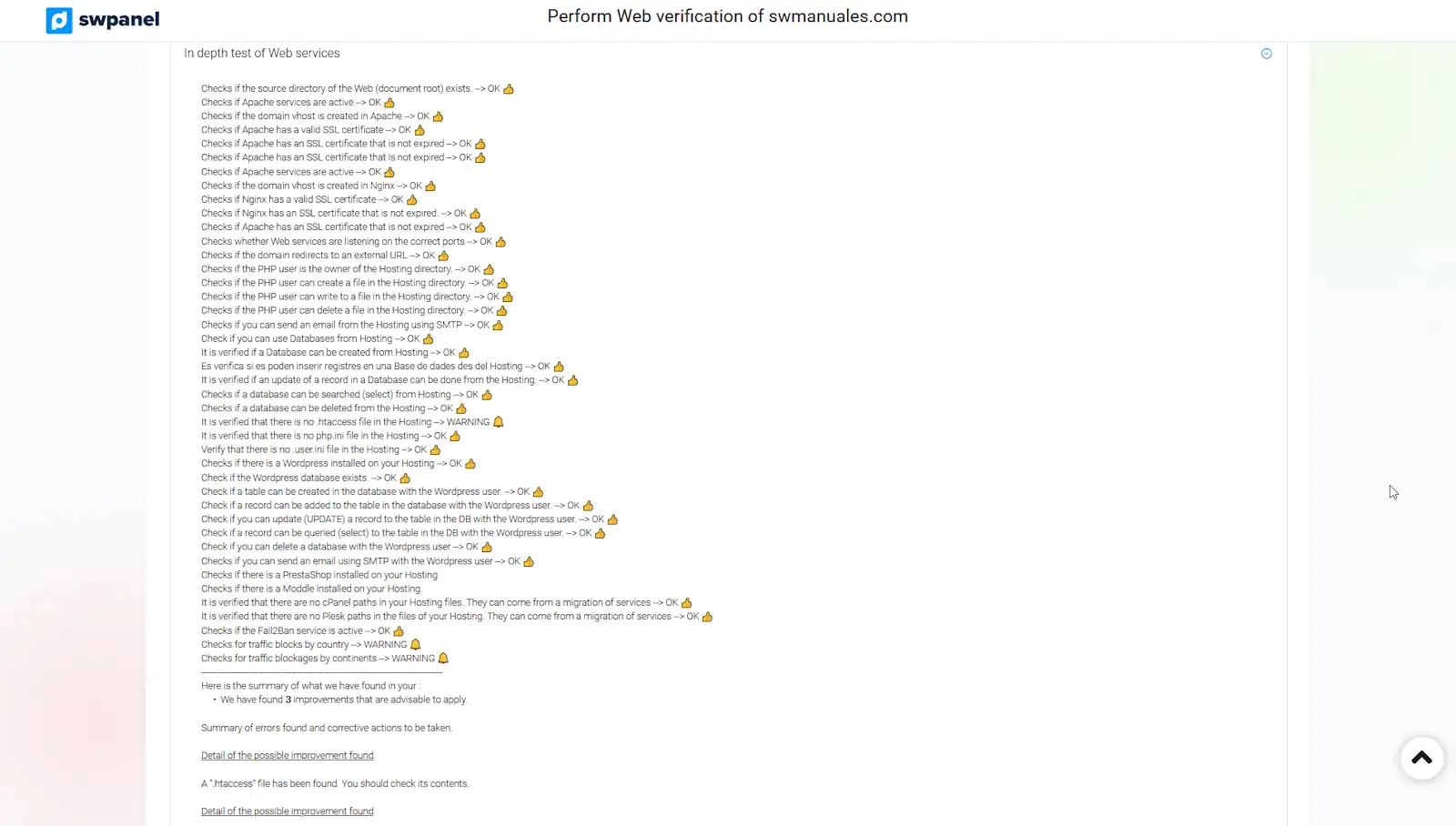
info_capture The screenshot is for guidance only. It was taken using version 2025.004.0002 dated 28/05/2025. It may differ from what the current version of SWPanel shows.
- Programming errors test: It will search for programming errors in the Web server logs and display them so you can correct them. You can select a start date and an end date when performing the test; you can also indicate whether you want all errors to be shown or a specific number of errors per day:
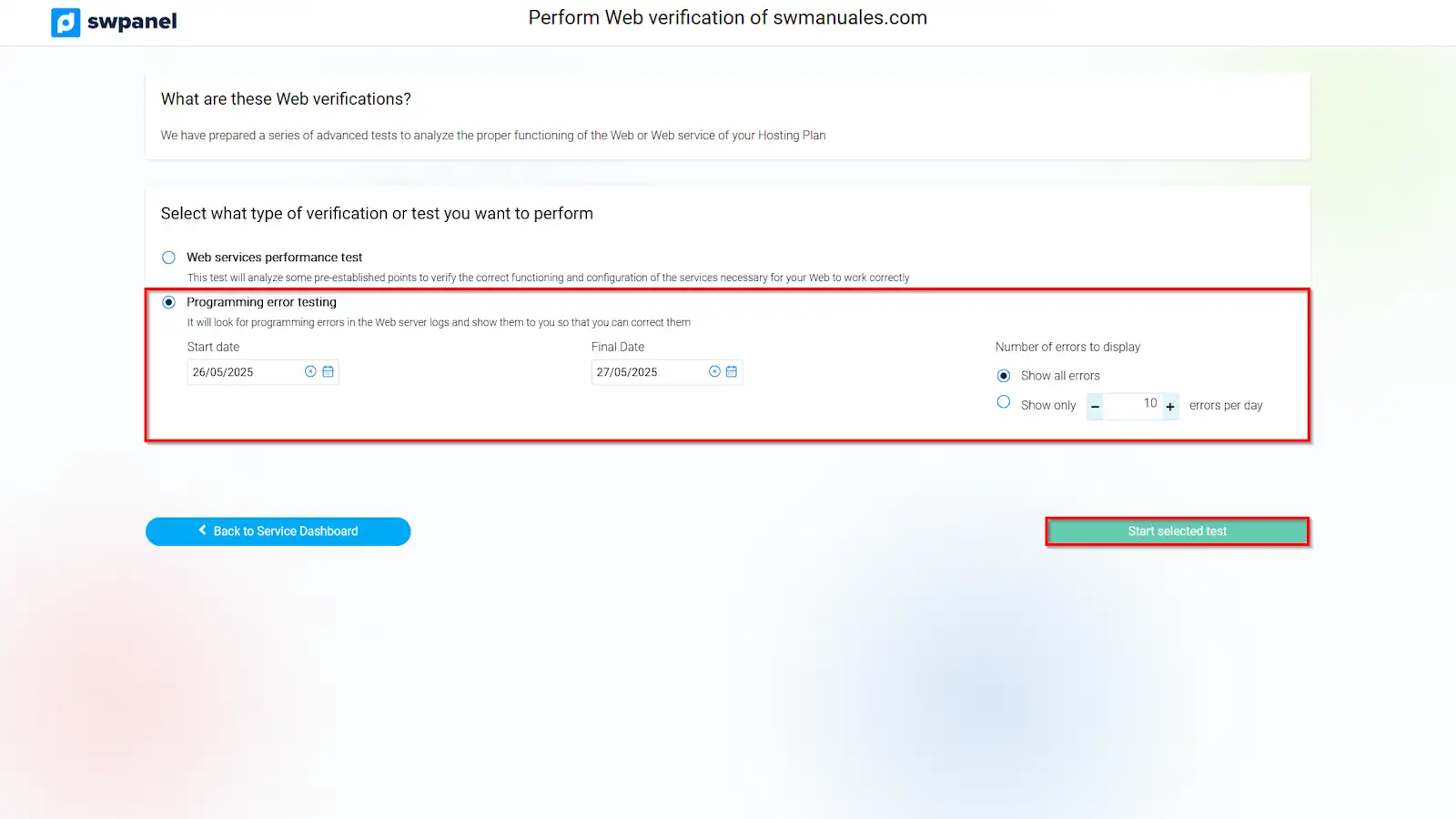
info_capture The screenshot is for guidance only. It was taken using version 2025.004.0002 dated 28/05/2025. It may differ from what the current version of SWPanel shows.
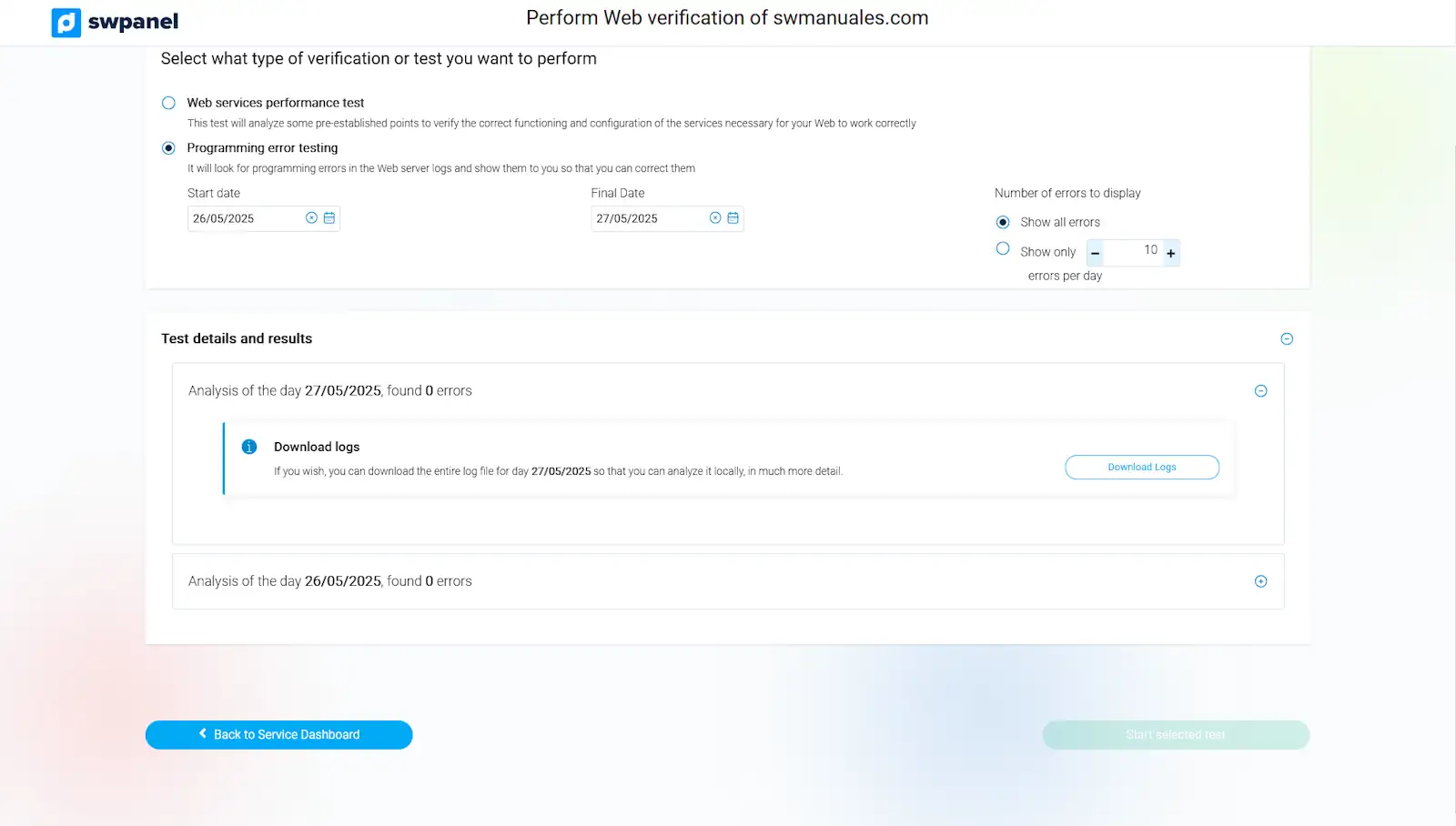
info_capture The screenshot is for guidance only. It was taken using version 2025.004.0002 dated 28/05/2025. It may differ from what the current version of SWPanel shows.