
How to make adjustments to: PHP, APACHE, NGINX, MARIADB, POSTFIX, DOVECOT, on my server with SWPanel
This manual explains how to make adjustments to PHP, Apache, Nginx, MariaDB, Postfix, and Dovecot on your Cloud via SWPanel.
1. Access to SWPanel
- Access your SWPanel with your username and password.
- In the SWPanel Dashboard, click 'Active services tree' in the left side menu:
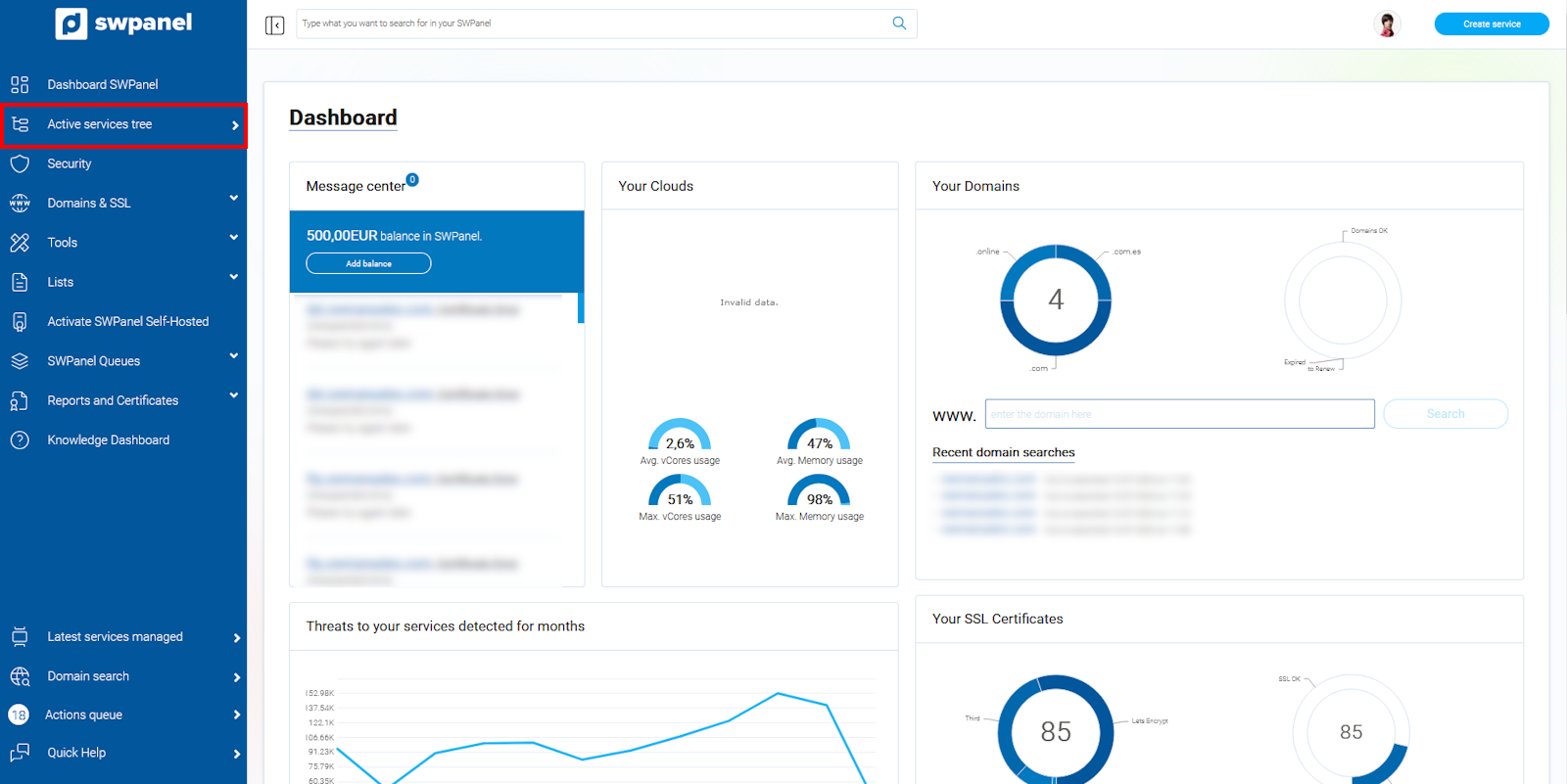
info_capture The screenshot is for guidance purposes. It was taken using version 2026.001.0057 dated 17/05/2026. It may differ from what the current version of SWPanel shows.
- Select your Cloud to access its Dashboard:
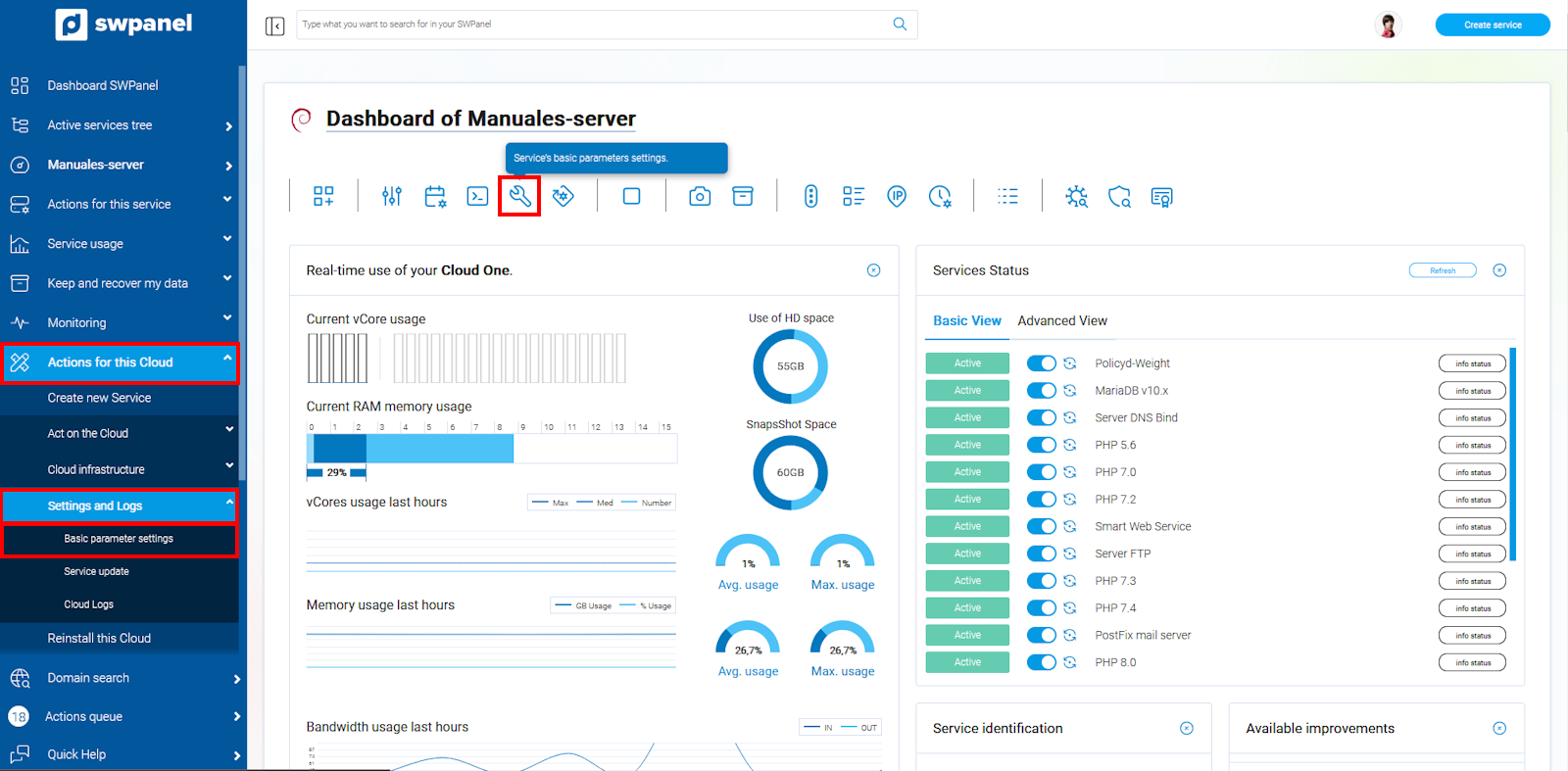
- Expand the menu: Actions for this Cloud → Settings and Logs → Basic parameter settings or click on the wrench and screwdriver icon:
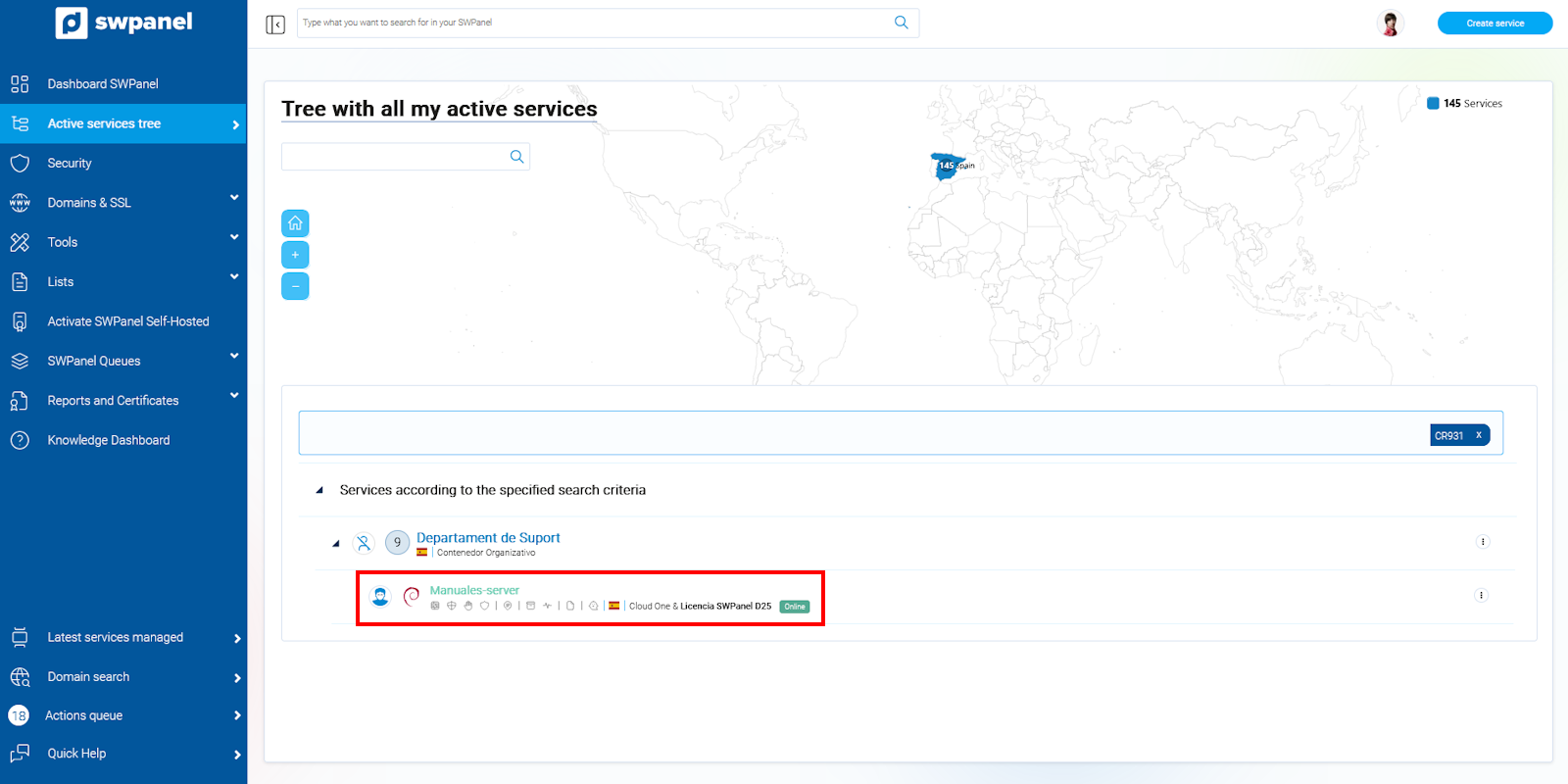
info_capture The screenshot is for guidance purposes. It was taken using version 2026.001.0057 dated 17/05/2026. It may differ from what the current version of SWPanel shows.
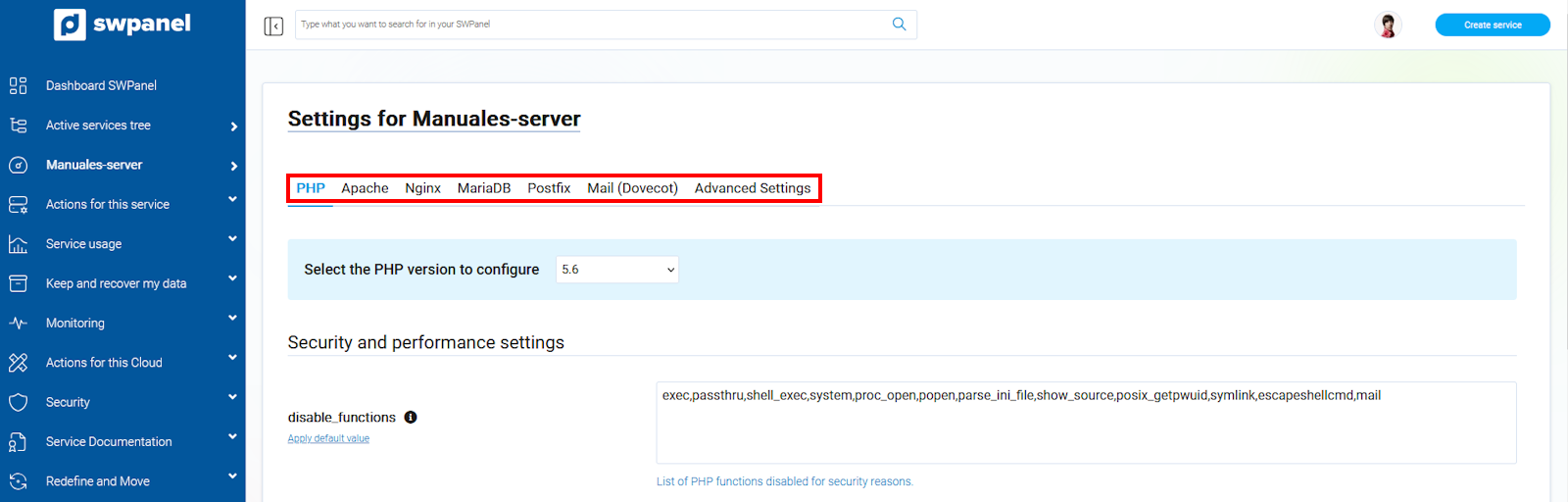
This section has seven tabs: PHP, Apache, Nginx, MariaDB, Postfix, Dovecot, and Advanced Settings.
info_capture The screenshot is for guidance purposes. It was taken using version 2026.001.0057 dated 17/05/2026. It may differ from what the current version of SWPanel shows.
Note: Changes will affect all services on your Cloud. Contact support if you have any questions (? Manual: Talk to support with Quick Help).
2. PHP
Version selection
At the top, select the PHP version you wish to configure. You can apply different configurations for each version.
info_capture The screenshot is for guidance purposes. It was taken using version 2026.001.0057 dated 17/05/2026. It may differ from what the current version of SWPanel shows.
Configuration sections
- Security and performance:
disable_functions: functions disabled for security.
Default value:exec, passthru, shell_exec, system, proc_open, popen, parse_ini_file, show_source, posix_getpwuid, symlink, escapeshellcmd, mail.max_execution_time: maximum script execution time. Default: 30 smax_input_time: maximum time for parsing input data. Default: 60 smax_input_vars: maximum number of input variables. Default: 1000memory_limit: memory limit for scripts. Default: 128 MBpost_max_size: maximum POST size. Default: 20 MBupload_max_filesize: maximum uploaded file size. Default: 20 MB
- Common configuration:
allow_url_fopen: enables access to remote files via URL.display_errors: show errors on screen. Default: Offerror_reporting: error reporting level. Default: E_ALL & ~E_DEPRECATED & ~E_STRICTfile_uploads: allows uploading files via HTTP.max_file_uploads: maximum number of files uploaded simultaneously. Default: 20session.save_path: path to save sessions.short_open_tag: allows short PHP tags<? ?>.
Save changes with 'Save Settings'.
3. Apache
Version selection
At the top, choose the Apache version to configure.
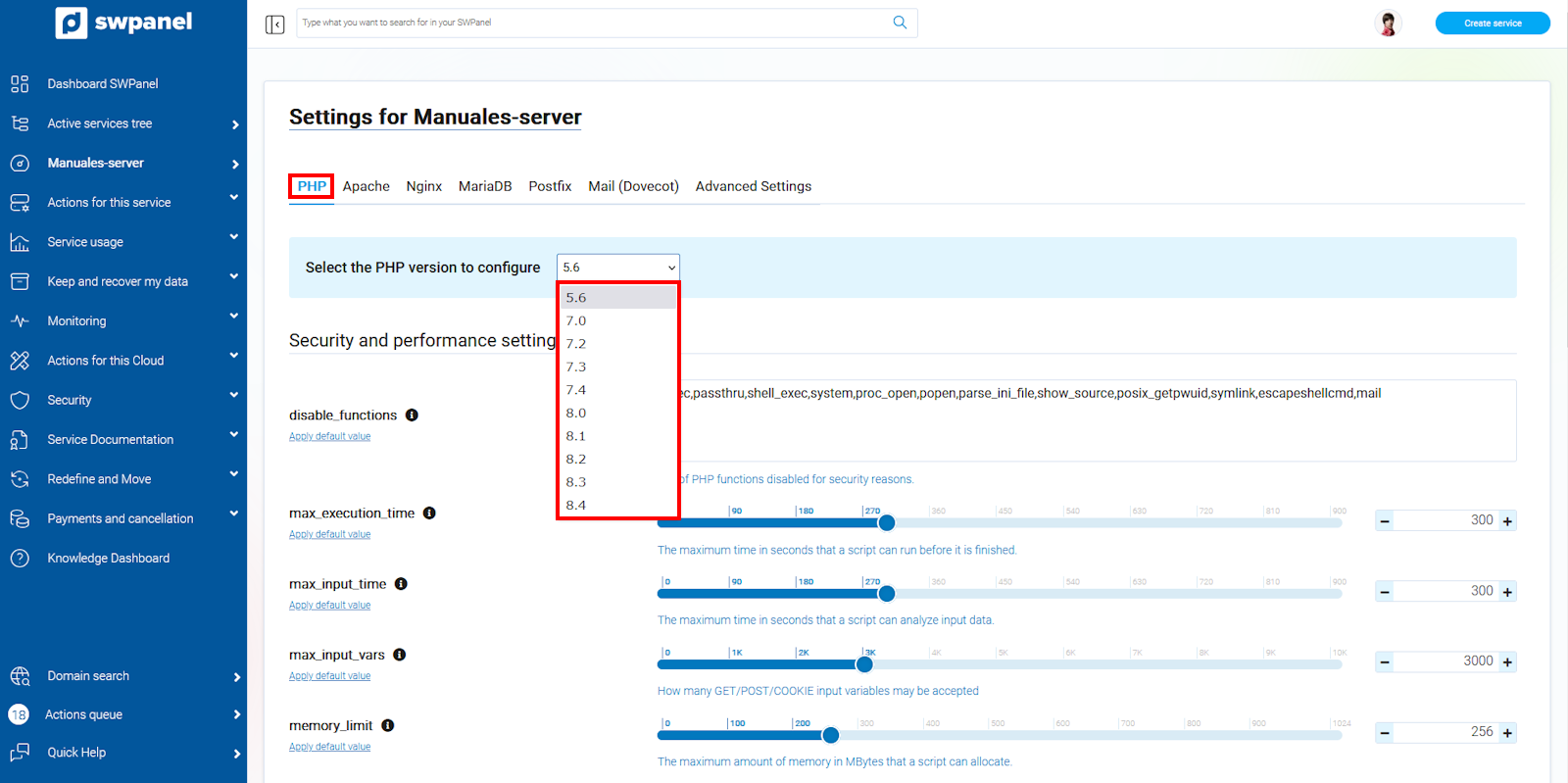
Security and performance
KeepAlive,KeepAliveTimeout,MaxKeepAliveRequestsServerSignatureOff,ServerTokensProdMaxConnectionsPerChild,MaxRequestWorkersMaxSpareThreads,MinSpareThreads,StartServers,ThreadLimit,ThreadsPerChild
Save changes with 'Save Settings'.
4. Nginx
Version selection
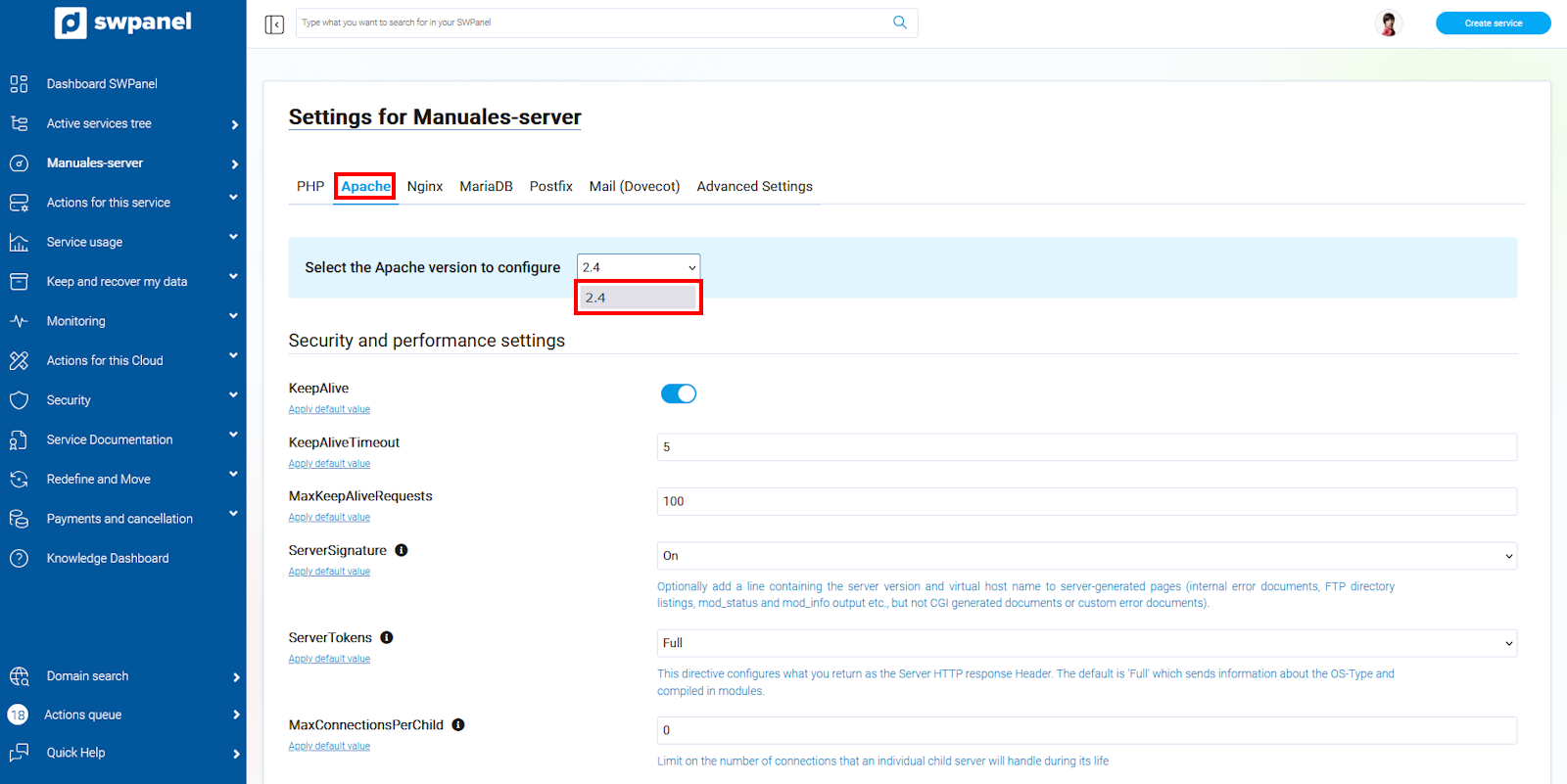
info_capture The screenshot is for guidance purposes. It was taken using version 2026.001.0057 dated 17/05/2026. It may differ from what the current version of SWPanel shows.
Security and performance
client_max_body_sizekeepalive_timeoutserver_tokensssl_ciphersssl_protocolsproxy_max_temp_file_size
Common configuration
server_names_hash_bucket_size64worker_connections768
Save changes with 'Save Settings'.
5. MariaDB
Version selection
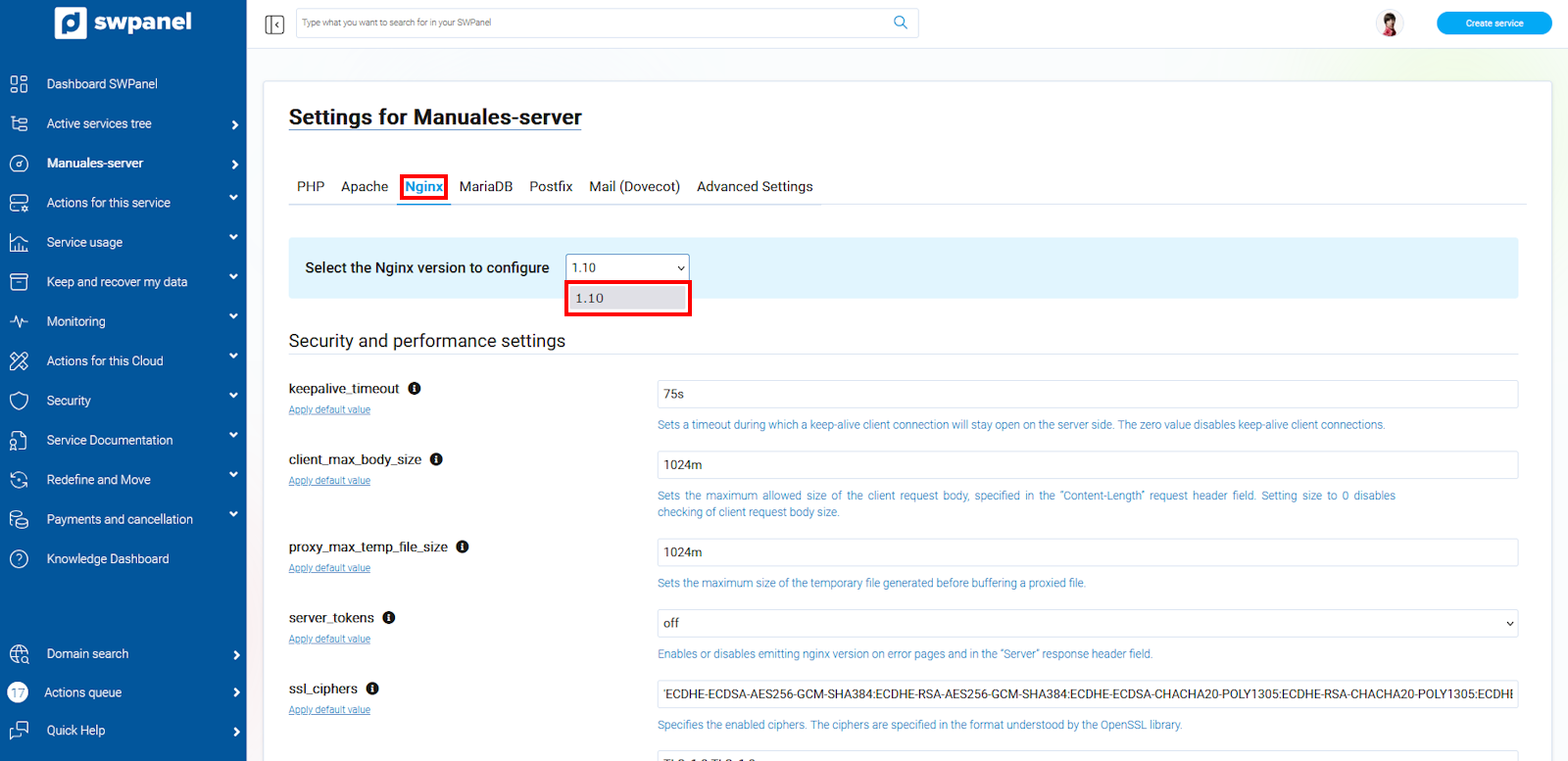
info_capture The screenshot is for guidance purposes. It was taken using version 2026.001.0057 dated 17/05/2026. It may differ from what the current version of SWPanel shows.
Common configuration
character-set-server: utf8collation-server: utf8_unicode_cikey_buffer_size: 0max_allowed_packet: 0query_cache_limit: 0query_cache_size: 16
Save changes with 'Save Settings'.
6. Mail (Postfix)
Version selection
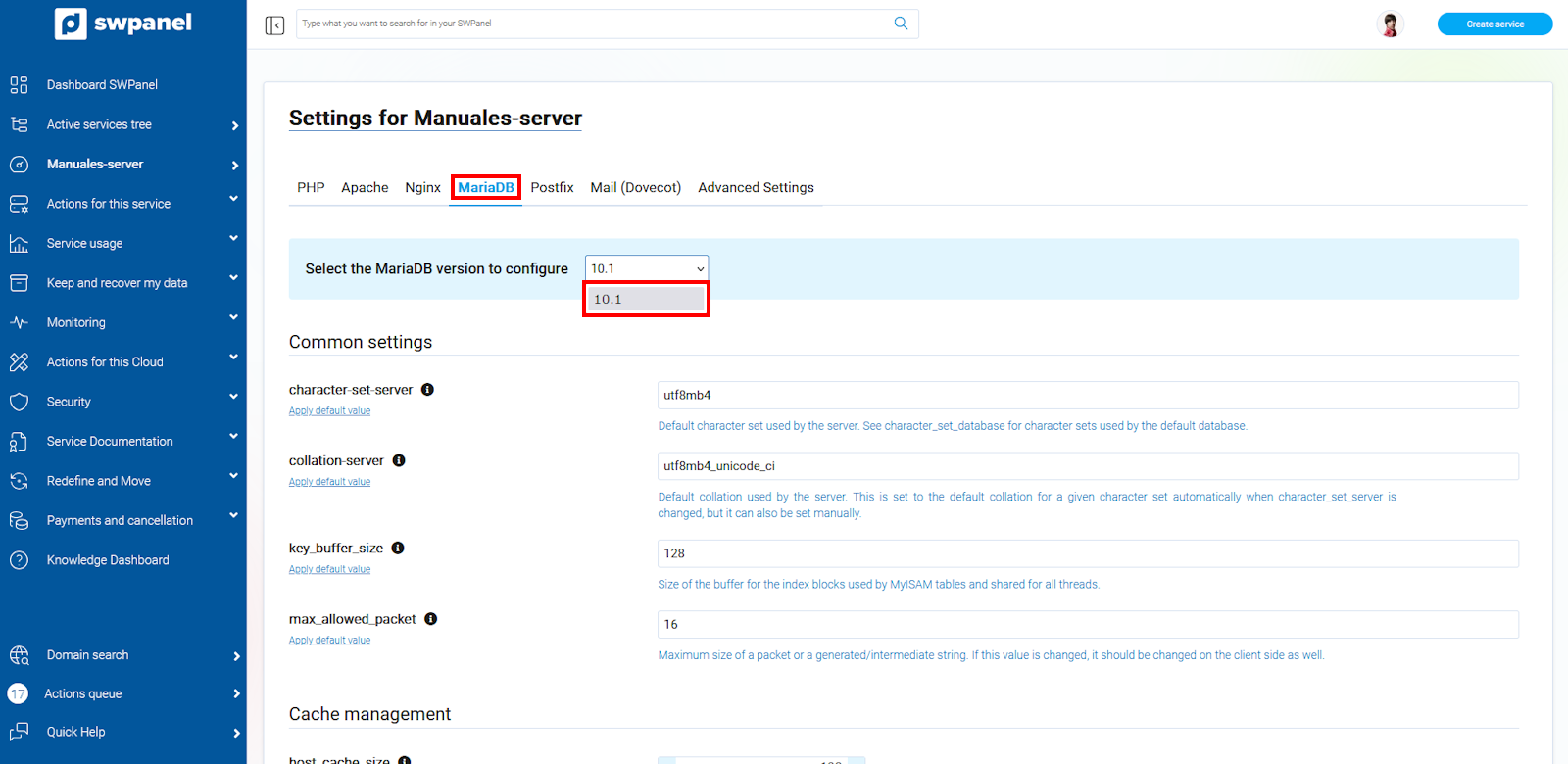
info_capture The screenshot is for guidance purposes. It was taken using version 2026.001.0057 dated 17/05/2026. It may differ from what the current version of SWPanel shows.
Security and performance
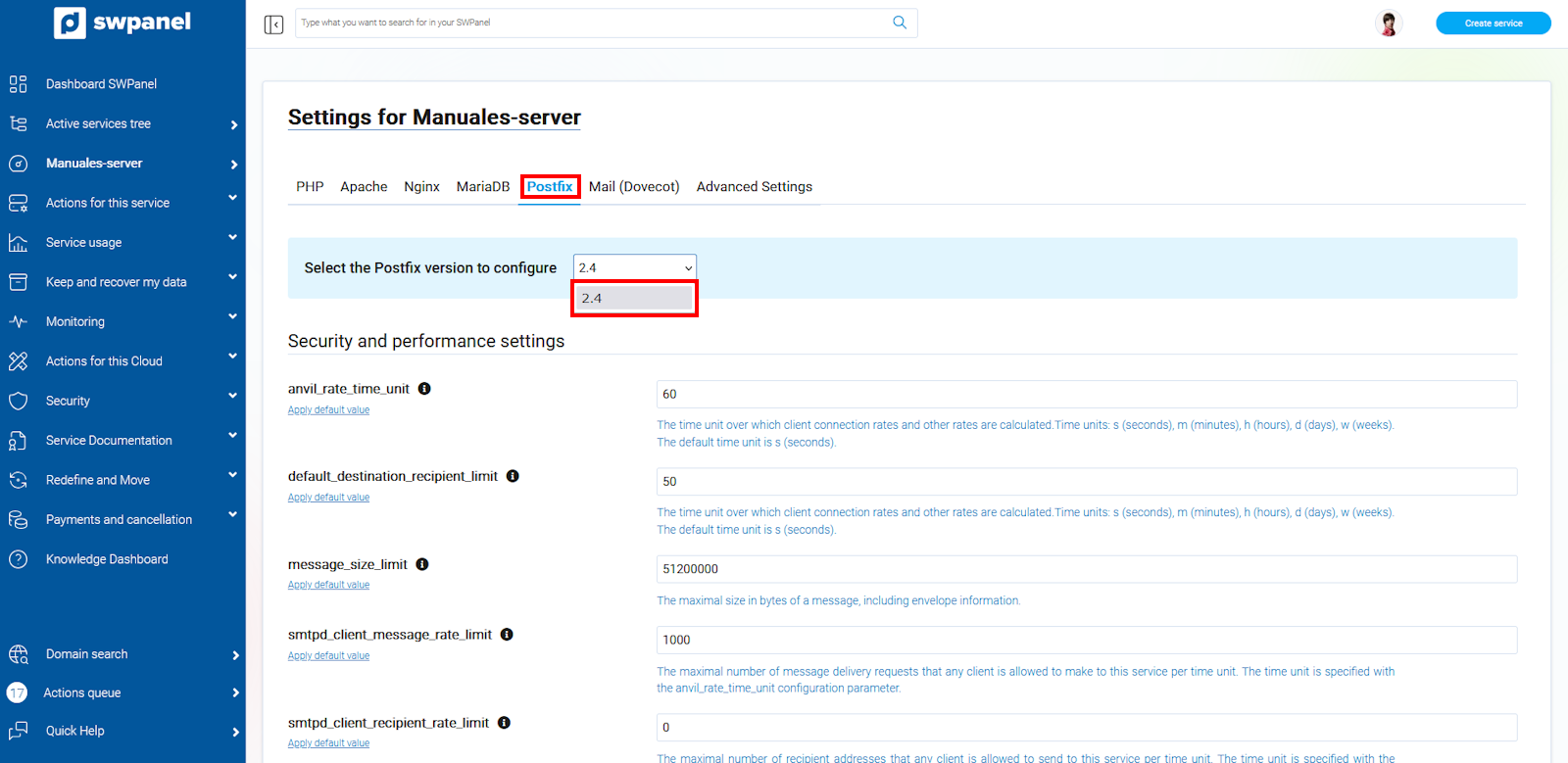
anvil_rate_time_unit: s (seconds). Default value: 60sdefault_destination_recipient_limit: 50message_size_limit: 51200000smtpd_client_message_rate_limit: 1000smtpd_client_recipient_rate_limit: 0
Common configuration
bounce_queue_lifetime: 5maximal_queue_lifetime: 5
Save changes with 'Save Settings'.
7. Mail (Dovecot)
Version selection
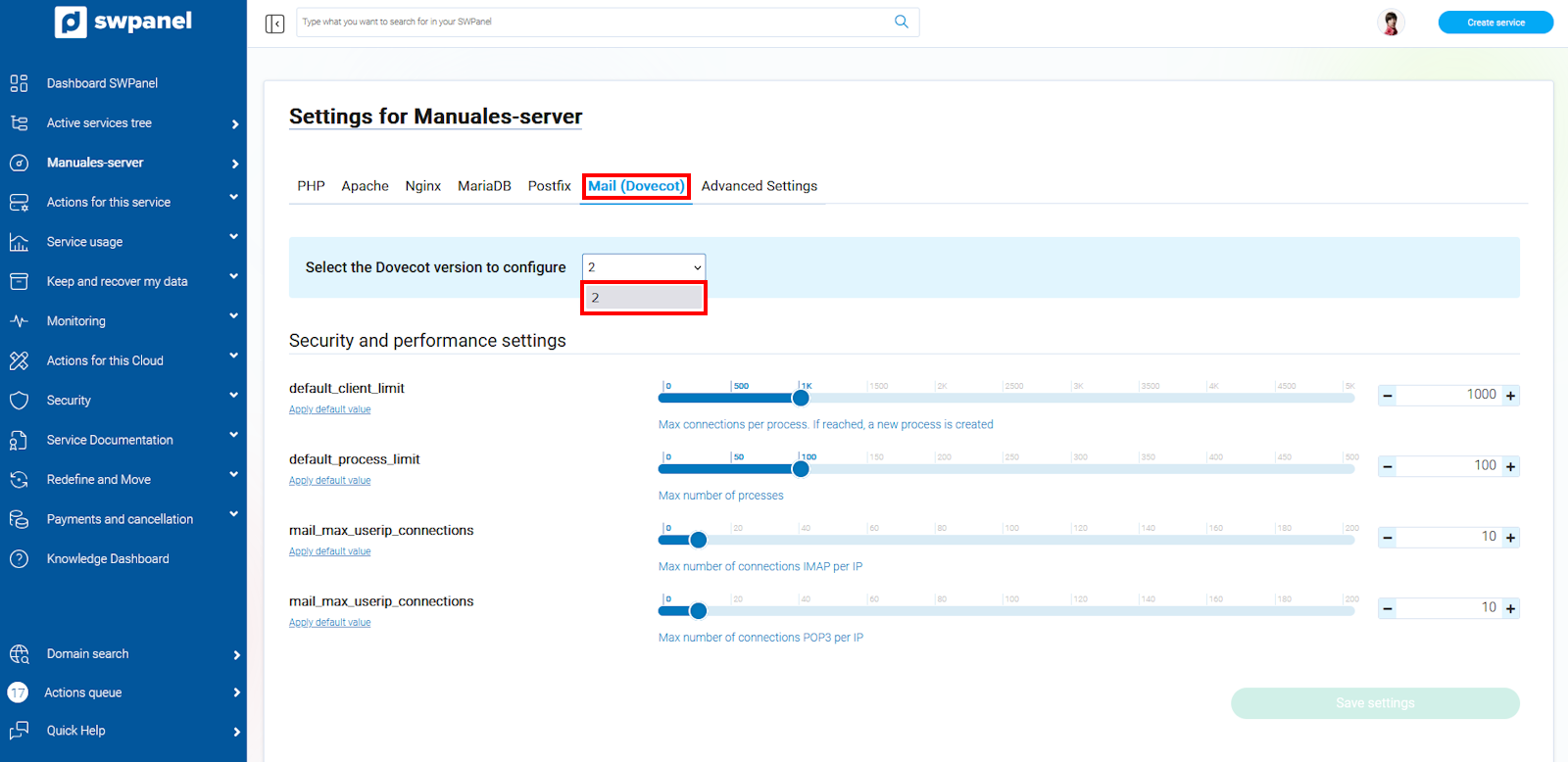
info_capture The screenshot is for guidance purposes. It was taken using version 2026.001.0057 dated 17/05/2026. It may differ from what the current version of SWPanel shows.
Security and performance
default_client_limit: 1000default_process_limit: 100mail_max_userip_connections: 10 (IMAP)mail_max_userip_connections: 10 (POP3)
Save changes with 'Save Settings'.
8. Advanced Settings
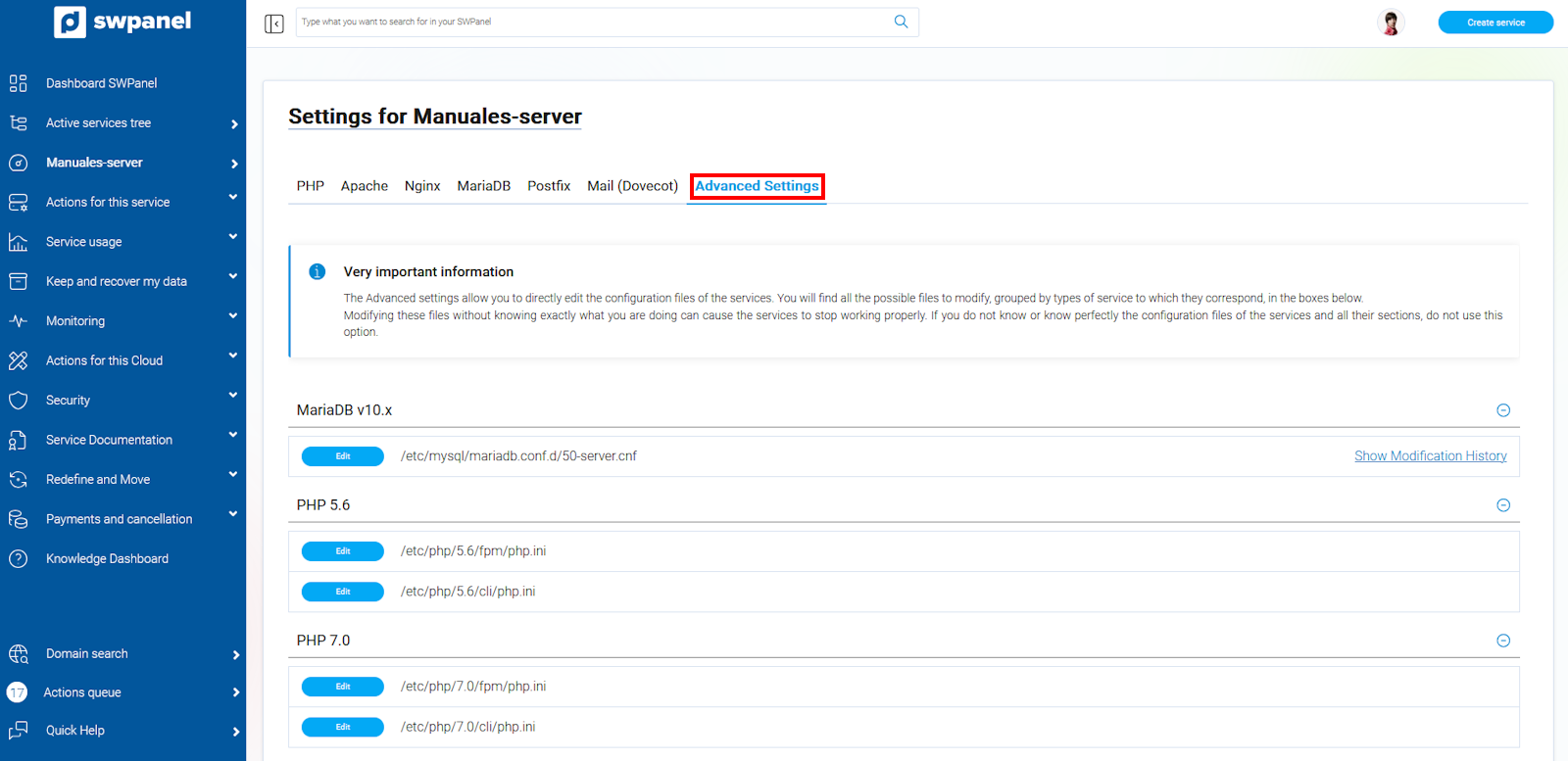
- Allows direct editing of generic configuration files for the services.
- A reload of the services is performed after saving changes.
info_capture The screenshot is for guidance purposes. It was taken using version 2026.001.0057 dated 17/05/2026. It may differ from what the current version of SWPanel shows.
⚠️ Modifying these files without the necessary knowledge can cause service failures. Proceed only if you are familiar with the files.
Editable files
/etc/postfix/main.cf/etc/postfix/master.cf/etc/mysql/mariadb.conf.d/50-server.cnf/etc/php/*/fpm/php.iniand/etc/php/*/cli/php.ini/etc/apache2/apache2.conf/etc/nginx/nginx.conf/etc/nginx/swpanel/general.conf/etc/nginx/swpanel/all_vhosts.conf
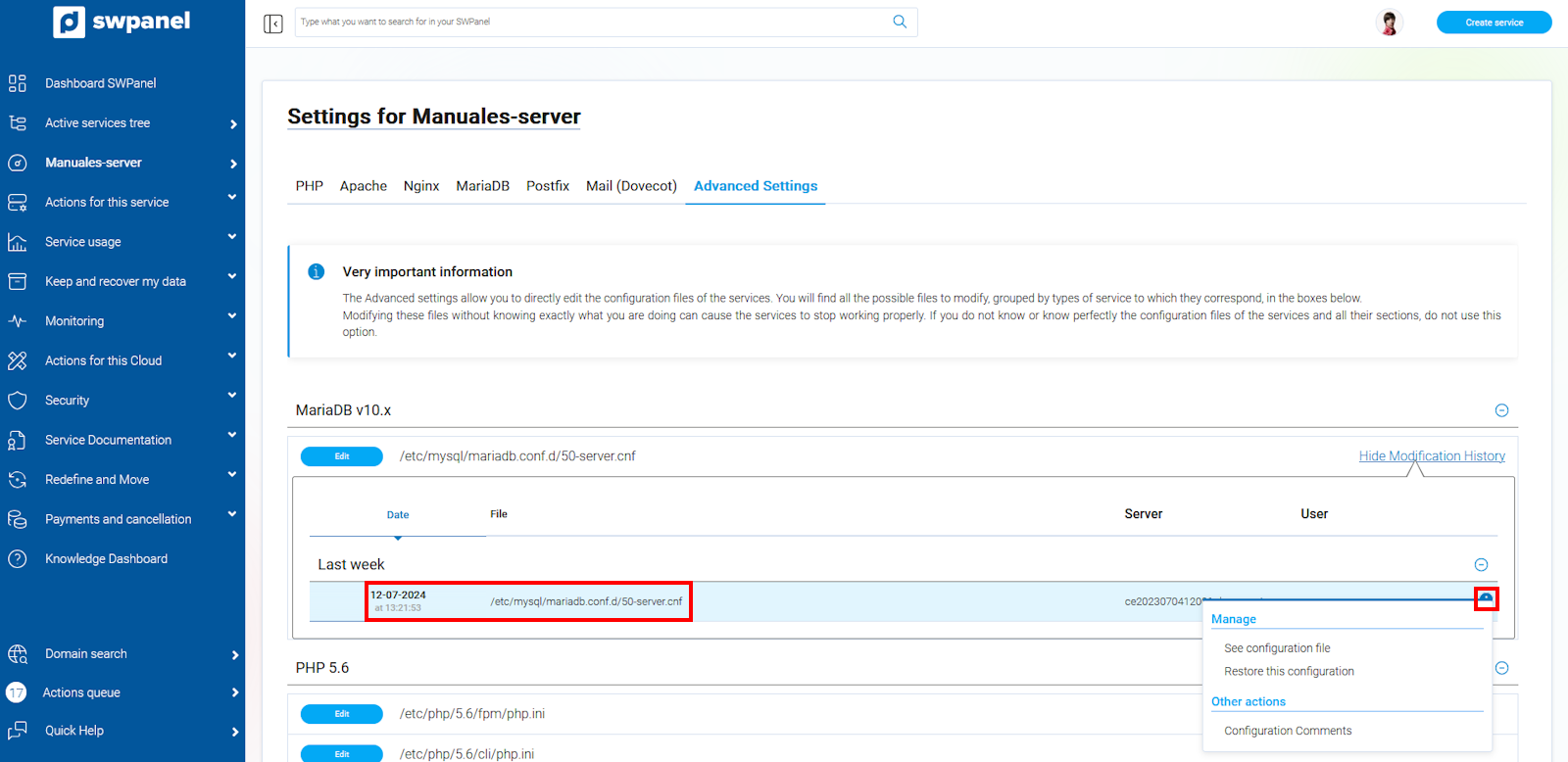
Modification history
info_capture The screenshot is for guidance purposes. It was taken using version 2026.001.0057 dated 17/05/2026. It may differ from what the current version of SWPanel shows.
- View configuration file
- Restore previous configuration
- Add comments about the configuration
info_capture The screenshot is for guidance purposes. It was taken using version 2026.001.0057 dated 17/05/2026. It may differ from what the current version of SWPanel shows.