
How to recover an expired domain
You should know that domains have a life cycle and, depending on whether they have been registered, have expired, etc., they go through different states. Below, we will break down the most common ones to avoid confusion:
Domain Life Cycle
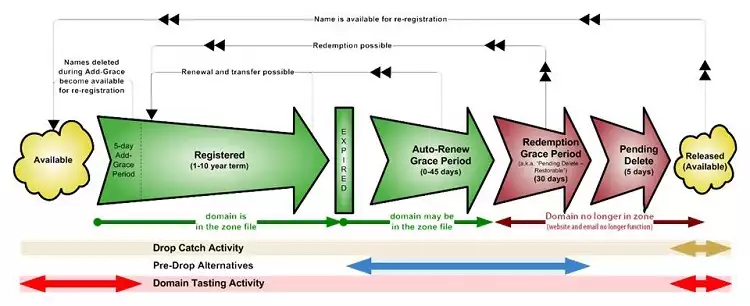
· Available or Free The domain is not currently registered by any individual or corporation, so you can register it to make it your property.
· Registered or Occupied This means that the domain is already registered. In this state, you can only transfer it if it is your property. Otherwise, you cannot perform any action.
· Active Once the domain is registered, you can use it and link it to a hosting plan if you wish.
· Expired This is when the domain has not been renewed in time and has expired. At this point, first of all, the domain stops working and also goes through different states:
· Grace Period ( Renew Grace Period ) If it was not renewed while it was active, during this time period (approximately between 0 and 45 days) the domain stops working, but you can proceed to recover it. This recovery has a cost that you will be informed of once you have the domain in the cart.
· Redemption Grace Period If it was not renewed while it was active or in the grace period, you can still recover the domain, although the price will be much higher due to a penalty. In this state, it usually stays for about 30 days.
· Deletion Period ( Pending Delete ) Once it reaches this state, the domain can no longer be renewed, and you simply have to wait (about 5 days) for it to become available again.
It is important to know that NOT all domain extensions are subject to the same number of days of duration in the different states.
Recover an expired domain
1. If your domain is in the Grace Period (Renew Grace Period), you can recover it through your SWPanel
Once inside your client panel, you should go to the Domains and SSL tab -> Domain Portfolio
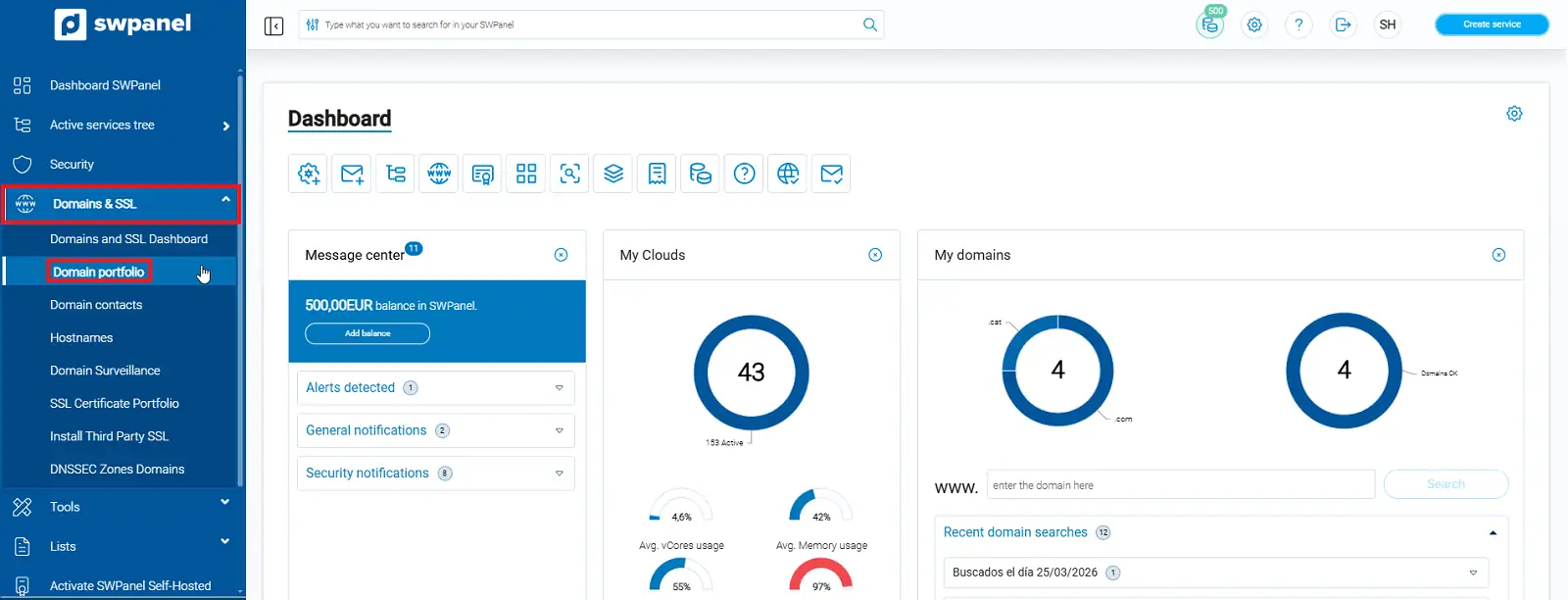
info_capture The screenshot is for guidance. It was taken from version 2026.000.0063 dated 06/04/2026. It may differ from what the current version of SWPanel shows.
You will see your expired domain with an attention text box on it. In this same message, you will see the button you must press, which indicates -> Recover expired domain
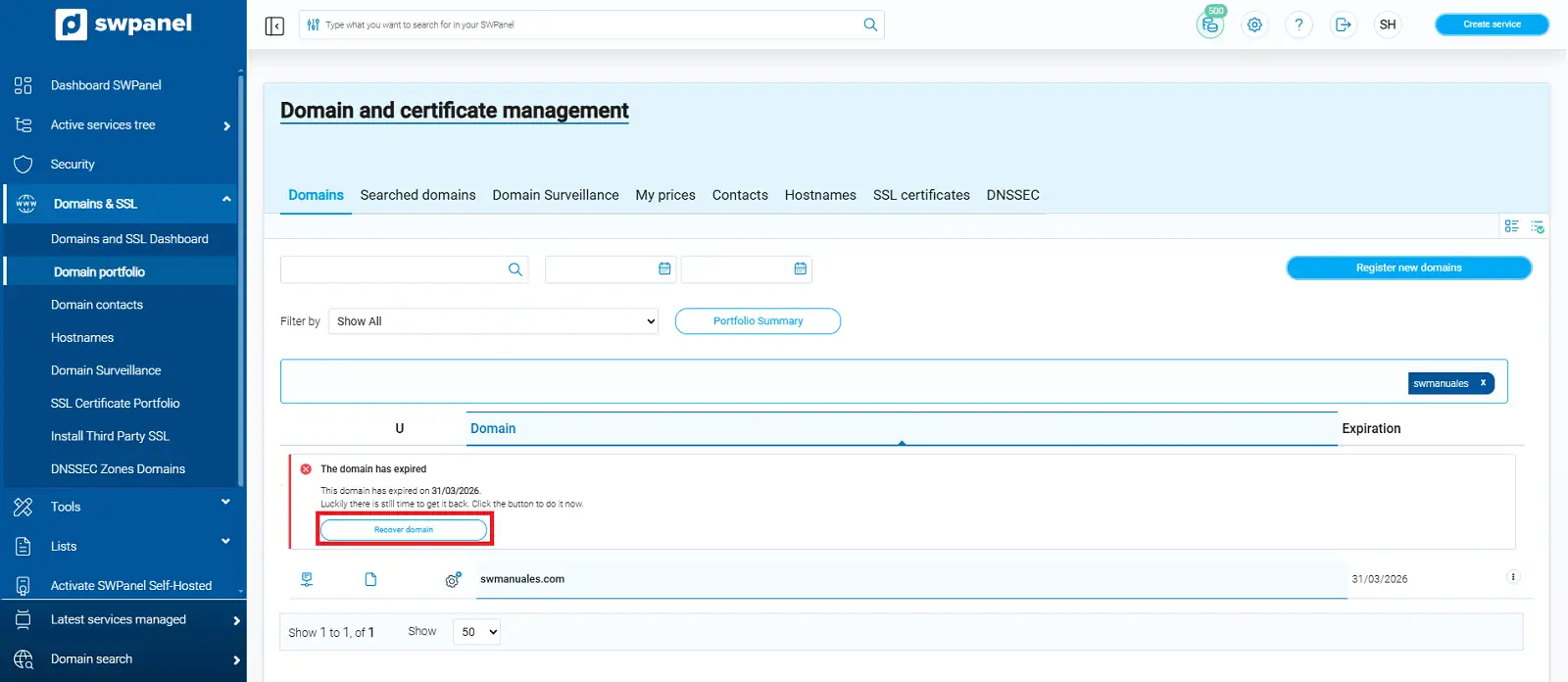
info_capture The screenshot is for guidance. It was taken from version 2026.000.0063 dated 06/04/2026. It may differ from what the current version of SWPanel shows.
We will see that the domain will be added to the SWPanel domain cart, which we must click:
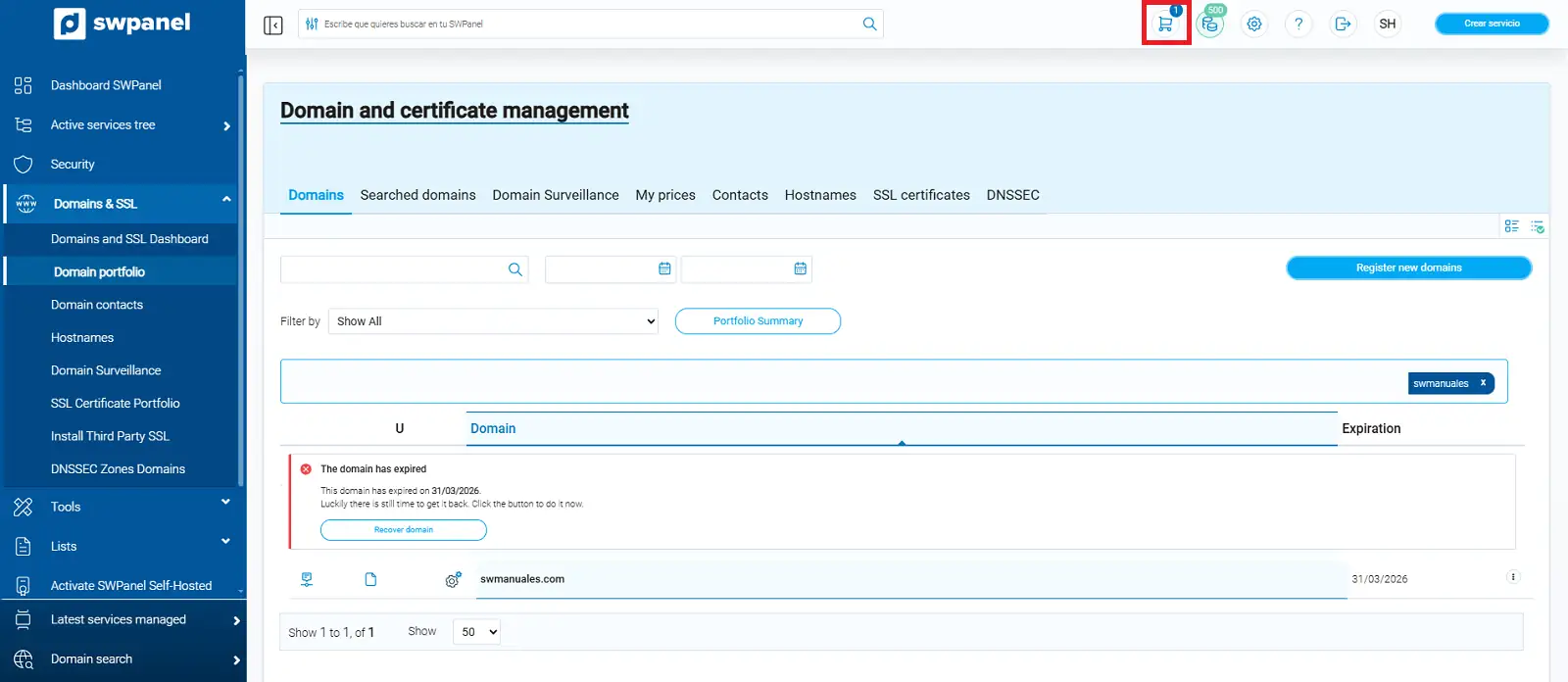
info_capture The screenshot is for guidance. It was taken from version 2026.000.0063 dated 06/04/2026. It may differ from what the current version of SWPanel shows.
Here it will indicate the cost of the domain renewal and its recovery cost. You only need to add balance (if using SWPanel credits) and accept domain cart
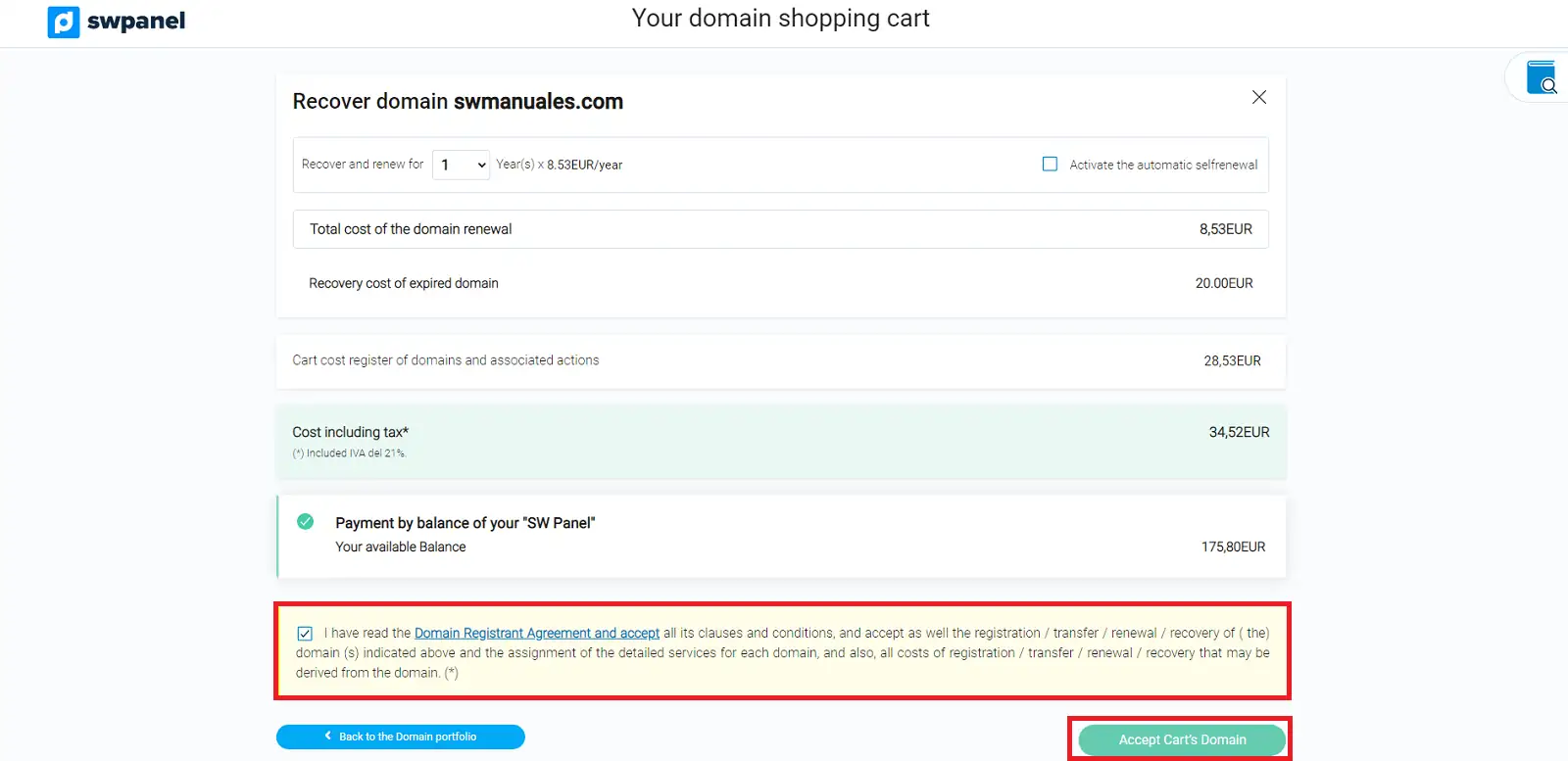
info_capture The screenshot is for guidance. It was taken from version 2026.000.0063 dated 06/04/2026. It may differ from what the current version of SWPanel shows.
2. If your domain is in any of the following states (Redemption grace period, Pending delete, or has become free), you will not find it in your control panel. To recover it and/or know its status, you must open an Administrative Ticket [Manual: How to create an Administrative Ticket].
If it has been released, you must register it [Manual: How to register a domain from SWPanel] again from your SWPanel
You can also find out its status by performing a WHOIS on it.